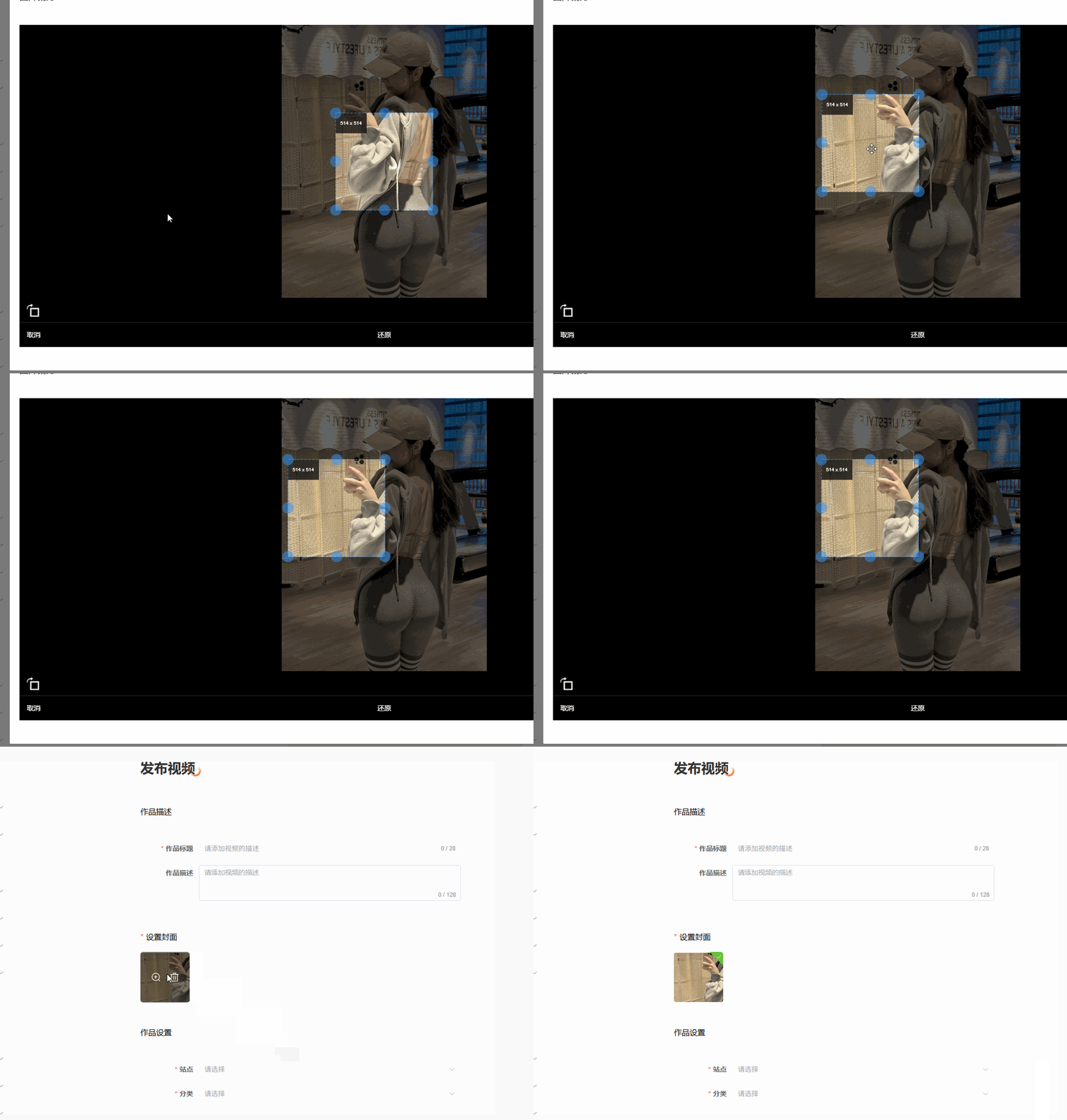
<template>
  <div class="cropper">
    <div ref="stage" class="cropper__stage" @touchstart="onTouchStart" @touchmove="onTouchMove" @touchend="onTouchEnd"
      @mousedown="onTouchStart" :style="{ visibility: state.loadComplete ? 'visible' : 'hidden' }">
      <img class="cropper__img" ref="imageRef" :src="state.img" alt="" :style="{
        transform: `translate3d(${state.originalImage.left}px,${state.originalImage.top}px,0) rotateZ(${state.originalImage.rotate}deg) scale(${state.originalImage.scale})`
      }">

      <div class="cropper__box" :style="{
        width: `${state.cropBox.width}px`,
        height: `${state.cropBox.height}px`,
        transform: `translate3d(${state.cropBox.left}px,${state.cropBox.top}px,0)`
      }">
        <div class="face">
          <img :src="state.img" alt="" :style="{
            transform: `translate3d(${state.originalImage.left - state.cropBox.left}px,${state.originalImage.top - state.cropBox.top}px,0) rotateZ(${state.originalImage.rotate}deg) scale(${state.originalImage.scale})`
          }">
        </div>
        <div v-if="showOutputSize" class="size-num">
          {{ `${outputSizeInfo.width} x ${outputSizeInfo.height}` }}
        </div>
        <div class="mask" data-name="mask"></div>
        <div class="line-top"></div>
        <div class="line-right"></div>
        <div class="line-bottom"></div>
        <div class="line-left"></div>
        <template v-if="!fixedBox">
          <div class="dot-tl" data-name="dot-tl"></div>
          <div class="dot-tc" data-name="dot-tc"></div>
          <div class="dot-tr" data-name="dot-tr"></div>
          <div class="dot-rc" data-name="dot-rc"></div>
          <div class="dot-rb" data-name="dot-rb"></div>
          <div class="dot-bc" data-name="dot-bc"></div>
          <div class="dot-bl" data-name="dot-bl"></div>
          <div class="dot-lc" data-name="dot-lc"></div>
        </template>
      </div>

    </div>

    <div class="cropper__control">
      <div class="cropper__icon-rotate" @click="onRotate" />
    </div>
    <div class="cropper__line"></div>
    <div class="cropper__control">
      <span @click="onCancel">取消</span>
      <span @click="onReset">还原</span>
      <span @click="onCrop">选取</span>
    </div>
  </div>
</template>

<script setup>
import { reactive, ref, computed, watch, onMounted } from 'vue';
import { getOrientation, getImageArrayBuffer, dataURLToBlob, parseOrientation, arrayBufferToDataURL } from '@/utils/cropperUtils';
import { ElMessage } from 'element-plus';

// 定义 props
const props = defineProps({
  // 裁剪框大小
  cropSize: {
    type: Number,
    default: 200,
  },
  // 裁剪图路径(本地图片的路径或者图片的数据源base64|blob|file)
  imagePath: String,
  // 输出文件的类型(base64|blob)
  fileType: String,
  // 输出图片的格式(image/jpeg|image/png|image/webp) 其中 image/webp 只有 chrome 才支持
  imageType: {
    type: String,
    default: 'image/jpeg',
  },
  // 输出图片的质量(0-1)并且只在格式为 image/jpeg 或 image/webp 时才有效,如果参数值格式不合法,将会被忽略并使用默认值。
  quality: {
    type: Number,
    default: .9,
  },
  // 固定裁剪框(不允许修改裁剪框尺寸)
  fixedBox: {
    type: Boolean,
    default: false,
  },
  // 展示输出图片的尺寸(可关闭)
  showOutputSize: {
    type: Boolean,
    default: true,
  },
  // 裁剪模式(高清模式|缩放模式)
  mode: String,
  // 传入的图片最大尺寸(超过这个尺寸会被压缩,手机端移动2000像素以上的图片会出现卡顿,严重影响到体验)
  maxImgSize: {
    type: Number,
    default: 2000,
  }
})

// 定义 emits
const emit = defineEmits(['save', 'cancel']);

// 响应式数据
const state = reactive({
  // 内部图片
  img: '',
  // 原图属性
  originalImage: {
    width: 0,
    height: 0,
    left: 0,
    top: 0,
    rotate: 0,
    scale: 0,
  },
  // 裁剪框
  cropBox: {
    width: 0,
    height: 0,
    left: 0,
    top: 0,
  },
  // 输出尺寸(根据图片比例裁剪框尺寸及裁剪的位置算出的实际尺寸)
  outputSize: {
    width: 0,
    height: 0,
  },
  // 图片加载完成标记(图片加载完成才展示出stage,保证样式正确)
  loadComplete: false,
})

// 舞台(就是裁剪可操作的区域)
let stage = ref();
// canvas 2d绘图
let canvas = document.createElement('canvas');
let ctx = canvas.getContext('2d');
// 要绘制的图片对象
let imageRef = ref();
// 拖拽的目标
let dragTarget = null;
// 手势缩放开关
let touchZoom = false;
// 记录触摸开始的一些数据
let touchStartInfo = {
  originalImageLeft: 0,
  originalImageTop: 0,
  cropLeft: 0,
  cropTop: 0,
  cropWidth: 0,
  cropHeight: 0,
  touches: [],
  mouseInfo: {},
};

// 计算属性 输出尺寸信息
const outputSizeInfo = computed(() => {
  return props.mode === 'scale' ? {
    width: Math.floor(state.outputSize.width * state.originalImage.scale),
    height: Math.floor(state.outputSize.height * state.originalImage.scale)
  } : {
    width: state.outputSize.width,
    height: state.outputSize.height
  };
});

/**
* 手动校正图片(修正图片方向问题)
*/
function correctionPicture(img, width, height, orientation) {
  // 获取校正后的角度
  const { rotate } = parseOrientation(orientation);

  ctx.save();
  ctx.clearRect(0, 0, canvas.width, canvas.height);
  canvas.width = width;
  canvas.height = height;
  // 旋转90度图片宽高需要调换
  if (orientation === 6 || orientation === 8) {
    canvas.width = height;
    canvas.height = width;
  }
  // 利用图片方向属性将图片角度往相反的角度旋转回0度(主要针对有exif方向信息的图片,只有照片才有这个属性)。
  switch (orientation) {
    // 1=0度图片(手机逆时针90度拍照)
    //  case 1:
    //  break;
    // 3=180度图片(手机逆时针270度、顺时针90度拍照)
    case 3:
      ctx.translate(width / 2, height / 2);
      ctx.rotate(rotate * Math.PI / 180);
      ctx.translate(-width / 2, -height / 2);
      break;
    // 6=逆时针旋转90度图片(手机竖屏0度拍照)
    case 6:
      ctx.translate(height / 2, width / 2);
      ctx.rotate(rotate * Math.PI / 180);
      ctx.translate(-width / 2, -height / 2);
      break;
    // 8=顺时针旋转90度图片(手机竖屏正逆时针180度拍照)
    case 8:
      ctx.translate(height / 2, width / 2);
      ctx.rotate(rotate * Math.PI / 180);
      ctx.translate(-width / 2, -height / 2);
      break;
  }

  ctx.drawImage(img, 0, 0, width, height);
  ctx.restore();
  return canvas.toDataURL(props.imageType, 1);
};

/**
     * 读取图片流程
     * 1 将图片数据转换成arrayBuffer二进制字节数组
     * 2 识别图片方向
     * 3 创建图片读取arrayBuffer转换的url,携带图片的原始数据
     * 4 根据图片方向信息校正角度
     */
function loadImg() {
  if (!props.imagePath) return;
  // win10显示角度正常,方向却是原始的值,直接按方向修复图片,那么显示角度就不对了,ios图片方向和显示角度一致,需要修复。(所以不直接使用系统提供的图片数据,因为不同的平台对图片的显示处理各不相同)
  // 获取图片的原始二进制数据字节数组
  getImageArrayBuffer(props.imagePath).then(arrayBuffer => {
    // 先获取到图片的方向(避免系统自动根据图片方向修改图片显示角度,win10存在这个问题)
    const orientation = getOrientation(arrayBuffer);
    // 再去创建图片
    let img = new Image();
    img.onload = (e) => {
      let { width, height } = e.target;
      const { maxImgSize } = props;
      // 方向等于1是正常的,尺寸未超出最大尺寸不需要处理
      if (orientation === 1 && (!maxImgSize || width <= maxImgSize && height <= maxImgSize)) {
        state.img = props.imagePath;
        state.originalImage.width = width;
        state.originalImage.height = height;
      } else {
        // 图片尺寸超过最大限制尺寸自动压缩尺寸
        if (maxImgSize && (width > maxImgSize || height > maxImgSize)) {
          let scale = Math.min(maxImgSize / width, maxImgSize / height);
          width *= scale;
          height *= scale;
        }
        // 使用校正过的最终数据
        state.img = correctionPicture(img, width, height, orientation);
        state.originalImage.width = canvas.width;
        state.originalImage.height = canvas.height;
      }
      state.loadComplete = true;
      initialState()
    };
    // 读取原始的二进制字节数组转换的dataURL(图片会按照原始数据显示,不会被系统修改方向,保证了不同平台一致的显示效果。)
    img.src = arrayBufferToDataURL(arrayBuffer, props.imageType);
  });
};

function onMountedCallback() {
  loadImg();
}

function watchImagePathCallback(imagePath, prevImagePath) {
  if (imagePath !== prevImagePath)
    loadImg();
}

function initialState() {
  const { width, height } = state.originalImage;
  let scale = 1;
  if (width > stage.value.clientWidth || height > stage.value.clientHeight) {
    let widthScale = stage.value.clientWidth / width;
    let heightScale = stage.value.clientHeight / height;
    scale = Math.min(widthScale, heightScale);
  }

  state.originalImage.left = (stage.value.clientWidth - width) / 2;
  state.originalImage.top = (stage.value.clientHeight - height) / 2;
  state.originalImage.rotate = 0;
  state.originalImage.scale = scale;
  state.cropBox.width = props.cropSize;
  state.cropBox.height = props.cropSize;
  state.cropBox.left = (stage.value.clientWidth - props.cropSize) / 2;
  state.cropBox.top = (stage.value.clientHeight - props.cropSize) / 2;
  setOutputSize()
};

/**
 * 裁剪框相对信息(就是相对原始图片的信息)
 */
function cropBoxRelativeInfo() {
  // 因为图片缩放是用比例来完成的,所以left、top、width、height并不会发生变化,需要拿这些原始信息进行换算,得到裁剪框与当前缩放过的图片一致的坐标和尺寸信息。
  let { scale, rotate, width, height, left, top } = state.originalImage;
  // 因为图片是居中在舞台中间的,所以上右下左都可能会超过舞台,需要取超过的一半值加上自身x、y得到肉眼看到的坐标值
  // 原图宽超出显示区域以外的中心点(需要这个值换算成真实的起始x)
  let outsideAnchorX = (width * (1 - scale)) / 2;
  // 原图高超出显示区域以外的中心点(需要这个值换算成真实的起始y)
  let outsideAnchorY = (height * (1 - scale)) / 2;
  // 截图的起始x(相对图片的x)
  let x = Math.ceil((state.cropBox.left - (left + outsideAnchorX)) / scale);
  // 截取的宽度(裁剪框/图片比例,让裁剪框和图片相同的比例下进行操作)
  let y = Math.ceil((state.cropBox.top - (top + outsideAnchorY)) / scale);
  // 截取的宽度(裁剪框/图片比例,让裁剪框和图片相同的比例下进行操作)
  let w = Math.ceil(state.cropBox.width / scale);
  // 截取的高度(原理同上)
  let h = Math.ceil(state.cropBox.height / scale);
  // 图片旋转90和270度的时候需要把图片宽转高,高转宽
  // xy相对转换后的值
  if (rotate === 90 || rotate === 270) {
    x = x - (width - height) / 2;
    y = y - (height - width) / 2;
  }
  return { x, y, w, h };
};

/**
 * 计算输出尺寸(按照图片的比例选取的位置)
 */
function setOutputSize() {
  // 获取裁剪框的相对图片信息
  let { x, y, w, h } = cropBoxRelativeInfo();

  const { rotate, width, height } = state.originalImage;
  let imgW = width;
  let imgH = height;
  if (rotate === 90 || rotate === 270) {
    imgW = height;
    imgH = width;
  }
  // 输出尺寸默认等于裁剪框尺寸
  let outWidth = w;
  let outHeight = h;
  // 裁剪框左边小于图片左边
  if (x < 0) {
    // 小于图片左边的x值是负数
    // x + w 得到的是从图片的x开始计算到裁剪框宽度的位置,如果这个值大于图片宽,输出宽就等于图片宽
    if (x + w > imgW) {
      outWidth = imgW;
    } else {
      // 如果x+w没有超过图片宽度直接取x+w得到裁剪框在图片里面的尺寸
      outWidth = x + w;
    }
  } else {
    // 裁剪框左边等于或者大于图片左边
    // x + w 超过图片的宽度
    if (x + w > imgW) {
      // 图片宽度减裁剪框的x,得到裁剪框在图片里面的尺寸
      outWidth = imgW - x;
    }
  }

  // y原理同上x一样
  if (y < 0) {
    if (y + h > imgH) {
      outHeight = imgH;
    } else {
      outHeight = y + h;
    }
  } else {
    if (y + h > imgH) {
      outHeight = imgH - y;
    }
  }
  // 裁剪框完全在图片的外面会出现负数,直接把输出尺寸设置成0
  if (outWidth < 0 || outHeight < 0) {
    outWidth = outHeight = 0;
  }

  state.outputSize.width = outWidth;
  state.outputSize.height = outHeight;
};

/**
 * 旋转图片
 */
function onRotate() {
  // 顺时针每一轮加90度
  let rotate = state.originalImage.rotate + 90;
  if (rotate >= 360) rotate = 0;
  state.originalImage.rotate = rotate;
  setOutputSize();
};

/**
 * 还原
 */
function onReset() {
  initialState();
};

/**
 * 触摸开始
 */
function onTouchStart(res) {
  res.preventDefault();
  // 获取到触摸的目标名
  dragTarget = res.target.dataset.name;
  // 记录开始触摸的原图位置
  touchStartInfo.originalImageLeft = state.originalImage.left;
  touchStartInfo.originalImageTop = state.originalImage.top;
  // 记录开始触摸的裁剪框信息
  touchStartInfo.cropLeft = state.cropBox.left;
  touchStartInfo.cropTop = state.cropBox.top;
  touchStartInfo.cropWidth = state.cropBox.width;
  touchStartInfo.cropHeight = state.cropBox.height;
  // 记录开始的触摸手势信息
  if (res.touches) {
    touchStartInfo.touches = res.touches;
    // 多指触碰屏幕开启手势缩放
    if (touchStartInfo.touches.length > 1) {
      touchZoom = true;
    }
  } else {
    // 鼠标点击
    touchStartInfo.mouseInfo.clientX = res.clientX;
    touchStartInfo.mouseInfo.clientY = res.clientY;
    window.addEventListener("mousemove", onTouchMove);
    window.addEventListener("mouseup", onTouchEnd);
  }
};

/**
 * 手势改变图片比例
 */
function touchScale(res) {
  let scale = state.originalImage.scale;
  // 记录变化量
  // 第一根手指
  let oldTouch1 = {
    x: touchStartInfo.touches[0].clientX,
    y: touchStartInfo.touches[0].clientY,
  };
  let newTouch1 = {
    x: res.touches[0].clientX,
    y: res.touches[0].clientY,
  };
  // 第二根手指
  let oldTouch2 = {
    x: touchStartInfo.touches[1].clientX,
    y: touchStartInfo.touches[1].clientY,
  };
  let newTouch2 = {
    x: res.touches[1].clientX,
    y: res.touches[1].clientY,
  };
  let oldL = Math.sqrt(
    Math.pow(oldTouch1.x - oldTouch2.x, 2) +
    Math.pow(oldTouch1.y - oldTouch2.y, 2)
  );
  let newL = Math.sqrt(
    Math.pow(newTouch1.x - newTouch2.x, 2) +
    Math.pow(newTouch1.y - newTouch2.y, 2)
  );
  // 手势的差值
  let cha = newL - oldL;
  // 根据图片本身大小 决定每次改变大小的系数, 图片越大系数越小
  // 1px - 0.2
  let coe = 1;
  coe =
    coe / state.originalImage.width > coe / state.originalImage.height
      ? coe / state.originalImage.height
      : coe / state.originalImage.width;
  coe = coe > 0.1 ? 0.1 : coe;
  //系数乘以差值
  let num = coe * cha;
  if (cha > 0) {
    scale += Math.abs(num);
  } else if (cha < 0) {
    scale > Math.abs(num) ? (scale -= Math.abs(num)) : scale;
  }

  if (scale > 1) scale = 1
  else if (scale < 0.001) scale = 0;

  state.originalImage.scale = scale;
  // 缩放以后更新上一次的手势信息
  touchStartInfo.touches = res.touches;
  setOutputSize();
};

/**
 * 触摸移动
 */
function onTouchMove(res) {
  // 缩放图片防止浏览器放大缩小
  res.preventDefault();
  // 双指操作改变图片比例
  if (res.touches && res.touches.length === 2) {
    touchScale(res);
    return
  }
  // 正在缩放的情况下不触发单指操作
  if (touchZoom) return
  let { touches, mouseInfo, originalImageLeft, originalImageTop, cropLeft, cropTop, cropWidth, cropHeight } = touchStartInfo;
  // 移动和触摸开始的xy距离
  let disX = 0;
  let disY = 0;
  if (res.touches) {
    disX = res.touches[0].clientX - touches[0].clientX;
    disY = res.touches[0].clientY - touches[0].clientY;
  } else {
    disX = res.clientX - mouseInfo.clientX;
    disY = res.clientY - mouseInfo.clientY;
  }
  if (!dragTarget) {
    // 没有拖拽目标名,就拖拽图片
    state.originalImage.left = originalImageLeft + disX;
    state.originalImage.top = originalImageTop + disY;
  }
  else {
    // 改变裁剪框
    let left = cropLeft, top = cropTop, width = cropWidth, height = cropHeight;
    switch (dragTarget) {
      case "dot-tl":
        width = cropWidth - disX;
        height = cropHeight - disY;
        left = cropLeft + disX;
        top = cropTop + disY;
        break;
      case "dot-tc":
        height = cropHeight - disY;
        top = cropTop + disY;
        break;
      case "dot-tr":
        width = cropWidth + disX;
        height = cropHeight - disY;
        top = cropTop + disY;
        break;
      case "dot-rc":
        width = cropWidth + disX;
        break;
      case "dot-rb":
        width = cropWidth + disX;
        height = cropHeight + disY;
        break;
      case "dot-bc":
        height = cropHeight + disY;
        break;
      case "dot-bl":
        width = cropWidth - disX;
        height = cropHeight + disY;
        left = cropLeft + disX;
        break;
      case "dot-lc":
        width = cropWidth - disX;
        left = cropLeft + disX;
        break;
      case 'mask':
        // 拖拽裁剪框
        left = cropLeft + disX;
        top = cropTop + disY;
        break;
    }
    if (left < 0) left = 0;
    if (top < 0) top = 0;
    if (left > stage.value.clientWidth) left = stage.value.clientWidth;
    if (top > stage.value.clientHeight) top = stage.value.clientHeight;
    if (left > stage.value.clientWidth - width) {
      left = stage.value.clientWidth - width;
    }
    if (top > stage.value.clientHeight - height) {
      top = stage.value.clientHeight - height;
    }
    if (width > stage.value.clientWidth) {
      width = stage.value.clientWidth;
      left = 0;
    }
    if (height > stage.value.clientHeight) {
      height = stage.value.clientHeight;
      top = 0;
    }
    if (width < 0) width = 0;
    if (height < 0) height = 0;
    // 修改裁剪框
    state.cropBox.left = left;
    state.cropBox.top = top;
    state.cropBox.width = width;
    state.cropBox.height = height;
  }
  setOutputSize();
};

/**
 * 触摸结束
 */
function onTouchEnd(e) {
  // 手指全部离开才把缩放设为flash(避免缩放和单指操作冲突)
  if (e.touches) {
    if (e.touches.length === 0) {
      touchZoom = false;
    }
  } else {
    window.removeEventListener("mousemove", onTouchMove);
    window.removeEventListener("mouseup", onTouchEnd);
  }
};

/**
 * canvas裁剪
 */
function onCrop() {
  if (outputSizeInfo.value.width === 0 && outputSizeInfo.value.height === 0) {
    // 裁剪框完全在图片外面,输出尺寸为0,这时候直接给出提示
    ElMessage.error('请选择图片区域进行裁剪');
    return
  }
  // 获得裁剪框相对原图的xy
  let { x, y } = cropBoxRelativeInfo();
  // 宽高用计算好的输出尺寸,否则ios又不对,真难伺候md
  const { width: w, height: h } = state.outputSize;
  // 图片的当前信息
  const { rotate, width: imgW, height: imgH } = state.originalImage;
  // ios不能是负数
  x = x < 0 ? 0 : x;
  y = y < 0 ? 0 : y;

  ctx.save();
  ctx.clearRect(0, 0, canvas.width, canvas.height);
  canvas.width = w;
  canvas.height = h;
  switch (rotate) {
    case 0:
      ctx.drawImage(imageRef.value, x, y, w, h, 0, 0, w, h);
      break;
    // 顺时针旋转90度
    case 90:
      ctx.translate(imgH, 0);
      ctx.rotate(rotate / 180 * Math.PI);
      ctx.drawImage(imageRef.value, y, (-(x - imgH) - w), h, w, 0, (imgH - w), h, w);
      break;
    // 顺时针旋转180度
    case 180:
      ctx.translate(imgW, imgH);
      ctx.rotate(rotate / 180 * Math.PI);
      ctx.drawImage(imageRef.value, (-x + imgW) - w, (-y + imgH) - h, w, h, imgW - w, imgH - h, w, h);
      break;
    // 顺时针旋转270度
    case 270:
      ctx.translate(0, imgW);
      ctx.rotate(rotate / 180 * Math.PI);
      ctx.drawImage(imageRef.value, (-(y - imgW) - h), x, h, w, imgW - h, 0, h, w);
      break;
  }
  ctx.restore();

  let target = canvas;
  // 缩放模式绘图
  if (props.mode === 'scale') {
    let zoomCanvas = document.createElement('canvas');
    let zoomCtx = zoomCanvas.getContext('2d');
    zoomCanvas.width = (w * state.originalImage.scale);
    zoomCanvas.height = (h * state.originalImage.scale);
    zoomCtx.scale(zoomCanvas.width / w, zoomCanvas.height / h);
    zoomCtx.drawImage(canvas, 0, 0);
    target = zoomCanvas;
  }
  let data = target.toDataURL(props.imageType, props.quality);

  // 转换为 Blob
  data = dataURLToBlob(data);
  //将 data 转换为 File 对象
  const fileName = props.fileName;
  const file = new File([data], fileName, { type: props.imageType });
  const finalFile = { url: URL.createObjectURL(file), name: fileName, raw: file, showOverlay: false };

  // 发送 File 数据
  emit('save', finalFile);
};
/**
 * 取消裁剪
 */
function onCancel() {
  initialState();
  emit('cancel');
};

// 生命周期钩子
onMounted(onMountedCallback);

// 监听器
watch(() => props.imagePath, watchImagePathCallback);
</script>

<style scoped lang="scss">
.cropper {
  width: 100%;
  height: 100%;
  background-color: #000;
  display: flex;
  flex-direction: column;
  box-sizing: border-box;
  padding-bottom: constant(safe-area-inset-bottom);
  padding-bottom: env(safe-area-inset-bottom);
}

.cropper__stage {
  flex: 1;
  position: relative;
  overflow: hidden;
}

.cropper__img {
  opacity: .4;
}

.cropper__box {
  position: absolute;
  top: 0;
  left: 0;
}

.face {
  width: 100%;
  height: 100%;
  position: absolute;
  overflow: hidden;
  top: 0;
  left: 0;
}

.size-num {
  padding: 5px 10px;
  font-size: 10px;
  color: #fff;
  background-color: rgba(0, 0, 0, .8);
  position: absolute;
  top: 0;
  left: 0;
}

.mask {
  cursor: move;
  width: 100%;
  height: 100%;
  position: absolute;
  top: 0;
  left: 0;
  background-color: #fff;
  opacity: .06;
}

.line-top,
.line-bottom,
.line-left,
.line-right {
  position: absolute;
  top: 0;
  left: 0;
  background: url("@/assets/icons/lineGif.gif") repeat;
}

.line-top,
.line-bottom {
  width: 100%;
  height: 1px;
}

.line-bottom {
  top: auto;
  bottom: 0;
}

.line-left,
.line-right {
  width: 1px;
  height: 100%;
}

.line-right {
  left: auto;
  right: 0;
}

.dot-tl,
.dot-tc,
.dot-tr,
.dot-rc,
.dot-rb,
.dot-bc,
.dot-bl,
.dot-lc {
  width: 23px;
  height: 23px;
  background-color: #39f;
  position: absolute;
  border-radius: 12.5px;
  opacity: .5;
}

.dot-tl {
  cursor: nw-resize;
  top: -11px;
  left: -11px;
}

.dot-tc {
  cursor: n-resize;
  left: 50%;
  top: -11px;
  margin-left: -11.5px;
}

.dot-tr {
  cursor: ne-resize;
  top: -11px;
  right: -11px;
}

.dot-rc {
  cursor: e-resize;
  top: 50%;
  margin-top: -11.5px;
  right: -11px;
}

.dot-rb {
  cursor: se-resize;
  bottom: -11px;
  right: -11px;
}

.dot-bc {
  cursor: s-resize;
  bottom: -11px;
  left: 50%;
  margin-left: -11.5px;
}

.dot-bl {
  cursor: sw-resize;
  bottom: -11px;
  left: -11px;
}

.dot-lc {
  cursor: w-resize;
  top: 50%;
  margin-top: -11.5px;
  left: -11px;
}

.cropper__control {
  display: flex;
  height: 50px;
  justify-content: space-between;
  align-items: center;
  color: #fff;
  font-size: 14px;
  padding: 0 15px;

  >* {
    cursor: pointer;
  }
}

.cropper__icon-rotate {
  transform: rotateY(180deg);
  width: 25px;
  height: 27px;
  display: inline-block;
  background: url("@/assets/icons/rotateIcon.png") repeat;
  background-size: contain;
}

.cropper__line {
  border-top: solid 1px #2a2a2a;
  height: 0;
}
</style>