1.认识常见的数据结构类型及redis命令
1.1 String字符串
SETEX key seconds value   # 设置值并指定过期时间
INCR key              # 值加1
DECR key              # 值减1
INCRBY key increment  # 增加指定数值
APPEND key value      # 追加字符串
STRLEN key            # 获取字符串长度
GETSET key value      # 设置新值返回旧值
1.2 List列表
LPUSH key value       # 左侧插入
RPUSH key value       # 右侧插入
LPOP key              # 左侧弹出
RPOP key              # 右侧弹出
LRANGE key start end  # 获取范围元素
LLEN key              # 获取列表长度
LINDEX key index      # 获取指定位置元素
LREM key count value  # 删除元素
1.3 set 集合(值不能重复)
SADD key member       # 添加成员
SREM key member       # 删除成员
SMEMBERS key          # 获取所有成员
SISMEMBER key member  # 判断是否成员
SCARD key             # 获取成员数量
SINTER key1 key2      # 交集
SUNION key1 key2      # 并集
SDIFF key1 key2       # 差集
1.4 Hash 哈希
HSET key field value                    # 添加/更新字段
HMSET key field1 value1 [field2 value2 ...]  # 批量添加/更新字段(已废弃,建议用 HSET)
HGET key field                          # 获取字段值
HMGET key field1 [field2 ...]           # 批量获取字段值
HGETALL key                             # 获取所有字段和值
HDEL key field [field ...]              # 删除一个或多个字段
HEXISTS key field                       # 判断字段是否存在
HKEYS key                               # 获取所有字段名
HVALS key                               # 获取所有字段值
HLEN key                                # 获取字段数量
HINCRBY key field increment             # 对字段值增加整数(原子操作)
HINCRBYFLOAT key field increment        # 对字段值增加浮点数
1.5 有序集合Zset(常用于排名)
ZADD key score member   # 添加成员
ZRANGE key start end [WITHSCORES]  # 按排名查询
ZREVRANGE key start end [WITHSCORES] # 逆序查询
ZRANGEBYSCORE key min max  # 按分数范围查询
ZREM key member         # 删除成员
ZSCORE key member       # 获取分数
ZRANK key member        # 获取排名
ZCARD key               # 获取成员数量
2.实战
在 Java 项目中操作 Redis,最常用的方式是使用 Spring Boot + Spring Data Redis,首先创建项目
2.1引入依赖
        <!-- redis -->
        <!-- https://mvnrepository.com/artifact/org.springframework.boot/spring-boot-starter-data-redis -->
        <dependency>
            <groupId>org.springframework.boot</groupId>
            <artifactId>spring-boot-starter-data-redis</artifactId>
            <version>2.6.4</version>
        </dependency>
2.2本地配置application.yml文件
  #redis配置
  redis:
    port: 6379
    host: localhost
    database: 0
2.3代码实现(写测试代码)
java
package com.service;

import org.junit.Test;
import org.springframework.boot.test.context.SpringBootTest;
import org.springframework.data.redis.core.ListOperations;
import org.springframework.data.redis.core.RedisTemplate;
import org.springframework.data.redis.core.ValueOperations;

import javax.annotation.Resource;

@SpringBootTest
public class RedisTest {

    @Resource
    private RedisTemplate redisTemplate;//首先生成 RedisTemplate模板对象
    @Test
    public void test() {
        ValueOperations valueOperations = redisTemplate.opsForValue();//利用模板对象生成字符串操作对象,可操作字符串
        valueOperations.set("name", "supidan");
        System.out.println(valueOperations.get("name"));
        valueOperations.set("age", 18);

        ListOperations listOperations = redisTemplate.opsForList();//生成列表对象,可操作列表
    }
}
3 安装可视化操作软件Quickredis(软件开源免费,直接搜索下载)
Gitee
https://gitee.com/quick123official/quick_redis_blog/releases/
Github
https://github.com/quick123official/quick_redis_blog/releases/
百度网盘: https://pan.baidu.com/s/10MbD-yzd3Eimkau0PBBE1w 提取码: 3qhv
点击Direct即可以连接本地redis
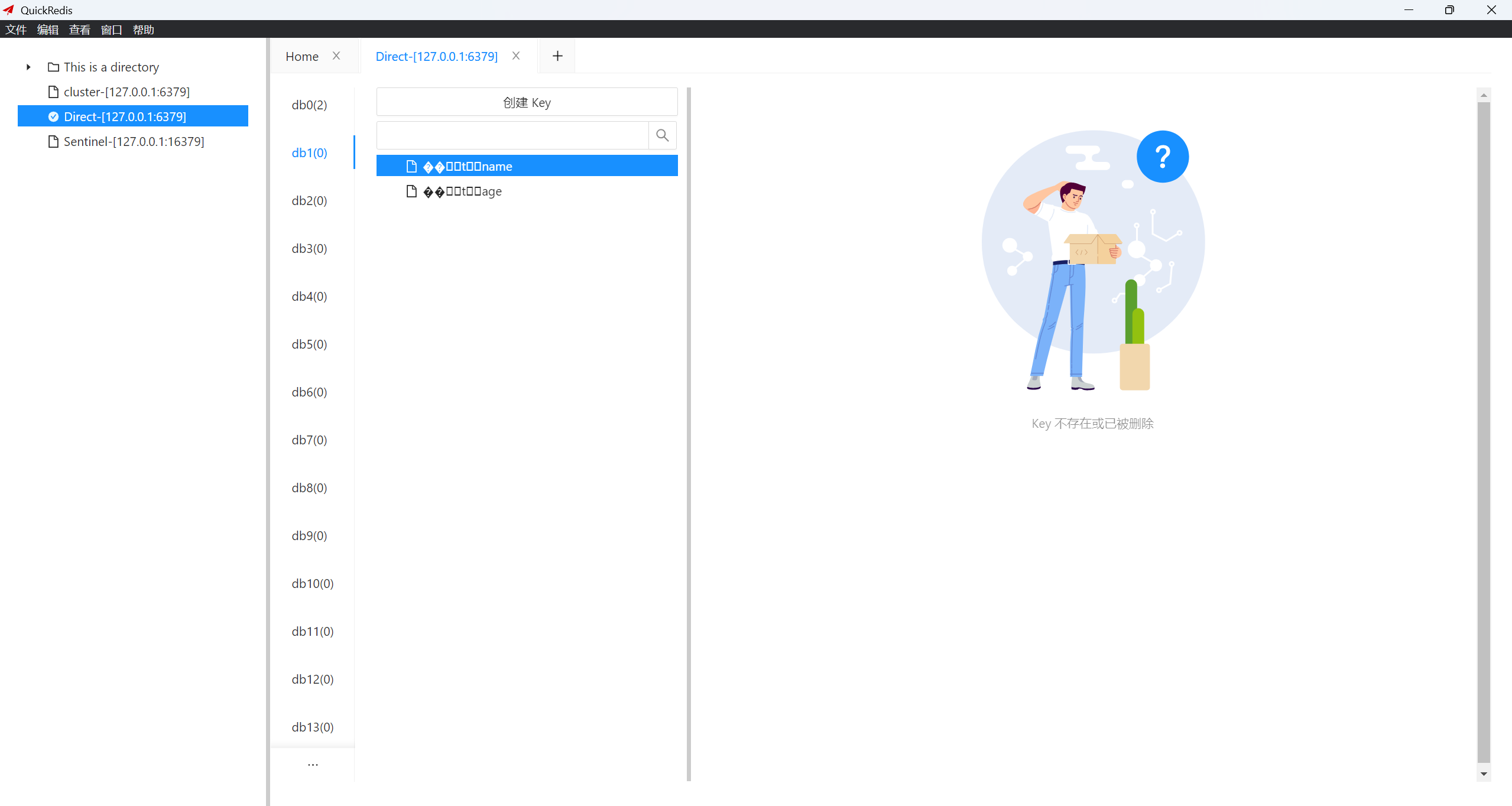
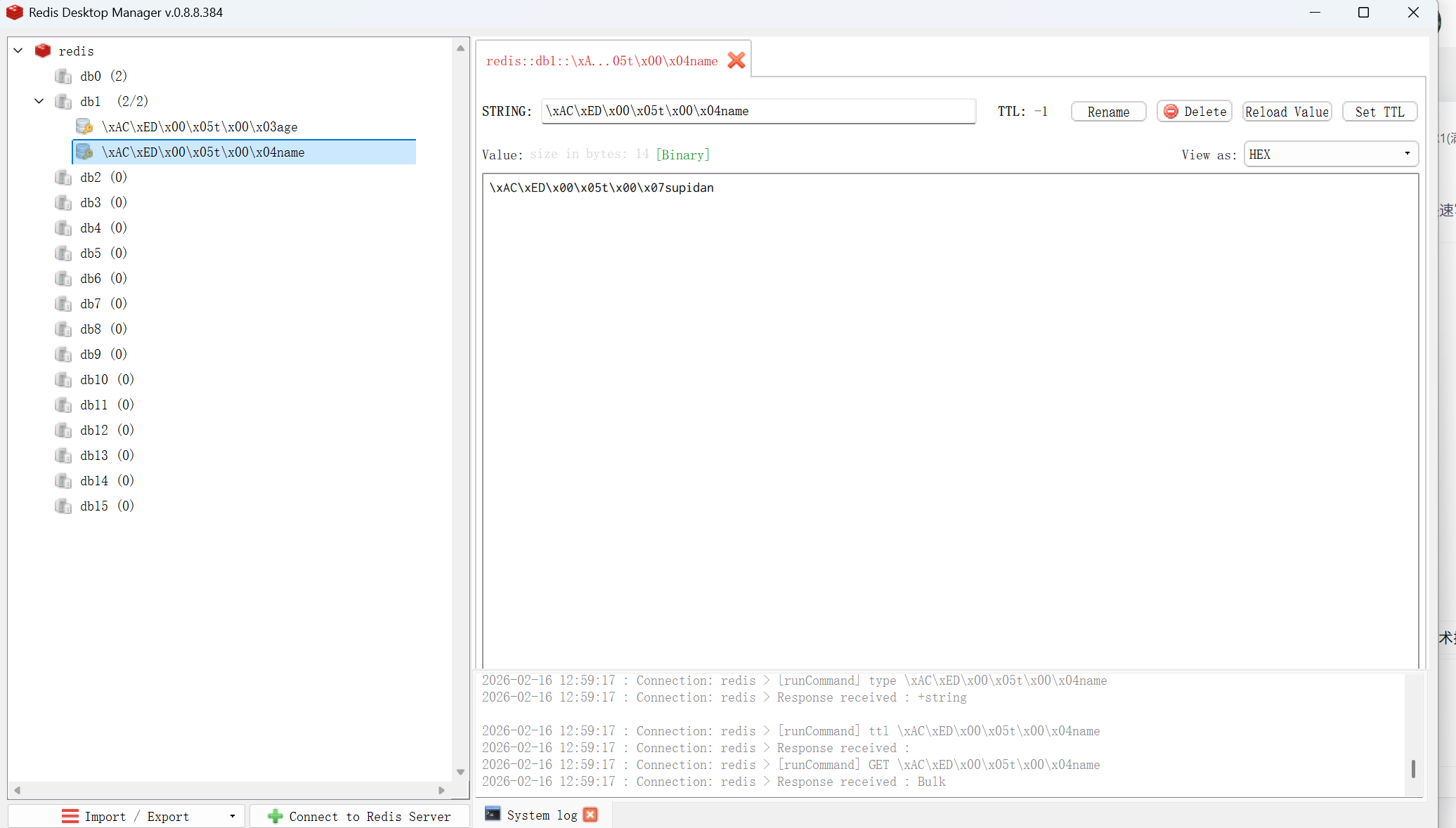
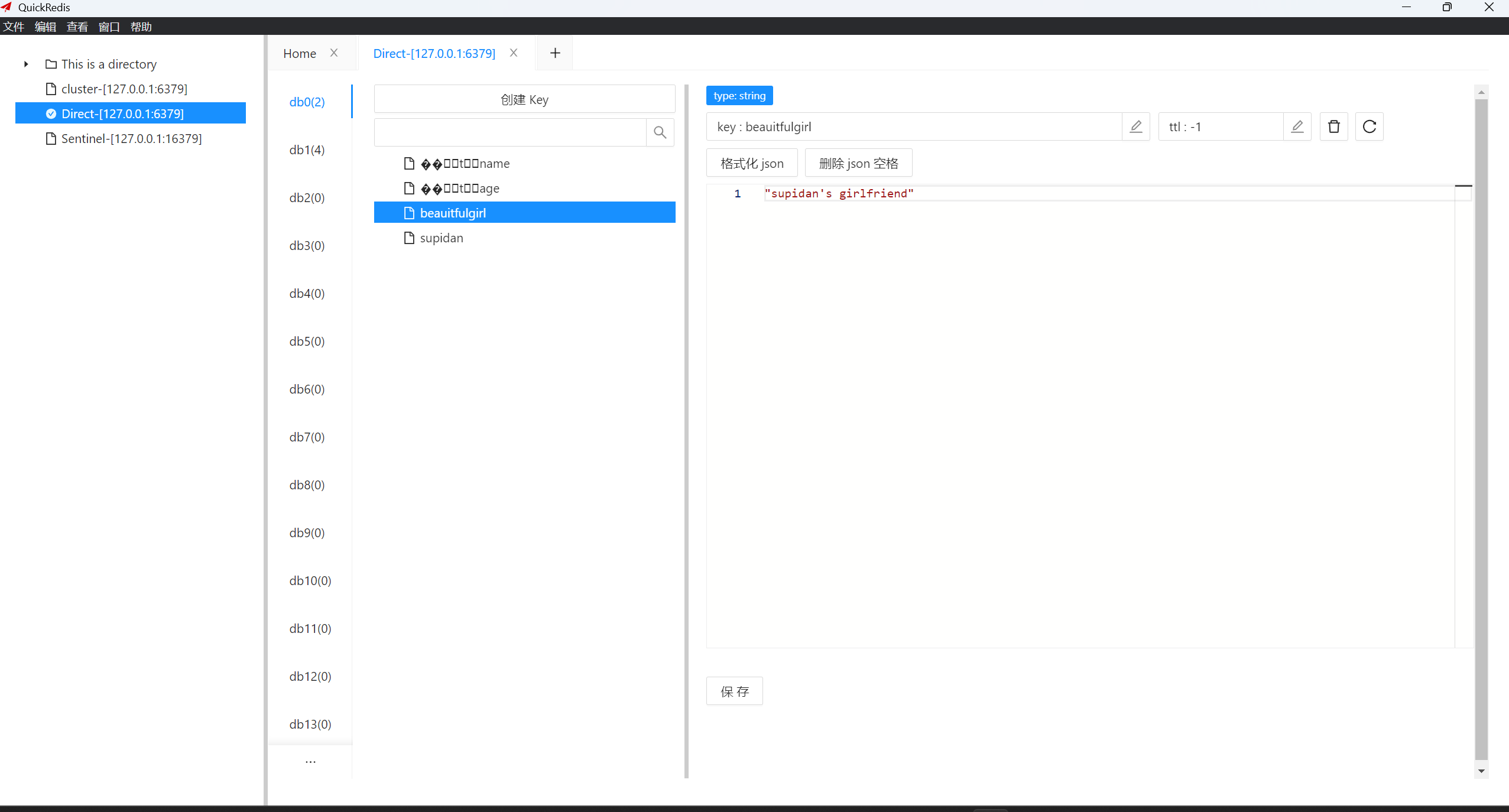
上面key是经过序列化的,所以QuickRedis无法正常查看但是使用使用RedisDesktopManager可以看到"supidan",值同样也是经过序列化的。
获取redis的值
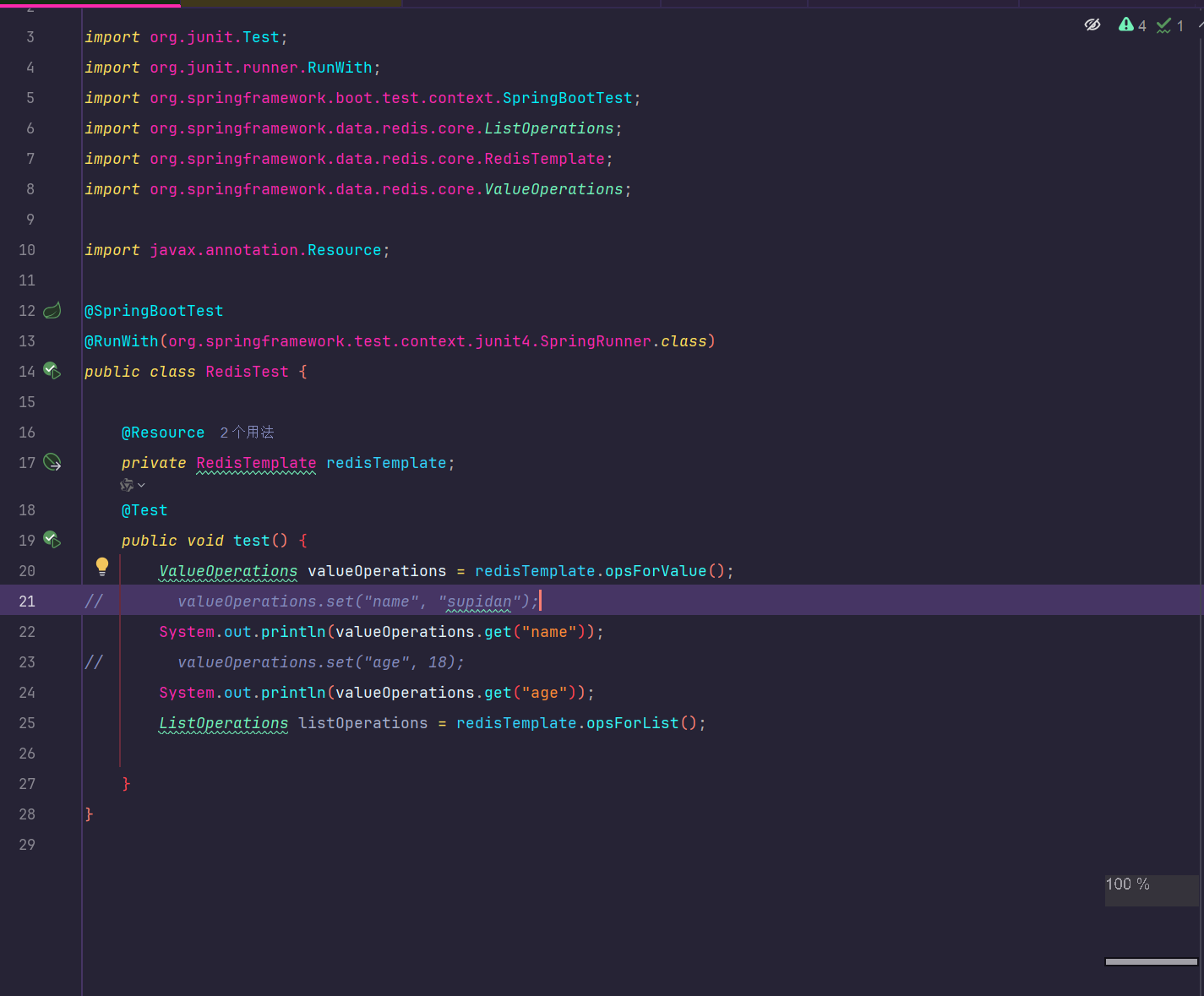
接下来直接运行
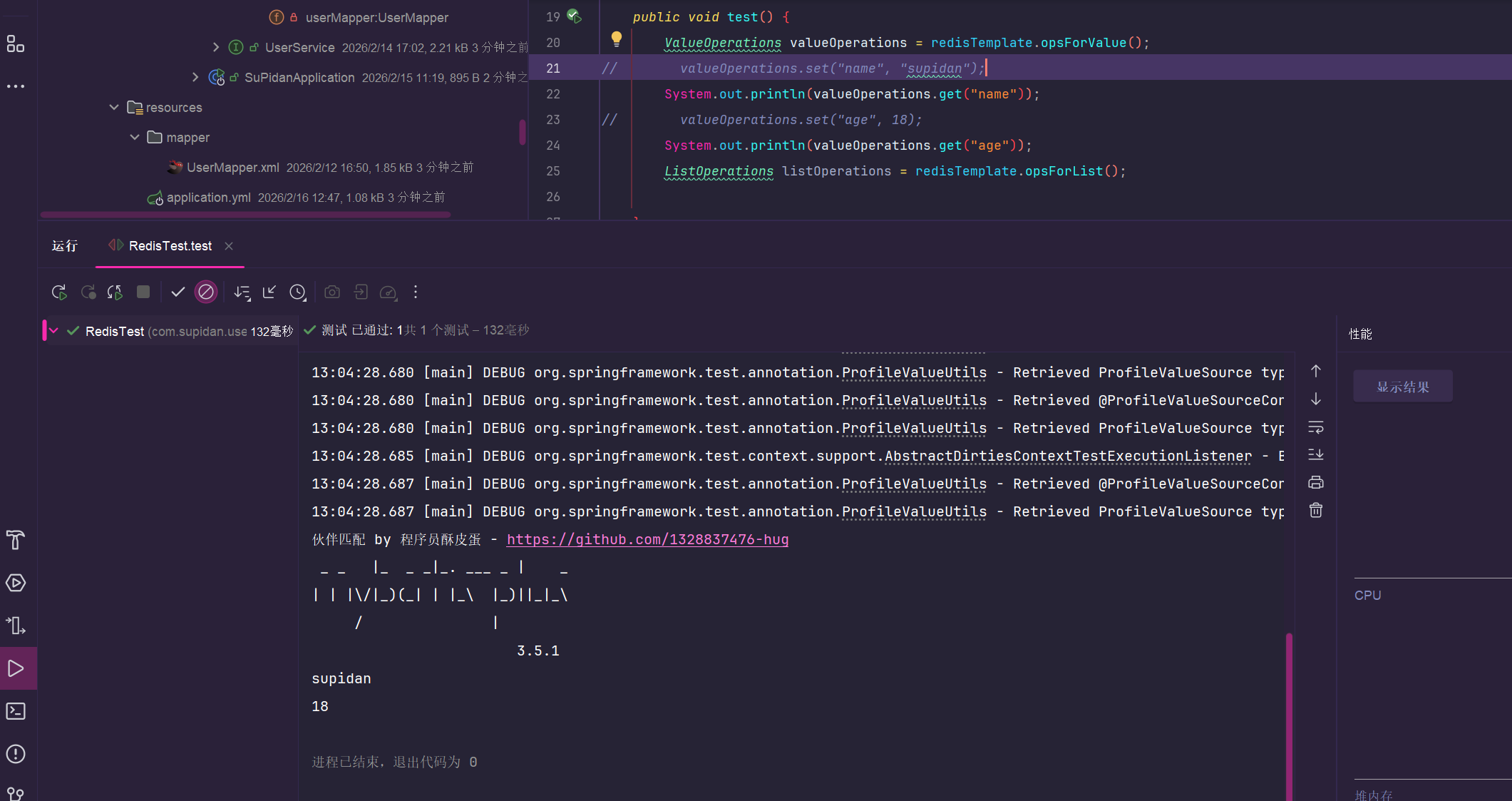
可以清楚的看到值,恭喜你已经可以自主探索了!!!
但是我们还没有解决这个问题,"key"序列化,我们都没办法使用软件Quickredis修改、查看值了
所以接下来我们学一招!!!
自定义模板redistemplate
java
package com.config;

import org.springframework.context.annotation.Bean;
import org.springframework.context.annotation.Configuration;
import org.springframework.data.redis.connection.RedisConnectionFactory;
import org.springframework.data.redis.core.RedisTemplate;
import org.springframework.data.redis.serializer.GenericJackson2JsonRedisSerializer;
import org.springframework.data.redis.serializer.RedisSerializer;

/**
 *
 *  自定义序列化
 *
 */
@Configuration
public class RedisTemplateConfig {

    @Bean
    public RedisTemplate<String, Object> redisTemplate(RedisConnectionFactory connectionFactory) {
        //创建RedisTemplate对象
        RedisTemplate<String, Object> redisTemplate = new RedisTemplate<>();
       //设置连接工厂
        redisTemplate.setConnectionFactory(connectionFactory);
        //设置Key的序列化
        redisTemplate.setKeySerializer(RedisSerializer.string());

        //创建Json序列化工具
        GenericJackson2JsonRedisSerializer jsonRedisSerializer = new GenericJackson2JsonRedisSerializer();
        //设置Value的序列化
        redisTemplate.setValueSerializer(jsonRedisSerializer);

        return redisTemplate;
    }
}
接下来我们运行代码,查看结果
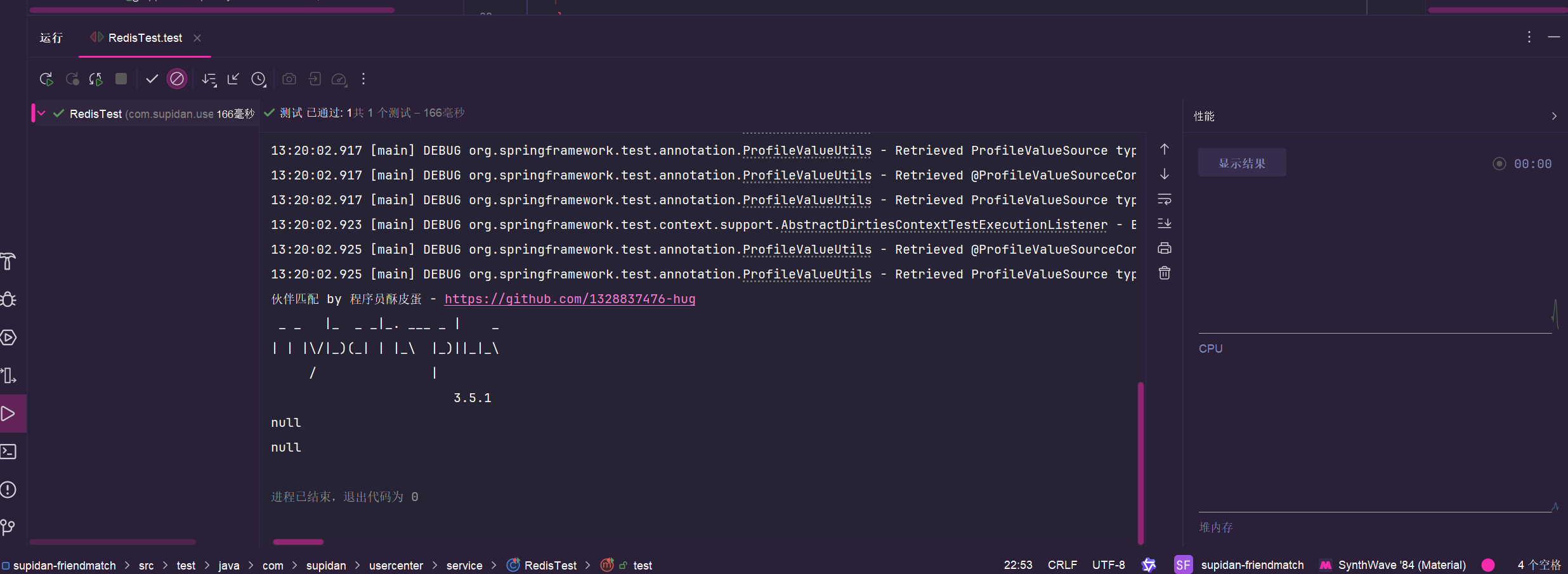
但是我们现在运行代码
name结果却令人失望,为什么我的值取不到了?因为我们定义了新的模板,我们用现在的模板去取对应值肯定不行。
我们梳理一下流程利用现在的模板生成对应的key是name,而之前生成的key是序列化的,所以说根本不是同一个东西,当然就取不到了!!!
然后我们再取一下现在的值
java
package com.service;

import org.junit.Test;
import org.junit.runner.RunWith;
import org.springframework.boot.test.context.SpringBootTest;
import org.springframework.data.redis.core.ListOperations;
import org.springframework.data.redis.core.RedisTemplate;
import org.springframework.data.redis.core.ValueOperations;

import javax.annotation.Resource;

@SpringBootTest
@RunWith(org.springframework.test.context.junit4.SpringRunner.class)
public class RedisTest {

    @Resource
    private RedisTemplate redisTemplate;
    @Test
    public void test() {
        ValueOperations valueOperations = redisTemplate.opsForValue();
//        valueOperations.set("supidan", "dashuaibi");
        System.out.println(valueOperations.get("supidan"));
//        valueOperations.set("age", 18);
//        valueOperations.set("beauitfulgirl", "supidan's girlfriend");
        System.out.println(valueOperations.get("beauitfulgirl"));
//        ListOperations listOperations = redisTemplate.opsForList();

    }
}
运行代码,走你!
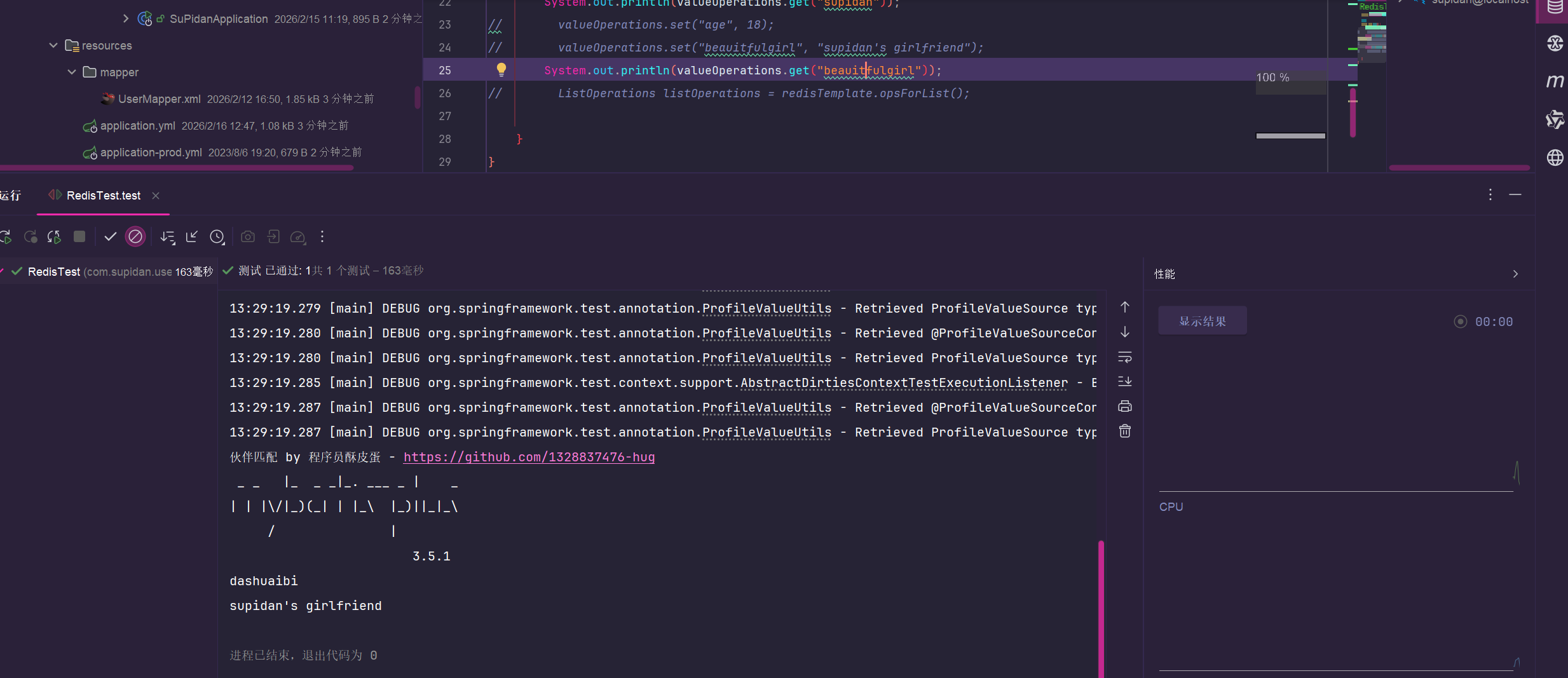
嗯嗯,很不错,和想象中的一样,是不是很简单呀,快跟着皮蛋动起手练起来吧阿巴阿巴~