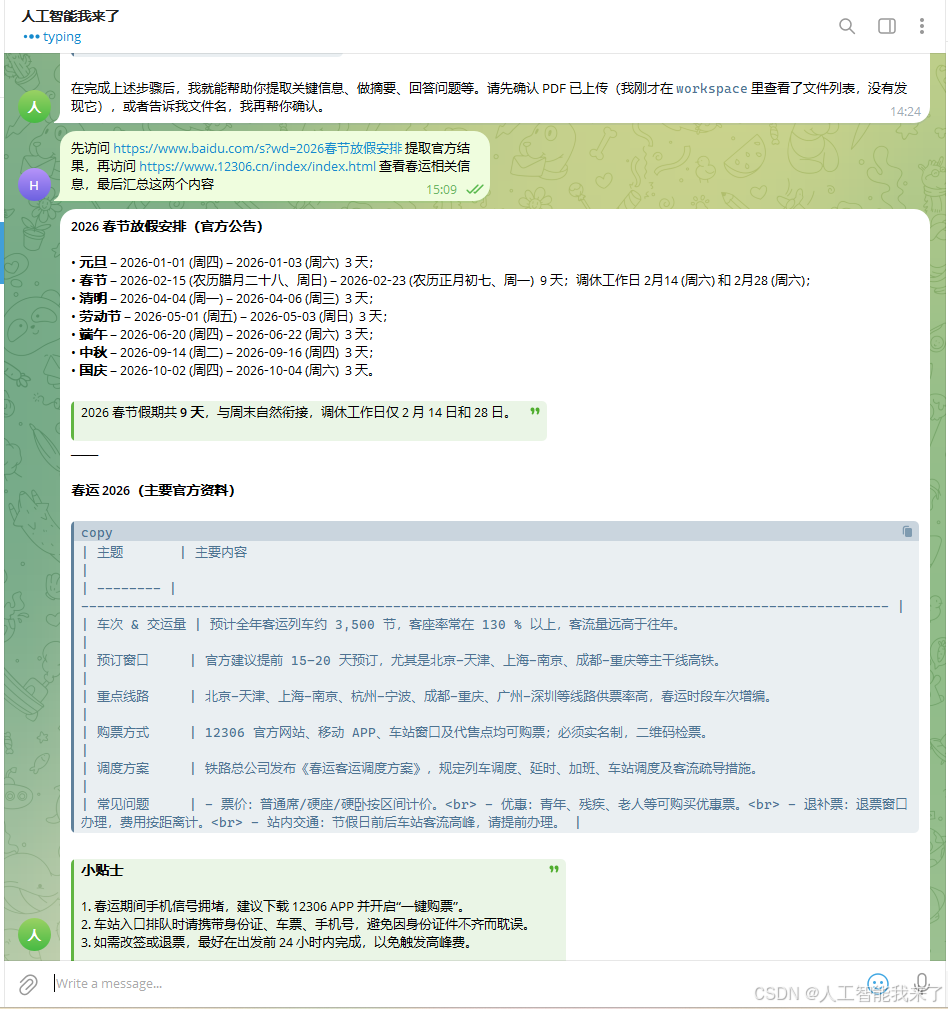
1 按照第一集的部署完成后,我们就开始考虑给小龙虾增加telegram机器人和搜索网站能力,实现效果如下:
2 telegram机器人能力部署
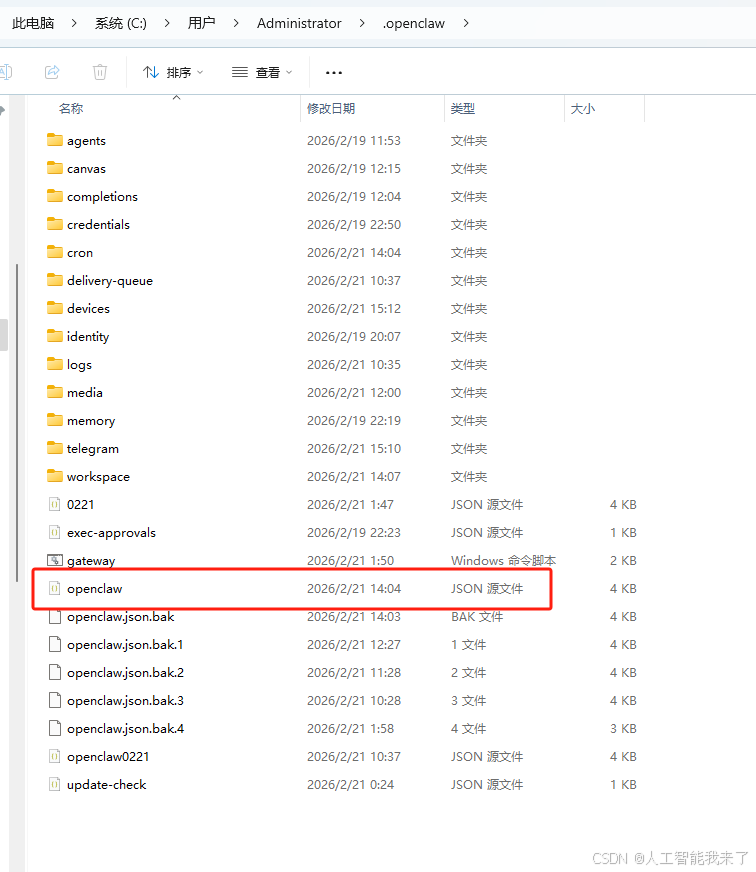
C:\Users\Administrator.openclaw的配置文件openclaw.json
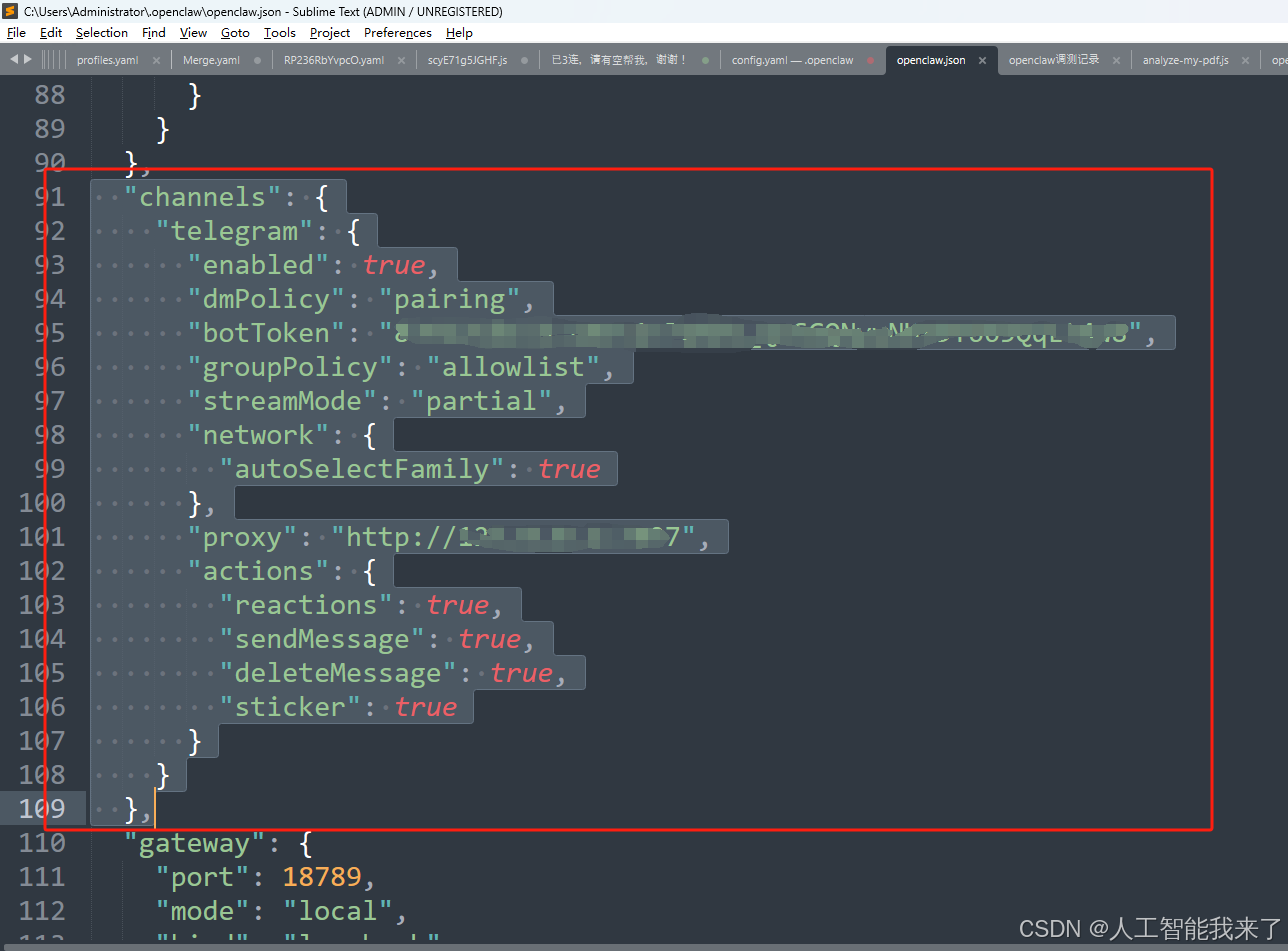
增加一段内容
bash
  "channels": {
    "telegram": {
      "enabled": true,
      "dmPolicy": "pairing",
      "botToken": "你的telegram机器人的token",
      "groupPolicy": "allowlist",
      "streamMode": "partial",
      "network": {
        "autoSelectFamily": true
      },
      "proxy": "http://你的代理IP:你的代理端口",
      "actions": {
        "reactions": true,
        "sendMessage": true,
        "deleteMessage": true,
        "sticker": true
      }
    }
  },
五、对接 Telegarm 电报机器人
打开你的 Telegram,搜索 @BotFather,发送 /newbot,来创建一个新的机器人,按提示设置:
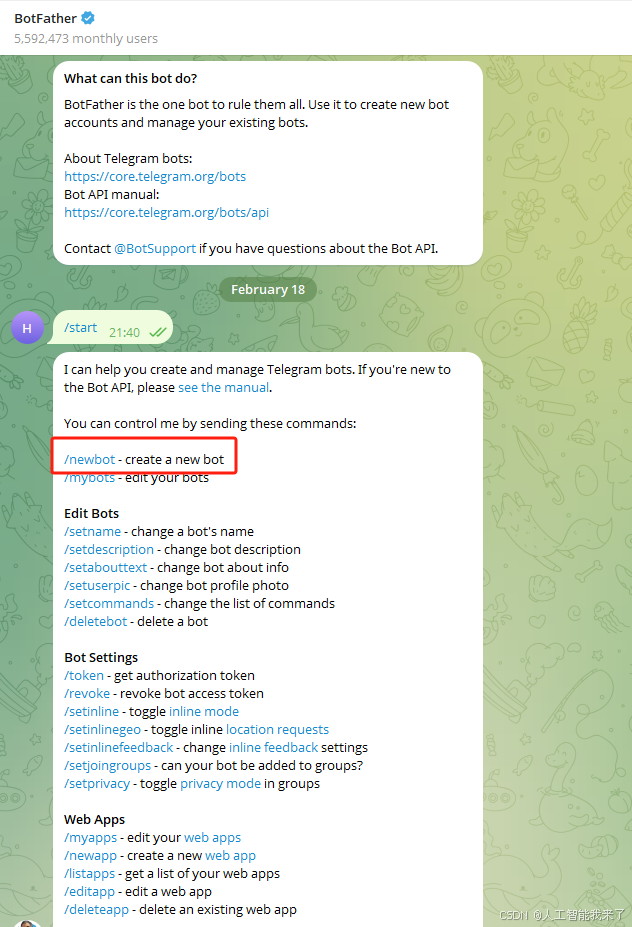
给 Bot 起个名字,比如我设置为 人工智能我来了
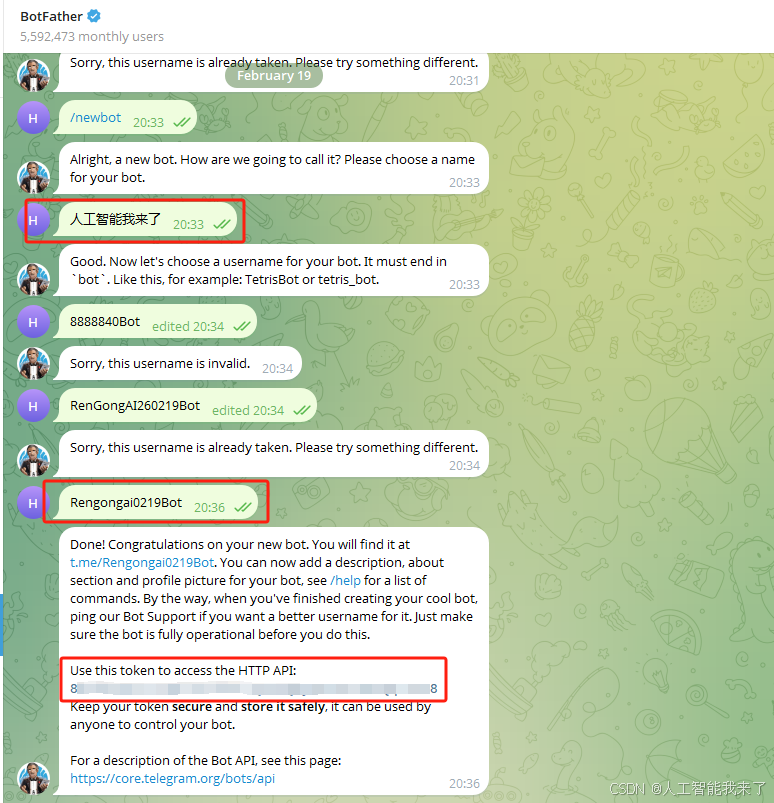
设置用户名(必须以 bot 结尾,比如Renggongai0219Bot )
最后会给你一串 Token:你的token
输入 token 进行对接,并进入到刚才创建的机器人里,第一次打开会显示还未正式对接,但是会在里面提供配对码,比如我的是 Pairing code: 你的token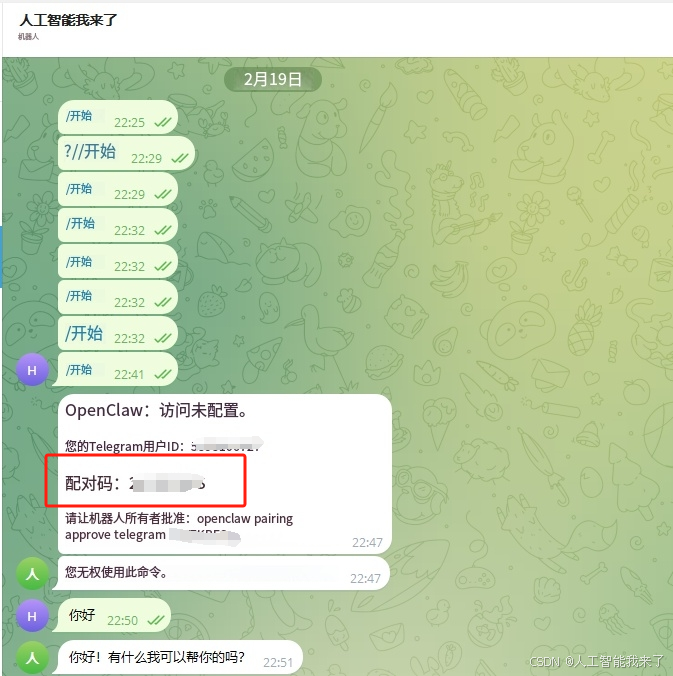
现在只需重新打开一个新的 Powershell 窗口,然后在里面输入配对命令即可
openclaw pairing approve telegram 这里填写你的配对码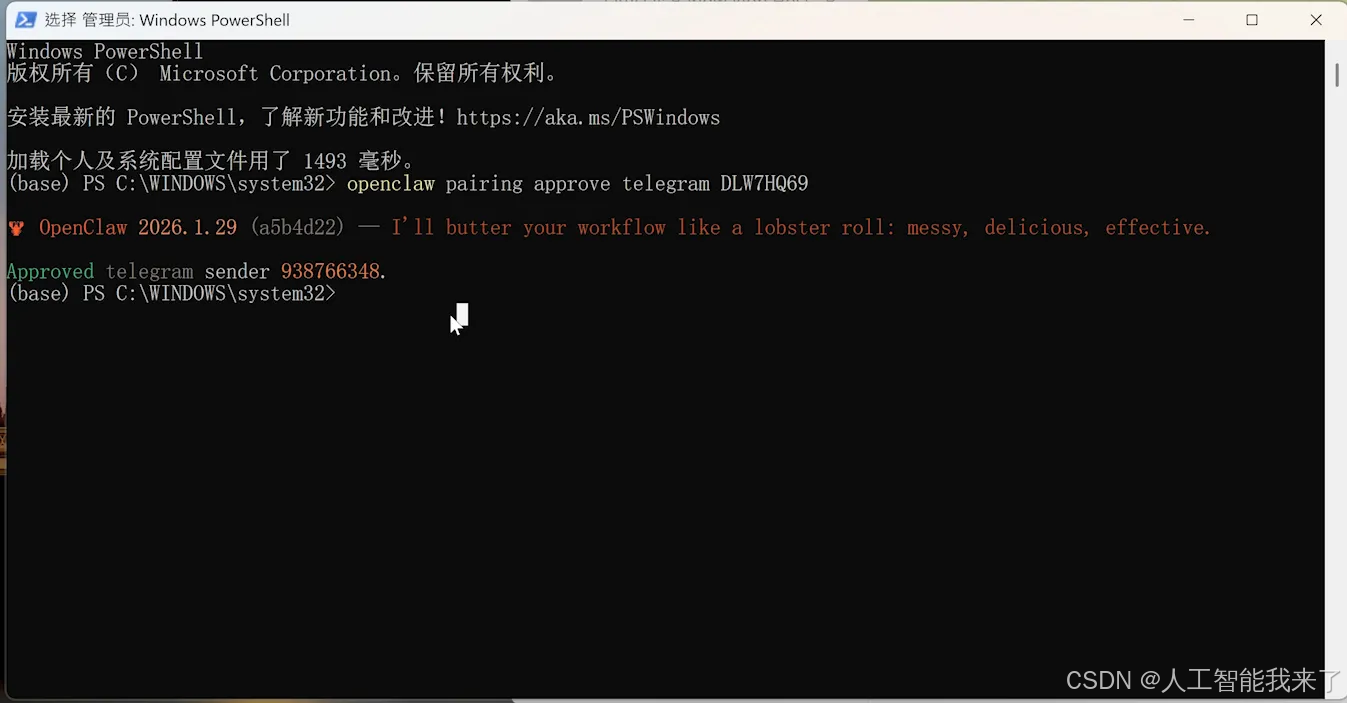 当你看到这个界面的话说明已经和Telegram配对成功了!
3 搜索网站能力部署
C:\Users\Administrator.openclaw的配置文件openclaw.json
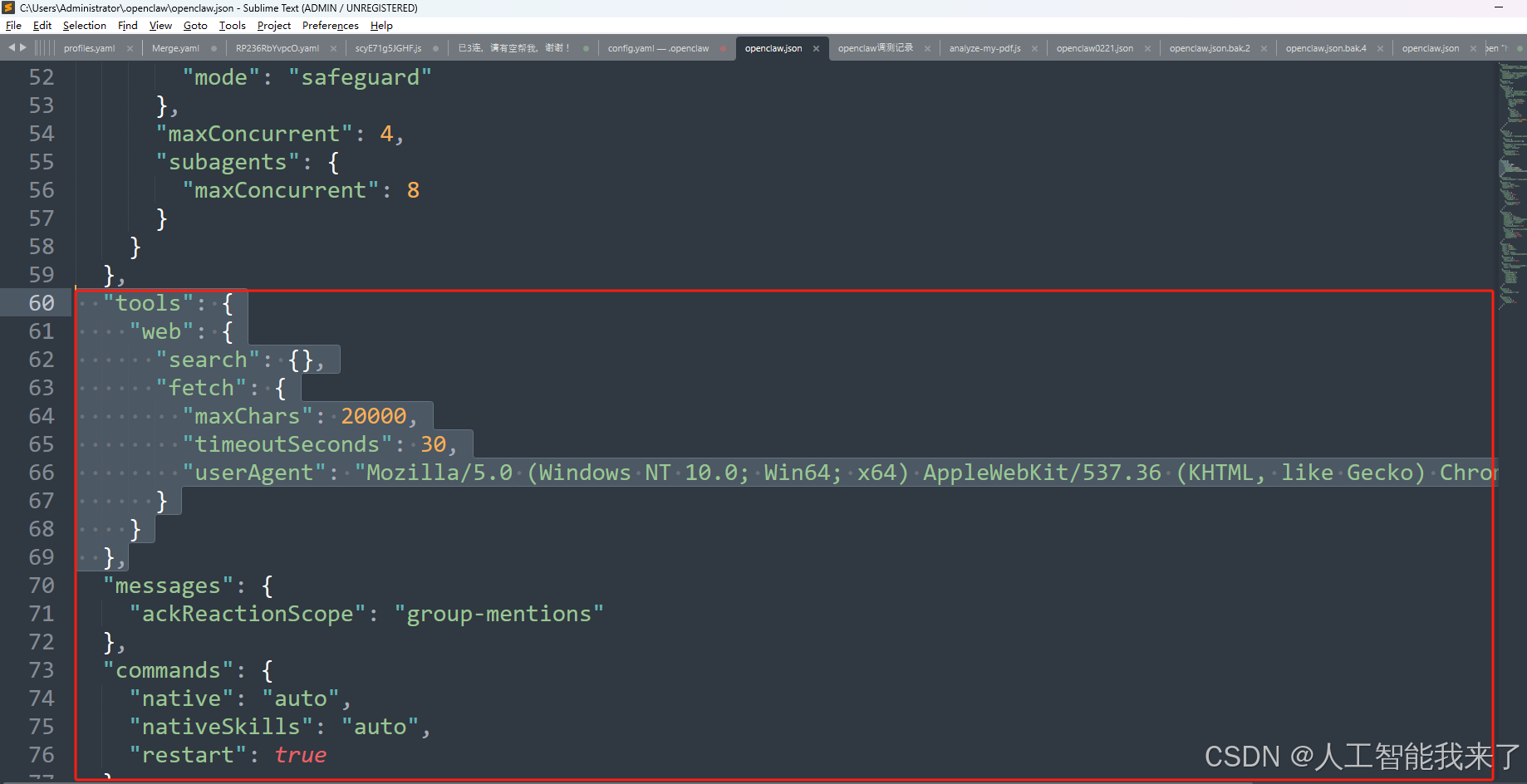
增加一段内容
bash
  "tools": {
    "web": {
      "search": {},
      "fetch": {
        "maxChars": 20000,
        "timeoutSeconds": 30,
        "userAgent": "Mozilla/5.0 (Windows NT 10.0; Win64; x64) AppleWebKit/537.36 (KHTML, like Gecko) Chrome/120.0.0.0 Safari/537.36"
      }
    }
  },
4 openclaw.json配置文件全部内容
bash
{
  "meta": {
    "lastTouchedVersion": "2026.2.19-2",
    "lastTouchedAt": "2026-02-21T06:04:19.113Z"
  },
  "wizard": {
    "lastRunAt": "2026-02-21T06:04:19.057Z",
    "lastRunVersion": "2026.2.19-2",
    "lastRunCommand": "onboard",
    "lastRunMode": "local"
  },
  "logging": {
    "level": "info"
  },
  "models": {
    "providers": {
      "ollama": {
        "baseUrl": "http://127.0.0.1:11434/v1",
        "apiKey": "ollama-local",
        "api": "openai-completions",
        "models": [
          {
            "id": "gpt-oss:20b",
            "name": "gpt-oss:20b",
            "reasoning": false,
            "input": [
              "text"
            ],
            "cost": {
              "input": 0,
              "output": 0,
              "cacheRead": 0,
              "cacheWrite": 0
            },
            "contextWindow": 131072,
            "maxTokens": 16384
          }
        ]
      }
    }
  },
  "agents": {
    "defaults": {
      "model": {
        "primary": "ollama/gpt-oss:20b"
      },
      "models": {
        "ollama/gpt-oss:20b": {}
      },
      "workspace": "C:\\Users\\Administrator\\.openclaw\\workspace",
      "compaction": {
        "mode": "safeguard"
      },
      "maxConcurrent": 4,
      "subagents": {
        "maxConcurrent": 8
      }
    }
  },
  "tools": {
    "web": {
      "search": {},
      "fetch": {
        "maxChars": 20000,
        "timeoutSeconds": 30,
        "userAgent": "Mozilla/5.0 (Windows NT 10.0; Win64; x64) AppleWebKit/537.36 (KHTML, like Gecko) Chrome/120.0.0.0 Safari/537.36"
      }
    }
  },
  "messages": {
    "ackReactionScope": "group-mentions"
  },
  "commands": {
    "native": "auto",
    "nativeSkills": "auto",
    "restart": true
  },
  "hooks": {
    "internal": {
      "enabled": true,
      "entries": {
        "boot-md": {
          "enabled": true
        },
        "session-memory": {
          "enabled": true
        }
      }
    }
  },
  "channels": {
    "telegram": {
      "enabled": true,
      "dmPolicy": "pairing",
      "botToken": "用你自己的代替",
      "groupPolicy": "allowlist",
      "streamMode": "partial",
      "network": {
        "autoSelectFamily": true
      },
      "proxy": "http://127.0.0.1:7897",
      "actions": {
        "reactions": true,
        "sendMessage": true,
        "deleteMessage": true,
        "sticker": true
      }
    }
  },
  "gateway": {
    "port": 18789,
    "mode": "local",
    "bind": "loopback",
    "auth": {
      "mode": "token",
      "token": "用你自己的代替"
    },
    "tailscale": {
      "mode": "off",
      "resetOnExit": false
    },
    "remote": {
      "url": "ws://127.0.0.1:18789",
      "token": "你设置的密码代替"
    },
    "nodes": {
      "denyCommands": [
        "camera.snap",
        "camera.clip",
        "screen.record",
        "calendar.add",
        "contacts.add",
        "reminders.add"
      ]
    }
  },
  "skills": {
    "install": {
      "nodeManager": "npm"
    }
  },
  "plugins": {
    "entries": {
      "telegram": {
        "enabled": true
      }
    }
  }
}