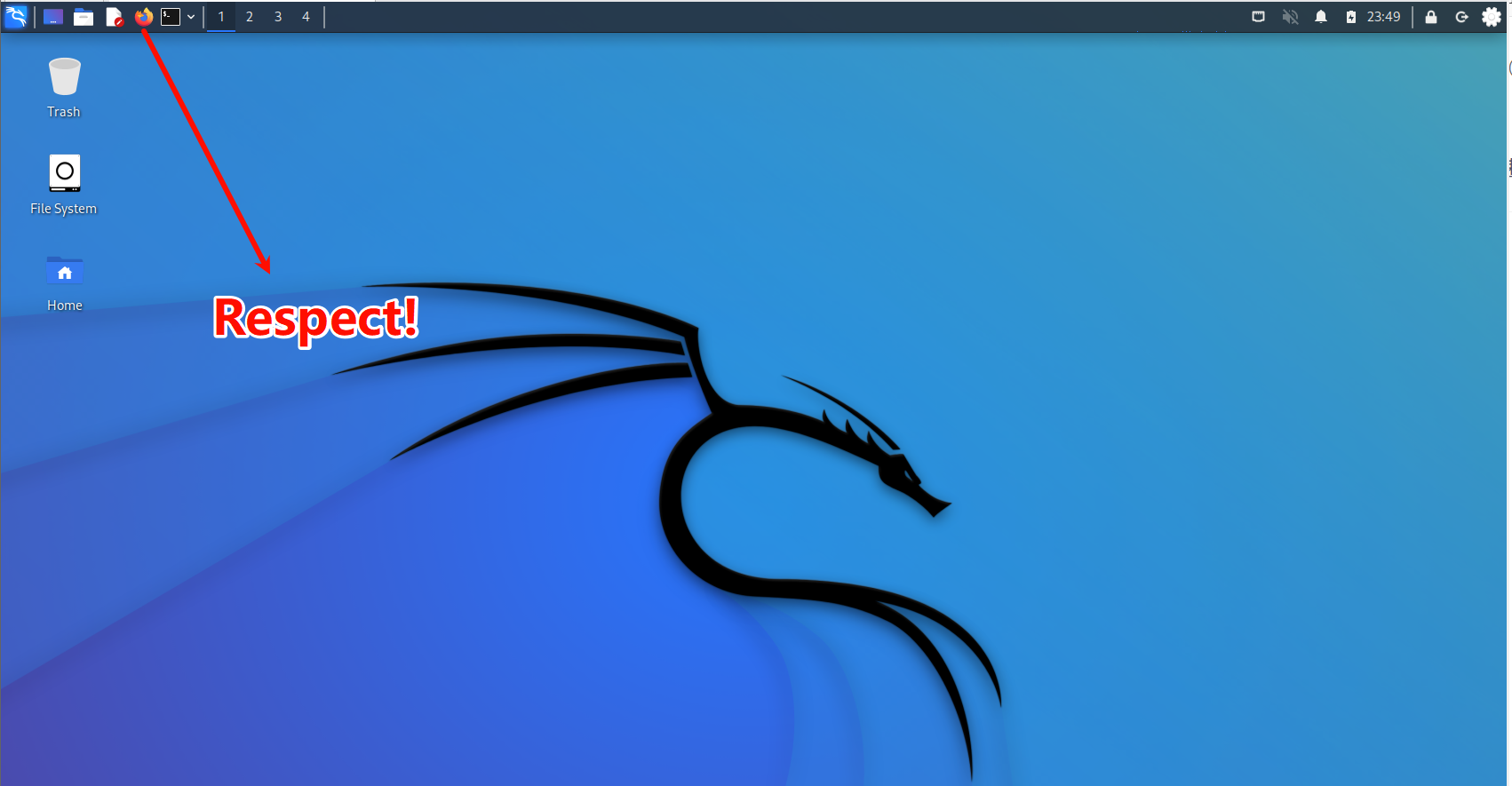
环境说明 :本人使用的是kali-linux2022.4,近期在使用burpsuite时需要在firefox浏览器中安装插件switchy omega,安装过程中报错"The add-on downloaded from this site could not be installed because it appears to be corrupt",推测是firefox浏览器版本过低导致的corrupt,于是打算将其更新为最新版本。
以下操作步骤可看作以安装firefox浏览器为例,引申为在linux系统中安装一个新软件的过程。
操作步骤 :
Step1。查看当前firefox版本。102.5.0esr是2022年以前推出的版本,其根证书已于 2025年3月14日过期。

Step2。尝试移除当前的firefox。提示"The following packages have unmet dependencies",说明当前系统中安装的firefox与kali中的一些软件存在依赖关系,于是决定不删除了,将其备份。
bash
┌──(kali㉿kali)-[~]
└─$ sudo apt remove firefox-esr
Reading package lists... Done
Building dependency tree... Done
Reading state information... Done
Some packages could not be installed. This may mean that you have
requested an impossible situation or if you are using the unstable
distribution that some required packages have not yet been created
or been moved out of Incoming.
The following information may help to resolve the situation:

The following packages have unmet dependencies:
 kali-desktop-xfce : Depends: kali-desktop-core but it is not going to be installed
E: Error, pkgProblemResolver::Resolve generated breaks, this may be caused by held packages.
Step3。备份当前的老版firefox。

Step4。解压下载好的新版本firefox安装包到指定的文件夹/opt/中。值得注意的是,我将这个软件加压到根目录中的opt文件夹下,目的是方便后续管理(/opt就是给第三方独立软件用的标准目录,不会和系统自带的 /usr/lib/firefox-esr混在一起,不会影响系统包管理器apt管理的文件,卸载或换版本时,只要删掉 /opt/firefox就行,很干净)
(/home/kali/Downloads/firefox-147.0.4.tar.xz是我下载好的新版firefox压缩包)
bash
┌──(kali㉿kali)-[~]
└─$ sudo tar xvf /home/kali/Downloads/firefox-147.0.4.tar.xz -C /opt/
firefox/libmozsqlite3.so
firefox/removed-files
firefox/application.ini
firefox/libsmime3.so
firefox/updater.ini
firefox/libsoftokn3.so
firefox/crashreporter
firefox/crashhelper
firefox/pingsender
firefox/dependentlibs.list
firefox/firefox-bin
firefox/libmozwayland.so
firefox/liblgpllibs.so
firefox/platform.ini
firefox/glxtest
firefox/vaapitest
firefox/libmozavutil.so
firefox/update-settings.ini
firefox/libonnxruntime.so
firefox/icons/updater.png
firefox/libplc4.so
firefox/omni.ja
firefox/firefox
firefox/libfreeblpriv3.so
firefox/libmozsandbox.so
firefox/libxul.so
firefox/libmozgtk.so
firefox/libnssutil3.so
firefox/gmp-clearkey/0.1/libclearkey.so
firefox/gmp-clearkey/0.1/manifest.json
firefox/libnss3.so
firefox/libssl3.so
firefox/browser/chrome/icons/default/default48.png
firefox/browser/chrome/icons/default/default16.png
firefox/browser/chrome/icons/default/default128.png
firefox/browser/chrome/icons/default/default64.png
firefox/browser/chrome/icons/default/default32.png
firefox/browser/omni.ja
firefox/libmozavcodec.so
firefox/libgkcodecs.so
firefox/libnspr4.so
firefox/defaults/pref/channel-prefs.js
firefox/fonts/TwemojiMozilla.ttf
firefox/libplds4.so
firefox/precomplete
firefox/updater
firefox/libmozinference.so
firefox/firefox-bin.sig
firefox/firefox.sig
firefox/libxul.so.sig
firefox/gmp-clearkey/0.1/libclearkey.so.sig
Step4。将新版firefox放到系统级可执行程序目录。

Step5。查看firefox版本。版本号显示为最新,说明安装成功。(147.0.4是firefox的标准版,相对于esr版本功能更加齐全,完全能满足kali-linux日常安全渗透测试)

Step6。将新装的软件添加到桌面图标(可不做,进阶技巧)。笔者是个懒人,不想每次启动firefox时去powershell中敲命令,想直接在桌面点击图标,那么以下步骤就可以做一下了。
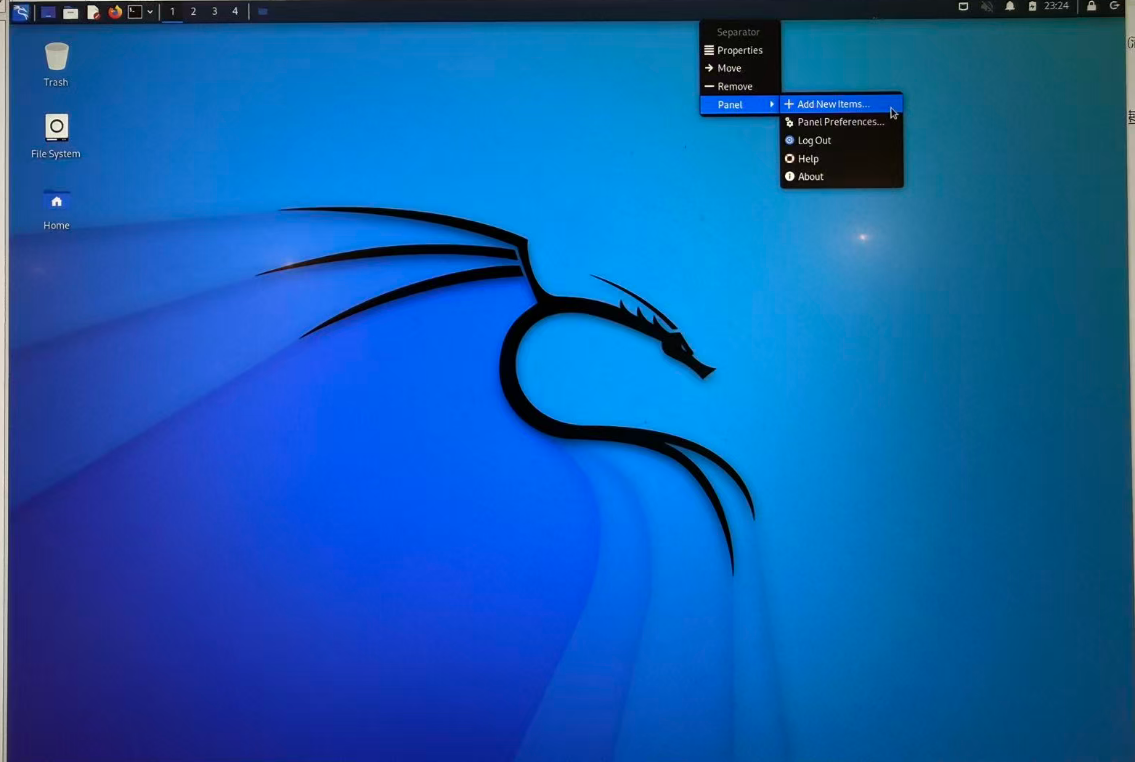
首先,右键桌面顶栏->Panel->Add new items
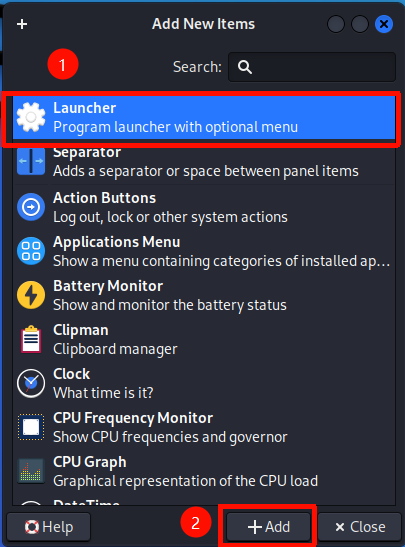
其次,出现的界面中点击"Launcher" -> "Add"
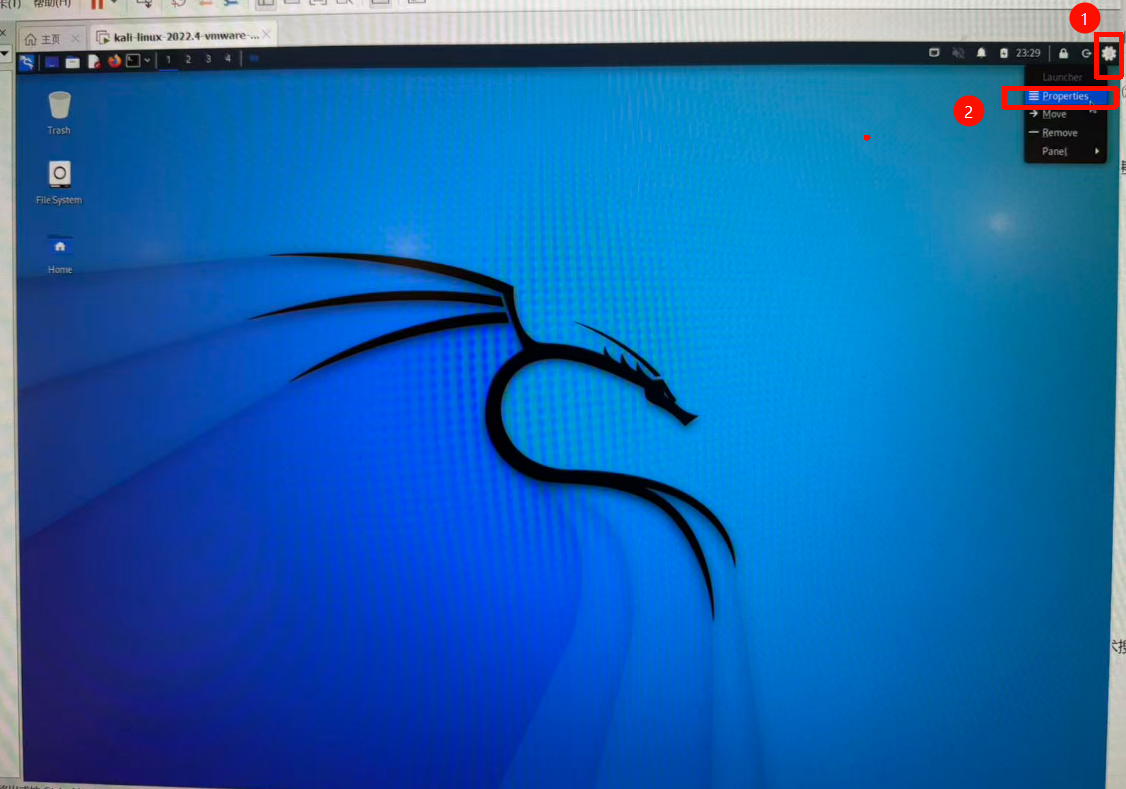
其次,桌面最上一栏出现小齿轮,右键点击后,点击"Properties"
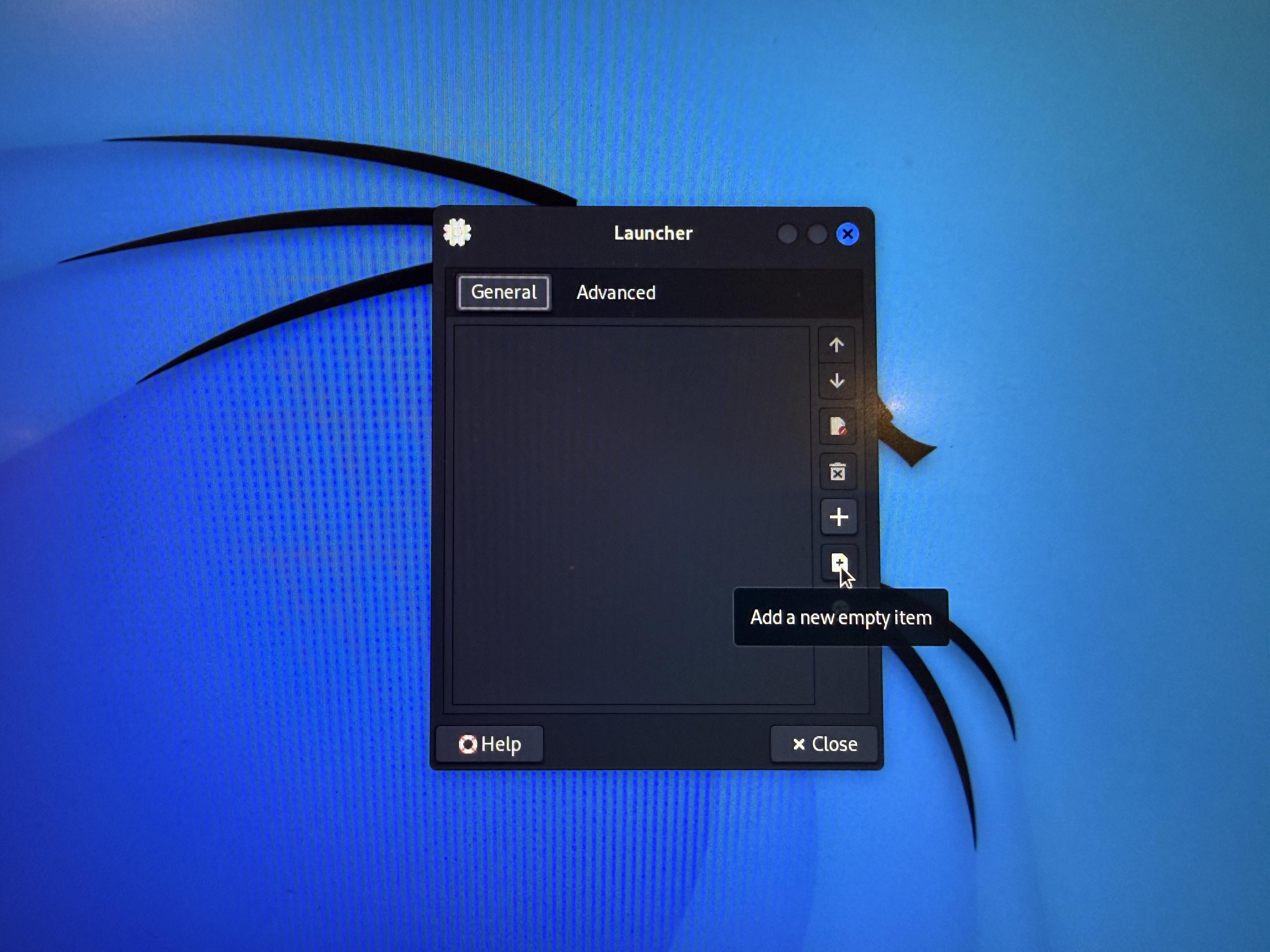
其次,点击"Add a new empty item"
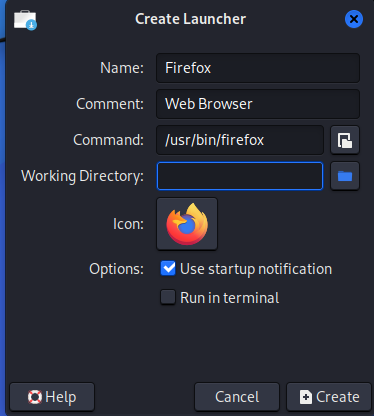
其次,填写"Name"为Firefox,comment为WebBrowser,Command为前面设置过的/usr/bin/firefox,Icon为firefox,Options勾选第一个就行(启动时会弹出提示,run in terminal不要勾选会启动时把你拉进powershell黑框框)
最后,快乐点击图标!