目录
- [步骤 1:将数据准备在服务器上](#步骤 1:将数据准备在服务器上)
- [步骤 2:获取 Figshare API Token](#步骤 2:获取 Figshare API Token)
- [步骤 3:在服务器上使用 Python 脚本上传](#步骤 3:在服务器上使用 Python 脚本上传)
-
- [案例1:上传全球 LST 数据](#案例1:上传全球 LST 数据)
- [案例2:上传全球 Ta 数据](#案例2:上传全球 Ta 数据)
- 参考
步骤 1:将数据准备在服务器上
如果数据已经在服务器: 直接进行下一步。
步骤 2:获取 Figshare API Token
1、登录 Figshare 网页版。
2、点击右上角头像 -> Integrations。
3、在 "Personal Tokens" 下点击 Create Personal Token。
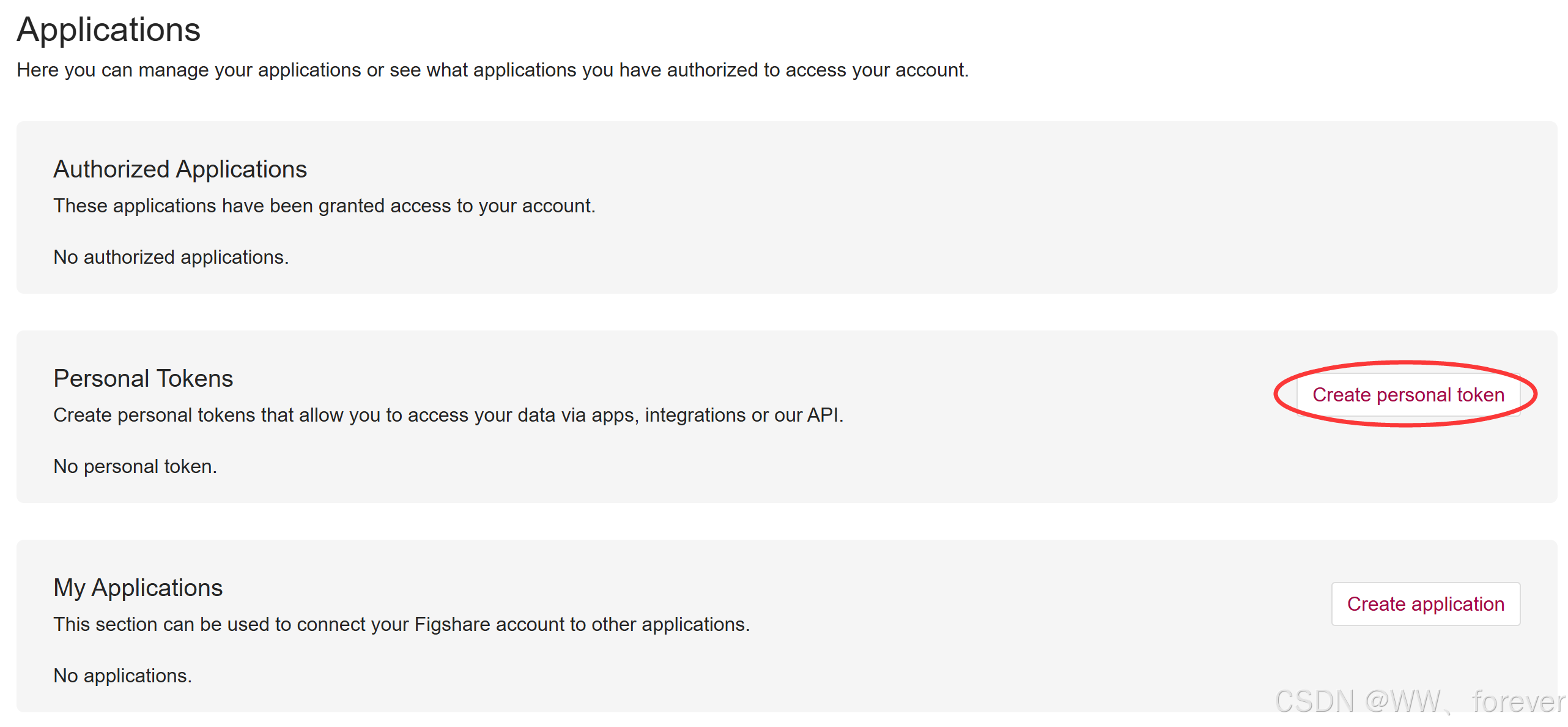
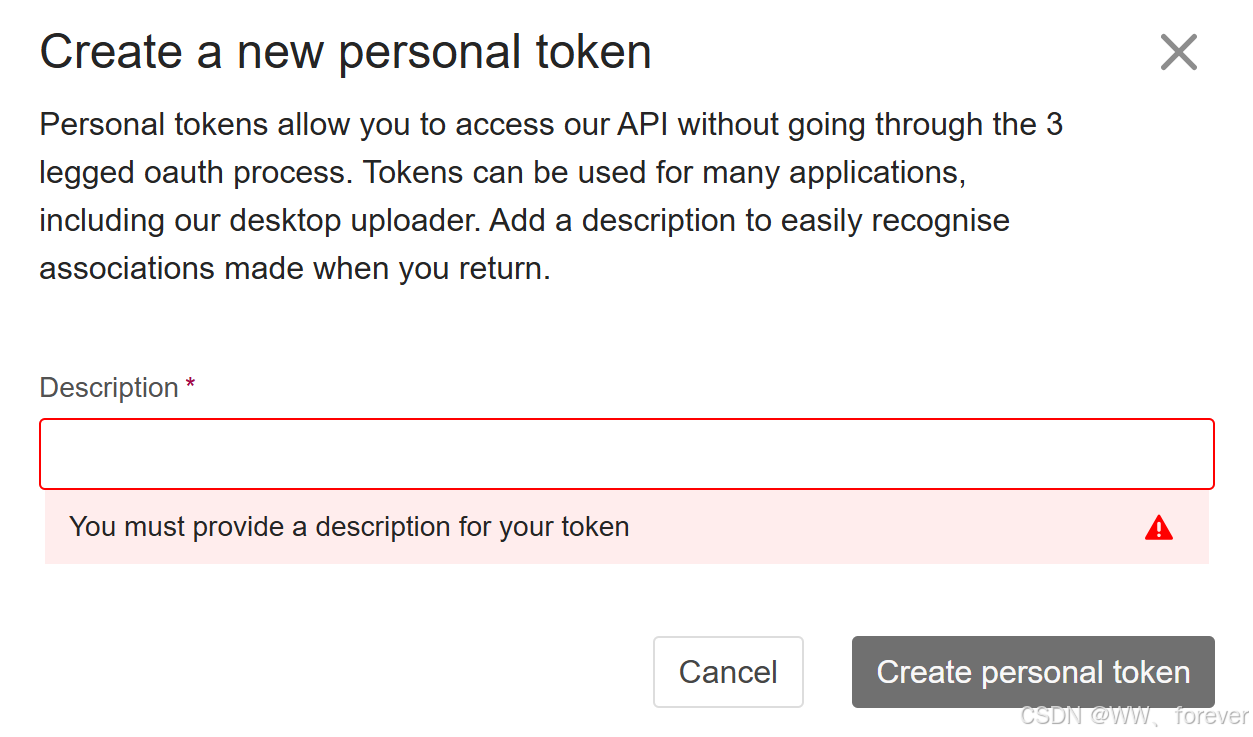
4、保存好这个长字符串(Token),不要给别人看。
bash
随机生成如下:
ad234363651b369fd8e1f6c72b575bd3b45c8aa71ab9n41c6ee78970b5fn6802594db64566fd517f2cb33b4d90b8644655c9b4a79498c9783a6b3217de58754
5、获取 Item ID:从 Figshare 网页 URL 或 API 中找到那个已经创建好的 Item 的 ID。
看浏览器地址栏,通常是 https://figshare.com/account/articles/12345678。
这个 12345678 就是 Article ID。
bash
https://datahub.hku.hk/account/items/12345678/
Article ID:12345678
步骤 3:在服务器上使用 Python 脚本上传
在服务器上(Linux 或 Windows 均可),创建一个 Python 脚本(例如 upload_to_figshare.py),使用该脚本可以将服务器上的大文件直接传至 Figshare。
案例1:上传全球 LST 数据
服务器运行命令:
bash
source activate myenv3.10
nohup python upload_2021Day.py > 2021Day_log.txt 2>&1 &
nohup python -u upload_2021Day.py > 2021Day_log.txt 2>&1 &
nohup python -u upload_2021Nit.py > 2021Nit_log.txt 2>&1 &

nohup python -u upload_2022Day.py > 2022Day_log.txt 2>&1 &
nohup python -u upload_2022Nit.py > 2022Nit_log.txt 2>&1 &

nohup python -u upload_2023Day.py > 2023Day_log.txt 2>&1 &
nohup python -u upload_2023Nit.py > 2023Nit_log.txt 2>&1 &

nohup python -u upload_2024Day.py > 2024Day_log.txt 2>&1 &
nohup python -u upload_2024Nit.py > 2022Nit_log.txt 2>&1 &
说明:
-u 代表 "unbuffered"(无缓存),输出会立刻写入 log 文件
可以随时查看日志文件来监控进度:
bash
tail -f upload_log.txtupload_figshare.py 文件内容如下:
python
import os
import hashlib
import json
import requests
import glob

# ================= 配置区域 (请修改这里) =================

# 1. 您的 Figshare Personal Token
TOKEN = '这里填入您的长字符串Token'

# 2. 目标 Item 的 ID (从浏览器地址栏获取,例如 25234567)
# 注意:必须是数字,不要带引号,或者转换成 int
ARTICLE_ID = 12345678

# 3. 服务器上的数据文件夹路径
SOURCE_DIR = '/geogfs1/groups/scl/Data/Global_LST/2021Day/'

# =======================================================

BASE_URL = 'https://api.figshare.com/v2'
CHUNK_SIZE = 10 * 1024 * 1024  # 10MB 分片大小

def raw_issue_request(method, url, data=None, binary=False):
    headers = {'Authorization': 'token ' + TOKEN}
    if data is not None and not binary:
        data = json.dumps(data)

    try:
        response = requests.request(method, url, headers=headers, data=data)
        response.raise_for_status()
        try:
            return json.loads(response.content)
        except ValueError:
            return response.content
    except requests.exceptions.HTTPError as error:
        print(f"HTTP Error: {error}")
        print(f"Response Body: {response.content}")
        raise error

def get_uploaded_files(article_id):
    """获取该 Item 下已经存在的文件列表,用于去重"""
    endpoint = f'{BASE_URL}/account/articles/{article_id}/files'
    files = raw_issue_request('GET', endpoint)
    return {f['name']: f['id'] for f in files}

def initiate_upload(article_id, file_path):
    endpoint = f'{BASE_URL}/account/articles/{article_id}/files'
    file_name = os.path.basename(file_path)
    size = os.path.getsize(file_path)

    # 计算 MD5
    print(f"Calculating MD5 for {file_name} (Size: {size/1024/1024:.2f} MB)...")
    md5 = hashlib.md5()
    with open(file_path, 'rb') as f:
        for chunk in iter(lambda: f.read(4096), b""):
            md5.update(chunk)

    data = {
        'name': file_name,
        'md5': md5.hexdigest(),
        'size': size
    }

    result = raw_issue_request('POST', endpoint, data)
    location = result['location']
    file_info = raw_issue_request('GET', location)
    print(f"Upload initiated for {file_name}")
    return file_info

def upload_parts(file_info, file_path):
    url = file_info['upload_url']
    result = raw_issue_request('GET', url)
    parts = result['parts']

    with open(file_path, 'rb') as fin:
        for part in parts:
            part_no = part['partNo']
            start_offset = part['startOffset']
            end_offset = part['endOffset']

            fin.seek(start_offset)
            len_chunk = end_offset - start_offset + 1
            data = fin.read(len_chunk)

            # print(f"  - Uploading part {part_no}...") # 如果觉得刷屏太快可以注释掉
            raw_issue_request('PUT', f'{url}/{part_no}', data, binary=True)

def complete_upload(article_id, file_id):
    raw_issue_request('POST', f'{BASE_URL}/account/articles/{article_id}/files/{file_id}')

def main():
    # 1. 获取待上传文件列表
    # 匹配文件夹下所有的 .tif 文件
    search_pattern = os.path.join(SOURCE_DIR, "*.tif")
    files_to_upload = sorted(glob.glob(search_pattern))

    if not files_to_upload:
        print(f"No .tif files found in {SOURCE_DIR}")
        return

    print(f"Found {len(files_to_upload)} files to upload.")

    # 2. 获取已上传文件列表(防止重复上传)
    existing_files = get_uploaded_files(ARTICLE_ID)
    print(f"Already on Figshare: {len(existing_files)} files.")

    # 3. 循环上传
    for file_path in files_to_upload:
        file_name = os.path.basename(file_path)

        if file_name in existing_files:
            print(f"[Skipping] {file_name} already exists.")
            continue

        print(f"\n[Processing] {file_name} ...")

        try:
            # 初始化
            file_info = initiate_upload(ARTICLE_ID, file_path)
            # 上传分片
            upload_parts(file_info, file_path)
            # 确认完成
            complete_upload(ARTICLE_ID, file_info['id'])
            print(f"[Success] {file_name} uploaded.")

        except Exception as e:
            print(f"[Failed] Error uploading {file_name}: {e}")

if __name__ == '__main__':
    main()