用户状态对话
Chat memory 使 AI Services 能够维护对话历史,允许 LLM 引用先前的消息并在多次交互中保持上下文。对于单用户应用程序,可以使用一个简单的全局内存实例来记住整个对话。
何时使用单用户内存
单用户内存非常适合:
-
个人助理应用程序;
-
单用户命令行工具;
-
桌面应用程序;
-
批量处理脚本;
-
单会话 Web 应用程序。
内存配置选项
LangChain4j 提供了多种内存实现:
-
MessageWindowChatMemory: 仅保留最后 N 条消息(防止上下文溢出);
-
TokenWindowChatMemory: 保留消息直到达到 token 限制;
-
PersistentChatMemory: 将内存保存到磁盘/数据库;
-
InMemoryChatMemory: 简单的内存存储(默认)。
设置单用户内存
对于单用户应用,可以直接配置一个 ChatMemory 实例,无需 @MemoryId 注解或 ChatMemoryProvider
java
Assistant assistant = AiServices.builder(Assistant.class)
    .chatModel(model)
    .chatMemory(MessageWindowChatMemory.withMaxMessages(10))
    .build();
内存生命周期
内存实例在 AI 服务实例存在期间持续存在。所有方法调用共享同一内存,保持对话的连续性。
ChatMemoryAccess 概念和使用
ChatMemoryAccess 是一个接口,允许AI服务暴露内存管理功能。当AI服务接口扩展ChatMemoryAccess 时,它将获得直接与底层聊天内存交互的方法。这使开发者能够以编程方式检查、修改或清除对话历史记录。当需要访问内存内容进行调试、实现自定义内存持久化或为用户提供对话历史功能时,需要使用 ChatMemoryAccess 。
ChatMemoryAccess 的定义
java
 package dev.langchain4j.service.memory;
 public interface ChatMemoryAccess {
     ChatMemory getChatMemory(Object memoryId);
     boolean evictChatMemory(Object memoryId);
}-
返回此 AI 服务中具有给定 id 的 ChatMemory ,如果该内存不存在则返回 null。
-
清除具有给定 id 的 ChatMemory 。
示例
java
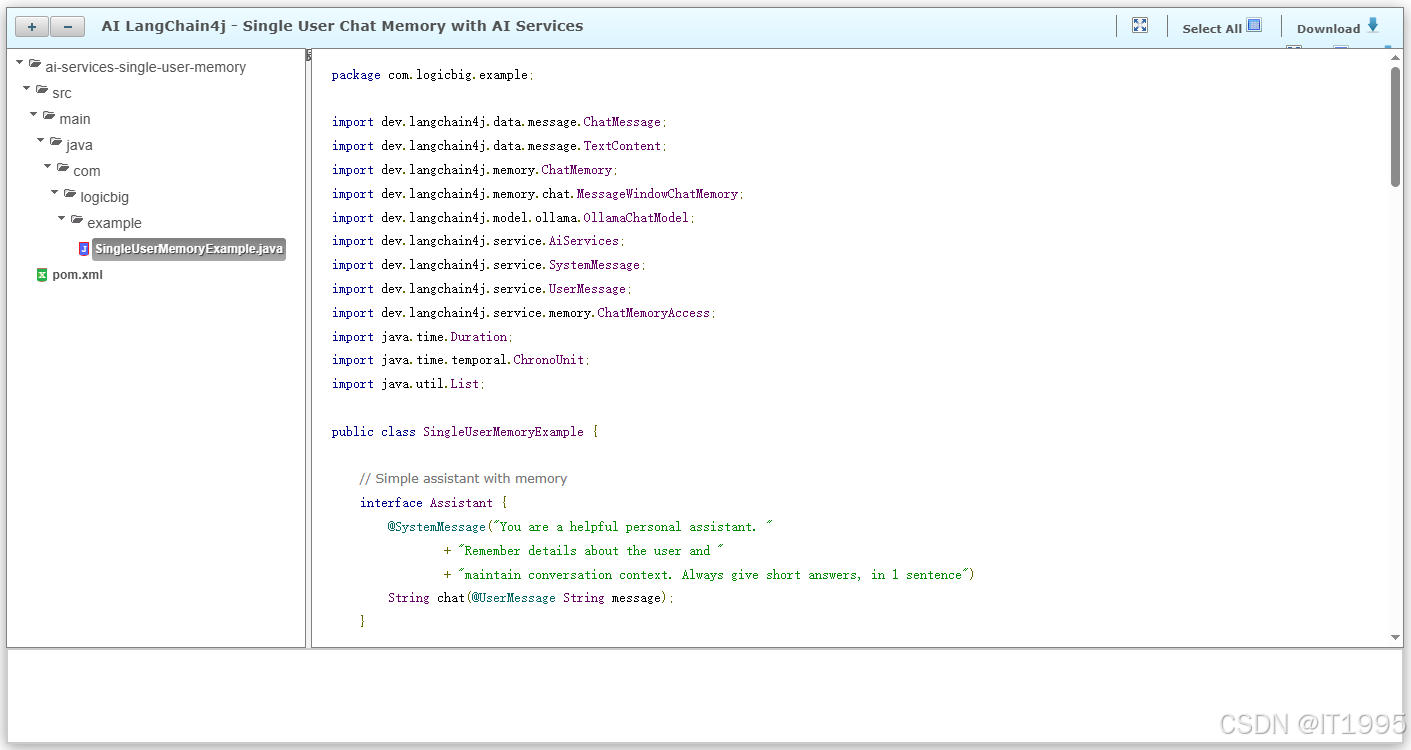
package com.logicbig.example;

import dev.langchain4j.data.message.ChatMessage;
import dev.langchain4j.data.message.TextContent;
import dev.langchain4j.memory.ChatMemory;
import dev.langchain4j.memory.chat.MessageWindowChatMemory;
import dev.langchain4j.model.ollama.OllamaChatModel;
import dev.langchain4j.service.AiServices;
import dev.langchain4j.service.SystemMessage;
import dev.langchain4j.service.UserMessage;
import dev.langchain4j.service.memory.ChatMemoryAccess;
import java.time.Duration;
import java.time.temporal.ChronoUnit;
import java.util.List;

public class SingleUserMemoryExample {

    // Simple assistant with memory
    interface Assistant {
        @SystemMessage("You are a helpful personal assistant. "
                + "Remember details about the user and "
                + "maintain conversation context. Always give short answers, in 1 sentence")
        String chat(@UserMessage String message);
    }

    // Create assistant that extends ChatMemoryAccess to inspect memory
    interface InspectableAssistant extends ChatMemoryAccess {
        String chat(@UserMessage String message);
    }

    public static void main(String[] args) {
        // Create model
        OllamaChatModel model =
                OllamaChatModel.builder()
                               .baseUrl("http://localhost:11434")
                               .modelName("phi3:mini-128k")
                               .timeout(Duration.of(5, ChronoUnit.MINUTES))
                               .numCtx(4096)
                               .temperature(0.7)
                               .build();

        System.out.println("=== Example 1: Basic Conversation Memory ===");

        // Create assistant with memory (keeps last 10 messages)
        Assistant assistant = AiServices.builder(Assistant.class)
                                        .chatModel(model)
                                        .chatMemory(MessageWindowChatMemory.withMaxMessages(10))
                                        .build();

        // Conversation demonstrating memory
        String msg = "List primitives types in Java in one sentence.";
        System.out.println("User :" + msg);
        String response1 = assistant.chat(msg);
        System.out.println("Assistant: " + response1);

        String msg2 = "If I create a whole number less than 100, "
                + "which primitive data type should I use, no explanation needed.";
        System.out.println("\nUser: " + msg2);
        String response2 = assistant.chat(msg2);
        System.out.println("Assistant: " + response2);

        String msg3 = "Which ones is good for floating point calculations, no explanation needed.";
        System.out.println("\nUser: " + msg3);
        String response3 = assistant.chat(msg3);
        System.out.println("Assistant: " + response3);

        System.out.println("\n=== Example 2: Task-Oriented Memory ===");

        // Reset with new memory
        Assistant taskAssistant =
                AiServices.builder(Assistant.class)
                          .chatModel(model)
                          .chatMemory(MessageWindowChatMemory.withMaxMessages(5))
                          .build();

        System.out.println("User: I need to buy groceries");
        String task1 = taskAssistant.chat("I need to buy groceries");
        System.out.println("Assistant: " + task1);

        System.out.println("\nUser: Add milk to the list");
        String task2 = taskAssistant.chat("Add milk to the list");
        System.out.println("Assistant: " + task2);

        System.out.println("\nUser: Also add bread and eggs");
        String task3 = taskAssistant.chat("Also add bread and eggs");
        System.out.println("Assistant: " + task3);

        System.out.println("\nUser: What's on my grocery list?");
        String task4 = taskAssistant.chat("What's on my grocery list?");
        System.out.println("Assistant: " + task4);

        System.out.println("\n=== Example 3: Inspecting Memory ===");
        ChatMemory memory = MessageWindowChatMemory.withMaxMessages(10);
        InspectableAssistant inspectableAssistant =
                AiServices.builder(InspectableAssistant.class)
                          .chatModel(model)
                          .chatMemory(memory)
                          .build();

        inspectableAssistant.chat("Remember that my favorite color is blue");
        inspectableAssistant.chat("And I live in New York");

        // Access memory directly
        System.out.println("\nCurrent conversation messages:");
        List<ChatMessage> messages = memory.messages();
        for (ChatMessage message : messages) {
            System.out.println(message.type() + ": "
                                       + (message instanceof TextContent tc ?
                    tc.text() : message.toString()));
        }

        // Clear memory if needed
        memory.clear();
        System.out.println("\nMemory cleared. Messages count: " + memory.messages().size());
    }
}
输出:
bash
=== Example 1: Basic Conversation Memory ===
User :List primitives types in Java in one sentence.
Assistant: The primitive types in Java are byte, short, int, long, float, double, char, and boolean.

User: If I create a whole number less than 100, which primitive data type should I use, no explanation needed.
Assistant: int

User: Which ones is good for floating point calculations, no explanation needed.
Assistant: float or double

=== Example 2: Task-Oriented Memory ===
User: I need to buy groceries
Assistant: Sure, I'll add that to your shopping list!

User: Add milk to the list
Assistant: Got it, added milk to the shopping list.

User: Also add bread and eggs
Assistant: Milk, bread, and eggs have been added to your grocneries list. Anything else?

User: What's on my grocery list?
Assistant: Your current shopping list includes milk, bread, and eggs. Need anything more?

=== Example 3: Inspecting Memory ===

Current conversation messages:
USER: UserMessage { name = null, contents = [TextContent { text = "Remember that my favorite color is blue" }], attributes = {} }
AI: AiMessage { text = "I've made a note of your preference. Your favorite color, as mentioned by you, is indeed blue. If there are any occasions where knowing this information might be relevant or if it can enhance our interaction in some way, please let me know how I may assist you further with respect to this detail about yourself.", thinking = null, toolExecutionRequests = [], attributes = {} }
USER: UserMessage { name = null, contents = [TextContent { text = "And I live in New York" }], attributes = {} }
AI: AiMessage { text = "Noted! You reside within the bustling metropolis of New York City. The city that never sleeps offers a unique backdrop for countless experiences and adventures. Should your lifestyle or preferences require any specific considerations, feel free to share more about what interests you in this dynamic urban environment so I can tailor my assistance accordingly.", thinking = null, toolExecutionRequests = [], attributes = {} }

Memory cleared. Messages count: 0
结论
输出展示了 AI 服务如何在多次调用中保持对话上下文。助手会记住之前的对话内容,并在后续的回复中使用这些信息。内存会自动存储用户消息和 AI 的回复,从而创建一个连续的对话流程,无需手动管理上下文。
测试
修改后代码如下:
java
import dev.langchain4j.data.message.ChatMessage;
import dev.langchain4j.data.message.TextContent;
import dev.langchain4j.memory.ChatMemory;
import dev.langchain4j.memory.chat.MessageWindowChatMemory;
import dev.langchain4j.model.ollama.OllamaChatModel;
import dev.langchain4j.service.AiServices;
import dev.langchain4j.service.SystemMessage;
import dev.langchain4j.service.UserMessage;
import dev.langchain4j.service.memory.ChatMemoryAccess;
import java.time.Duration;
import java.time.temporal.ChronoUnit;
import java.util.List;

public class SingleUserMemoryExample {

    // Simple assistant with memory
    interface Assistant {
        @SystemMessage("You are a helpful personal assistant. "
                + "Remember details about the user and "
                + "maintain conversation context. Always give short answers, in 1 sentence")
        String chat(@UserMessage String message);
    }

    // Create assistant that extends ChatMemoryAccess to inspect memory
    interface InspectableAssistant extends ChatMemoryAccess {
        String chat(@UserMessage String message);
    }

    public static void main(String[] args) {
        // Create model
        OllamaChatModel model =
                OllamaChatModel.builder()
                        .baseUrl("http://localhost:11434")
                        .modelName("phi3:mini-128k")
                        .timeout(Duration.of(5, ChronoUnit.MINUTES))
                        .numCtx(4096)
                        .temperature(0.7)
                        .build();

        System.out.println("=== Example 1: Basic Conversation Memory ===");

        // Create assistant with memory (keeps last 10 messages)
        Assistant assistant = AiServices.builder(Assistant.class)
                .chatModel(model)
                .chatMemory(MessageWindowChatMemory.withMaxMessages(10))
                .build();

        // Conversation demonstrating memory
        String msg = "List primitives types in Java in one sentence.";
        System.out.println("User :" + msg);
        String response1 = assistant.chat(msg);
        System.out.println("Assistant: " + response1);

        String msg2 = "If I create a whole number less than 100, "
                + "which primitive data type should I use, no explanation needed.";
        System.out.println("\nUser: " + msg2);
        String response2 = assistant.chat(msg2);
        System.out.println("Assistant: " + response2);

        String msg3 = "Which ones is good for floating point calculations, no explanation needed.";
        System.out.println("\nUser: " + msg3);
        String response3 = assistant.chat(msg3);
        System.out.println("Assistant: " + response3);

        System.out.println("\n=== Example 2: Task-Oriented Memory ===");

        // Reset with new memory
        Assistant taskAssistant =
                AiServices.builder(Assistant.class)
                        .chatModel(model)
                        .chatMemory(MessageWindowChatMemory.withMaxMessages(5))
                        .build();

        System.out.println("User: I need to buy groceries");
        String task1 = taskAssistant.chat("I need to buy groceries");
        System.out.println("Assistant: " + task1);

        System.out.println("\nUser: Add milk to the list");
        String task2 = taskAssistant.chat("Add milk to the list");
        System.out.println("Assistant: " + task2);

        System.out.println("\nUser: Also add bread and eggs");
        String task3 = taskAssistant.chat("Also add bread and eggs");
        System.out.println("Assistant: " + task3);

        System.out.println("\nUser: What's on my grocery list?");
        String task4 = taskAssistant.chat("What's on my grocery list?");
        System.out.println("Assistant: " + task4);

        System.out.println("\n=== Example 3: Inspecting Memory ===");
        ChatMemory memory = MessageWindowChatMemory.withMaxMessages(10);
        InspectableAssistant inspectableAssistant =
                AiServices.builder(InspectableAssistant.class)
                        .chatModel(model)
                        .chatMemory(memory)
                        .build();

        inspectableAssistant.chat("Remember that my favorite color is blue");
        inspectableAssistant.chat("And I live in New York");

        // Access memory directly
        System.out.println("\nCurrent conversation messages:");
        List<ChatMessage> messages = memory.messages();
        for (ChatMessage message : messages) {
            System.out.println(message);
        }

        // Clear memory if needed
        memory.clear();
        System.out.println("\nMemory cleared. Messages count: " + memory.messages().size());
    }
}