输入和输出
所有业务的本质都是输入和输出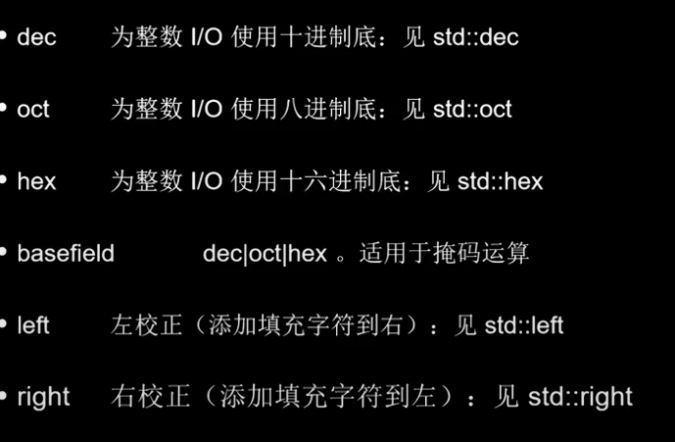
输出有相应的格式
cpp
//控制台输出ostream

#include <iostream>

using namespace std;

int main()

{

    //cout标准输出ostream

    cout << "test cout" << endl;

    cout << 100 << endl;//默认十进制输出

    cout << oct << 100 << endl;//八进制输出

    cout << hex << 100 << endl;//十六进制输出

    cout << 100 << endl;//每次使用完要记得恢复,编译器更改不是一次性的

    cout << dec << 100 << endl;

    cout << boolalpha;//bool类型输出

    cout << true << ": " << false << endl;

    std::cout << "Hello World!\n";

}


Cout无格式输出


    //cout无格式输入

    cout.put('a').put('b');

    cout << endl;

    cout.write("123", 3);

    string str1 = "testing";

    cout.write(str1.c_str(), str1.size());

    cout << flush;//刷新缓冲区

    //cout.put和cout.weite的区别

    //put是输出一个字符

    //write是输出字符串


标准输出和错误输出   重定向


//cerr标准错误输出   无缓冲  stderr 2

cerr << "test cerr 01\n";

cerr << "TEST CERR 02\n";


std::cout << "Hello World!\n";

控制台不同的文件编号


Istream


#include <iostream>

#include <string>


using namespace std;


int main()

{


    //错误检查

    while (1)

    {

        int x{ 0 };

        cin >> x;

        if (cin.fail())

        {

            string rubish;

            cin.clear();//恢复状态为正常

            getline(cin, rubish);//清除垃圾

            cout << "error" << endl;

            continue;

        }

        cout << "x  :" << x << endl;


    }


    //单个字符输入get

    char ch = cin.get();

    cout << ch << endl;//可以输入很多但是只读一个

    string cmd;

    while (1)

    {

        char ch = cin.get();

        cmd += ch;//虽然一次只读一个,也是按下回车健才执行

        if (ch == '\n')

        {

            cout << "cmd:  " << cmd << endl;

            cmd = "";

        }

    }


    //单行输入getline

    char buf[100]{ 0 };

    cin.getline(buf, sizeof(buf) - 1);

    //要最后给\0有一个空

    cout << buf << endl;

    //如果想要多行输入,可以一个死循环,加一个结束符

    while(1)

    {

        char buf[100]{ 0 };

        cin.getline(buf, sizeof(buf) - 1);

        cout << buf << endl;

        if (strstr(buf, "over"))

        {

            break;

        }

    }


    string line;

    getline(cin, line);

    cout << line << endl;


    std::cout << "Hello World!\n";

}
Stringstream = istream+ostream
cpp
#include <iostream>

#include <sstream>

#include <string>

using namespace std;


int main()

{


    //基础用法

    {

        //简单理解成cout的自由拼接

        stringstream ss;

        ss << "test : " << 100;

        ss << true;

        ss << boolalpha;

        ss << hex;

        ss << "\n" << false << 100 << endl;

        cout << ss.str() << endl;

        ss.str("");//传入空字符串代表清空


    }

    //特殊用法

    {

        //stringstream格式输入

        string data = "teat1 teas2 ";

        stringstream ss(data);

        string tmp;

        cout << ss.str() << endl;

        ss >> tmp; cout << tmp << endl;//传入到空格为止


    }


    {

        //stringstream单行读取

        string data = "test1 test2 \n test3 test4";

        string line;

        stringstream ss(data);

        getline(ss, line);

        cout << "line: " << line<<endl;

    }


    {

        //多行读取

        string data = "test1 test2 \n test3 test4";

        string line;

        stringstream ss(data);

        while (1)

        {

            getline(ss, line);

            cout << "line: " << line << endl;

            if (ss.eof())//结尾处理

                break;

        }

    }


    std::cout << "Hello World!\n";

}