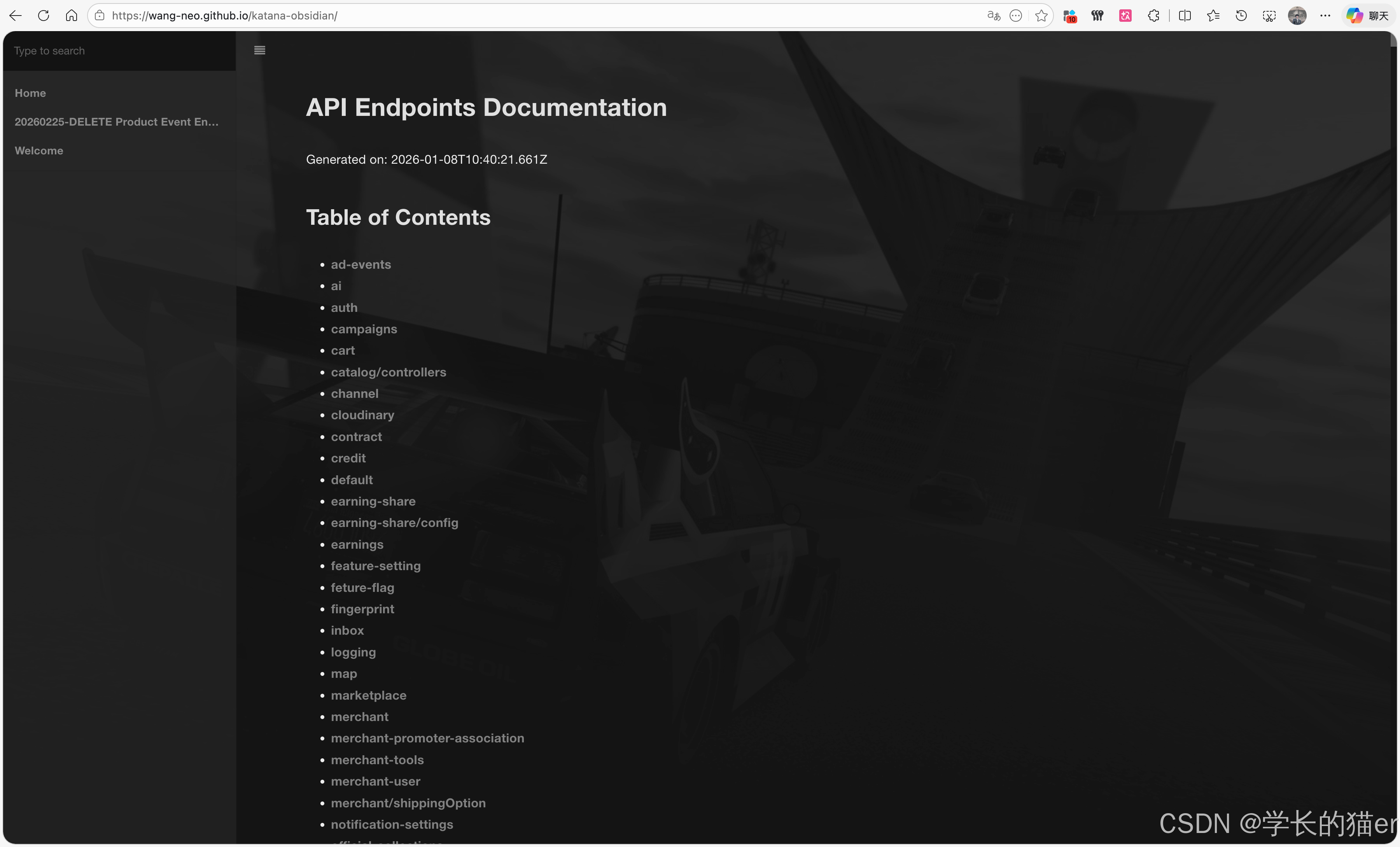
会自动渲染md 到 gh-pages 分支,然后到pages (注意,需要public 仓库)
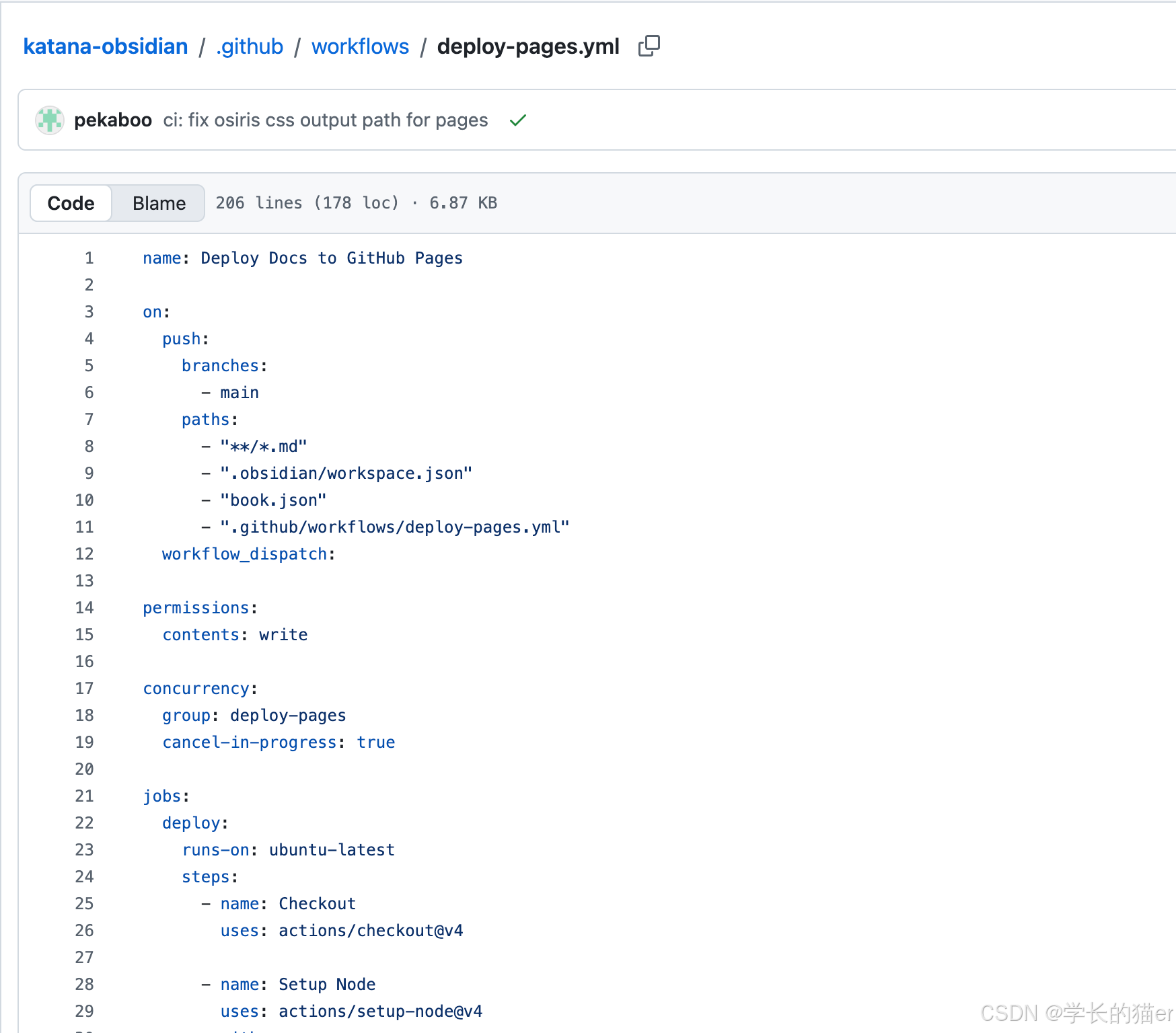
源码:
name: Deploy Docs to GitHub Pages

on:
  push:
    branches:
      - main
    paths:
      - "**/*.md"
      - ".obsidian/workspace.json"
      - "book.json"
      - ".github/workflows/deploy-pages.yml"
  workflow_dispatch:

permissions:
  contents: write

concurrency:
  group: deploy-pages
  cancel-in-progress: true

jobs:
  deploy:
    runs-on: ubuntu-latest
    steps:
      - name: Checkout
        uses: actions/checkout@v4

      - name: Setup Node
        uses: actions/setup-node@v4
        with:
          node-version: "20"

      - name: Build with HonKit
        shell: bash
        run: |
          set -euo pipefail

          ordered_md_file="$(mktemp)"
          all_md_file="$(mktemp)"
          candidate_md_file="$(mktemp)"

          # Collect all markdown files in repository (relative paths).
          while IFS= read -r -d '' md; do
            printf '%s\n' "${md#./}" >> "$all_md_file"
          done < <(
            find . -type f -name '*.md' \
              -not -path './.git/*' \
              -not -path './node_modules/*' \
              -print0 | sort -z
          )

          # Prefer Obsidian workspace order: active doc -> main tabs -> last open files.
          if [ -f .obsidian/workspace.json ]; then
            node <<'NODE' > "$ordered_md_file"
          const fs = require('fs');
          const wsPath = '.obsidian/workspace.json';
          let ws;
          try {
            ws = JSON.parse(fs.readFileSync(wsPath, 'utf8'));
          } catch {
            process.exit(0);
          }

          const output = [];
          const idToMarkdown = new Map();

          function walk(node, fn) {
            if (!node || typeof node !== 'object') return;
            fn(node);
            if (Array.isArray(node.children)) {
              for (const child of node.children) walk(child, fn);
            }
          }

          walk(ws, (node) => {
            if (node.type !== 'leaf') return;
            const file = node?.state?.state?.file;
            if (node?.state?.type === 'markdown' && typeof file === 'string' && file.endsWith('.md')) {
              if (typeof node.id === 'string') idToMarkdown.set(node.id, file);
            }
          });

          if (typeof ws.active === 'string' && idToMarkdown.has(ws.active)) {
            output.push(idToMarkdown.get(ws.active));
          }

          function collectMainTabs(node) {
            if (!node || typeof node !== 'object') return;
            if (node.type === 'tabs' && Array.isArray(node.children)) {
              const currentIndex = Number.isInteger(node.currentTab) ? node.currentTab : -1;
              if (currentIndex >= 0 && currentIndex < node.children.length) {
                const activeFile = node.children[currentIndex]?.state?.state?.file;
                if (typeof activeFile === 'string' && activeFile.endsWith('.md')) output.push(activeFile);
              }
              for (const child of node.children) {
                const tabFile = child?.state?.state?.file;
                if (typeof tabFile === 'string' && tabFile.endsWith('.md')) output.push(tabFile);
              }
            }
            if (Array.isArray(node.children)) {
              for (const child of node.children) collectMainTabs(child);
            }
          }

          collectMainTabs(ws.main);

          if (Array.isArray(ws.lastOpenFiles)) {
            for (const file of ws.lastOpenFiles) {
              if (typeof file === 'string' && file.endsWith('.md')) output.push(file);
            }
          }

          for (const file of output) {
            if (typeof file === 'string' && file.length > 0) {
              console.log(file.replace(/^\.\//, ''));
            }
          }
          NODE
          fi

          # Merge and deduplicate while preserving order.
          cat "$ordered_md_file" "$all_md_file" | awk 'NF && !seen[$0]++' > "$candidate_md_file"

          home_source=""
          if [ ! -f README.md ]; then
            if [ -s "$ordered_md_file" ]; then
              first_preferred="$(head -n 1 "$ordered_md_file")"
              if [ -n "$first_preferred" ] && [ -f "$first_preferred" ]; then
                home_source="$first_preferred"
                cp "$home_source" README.md
              fi
            fi

            if [ ! -f README.md ] && [ -f Welcome.md ]; then
              home_source="Welcome.md"
              cp Welcome.md README.md
            fi

            if [ ! -f README.md ]; then
              first_md="$(head -n 1 "$all_md_file")"
              if [ -n "$first_md" ] && [ -f "$first_md" ]; then
                home_source="$first_md"
                cp "$home_source" README.md
              fi
            fi
          fi

          {
            echo "# Summary"
            echo
            echo "* [Home](README.md)"
            while IFS= read -r md; do
              [ -z "$md" ] && continue
              [ "$md" = "README.md" ] && continue
              [ "$md" = "SUMMARY.md" ] && continue
              [ -n "$home_source" ] && [ "$md" = "$home_source" ] && continue
              [ -f "$md" ] || continue
              title="$(basename "${md%.md}")"
              printf "* [%s](%s)\n" "$title" "$md"
            done < "$candidate_md_file"
          } > SUMMARY.md

          # Ensure Osiris theme plugin is configured, even if book.json is absent.
          node <<'NODE'
          const fs = require('fs');
          const path = 'book.json';
          let book = {};
          if (fs.existsSync(path)) {
            try {
              book = JSON.parse(fs.readFileSync(path, 'utf8'));
            } catch (err) {
              throw new Error(`Invalid book.json: ${err.message}`);
            }
          }

          const targetPlugin = 'honkit-plugin-theme-osiris';
          const plugins = Array.isArray(book.plugins) ? book.plugins : [];
          const filtered = plugins.filter(
            (p) => p !== targetPlugin && p !== 'theme-osiris'
          );
          filtered.push(targetPlugin);
          book.plugins = filtered;
          fs.writeFileSync(path, `${JSON.stringify(book, null, 2)}\n`);
          NODE

          npm install --no-save honkit@5.1.4 honkit-plugin-theme-osiris@1.0.3
          ./node_modules/.bin/honkit build . _book

          # Workaround: plugin generates osiris.css under gitbook-plugin-* path,
          # but HonKit references it from honkit-plugin-* path.
          osiris_generated="_book/gitbook/gitbook-plugin-honkit-plugin-theme-osiris/osiris.css"
          osiris_expected_dir="_book/gitbook/honkit-plugin-theme-osiris"
          if [ -f "$osiris_generated" ]; then
            mkdir -p "$osiris_expected_dir"
            cp "$osiris_generated" "$osiris_expected_dir/osiris.css"
          fi

          touch _book/.nojekyll

      - name: Deploy to gh-pages
        uses: peaceiris/actions-gh-pages@v4
        with:
          github_token: ${{ secrets.GITHUB_TOKEN }}
          publish_dir: ./_book
          publish_branch: gh-pages
          force_orphan: true