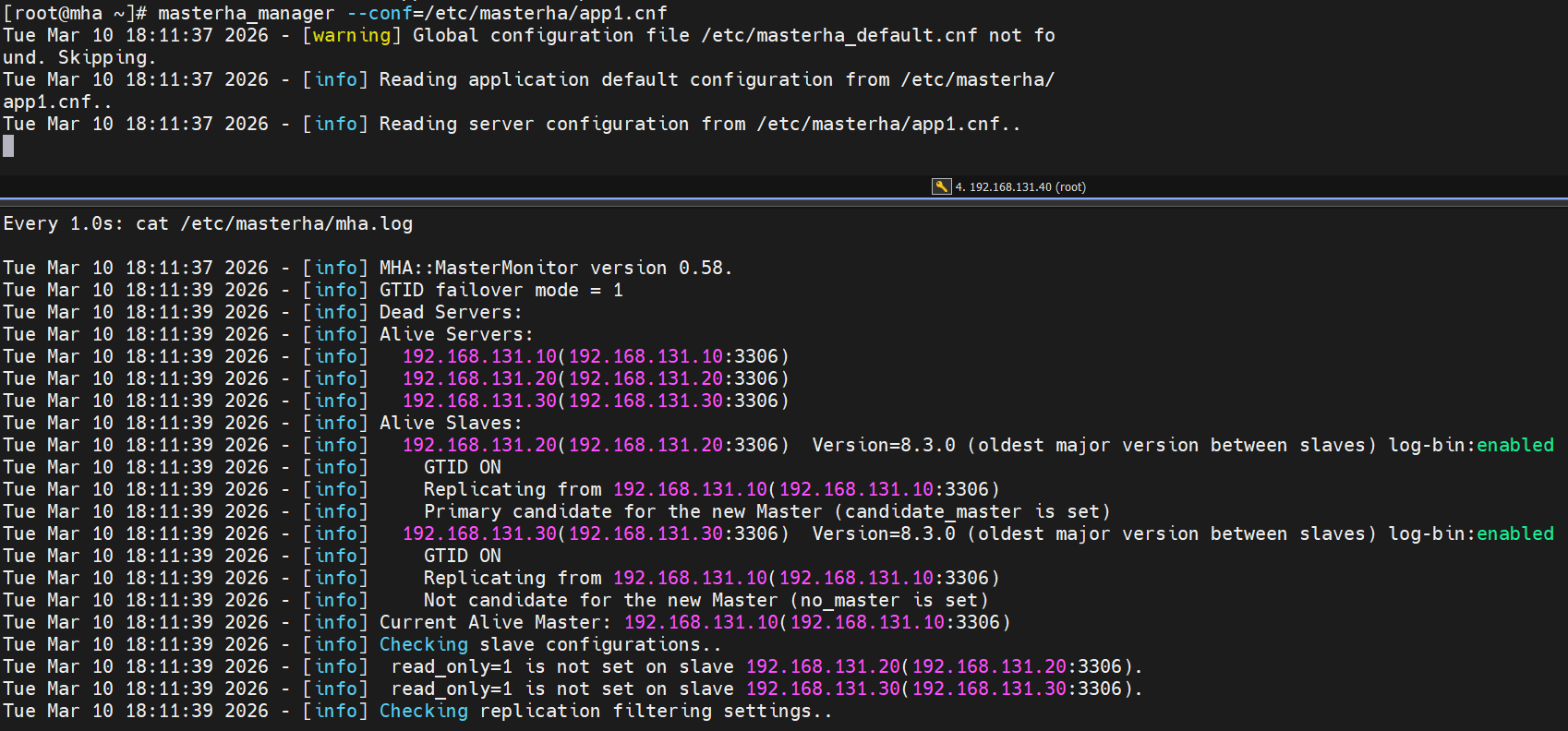
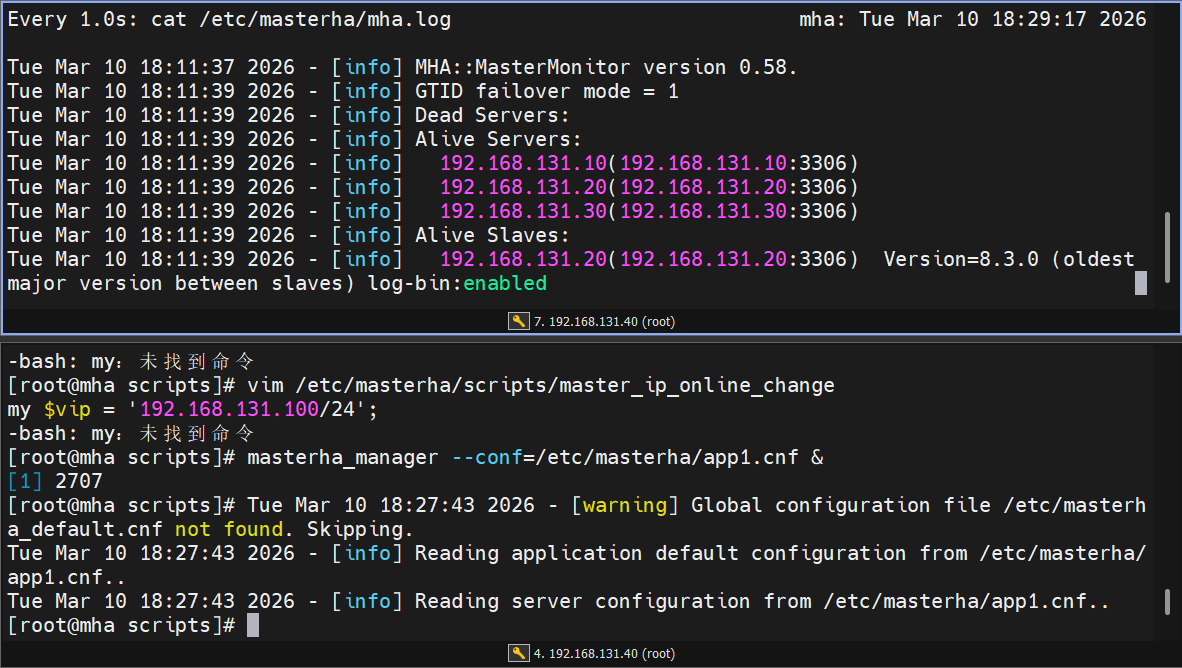
Starting MySQL.Logging to '/data/mysql/mysql-node1.err'.
. SUCCESS!
#开机启动
root@mysql-node1 support-files# chkconfig --level 35 mysqld on mysql的安全初始化
root@mysql-node1 \~# mysql_secure_installation
Securing the MySQL server deployment.
Enter password for user root:
The existing password for the user account root has expired. Please set a new password.
New password:
Re-enter new password:
VALIDATE PASSWORD COMPONENT can be used to test passwords
and improve security. It checks the strength of password
and allows the users to set only those passwords which are
secure enough. Would you like to setup VALIDATE PASSWORD component?
Press y|Y for Yes, any other key for No: no
Using existing password for root.
Change the password for root ? ((Press y|Y for Yes, any other key for No) : no
Remove anonymous users? (Press y|Y for Yes, any other key for No) : y
Success.
Normally, root should only be allowed to connect from
'localhost'. This ensures that someone cannot guess at
the root password from the network.
Disallow root login remotely? (Press y|Y for Yes, any other key for No) : y
Success.
By default, MySQL comes with a database named 'test' that
anyone can access. This is also intended only for testing,
and should be removed before moving into a production
environment.
Remove test database and access to it? (Press y|Y for Yes, any other key for No) : y
Dropping test database...
Success.
Removing privileges on test database...
Success.
Reloading the privilege tables will ensure that all changes
made so far will take effect immediately.
Reload privilege tables now? (Press y|Y for Yes, any other key for No) : y
Success.
All done!
Mysql集群实战------主从复制
1 配置主从
1.编写my.cnf 主配置文件
bash复制代码
[root@mysql-node1 ~]# vim /etc/my.cnf
[mysqld]                       #配置属于 MySQL 服务器进程
datadir=/data/mysql            #设置 MySQL 数据库文件的存储目录
socket=/data/mysql/mysql.sock  #指定 MySQL 的 Unix 套接字文件路径
symbolic-links=0               #出于安全考虑,禁止通过符号链接访问数据库文件

server-id=10                   #设置服务器唯一标识符
log-bin=mysql-bin              #启用二进制日志(binary logging)


[root@mysql-node2 ~]# vim /etc/my.cnf
[mysqld]
datadir=/data/mysql
socket=/data/mysql/mysql.sock
symbolic-links=0

server-id=20
log-bin=mysql-bin


[root@mysql-node3 ~]# vim /etc/my.cnf
[mysqld]
datadir=/data/mysql
socket=/data/mysql/mysql.sock
symbolic-links=0

server-id=30
log-bin=mysql-bin


#在三台主机中重启数据库
[root@mysql-node1~3 ~]# /etc/init.d/mysqld restart
2.建立同步时需要用到的数据库账号
bash复制代码
[root@mysql-node1 ~]# mysql -uroot -plee
mysql: [Warning] Using a password on the command line interface can be insecure.
Welcome to the MySQL monitor.  Commands end with ; or \g.
Your MySQL connection id is 12
Server version: 8.3.0 Source distribution

Copyright (c) 2000, 2024, Oracle and/or its affiliates.

Oracle is a registered trademark of Oracle Corporation and/or its
affiliates. Other names may be trademarks of their respective
owners.

Type 'help;' or '\h' for help. Type '\c' to clear the current input statement.

mysql> SHOW VARIABLES LIKE 'default_authentication_plugin';
+-------------------------------+-----------------------+
| Variable_name                 | Value                 |
+-------------------------------+-----------------------+
| default_authentication_plugin | mysql_native_password |
+-------------------------------+-----------------------+
1 row in set (0.06 sec)

mysql> create user lee@'%' identified with mysql_native_password by 'lee';    #建立用户
Query OK, 0 rows affected (0.01 sec)

mysql> select User from mysql.user;
+------------------+
| User             |
+------------------+
| lee              |
| mysql.infoschema |
| mysql.session    |
| mysql.sys        |
| root             |
+------------------+
5 rows in set (0.00 sec)

mysql> GRANT replication slave ON *.* to lee@'%';        #给用户授权
Query OK, 0 rows affected (0.01 sec)

mysql> SHOW GRANTS FOR lee@'%';
+---------------------------------------------+
| Grants for lee@%                            |
+---------------------------------------------+
| GRANT REPLICATION SLAVE ON *.* TO `lee`@`%` |
+---------------------------------------------+
1 row in set (0.00 sec)


#在其他主机中
[root@mysql-node2 ~]# mysql -ulee -plee -h192.168.131.10
mysql: [Warning] Using a password on the command line interface can be insecure.
Welcome to the MySQL monitor.  Commands end with ; or \g.
Your MySQL connection id is 13
Server version: 8.3.0 Source distribution

Copyright (c) 2000, 2024, Oracle and/or its affiliates.

Oracle is a registered trademark of Oracle Corporation and/or its
affiliates. Other names may be trademarks of their respective
owners.

Type 'help;' or '\h' for help. Type '\c' to clear the current input statement.

mysql>
[root@mysql-node2 ~]# vim /etc/my.cnf
rpl_semi_sync_slave_enabled=1


mysql>  INSTALL PLUGIN rpl_semi_sync_slave SONAME 'semisync_slave.so';
mysql> SET GLOBAL rpl_semi_sync_slave_enabled =1;
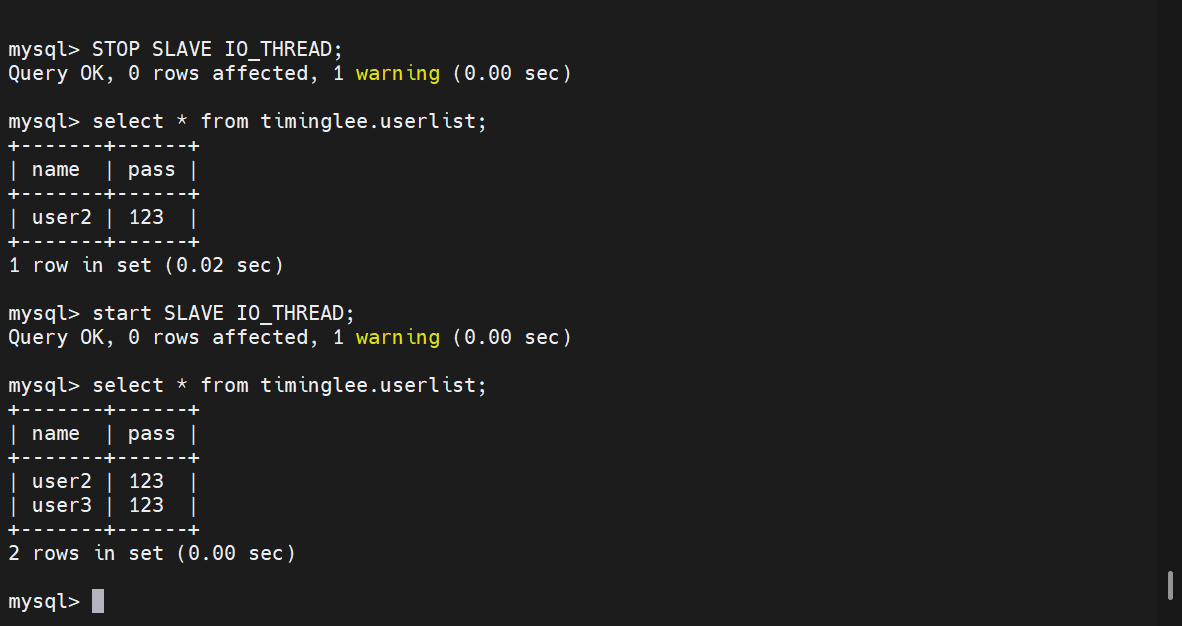
mysql> STOP SLAVE IO_THREAD;
mysql> START SLAVE IO_THREAD;

mysql> SELECT PLUGIN_NAME, PLUGIN_STATUS FROM INFORMATION_SCHEMA.PLUGINS WHERE PLUGIN_NAME LIKE '%semi%';
+---------------------+---------------+
| PLUGIN_NAME         | PLUGIN_STATUS |
+---------------------+---------------+
| rpl_semi_sync_slave | ACTIVE        |
+---------------------+---------------+
1 row in set (0.01 sec)


mysql> show variables like 'rpl_semi_sync%';
+---------------------------------+-------+
| Variable_name                   | Value |
+---------------------------------+-------+
| rpl_semi_sync_slave_enabled     | ON    |
| rpl_semi_sync_slave_trace_level | 32    |
+---------------------------------+-------+
2 rows in set (0.00 sec)


mysql> show status like 'rpl_semi_sync%';
+----------------------------+-------+
| Variable_name              | Value |
+----------------------------+-------+
| Rpl_semi_sync_slave_status | ON    |
+----------------------------+-------+
1 row in set (0.01 sec)
[root@mysql-node1 ~]# /etc/init.d/mysqld stop
[root@mysql-node1 ~]# rm -rf /data/mysql/*
[root@mysql-node1 ~]# mysqld --initialize --user mysql

[root@mysql-node1 ~]# /etc/init.d/mysqld start
Starting MySQL.Logging to '/data/mysql/mysql-node1.err'.
. SUCCESS!

[root@mysql-node1 ~]# mysql_secure_installation


[root@mysql-node1 ~]# mysql -uroot -plee -e "create user lee@'%' identified with mysql_native_password by 'lee';"

[root@mysql-node1 ~]# mysql -uroot -plee -e "GRANT replication slave ON *.* to lee@'%';"

[root@mysql-node1 ~]# mysql -uroot -plee -e "show master status;"
mysql: [Warning] Using a password on the command line interface can be insecure.
+------------------+----------+--------------+------------------+------------------------------------------+
| File             | Position | Binlog_Do_DB | Binlog_Ignore_DB | Executed_Gtid_Set                        |
+------------------+----------+--------------+------------------+------------------------------------------+
| mysql-bin.000002 |     1328 |              |                  | 65e12da3-1be5-11f1-9a03-000c29679c4e:1-5 |
+------------------+----------+--------------+------------------+------------------------------------------+
重新配置主从
在slave主机中(node2和node3)
bash复制代码
mysql> stop slave;
Query OK, 0 rows affected, 1 warning (0.01 sec)

[root@mysql-node2 ~]# mysql -uroot -plee -e "CHANGE MASTER TO MASTER_HOST='192.168.131.10', MASTER_USER='lee', MASTER_PASSWORD='lee', MASTER_AUTO_POSITION=1328;"
mysql: [Warning] Using a password on the command line interface can be insecure.
[root@mysql-node2 ~]# mysql -uroot -plee -e " start slave;"
mysql: [Warning] Using a password on the command line interface can be insecure.
[root@mysql-node2 ~]# mysql -uroot -plee -e " show slave status\G;"
mysql: [Warning] Using a password on the command line interface can be insecure.
*************************** 1. row ***************************
               Slave_IO_State: Waiting for source to send event
                  Master_Host: 192.168.131.10
                  Master_User: lee
                  Master_Port: 3306
                Connect_Retry: 60
              Master_Log_File: mysql-bin.000002
          Read_Master_Log_Pos: 1328
               Relay_Log_File: mysql-node2-relay-bin.000002
                Relay_Log_Pos: 1537
        Relay_Master_Log_File: mysql-bin.000002
             Slave_IO_Running: Yes
            Slave_SQL_Running: Yes
[root@mha MHA-7]# for i in 10 20 30
> do
> scp mha4mysql-node-0.58-0.el7.centos.noarch.rpm root@192.168.131.$i:/mnt
> ssh -l root 192.168.131.$i "rpm -ivh /mnt/mha4mysql-node-0.58-0.el7.centos.noarch.rpm --nodeps"
> done
Warning: Permanently added '192.168.131.10' (ED25519) to the list of known hosts.
mha4mysql-node-0.58-0.el7.centos.noarch.rpm                     100%   35KB  16.9MB/s   00:00
Verifying...                          ########################################
准备中...                          ########################################
正在升级/安装...
mha4mysql-node-0.58-0.el7.centos      ########################################
Warning: Permanently added '192.168.131.20' (ED25519) to the list of known hosts.
mha4mysql-node-0.58-0.el7.centos.noarch.rpm                     100%   35KB  28.2MB/s   00:00
Verifying...                          ########################################
准备中...                          ########################################
正在升级/安装...
mha4mysql-node-0.58-0.el7.centos      ########################################
Warning: Permanently added '192.168.131.30' (ED25519) to the list of known hosts.
mha4mysql-node-0.58-0.el7.centos.noarch.rpm                     100%   35KB  20.1MB/s   00:00
Verifying...                          ########################################
准备中...                          ########################################
正在升级/安装...
mha4mysql-node-0.58-0.el7.centos      ########################################
3.修改MHA-Manager中的检测代码
bash复制代码
199 #sub parse_mysql_major_version($) {
200 #  my $str = shift;
201 #  my $result = sprintf( '%03d%03d', $str =~ m/(\d+)/g );
202 #  return $result;
203 #}
204
205 sub parse_mysql_major_version($) {
206   my $str = shift;
207   my @nums = $str =~ m/(\d+)/g;
208   my $result = sprintf( '%03d%03d', $nums[0]//0, $nums[1]//0);
209   return $result;
210 }
4.为MHA建立远程登录用户
在master主机中
bash复制代码
mysql> create user root@'%' identified with mysql_native_password by 'lee';
Query OK, 0 rows affected (0.01 sec)

mysql> GRANT ALL ON *.* TO root@'%' ;
Query OK, 0 rows affected (0.00 sec)
#执行切换,把master切换到20
[root@mha masterha]# masterha_master_switch --conf=/etc/masterha/app1.cnf   --master_state=alive   --new_master_host=192.168.131.20   --new_master_port=3306   --orig_master_is_new_slave   --running_updates_limit=10000

[root@mha masterha]# masterha_master_switch --conf=/etc/masterha/app1.cnf   --master_state=alive   --new_master_host=192.168.131.20   --new_master_port=3306   --orig_master_is_new_slave   --running_updates_limit=10000
Tue Mar 10 04:11:14 2026 - [info] MHA::MasterRotate version 0.58.
Tue Mar 10 04:11:14 2026 - [info] Starting online master switch..
Tue Mar 10 04:11:14 2026 - [info]
Tue Mar 10 04:11:14 2026 - [info] * Phase 1: Configuration Check Phase..
Tue Mar 10 04:11:14 2026 - [info]
Tue Mar 10 04:11:14 2026 - [warning] Global configuration file /etc/masterha_default.cnf not found. Skipping.
Tue Mar 10 04:11:14 2026 - [info] Reading application default configuration from /etc/masterha/app1.cnf..
Tue Mar 10 04:11:14 2026 - [info] Reading server configuration from /etc/masterha/app1.cnf..
Tue Mar 10 04:11:16 2026 - [info] GTID failover mode = 1
Tue Mar 10 04:11:16 2026 - [info] Current Alive Master: 192.168.131.10(192.168.131.10:3306)
Tue Mar 10 04:11:16 2026 - [info] Alive Slaves:
Tue Mar 10 04:11:16 2026 - [info]   192.168.131.20(192.168.131.20:3306)  Version=8.3.0 (oldest major version between slaves) log-bin:enabled
Tue Mar 10 04:11:16 2026 - [info]     GTID ON
Tue Mar 10 04:11:16 2026 - [info]     Replicating from 192.168.131.10(192.168.131.10:3306)
Tue Mar 10 04:11:16 2026 - [info]     Primary candidate for the new Master (candidate_master is set)
Tue Mar 10 04:11:16 2026 - [info]   192.168.131.30(192.168.131.30:3306)  Version=8.3.0 (oldest major version between slaves) log-bin:enabled
Tue Mar 10 04:11:16 2026 - [info]     GTID ON
Tue Mar 10 04:11:16 2026 - [info]     Replicating from 192.168.131.10(192.168.131.10:3306)
Tue Mar 10 04:11:16 2026 - [info]     Not candidate for the new Master (no_master is set)

It is better to execute FLUSH NO_WRITE_TO_BINLOG TABLES on the master before switching. Is it ok to execute on 192.168.131.10(192.168.131.10:3306)? (YES/no): yes    #输入内容
Tue Mar 10 04:11:17 2026 - [info] Executing FLUSH NO_WRITE_TO_BINLOG TABLES. This may take long time..
Tue Mar 10 04:11:17 2026 - [info]  ok.
Tue Mar 10 04:11:17 2026 - [info] Checking MHA is not monitoring or doing failover..
Tue Mar 10 04:11:17 2026 - [info] Checking replication health on 192.168.131.20..
Tue Mar 10 04:11:17 2026 - [info]  ok.
Tue Mar 10 04:11:17 2026 - [info] Checking replication health on 192.168.131.30..
Tue Mar 10 04:11:17 2026 - [info]  ok.
Tue Mar 10 04:11:17 2026 - [info] 192.168.131.20 can be new master.
Tue Mar 10 04:11:17 2026 - [info]
From:
192.168.131.10(192.168.131.10:3306) (current master)
 +--192.168.131.20(192.168.131.20:3306)
 +--192.168.131.30(192.168.131.30:3306)

To:
192.168.131.20(192.168.131.20:3306) (new master)
 +--192.168.131.30(192.168.131.30:3306)
 +--192.168.131.10(192.168.131.10:3306)

Starting master switch from 192.168.131.10(192.168.131.10:3306) to 192.168.131.20(192.168.131.20:3306)? (yes/NO): yes        #输入内容
Tue Mar 10 04:11:18 2026 - [info] Checking whether 192.168.131.20(192.168.131.20:3306) is ok for the new master..
Tue Mar 10 04:11:18 2026 - [info]  ok.
Tue Mar 10 04:11:18 2026 - [info] 192.168.131.10(192.168.131.10:3306): SHOW SLAVE STATUS returned empty result. To check replication filtering rules, temporarily executing CHANGE MASTER to a dummy host.
Tue Mar 10 04:11:18 2026 - [info] 192.168.131.10(192.168.131.10:3306): Resetting slave pointing to the dummy host.
Tue Mar 10 04:11:18 2026 - [info] ** Phase 1: Configuration Check Phase completed.
Tue Mar 10 04:11:18 2026 - [info]
Tue Mar 10 04:11:18 2026 - [info] * Phase 2: Rejecting updates Phase..
Tue Mar 10 04:11:18 2026 - [info]
master_ip_online_change_script is not defined. If you do not disable writes on the current master manually, applications keep writing on the current master. Is it ok to proceed? (yes/NO): ^CTue Mar 10 04:17:14 2026 - [info] Killing thread 52 on 192.168.131.10(192.168.131.10:3306)..
Tue Mar 10 04:17:14 2026 - [info] ok.
Tue Mar 10 04:17:14 2026 - [info] Killing thread 44 on 192.168.131.20(192.168.131.20:3306)..
Tue Mar 10 04:17:14 2026 - [info] ok.
Tue Mar 10 04:17:14 2026 - [info] Killing thread 41 on 192.168.131.30(192.168.131.30:3306)..
Tue Mar 10 04:17:14 2026 - [info] ok.
[root@mha masterha]# masterha_master_switch --conf=/etc/masterha/app1.cnf   --master_state=alive   --new_master_host=192.168.131.20   --new_master_port=3306   --orig_master_is_new_slave   --running_updates_limit=10000
Tue Mar 10 04:23:41 2026 - [info] MHA::MasterRotate version 0.58.
Tue Mar 10 04:23:41 2026 - [info] Starting online master switch..
Tue Mar 10 04:23:41 2026 - [info]
Tue Mar 10 04:23:41 2026 - [info] * Phase 1: Configuration Check Phase..
Tue Mar 10 04:23:41 2026 - [info]
Tue Mar 10 04:23:41 2026 - [warning] Global configuration file /etc/masterha_default.cnf not found. Skipping.
Tue Mar 10 04:23:41 2026 - [info] Reading application default configuration from /etc/masterha/app1.cnf..
Tue Mar 10 04:23:41 2026 - [info] Reading server configuration from /etc/masterha/app1.cnf..
Tue Mar 10 04:23:42 2026 - [info] GTID failover mode = 1
Tue Mar 10 04:23:42 2026 - [info] Current Alive Master: 192.168.131.10(192.168.131.10:3306)
Tue Mar 10 04:23:42 2026 - [info] Alive Slaves:
Tue Mar 10 04:23:42 2026 - [info]   192.168.131.20(192.168.131.20:3306)  Version=8.3.0 (oldest major version between slaves) log-bin:enabled
Tue Mar 10 04:23:42 2026 - [info]     GTID ON
Tue Mar 10 04:23:42 2026 - [info]     Replicating from 192.168.131.10(192.168.131.10:3306)
Tue Mar 10 04:23:42 2026 - [info]     Primary candidate for the new Master (candidate_master is set)
Tue Mar 10 04:23:42 2026 - [info]   192.168.131.30(192.168.131.30:3306)  Version=8.3.0 (oldest major version between slaves) log-bin:enabled
Tue Mar 10 04:23:42 2026 - [info]     GTID ON
Tue Mar 10 04:23:42 2026 - [info]     Replicating from 192.168.131.10(192.168.131.10:3306)
Tue Mar 10 04:23:42 2026 - [info]     Not candidate for the new Master (no_master is set)

It is better to execute FLUSH NO_WRITE_TO_BINLOG TABLES on the master before switching. Is it ok to execute on 192.168.131.10(192.168.131.10:3306)? (YES/no): yes
Tue Mar 10 04:23:45 2026 - [info] Executing FLUSH NO_WRITE_TO_BINLOG TABLES. This may take long time..
Tue Mar 10 04:23:45 2026 - [info]  ok.
Tue Mar 10 04:23:45 2026 - [info] Checking MHA is not monitoring or doing failover..
Tue Mar 10 04:23:45 2026 - [info] Checking replication health on 192.168.131.20..
Tue Mar 10 04:23:45 2026 - [info]  ok.
Tue Mar 10 04:23:45 2026 - [info] Checking replication health on 192.168.131.30..
Tue Mar 10 04:23:45 2026 - [info]  ok.
Tue Mar 10 04:23:45 2026 - [info] 192.168.131.20 can be new master.
Tue Mar 10 04:23:45 2026 - [info]
From:
192.168.131.10(192.168.131.10:3306) (current master)
 +--192.168.131.20(192.168.131.20:3306)
 +--192.168.131.30(192.168.131.30:3306)

To:
192.168.131.20(192.168.131.20:3306) (new master)
 +--192.168.131.30(192.168.131.30:3306)
 +--192.168.131.10(192.168.131.10:3306)

Starting master switch from 192.168.131.10(192.168.131.10:3306) to 192.168.131.20(192.168.131.20:3306)? (yes/NO): yes
Tue Mar 10 04:23:48 2026 - [info] Checking whether 192.168.131.20(192.168.131.20:3306) is ok for the new master..
Tue Mar 10 04:23:48 2026 - [info]  ok.
Tue Mar 10 04:23:48 2026 - [info] 192.168.131.10(192.168.131.10:3306): SHOW SLAVE STATUS returned empty result. To check replication filtering rules, temporarily executing CHANGE MASTER to a dummy host.
Tue Mar 10 04:23:48 2026 - [info] 192.168.131.10(192.168.131.10:3306): Resetting slave pointing to the dummy host.
Tue Mar 10 04:23:48 2026 - [info] ** Phase 1: Configuration Check Phase completed.
Tue Mar 10 04:23:48 2026 - [info]
Tue Mar 10 04:23:48 2026 - [info] * Phase 2: Rejecting updates Phase..
Tue Mar 10 04:23:48 2026 - [info]
master_ip_online_change_script is not defined. If you do not disable writes on the current master manually, applications keep writing on the current master. Is it ok to proceed? (yes/NO): yes
Tue Mar 10 04:23:52 2026 - [info] Locking all tables on the orig master to reject updates from everybody (including root):
Tue Mar 10 04:23:52 2026 - [info] Executing FLUSH TABLES WITH READ LOCK..
Tue Mar 10 04:23:52 2026 - [info]  ok.
Tue Mar 10 04:23:52 2026 - [info] Orig master binlog:pos is mysql-bin.000002:1828.
Tue Mar 10 04:23:52 2026 - [info]  Waiting to execute all relay logs on 192.168.131.20(192.168.131.20:3306)..
Tue Mar 10 04:23:52 2026 - [info]  master_pos_wait(mysql-bin.000002:1828) completed on 192.168.131.20(192.168.131.20:3306). Executed 0 events.
Tue Mar 10 04:23:52 2026 - [info]   done.
Tue Mar 10 04:23:52 2026 - [info] Getting new master's binlog name and position..
Tue Mar 10 04:23:52 2026 - [info]  mysql-bin.000004:2661
Tue Mar 10 04:23:52 2026 - [info]  All other slaves should start replication from here. Statement should be: CHANGE MASTER TO MASTER_HOST='192.168.131.20', MASTER_PORT=3306, MASTER_AUTO_POSITION=1, MASTER_USER='lee', MASTER_PASSWORD='xxx';
Tue Mar 10 04:23:52 2026 - [info]
Tue Mar 10 04:23:52 2026 - [info] * Switching slaves in parallel..
Tue Mar 10 04:23:52 2026 - [info]
Tue Mar 10 04:23:52 2026 - [info] -- Slave switch on host 192.168.131.30(192.168.131.30:3306) started, pid: 2718
Tue Mar 10 04:23:52 2026 - [info]
Tue Mar 10 04:24:03 2026 - [info] Log messages from 192.168.131.30 ...
Tue Mar 10 04:24:03 2026 - [info]
Tue Mar 10 04:23:52 2026 - [info]  Waiting to execute all relay logs on 192.168.131.30(192.168.131.30:3306)..
Tue Mar 10 04:23:52 2026 - [info]  master_pos_wait(mysql-bin.000002:1828) completed on 192.168.131.30(192.168.131.30:3306). Executed 0 events.
Tue Mar 10 04:23:52 2026 - [info]   done.
Tue Mar 10 04:23:52 2026 - [info]  Resetting slave 192.168.131.30(192.168.131.30:3306) and starting replication from the new master 192.168.131.20(192.168.131.20:3306)..
Tue Mar 10 04:23:52 2026 - [info]  Executed CHANGE MASTER.
Tue Mar 10 04:24:02 2026 - [info]  Slave started.
Tue Mar 10 04:24:03 2026 - [info] End of log messages from 192.168.131.30 ...
Tue Mar 10 04:24:03 2026 - [info]
Tue Mar 10 04:24:03 2026 - [info] -- Slave switch on host 192.168.131.30(192.168.131.30:3306) succeeded.
Tue Mar 10 04:24:03 2026 - [info] Unlocking all tables on the orig master:
Tue Mar 10 04:24:03 2026 - [info] Executing UNLOCK TABLES..
Tue Mar 10 04:24:03 2026 - [info]  ok.
Tue Mar 10 04:24:03 2026 - [info] Starting orig master as a new slave..
Tue Mar 10 04:24:03 2026 - [info]  Resetting slave 192.168.131.10(192.168.131.10:3306) and starting replication from the new master 192.168.131.20(192.168.131.20:3306)..
Tue Mar 10 04:24:03 2026 - [info]  Executed CHANGE MASTER.
Tue Mar 10 04:24:04 2026 - [info]  Slave started.
Tue Mar 10 04:24:04 2026 - [info] All new slave servers switched successfully.
Tue Mar 10 04:24:04 2026 - [info]
Tue Mar 10 04:24:04 2026 - [info] * Phase 5: New master cleanup phase..
Tue Mar 10 04:24:04 2026 - [info]
Tue Mar 10 04:24:04 2026 - [info]  192.168.131.20: Resetting slave info succeeded.
Tue Mar 10 04:24:04 2026 - [info] Switching master to 192.168.131.20(192.168.131.20:3306) completed successfully.
查看集群状态
bash复制代码
[root@mysql-node1 ~]# mysql -uroot -plee
mysql> show slave status\G;
*************************** 1. row ***************************
               Slave_IO_State: Waiting for source to send event
                  Master_Host: 192.168.131.20
                  Master_User: lee
                  Master_Port: 3306
                Connect_Retry: 60
              Master_Log_File: mysql-bin.000004
          Read_Master_Log_Pos: 2661
               Relay_Log_File: mysql-node1-relay-bin.000004
                Relay_Log_Pos: 864
        Relay_Master_Log_File: mysql-bin.000004
             Slave_IO_Running: Yes
            Slave_SQL_Running: Yes


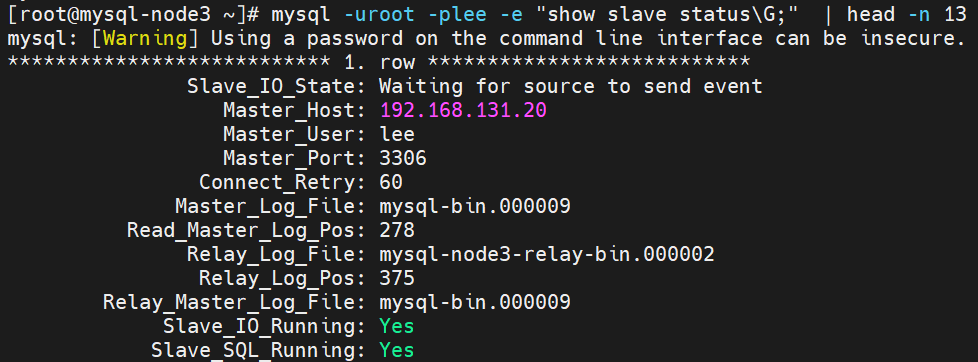
[root@mysql-node3 ~]# mysql -uroot -plee -e "show slave status\G;"  | head -n 15
mysql: [Warning] Using a password on the command line interface can be insecure.
*************************** 1. row ***************************
               Slave_IO_State: Waiting for source to send event
                  Master_Host: 192.168.131.20
                  Master_User: lee
                  Master_Port: 3306
                Connect_Retry: 60
              Master_Log_File: mysql-bin.000004
          Read_Master_Log_Pos: 2661
               Relay_Log_File: mysql-node3-relay-bin.000004
                Relay_Log_Pos: 864
        Relay_Master_Log_File: mysql-bin.000004
             Slave_IO_Running: Yes
            Slave_SQL_Running: Yes
master故障后切换
#模拟master故障
root@mysql-node10 \~# /etc/init.d/mysqld stop
bash复制代码
#在MHA-master中做故障切换
[root@mha ~]# masterha_master_switch --master_state=dead --conf=/etc/masterha/app1.cnf --dead_master_host=192.168.131.10 --dead_master_port=3306 --new_master_host=192.168.131.20 --new_master_port=3306 --ignore_last_failover
--dead_master_ip=<dead_master_ip> is not set. Using 192.168.131.10.
Tue Mar 10 17:38:03 2026 - [warning] Global configuration file /etc/masterha_default.cnf not found. Skipping.
Tue Mar 10 17:38:03 2026 - [info] Reading application default configuration from /etc/masterha/app1.cnf..
Tue Mar 10 17:38:03 2026 - [info] Reading server configuration from /etc/masterha/app1.cnf..
Tue Mar 10 17:38:03 2026 - [info] MHA::MasterFailover version 0.58.
Tue Mar 10 17:38:03 2026 - [info] Starting master failover.
Tue Mar 10 17:38:03 2026 - [info]
Tue Mar 10 17:38:03 2026 - [info] * Phase 1: Configuration Check Phase..
Tue Mar 10 17:38:03 2026 - [info]
Tue Mar 10 17:38:04 2026 - [info] GTID failover mode = 1
Tue Mar 10 17:38:04 2026 - [info] Dead Servers:
Tue Mar 10 17:38:04 2026 - [info]   192.168.131.10(192.168.131.10:3306)
Tue Mar 10 17:38:04 2026 - [info] Checking master reachability via MySQL(double check)...
Tue Mar 10 17:38:04 2026 - [info]  ok.
Tue Mar 10 17:38:04 2026 - [info] Alive Servers:
Tue Mar 10 17:38:04 2026 - [info]   192.168.131.20(192.168.131.20:3306)
Tue Mar 10 17:38:04 2026 - [info]   192.168.131.30(192.168.131.30:3306)
Tue Mar 10 17:38:04 2026 - [info] Alive Slaves:
Tue Mar 10 17:38:04 2026 - [info]   192.168.131.20(192.168.131.20:3306)  Version=8.3.0 (oldest major version between slaves) log-bin:enabled
Tue Mar 10 17:38:04 2026 - [info]     GTID ON
Tue Mar 10 17:38:04 2026 - [info]     Replicating from 192.168.131.10(192.168.131.10:3306)
Tue Mar 10 17:38:04 2026 - [info]     Primary candidate for the new Master (candidate_master is set)
Tue Mar 10 17:38:04 2026 - [info]   192.168.131.30(192.168.131.30:3306)  Version=8.3.0 (oldest major version between slaves) log-bin:enabled
Tue Mar 10 17:38:04 2026 - [info]     GTID ON
Tue Mar 10 17:38:04 2026 - [info]     Replicating from 192.168.131.10(192.168.131.10:3306)
Tue Mar 10 17:38:04 2026 - [info]     Not candidate for the new Master (no_master is set)
Master 192.168.131.10(192.168.131.10:3306) is dead. Proceed? (yes/NO): yes
Tue Mar 10 17:38:18 2026 - [info] Starting GTID based failover.
Tue Mar 10 17:38:18 2026 - [info]
Tue Mar 10 17:38:18 2026 - [info] ** Phase 1: Configuration Check Phase completed.
Tue Mar 10 17:38:18 2026 - [info]
Tue Mar 10 17:38:18 2026 - [info] * Phase 2: Dead Master Shutdown Phase..
Tue Mar 10 17:38:18 2026 - [info]
Tue Mar 10 17:38:19 2026 - [info] HealthCheck: SSH to 192.168.131.10 is reachable.
Tue Mar 10 17:38:19 2026 - [info] Forcing shutdown so that applications never connect to the current master..
Tue Mar 10 17:38:19 2026 - [warning] master_ip_failover_script is not set. Skipping invalidating dead master IP address.
Tue Mar 10 17:38:19 2026 - [warning] shutdown_script is not set. Skipping explicit shutting down of the dead master.
Tue Mar 10 17:38:19 2026 - [info] * Phase 2: Dead Master Shutdown Phase completed.
Tue Mar 10 17:38:19 2026 - [info]
Tue Mar 10 17:38:19 2026 - [info] * Phase 3: Master Recovery Phase..
Tue Mar 10 17:38:19 2026 - [info]
Tue Mar 10 17:38:19 2026 - [info] * Phase 3.1: Getting Latest Slaves Phase..
Tue Mar 10 17:38:19 2026 - [info]
Tue Mar 10 17:38:19 2026 - [info] The latest binary log file/position on all slaves is mysql-bin.000006:238
Tue Mar 10 17:38:19 2026 - [info] Latest slaves (Slaves that received relay log files to the latest):
Tue Mar 10 17:38:19 2026 - [info]   192.168.131.20(192.168.131.20:3306)  Version=8.3.0 (oldest major version between slaves) log-bin:enabled
Tue Mar 10 17:38:19 2026 - [info]     GTID ON
Tue Mar 10 17:38:19 2026 - [info]     Replicating from 192.168.131.10(192.168.131.10:3306)
Tue Mar 10 17:38:19 2026 - [info]     Primary candidate for the new Master (candidate_master is set)
Tue Mar 10 17:38:19 2026 - [info]   192.168.131.30(192.168.131.30:3306)  Version=8.3.0 (oldest major version between slaves) log-bin:enabled
Tue Mar 10 17:38:19 2026 - [info]     GTID ON
Tue Mar 10 17:38:19 2026 - [info]     Replicating from 192.168.131.10(192.168.131.10:3306)
Tue Mar 10 17:38:19 2026 - [info]     Not candidate for the new Master (no_master is set)
Tue Mar 10 17:38:19 2026 - [info] The oldest binary log file/position on all slaves is mysql-bin.000006:238
Tue Mar 10 17:38:19 2026 - [info] Oldest slaves:
Tue Mar 10 17:38:19 2026 - [info]   192.168.131.20(192.168.131.20:3306)  Version=8.3.0 (oldest major version between slaves) log-bin:enabled
Tue Mar 10 17:38:19 2026 - [info]     GTID ON
Tue Mar 10 17:38:19 2026 - [info]     Replicating from 192.168.131.10(192.168.131.10:3306)
Tue Mar 10 17:38:19 2026 - [info]     Primary candidate for the new Master (candidate_master is set)
Tue Mar 10 17:38:19 2026 - [info]   192.168.131.30(192.168.131.30:3306)  Version=8.3.0 (oldest major version between slaves) log-bin:enabled
Tue Mar 10 17:38:19 2026 - [info]     GTID ON
Tue Mar 10 17:38:19 2026 - [info]     Replicating from 192.168.131.10(192.168.131.10:3306)
Tue Mar 10 17:38:19 2026 - [info]     Not candidate for the new Master (no_master is set)
Tue Mar 10 17:38:19 2026 - [info]
Tue Mar 10 17:38:19 2026 - [info] * Phase 3.3: Determining New Master Phase..
Tue Mar 10 17:38:19 2026 - [info]
Tue Mar 10 17:38:19 2026 - [info] 192.168.131.20 can be new master.
Tue Mar 10 17:38:19 2026 - [info] New master is 192.168.131.20(192.168.131.20:3306)
Tue Mar 10 17:38:19 2026 - [info] Starting master failover..
Tue Mar 10 17:38:19 2026 - [info]
From:
192.168.131.10(192.168.131.10:3306) (current master)
 +--192.168.131.20(192.168.131.20:3306)
 +--192.168.131.30(192.168.131.30:3306)

To:
192.168.131.20(192.168.131.20:3306) (new master)
 +--192.168.131.30(192.168.131.30:3306)

Starting master switch from 192.168.131.10(192.168.131.10:3306) to 192.168.131.20(192.168.131.20:3306)? (yes/NO): yes
Tue Mar 10 17:38:31 2026 - [info] New master decided manually is 192.168.131.20(192.168.131.20:3306)
Tue Mar 10 17:38:31 2026 - [info]
Tue Mar 10 17:38:31 2026 - [info] * Phase 3.3: New Master Recovery Phase..
Tue Mar 10 17:38:31 2026 - [info]
Tue Mar 10 17:38:31 2026 - [info]  Waiting all logs to be applied..
Tue Mar 10 17:38:31 2026 - [info]   done.
Tue Mar 10 17:38:31 2026 - [info] Getting new master's binlog name and position..
Tue Mar 10 17:38:31 2026 - [info]  mysql-bin.000009:278
Tue Mar 10 17:38:31 2026 - [info]  All other slaves should start replication from here. Statement should be: CHANGE MASTER TO MASTER_HOST='192.168.131.20', MASTER_PORT=3306, MASTER_AUTO_POSITION=1, MASTER_USER='lee', MASTER_PASSWORD='xxx';
Tue Mar 10 17:38:31 2026 - [info] Master Recovery succeeded. File:Pos:Exec_Gtid_Set: mysql-bin.000009, 278, 4df94f88-1bcb-11f1-9c87-000c2945485e:1-5,
65e12da3-1be5-11f1-9a03-000c29679c4e:1-7,
af08b2f7-1bc5-11f1-bca0-000c29679c4e:6-11
Tue Mar 10 17:38:31 2026 - [warning] master_ip_failover_script is not set. Skipping taking over new master IP address.
Tue Mar 10 17:38:31 2026 - [info] Setting read_only=0 on 192.168.131.20(192.168.131.20:3306)..
Tue Mar 10 17:38:31 2026 - [info]  ok.
Tue Mar 10 17:38:31 2026 - [info] ** Finished master recovery successfully.
Tue Mar 10 17:38:31 2026 - [info] * Phase 3: Master Recovery Phase completed.
Tue Mar 10 17:38:31 2026 - [info]
Tue Mar 10 17:38:31 2026 - [info] * Phase 4: Slaves Recovery Phase..
Tue Mar 10 17:38:31 2026 - [info]
Tue Mar 10 17:38:31 2026 - [info]
Tue Mar 10 17:38:31 2026 - [info] * Phase 4.1: Starting Slaves in parallel..
Tue Mar 10 17:38:31 2026 - [info]
Tue Mar 10 17:38:31 2026 - [info] -- Slave recovery on host 192.168.131.30(192.168.131.30:3306) started, pid: 1693. Check tmp log /etc/masterha/192.168.131.30_3306_20260310173803.log if it takes time..
Tue Mar 10 17:38:42 2026 - [info]
Tue Mar 10 17:38:42 2026 - [info] Log messages from 192.168.131.30 ...
Tue Mar 10 17:38:42 2026 - [info]
Tue Mar 10 17:38:31 2026 - [info]  Resetting slave 192.168.131.30(192.168.131.30:3306) and starting replication from the new master 192.168.131.20(192.168.131.20:3306)..
Tue Mar 10 17:38:31 2026 - [info]  Executed CHANGE MASTER.
Tue Mar 10 17:38:41 2026 - [info]  Slave started.
Tue Mar 10 17:38:41 2026 - [error][/usr/share/perl5/vendor_perl/MHA/Server.pm, ln974] gtid_wait(4df94f88-1bcb-11f1-9c87-000c2945485e:1-5,
65e12da3-1be5-11f1-9a03-000c29679c4e:1-7,
af08b2f7-1bc5-11f1-bca0-000c29679c4e:6-11) returned NULL on 192.168.131.30(192.168.131.30:3306). Maybe SQL thread was aborted?
Tue Mar 10 17:38:42 2026 - [info] End of log messages from 192.168.131.30.
Tue Mar 10 17:38:42 2026 - [error][/usr/share/perl5/vendor_perl/MHA/MasterFailover.pm, ln2045] Master failover to 192.168.131.20(192.168.131.20:3306) done, but recovery on slave partially failed.
Tue Mar 10 17:38:42 2026 - [info]

----- Failover Report -----

app1: MySQL Master failover 192.168.131.10(192.168.131.10:3306) to 192.168.131.20(192.168.131.20:3306)

Master 192.168.131.10(192.168.131.10:3306) is down!

Check MHA Manager logs at mha for details.

Started manual(interactive) failover.
Selected 192.168.131.20(192.168.131.20:3306) as a new master.
192.168.131.20(192.168.131.20:3306): OK: Applying all logs succeeded.
192.168.131.30(192.168.131.30:3306): ERROR: Failed on waiting gtid exec set on master.
Master failover to 192.168.131.20(192.168.131.20:3306) done, but recovery on slave partially failed.
查看切换信息
恢复故障mysql节点
bash复制代码
[root@mysql-node1 ~]# /etc/init.d/mysqld start

[root@mysql-node2 ~]# change master to MASTER_HOST='192.168.131.10',MASTER_USER='lee',MASTER_PASSWORD='lee',MASTER_AUTO_POSITION=1;
[root@mysql-node3 ~]# change master to MASTER_HOST='192.168.131.10',MASTER_USER='lee',MASTER_PASSWORD='lee',MASTER_AUTO_POSITION=1;
测试一主两从是否正常
bash复制代码
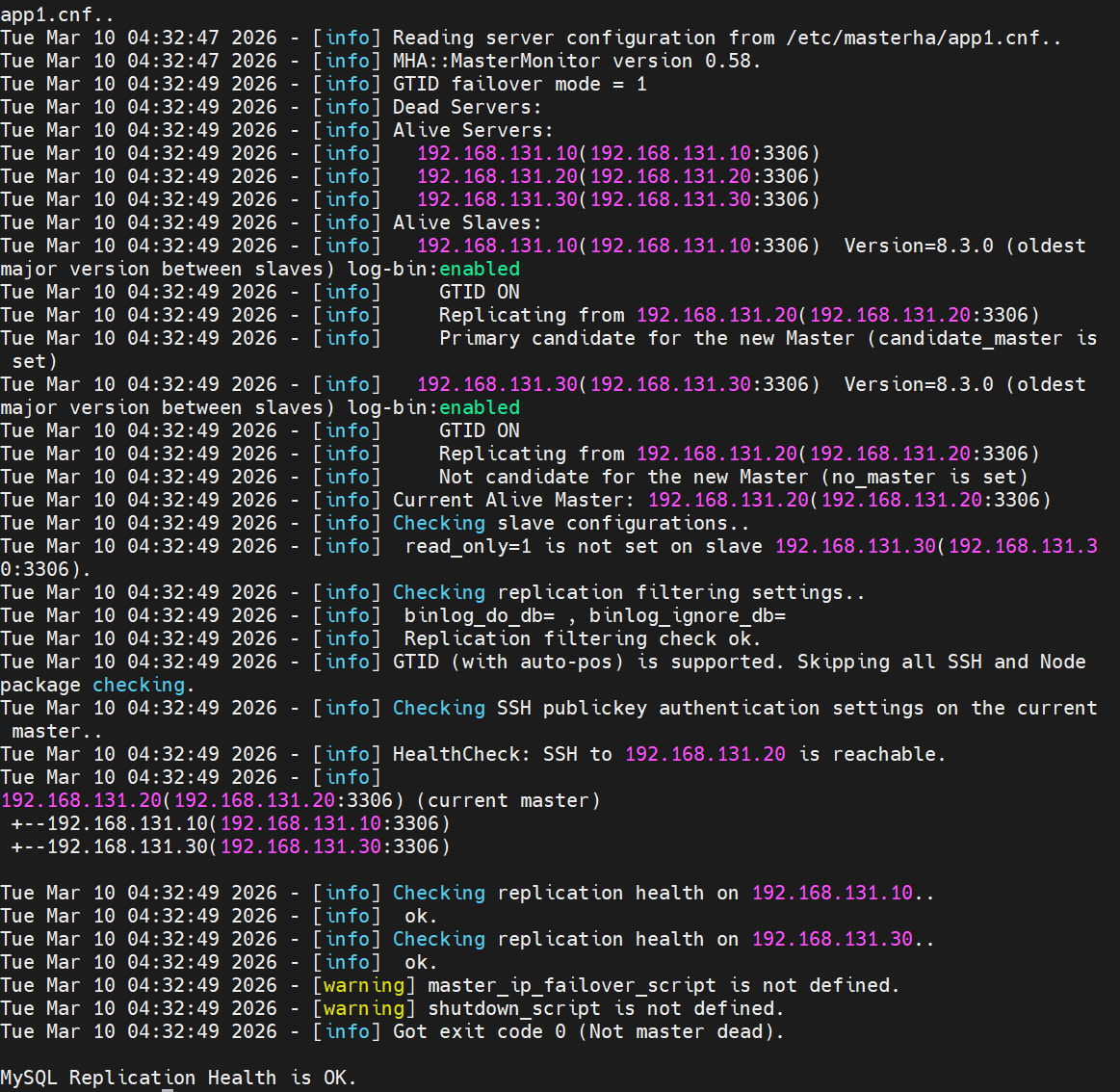
[root@mha ~]# masterha_check_repl --conf=/etc/masterha/app1.cnf                                Tue Mar 10 17:59:03 2026 - [warning] Global configuration file /etc/masterha_default.cnf not found. Skipping.
Tue Mar 10 17:59:03 2026 - [info] Reading application default configuration from /etc/masterha/app1.cnf..
Tue Mar 10 17:59:03 2026 - [info] Reading server configuration from /etc/masterha/app1.cnf..
Tue Mar 10 17:59:03 2026 - [info] MHA::MasterMonitor version 0.58.
Tue Mar 10 17:59:04 2026 - [info] GTID failover mode = 1
Tue Mar 10 17:59:04 2026 - [info] Dead Servers:
Tue Mar 10 17:59:04 2026 - [info] Alive Servers:
Tue Mar 10 17:59:04 2026 - [info]   192.168.131.10(192.168.131.10:3306)
Tue Mar 10 17:59:04 2026 - [info]   192.168.131.20(192.168.131.20:3306)
Tue Mar 10 17:59:04 2026 - [info]   192.168.131.30(192.168.131.30:3306)
Tue Mar 10 17:59:04 2026 - [info] Alive Slaves:
Tue Mar 10 17:59:04 2026 - [info]   192.168.131.20(192.168.131.20:3306)  Version=8.3.0 (oldest major version between slaves) log-bin:enabled
Tue Mar 10 17:59:04 2026 - [info]     GTID ON
Tue Mar 10 17:59:04 2026 - [info]     Replicating from 192.168.131.10(192.168.131.10:3306)
Tue Mar 10 17:59:04 2026 - [info]     Primary candidate for the new Master (candidate_master is set)
Tue Mar 10 17:59:04 2026 - [info]   192.168.131.30(192.168.131.30:3306)  Version=8.3.0 (oldest major version between slaves) log-bin:enabled
Tue Mar 10 17:59:04 2026 - [info]     GTID ON
Tue Mar 10 17:59:04 2026 - [info]     Replicating from 192.168.131.10(192.168.131.10:3306)
Tue Mar 10 17:59:04 2026 - [info]     Not candidate for the new Master (no_master is set)
Tue Mar 10 17:59:04 2026 - [info] Current Alive Master: 192.168.131.10(192.168.131.10:3306)
Tue Mar 10 17:59:04 2026 - [info] Checking slave configurations..
Tue Mar 10 17:59:04 2026 - [info]  read_only=1 is not set on slave 192.168.131.20(192.168.131.20:3306).
Tue Mar 10 17:59:04 2026 - [info]  read_only=1 is not set on slave 192.168.131.30(192.168.131.30:3306).
Tue Mar 10 17:59:04 2026 - [info] Checking replication filtering settings..
Tue Mar 10 17:59:04 2026 - [info]  binlog_do_db= , binlog_ignore_db=
Tue Mar 10 17:59:04 2026 - [info]  Replication filtering check ok.
Tue Mar 10 17:59:04 2026 - [info] GTID (with auto-pos) is supported. Skipping all SSH and Node package checking.
Tue Mar 10 17:59:04 2026 - [info] Checking SSH publickey authentication settings on the current master..
Tue Mar 10 17:59:04 2026 - [info] HealthCheck: SSH to 192.168.131.10 is reachable.
Tue Mar 10 17:59:04 2026 - [info]
192.168.131.10(192.168.131.10:3306) (current master)
 +--192.168.131.20(192.168.131.20:3306)
 +--192.168.131.30(192.168.131.30:3306)

Tue Mar 10 17:59:04 2026 - [info] Checking replication health on 192.168.131.20..
Tue Mar 10 17:59:04 2026 - [info]  ok.
Tue Mar 10 17:59:04 2026 - [info] Checking replication health on 192.168.131.30..
Tue Mar 10 17:59:04 2026 - [info]  ok.
Tue Mar 10 17:59:04 2026 - [warning] master_ip_failover_script is not defined.
Tue Mar 10 17:59:04 2026 - [warning] shutdown_script is not defined.
Tue Mar 10 17:59:04 2026 - [info] Got exit code 0 (Not master dead).

MySQL Replication Health is OK.
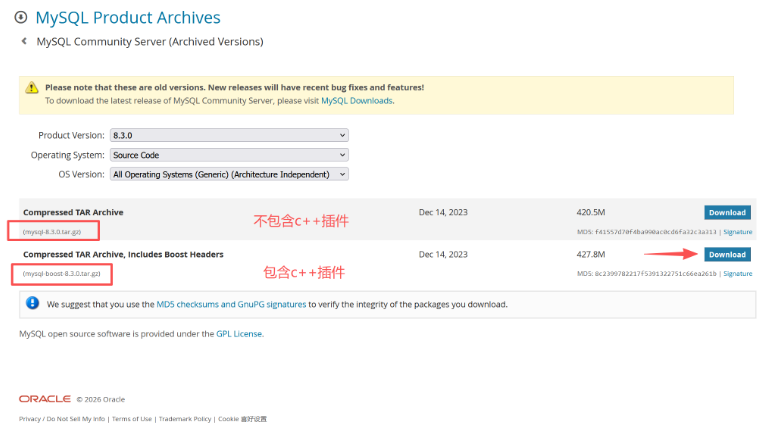
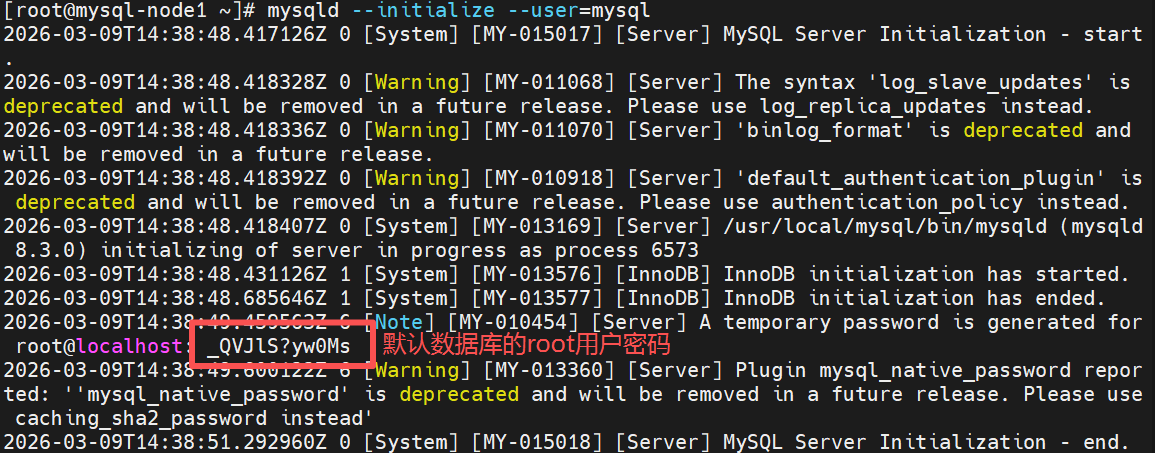
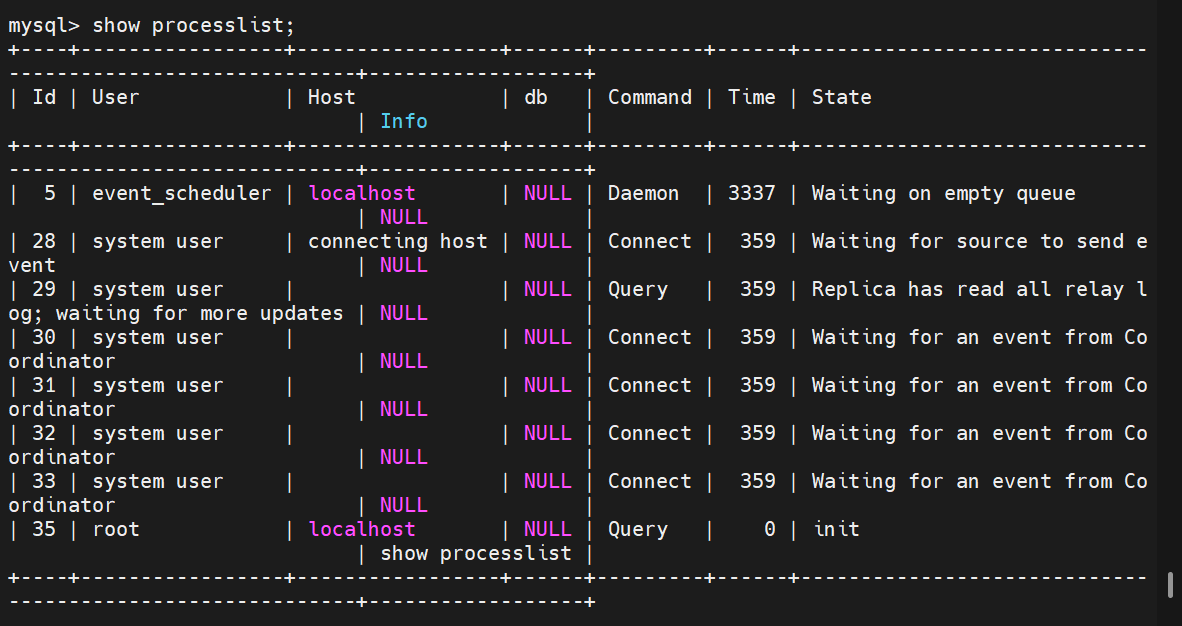
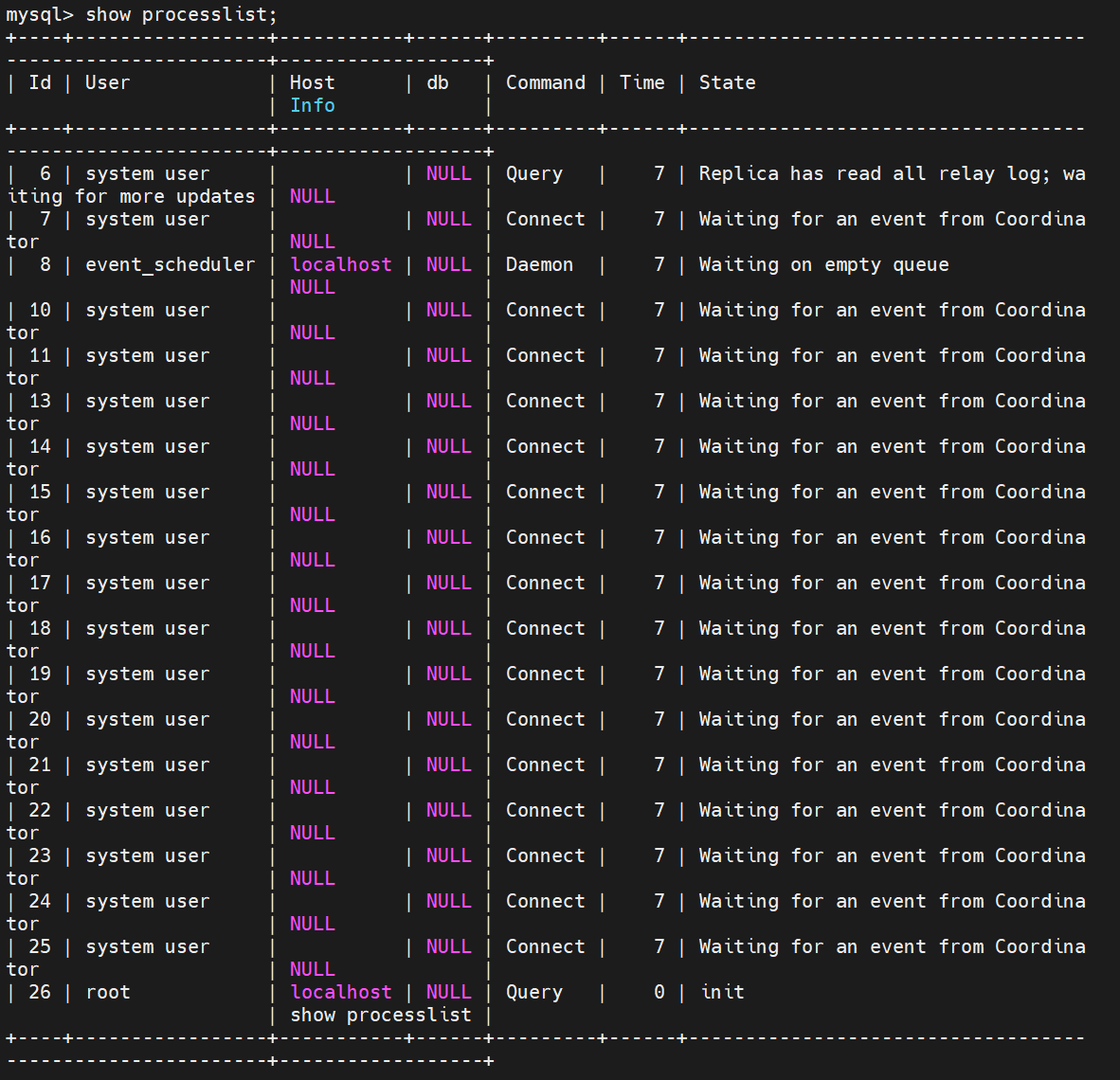
三个线程
root@mha \~# unzip MHA-7.zip