先说一下这个监听是干什么的,以mysql为例子,就是通过其他设备链接mysql服务的时候,mysql所在的服务器是可能有多个网卡的,也就是会有多个ip,bind-address就是用来限制只能通过哪个网卡来连接这个mysql服务
如,你设置了bind-address = 127.0.0.1,那么比如用mysql命令去连接
mysql -h 127.0.0.1 -u username -ppassword -P 3306 -D dbname
你的-h参数只能是127.0.0.1,当然对于这个ip可以不写这个参数
bind-address = 192.168.1.123
就只能是
mysql -h 192.168.1.123 -u username -ppassword -P 3306 -D dbname
才可以连接
ok,正文来了
mysql
bash
[mysqld]
# 只允许本机连接
bind-address = 127.0.0.1
bash
[mysqld]
# 允许所有连接
bind-address = 0.0.0.0
bash
[mysqld]
# 只监听特定IP
bind-address = 192.168.1.100为什么写三遍?因为只允许监听一个ip
假设服务器有三块网卡:
-
127.0.0.1(本地)
-
192.168.1.100(内网)
-
172.16.0.100(另一内网段)
如果你想让MySQL同时监听两个内网IP,但不想监听公网IP:
不行,MySQL参数不支持这样。只能:
-
用
0.0.0.0监听所有(包括不想监听的) -
或者用防火墙规则限制访问来源IP
-
或者使用改变mysql的用户权限,来限制允许的用户ip,说白了就是黑白名单,这个后面会细说
验证
bash
netstat -anp | grep 3306

# 或

ss -lntp | grep 3306
(有空再总结一下这些命令吧QWQ,有些不常用的东西还是容易忘记的,小QQ)
然后再补充一下,用sql怎么查询这个参数
sql
SHOW VARIABLES LIKE 'bind_address';

SHOW GLOBAL VARIABLES WHERE Variable_name = 'bind_address';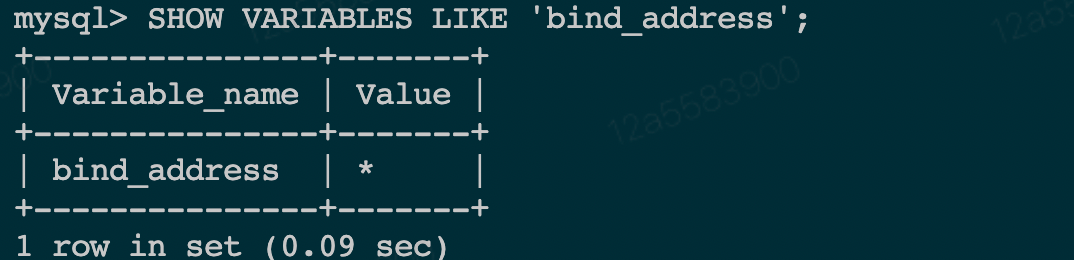
然后还有这两个
sql
# 5.7往上
SELECT * FROM performance_schema.global_variables
WHERE variable_name = 'bind_address';
# 往下
SELECT * FROM information_schema.global_variables
WHERE variable_name = 'bind_address';
最后是配置位置
/etc/my.cnf
/etc/mysql/my.cnf
/usr/local/mysql/etc/my.cnf
pg
/var/lib/postgresql/data/postgresql.conf
bash
echo "listen_addresses = 'localhost'" >> /var/lib/postgresql/data/postgresql.conf类似这样既可以了
详细的跟mysql一样,但是有一个小重点
pg允许多个监听,可以改成这
bash
listen_addresses = 'localhost, 192.168.1.100'