文章目录
- 一、环境启动
- 二、APP端
- 三、根据频道搜索新闻案例
-
- [3.1 PO封装](#3.1 PO封装)
- [3.2 测试用例](#3.2 测试用例)
一、环境启动
1、安卓模拟器
2、电脑cmd打开连接手机端:
bash
mumu:adb connect 127.0.0.1:7555
雷电: adb connect 127.0.0.1:5555

C:\Users\ggk>adb devices
List of devices attached
127.0.0.1:5555  offline
emulator-5554   device

C:\Users\ggk>adb root   #获取超级权限
3、识别元素工具打开 uiautomatorviewer.bat
4、启动Appium Server,用于自动化移动应用程序的测试
二、APP端
bash
page:(包) PO封装
- app_page:(包)
-- ①app_index_page.py

script:(包) 测试案例
- app_script:(包)
-- ①test_query_news.py 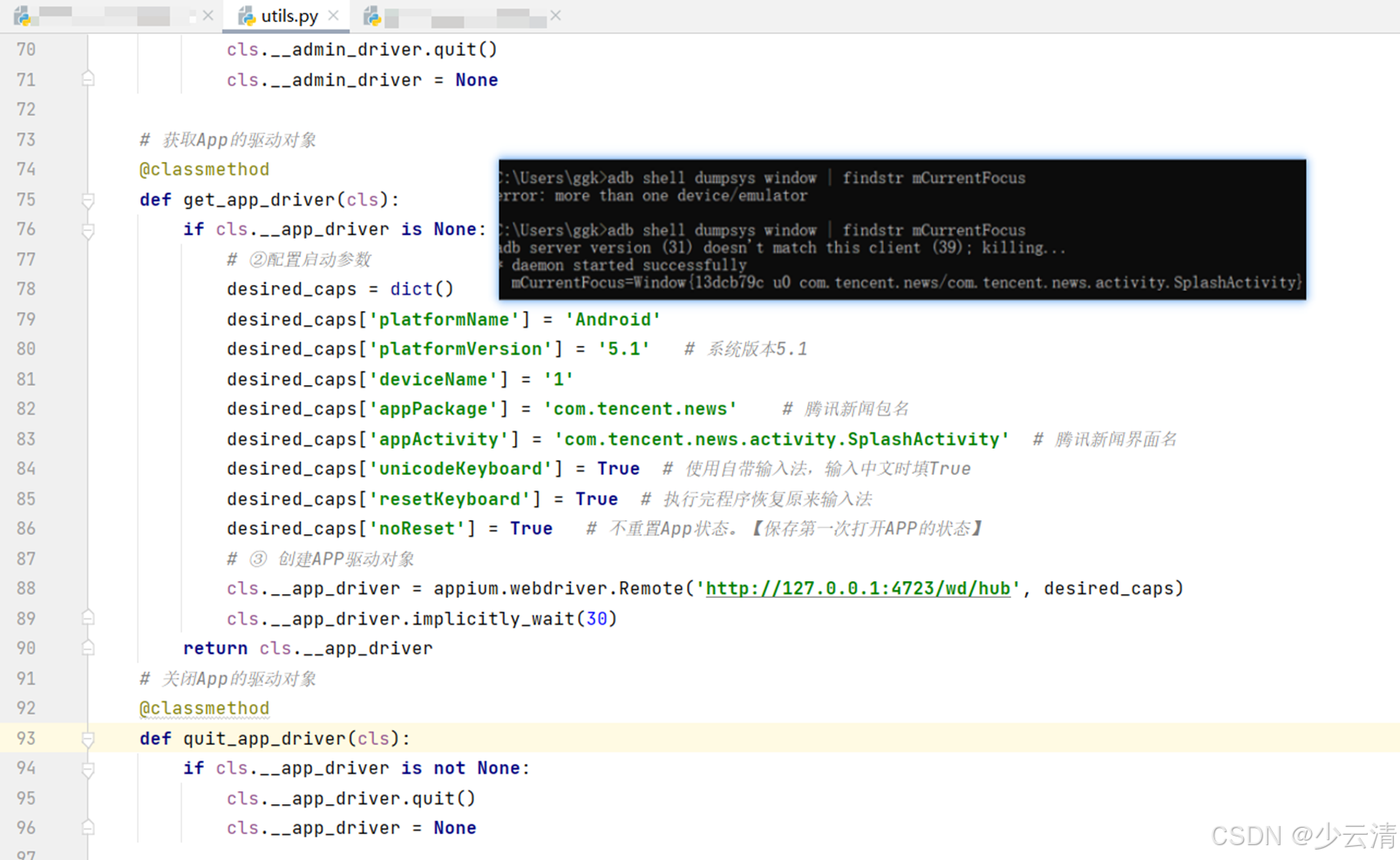
三、根据频道搜索新闻案例
3.1 PO封装
python
import logging
from selenium.webdriver.common.by import By
from base.base_page import AppBasePage


# 定义页面对象
class AppIndexPage(AppBasePage):

    # 定义实例属性:所操作的元素的定位信息
    def __init__(self):
        super().__init__()
        # 频道区域
        self.area_el = (By.ID, "com.tencent.news:id/rl_list_container")
        # 频道
        self.chl_name = (By.XPATH, "//*[contains(@text,'{}')]")


    # 定义业务方法:
    def select_channel(self, channel_name):
        # 当前滑动逻辑是横向滑动(从右向左),并且通过比较滑动前后的页面源码判断是否到达底部
        # 获取边框区域元素的位置
        lt = self.find_el(self.area_el).location  # {x:,y:}
        # 获取边框区域元素的大小
        sz = self.find_el(self.area_el).size  # {width:,height:}
        # 按住的起始:横坐标
        s_x = lt["x"] + sz["width"] * 0.8
        # 按住的起始:纵坐标
        s_y = lt["y"] + sz["height"] * 0.5
        # 结束的横坐标
        e_x = lt["x"] + sz["width"] * 0.2
        # 结束的纵坐标 (横向移动,纵坐标不动)
        e_y = s_y

        # 循环
        while True:
            # 尝试在打开的页面上找指定的频道
            try:
                # 如果能找到,则直接点击
                self.driver.find_element(self.chl_name[0], self.chl_name[1].format(channel_name)).click()
                # 跳出循环
                break
            # 如果找不到
            except Exception as e:
                # 滑动之前获取当前页面的所有元素
                old_page = self.driver.page_source
                # 则滑动一次屏幕
                self.driver.swipe(start_x=s_x, start_y=s_y, end_x=e_x, end_y=e_y, duration=50)
                # 滑动之后获取当前页面的所有元素
                new_page = self.driver.page_source

            # 如果滑动之前和滑动之后页面元素一模一样,则代表滑动到最底部,不再循环,打印找不到指定的频道
            if old_page == new_page:
                logging.error(f"页面已经滑动到最后,但是未找到{channel_name}的频道!")
                break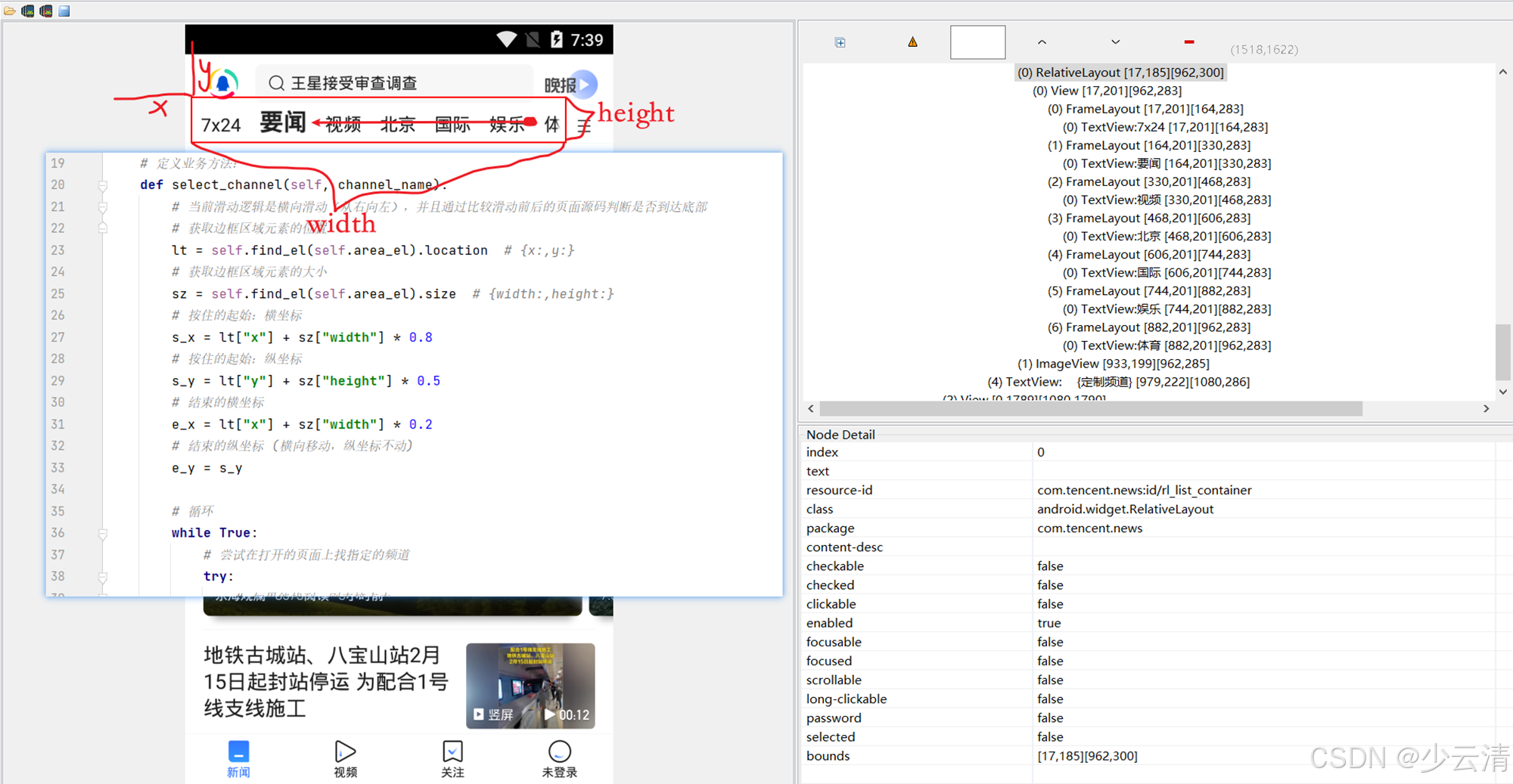
3.2 测试用例
python
import logging
import time
import allure
import pytest

from config import BASE_PATH
from page.app_page.app_index_page import AppIndexPage
from utils import DriverUtils, get_el_text


# 定义测试类
class TestQueryNews:

    def setup_class(self):
        # 1、打开浏览器
        self.driver = DriverUtils.get_app_driver()

    def teardown_class(self):
        # 5、关闭浏览器
        DriverUtils.quit_app_driver()

    # 定义测试方法 【对应测试案例:标题】
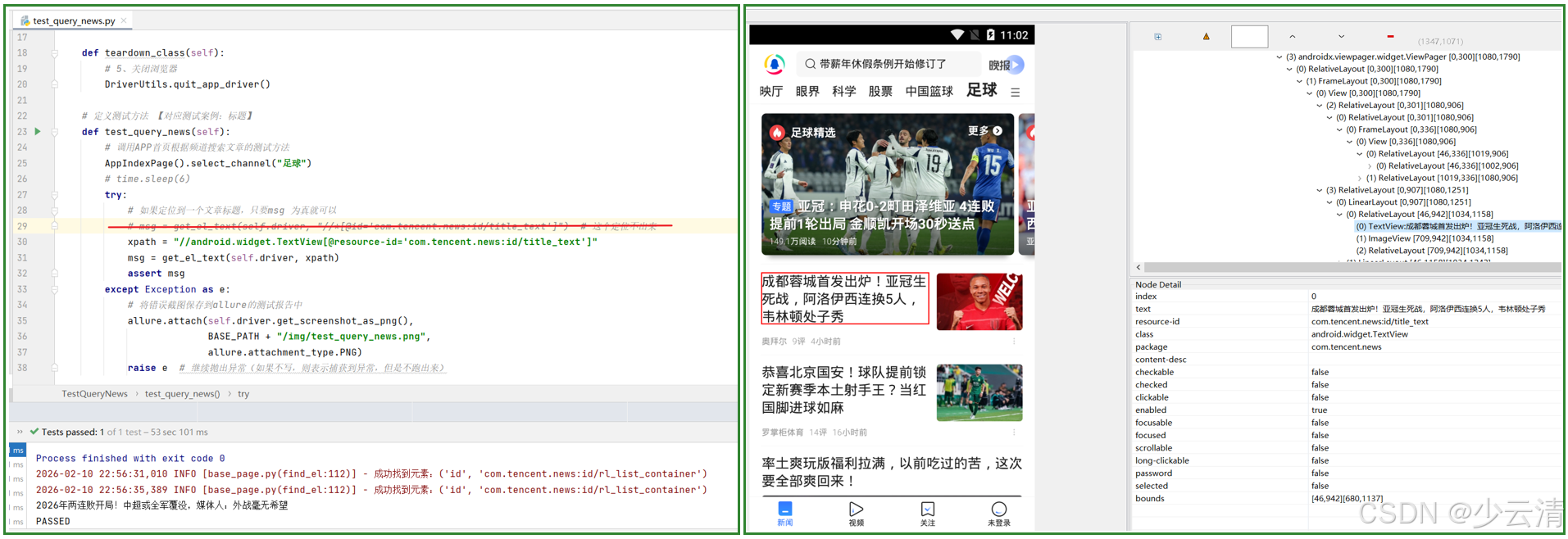
    def test_query_news(self):
        # 调用APP首页根据频道搜索文章的测试方法
        AppIndexPage().select_channel("足球")
        # time.sleep(6)
        try:
            # 如果定位到一个文章标题,只要msg 为真就可以
            # msg = get_el_text(self.driver, "//*[@id='com.tencent.news:id/title_text']")  # 这个定位不出来
            # 更精确的xpath定位
            xpath = "//android.widget.TextView[@resource-id='com.tencent.news:id/title_text']"
            msg = get_el_text(self.driver, xpath)
            assert msg
        except Exception as e:
            # 将错误截图保存到allure的测试报告中
            allure.attach(self.driver.get_screenshot_as_png(),
                          BASE_PATH + "/img/test_query_news.png",
                          allure.attachment_type.PNG)
            raise e  # 继续抛出异常(如果不写,则表示捕获到异常,但是不跑出来)