Spring Cloud Security 为构建安全的SpringBoot应用提供了一系列解决方案,结合Oauth2还可以实现更多功能,比如使用JWT令牌存储信息,刷新令牌功能,本文将对其结合JWT使用进行详细介绍。
1. 使用Redis存储令牌
1.1. 引入Redis相关依赖
xml
<dependency>
    <groupId>org.springframework.boot</groupId>
    <artifactId>spring-boot-starter-data-redis</artifactId>
</dependency>
1.2. 使用Redis存储令牌的配置类
java
/**
 * 使用redis存储token的配置
 */
@Configuration
public class RedisTokenStoreConfig {
    @Autowired
    private RedisConnectionFactory redisConnectionFactory;

    @Bean
    public TokenStore redisTokenStore (){
        return new RedisTokenStore(redisConnectionFactory);
    }
}
1.3. 修改认证服务器配置中令牌存储策略
java
@Configuration
@EnableAuthorizationServer
public class AuthorizationServerConfig extends AuthorizationServerConfigurerAdapter {

    @Autowired
    private PasswordEncoder passwordEncoder;

    @Autowired
    private AuthenticationManager authenticationManager;

    @Autowired
    private UserService userService;

    @Autowired
    @Qualifier("redisTokenStore")
    private TokenStore tokenStore;

    /**
     * 使用密码模式需要配置
     */
    @Override
    public void configure(AuthorizationServerEndpointsConfigurer endpoints) {
        endpoints.authenticationManager(authenticationManager)
                .userDetailsService(userService)
                .tokenStore(tokenStore);
    }
	//省略代码...
}
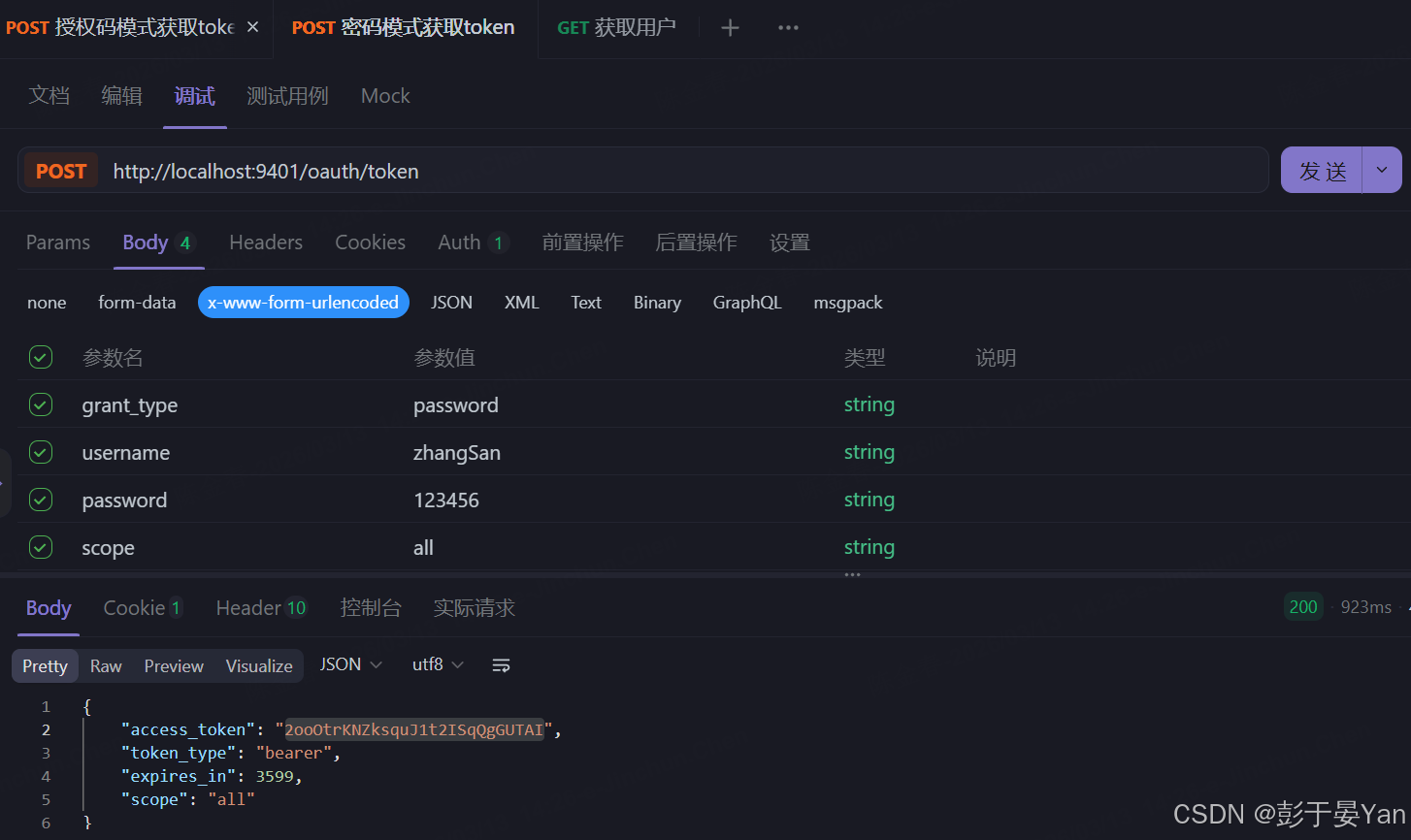
1.4. 使用密码模式获取令牌
- 运行项目后使用密码模式获取令牌,访问如下地址。
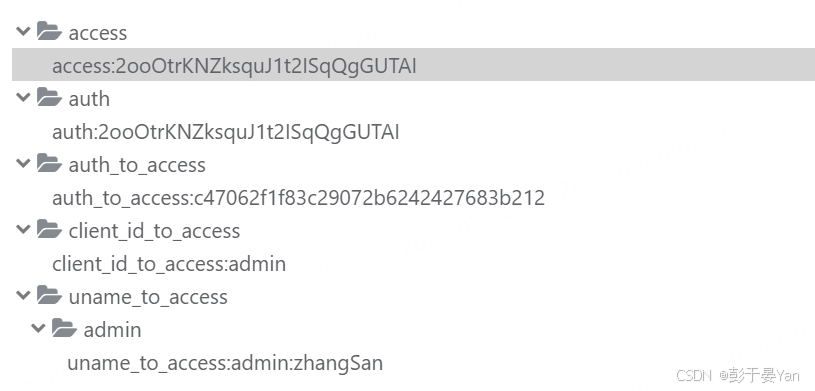
- 查看Redis数据库,可以发现令牌已经被存储到Redis中。
2. 使用JWT存储令牌
2.1. 使用JWT存储令牌的配置类
java
/**
 * 使用Jwt存储token的配置
 */
@Configuration
public class JwtTokenStoreConfig {

    @Bean
    public TokenStore jwtTokenStore() {
        return new JwtTokenStore(jwtAccessTokenConverter());
    }

    @Bean
    public JwtAccessTokenConverter jwtAccessTokenConverter() {
        JwtAccessTokenConverter accessTokenConverter = new JwtAccessTokenConverter();
        accessTokenConverter.setSigningKey("test_key");//配置JWT使用的秘钥
        return accessTokenConverter;
    }
}
2.2. 修改认证服务器配置中令牌存储策略
java
@Configuration
@EnableAuthorizationServer
public class AuthorizationServerConfig extends AuthorizationServerConfigurerAdapter {

    @Autowired
    private PasswordEncoder passwordEncoder;

    @Autowired
    private AuthenticationManager authenticationManager;

    @Autowired
    private UserService userService;

    @Autowired
    @Qualifier("jwtTokenStore")
    private TokenStore tokenStore;
    @Autowired
    private JwtAccessTokenConverter jwtAccessTokenConverter;

    /**
     * 使用密码模式需要配置
     */
    @Override
    public void configure(AuthorizationServerEndpointsConfigurer endpoints) {
        endpoints.authenticationManager(authenticationManager)
                .userDetailsService(userService)
                .tokenStore(tokenStore)
                .accessTokenConverter(jwtAccessTokenConverter);
    }
    // 省略代码...
}
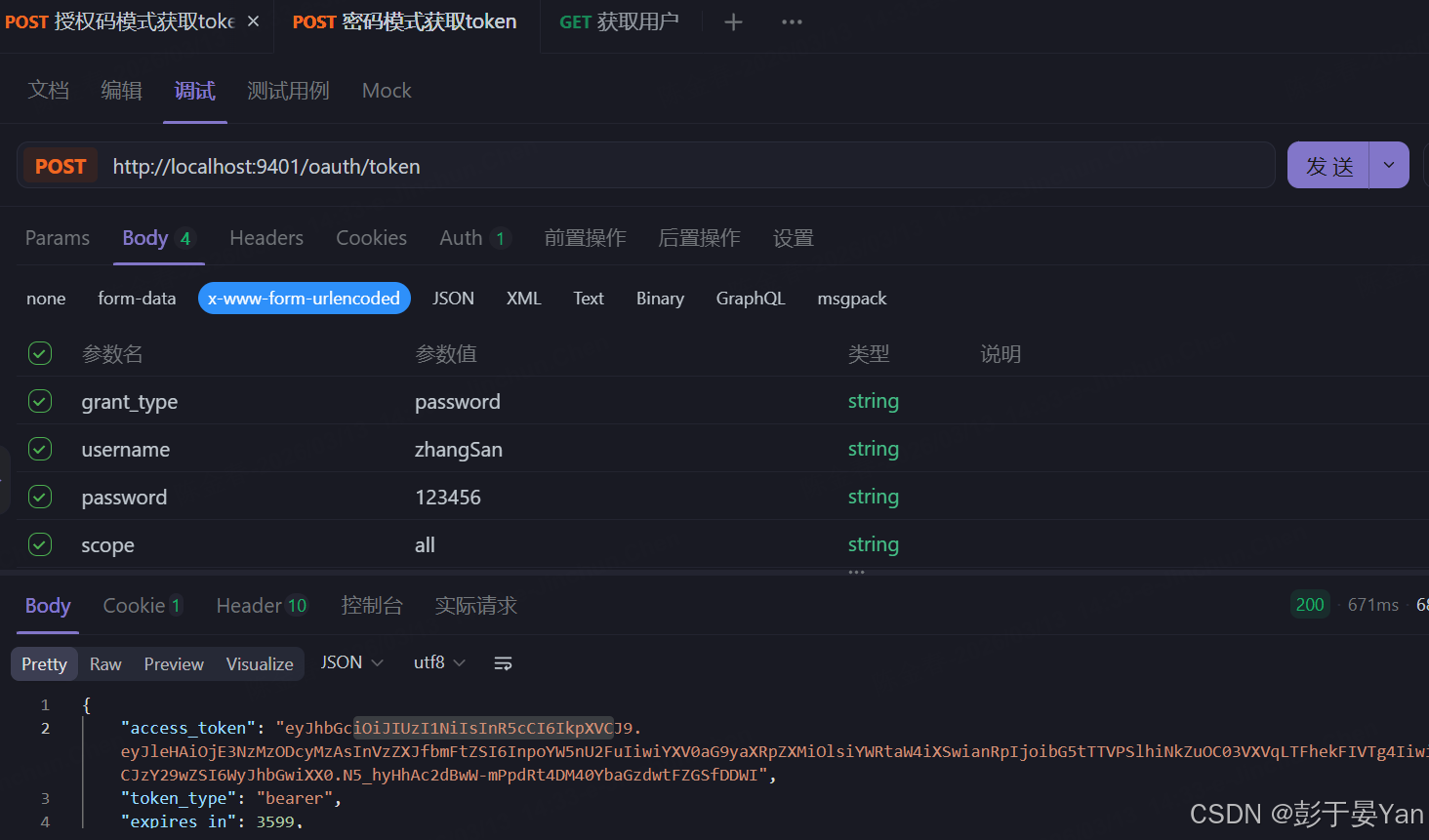
2.3. 使用密码模式获取令牌
- 运行项目后使用密码模式获取令牌,访问如下地址。
2.4. 扩展JWT中存储的内容
有时需要扩展JWT中存储的内容,这里在JWT中扩展一个key为enhance,value为enhance info的数据。
- 继承TokenEnhancer实现JWT内容增强器:
java
public class JwtTokenEnhancer implements TokenEnhancer {
    @Override
    public OAuth2AccessToken enhance(OAuth2AccessToken accessToken, OAuth2Authentication authentication) {
        Map<String, Object> info = new HashMap<>();
        info.put("enhance", "enhance info");
        ((DefaultOAuth2AccessToken) accessToken).setAdditionalInformation(info);
        return accessToken;
    }
}- 创建JwtTokenEnhancer实例:
java
@Configuration
public class JwtTokenStoreConfig {

    //省略代码...

    @Bean
    public JwtTokenEnhancer jwtTokenEnhancer() {
        returnnew JwtTokenEnhancer();
    }
}- 在认证服务器配置中配置JWT的内容增强器
java
@Configuration
@EnableAuthorizationServer
public class AuthorizationServerConfig extends AuthorizationServerConfigurerAdapter {

    @Autowired
    private PasswordEncoder passwordEncoder;

    @Autowired
    private AuthenticationManager authenticationManager;

    @Autowired
    private UserService userService;

    @Autowired
    @Qualifier("jwtTokenStore")
    private TokenStore tokenStore;
    @Autowired
    private JwtAccessTokenConverter jwtAccessTokenConverter;
    @Autowired
    private JwtTokenEnhancer jwtTokenEnhancer;

    /**
     * 使用密码模式需要配置
     */
    @Override
    public void configure(AuthorizationServerEndpointsConfigurer endpoints) {
        TokenEnhancerChain enhancerChain = new TokenEnhancerChain();
        List<TokenEnhancer> delegates = new ArrayList<>();
        delegates.add(jwtTokenEnhancer); //配置JWT的内容增强器
        delegates.add(jwtAccessTokenConverter);
        enhancerChain.setTokenEnhancers(delegates);
        endpoints.authenticationManager(authenticationManager)
                .userDetailsService(userService)
                .tokenStore(tokenStore)
                .accessTokenConverter(jwtAccessTokenConverter)
                .tokenEnhancer(enhancerChain);
    }

    //省略代码...
}
2.5. 解析JWT中的内容
- 引入jjwt依赖
xml
<dependency>
    <groupId>io.jsonwebtoken</groupId>
    <artifactId>jjwt</artifactId>
    <version>0.9.0</version>
</dependency>- 修改UserController类,使用jjwt工具类来解析Authorization头中存储的JWT内容
java
@RestController
@RequestMapping("/user")
public class UserController {

    @GetMapping("/getCurrentUser")
    public Object getCurrentUser(Authentication authentication, HttpServletRequest request) {
        String header = request.getHeader("Authorization");
        String token = StrUtil.subAfter(header, "bearer ", false);
        return Jwts.parser()
                .setSigningKey("test_key".getBytes(StandardCharsets.UTF_8))
                .parseClaimsJws(token)
                .getBody();
    }
}- 将令牌放入Authorization头中,访问
http://localhost:9401/user/getCurrentUser
2.6. 刷新令牌
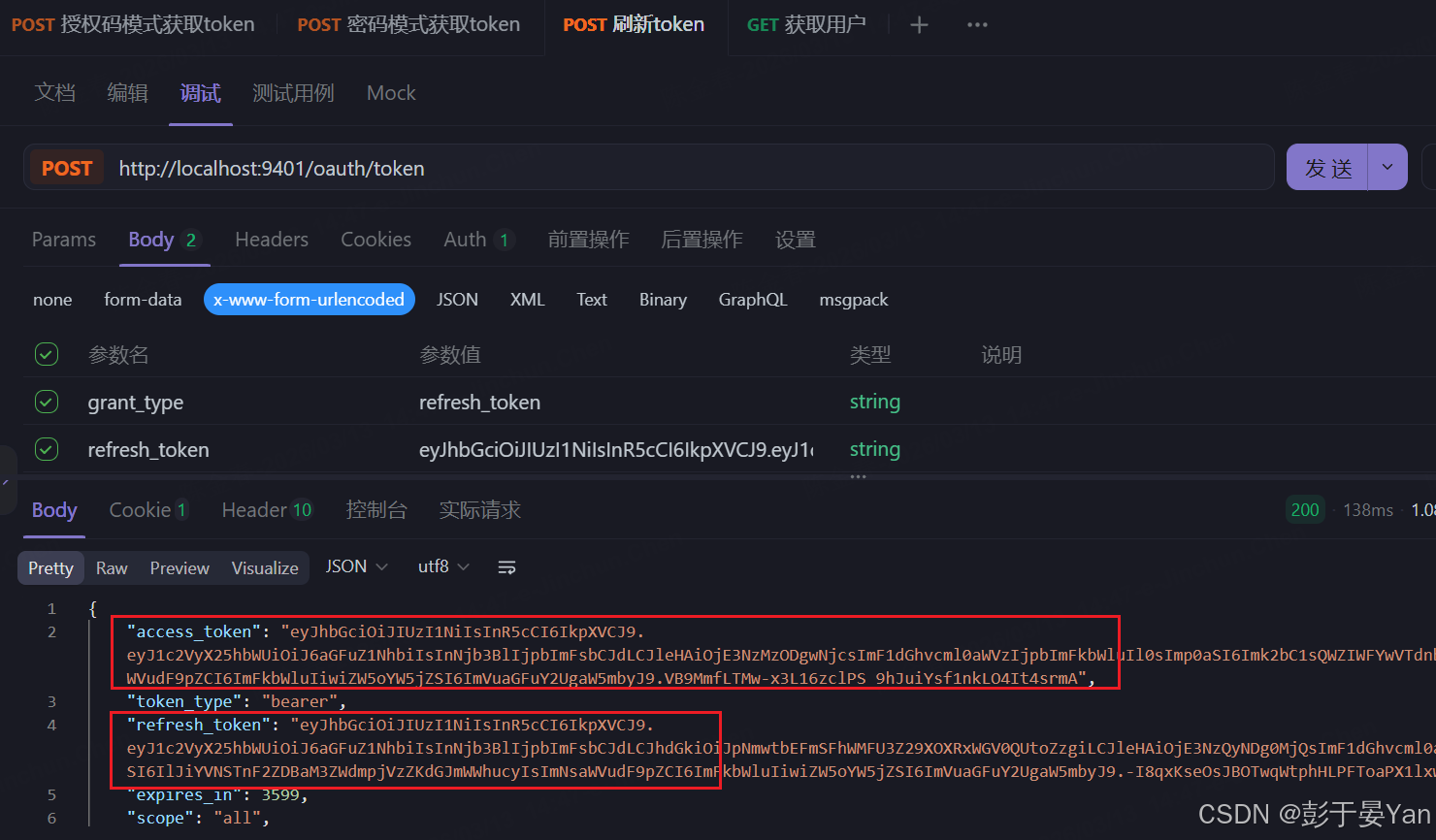
使用oauth2时,如果令牌失效了,可以使用刷新令牌通过refresh_token的授权模式再次获取access_token。
- 只需修改认证服务器的配置,添加refresh_token的授权模式即可。
java
@Configuration
@EnableAuthorizationServer
public class AuthorizationServerConfig extends AuthorizationServerConfigurerAdapter {

    @Override
    public void configure(ClientDetailsServiceConfigurer clients) throws Exception {
        clients.inMemory()
                .withClient("admin")
                .secret(passwordEncoder.encode("admin123456"))
                .accessTokenValiditySeconds(3600)
                .refreshTokenValiditySeconds(864000)
                .redirectUris("http://www.baidu.com")
                .autoApprove(true) //自动授权配置
                .scopes("all")
                .authorizedGrantTypes("authorization_code","password","refresh_token"); //添加授权模式
    }
}- 使用刷新令牌模式来获取新的令牌,访问如下地址