前言
Docker安装官方有详细的说明文档,虽然是全英文的,但是对于第一次安装来说跟着官方的步骤不会出错
官网安装有个小坑:Docker官网正常打开会非常慢或者打不开,遇到打不开的情况就是网络的问题(大家懂的),所以在参照官方文档进行安装时,有时候出现安装失败原因在于官方使用的是自己的镜像网站,由于网络不可达导致需要的包下载不下来,这时需要换成国内镜像比如清华、阿里云的
同时注意官网推荐ubuntu版本在22.04以上
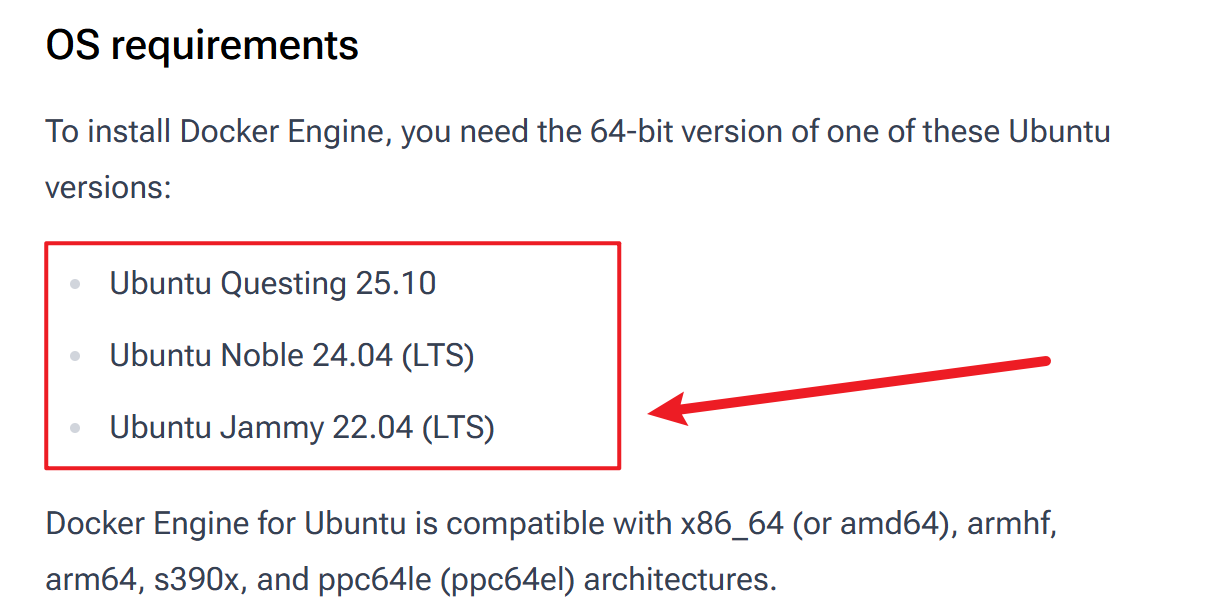
以下的安装镜像采用清华大学提供的镜像网站,如果你的linux能正常访问谷歌,可以直接按照官网的提示安装,就不需要往下看了
安装步骤
1、移除之前安装的docker依赖(如果曾经安装过)
shell
sudo apt remove $(dpkg --get-selections docker.io docker-compose docker-compose-v2 docker-doc podman-docker containerd runc | cut -f1)2、更新apt源
shell
sudo apt update3、安装SSL证书包(报错看解决方法1)
shell
sudo apt install ca-certificates curl4、创建密钥存放目录
shell
sudo install -m 0755 -d /etc/apt/keyrings5、拉取docker官方密钥(报错看解决方法2)
shell
sudo curl -fsSL http://mirrors.tuna.tsinghua.edu.cn/docker-ce/linux/ubuntu/gpg -o /etc/apt/keyrings/docker.asc6、修改密钥读取权限
shell
sudo chmod a+r /etc/apt/keyrings/docker.asc7、修改docker源配置
shell
echo "deb [arch=$(dpkg --print-architecture) signed-by=/etc/apt/keyrings/docker.asc] http://mirrors.tuna.tsinghua.edu.cn/docker-ce/linux/ubuntu $(. /etc/os-release && echo "$VERSION_CODENAME") stable" | sudo tee /etc/apt/sources.list.d/docker.list > /dev/null

sudo apt update
8、安装docker
shell
sudo apt install docker-ce docker-ce-cli containerd.io docker-buildx-plugin docker-compose-plugin9、启动docker
docker被systemctl所托管,可以使用systemctl命令去启动、停止、查看docker当前状态
shell
# 查看当前状态
sudo systemctl status docker
# 启动docker
sudo systemctl start docker
# 停止docker
sudo systemctl stop docker
# 重启docker
sudo systemctl restart docker
到此docker安装完成
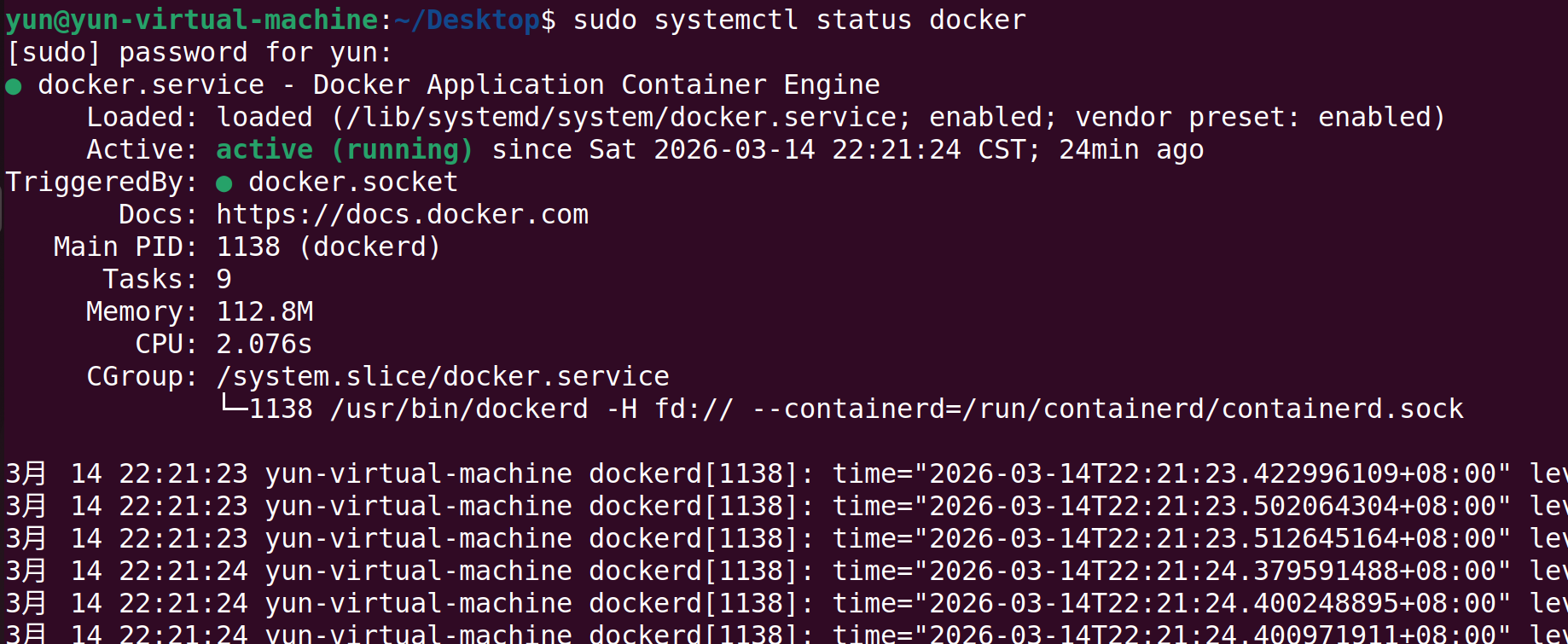
10、测试docker是否正常运行
通过从官方拉取hello-world镜像运行,一开始会提示在本地无法找到,会自动进行下载
shell
sudo docker run hello-world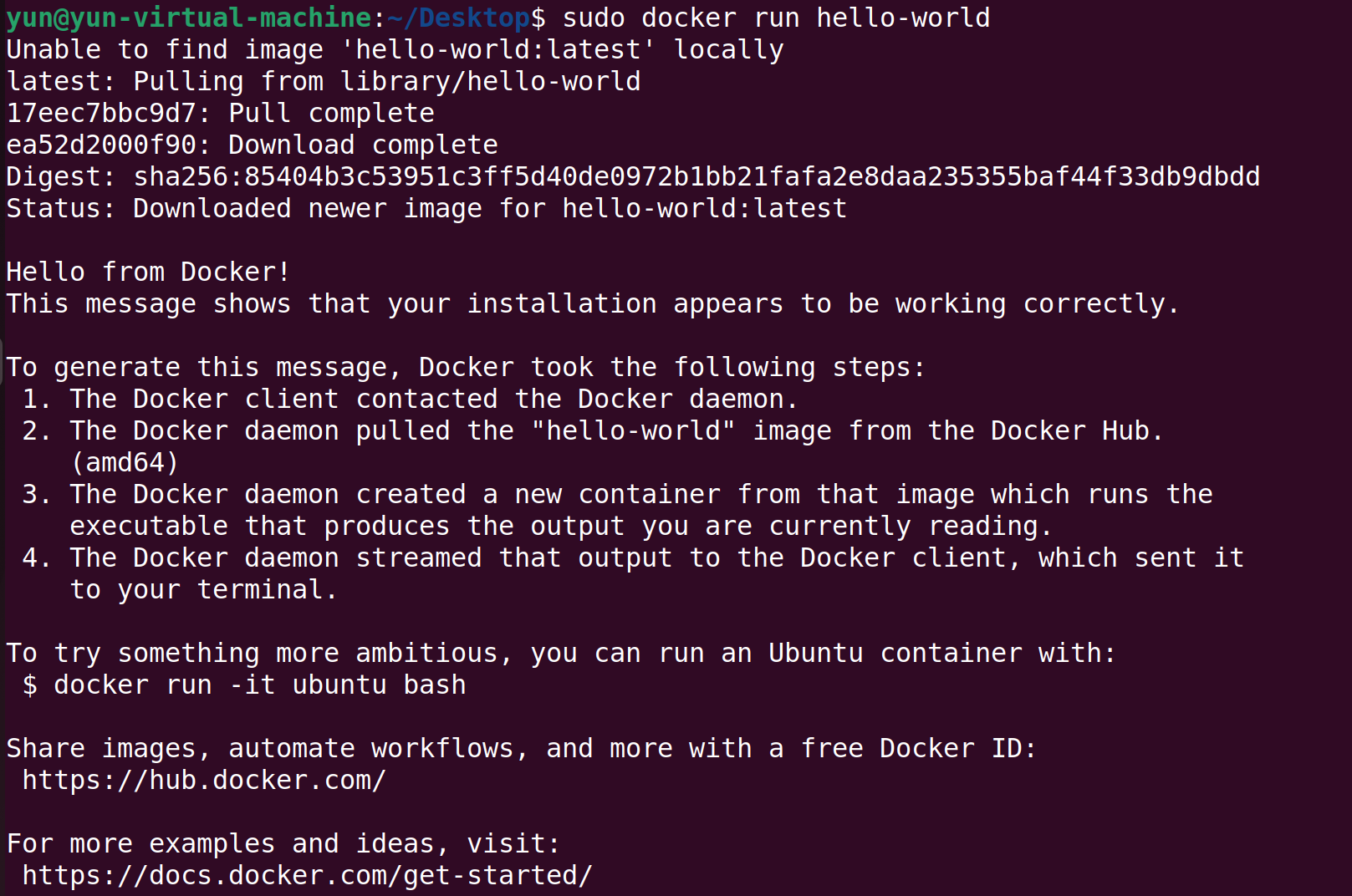
报错解决方法
1、安装SSL证书时提示连接重定向
如果你的电脑网络是不能访问谷歌的 ,那把镜像链接换成国内的,比如这里选择换成清华大学的镜像,更多镜像链接请查看结尾参考文章2
shell
sudo curl -fsSL http://mirrors.tuna.tsinghua.edu.cn/docker-ce/linux/ubuntu/gpg -o /etc/apt/keyrings/docker.asc
2、运行hello-world提示拒绝连接

这里是由于docker尝试拉取镜像时超时,还是网络的问题,重新添加镜像源
shell
sudo mkdir -p /etc/docker
sudo tee /etc/docker/daemon.json <<-'EOF'

# 上一条命令输入后会出现 > 这个输入命令,把下面字符串复制粘贴
{
    "registry-mirrors": [
        "https://do.nark.eu.org",
        "https://dc.j8.work",
        "https://docker.m.daocloud.io",
        "https://dockerproxy.com",
        "https://docker.mirrors.ustc.edu.cn",
        "https://docker.nju.edu.cn"
    ]
}
EOF
重新加载docker配置并重启
shell
sudo systemctl daemon-reload
sudo systemctl restart docker
检查刚刚镜像源是否已经加载成功
shell
sudo docker info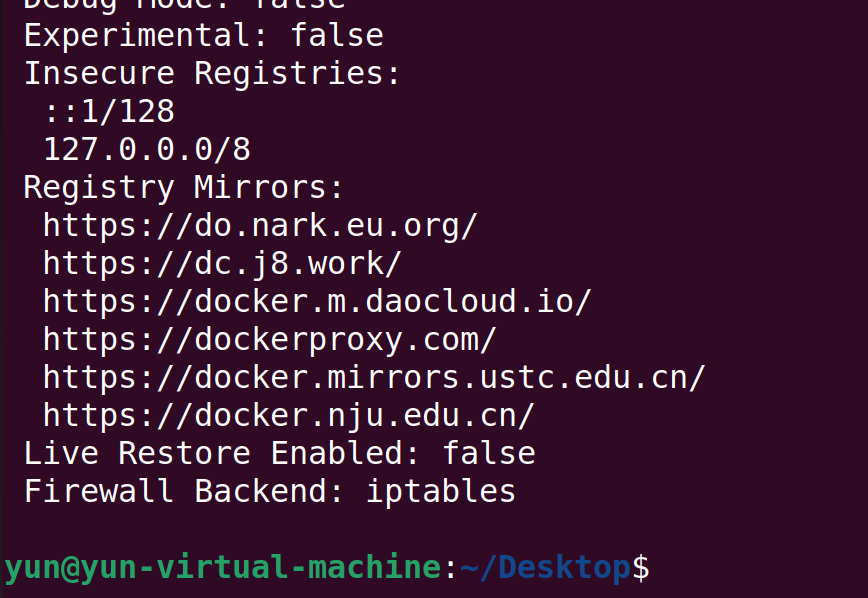
参考文章
- 1、Docker官网:Docker官网
- 2、Docker添加GPG密钥失败:Ubuntu安装docker-ce添加GPG密钥失败解决方案
- 3、Docker运行hello-world镜像失败:Docker运行hello-world镜像失败或超时:Unable to find image 'hello-world:latest' locally Trying to pull reposi