Python中的循环语句和条件语句
循环语句
-
for循环:Python中可以直接使用
for循环可以通过迭代器的方式遍历列表中的数据。pythonmagicians = ['alice', 'david', 'carolina'] for magician in magicians: print(magician)执行结果:
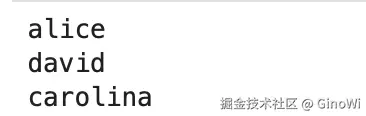
这里需要注意的是,其他编程语言是通过大括号限制当前代码作用域,但是Python是通过缩进的方式限制代码的作用域,也就是说如果示例中的
print方法前面没有添加缩进,那么就不是for循环中的操作,接下来可以看一个反例:pythonmagicians = ['alice', 'david', 'carolina'] for magician in magicians: print(magician)执行结果:

就因为
print前面没有加缩进(这里缩进是空格或者一个制表符),导致无法识别为for循环中的方法,而且与其他编程语言不同的是for循环里面不能是空操作,必须有操作写入,否则就会报上述错误。那么接下来还需要思考一个问题,该如何退出
for循环?在for循环后还想继续执行其他操作应该怎么办,接着看下述示例:pythonmagicians = ['alice', 'david', 'carolina'] for magician in magicians: print(f"{magician.title()}, that was a great trick!") print(f"I can't wait to see your next trick, {magician.title()}. \n") print("Thank you, everyone. That was a great magic show!")执行结果:
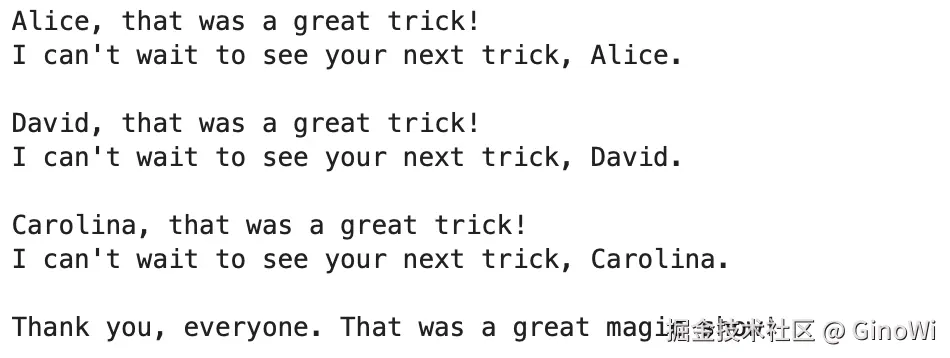
可以观察到第三条
print语句变换了缩进以后就跳出了循环。当然这里需要补充一下,进入循环的时候,循环中的操作语句前面的缩进是多少,那么接下来循环中的操作语句缩进就必须是多少,否则就会报错。接下来
for循环必须关注的第二个注意点就是for循环的条件语句结束后,后面必须加上:,否则解释器并不知道后续的代码是更复杂的循环条件还是循环内的具体操作。pythonmagicians = ['alice', 'david', 'carolina'] for magician in magicians执行结果:
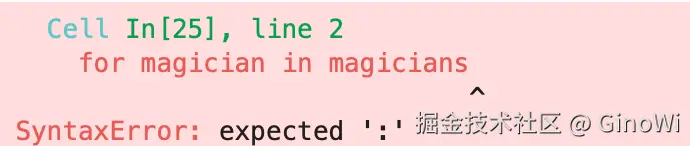
再来观察一个
for循环语句同其他编程语言不一样的地方:pythonmagicians = ['alice', 'david', 'carolina'] magicians_sequences = ['first'] for magician in magicians: num = len(magicians) print(f"{magician.title()}, that was a great trick!") print(f"There are {num} magicians") print(f"I can't wait to see your next trick, {magician.title()}. \n")执行结果:
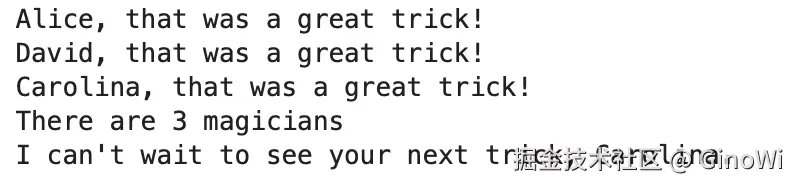
通过代码我们可以观察到在
for循环中定义的变量,在循环外也可以使用。总结:
for循环条件语句的结尾必须加上:。for循环内操作必须使用缩进区分。for循环条件中定义的变量在循环外也可以使用。
扩展:
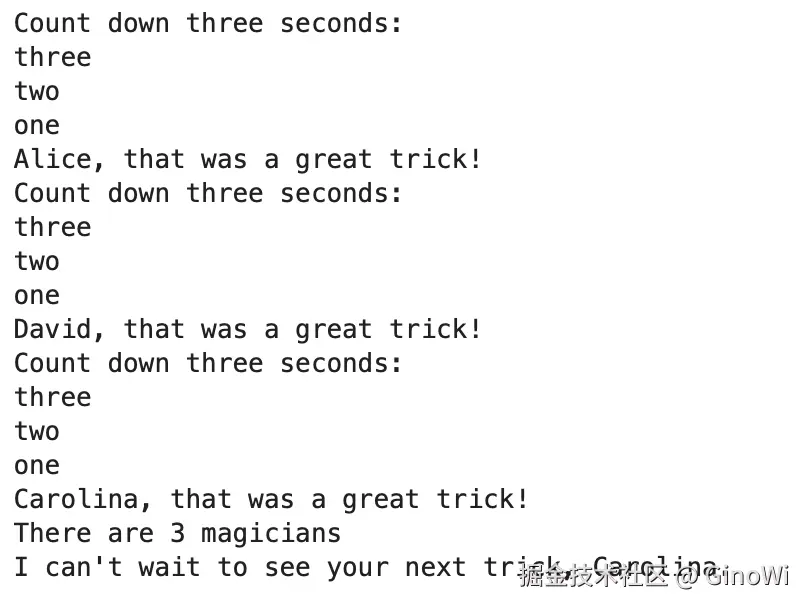
根据上述操作,实现一个循环的嵌套:
pythonmagicians = ['alice', 'david', 'carolina'] seconds = ['one', 'two', 'three'] seconds.reverse() for magician in magicians: print("Count down three seconds:") for second in seconds: print(f"{second}") print(f"{magician.title()}, that was a great trick!") print(f"There are {num} magicians") print(f"I can't wait to see your next trick, {magician.title()}. \n")执行结果:
高级用法:
-
列表推导式:
基本语法:
list = [expression for item in iterable if condition]- expression:是对每个元素进行操作的表达式,结果作为新列表的元素。
- item:从可迭代对象(如列表、元组、字符串等)中取出的当前元素。
- iterable:可迭代对象,提供原始数据。
- condition:可选条件,用于筛选元素。
可以在推导式中带条件 、嵌套循环。
例子:生成一个
x为奇数平方,y为偶数平方的一个数对。 x \in 0, 10, y \in 0, 10pythonshudui = [(x**2, y**2) for x in range(11) if x % 2 != 0 for y in range(11) if y %2 == 0] print(shudui)执行结果:

-
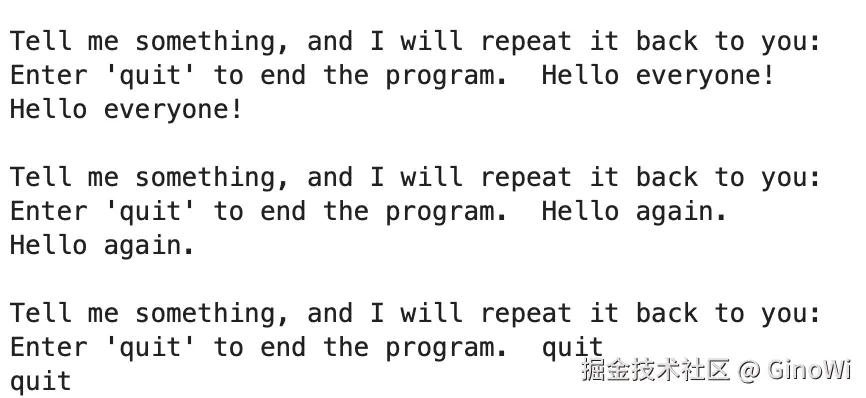
while循环:for循环偏向于针对集合中的每一个元素执行一部分操作,但是while循环在为达到条件的情况下是可以一直执行的。可以结合用户输入函数
input()函数,实现一个while循环,当用户输入退出(quit)的时候退出循环。pythonprompt = "\nTell me something, and I will repeat it back to you: " prompt += "\nEnter 'quit' to end the program. " message = "" while message.lower() != 'quit': message = input(prompt) print(message)执行结果:
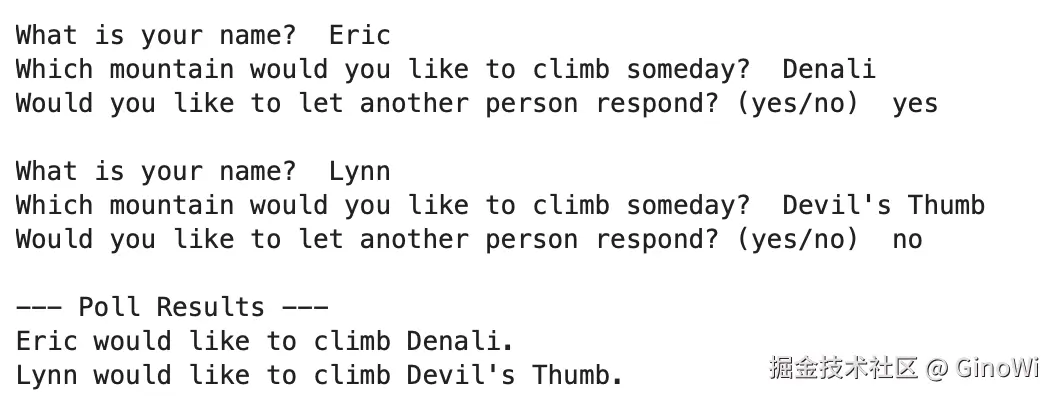
break和continue的用法这里不再赘述。while循环还有一个好处,就是可以变更列表或者字典的结构,for循环是一种遍历列表的有效方式,但不应该再for循环中修改列表,否则将导致很难追踪元素。下面用一个例子总结一下while循环:pythonresponses = {} # 设置一个标志,指出调查是否继续 polling_active = True while polling_active: # 提示输入被调查者的名字和回答 name = input("\nWhat is your name? ") response = input("Which mountain would you like to climb someday? ") # 将回答存储在字典中 responses[name] = response # 看看是否还有人要参与调查 repeat = input("Would you like to let another person respond? (yes/no) ") if repeat == 'no': polling_active = False # 调查结束,显示结果 print("\n--- Poll Results ---") for name, response in responses.items(): print(f"{name} would like to climb {response}.")执行结果:
条件语句
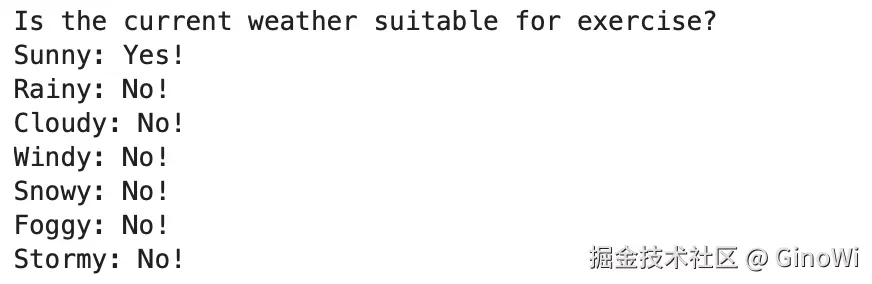
当需要针对不同情况采取不同操作的时候,条件语句就至关重要了。举个简单的例子,如果需要判断不同的天气是否适合运动,当然了只有晴天才是运动的好天气,可以使用条件语句来实现:
python
diffWeather = ['Sunny', 'Rainy', 'Cloudy', 'Windy', 'Snowy', 'Foggy', 'Stormy']
print("Is the current weather suitable for exercise?")
for weather in diffWeather:
  if weather == 'Sunny':
  	print(f"{weather}: Yes!")
  else:
    print(f"{weather}: No!")
执行结果:
如果说条件语句中想判断多条件的时候,可以使用and和or两个关键字,接下来实现天气晴朗还不是适合运动的天气,只有天气晴朗并且温暖的时候才适合运动,多云的时候如果天气温暖也适合运动,当加上这两个条件再对条件进行调整:
python
diffWeather = ['Sunny', 'Rainy', 'Cloudy', 'Windy', 'Snowy', 'Foggy', 'Stormy']
temperatures = ['Warm', 'Cold']
print("Is the current weather suitable for exercise?")
for weather in diffWeather:
    for temperature in temperatures:
        if (
        	(weather == 'Sunny' and temperature == 'Warm')
              or (weather == 'Cloudy' and temperature == 'Warm')
        ):
            print(f"{weather} {temperature}: Yes!")
        else:
            print(f"{weather} {temperature}: No!")
执行结果:
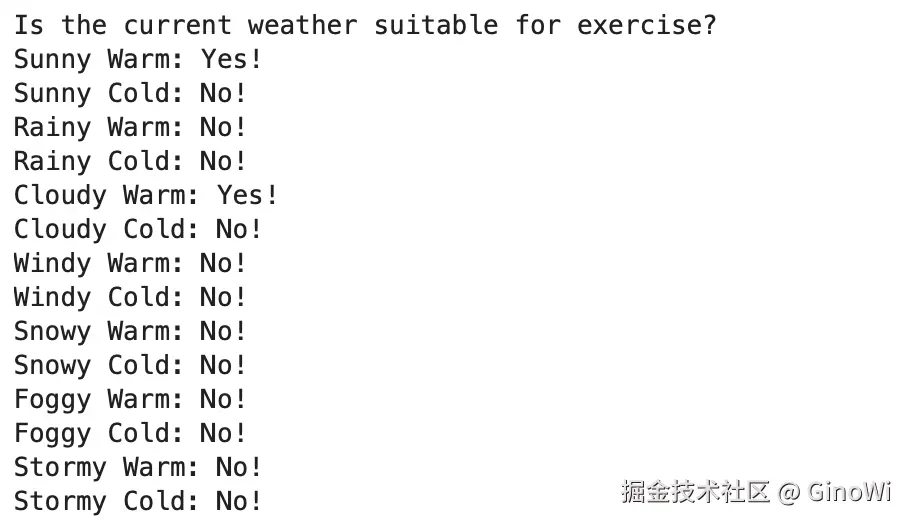 这里有一个注意点,如果为了代码可读性,需要在多条件
if语句中对条件语句进行换行,可以使用圆括号将条件语句括起来,表示一个整体的条件表达式的延续范围。
上面的两个例子都是使用的if-else结构的条件语句,只能用于区分两种情况,不符合if条件表达式的数据,就处理else中的操作,这里需要注意的是,如果if条件语句满足就不会再进行else语句的判断。
但是如果我们存在三四五六七八种情况,那么if-else语句就已经无法实现了,当然了如果说对每一个条件都使用一条单独的if语句,也是可以的,还有一种就是if-elif-else结构。
这两种结构不同的使用场景各有利弊,需要依据情况来决定,使用if-else或if-elif-else结构的时候,需要各条件是独立互斥的关系,就比如年龄一个人不可能既是18岁又是25岁。但是倘若需要判断一个花店里面有什么花,那不能说有了玫瑰就不允许有康乃馨,这个时候再用if-else或者if-elif-else结构就无法实现。
python
age = 12
print("使用三个if条件判断实现")
if age < 4:
    print("Your admission cost is $0.")

if age >= 4 and age < 18:
    print("Your admission cost is $25.")

if age >= 18 and age < 65:
    print("Your admission cost is $40.")

if age >= 65:
    print("Your admission cost is $10.")

print("使用if-elif-else结构实现")
if age < 4:
    print("Your admission cost is $0.")
elif age < 18:
    print("Your admission cost is $25.")
elif age < 65:
    print("Your admission cost is $40.")
else:
    print("Your admission cost is $10.")
执行结果:
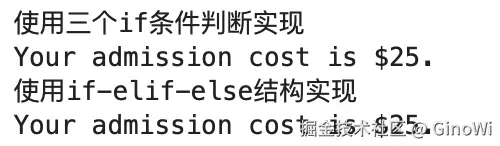
其中else语句不管是在if-else结构还是if-elif-else结构中都是可以省略的。
判断列表是否为空可以直接使用if list:来实现,如果list中不包含任一元素,就返回False;如果包含任一元素就返回True。可以通过一个例子来看一下,只做披萨过程中,如果客户要求添加的配料表里面不为空就添加进披萨当中,否则就向客户询问是否确定不添加任何配料。
python
requested_toppings = []
if requested_toppings:
    for requested_topping in requested_toppings:
        print(f"Adding {requested_topping}.")
    print("\nFinished making your pizza!")
else:
    print("Are you sure you want a plain pizza?")
执行结果:
