二、Docker 安装 vLLM
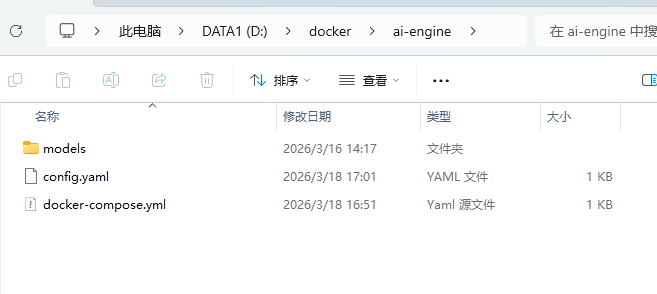
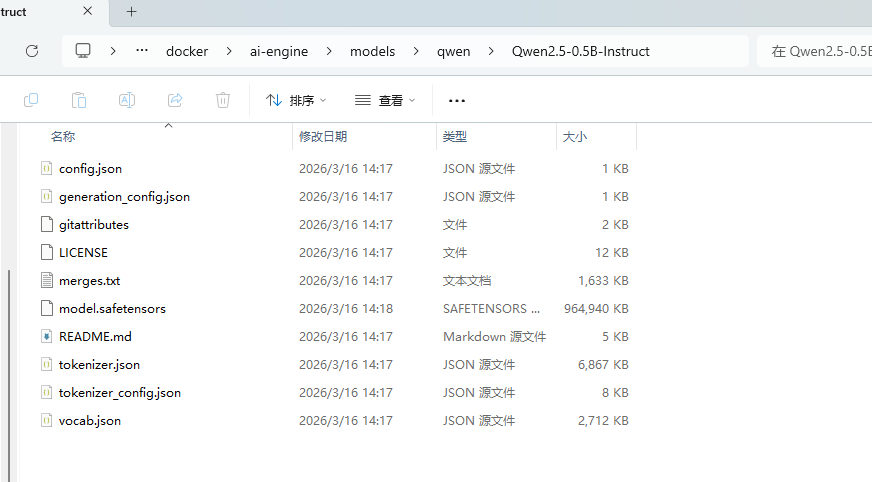
docker-compose.yml
version: '3.7'

services:

  vllm-qwen:
    image: vllm/vllm-openai:latest
    container_name: vllm-qwen
    runtime: nvidia
    environment:
      - NVIDIA_VISIBLE_DEVICES=all
    volumes:
      - ./models:/models
    command: >
      --model /models/qwen/Qwen2.5-0.5B-Instruct
      --host 0.0.0.0
      --port 8000
      --gpu-memory-utilization 0.5
      --max-model-len 1024
    ports:
      - "8000:8000"

  litellm:
    image: ghcr.io/berriai/litellm:main-latest
    container_name: litellm
    volumes:
      - ./config.yaml:/app/config.yaml
    command: --config /app/config.yaml
    ports:
      - "4000:4000"
    depends_on:
      - vllm-qwen
把模型放到models
LiteLLM 配置config.yaml
model_list:
  - model_name: qwen
    litellm_params:
      model: openai//models/qwen/Qwen2.5-0.5B-Instruct  # 使用 vLLM 返回的完整模型 ID
      api_base: http://vllm-qwen:8000/v1
      api_key: none
启动服务
docker compose up -d
此过程比较慢,因为下载的比较大。
测试 vLLM
测试 LiteLLM

整体测试:
curl http://localhost:4000/v1/chat/completions -H "Content-Type: application/json" -d "{\"model\":\"qwen\",\"messages\":{\\"role\\":\\"user\\",\\"content\\":\\"你好\\"}}"

python代码测试:
from openai import OpenAI

client = OpenAI(
    api_key="anything",
    base_url="http://10.61.104.181:4000/v1"
)

response = client.chat.completions.create(
    model="qwen",
    messages=[
        {"role": "user", "content": "你好,讲个笑话"}
    ]
)

print(response.choices[0].message.content)
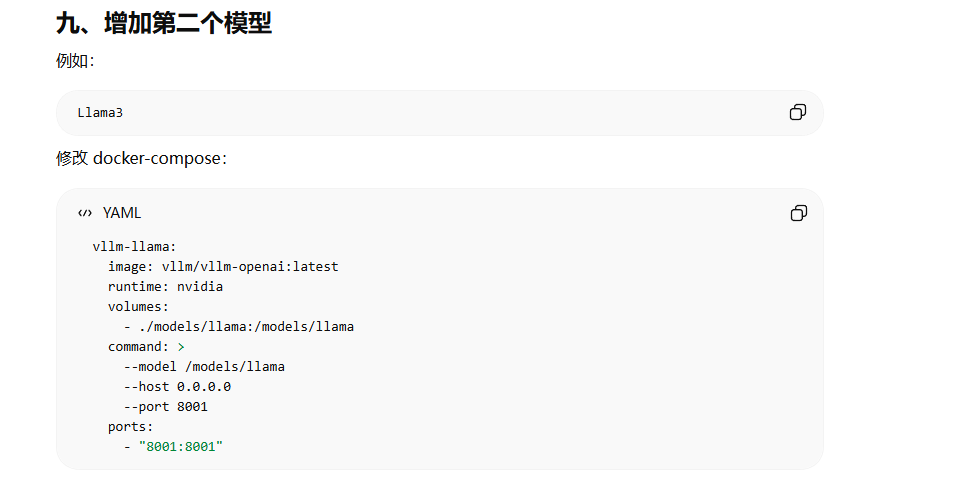
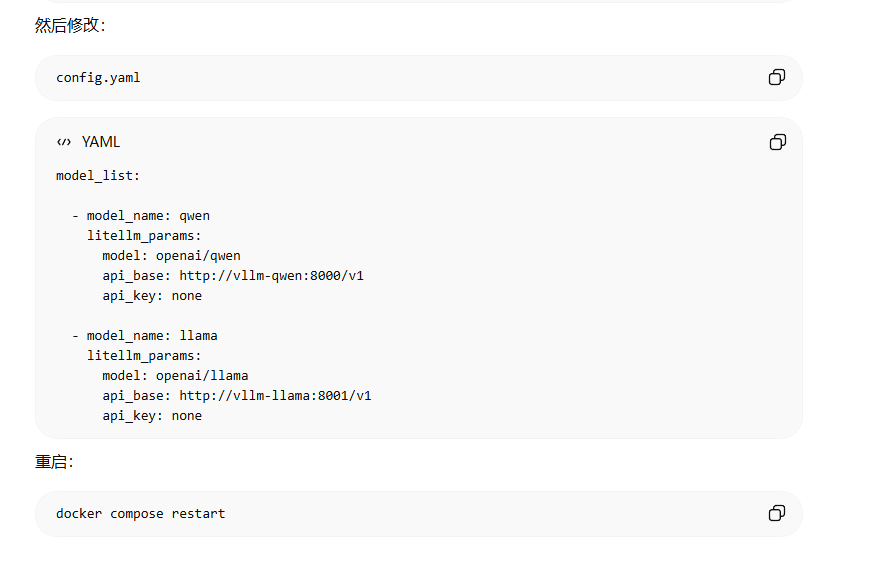
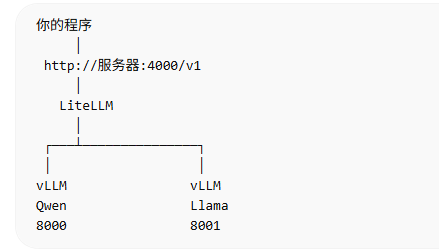
增加多个模型(暂未尝试)