embeding模型和会话大模型都采用阿里的实现,数据库采用postgres
照搬一下代码就可以实现,实现完之后,我再讲解技术要点。
新建一个spring项目,也可以在原来的springai项目上修改
开始之前需要安装postgres数据库,这是个向量数据库,安装方法大模型搜一下。这里都不说了
第一步,依然是pom文件:
bash
<?xml version="1.0" encoding="UTF-8"?> <!-- XML声明,指定版本和编码格式为UTF-8 -->
<!-- project标签是Maven项目的根元素,定义了命名空间和XML Schema位置 -->
<project xmlns="http://maven.apache.org/POM/4.0.0" xmlns:xsi="http://www.w3.org/2001/XMLSchema-instance"
         xsi:schemaLocation="http://maven.apache.org/POM/4.0.0 https://maven.apache.org/xsd/maven-4.0.0.xsd">
    <modelVersion>4.0.0</modelVersion> <!-- 指定POM模型版本为4.0.0 -->
    <parent> <!-- 定义父项目,继承Spring Boot的默认配置 -->
        <groupId>org.springframework.boot</groupId> <!-- 父项目的组织ID -->
        <artifactId>spring-boot-starter-parent</artifactId> <!-- 父项目的Artifact ID -->
        <version>3.4.2</version> <!-- Spring Boot版本号为3.4.2 -->

        <relativePath/> <!-- 从仓库中查找父项目,不从本地相对路径查找 -->
    </parent>
    <groupId>com.zkwm.springai</groupId> <!-- 当前项目的组织ID,用于唯一标识项目 -->
    <artifactId>spring-ai</artifactId> <!-- 当前项目的Artifact ID,即项目名称 -->
    <version>0.0.1-SNAPSHOT</version> <!-- 项目版本号,SNAPSHOT表示开发版本 -->
    <name>spring-ai</name> <!-- 项目的显示名称 -->
    <description>spring-ai</description> <!-- 项目的描述信息 -->
    <url/> <!-- 项目的URL地址,当前为空 -->
    <licenses> <!-- 项目许可证信息 -->
        <license/> <!-- 许可证详情,当前为空 -->
    </licenses>
    <developers> <!-- 项目开发者信息 -->
        <developer/> <!-- 开发者详情,当前为空 -->
    </developers>
    <scm> <!-- 软件配置管理信息,用于版本控制 -->
        <connection/> <!-- SCM连接地址,当前为空 -->
        <developerConnection/> <!-- 开发者SCM连接地址,当前为空 -->
        <tag/> <!-- 版本标签,当前为空 -->
        <url/> <!-- SCM的URL地址,当前为空 -->
    </scm>
    <properties> <!-- 定义项目属性,可在整个POM中引用 -->
        <java.version>17</java.version> <!-- 指定Java版本为17 -->
        <spring-ai.version>1.0.0-M6</spring-ai.version> <!-- 指定Spring AI的版本号为1.0.0-M6 -->
    </properties>
    <dependencies> <!-- 项目依赖项列表 -->

        <!--json数据依赖包-->
        <dependency>
            <groupId>org.json</groupId>
            <artifactId>json</artifactId>
            <version>20231013</version>
        </dependency>
        <dependency>
            <groupId>org.springframework.ai</groupId>
            <artifactId>spring-ai-pgvector-store-spring-boot-starter</artifactId>
            <version>${spring-ai.version}</version>
        </dependency>

        <dependency>
            <groupId>com.alibaba</groupId>
            <artifactId>dashscope-sdk-java</artifactId>
            <version>2.16.10</version>
            <exclusions>
                <!--去掉自带的slf4j-simple,否则会冲突-->
                <exclusion>
                    <groupId>org.slf4j</groupId>
                    <artifactId>slf4j-simple</artifactId>
                </exclusion>
            </exclusions>
        </dependency>
        <dependency> <!-- Spring Boot Web启动器依赖,用于构建Web应用 -->
            <groupId>org.springframework.boot</groupId> <!-- 依赖的组织ID -->
            <artifactId>spring-boot-starter-web</artifactId> <!-- Web启动器的Artifact ID -->
        </dependency>

        <dependency> <!-- Spring Boot测试启动器依赖 -->
            <groupId>org.springframework.boot</groupId> <!-- 依赖的组织ID -->
            <artifactId>spring-boot-starter-test</artifactId> <!-- 测试启动器的Artifact ID -->
            <scope>test</scope> <!-- 依赖作用域为test,只在测试时使用 -->
        </dependency>

        <dependency>
            <groupId>org.springframework.ai</groupId>
            <artifactId>spring-ai-openai-spring-boot-starter</artifactId>
            <version>${spring-ai.version}</version>
        </dependency>

        <dependency>
            <groupId>org.springframework.ai</groupId>
            <artifactId>spring-ai-core</artifactId>
            <version>${spring-ai.version}</version>
        </dependency>

    </dependencies>
    <dependencyManagement> <!-- 依赖管理部分,用于统一管理依赖版本 -->
        <dependencies> <!-- 依赖管理列表 -->

            <dependency> <!-- Spring AI BOM(物料清单),用于管理Spring AI相关依赖版本 -->
                <groupId>org.springframework.ai</groupId> <!-- Spring AI的组织ID -->
                <artifactId>spring-ai-bom</artifactId> <!-- BOM的Artifact ID -->
                <version>${spring-ai.version}</version> <!-- 引用上面定义的Spring AI版本属性 -->
                <type>pom</type> <!-- 类型为pom,表示这是一个BOM文件 -->
                <scope>import</scope> <!-- 作用域为import,导入BOM中的依赖管理 -->
            </dependency>

        </dependencies>
    </dependencyManagement>
    <build> <!-- 项目构建配置 -->
        <plugins> <!-- 构建插件列表 -->
            <plugin> <!-- Spring Boot Maven插件,用于打包和运行Spring Boot应用 -->
                <groupId>org.springframework.boot</groupId> <!-- 插件的组织ID -->
                <artifactId>spring-boot-maven-plugin</artifactId> <!-- 插件的Artifact ID -->
            </plugin>
        </plugins>
    </build>
    <repositories> <!-- 项目依赖仓库配置 -->
        <repository> <!-- Spring里程碑仓库,用于获取Spring的里程碑版本 -->
            <id>spring-milestones</id> <!-- 仓库的唯一标识ID -->
            <url>https://repo.spring.io/milestone</url> <!-- 仓库的URL地址 -->
        </repository>
        <repository> <!-- Spring快照仓库,用于获取Spring的开发版本 -->
            <id>spring-snapshots</id> <!-- 仓库的唯一标识ID -->
            <url>https://repo.spring.io/snapshot</url> <!-- 仓库的URL地址 -->
            <snapshots> <!-- 快照版本配置 -->
                <enabled>true</enabled> <!-- 允许下载快照版本 -->
            </snapshots>
        </repository>
    </repositories>
</project> <!-- project标签结束 -->
第二步,配置yml文件,
bash
spring:
  application:
    name: spring-ai
  datasource:
    url: jdbc:postgresql://localhost:5432/postgres
    username: postgres
    password: postgres
  ai:
    openai:
      api-key: sk-156d39d0c9f0eb4f68acf10edf15fc57c8
      base-url: https://dashscope.aliyuncs.com/compatible-mode
      chat:
        options:
          model: qwen-turbo
      embedding:
        options:
          model: text-embedding-v3

    vectorstore:
      pgvector:
        index-type: hnsw
        distance-type: COSINE_DISTANCE
        dimension: 1024
        initialize-schema: true
控制器代码。
java
package com.zkwm.springai.rag;

import org.springframework.ai.chat.client.ChatClient;
import org.springframework.ai.document.Document;
import org.springframework.ai.vectorstore.SearchRequest;
import org.springframework.ai.vectorstore.VectorStore;
import org.springframework.beans.factory.annotation.Autowired;
import org.springframework.beans.factory.annotation.Qualifier;
import org.springframework.web.bind.annotation.GetMapping;
import org.springframework.web.bind.annotation.RequestMapping;
import org.springframework.web.bind.annotation.RestController;
import java.util.stream.Collectors;
import java.util.List;

@RestController
@RequestMapping("/rag")
public class RagController {
    @Autowired
    private VectorStore vectorStore;

    @Autowired
    private ChatClient chatClient;

    @GetMapping("/initData")
    public String initData() {
        List<Document> documents = List.of(
                new Document("Spring 是 Java 框架"),
                new Document("PostgreSQL 是关系型数据库"),
                new Document("RAG 是检索增强生成技术")
        );
        vectorStore.add(documents);
        return "initData success";
    }

    @GetMapping("/ragAsk")
    public String ragAsk(String question) {

        // 1. 查向量数据库
        List<Document> docs = vectorStore.similaritySearch(
                SearchRequest.builder().query(question).topK(3).build()
        );
        // 2. 拼接上下文
        String context = docs.stream()
                .map(Document::getText)
                .collect(Collectors.joining("\n"));

        // 3. 构造 Prompt
        String prompt = """
        请基于以下内容回答问题:

        %s

        问题:%s
        """.formatted(context, question);

        // 4. 调用大模型
        return chatClient.prompt(prompt).call().content();
    }
}
到这里,完成最小的rag项目,
1、在浏览器或者postman中输入:
bash
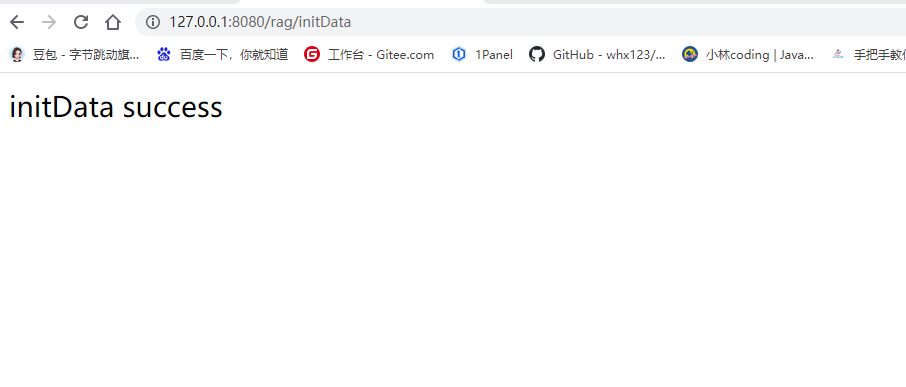
http://127.0.0.1:8080/rag/initData`这是调用initData方法,将知识库数据向量化,并存入数据库中。
2、在浏览器输入:
bash
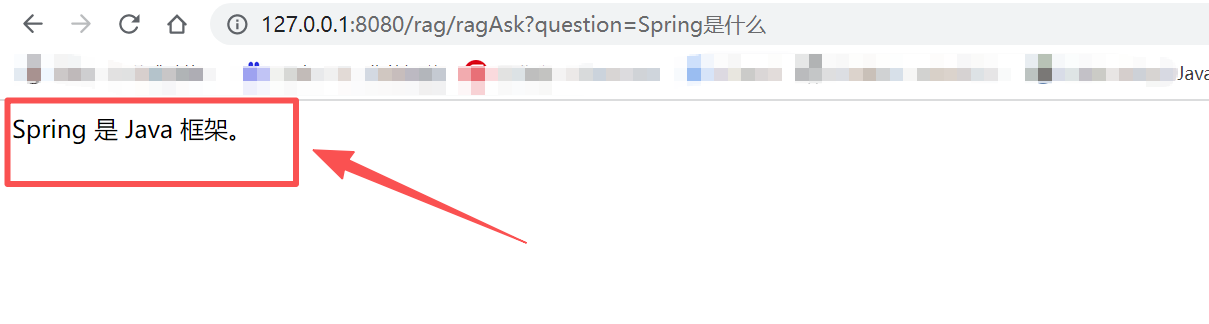
http://127.0.0.1:8080/rag/ragAsk?question=Spring是什么?效果:会返回你放入向量数据库中的内容