- 管道的应用的一个限制就是只能在具有共同组先【具有亲缘关系】的进程间通信
- 如果我们想在不相关的进程之间交互数据 ,可以使用FIFO文件来做这项工作,它经常被称为命名管道。
- 命名管道是一种【特殊类型】的文件
一、创建一个命名管道
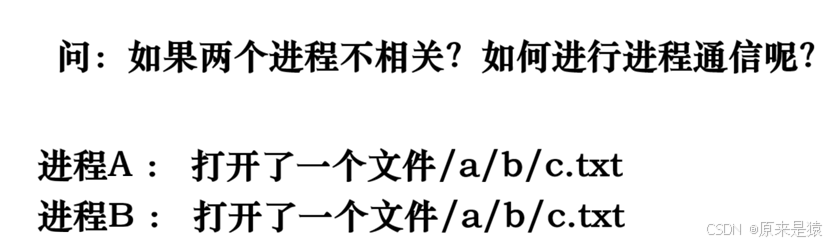
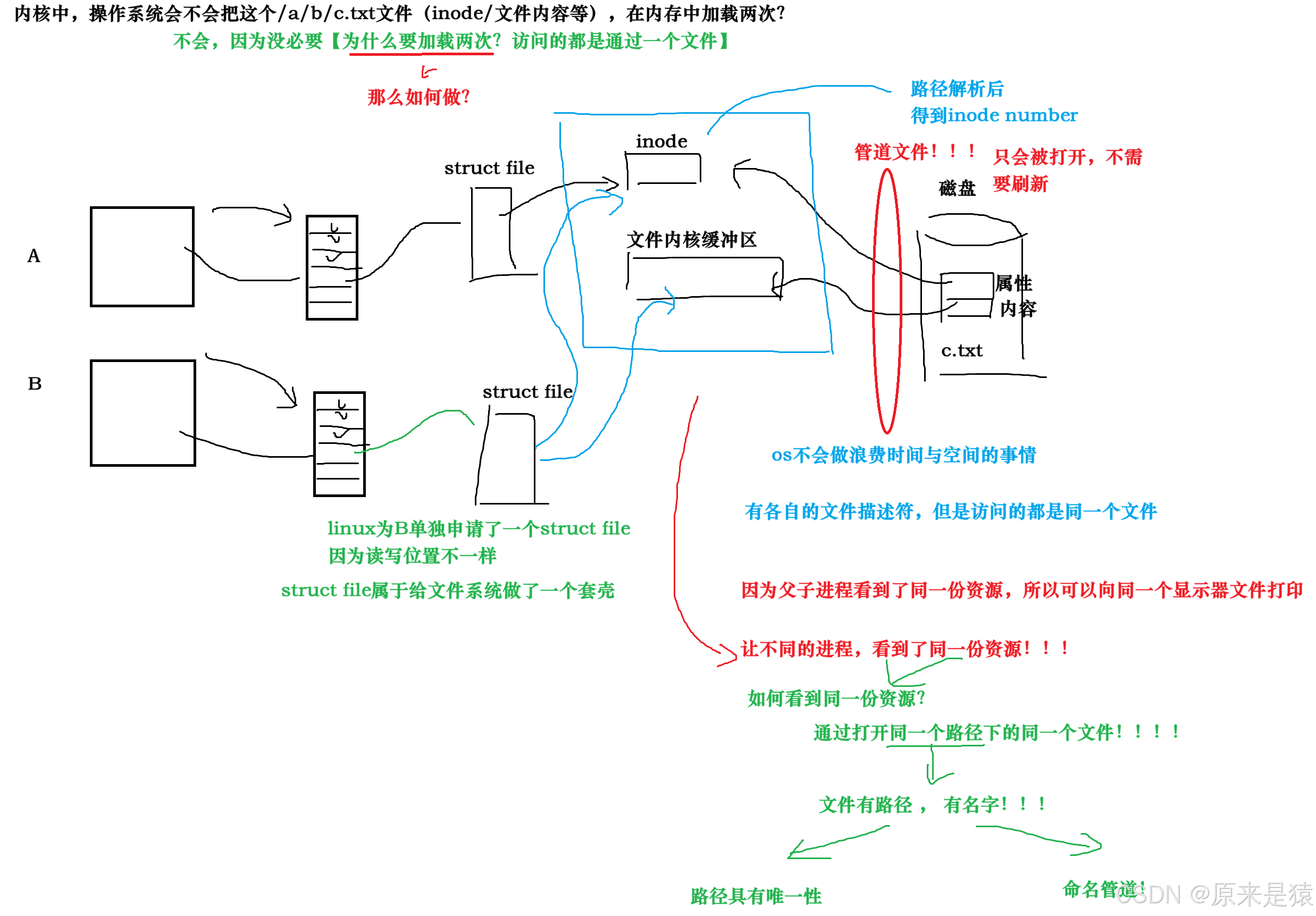
- 进程间通信的本质,就是让不同的进程,看到同一份资源 !
- 如果两个进程看不到同一份资源,那么就没有通信的条件;
- A/B两个进程看到的同一个资源,其实就是文件内核缓冲区~ **每个进程有自己的
struct file和文件描述符,但最终指向的是同一个 inode 和内核缓冲区 ,**路径具有唯一性 → 路径解析后得到唯一的inode编号 → 内核自然就知道它们要访问同一个inode。
管道文件本质:不存储数据,只是内核缓冲区的入口
- 普通磁盘文件(如
c.txt):数据最终要落盘,所以需要fsync等操作把内存缓冲区的数据刷新到磁盘持久化。 - 管道文件(FIFO):它是一个伪文件 ,文件大小永远是 0,不占用磁盘存储空间 ,所有数据都只存在于内核的管道缓冲区 中,不会写入磁盘**。数据直接在内核中传递,不落盘,效率比普通文件高得多。**
- 既然数据根本不会写到磁盘,自然就不存在 "刷新到磁盘" 这个操作,只需要通过
open建立进程和内核缓冲区的连接即可。
| 特性 | 普通磁盘文件(如c.txt) |
命名管道文件(FIFO) |
|---|---|---|
| 数据存储位置 | 磁盘 + 内核缓冲区 | 仅内核缓冲区,不落地盘 |
| 核心目的 | 持久化存储数据 | 进程间临时数据传输 |
| 是否需要刷新到磁盘 | 需要(fsync/fflush) |
不需要,数据永远不写盘 |
| 文件大小 | 随内容变化 | 永远为 0(只是个 "入口标记") |
| 生命周期 | 随文件系统,手动删除才消失 | 随内核,所有进程关闭后释放缓冲区 |
-
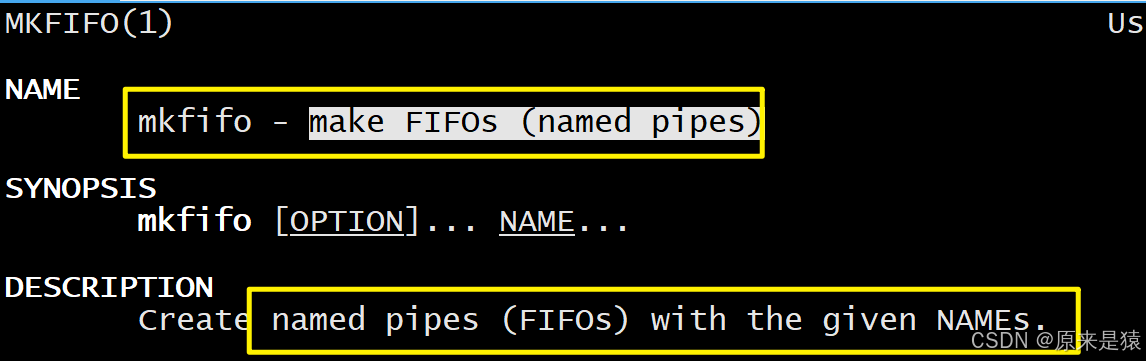
命名管道可以从命令行上创建,命令行方法是使用下面的这个命令:
mkfifo filename
-
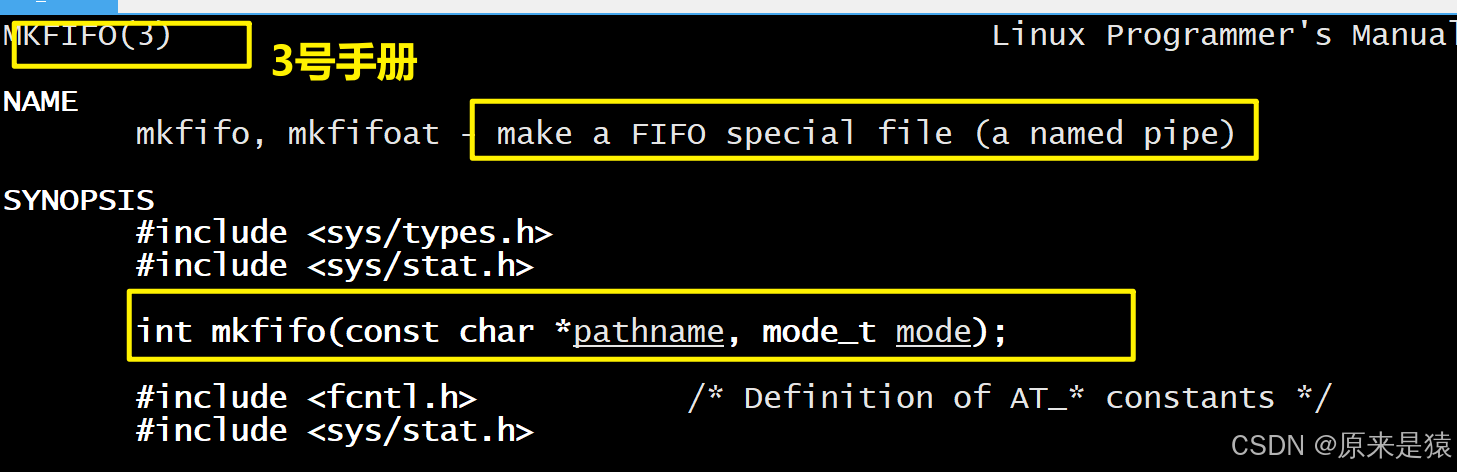
命令管道也可以从程序里创建,相关函数有:
int mkfifo(const char*filename,mode_t mode);
int main(int argc, char *argv[])
{
mkfifo("p2", 0644);
return 0;
}
二、匿名管道与命名管道的区别
- 匿名管道由pipe函数创建并打开
- 命名管道由mkfifo函数创建,打开用open
- FIFO(命名管道)与 pipr(匿名管道)之间唯一的区别就在于它们创建与打开的方式不同,一旦这些工作完成之后,他们就有相同的语义
两者的通信语义完全一致 (比如半双工、流式服务、读写规则),唯一的区别在于创建和打开的方式:
| 特性 | 匿名管道 | 命名管道 |
|---|---|---|
| 创建方式 | pipe()函数 |
mkfifo()函数 /mkfifo命令 |
| 打开方式 | 由pipe()函数自动打开 |
用open()函数手动打开 |
| 标识形式 | 内核中匿名缓冲区,无文件名 | 存在于文件系统,有文件名 |
| 通信进程 | 仅限有亲缘关系进程 | 无亲缘关系进程也可通信 |
| 生命周期 | 随进程(进程退出则释放) | 随内核(需手动删除) |
三、命名管道的打开规则
命名管道的打开行为是其核心特性 ,也是初学者最容易踩坑的地方。FIFO 的打开规则分读打开(O_RDONLY) 和写打开(O_WRONLY) ,且受非阻塞标志(O_NONBLOCK) 影响,核心规则如下表:
| 打开方式 | 阻塞模式(默认,无 O_NONBLOCK) | 非阻塞模式(有 O_NONBLOCK) |
|---|---|---|
| 读打开(O_RDONLY) | 阻塞,直到有进程以写方式打开同一个 FIFO | 立刻返回成功,无需等待写进程 |
| 写打开(O_WRONLY) | 阻塞,直到有进程以读方式打开同一个 FIFO | 立刻返回失败,错误码为ENXIO |
核心结论 :默认情况下,FIFO 的读端和写端是 "相互等待" 的------ 单独打开读端或写端都会阻塞,只有当两者都被打开后,阻塞才会解除,通信才能开始。
这一规则是内核为了保证进程间通信的有效性,避免出现 "读进程打开后无数据可读" 或 "写进程打开后无进程读" 的空等情况。
四、案例1:用命名管道实现文件拷贝
我们来实现一个简单的文件拷贝功能:将一个普通文件
abc的内容通过FIFO复制到abc.bak。需要两个独立程序:
write_fifo.c:读取源文件,写入FIFO。
read_fifo.c:读取FIFO,写入目标文件。
write_fifo.c(写入端)
#include <unistd.h>
#include <stdlib.h>
#include <stdio.h>
#include <errno.h>
#include <string.h>
#include <sys/types.h>
#include <sys/stat.h>
#include <fcntl.h>

#define ERR_EXIT(m) \
    do { \
        perror(m); \
        exit(EXIT_FAILURE); \
    } while(0)

int main(int argc, char *argv[])
{
    // 1. 创建命名管道文件 "tp",权限 0644
    if (mkfifo("tp", 0644) == -1) {
        // 如果文件已存在,mkfifo 会返回 EEXIST,这里简单处理
        perror("mkfifo");
    }

    // 2. 打开普通文件 "abc" 用于读取
    int infd = open("abc", O_RDONLY);
    if (infd == -1)
        ERR_EXIT("open abc");

    // 3. 打开命名管道 "tp" 用于写入(阻塞等待读端)
    int outfd = open("tp", O_WRONLY);
    if (outfd == -1)
        ERR_EXIT("open tp");

    char buf[1024];
    int n;
    // 4. 从源文件读取数据,写入管道
    while ((n = read(infd, buf, 1024)) > 0) {
        if (write(outfd, buf, n) != n)
            ERR_EXIT("write to fifo");
    }

    // 5. 关闭文件
    close(infd);
    close(outfd);
    return 0;
}
read_fifo.c(读取端)
#include <unistd.h>
#include <stdlib.h>
#include <stdio.h>
#include <errno.h>
#include <string.h>
#include <fcntl.h>
#include <sys/types.h>
#include <sys/stat.h>

#define ERR_EXIT(m) \
    do { \
        perror(m); \
        exit(EXIT_FAILURE); \
    } while(0)

int main(int argc, char *argv[])
{
    // 1. 打开目标文件 "abc.bak" 用于写入(若不存在则创建,存在则截断)
    int outfd = open("abc.bak", O_WRONLY | O_CREAT | O_TRUNC, 0644);
    if (outfd == -1)
        ERR_EXIT("open abc.bak");

    // 2. 打开命名管道 "tp" 用于读取(阻塞等待写端)
    int infd = open("tp", O_RDONLY);
    if (infd == -1)
        ERR_EXIT("open tp");

    char buf[1024];
    int n;
    // 3. 从管道读取数据,写入目标文件
    while ((n = read(infd, buf, 1024)) > 0) {
        if (write(outfd, buf, n) != n)
            ERR_EXIT("write to abc.bak");
    }

    // 4. 关闭文件并删除管道文件
    close(infd);
    close(outfd);
    unlink("tp");   // 删除管道文件
    return 0;
}
五、案例2:用命名管道实现server&client通信
- 用命名管道实现经典的 C/S(服务器 - 客户端)通信模型,这是命名管道最典型的应用场景
- Server 端:创建 FIFO,以读方式打开,持续阻塞等待 Client 端的消息,接收并打印;
- Client 端:以写方式打开 Server 创建的 FIFO,从键盘读取输入,发送给 Server 端;
- 实现单向通信(Client→Server),若要实现双向通信,只需再创建一个 FIFO(Server→Client)。
5.1 相关参数/函数解析
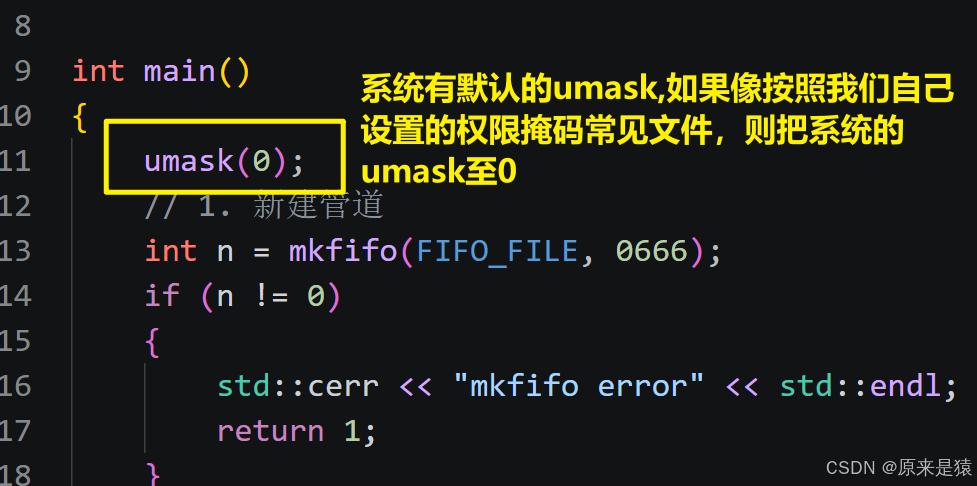
- umask :
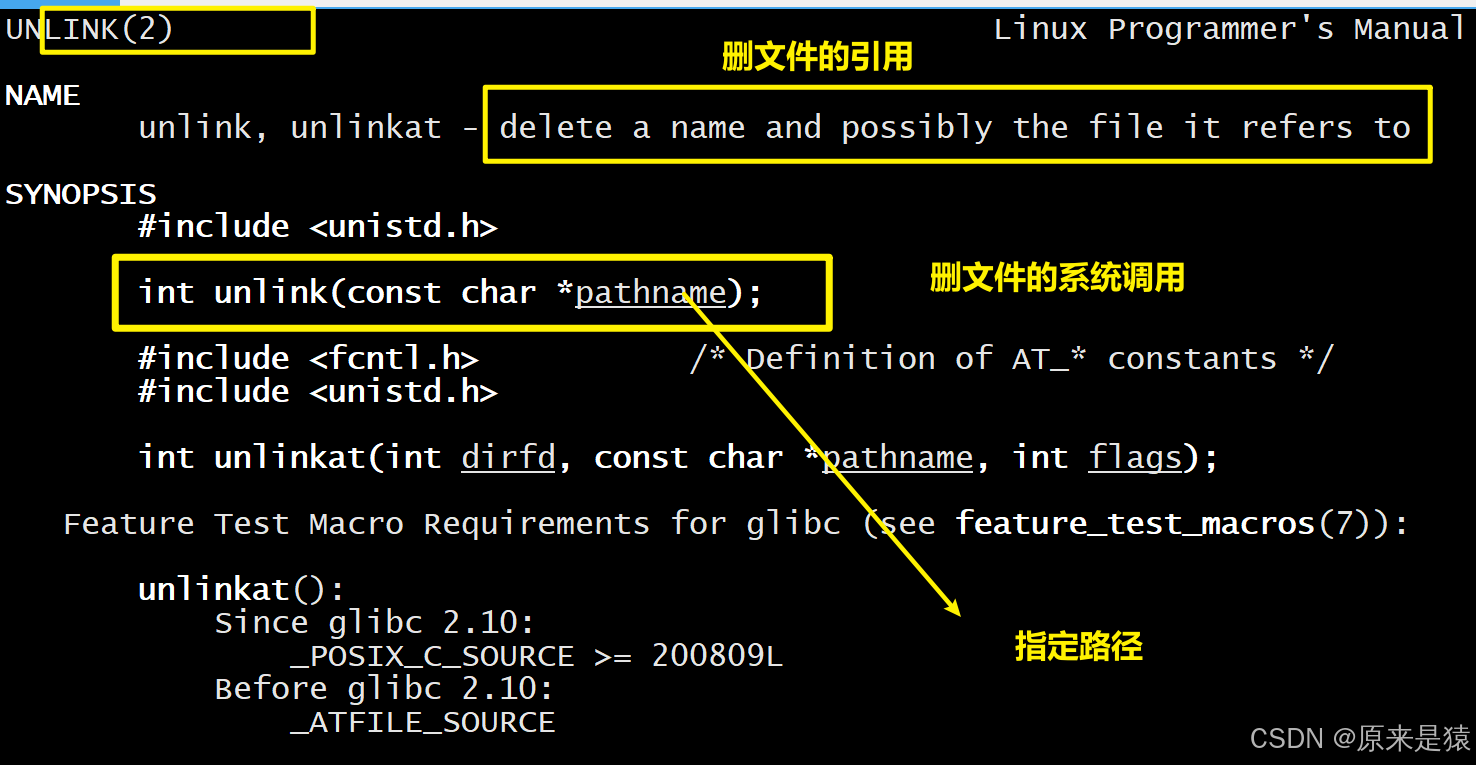
- unlink:
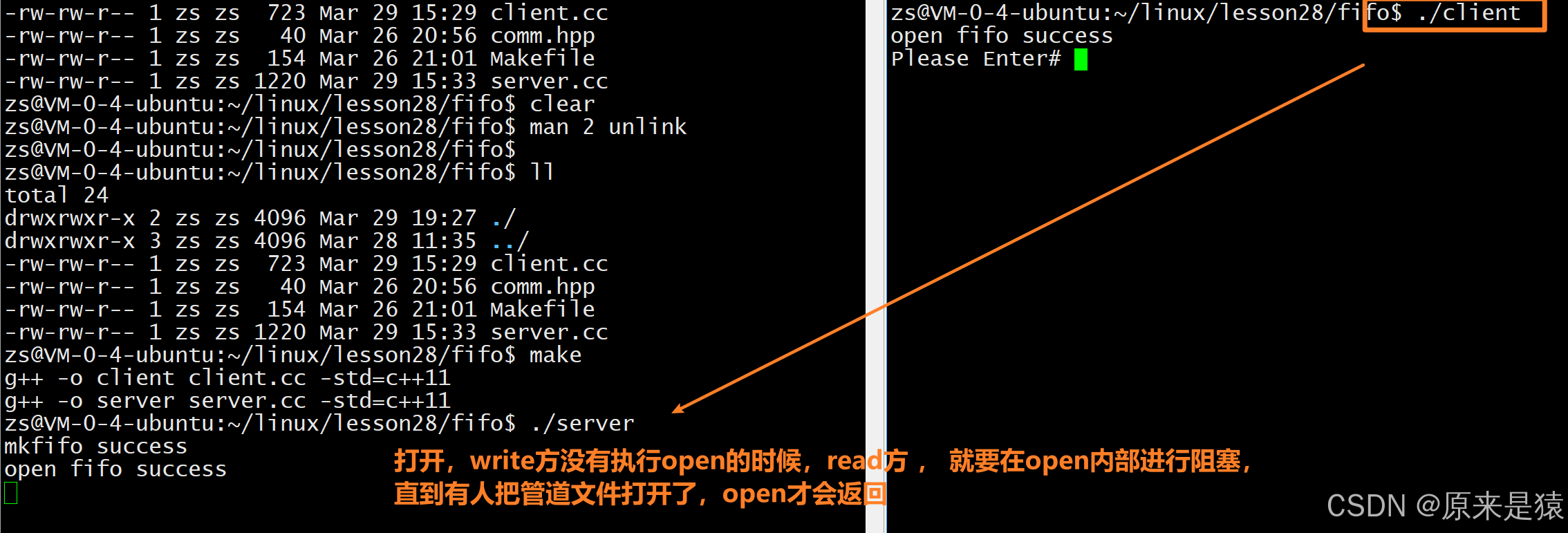
- 如果write 方没有执行open , read的open会阻塞
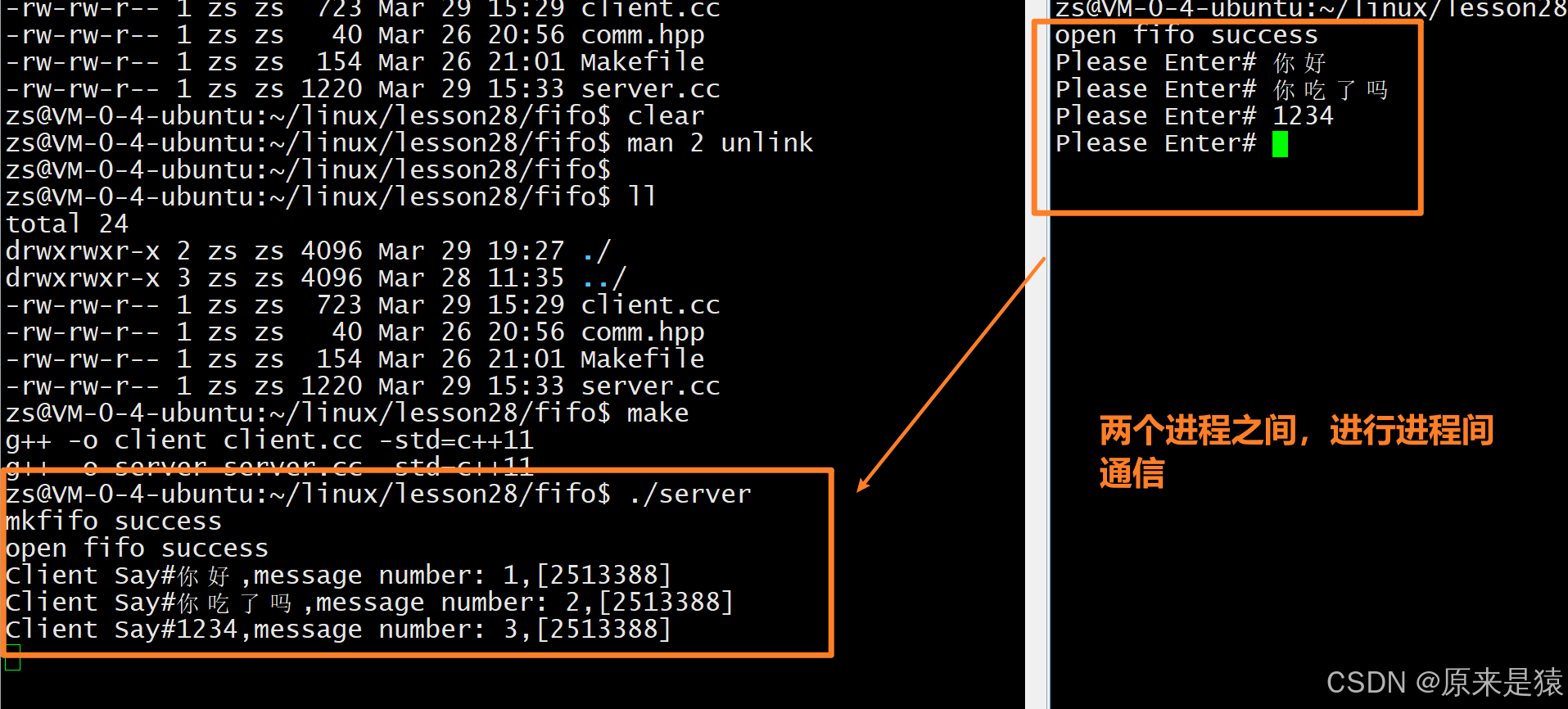
- 客户端退的时候,文件的返回值就是0了
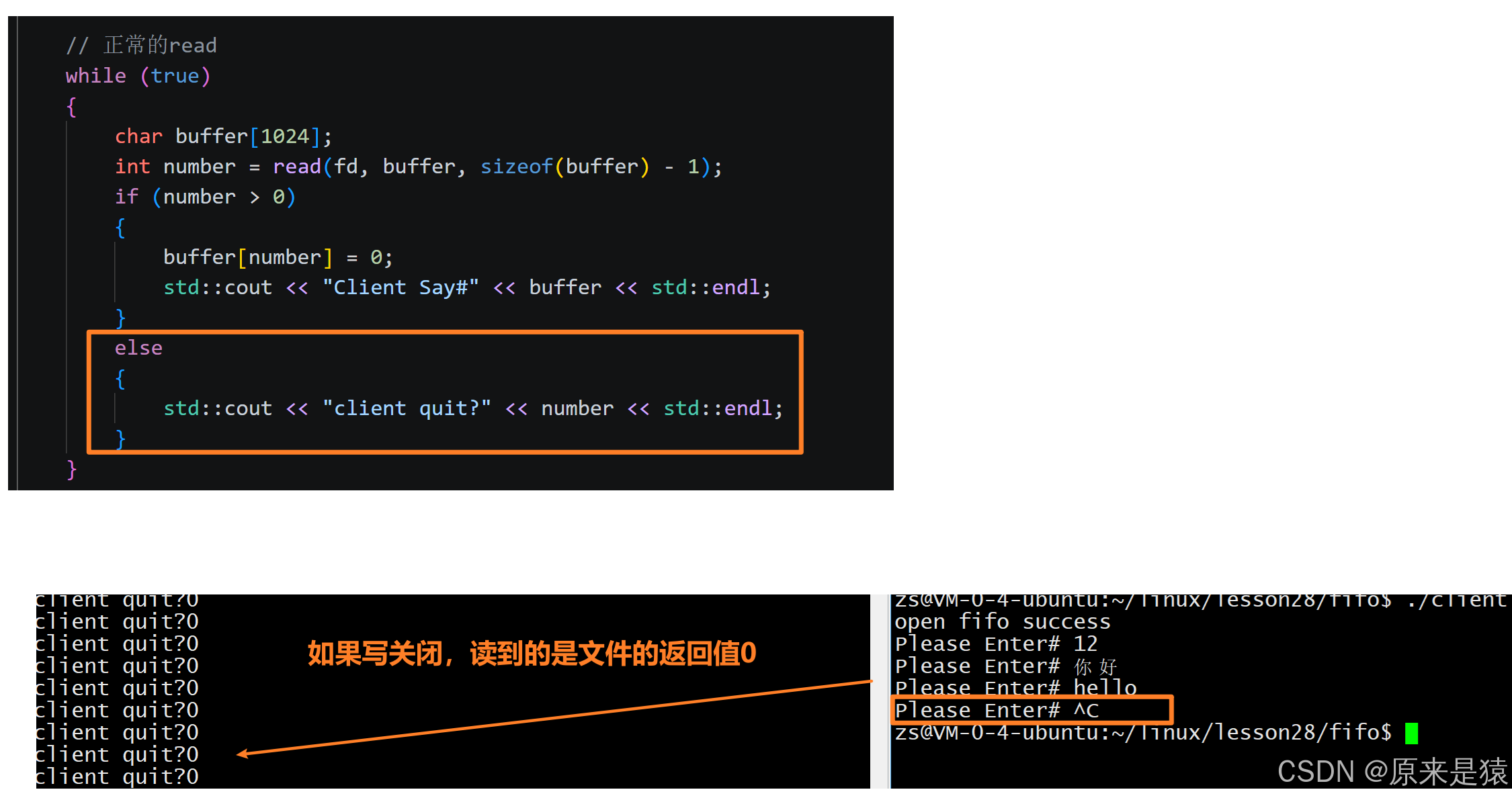
我们可以进行完善代码
    // 正常的read
    while (true)
    {
        char buffer[1024];
        int number = read(fd, buffer, sizeof(buffer) - 1);
        if (number > 0)
        {
            buffer[number] = 0;
            std::cout << "Client Say#" << buffer << std::endl;
        }
        else if(number == 0)
        {
            std::cout << "client quit!me too" << std::endl;
            break;
        }
        else
        {
            std::cerr << "read error" << std::endl;
            break;
        }
    }
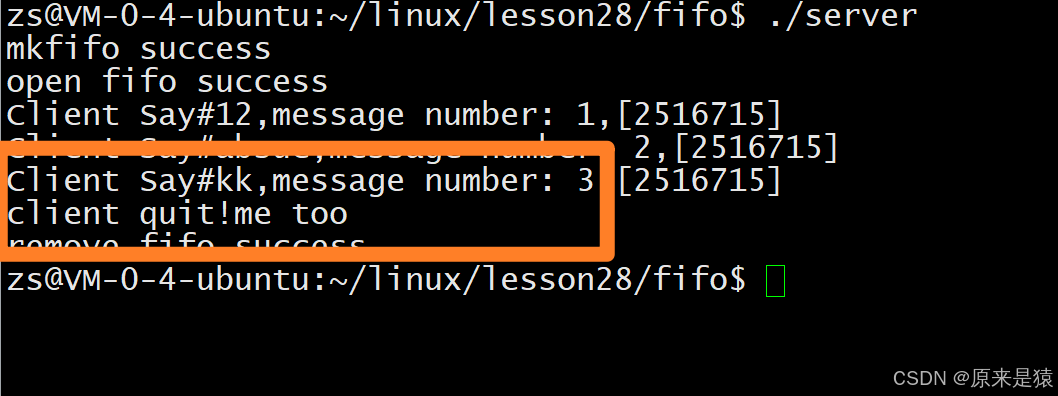
5.2 面向过程式的写
sever.cc
#include <iostream>
#include <string>
#include <sys/types.h>
#include <sys/stat.h>
#include <fcntl.h>
#include <unistd.h>
#include "comm.hpp"

int main()
{
    umask(0);
    // 1. 新建管道
    int n = mkfifo(FIFO_FILE, 0666);
    if (n != 0)
    {
        std::cerr << "mkfifo error" << std::endl;
        return 1;
    }
    std::cout << "mkfifo success" << std::endl;


    // read
    int fd = open(FIFO_FILE, O_RDONLY);
    if (fd < 0)
    {
        std::cerr << "open fifo error" << std::endl;
        return 2;
    }
    std::cout << "open fifo success" << std::endl;


    // 正常的read
    while (true)
    {
        char buffer[1024];
        int number = read(fd, buffer, sizeof(buffer) - 1);
        if (number > 0)
        {
            buffer[number] = 0;
            std::cout << "Client Say#" << buffer << std::endl;
        }
        else if(number == 0)
        {
            std::cout << "client quit!me too" << std::endl;
            break;
        }
        else
        {
            std::cerr << "read error" << std::endl;
            break;
        }
    }

    close(fd);


    // 删除管道文件
    n = unlink(FIFO_FILE);
    if (n == 0)
    {
        std::cout << "remove fifo success" << std::endl;
    }
    else
    {
        std::cout << "remove fifo failed" << std::endl;
    }

    return 0;
}
client.cc
#include <iostream>
#include <string>
#include <sys/types.h>
#include <sys/stat.h>
#include <fcntl.h>
#include <unistd.h>
#include "comm.hpp"

int main()
{

    int fd = open(FIFO_FILE, O_WRONLY);
    if (fd < 0)
    {
        std::cerr << "open fifo error" << std::endl;
        return 1;
    }
    std::cout << "open fifo success" << std::endl;

    //写入操作
    std::string message;
    int cnt = 1;
    pid_t id = getpid();
    while(true)
    {
        std::cout << "Please Enter# ";
        std::getline(std::cin,message);
        message += (",message number: " + std::to_string(cnt++) + ",[" + std::to_string(id) + "]");
        write(fd,message.c_str(),message.size());
    }


    close(fd);
    return 0;
}
Makefile
.PHONY:all
all:client server
client:client.cc
	g++ -o $@ $^ -std=c++11
server:server.cc
	g++ -o $@ $^ -std=c++11
.PHONY:clean
clean:
	rm -f client server
comm.hpp
#pragma once

#define FIFO_FILE "fifo"
5.3 面向对象式的写
comm.hpp
#pragma once
#include <iostream>
#include <string>
#include <sys/types.h>
#include <sys/stat.h>
#include <fcntl.h>
#include <unistd.h>

class NamedFifo
{
public:
    NamedFifo(const std::string &path, const std::string &name)
        : _path(path), _name(name)
    {
        _fifoname = _path + "/" + _name;
        umask(0);
        // 1. 新建管道
        int n = mkfifo(_fifoname.c_str(), 0666);
        if (n != 0)
        {
            std::cerr << "mkfifo error" << std::endl;
        }
        std::cout << "mkfifo success" << std::endl;
    }

    ~NamedFifo()
    {
        // 删除管道文件
        int n = unlink(_fifoname.c_str());
        if (n == 0)
        {
            std::cout << "remove fifo success" << std::endl;
        }
        else
        {
            std::cout << "remove fifo failed" << std::endl;
        }
    }

private:
    std::string _path;
    std::string _name;
    std::string _fifoname;
};

class FileOper
{
public:
    FileOper(const std::string &path, const std::string &name)
        : _path(path), _name(name), _fd(-1)
    {
        _fifoname = _path + "/" + _name;
    }

    void OpenForRead()
    {
        // read
        _fd = open(_fifoname.c_str(), O_RDONLY);
        if (_fd < 0)
        {
            std::cerr << "open fifo error" << std::endl;
        }
        std::cout << "open fifo success" << std::endl;
    }

    void OpenForWrite()
    {
        _fd = open(_fifoname.c_str(), O_WRONLY);
        if (_fd < 0)
        {
            std::cerr << "open fifo error" << std::endl;
        }
        std::cout << "open fifo success" << std::endl;
    }

    void Write()
    {
        // 写入操作
        std::string message;
        int cnt = 1;
        pid_t id = getpid();
        while (true)
        {
            std::cout << "Please Enter# ";
            std::getline(std::cin, message);
            message += (",message number: " + std::to_string(cnt++) + ",[" + std::to_string(id) + "]");
            write(_fd, message.c_str(), message.size());
        }
    }

    void Read()
    {
        // 正常的read
        while (true)
        {
            char buffer[1024];
            int number = read(_fd, buffer, sizeof(buffer) - 1);
            if (number > 0)
            {
                buffer[number] = 0;
                std::cout << "Client Say#" << buffer << std::endl;
            }
            else if (number == 0)
            {
                std::cout << "client quit!me too" << std::endl;
                break;
            }
            else
            {
                std::cerr << "read error" << std::endl;
                break;
            }
        }
    }

    void Close()
    {
        if (_fd > 0)
            close(_fd);
    }

    ~FileOper()
    {
    }

private:
    std::string _path;
    std::string _name;
    std::string _fifoname;
    int _fd;
};
server.cc
#include "comm.hpp"

int main()
{
    //创建管道到文件
    NamedFifo fifo(".","fifo");

    //文件操作
    FileOper readerfile(".","fifo");
    readerfile.OpenForRead();
    readerfile.Read();
    readerfile.Close();


    return 0;
}
client.cc
#include <iostream>
#include <string>
#include <sys/types.h>
#include <sys/stat.h>
#include <fcntl.h>
#include <unistd.h>
#include "comm.hpp"

int main()
{
    FileOper writefile(".", "fifo");
    writefile.OpenForWrite();
    writefile.Write();
    writefile.Close();
    return 0;
}