本节将介绍如何基于Go2搭建其ROS2开发环境。
1.2.1 准备工作
硬件准备:
- Unitree Go2 Edu
- 计算机一台
- 网线一根
软件准备:
操作系统以及ROS2版本
计算机作为主控,需要安装Ubuntu操作系统以及ROS2,测试过的系统和ROS2版本如下:
|--------------|---------|
| 操作系统 | ROS2 版本 |
| Ubuntu 22.04 | humble |
本教程采用的 ROS2 版本为 humble,如需使用其他版本的 ROS2,在相应的地方替换 humble 为当前的 ROS2 版本名称即可。
note
ROS2 不同发行版的 API 可能存在差异,例如 rosbag 的调用方法等,本教程在 ROS2 humble 下开发,如果使用的是其他 ROS2 发行版,请参考官方文档进行调整。
1.2.2 安装 Unitree ROS2
1.下载 unitree_ros2
从 github 上下载 unitree_ros2,终端指令如下:
git clone https://github.com/unitreerobotics/unitree_ros2
其中 unitree_ros2 包括 cyclonedds_ws 和 example 两个子级文件夹:
- cyclonedds_ws 文件夹为编译和安装 Go2 机器人 ROS2 msg 的工作空间,在子文件夹 cyclonedds_ws/unitree/unitree_go 和 cyclonedds_ws/unitree/unitree_api 中定义了Go2状态获取和控制相关的ROS2 msg。
- example 文件夹为 Go2 机器人 ROS2 下的相关例程。
2. 安装依赖
sudo apt install ros-humble-rmw-cyclonedds-cpp
sudo apt install ros-humble-rosidl-generator-dds-idl
如果显示找不到humble,那么就需要单独安装 ros2(链接)
我使用小鱼ROS一键安装
要使用小鱼的一键安装系列,需要下载一个鱼香大佬写的脚本,然后执行这个脚本,进行ROS的安装与环境的配置
- 下载脚本并执行脚本
wget http://fishros.com/install -O fishros && . fishros
输入密码,数字选择1,2,1,1(桌面安装),这样就可以安装上方的依赖了
note
为了方便接口的使用,推荐同时安装 unitree_sdk2
3. 编译unitree_go和unitree_api包
编译好 cyclone-dds 后就需要 Ros2 相关的依赖来完成 Go2 功能包的编译,因此编译前需要先 source ROS2 的环境变量。
在cyclonedds_ws目录下配置
source /opt/ros/humble/setup.bash #source ROS2 环境变量
colcon build #编译工作空间下的所有功能包
1.2.3网络配置
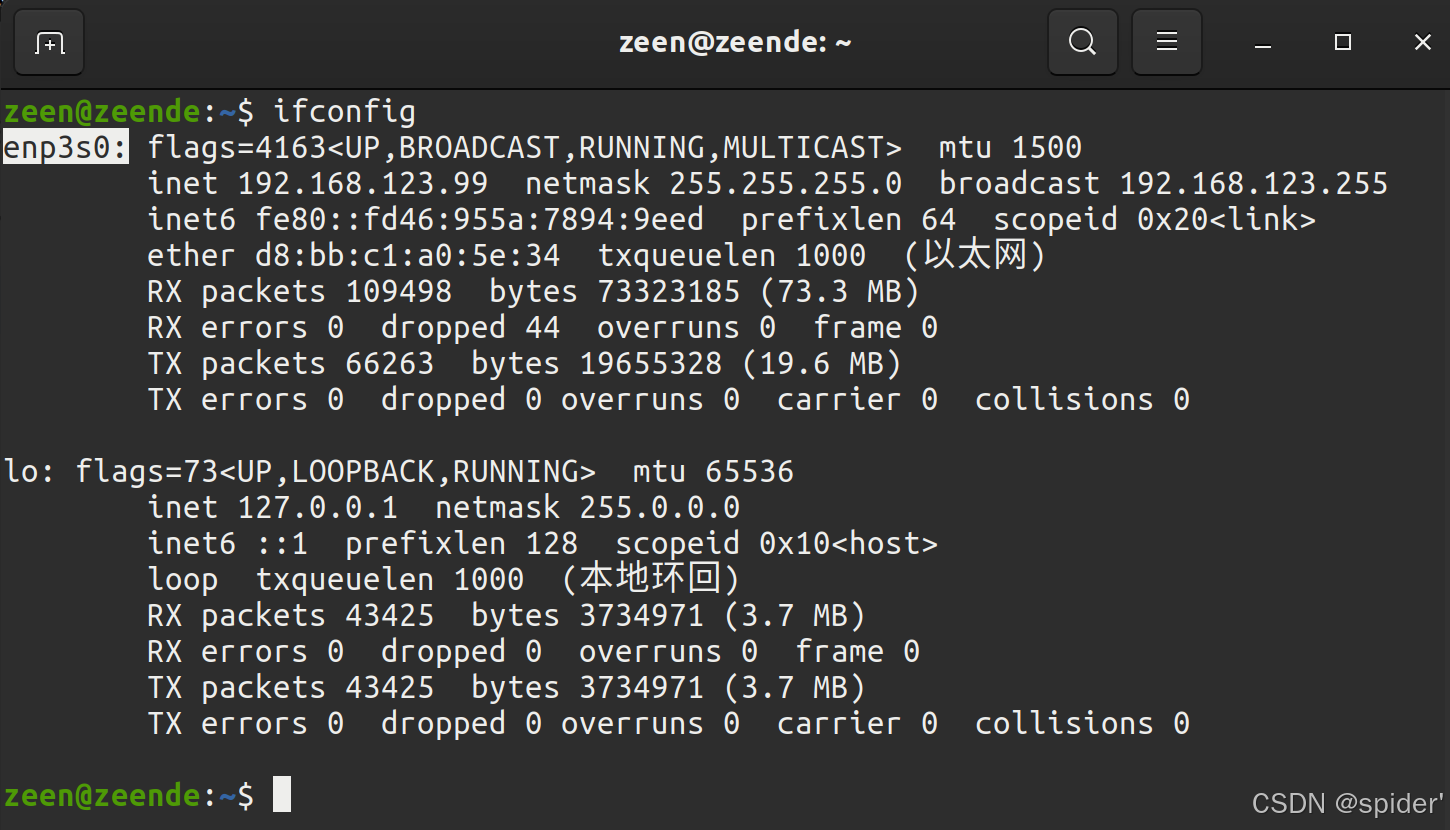
用以太网线连接Unitree机器人和电脑。然后,用ifconfig查看机器人连接的网络接口。例如,下图中的"enp3s0"。
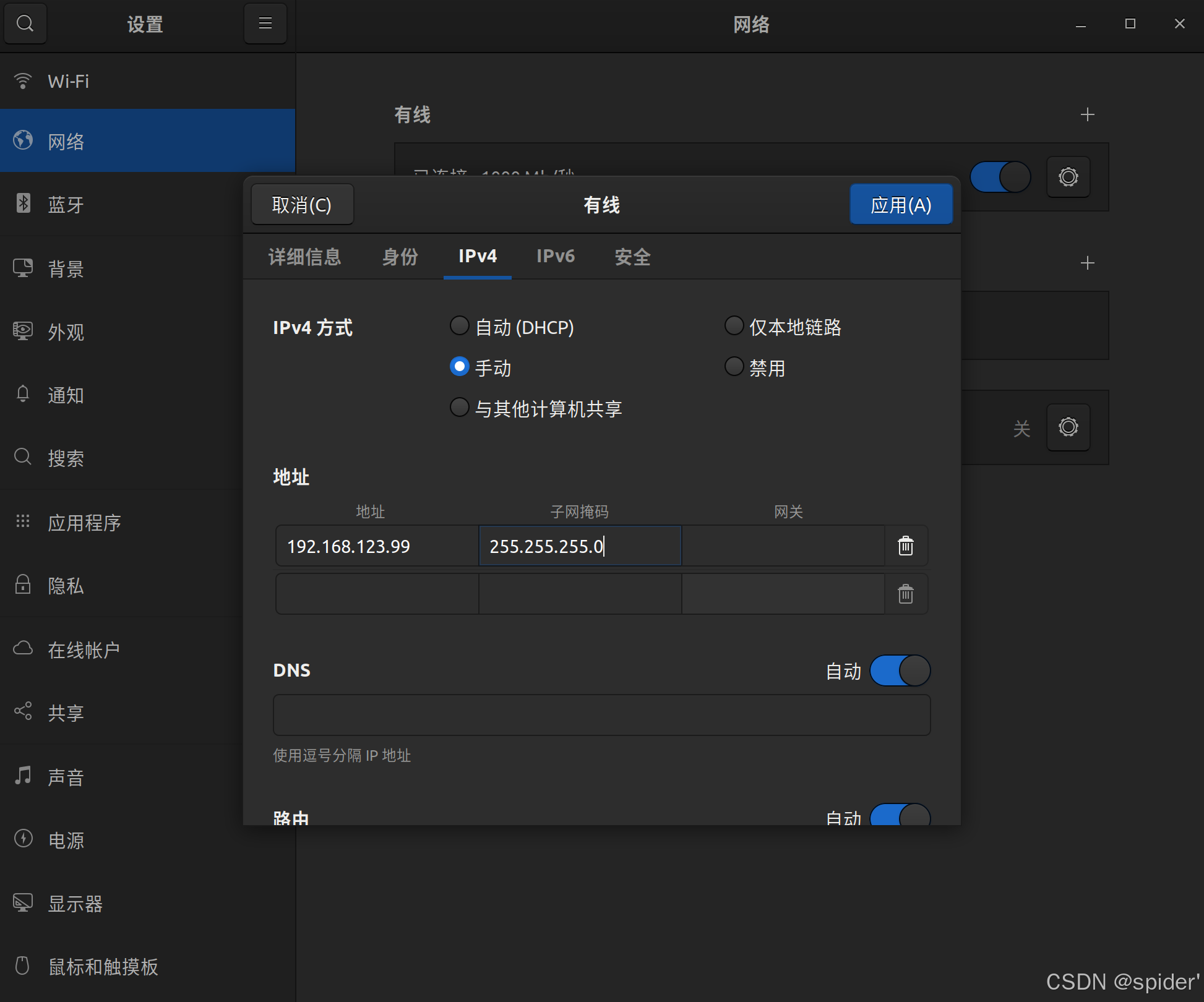
接着,打开网络设置,找到机器人连接的网络接口。在IPv4设置中,将IPv4模式改为手动,地址设置为192.168.123.99,掩码设置为255.255.255.0。完成后,点击应用,等待网络重新连接。
打开 setup.sh 文件。
sudo gedit ~/unitree_ros2/setup.shbash的内容如下:
#!/bin/bash
echo "Setup unitree ros2 environment"
source /opt/ros/foxy/setup.bash #将 foxy 修改为 humble
source $HOME/unitree_ros2/cyclonedds_ws/install/setup.bash
export RMW_IMPLEMENTATION=rmw_cyclonedds_cpp
export CYCLONEDDS_URI='<CycloneDDS><Domain><General><Interfaces>
                            <NetworkInterface name="enp3s0" priority="default" multicast="default" />
                        </Interfaces></General></Domain></CycloneDDS>'
将 foxy 修改为 humble,并且 enp3s0 为 Go2 所连接的网卡名称,根据实际情况修改为对应的网卡名称。
在终端中执行:
source ~/unitree_ros2/setup.sh
(ctrl+h可以显示隐藏文件)
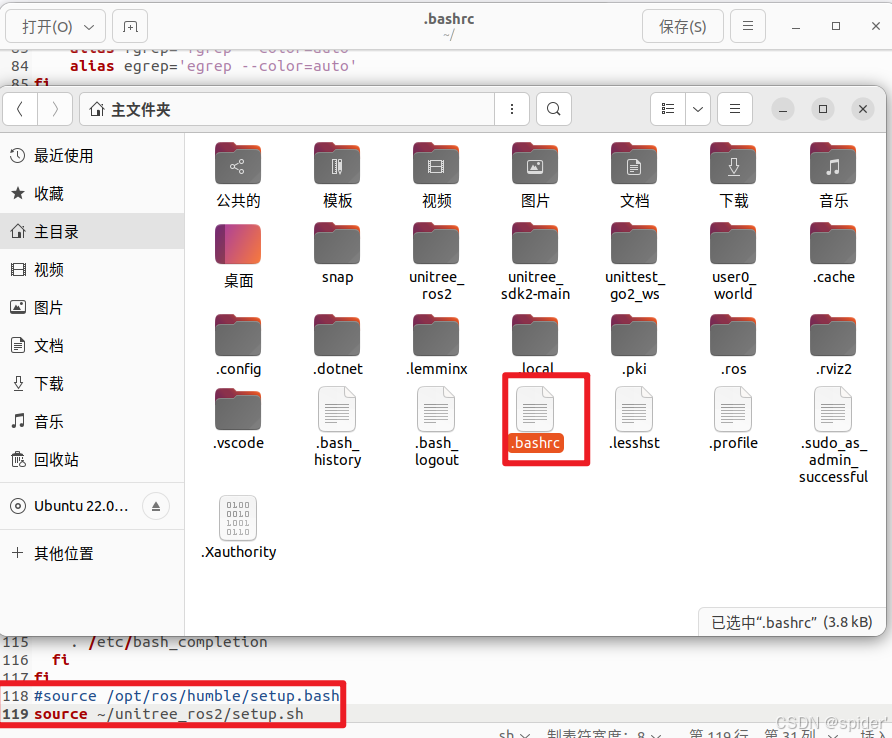
如果你不想每次新终端打开都找bash脚本,可以把bash脚本的内容写入~/.bashrc,但当系统中存在多个ROS环境时,需要注意。
如果你的电脑没有连接到机器人,但你仍想用Unitree ROS2进行模拟和其他功能,可以用本地的回环"lo"作为网络接口。
source ~/unitree_ros2/setup_local.sh # use "lo" as the network interface或
source ~/unitree_ros2/setup_default.sh # No network network interface specified2. 连接并测试
完成上述配置后,建议在进行测试前重启电脑。
确保机器人网络正确连接,打开终端并输入:
ros2 topic list您可以看到以下主题:
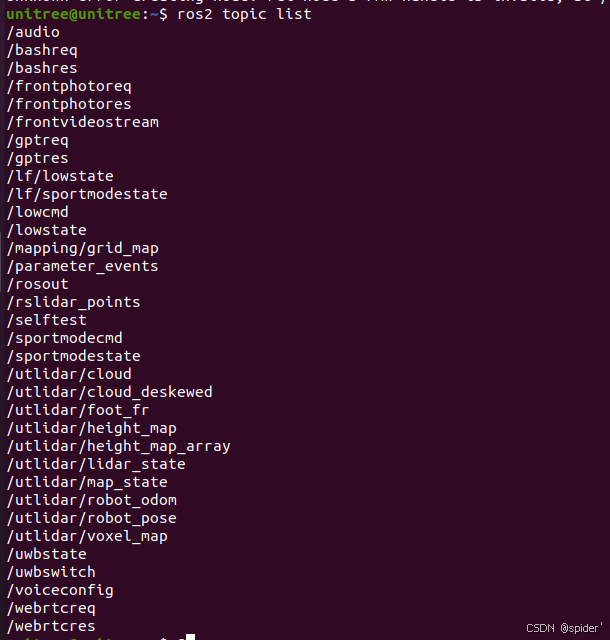
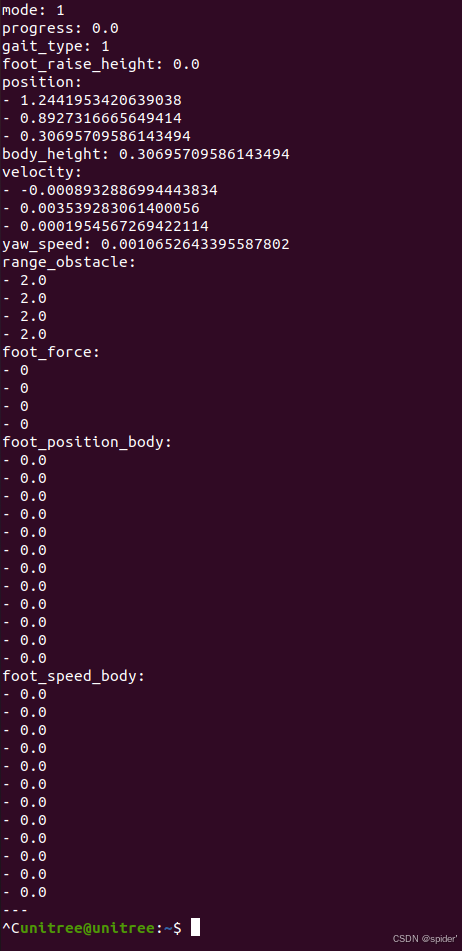
输入ros2主题echo /sportmodestate,你可以在下图中看到该主题的数据:
3. 示例
示例的源代码位于 。 /example/src/src
-
通用:所有机器人的通用功能。
-
g1/低级/g1_low_level_example:G1的低级控制
-
h1-2/低级/low_level_ctrl_hg:H1-2的低级控制
-
low_level_ctrl:Go2/B2的低级控制
-
read_low_state:读Go2/B2的低状态
-
read_low_state_hg:从G1/H1/H1-2读低状态
-
read_motion_state:读取Go2/B2的运动模式状态
-
read_ wireless_controller:读取无线控制器的状态,从G1/Go2/B2
-
record_bag:Ros 包录音示例。
-
go2/go2_sport_client:Go2的高水平控制。
-
go2/go2_stand_example:Go2的榜样。
-
go2/go2_robot_state_client:Go2 机器人状态示例。
打开终端并输入:cd ~/unitree_ros2/example
colcon build
编译完成后,在终端中运行:
./install/unitree_ros2_example/bin/read_motion_state你可以看到终端输出的机器人状态信息:
[INFO] [1697525196.266174885] [motion_state_suber]: Position -- x: 0.567083; y: 0.213920; z: 0.052338; body height: 0.320000
[INFO] [1697525196.266230044] [motion_state_suber]: Velocity -- vx: -0.008966; vy: -0.001431; vz: -0.019455; yaw: -0.002131
[INFO] [1697525196.266282725] [motion_state_suber]: Foot position and velcity relative to body -- num: 0; x: 0.204149; y: -0.145194; z: -0.067804, vx: 0.002683; vy: 0.003745; vz: -0.010052
[INFO] [1697525196.266339057] [motion_state_suber]: Foot position and velcity relative to body -- num: 1; x: 0.204200; y: 0.145049; z: -0.068205, vx: -0.001954; vy: -0.003442; vz: -0.004828
[INFO] [1697525196.266392028] [motion_state_suber]: Foot position and velcity relative to body -- num: 2; x: -0.183385; y: -0.159294; z: -0.039468, vx: -0.000739; vy: -0.002028; vz: -0.004532
[INFO] [1697525196.266442766] [motion_state_suber]: Foot position and velcity relative to body -- num: 3; x: -0.182412; y: 0.159754; z: -0.039045, vx: -0.002803; vy: -0.001381; vz: -0.004794
[INFO] [1697525196.316189064] [motion_state_suber]: Gait state -- gait type: 1; raise height: 0.090000
Rviz
我们也可以用rviz来可视化Unitree机器人数据。以下是机器人激光雷达数据可视化的一个示例:
首先,列出所有主题:
ros2 topic list我们可以找到关于lida的话题:
utlidar/cloud然后,回声frame_id激光雷达:
ros2 topic echo --no-arr /utlidar/cloud其中frame_id:utlidar_lidar
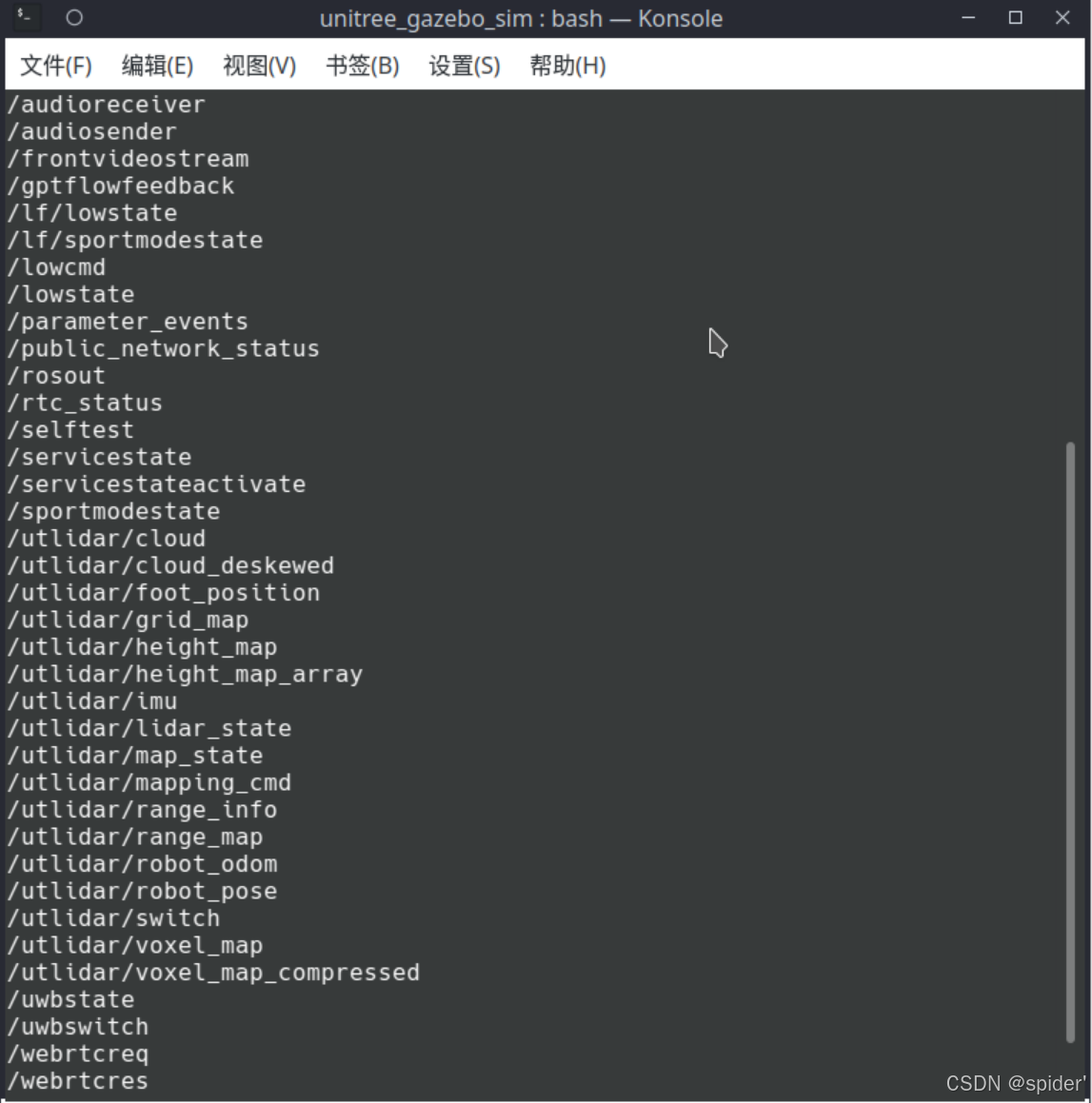
最后,运行rviz:
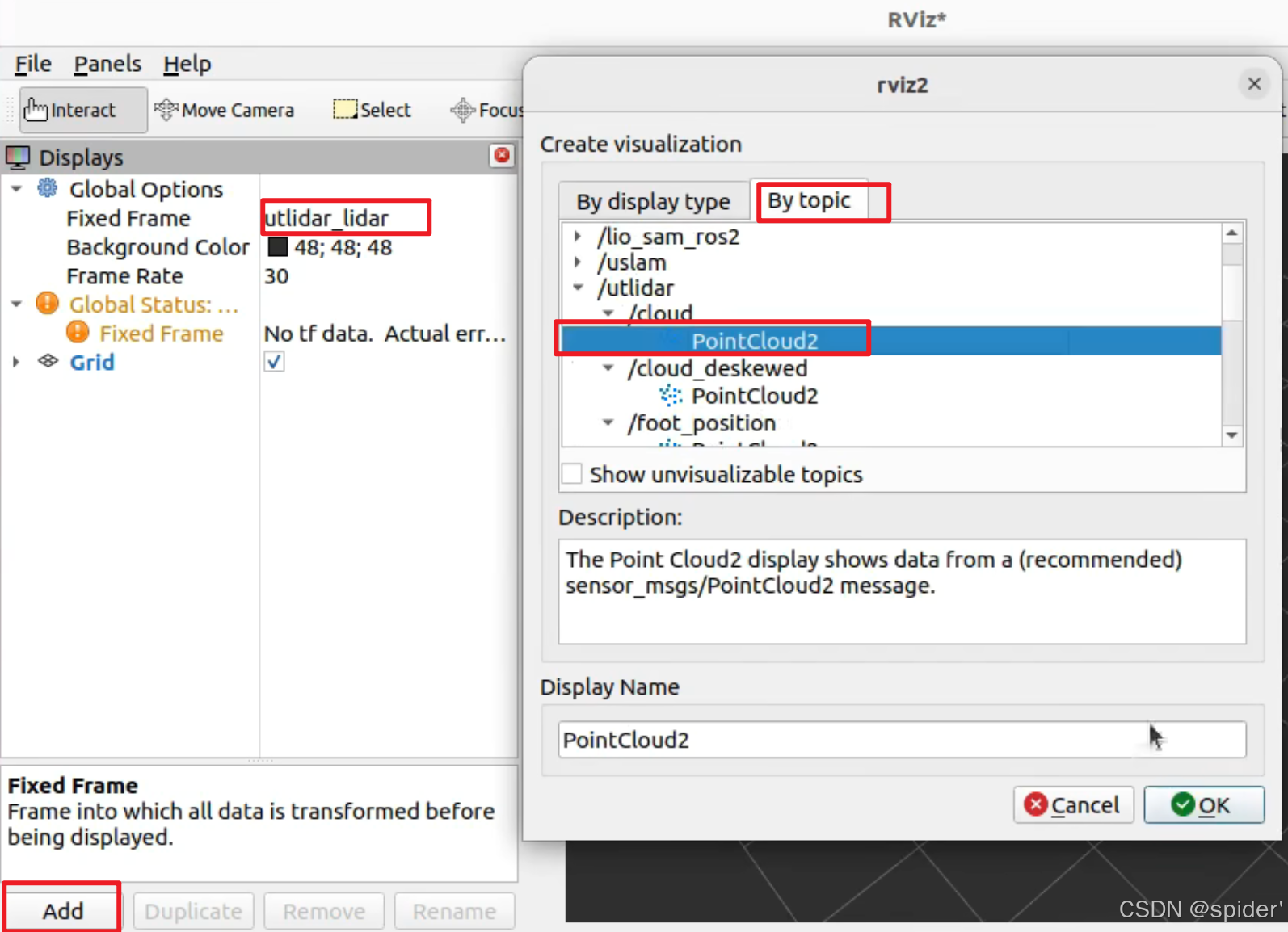
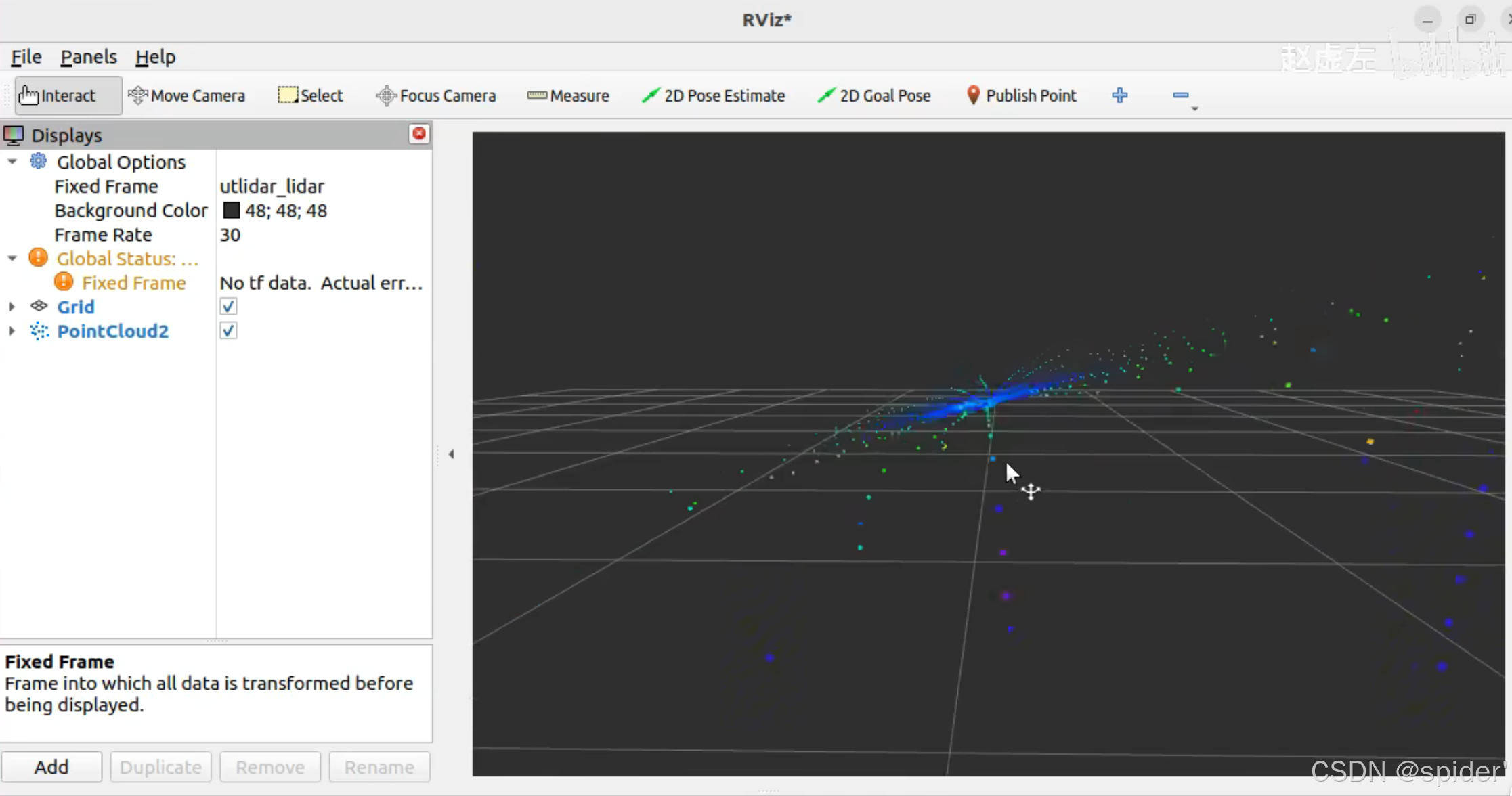
ros2 run rviz2 rviz2添加点云主题:rviz2中的utlidar/云,并将固定帧修改为utlidar_lidar。然后,激光雷达数据会在rviz2中显示。