uni-app Hello World 完整教程(从软件安装开始)
uni-app 官方推荐使用 HBuilderX IDE 开发,内置环境、开箱即用,无需手动配置 Node.js(App 开发版),适合零基础快速上手。以下从安装到运行 Hello World 全流程讲解。
一、安装开发工具(HBuilderX)
1. 下载 HBuilderX
- 访问官网:https://www.dcloud.io/hbuilderx.html
- 选择 App 开发版(包含 uni-app 全环境,无需额外装插件)
- 对应系统下载:Windows(exe)、macOS(dmg)、Linux(tar.gz)
2. 安装 HBuilderX
- Windows:双击 exe → 选安装路径(建议非系统盘,无中文/特殊字符)→ 勾选桌面快捷方式 → 完成
- macOS:打开 dmg → 拖拽 HBuilderX 到 Applications 文件夹
- Linux:解压 tar.gz → 双击 HBuilderX 启动
- 首次启动:同意用户协议,等待初始化完成即可
3. (可选)安装微信开发者工具(小程序调试必备)
- 下载:https://developers.weixin.qq.com/miniprogram/dev/devtools/download.html
- 安装后打开 → 微信扫码登录 → 开启服务端口(设置 → 安全设置 → 服务端口)
- HBuilderX 配置:工具 → 设置 → 运行配置 → 填写微信开发者工具安装路径
二、创建第一个 uni-app 项目
-
打开 HBuilderX → 顶部菜单 文件 → 新建 → 项目(快捷键 Ctrl/Cmd+N)
-
弹出窗口配置:
- 项目类型:uni-app
- 项目名称:
HelloUniApp(英文,无中文/空格) - 模板:选 默认模板 (最简)或 Hello uni-app(官方示例)
- Vue 版本:选 Vue3(最新主流)
- 项目路径:选本地空文件夹(无中文)
- 点击 创建
-
等待项目创建完成,左侧出现项目目录,核心结构如下:
HelloUniApp/
├─ pages/ # 页面文件夹(所有页面放这里)
│ └─ index/ # 首页
│ └─ index.vue # 首页文件(核心)
├─ static/ # 静态资源(图片、字体)
├─ App.vue # 应用根组件
├─ main.js # 项目入口
└─ pages.json # 路由/页面配置
三、编写 Hello World 代码
- 展开
pages/index/,双击打开 index.vue(首页文件) - 删除默认代码,替换为最简 Hello World 代码:
vue
<template>
  <!-- 页面结构(HTML) -->
  <view class="container">
    <text class="title">Hello World!</text>
    <text class="subtitle">我的第一个 uni-app 项目</text>
  </view>
</template>

<script>
// 页面逻辑(JS/Vue3)
export default {
  setup() {
    // 数据/方法写这里
    return {}
  }
}
</script>

<style scoped>
/* 页面样式(CSS) */
.container {
  display: flex;
  flex-direction: column;
  align-items: center;
  justify-content: center;
  height: 100vh; /* 满屏高度 */
  background-color: #f5f5f5;
}
.title {
  font-size: 36px;
  color: #2c3e50;
  margin-bottom: 20px;
}
.subtitle {
  font-size: 18px;
  color: #7f8c8d;
}
</style>- 按 Ctrl/Cmd+S 保存文件
四、运行项目(多端测试)
方式1:运行到浏览器(H5,最快)
- 选中左侧项目(HelloUniApp)
- 顶部菜单 运行 → 运行到浏览器 → 选择 Chrome/Edge
- 等待编译完成,自动打开浏览器,显示 Hello World 页面
方式2:运行到微信小程序
- 确保微信开发者工具已开启服务端口
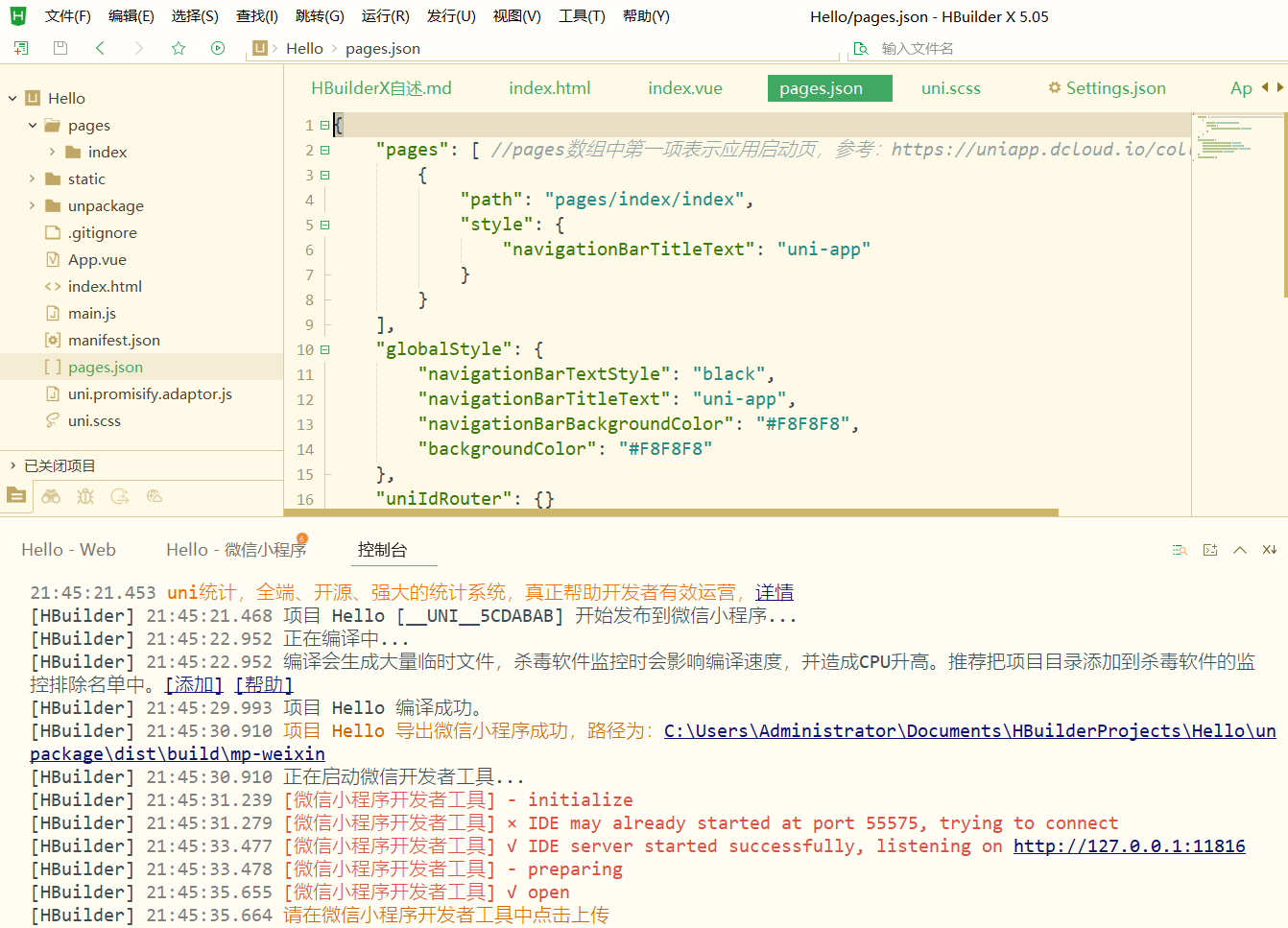
- HBuilderX:运行 → 运行到小程序模拟器 → 微信开发者工具
- 自动打开微信开发者工具,加载项目,显示 Hello World
方式3:运行到手机 App(真机/模拟器)
- 真机:手机开启 USB 调试 → 数据线连接电脑 → 运行 → 运行到 Android/iOS App
- 模拟器:安装夜神/雷电模拟器 → 配置 HBuilderX 模拟器路径 → 运行到 App 模拟器
五、常见问题
- 运行提示缺插件:按提示点击安装,等待自动下载完成
- 微信小程序无法打开:检查开发者工具服务端口是否开启、路径是否配置正确
- 页面不显示:确保 index.vue 代码无语法错误、已保存(Ctrl/Cmd+S)
- 路径报错:项目路径不能有中文、空格、特殊字符
完成以上步骤,你已成功搭建 uni-app 环境并运行第一个 Hello World 项目!uni-app 支持一套代码编译到 H5、小程序、App、快应用等多端,后续可学习页面路由、组件、API 等进阶内容。
需要我帮你整理 uni-app 常用基础组件与 API 速查表 ,方便你后续学习吗?
2、基于uniapp,开发一个贪吃蛇小游戏,给出index.vue完整代码
基于 uniapp 开发的贪吃蛇小游戏(完整 index.vue 代码)
这是一个纯原生 uniapp 实现、可直接运行在微信小程序/App/H5 端的贪吃蛇小游戏,包含完整功能:开始游戏、方向控制、吃食物、碰撞检测、计分、游戏结束重启。
代码无任何第三方依赖,直接复制到 pages/index/index.vue 即可使用。
完整代码
html
<template>
  <view class="game-container">
    <!-- 分数展示 -->
    <view class="score">
      分数:{{ score }} | 最高分数:{{ maxScore }}
    </view>

    <!-- 游戏画布 -->
    <canvas
      canvas-id="gameCanvas"
      class="game-canvas"
      @touchstart="handleTouchStart"
      @touchend="handleTouchEnd"
    ></canvas>

    <!-- 游戏控制/状态提示 -->
    <view class="game-info">
      <view v-if="!isGameStart" class="start-btn" @click="startGame">
        点击开始游戏
      </view>
      <view v-else-if="isGameOver" class="game-over">
        游戏结束!
        <view class="restart-btn" @click="restartGame">重新开始</view>
      </view>
    </view>
  </view>
</template>

<script>
export default {
  data() {
    return {
      // 画布配置
      canvasWidth: 300, // 画布宽度
      canvasHeight: 300, // 画布高度
      gridSize: 15, // 每个格子大小
      gridCount: 20, // 格子数量(20*20网格)

      // 蛇配置
      snake: [], // 蛇身体数组 [{x,y}]
      snakeSpeed: 150, // 移动速度(毫秒)
      direction: 'right', // 默认方向
      nextDirection: 'right', // 下一个方向(防止反向)

      // 食物配置
      food: {}, // 食物坐标

      // 游戏状态
      isGameStart: false, // 是否开始游戏
      isGameOver: false, // 是否游戏结束
      score: 0, // 当前分数
      maxScore: 0, // 最高分数
      gameTimer: null, // 游戏定时器

      // 触摸滑动记录
      touchStartX: 0,
      touchStartY: 0
    }
  },
  onReady() {
    // 页面渲染完成初始化画布
    this.initCanvas();
    // 读取本地最高分数
    this.maxScore = uni.getStorageSync('maxScore') || 0;
  },
  onUnload() {
    // 页面销毁清除定时器
    clearInterval(this.gameTimer);
  },
  methods: {
    // 初始化画布
    initCanvas() {
      this.ctx = uni.createCanvasContext('gameCanvas');
      // 绘制初始空白画布
      this.drawCanvas();
    },

    // 开始游戏
    startGame() {
      // 重置游戏状态
      this.resetGame();
      this.isGameStart = true;
      this.isGameOver = false;

      // 生成蛇和食物
      this.createSnake();
      this.createFood();
      this.drawCanvas();

      // 启动游戏定时器
      this.gameTimer = setInterval(() => {
        this.moveSnake();
      }, this.snakeSpeed);
    },

    // 重置游戏数据
    resetGame() {
      this.snake = [];
      this.direction = 'right';
      this.nextDirection = 'right';
      this.score = 0;
      clearInterval(this.gameTimer);
    },

    // 重新开始游戏
    restartGame() {
      this.resetGame();
      this.startGame();
    },

    // 初始化蛇(默认长度3)
    createSnake() {
      this.snake = [
        { x: 10, y: 10 }, // 蛇头
        { x: 9, y: 10 },
        { x: 8, y: 10 }
      ];
    },

    // 生成食物(随机位置,不与蛇身体重叠)
    createFood() {
      let x = Math.floor(Math.random() * this.gridCount);
      let y = Math.floor(Math.random() * this.gridCount);

      // 判断食物是否在蛇身体上,是则重新生成
      const isOnSnake = this.snake.some(item => item.x === x && item.y === y);
      if (isOnSnake) {
        this.createFood();
        return;
      }

      this.food = { x, y };
    },

    // 蛇移动逻辑
    moveSnake() {
      // 更新方向
      this.direction = this.nextDirection;

      // 获取蛇头
      let head = { ...this.snake[0] };

      // 根据方向移动蛇头
      switch (this.direction) {
        case 'up':
          head.y--;
          break;
        case 'down':
          head.y++;
          break;
        case 'left':
          head.x--;
          break;
        case 'right':
          head.x++;
          break;
      }

      // 碰撞检测:撞墙/撞自己 → 游戏结束
      if (this.checkCollision(head)) {
        this.gameOver();
        return;
      }

      // 将新蛇头加入身体
      this.snake.unshift(head);

      // 判断是否吃到食物
      if (head.x === this.food.x && head.y === this.food.y) {
        this.score += 10; // 加分
        this.createFood(); // 重新生成食物
      } else {
        this.snake.pop(); // 没吃到食物,删除尾部
      }

      // 重新绘制画布
      this.drawCanvas();
    },

    // 碰撞检测
    checkCollision(head) {
      // 撞墙
      if (
        head.x < 0 ||
        head.x >= this.gridCount ||
        head.y < 0 ||
        head.y >= this.gridCount
      ) {
        return true;
      }

      // 撞自己身体
      return this.snake.some(item => item.x === head.x && item.y === head.y);
    },

    // 游戏结束
    gameOver() {
      this.isGameOver = true;
      this.isGameStart = false;
      clearInterval(this.gameTimer);

      // 更新最高分数
      if (this.score > this.maxScore) {
        this.maxScore = this.score;
        uni.setStorageSync('maxScore', this.maxScore);
      }
    },

    // 绘制游戏画布
    drawCanvas() {
      // 清空画布
      this.ctx.clearRect(0, 0, this.canvasWidth, this.canvasHeight);

      // 绘制背景
      this.ctx.fillStyle = '#f5f5f5';
      this.ctx.fillRect(0, 0, this.canvasWidth, this.canvasHeight);

      // 绘制蛇
      this.ctx.fillStyle = '#4cd964';
      this.snake.forEach(item => {
        this.ctx.fillRect(
          item.x * this.gridSize,
          item.y * this.gridSize,
          this.gridSize - 1, // 留1px间隙
          this.gridSize - 1
        );
      });

      // 绘制蛇头(不同颜色)
      this.ctx.fillStyle = '#008000';
      this.ctx.fillRect(
        this.snake[0].x * this.gridSize,
        this.snake[0].y * this.gridSize,
        this.gridSize - 1,
        this.gridSize - 1
      );

      // 绘制食物
      this.ctx.fillStyle = '#ff3b30';
      this.ctx.fillRect(
        this.food.x * this.gridSize,
        this.food.y * this.gridSize,
        this.gridSize - 1,
        this.gridSize - 1
      );

      // 渲染画布
      this.ctx.draw();
    },

    // 触摸开始(记录起始坐标)
    handleTouchStart(e) {
      this.touchStartX = e.changedTouches[0].pageX;
      this.touchStartY = e.changedTouches[0].pageY;
    },

    // 触摸结束(判断滑动方向)
    handleTouchEnd(e) {
      if (!this.isGameStart || this.isGameOver) return;

      const endX = e.changedTouches[0].pageX;
      const endY = e.changedTouches[0].pageY;

      const disX = endX - this.touchStartX;
      const disY = endY - this.touchStartY;

      // 判断滑动方向(取绝对值大的轴)
      if (Math.abs(disX) > Math.abs(disY)) {
        // 左右滑动
        if (disX > 0 && this.direction !== 'left') {
          this.nextDirection = 'right';
        } else if (disX < 0 && this.direction !== 'right') {
          this.nextDirection = 'left';
        }
      } else {
        // 上下滑动
        if (disY > 0 && this.direction !== 'up') {
          this.nextDirection = 'down';
        } else if (disY < 0 && this.direction !== 'down') {
          this.nextDirection = 'up';
        }
      }
    }
  }
};
</script>

<style scoped>
.game-container {
  display: flex;
  flex-direction: column;
  align-items: center;
  padding: 20rpx;
  box-sizing: border-box;
}

.score {
  font-size: 32rpx;
  font-weight: bold;
  color: #333;
  margin-bottom: 20rpx;
}

.game-canvas {
  width: 300px;
  height: 300px;
  border: 3rpx solid #333;
  background-color: #f5f5f5;
}

.game-info {
  margin-top: 30rpx;
  text-align: center;
}

.start-btn, .restart-btn {
  width: 200rpx;
  height: 80rpx;
  line-height: 80rpx;
  background-color: #4cd964;
  color: #fff;
  border-radius: 10rpx;
  font-size: 30rpx;
  font-weight: bold;
}

.game-over {
  font-size: 36rpx;
  font-weight: bold;
  color: #ff3b30;
  margin-bottom: 20rpx;
}
</style>
核心功能说明
- 跨端兼容:基于 uniapp 标准 canvas 实现,支持 H5、微信小程序、App、支付宝小程序等全端运行
- 操作方式 :屏幕滑动控制方向(上/下/左/右),禁止反向移动
- 游戏规则 :
- 吃到红色食物 +10 分,蛇身体变长
- 撞墙/撞到自己身体 → 游戏结束
- 自动记录本地最高分数
- 视觉效果:蛇头绿色加深、身体浅绿色、食物红色,格子带间隙,视觉更清晰
使用方法
- 新建 uniapp 项目,找到
pages/index/index.vue - 全选替换为上面的完整代码
- 直接运行即可:H5 浏览器、微信小程序开发者工具、真机调试都支持
可自定义修改项
- 画布大小:修改
canvasWidth/canvasHeight - 游戏难度:修改
snakeSpeed(数值越小速度越快) - 网格大小:修改
gridSize/gridCount - 颜色样式:在
drawCanvas方法中修改fillStyle颜色值 - 分数规则:修改吃到食物后的加分数值
总结
- 这是开箱即用的 uniapp 贪吃蛇完整代码,无需额外配置
- 基于 canvas 绘制,滑动控制方向,包含完整游戏逻辑与计分系统
- 全端兼容,可直接打包发布为小程序/App/H5 版本