langchain通用提示词模版
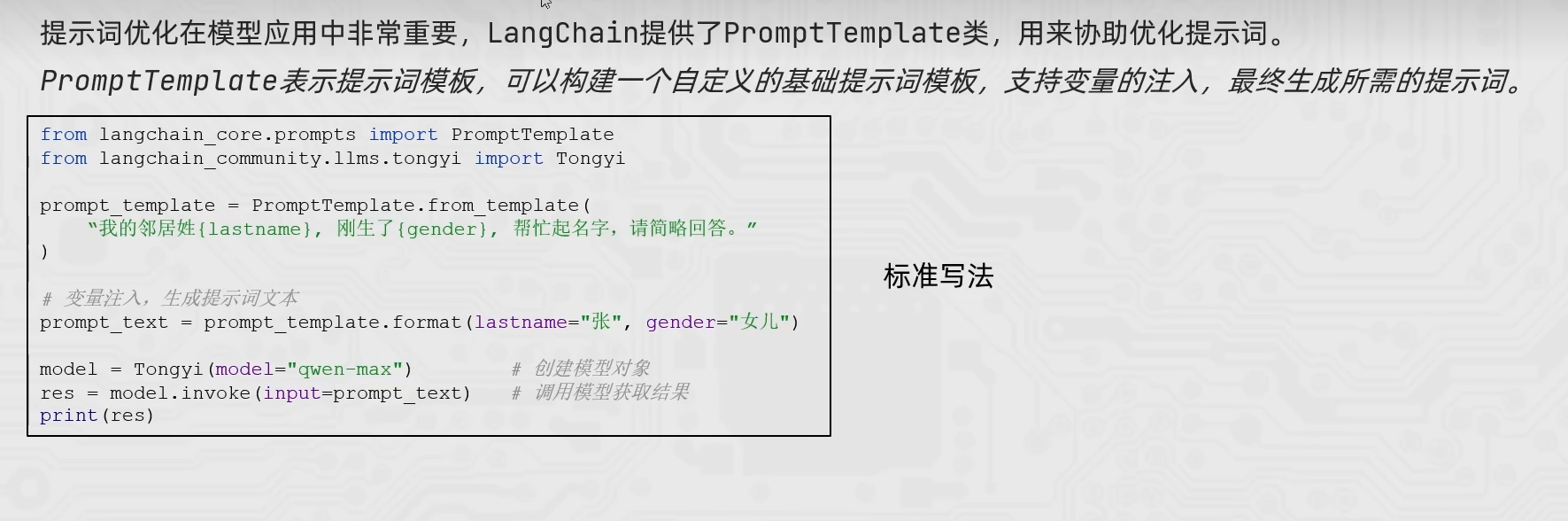
from langchain_community.llms.tongyi import Tongyi

from langchain_core.prompts import PromptTemplate

prompt_template = PromptTemplate.from_template(
    "我的邻居姓{lastname},刚生了{gender},你帮我起个名字,简单回答。"
)
model = Tongyi(model="qwen-max")

chain = prompt_template | model

res = chain.invoke(input={"lastname":"张","gender":"女儿"})
print(res)
FewShot提示词模版
from langchain_core.prompts import PromptTemplate,FewShotPromptTemplate
from langchain_community.llms.tongyi import Tongyi
#示例的模版
example_template = PromptTemplate.from_template("单词:{word},反义词:{antonym}")

examples_data = [
    {"word":"大","antonym":"小"},
    {"word":"上","antonym":"下"},
]

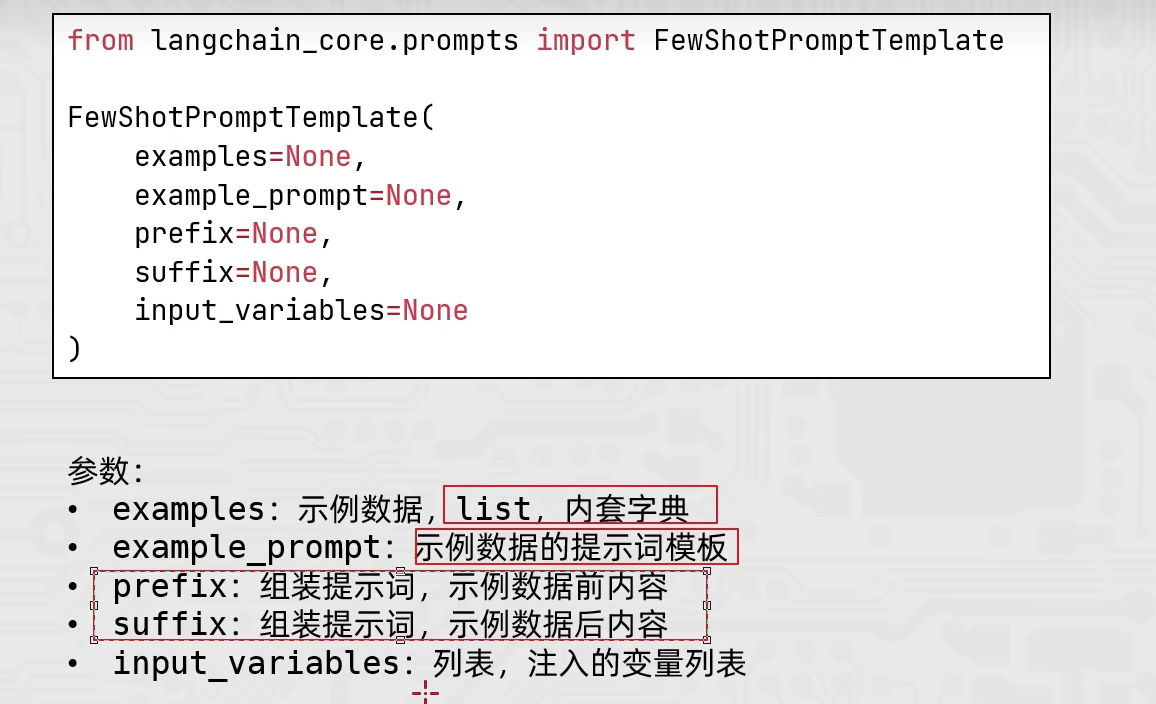
few_shot_template = FewShotPromptTemplate(
    example_prompt=example_template, #示例数据的模版
    examples=examples_data,          #示例的数据(用来注入动态数据的),list内套字典
    prefix="告知我单词的反义词,我提供如下的示例:",   #示例之前的提示词
    suffix="基于前面的示例告知我,{input_word}的反义词是?" ,   #示例之后的提示词
    input_variables=['input_word']                       #声明在前缀或后缀中所需要注入的变量名
)
prompt_text = few_shot_template.invoke(input={"input_word":"左"}).to_string()
print(prompt_text)

model = Tongyi(model="qwen-max")

print(model.invoke(input=prompt_text))
from langchain_core.prompts import PromptTemplate
from langchain_core.prompts import FewShotPromptTemplate
from langchain_core.prompts import ChatPromptTemplate

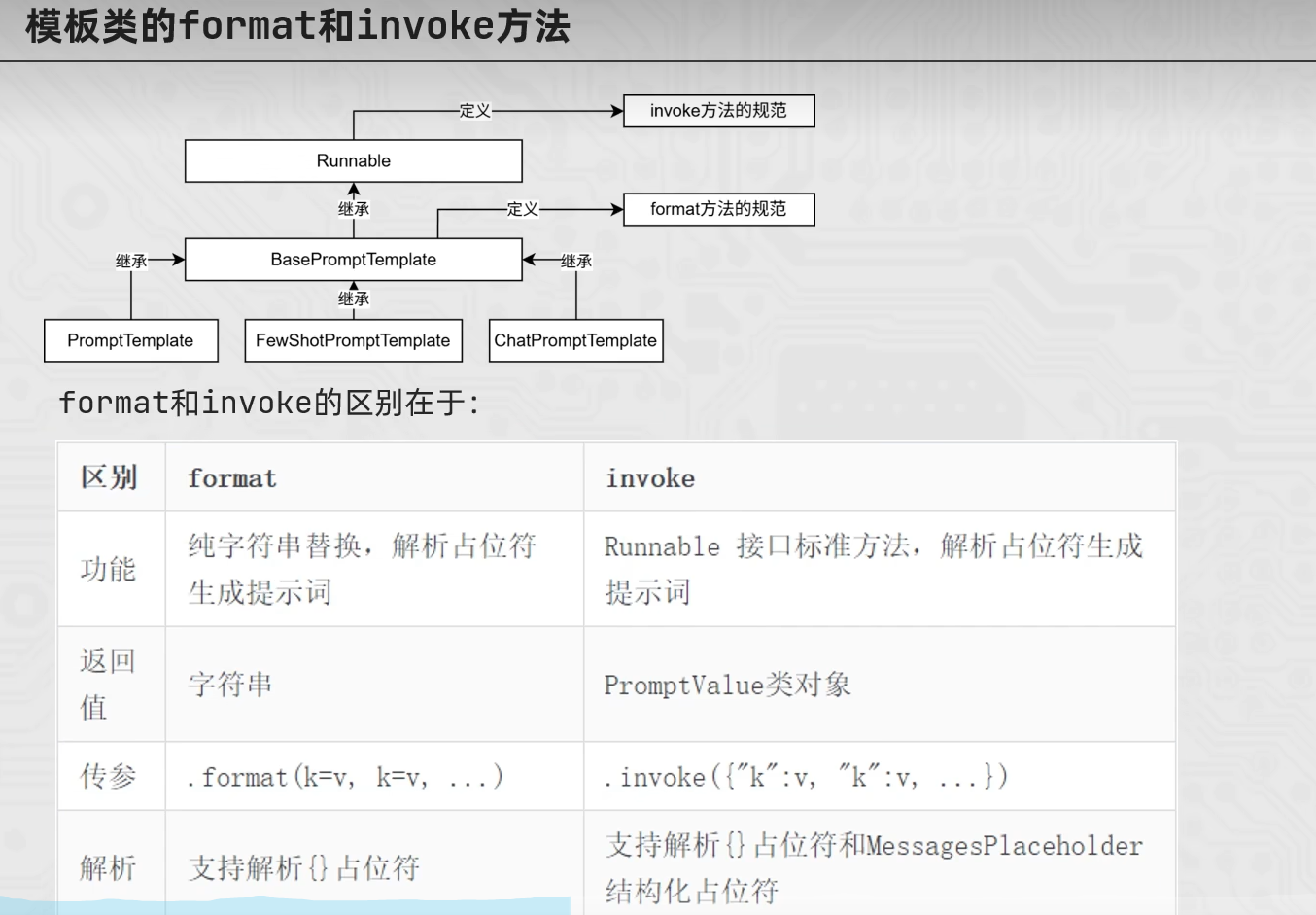
template = PromptTemplate.from_template("我的邻居是:{lastname},最喜欢:{hobby}")

res = template.format(lastname="张大明",hobby="钓鱼")
print(res,type(res))

res2 = template.invoke({"lastname":"周杰伦","hobby":"唱歌"})

print(res2,type(res2))
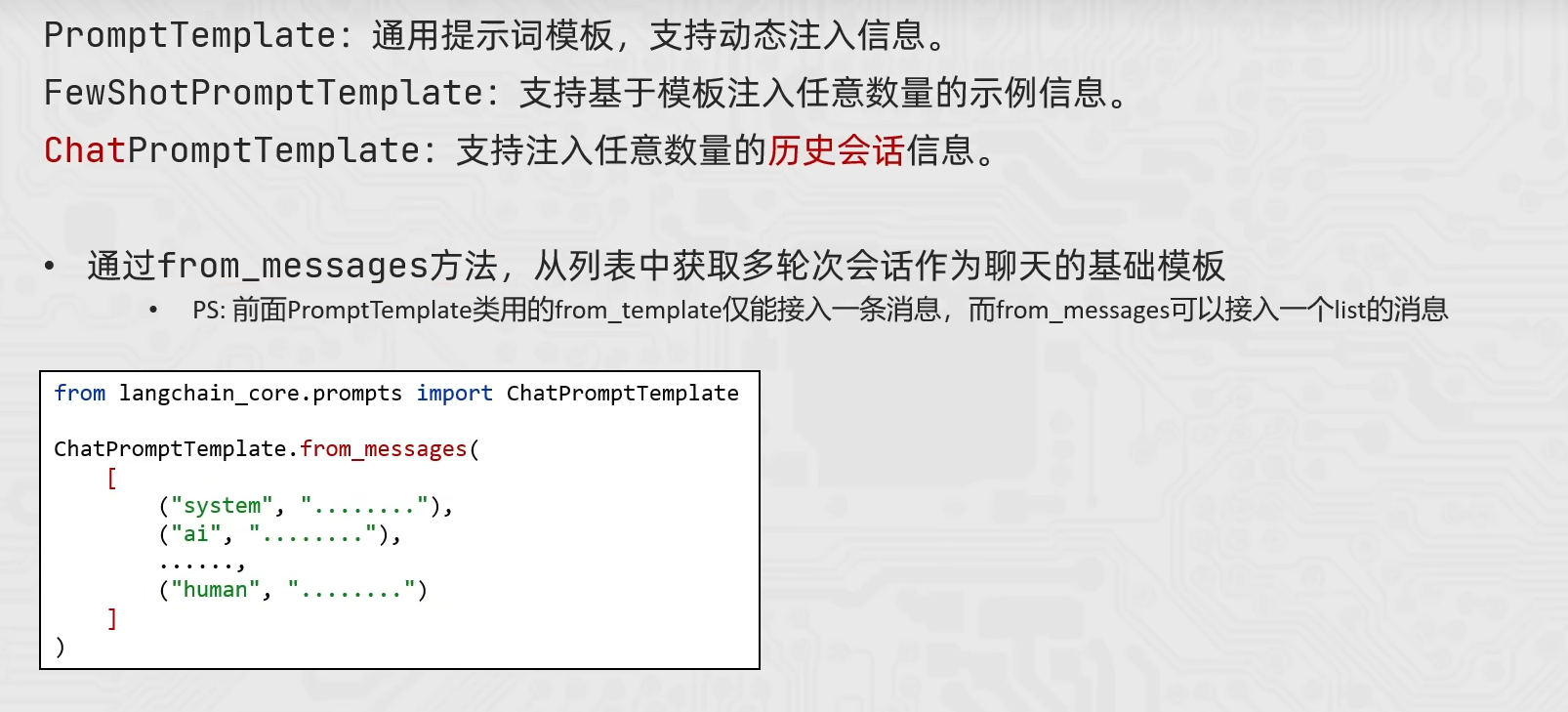
ChatPromptTemplate
from langchain_core.prompts import ChatPromptTemplate,MessagesPlaceholder
from langchain_community.chat_models.tongyi import ChatTongyi

chat_prompt_template = ChatPromptTemplate.from_messages(
    [
        ("system","你是一个边塞诗人,可以作诗。"),
        MessagesPlaceholder("history"),
        ("human","请再来一首诗"),
    ]
)
history_data = [
    ("human","你来写一个唐诗"),
    ("ai","床前明月光,疑是地上霜,举头望明月,低头思故乡"),
    ("human","好诗再来一个"),
    ("ai","锄禾日当午,汗滴禾下土,谁知盘中餐,粒粒皆辛苦")
]

prompt_text = chat_prompt_template.invoke({"history":history_data}).to_string()

model = ChatTongyi(model="qwen3-max")

res = model.invoke(prompt_text)

print(res.content,type(res))