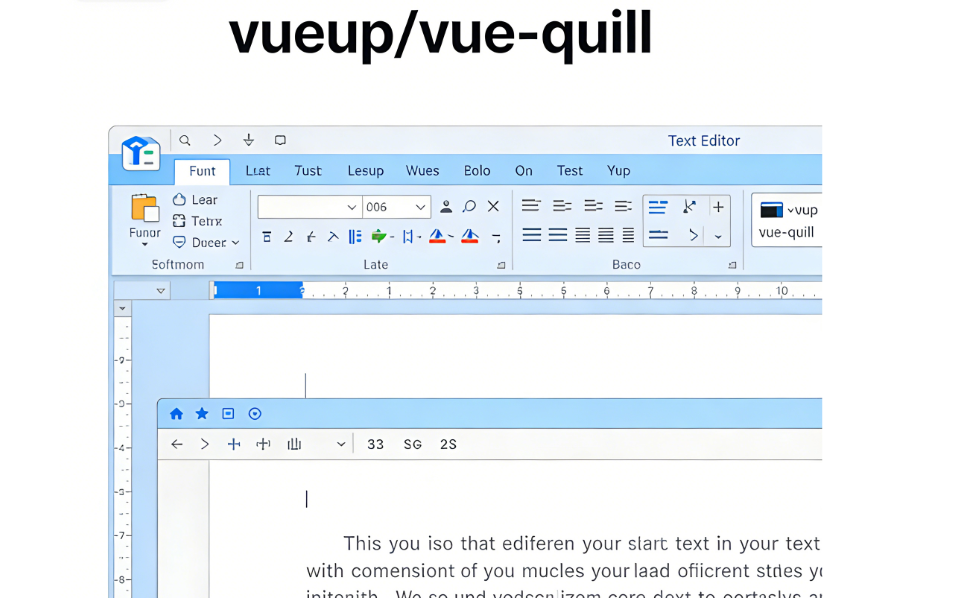
vueup/vue-quill 是专为 Vue 3 打造的 Quill 富文本编辑器官方封装组件,完美适配 Vue 3 响应式与 Composition API,是 Vue 3 生态中主流、轻量、可高度定制的富文本编辑方案。
一、核心作用
- 富文本编辑能力 :提供完整富文本编辑功能,支持加粗、斜体、下划线、字体、字号、颜色、对齐、列表、引用、代码块、表格、图片、链接等常用格式。
- Vue 3 原生适配 :支持 v-model 双向绑定、Composition API、TypeScript,无缝融入 Vue 3 开发流程。
- 多格式输出 :支持 HTML、Delta(Quill 原生格式)、纯文本 三种内容类型,适配存储、渲染、历史记录等不同场景。
- 高度可定制 :可自定义工具栏、主题、模块、样式,按需裁剪功能,控制打包体积。
- 事件与扩展 :提供
ready、update:content、focus、blur等事件,支持 Quill 生态第三方模块(如 emoji、@提及、图片上传)。
二、核心特性
| 特性 | 说明 |
|---|---|
| Vue 3 专属 | 基于 Vue 3 响应式系统,支持 Composition API,无 Vue 2 兼容负担 |
| 轻量高效 | 仅封装 Quill 核心,按需加载模块,打包体积小 |
| 双向绑定 | v-model:content 直接绑定,同步编辑器内容 |
| 双主题 | 内置 snow(经典工具栏)、bubble(气泡悬浮工具栏) |
| 模块化 | 支持 Quill 所有模块,可自定义工具栏与功能 |
| TypeScript | 完整类型定义,大型项目开发更安全 |
| 事件丰富 | 覆盖初始化、内容变更、焦点、失焦等全生命周期 |
三、快速使用(Vue 3)
1. 安装依赖
bash
# npm
npm install @vueup/vue-quill@latest quill --save

# yarn
yarn add @vueup/vue-quill@latest quill

# pnpm
pnpm add @vueup/vue-quill@latest quill
2. 全局注册(main.ts/main.js)
typescript
import { createApp } from 'vue'
import App from './App.vue'
// 引入编辑器组件与主题样式
import { QuillEditor } from '@vueup/vue-quill'
import '@vueup/vue-quill/dist/vue-quill.snow.css' // snow主题
// import '@vueup/vue-quill/dist/vue-quill.bubble.css' // bubble主题

const app = createApp(App)
// 全局注册组件
app.component('QuillEditor', QuillEditor)
app.mount('#app')
3. 局部注册(组件内直接使用)
vue
<template>
  <div>
    <h3>VueQuill 富文本编辑器</h3>
    <QuillEditor
      v-model:content="editorContent"
      contentType="html"
      theme="snow"
      :options="editorOptions"
      @update:content="handleContentChange"
      @ready="handleEditorReady"
    />
    <div class="preview">
      <h4>预览(HTML):</h4>
      <div v-html="editorContent"></div>
    </div>
  </div>
</template>

<script setup lang="ts">
import { ref, reactive } from 'vue'
// 局部引入组件与样式
import { QuillEditor } from '@vueup/vue-quill'
import '@vueup/vue-quill/dist/vue-quill.snow.css'

// 编辑器内容(双向绑定)
const editorContent = ref('<p>欢迎使用 VueQuill 富文本编辑器!</p>')

// 编辑器配置(自定义工具栏)
const editorOptions = reactive({
  modules: {
    toolbar: [
      ['bold', 'italic', 'underline', 'strike'], // 加粗、斜体、下划线、删除线
      ['blockquote', 'code-block'], // 引用、代码块
      [{ 'header': 1 }, { 'header': 2 }], // 标题
      [{ 'list': 'ordered'}, { 'list': 'bullet' }], // 有序/无序列表
      [{ 'color': [] }, { 'background': [] }], // 字体色、背景色
      [{ 'align': [] }], // 对齐
      ['link', 'image'], // 链接、图片
      ['clean'] // 清除格式
    ]
  },
  placeholder: '请输入内容...'
})

// 内容变更事件
const handleContentChange = (content: string) => {
  console.log('内容更新:', content)
}

// 编辑器初始化完成事件
const handleEditorReady = (quill: any) => {
  console.log('编辑器已就绪,Quill 实例:', quill)
  // 可通过 quill 实例调用 Quill 原生 API
  // quill.focus()
}
</script>

<style scoped>
.ql-editor {
  min-height: 300px;
}
.preview {
  margin-top: 20px;
  padding: 15px;
  border: 1px solid #eee;
  border-radius: 4px;
}
</style>
四、关键配置说明
1. 核心 Props
v-model:content:双向绑定编辑器内容,必填。contentType:内容类型,可选html(默认)、delta、text。theme:主题,可选snow、bubble、''(无主题)。options:Quill 配置对象,用于自定义工具栏、模块、占位符等。toolbar:可直接传入工具栏配置(简化写法)。
2. 常用事件
@update:content:内容变更时触发,返回当前内容。@ready:编辑器初始化完成,返回 Quill 原生实例。@focus:编辑器获得焦点。@blur:编辑器失去焦点。
3. 自定义工具栏示例
typescript
const editorOptions = {
  modules: {
    toolbar: [
      // 分组配置
      [{ 'font': [] }, { 'size': [] }], // 字体、字号
      ['bold', 'italic', 'underline'],
      [{ 'color': [] }, { 'background': [] }],
      [{ 'script': 'sub' }, { 'script': 'super' }], // 下标、上标
      [{ 'header': [1, 2, 3, false] }], // 多级标题
      [{ 'list': 'ordered'}, { 'list': 'bullet' }],
      [{ 'indent': '-1'}, { 'indent': '+1' }], // 缩进
      [{ 'direction': 'rtl' }], // 文字方向
      [{ 'align': [] }],
      ['link', 'image', 'video'], // 链接、图片、视频
      ['clean']
    ]
  },
  placeholder: '开始编辑...'
}
五、扩展功能(第三方模块)
可集成 Quill 生态模块增强功能:
- 图片上传 :
quill-image-uploader - 表情符号 :
quill-emoji - @提及 :
quill-mention - Markdown 快捷输入 :
quill-markdown-shortcuts - 多光标协作 :
quill-cursors
安装后在 options.modules 中注册即可使用。
六、完整 Vue 3 应用示例(单文件组件)
vue
<template>
  <div class="quill-demo">
    <h2>VueQuill 完整示例</h2>
    <QuillEditor
      ref="quillEditorRef"
      v-model:content="content"
      contentType="html"
      theme="snow"
      :options="options"
      class="editor"
    />
    <div class="actions">
      <button @click="clearContent">清空内容</button>
      <button @click="getDelta">获取 Delta 格式</button>
      <button @click="focusEditor">聚焦编辑器</button>
    </div>
    <div class="output">
      <h3>HTML 内容:</h3>
      <pre>{{ content }}</pre>
      <h3>Delta 内容:</h3>
      <pre>{{ deltaContent }}</pre>
    </div>
  </div>
</template>

<script setup lang="ts">
import { ref, onMounted } from 'vue'
import { QuillEditor } from '@vueup/vue-quill'
import '@vueup/vue-quill/dist/vue-quill.snow.css'
import type { Quill } from 'quill'

// 编辑器实例引用
const quillEditorRef = ref<InstanceType<typeof QuillEditor> | null>(null)
// 编辑器内容(HTML)
const content = ref('<h3>Hello VueQuill!</h3><p>这是一个完整的富文本编辑器示例。</p>')
// Delta 格式内容
const deltaContent = ref('')

// 编辑器配置
const options = {
  modules: {
    toolbar: [
      ['bold', 'italic', 'underline', 'strike'],
      ['blockquote', 'code-block'],
      [{ 'header': 1 }, { 'header': 2 }],
      [{ 'list': 'ordered'}, { 'list': 'bullet' }],
      [{ 'color': [] }, { 'background': [] }],
      [{ 'align': [] }],
      ['link', 'image'],
      ['clean']
    ]
  },
  placeholder: '请输入富文本内容...'
}

// 清空内容
const clearContent = () => {
  content.value = ''
}

// 获取 Delta 格式
const getDelta = () => {
  if (quillEditorRef.value) {
    const quill = quillEditorRef.value.getQuill() as Quill
    deltaContent.value = JSON.stringify(quill.getContents(), null, 2)
  }
}

// 聚焦编辑器
const focusEditor = () => {
  if (quillEditorRef.value) {
    quillEditorRef.value.focus()
  }
}

onMounted(() => {
  console.log('组件挂载完成')
})
</script>

<style scoped>
.quill-demo {
  max-width: 900px;
  margin: 20px auto;
  padding: 0 20px;
}
.editor {
  margin: 20px 0;
}
.ql-editor {
  min-height: 350px;
}
.actions {
  margin: 15px 0;
}
.actions button {
  padding: 8px 16px;
  margin-right: 10px;
  cursor: pointer;
  background: #42b983;
  color: white;
  border: none;
  border-radius: 4px;
}
.output {
  margin-top: 20px;
}
pre {
  background: #f5f5f5;
  padding: 15px;
  border-radius: 4px;
  overflow-x: auto;
}
</style>
七、总结
vueup/vue-quill 是 Vue 3 项目中实现富文本编辑的最优解之一,它轻量、易用、高度可定制,完美适配 Vue 3 生态。通过简单的安装与配置,即可快速集成功能强大的富文本编辑器,满足从简单文本编辑到复杂图文排版的各类业务需求。