wger 是什么?
wger 是一款免费开源的健身管理应用,像专属私人教练,能帮你定制训练计划、记录训练数据、管理饮食营养,还支持体重与身体维度追踪,自带海量动作库与超 200 万食材数据库,可自动计算热量与营养配比,训练时提供步骤指导,支持周期化训练与重量自动进阶,数据完全归你所有,还能通过 API 对接其他工具,适合健身爱好者自用或教练管理学员,无广告、全功能免费,轻量化又专业。
应用特点:
-
完全免费开源,无广告,数据可自主托管
-
内置 800 + 专业健身动作库,支持自定义动作
-
可灵活制定训练计划、分日训练、超级组训练
-
健身房模式引导训练,一键记录组数、重量、次数
-
支持周期化训练与重量、次数自动进阶
-
对接海量食材库,可记录饮食并计算热量、蛋白质、碳水、脂肪
-
支持体重、体脂、身体围度等指标追踪
-
图表可视化展示训练与身体数据变化趋势
-
支持多用户管理,可用于健身房或私教管理学员
-
跨平台可用,支持 Web、Android、iOS
-
提供 REST API,可对接其他工具与自动化
-
支持训练与饮食计划导出 PDF、CSV
-
自带 BMI、卡路里计算等实用小工具
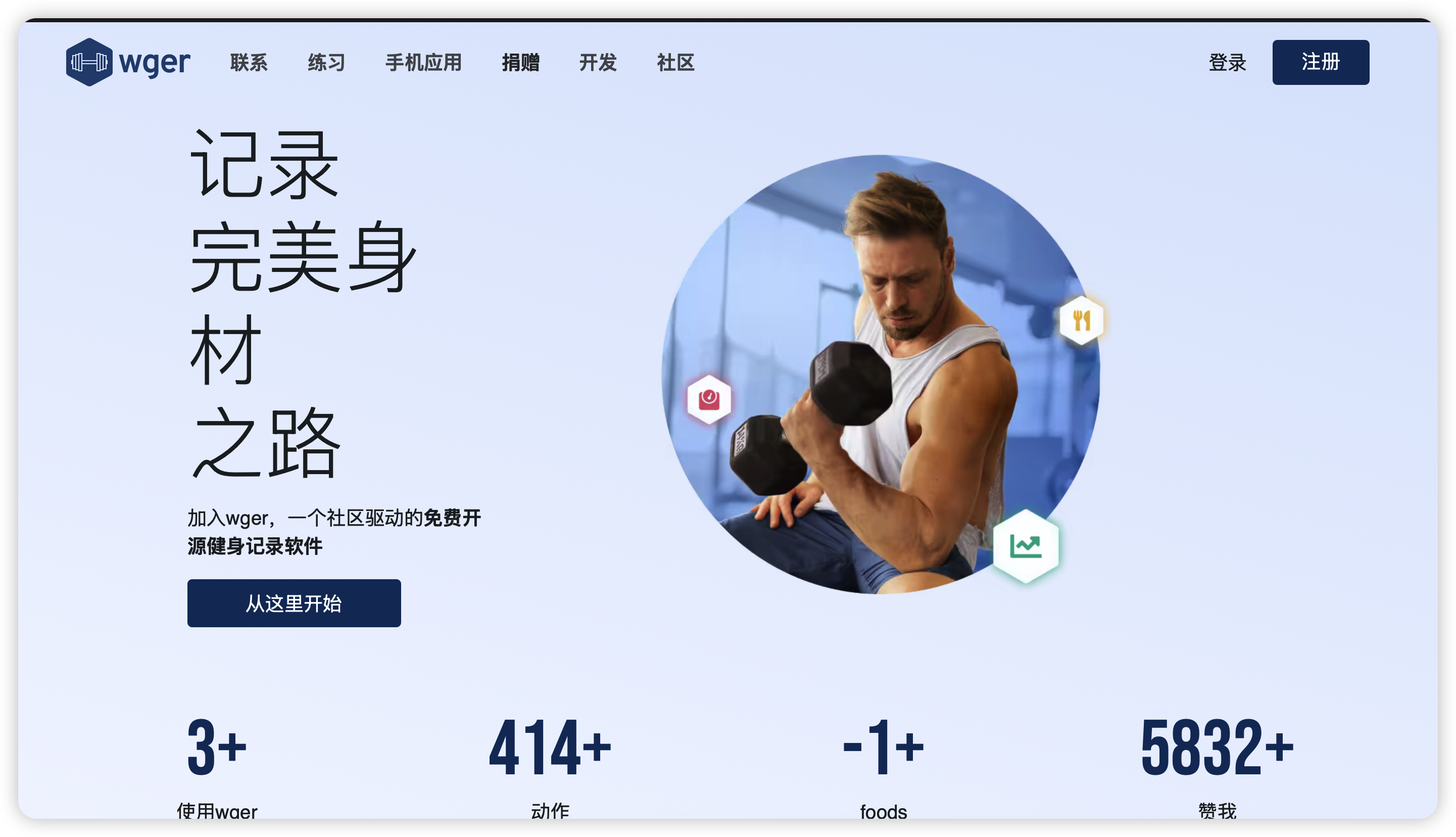
以Docker版本为例,支持中文web,也有对应手机App
Docker安装部署wger
新版本涉及依赖比较多,推荐用Docker Compose安装,放到一个配置文件
1)创建本地文件存储目录
#创建根目录
mkdir -p /opt/wger
#进入/opt/wger目录
cd /opt/wger
#创建子目录
mkdir -p static media data config目录说明:
/opt/wger/static :wger web程序
/opt/wger/media :文件、图片
/opt/wger/data :pgsql数据库目录
/opt/wger/config:nginx配置
2)Docker Compose配置
涉及wger/server、nginx、redis、postgres
一个.env配置
version: '3'
services:
web:
image: wger/server:latest
container_name: wger_server
restart: unless-stopped
env_file:
- ./.env.txt
volumes:
- ./static:/home/wger/static
- ./media:/home/wger/media
#ports:
# - "8000"
healthcheck:
test: wget --no-verbose --tries=1 --spider http://localhost:8000
interval: 10s
timeout: 5s
retries: 5
depends_on:
db:
condition: service_healthy
cache:
condition: service_healthy
nginx:
image: nginx
container_name: wger_nginx
restart: unless-stopped
volumes:
- ./config/nginx.conf:/etc/nginx/conf.d/default.conf
- ./static:/wger/static:ro
- ./media:/wger/media:ro
ports:
- 9099:80
healthcheck:
test: service nginx status
interval: 10s
timeout: 5s
retries: 5
depends_on:
- web
db:
image: postgres:14
container_name: wger_db
restart: unless-stopped
environment:
- POSTGRES_USER=wger
- POSTGRES_PASSWORD=wger
- POSTGRES_DB=wger
volumes:
- ./data:/var/lib/postgresql/data/
#expose:
# - 5432
healthcheck:
test: pg_isready -U wger
interval: 10s
timeout: 5s
retries: 5
cache:
image: redis:6.2
container_name: wger_cache
restart: unless-stopped
#expose:
# - 6379
healthcheck:
test: redis-cli ping
interval: 10s
timeout: 5s
retries: 5
.env配置:
用默认即可,根据本机修改几个参数
用的NAS IP:端口
CSRF_TRUSTED_ORIGINS=https://smartee.domain.example.com,http://192.168.5.20:9099/
SITE_URL=http://192.168.5.20
填所属NAS或服务器的IP
- 10、11行:修改时区
TIME_ZONE=Asia/Shanghai,TZ=Asia/Shanghai
-
SECRET_KEY、SIGNING_KEY
-
数据库配置
# Django's secret key, change to a 50 character random string if you are running
# this instance publicly. Generate e.g. with:
# * python -c "import secrets; print(secrets.token_urlsafe(50))" or
# * https://djecrety.ir/
SECRET_KEY=wger-docker-supersecret-key-1234567890!@#$%^&*(-_)
# Signing key used for JWT, use something different than the secret key
SIGNING_KEY=wger-docker-secret-jwtkey-1234567890!@#$%^&*(-_=+)
# The server's timezone, for a list of possible names:
# https://en.wikipedia.org/wiki/List_of_tz_database_time_zones
TIME_ZONE=Asia/Shanghai
TZ=Asia/Shanghai
#
# If you get CSRF errors set your domain here
# Consult the docs for more details:
# https://wger.readthedocs.io/en/latest/production/docker.html#csrf-errors
CSRF_TRUSTED_ORIGINS=https://smartee.domain.example.com,http://192.168.5.20:9099/
X_FORWARDED_PROTO_HEADER_SET=True
#
# Static files
# If you are running the application behind a reverse proxy or changed the port, the
# links for some images *might* break (specially in the mobile app). Also note that
# the API response is cached and contains the host, if you change this setting, just run
# docker compose exec web python3 manage.py warmup-exercise-api-cache --force
# MEDIA_URL=https://your-domain.example.com/media/
# STATIC_URL=https://your-domain.example.com/static/
#
# These settings usually don't need changing
#
#
# Application
WGER_INSTANCE=https://wger.de # Wger instance from which to sync exercises, images, etc.
ALLOW_REGISTRATION=True
ALLOW_GUEST_USERS=True
ALLOW_UPLOAD_VIDEOS=True
# Users won't be able to contribute to exercises if their account age is
# lower than this amount in days.
MIN_ACCOUNT_AGE_TO_TRUST=21
# Synchronzing exercises
# It is recommended to keep the local database synchronized with the wger
# instance specified in WGER_INSTANCE since there are new added or translations
# improved. For this you have different possibilities:
# - Sync exercises on startup:
# SYNC_EXERCISES_ON_STARTUP=True
# DOWNLOAD_EXERCISE_IMAGES_ON_STARTUP=True
# - Sync them in the background with celery. This will setup a job that will run
# once a week at a random time (this time is selected once when starting the server)
SYNC_EXERCISES_CELERY=True
SYNC_EXERCISE_IMAGES_CELERY=True
SYNC_EXERCISE_VIDEOS_CELERY=True
# - Manually trigger the process as needed:
# docker compose exec web python3 manage.py sync-exercises
# docker compose exec web python3 manage.py download-exercise-images
# docker compose exec web python3 manage.py download-exercise-videos
# Synchronzing ingredients
# You can also syncronize the ingredients from a remote wger instance, and have
# basically the same options as for the ingredients:
# - Sync them in the background with celery. This will setup a job that will run
# once a week at a random time (this time is selected once when starting the server)
SYNC_INGREDIENTS_CELERY=True
# - Manually trigger the process as needed:
# docker compose exec web python3 manage.py sync-ingredients
# This option controls whether to download ingredients and their images from the
# configured wger instance. When scanning products with the barcode scanner, it is
# possible to dynamically fetch the ingredient if it is not known in the local database.
# Possible values: WGER or None (to deactivate). Requires USE_CELERY to be set to true.
DOWNLOAD_INGREDIENTS_FROM=WGER
# Keep exercise api cache warmed up. This will setup a job that will run once
# a day at a random time (this time is selected once when starting the server).
# Requires USE_CELERY to be set to true.
CACHE_API_EXERCISES_CELERY=True
# Whether to force updating the exercise api cache every time the job runs
CACHE_API_EXERCISES_CELERY_FORCE_UPDATE=True
# Whether celery is configured and should be used. Can be left to true with
# this setup but can be deactivated if you are using the app in some other way
USE_CELERY=True
#
# Celery
CELERY_BROKER=redis://cache:6379/2
CELERY_BACKEND=redis://cache:6379/2
CELERY_FLOWER_PASSWORD=adminadmin
CELERY_WORKER_CONCURRENCY=4 # Set to one if using sqlite
#
# Database
DJANGO_DB_ENGINE=django.db.backends.postgresql
DJANGO_DB_DATABASE=wger
DJANGO_DB_USER=wger
DJANGO_DB_PASSWORD=wger
DJANGO_DB_HOST=db
DJANGO_DB_PORT=5432
DJANGO_PERFORM_MIGRATIONS=True # Perform any new database migrations on startup
#
# Cache
DJANGO_CACHE_BACKEND=django_redis.cache.RedisCache
DJANGO_CACHE_LOCATION=redis://cache:6379/1
DJANGO_CACHE_TIMEOUT=1296000 # in seconds - 60*60*24*15, 15 Days
DJANGO_CACHE_CLIENT_CLASS=django_redis.client.DefaultClient
# DJANGO_CACHE_CLIENT_PASSWORD=abcde... # Only if you changed the redis config
# DJANGO_CACHE_CLIENT_SSL_KEYFILE=/path/to/ssl_keyfile # Path to an ssl private key.
# DJANGO_CACHE_CLIENT_SSL_CERTFILE=/path/to/ssl_certfile # Path to an ssl certificate.
# DJANGO_CACHE_CLIENT_SSL_CERT_REQS=<none | optional | required> # The string value for the verify_mode.
# DJANGO_CACHE_CLIENT_SSL_CHECK_HOSTNAME=False # If set, match the hostname during the SSL handshake.
#
# Brute force login attacks
# https://django-axes.readthedocs.io/en/latest/index.html
AXES_ENABLED=True
AXES_FAILURE_LIMIT=10
AXES_COOLOFF_TIME=30 # in minutes
AXES_HANDLER=axes.handlers.cache.AxesCacheHandler
AXES_LOCKOUT_PARAMETERS=ip_address
AXES_IPWARE_PROXY_COUNT=1
AXES_IPWARE_META_PRECEDENCE_ORDER=HTTP_X_FORWARDED_FOR,REMOTE_ADDR
#
# Others
DJANGO_DEBUG=False
WGER_USE_GUNICORN=True
EXERCISE_CACHE_TTL=86400 # in seconds - 24*60*60, 24 hours
SITE_URL=http://192.168.5.20
#
# JWT auth
ACCESS_TOKEN_LIFETIME=10 # The lifetime duration of the access token, in minutes
REFRESH_TOKEN_LIFETIME=24 # The lifetime duration of the refresh token, in hours
#
# Auth Proxy Authentication
#
# Please read the documentation before enabling this feature:
# https://wger.readthedocs.io/en/latest/administration/auth_proxy.html
AUTH_PROXY_HEADER=''
AUTH_PROXY_TRUSTED_IPS=''
AUTH_PROXY_CREATE_UNKNOWN_USER=False
AUTH_PROXY_USER_EMAIL_HEADER=''
AUTH_PROXY_USER_NAME_HEADER=''
#
# Other possible settings
# Log level for the web app, possible values: DEBUG, INFO, WARNING, ERROR, CRITICAL
LOG_LEVEL_PYTHON=INFO
# Recaptcha keys. You will need to create an account and register your domain
# https://www.google.com/recaptcha/
# RECAPTCHA_PUBLIC_KEY=abcde...
# RECAPTCHA_PRIVATE_KEY=abcde...
USE_RECAPTCHA=False
# Clears the static files before copying the new ones (i.e. just calls collectstatic
# with the appropriate flag: "manage.py collectstatic --no-input --clear"). Usually
# This can be left like this but if you have problems and new static files are not
# being copied correctly, clearing everything might help
DJANGO_CLEAR_STATIC_FIRST=False
#
# Email
# https://docs.djangoproject.com/en/4.1/topics/email/#smtp-backend
# ENABLE_EMAIL=False
# EMAIL_HOST=email.example.com
# EMAIL_PORT=587
# EMAIL_HOST_USER=username
# EMAIL_HOST_PASSWORD=password
# EMAIL_USE_TLS=True
# EMAIL_USE_SSL=False
FROM_EMAIL='wger Workout Manager <wger@example.com>'
# Set your name and email to be notified if an internal server error occurs.
# Needs a working email configuration
# DJANGO_ADMINS=your name,email@example.com
# Whether to compress css and js files into one (of each)
# COMPRESS_ENABLED=True
#
# Django Rest Framework
# The number of proxies in front of the application. In the default configuration
# only nginx is. Change as approtriate if your setup differs. Also note that this
# is only used when throttling API requests.
NUMBER_OF_PROXIES=1
#
# Gunicorn
#
# Additional gunicorn options, change as needed.
# For the number of workers to spawn, a usually recommended value is (2 x $num_cores) + 1
# see:
# - https://docs.gunicorn.org/en/stable/settings.html
# - https://github.com/wger-project/wger/blob/master/extras/docker/production/entrypoint.sh#L95
GUNICORN_CMD_ARGS="--workers 3 --threads 2 --worker-class gthread --timeout 240"
#
# Prometheus metrics
EXPOSE_PROMETHEUS_METRICS=False3)启动wger服务
sudo docker compose upwger使用技巧
1、登录
第一次登录,设置语言中文、创建管理员账户
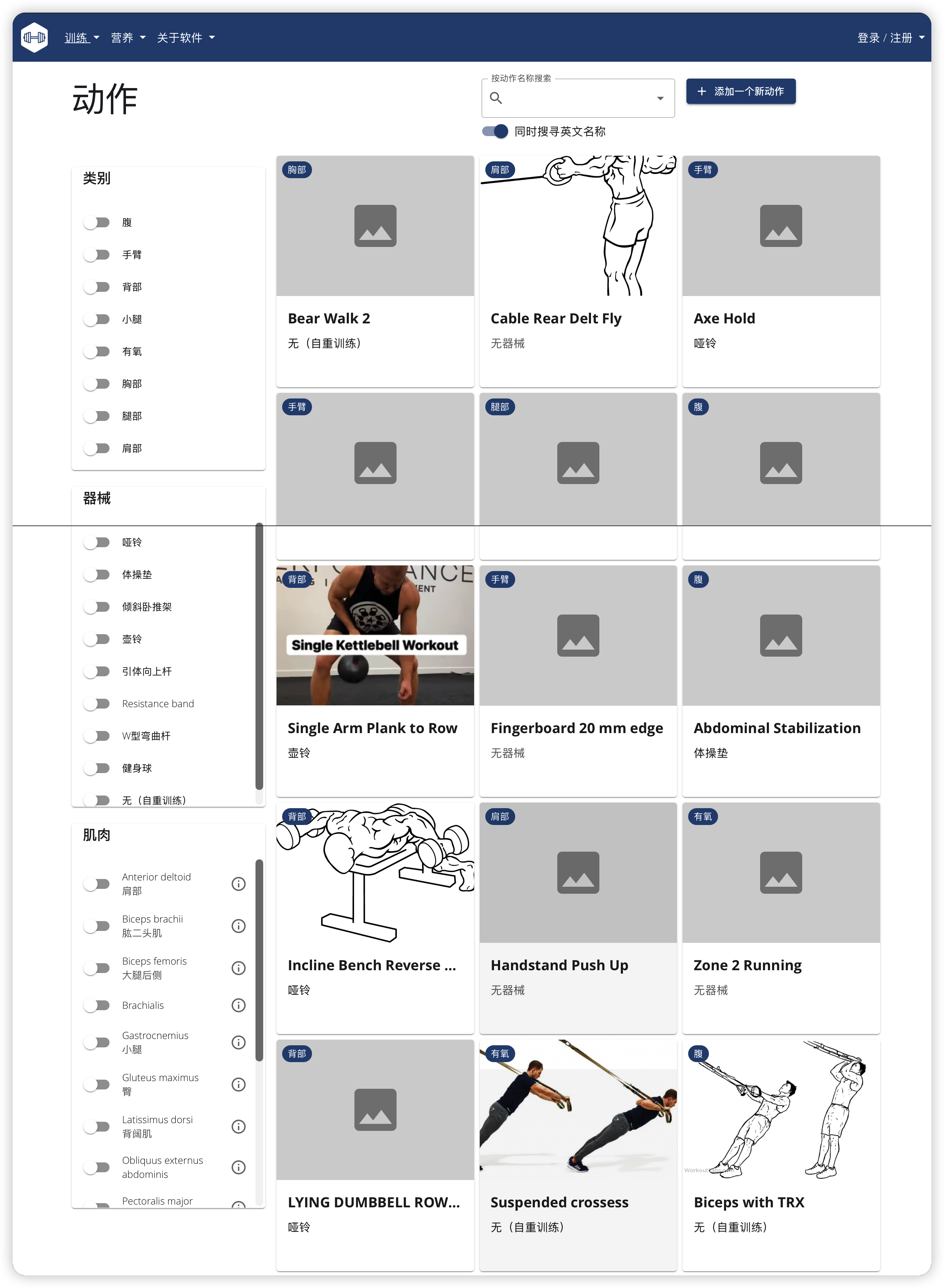
2、支持的训练动作
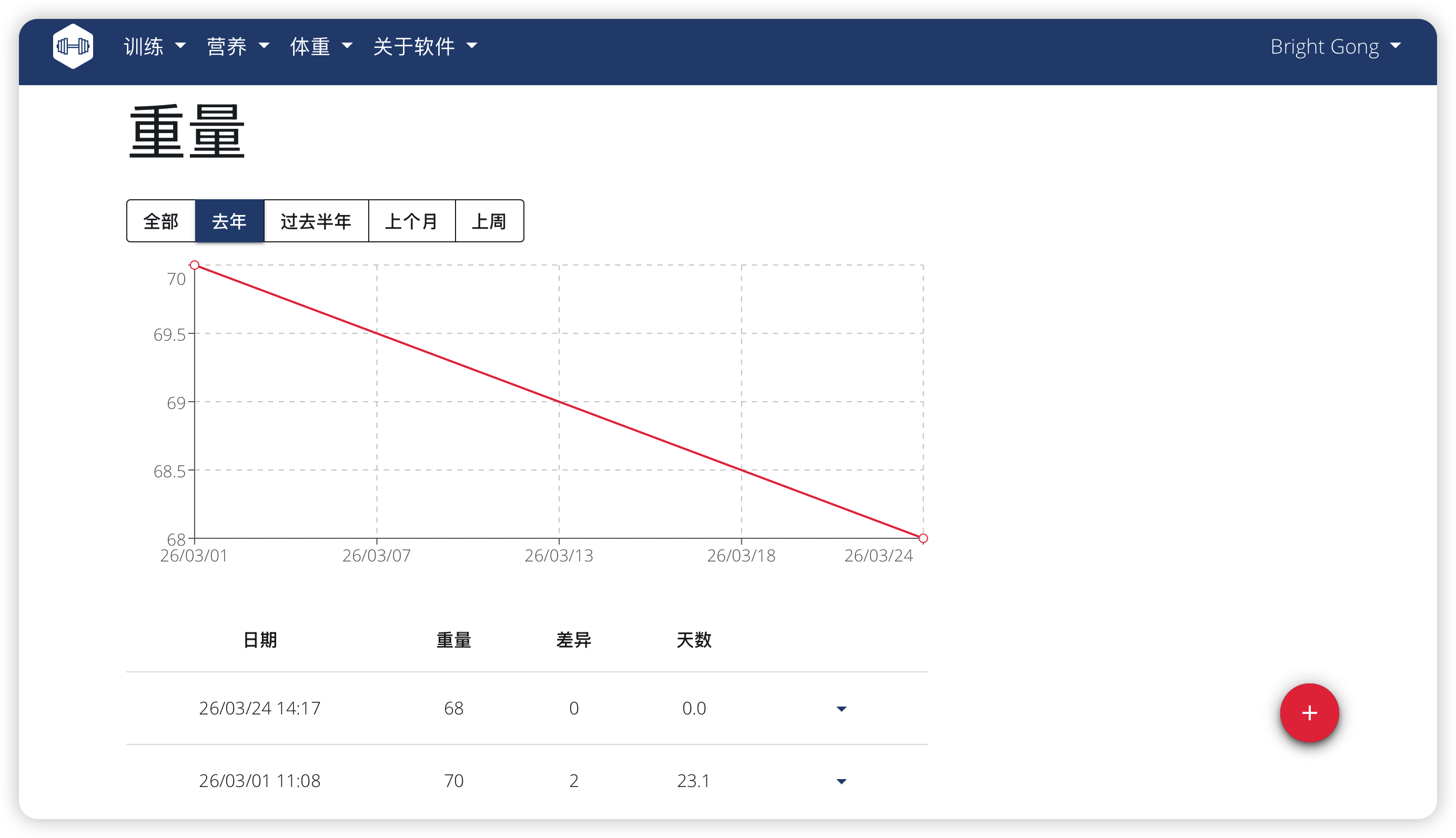
3、体重管理
跟踪记录体重变化
4、食谱管理
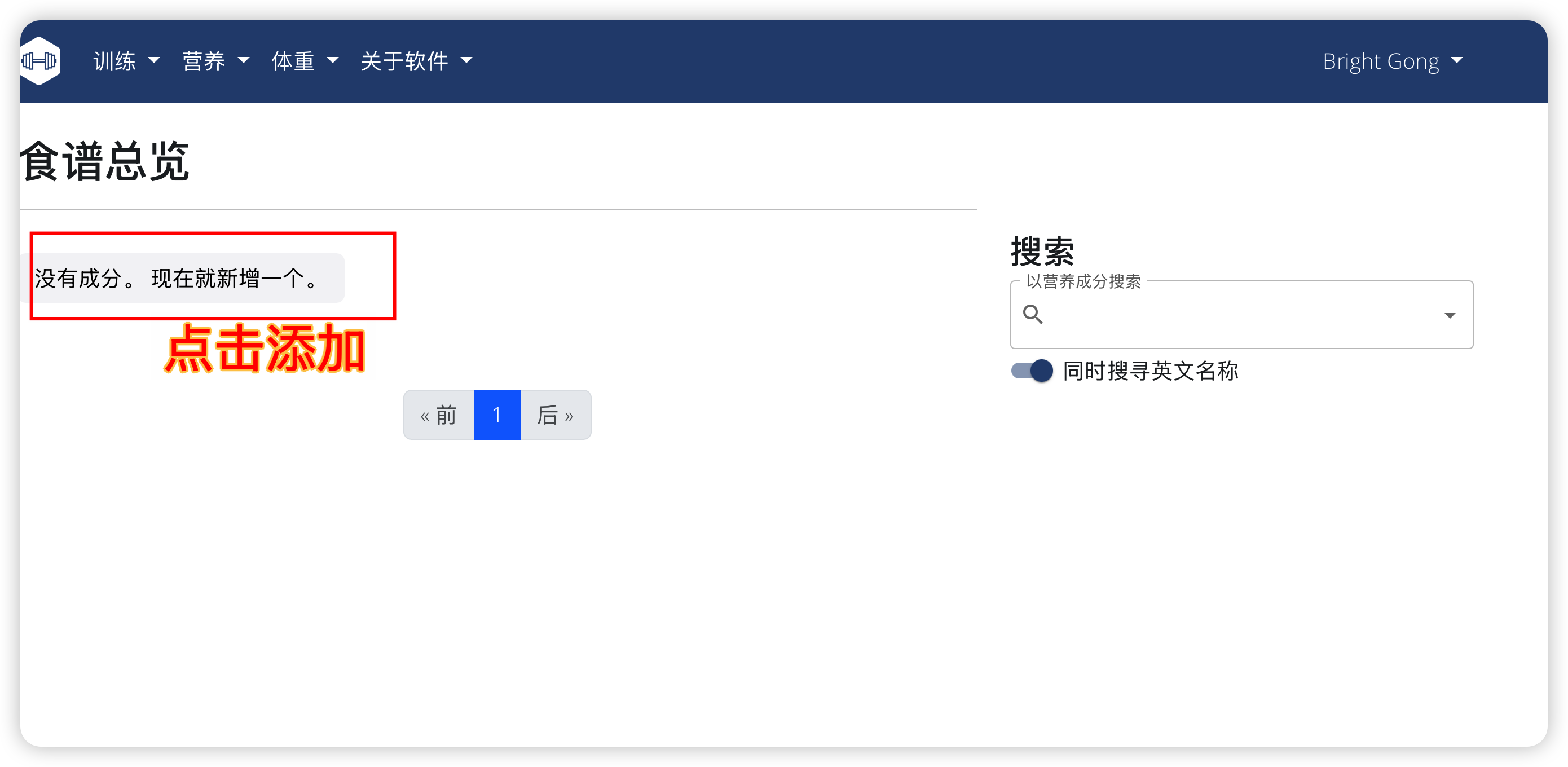
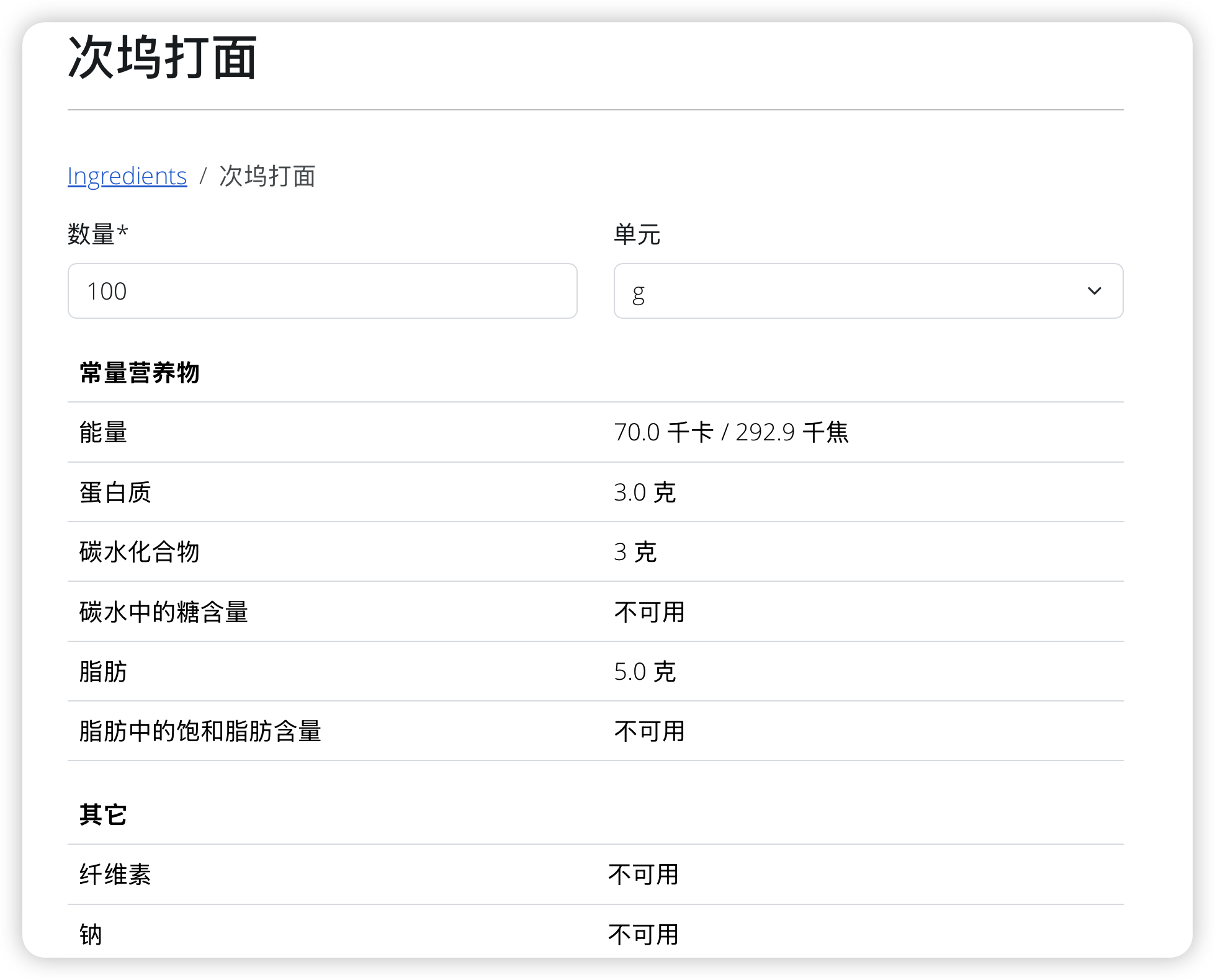
添加第1个食谱