目录
-
- 前言
- 摘要
- [1. 引言](#1. 引言)
-
- [1.1 为什么需要API设计规范](#1.1 为什么需要API设计规范)
- [1.2 API设计的演进历程](#1.2 API设计的演进历程)
- [1.3 本文目标读者](#1.3 本文目标读者)
- [2. RESTful API详解](#2. RESTful API详解)
-
- [2.1 什么是REST](#2.1 什么是REST)
- [2.2 RESTful API核心原则](#2.2 RESTful API核心原则)
- [2.3 RESTful API与传统API对比](#2.3 RESTful API与传统API对比)
- [2.4 RESTful API最佳实践](#2.4 RESTful API最佳实践)
-
- [2.4.1 URL设计规范](#2.4.1 URL设计规范)
- [2.4.2 HTTP方法语义](#2.4.2 HTTP方法语义)
- [2.4.3 状态码规范](#2.4.3 状态码规范)
- [3. OpenAPI(Swagger)规范详解](#3. OpenAPI(Swagger)规范详解)
-
- [3.1 什么是OpenAPI](#3.1 什么是OpenAPI)
- [3.2 OpenAPI与Swagger的关系](#3.2 OpenAPI与Swagger的关系)
- [3.3 OpenAPI 3.0文档结构](#3.3 OpenAPI 3.0文档结构)
- [3.4 OpenAPI核心概念](#3.4 OpenAPI核心概念)
-
- [3.4.1 Info对象](#3.4.1 Info对象)
- [3.4.2 Paths对象](#3.4.2 Paths对象)
- [3.4.3 Parameters对象](#3.4.3 Parameters对象)
- [3.4.4 Schema对象](#3.4.4 Schema对象)
- [4. API设计最佳实践](#4. API设计最佳实践)
-
- [4.1 版本控制策略](#4.1 版本控制策略)
- [4.2 分页设计](#4.2 分页设计)
- [4.3 过滤与搜索](#4.3 过滤与搜索)
- [4.4 错误处理](#4.4 错误处理)
- [4.5 认证与授权](#4.5 认证与授权)
- [5. Swagger工具链实战](#5. Swagger工具链实战)
-
- [5.1 Swagger UI集成](#5.1 Swagger UI集成)
- [5.2 Swagger Editor使用](#5.2 Swagger Editor使用)
- [5.3 Swagger Codegen代码生成](#5.3 Swagger Codegen代码生成)
- [6. API文档自动化](#6. API文档自动化)
-
- [6.1 代码注解驱动](#6.1 代码注解驱动)
- [6.2 文档优先设计](#6.2 文档优先设计)
- [6.3 CI/CD集成](#6.3 CI/CD集成)
- [7. 常见问题与解决方案](#7. 常见问题与解决方案)
-
- [7.1 API设计常见错误](#7.1 API设计常见错误)
- [7.2 OpenAPI文档维护](#7.2 OpenAPI文档维护)
- [7.3 复杂查询设计](#7.3 复杂查询设计)
- [8. 总结](#8. 总结)
- 参考资料
前言
作为一名后端开发工程师,我深刻体会到API设计的重要性。一个好的API设计不仅能让前后端协作更加顺畅,还能提升系统的可维护性和可扩展性。然而在实际项目中,我见过太多设计混乱、文档缺失的API,给开发和维护带来了巨大的困扰。
本文是我多年API设计经验的总结,将系统性地介绍RESTful API设计规范和OpenAPI(Swagger)文档标准。无论你是刚入门的新手,还是有一定经验的开发者,都能从本文中获得实用的API设计指南。
摘要
本文系统性地介绍了RESTful API设计规范和OpenAPI(Swagger)文档标准。内容涵盖REST架构风格的核心原则、HTTP方法语义、资源设计最佳实践、状态码规范、版本控制策略,以及OpenAPI 3.0规范详解、Swagger工具链使用、API文档自动化生成等关键技术点。通过本文的学习,读者将掌握设计高质量API的完整方法论,能够独立完成从API设计到文档生成的全流程工作。
通过本文你将学到:
- RESTful API的核心设计原则与最佳实践
- HTTP方法语义与状态码的正确使用
- OpenAPI 3.0规范的完整语法
- Swagger工具链的配置与使用
- API文档自动化生成方案
图:RESTful API设计与OpenAPI规范完整指南
1. 引言
1.1 为什么需要API设计规范
在现代软件开发中,API(Application Programming Interface)已经成为系统间通信的核心桥梁。无论是前后端分离架构、微服务架构,还是第三方系统集成,都离不开API的设计与实现。一个设计良好的API能够显著降低开发成本,提升团队协作效率。
然而,缺乏统一规范的API设计往往会带来一系列问题:
| 问题类型 | 具体表现 | 影响 |
|---|---|---|
| 命名混乱 | 接口路径不统一、参数命名风格各异 | 增加学习成本,容易出错 |
| 语义不清 | HTTP方法使用不当、状态码含义模糊 | 前后端理解偏差,调试困难 |
| 文档缺失 | 接口文档不完整、更新不及时 | 沟通成本高,维护困难 |
| 版本失控 | 接口变更无版本管理 | 兼容性问题频发 |
1.2 API设计的演进历程
API设计风格经历了从RPC到REST,再到GraphQL的演进过程:
1998 XML-RPC诞生<br/>远程过程调用的早期实现 2000 REST架构风格提出<br/>Roy Fielding博士论文 2006 SOAP广泛使用<br/>企业级Web服务标准 2010 RESTful API流行<br/>移动互联网推动 2015 OpenAPI规范发布<br/>API文档标准化 2018 OpenAPI 3.0<br/>支持更多特性 2020 GraphQL兴起<br/>灵活查询语言 API设计风格演进历程
RESTful API因其简洁、灵活、与HTTP协议高度契合的特点,成为当前最主流的API设计风格。OpenAPI(原名Swagger)则为RESTful API提供了标准化的文档规范,两者结合形成了完整的API设计解决方案。
1.3 本文目标读者
本文适合以下读者群体:
| 读者类型 | 前置知识要求 | 学习目标 |
|---|---|---|
| 后端开发工程师 | 熟悉HTTP协议基础 | 掌握RESTful设计规范 |
| 前端开发工程师 | 了解API调用方式 | 理解API设计原理 |
| 架构师 | 具备系统设计经验 | 制定团队API规范 |
| 技术经理 | 了解软件开发流程 | 推动API标准化建设 |
2. RESTful API详解
2.1 什么是REST
REST(Representational State Transfer,表述性状态转移)是一种软件架构风格,由Roy Fielding在2000年的博士论文中提出。REST并非一种具体的技术或框架,而是一组架构约束条件和原则。满足这些约束条件和原则的架构,我们称之为RESTful架构。
REST架构风格的核心约束包括:
客户端-服务器分离(Client-Server):将用户界面关注点与数据存储关注点分离,提高用户界面跨平台的可移植性,并简化服务器组件。
无状态(Stateless):服务器不保存客户端的会话状态,每个请求都必须包含服务器处理请求所需的所有信息。这一约束提高了服务器的可扩展性和可靠性。
可缓存(Cacheable):响应数据应明确标识是否可缓存,以减少网络延迟和服务器负载。
统一接口(Uniform Interface):这是REST架构的核心特征,包括资源标识、通过表述操作资源、自描述消息、超媒体作为应用状态引擎(HATEOAS)四个子约束。
分层系统(Layered System):允许通过中间层(如代理、网关)来处理请求,客户端无需知道它连接的是最终服务器还是中间层。
按需代码(Code on Demand):服务器可以临时通过传输可执行代码来扩展客户端功能(可选约束)。
2.2 RESTful API核心原则
RESTful API的设计遵循以下核心原则:
资源为中心:API设计以资源为核心,每个资源都有唯一的标识符(URI)。资源可以是任何可以被命名的事物,如用户、订单、产品等。
使用标准HTTP方法:利用HTTP协议定义的标准方法(GET、POST、PUT、DELETE、PATCH)来表示对资源的操作语义。
无状态通信:每个请求都是独立的,服务器不保存客户端的上下文状态,便于水平扩展。
表述性交互:资源在网络上以某种表述形式(如JSON、XML)进行传输,客户端和服务器通过协商确定表述格式。
统一接口子约束
RESTful架构约束
客户端-服务器分离
无状态
可缓存
统一接口
分层系统
资源标识
URI
通过表述操作资源
JSON/XML
自描述消息
HTTP Headers
超媒体驱动
HATEOAS
2.3 RESTful API与传统API对比
| 对比维度 | 传统RPC风格 | RESTful风格 |
|---|---|---|
| 设计理念 | 以动作为中心 | 以资源为中心 |
| URL风格 | /getUser?id=123 |
/users/123 |
| HTTP方法 | 仅使用GET/POST | 充分利用所有HTTP方法 |
| 状态管理 | 服务器保存会话 | 无状态设计 |
| 缓存支持 | 需要额外实现 | HTTP原生支持 |
| 可扩展性 | 较难水平扩展 | 易于水平扩展 |
| 学习曲线 | 较低 | 中等 |
2.4 RESTful API最佳实践
图:RESTful API分层架构示意图
2.4.1 URL设计规范
URL是资源的唯一标识符,设计时应遵循以下规范:
使用名词而非动词:URL应该表示资源,而非操作。
text
✅ 推荐:
GET    /users          # 获取用户列表
GET    /users/123      # 获取指定用户
POST   /users          # 创建新用户
PUT    /users/123      # 更新指定用户
DELETE /users/123      # 删除指定用户

❌ 不推荐:
GET    /getUsers
POST   /createUser
POST /deleteUser/123使用复数形式:资源名称使用复数形式,保持一致性。
text
✅ 推荐:/users, /orders, /products
❌ 不推荐:/user, /order, /product表达资源层级关系:使用嵌套路径表达资源间的从属关系。
text
GET /users/123/orders           # 获取用户123的所有订单
GET /users/123/orders/456 # 获取用户123的订单456使用连字符提高可读性:多单词资源名使用连字符分隔。
text
✅ 推荐:/user-profiles, /order-items
❌ 不推荐:/userProfiles, /order_items避免过深的嵌套:URL层级不宜过深,建议不超过3层。
text
✅ 推荐:/orders/456/items
❌ 不推荐:/users/123/orders/456/items/789/attachments
2.4.2 HTTP方法语义
HTTP协议定义了一组标准方法,每种方法都有明确的语义:
| HTTP方法 | 语义 | 幂等性 | 安全性 | 示例 |
|---|---|---|---|---|
| GET | 获取资源 | 是 | 是 | GET /users/123 |
| POST | 创建资源 | 否 | 否 | POST /users |
| PUT | 全量更新资源 | 是 | 否 | PUT /users/123 |
| PATCH | 部分更新资源 | 否 | 否 | PATCH /users/123 |
| DELETE | 删除资源 | 是 | 否 | DELETE /users/123 |
| HEAD | 获取资源元数据 | 是 | 是 | HEAD /users/123 |
| OPTIONS | 获取支持的HTTP方法 | 是 | 是 | OPTIONS /users |
幂等性说明:幂等操作是指无论执行多少次,结果都相同的操作。GET、PUT、DELETE是幂等的,而POST不是幂等的(多次POST会创建多个资源)。
安全性说明:安全操作是指不会修改服务器资源的操作。GET、HEAD、OPTIONS是安全的,而POST、PUT、PATCH、DELETE不是安全的。
2.4.3 状态码规范
HTTP状态码是API响应的重要组成部分,正确使用状态码能够帮助客户端准确理解请求结果:
| 状态码范围 | 含义 | 常用状态码 |
|---|---|---|
| 1xx | 信息响应 | 100 Continue |
| 2xx | 成功 | 200 OK, 201 Created, 204 No Content |
| 3xx | 重定向 | 301 Moved Permanently, 304 Not Modified |
| 4xx | 客户端错误 | 400 Bad Request, 401 Unauthorized, 403 Forbidden, 404 Not Found, 422 Unprocessable Entity |
| 5xx | 服务器错误 | 500 Internal Server Error, 502 Bad Gateway, 503 Service Unavailable |
常用状态码使用场景:
json
// 200 OK - 成功响应
{
  "code": 200,
  "message": "success",
  "data": {
    "id": 123,
    "name": "张三"
  }
}

// 201 Created - 资源创建成功
// 响应头应包含 Location: /users/123
{
  "code": 201,
  "message": "created",
  "data": {
    "id": 123,
    "name": "张三"
  }
}

// 400 Bad Request - 请求参数错误
{
  "code": 400,
  "message": "参数校验失败",
  "errors": [
    {
      "field": "email",
      "message": "邮箱格式不正确"
    }
  ]
}

// 401 Unauthorized - 未认证
{
  "code": 401,
  "message": "未登录或token已过期"
}

// 403 Forbidden - 无权限
{
  "code": 403,
  "message": "无权访问该资源"
}

// 404 Not Found - 资源不存在
{
  "code": 404,
  "message": "用户不存在"
}

// 422 Unprocessable Entity - 语义错误
{
  "code": 422,
  "message": "邮箱已被注册"
}

// 500 Internal Server Error - 服务器错误
{
  "code": 500,
  "message": "服务器内部错误,请稍后重试"
}
3. OpenAPI(Swagger)规范详解
3.1 什么是OpenAPI
OpenAPI规范(原名Swagger规范)是一种用于描述RESTful API的标准化格式。它允许开发者以机器可读的方式定义API的结构、参数、响应等信息,从而实现API文档的自动化生成、客户端代码生成、API测试等功能。
OpenAPI规范的发展历程:
2011 Swagger项目启动<br/>Wordnik公司开发 2014 Swagger 2.0发布<br/>成为事实标准 2015 捐赠给Linux基金会<br/>更名为OpenAPI 2017 OpenAPI 3.0发布<br/>重大版本更新 2020 OpenAPI 3.1发布<br/>完全兼容JSON Schema 2024 OpenAPI 3.2发布<br/>持续改进 OpenAPI规范发展历程
3.2 OpenAPI与Swagger的关系
Swagger和OpenAPI经常被混淆使用,它们的关系如下:
| 名称 | 说明 |
|---|---|
| OpenAPI规范 | API描述格式的标准规范(原名Swagger规范) |
| Swagger | 围绕OpenAPI规范的一整套工具链 |
| Swagger UI | 可视化展示API文档的Web界面 |
| Swagger Editor | 在线编辑OpenAPI文档的编辑器 |
| Swagger Codegen | 根据OpenAPI文档生成客户端/服务端代码的工具 |
简单来说,OpenAPI是规范标准,Swagger是实现该规范的工具集。
3.3 OpenAPI 3.0文档结构
OpenAPI 3.0文档可以使用YAML或JSON格式编写,以下是一个完整的文档结构示例:
yaml
openapi: 3.0.3
info:
  title: 用户管理API
  description: |
    这是一个用户管理系统的RESTful API文档。
    支持用户的增删改查操作。
  version: 1.0.0
  contact:
    name: API支持团队
    email: support@example.com
    url: https://example.com/support
  license:
    name: MIT
    url: https://opensource.org/licenses/MIT

servers:
  - url: https://api.example.com/v1
    description: 生产环境
  - url: https://dev-api.example.com/v1
    description: 开发环境

tags:
  - name: users
    description: 用户管理相关接口
  - name: orders
    description: 订单管理相关接口

paths:
  /users:
    get:
      tags:
        - users
      summary: 获取用户列表
      description: 返回用户列表,支持分页和过滤
      operationId: getUsers
      parameters:
        - name: page
          in: query
          description: 页码
          required: false
          schema:
            type: integer
            default: 1
        - name: size
          in: query
          description: 每页数量
          required: false
          schema:
            type: integer
            default: 20
        - name: status
          in: query
          description: 用户状态
          required: false
          schema:
            type: string
            enum: [active, inactive, banned]
      responses:
        '200':
          description: 成功返回用户列表
          content:
            application/json:
              schema:
                $ref: '#/components/schemas/UserListResponse'
        '400':
          description: 请求参数错误
          content:
            application/json:
              schema:
                $ref: '#/components/schemas/ErrorResponse'
        '500':
          description: 服务器内部错误
          content:
            application/json:
              schema:
                $ref: '#/components/schemas/ErrorResponse'

    post:
      tags:
        - users
      summary: 创建用户
      description: 创建一个新用户
      operationId: createUser
      requestBody:
        required: true
        content:
          application/json:
            schema:
              $ref: '#/components/schemas/CreateUserRequest'
      responses:
        '201':
          description: 用户创建成功
          headers:
            Location:
              description: 新创建用户的URL
              schema:
                type: string
          content:
            application/json:
              schema:
                $ref: '#/components/schemas/UserResponse'
        '400':
          description: 请求参数错误
          content:
            application/json:
              schema:
                $ref: '#/components/schemas/ErrorResponse'
        '422':
          description: 业务规则校验失败
          content:
            application/json:
              schema:
                $ref: '#/components/schemas/ErrorResponse'

  /users/{userId}:
    get:
      tags:
        - users
      summary: 获取用户详情
      operationId: getUserById
      parameters:
        - name: userId
          in: path
          required: true
          description: 用户ID
          schema:
            type: integer
            format: int64
      responses:
        '200':
          description: 成功返回用户详情
          content:
            application/json:
              schema:
                $ref: '#/components/schemas/UserResponse'
        '404':
          description: 用户不存在
          content:
            application/json:
              schema:
                $ref: '#/components/schemas/ErrorResponse'

    put:
      tags:
        - users
      summary: 更新用户信息
      operationId: updateUser
      parameters:
        - name: userId
          in: path
          required: true
          schema:
            type: integer
            format: int64
      requestBody:
        required: true
        content:
          application/json:
            schema:
              $ref: '#/components/schemas/UpdateUserRequest'
      responses:
        '200':
          description: 更新成功
          content:
            application/json:
              schema:
                $ref: '#/components/schemas/UserResponse'
        '404':
          description: 用户不存在

    delete:
      tags:
        - users
      summary: 删除用户
      operationId: deleteUser
      parameters:
        - name: userId
          in: path
          required: true
          schema:
            type: integer
            format: int64
      responses:
        '204':
          description: 删除成功
        '404':
          description: 用户不存在

components:
  schemas:
    User:
      type: object
      properties:
        id:
          type: integer
          format: int64
          description: 用户ID
        username:
          type: string
          description: 用户名
          maxLength: 50
        email:
          type: string
          format: email
          description: 邮箱地址
        status:
          type: string
          enum: [active, inactive, banned]
          description: 用户状态
        createdAt:
          type: string
          format: date-time
          description: 创建时间
        updatedAt:
          type: string
          format: date-time
          description: 更新时间
      required:
        - id
        - username
        - email

    CreateUserRequest:
      type: object
      required:
        - username
        - email
        - password
      properties:
        username:
          type: string
          minLength: 3
          maxLength: 50
          example: zhangsan
        email:
          type: string
          format: email
          example: zhangsan@example.com
        password:
          type: string
          format: password
          minLength: 8
          example: "********"

    UpdateUserRequest:
      type: object
      properties:
        username:
          type: string
          minLength: 3
          maxLength: 50
        email:
          type: string
          format: email
        status:
          type: string
          enum: [active, inactive, banned]

    UserResponse:
      type: object
      properties:
        code:
          type: integer
          example: 200
        message:
          type: string
          example: success
        data:
          $ref: '#/components/schemas/User'

    UserListResponse:
      type: object
      properties:
        code:
          type: integer
          example: 200
        message:
          type: string
          example: success
        data:
          type: object
          properties:
            items:
              type: array
              items:
                $ref: '#/components/schemas/User'
            total:
              type: integer
              description: 总记录数
            page:
              type: integer
              description: 当前页码
            size:
              type: integer
              description: 每页数量

    ErrorResponse:
      type: object
      properties:
        code:
          type: integer
          example: 400
        message:
          type: string
          example: 参数校验失败
        errors:
          type: array
          items:
            type: object
            properties:
              field:
                type: string
              message:
                type: string

  securitySchemes:
    bearerAuth:
      type: http
      scheme: bearer
      bearerFormat: JWT
      description: JWT认证

    apiKeyAuth:
      type: apiKey
      in: header
      name: X-API-Key
      description: API密钥认证

security:
  - bearerAuth: []
  - apiKeyAuth: []
上述OpenAPI文档定义了一个完整的用户管理API。文档结构清晰,包含了API的基本信息(info)、服务器地址(servers)、标签分类(tags)、接口路径(paths)和数据模型(components)。每个接口都详细描述了请求参数、请求体、响应格式等信息,便于开发者理解和使用。
3.4 OpenAPI核心概念
3.4.1 Info对象
Info对象包含API的元数据信息:
yaml
info:
  title: API标题                    # 必填,API名称
  description: API描述              # 可选,支持Markdown
  version: 1.0.0                   # 必填,API版本
  termsOfService: https://...      # 可选,服务条款URL
  contact:                         # 可选,联系方式
    name: API支持
    email: support@example.com
    url: https://example.com
  license:                         # 可选,许可证
    name: MIT
    url: https://opensource.org/licenses/MIT
3.4.2 Paths对象
Paths对象定义API的所有端点:
yaml
paths:
  /users:                          # 资源路径
    get:                           # HTTP方法
      tags: [users]                # 标签分组
      summary: 简短描述             # 必填
      description: 详细描述         # 可选,支持Markdown
      operationId: getUsers        # 操作ID,唯一标识
      parameters: [...]            # 请求参数
      requestBody: {...}           # 请求体
      responses: {...}             # 响应定义
      security: [...]              # 安全配置
      deprecated: false            # 是否废弃
3.4.3 Parameters对象
参数可以出现在path、query、header、cookie四个位置:
yaml
parameters:
  # 路径参数
  - name: userId
    in: path
    required: true
    description: 用户ID
    schema:
      type: integer
      format: int64

  # 查询参数
  - name: status
    in: query
    required: false
    description: 用户状态
    schema:
      type: string
      enum: [active, inactive]

  # 请求头参数
  - name: X-Request-Id
    in: header
    required: false
    description: 请求追踪ID
    schema:
      type: string
      format: uuid

  # Cookie参数
  - name: sessionId
    in: cookie
    required: false
    schema:
      type: string
3.4.4 Schema对象
Schema对象定义数据结构,基于JSON Schema规范:
yaml
components:
  schemas:
    User:
      type: object
      required: [id, username]      # 必填字段
      properties:
        id:
          type: integer
          format: int64
          readOnly: true            # 只读,响应时返回
        username:
          type: string
          minLength: 3
          maxLength: 50
          pattern: '^[a-zA-Z0-9_]+$'
        email:
          type: string
          format: email
        age:
          type: integer
          minimum: 0
          maximum: 150
        role:
          type: string
          enum: [admin, user, guest]
          default: user
        tags:
          type: array
          items:
            type: string
          uniqueItems: true
        profile:
          $ref: '#/components/schemas/Profile'  # 引用其他Schema
4. API设计最佳实践
4.1 版本控制策略
API版本控制是保证接口向后兼容的重要手段,常见的版本控制策略有三种:
版本控制策略
URL路径版本
/v1/users
请求头版本
Accept: application/vnd.api.v1+json
查询参数版本
/users?version=1
推荐使用URL路径版本
URL路径版本(推荐):
text
GET /v1/users
GET /v2/users
优点:简单直观,易于缓存和代理;缺点:URL中包含版本信息。
请求头版本:
http
GET /users HTTP/1.1
Host: api.example.com
Accept: application/vnd.example.v1+json
优点:URL更简洁;缺点:不够直观,调试困难。
查询参数版本:
text
GET /users?version=1优点:简单;缺点:参数容易被忽略,不推荐使用。
4.2 分页设计
当返回列表数据时,应支持分页功能:
请求参数:
| 参数 | 类型 | 默认值 | 说明 |
|---|---|---|---|
| page | integer | 1 | 页码,从1开始 |
| size | integer | 20 | 每页数量,建议上限100 |
| sort | string | createdAt | 排序字段 |
| order | string | desc | 排序方向(asc/desc) |
响应格式:
json
{
  "code": 200,
  "message": "success",
  "data": {
    "items": [...],
    "pagination": {
      "page": 1,
      "size": 20,
      "total": 1000,
      "totalPages": 50,
      "hasNext": true,
      "hasPrev": false
    }
  }
}
4.3 过滤与搜索
对于复杂查询场景,应支持过滤和搜索功能:
text
# 精确过滤
GET /users?status=active&role=admin

# 范围过滤
GET /orders?createdAfter=2024-01-01&createdBefore=2024-12-31

# 模糊搜索
GET /users?search=name:张三

# 字段选择
GET /users?fields=id,name,email

# 嵌入关联资源
GET /users?embed=orders,profile
4.4 错误处理
统一的错误响应格式能够帮助客户端快速定位问题:
json
{
  "code": 400,
  "message": "请求参数校验失败",
  "errors": [
    {
      "field": "email",
      "code": "INVALID_FORMAT",
      "message": "邮箱格式不正确"
    },
    {
      "field": "password",
      "code": "MIN_LENGTH",
      "message": "密码长度不能少于8位"
    }
  ],
  "traceId": "abc123def456",
  "timestamp": "2024-01-15T10:30:00Z",
  "path": "/users"
}
4.5 认证与授权
RESTful API常用的认证方式:
| 认证方式 | 适用场景 | 特点 |
|---|---|---|
| Basic Auth | 简单场景 | 用户名密码Base64编码,安全性低 |
| API Key | 服务间调用 | 简单高效,适合后端服务 |
| JWT | 前后端分离 | 无状态,支持过期时间 |
| OAuth 2.0 | 第三方授权 | 功能强大,支持多种授权模式 |
JWT认证示例:
http
GET /users HTTP/1.1
Host: api.example.com
Authorization: Bearer eyJhbGciOiJIUzI1NiIsInR5cCI6IkpXVCJ9...
5. Swagger工具链实战
5.1 Swagger UI集成
Swagger UI是一个可视化展示API文档的Web界面,支持在线测试API。
Spring Boot集成Swagger UI:
xml
<!-- pom.xml -->
<dependency>
    <groupId>org.springdoc</groupId>
    <artifactId>springdoc-openapi-starter-webmvc-ui</artifactId>
    <version>2.3.0</version>
</dependency>
java
// OpenAPI配置类
@Configuration
public class OpenApiConfig {

    @Bean
    public OpenAPI customOpenAPI() {
        return new OpenAPI()
            .info(new Info()
                .title("用户管理API")
                .version("1.0.0")
                .description("用户管理系统RESTful API文档")
                .contact(new Contact()
                    .name("API支持团队")
                    .email("support@example.com"))
                .license(new License()
                    .name("MIT")
                    .url("https://opensource.org/licenses/MIT")))
            .addSecurityItem(new SecurityRequirement().addList("bearerAuth"))
            .components(new Components()
                .addSecuritySchemes("bearerAuth",
                    new SecurityScheme()
                        .type(SecurityScheme.Type.HTTP)
                        .scheme("bearer")
                        .bearerFormat("JWT")));
    }
}
上述配置类定义了OpenAPI文档的基本信息,包括标题、版本、描述、联系方式和许可证。同时配置了JWT认证方案,使得所有接口默认需要Bearer Token认证。springdoc-openapi会自动扫描Controller类中的注解,生成对应的API文档。
Controller注解示例:
java
@RestController
@RequestMapping("/api/v1/users")
@Tag(name = "用户管理", description = "用户相关接口")
public class UserController {

    @GetMapping
    @Operation(summary = "获取用户列表", description = "返回用户列表,支持分页")
    @ApiResponses({
        @ApiResponse(responseCode = "200", description = "成功"),
        @ApiResponse(responseCode = "400", description = "参数错误")
    })
    public ResponseEntity<PageResult<User>> getUsers(
            @Parameter(description = "页码") @RequestParam(defaultValue = "1") int page,
            @Parameter(description = "每页数量") @RequestParam(defaultValue = "20") int size) {
        // 业务逻辑
        return ResponseEntity.ok(userService.getUsers(page, size));
    }

    @GetMapping("/{id}")
    @Operation(summary = "获取用户详情")
    public ResponseEntity<User> getUser(
            @Parameter(description = "用户ID", required = true) @PathVariable Long id) {
        User user = userService.getById(id);
        if (user == null) {
            return ResponseEntity.notFound().build();
        }
        return ResponseEntity.ok(user);
    }

    @PostMapping
    @Operation(summary = "创建用户")
    public ResponseEntity<User> createUser(@RequestBody @Valid CreateUserRequest request) {
        User user = userService.create(request);
        return ResponseEntity.created(URI.create("/api/v1/users/" + user.getId()))
                .body(user);
    }
}
5.2 Swagger Editor使用
Swagger Editor是一个在线编辑器,支持实时预览OpenAPI文档:
访问地址:https://editor.swagger.io/
主要功能:
- 实时语法检查
- 文档预览
- 导出为JSON/YAML
- 生成客户端代码
- 生成服务端代码
5.3 Swagger Codegen代码生成
Swagger Codegen可以根据OpenAPI文档自动生成客户端SDK和服务端代码骨架:
bash
# 生成Java客户端
openapi-generator-cli generate \
  -i api.yaml \
  -g java \
  -o ./client \
  --library resttemplate

# 生成Python客户端
openapi-generator-cli generate \
  -i api.yaml \
  -g python \
  -o ./client

# 生成Spring Boot服务端骨架
openapi-generator-cli generate \
  -i api.yaml \
  -g spring \
  -o ./server
6. API文档自动化
6.1 代码注解驱动
使用注解在代码中描述API,文档自动生成:
java
@Data
@Schema(description = "用户信息")
public class User {

    @Schema(description = "用户ID", example = "123")
    private Long id;

    @Schema(description = "用户名", minLength = 3, maxLength = 50)
    @NotBlank(message = "用户名不能为空")
    private String username;

    @Schema(description = "邮箱地址", format = "email")
    @Email(message = "邮箱格式不正确")
    private String email;

    @Schema(description = "用户状态", allowableValues = {"active", "inactive", "banned"})
    private String status;
}
6.2 文档优先设计
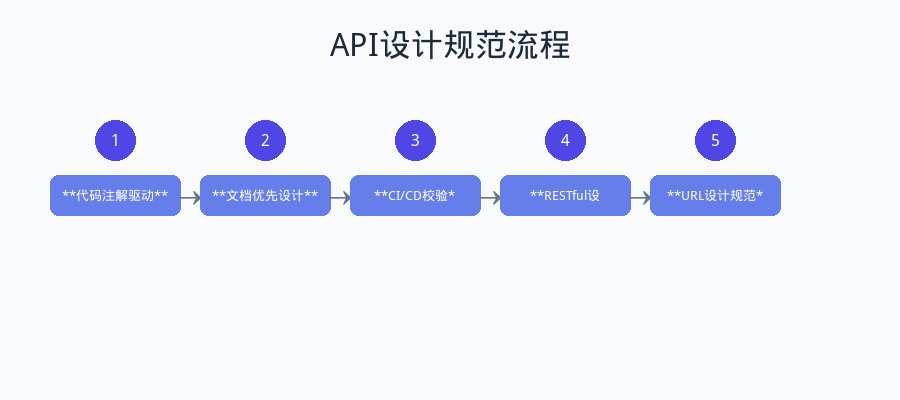
图:API文档优先设计流程
先编写OpenAPI文档,再生成代码骨架:
编写OpenAPI文档
评审API设计
生成服务端骨架
实现业务逻辑
生成客户端SDK
前后端并行开发
6.3 CI/CD集成
将API文档生成集成到CI/CD流水线:
yaml
# .github/workflows/api-docs.yml
name: Generate API Docs

on:
  push:
    branches: [main]
    paths:
      - 'src/main/java/**'

jobs:
  generate-docs:
    runs-on: ubuntu-latest
    steps:
      - uses: actions/checkout@v4

      - name: Set up JDK 17
        uses: actions/setup-java@v4
        with:
          java-version: '17'
          distribution: 'temurin'

      - name: Build with Maven
        run: mvn clean package -DskipTests

      - name: Generate OpenAPI JSON
        run: |
          curl -s http://localhost:8080/v3/api-docs -o openapi.json

      - name: Deploy to GitHub Pages
        uses: peaceiris/actions-gh-pages@v3
        with:
          github_token: ${{ secrets.GITHUB_TOKEN }}
          publish_dir: ./api-docs
7. 常见问题与解决方案
7.1 API设计常见错误
| 错误类型 | 错误示例 | 正确做法 |
|---|---|---|
| URL包含动词 | /getUsers |
/users + GET方法 |
| 使用不恰当的状态码 | 返回200但包含错误信息 | 使用正确的4xx/5xx状态码 |
| 忽略HTTP方法语义 | GET请求修改数据 | GET只用于查询 |
| 版本控制缺失 | 直接修改接口 | 使用版本控制策略 |
| 文档与代码不同步 | 文档未及时更新 | 自动化文档生成 |
7.2 OpenAPI文档维护
问题:文档与代码不同步,导致文档不可信。
解决方案:
- 代码注解驱动:使用springdoc等工具从代码注解自动生成文档
- 文档优先设计:先定义API文档,再生成代码骨架
- CI/CD校验:在流水线中校验文档与代码的一致性
7.3 复杂查询设计
问题:RESTful API如何处理复杂查询条件?
解决方案:
text
# 方案1:查询参数
GET /orders?status=pending&amountMin=100&amountMax=1000&createdAfter=2024-01-01

# 方案2:查询语言(OData风格)
GET /orders?$filter=status eq 'pending' and amount gt 100

# 方案3:POST查询(复杂场景)
POST /orders/search
{
  "status": "pending",
  "amount": {"min": 100, "max": 1000},
  "createdAt": {"after": "2024-01-01"}
}
8. 总结
本文系统性地介绍了RESTful API设计规范和OpenAPI(Swagger)文档标准,涵盖了从理论基础到实践应用的完整内容。
核心要点总结:
-
RESTful设计原则:以资源为中心,正确使用HTTP方法和状态码,保持无状态设计。
-
URL设计规范:使用名词复数、表达层级关系、避免过深嵌套。
-
OpenAPI规范:掌握文档结构、Schema定义、安全配置等核心概念。
-
工具链使用:熟练使用Swagger UI、Editor、Codegen等工具提升开发效率。
-
文档自动化:采用代码注解驱动或文档优先策略,确保文档与代码同步。
思考题:
-
在你的项目中,API设计存在哪些不规范的地方?如何改进?
-
如何在团队中推行API设计规范?需要哪些配套措施?
-
对于GraphQL和RESTful API,你认为各自适用的场景是什么?