CogOCRMaxTool 讲解
CogOCRMaxTool 是字符读取工具,能够根据已训练的字符样本读取灰度图像中的字符,并返回读取结果
在使用 CogOCRMaxTool 工具读取字符的时候,需要设置字符区域,每个字符的最大最小宽度等参数。在字符读取之前需要首先进行字符分割和字符训练,下面分别进行介绍:
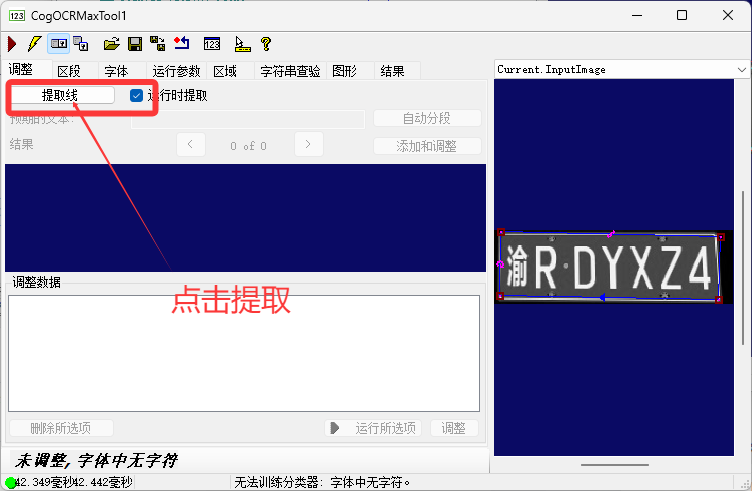
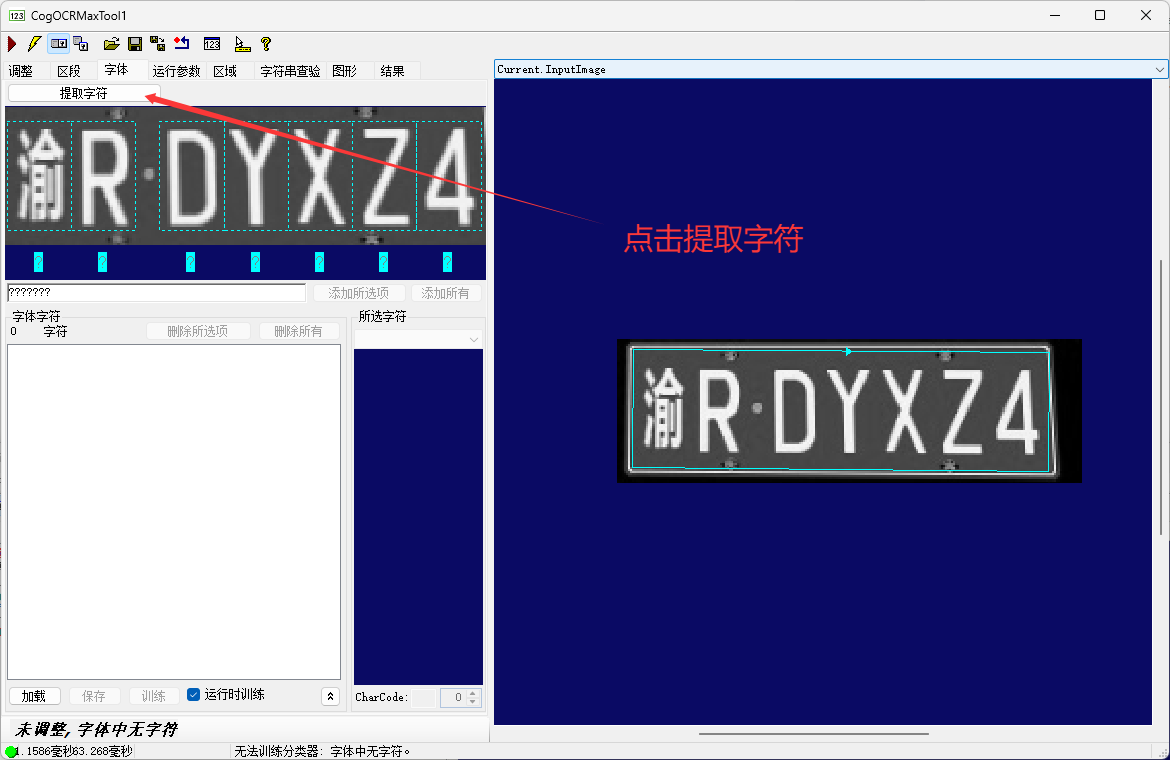
字符分割:
- 字符分割的过程就是将字符像素从背景像素中分离出来,然后将这些分离后的字符像素分割成独立 的符号,CogOCRMaxTool 工具支持一套参数,这些参数指示如何把字符和背景以及字符和字符分割开,这些参数的设置需要考虑很多因素,如字符之间的距离、字符的种类、图像的质量等,通常情况下,默认的分割参数不能将字符充分分割。需要不断的尝试着修改分割参数、直到字符能够充分分割
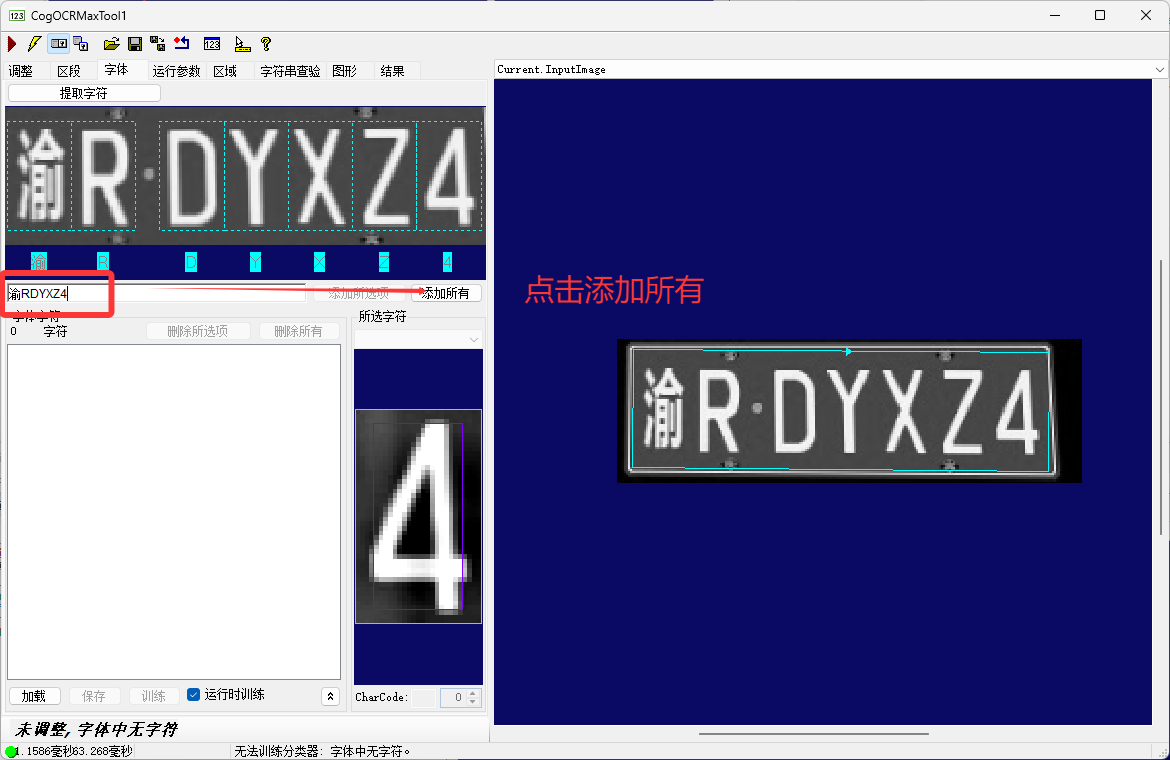
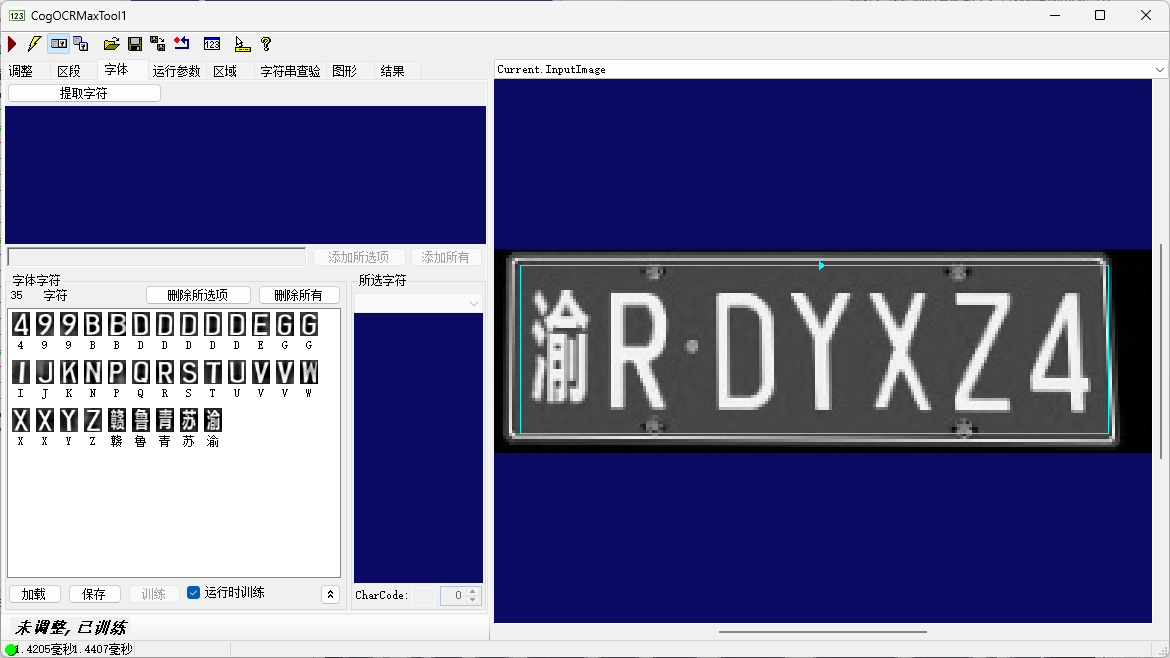
字符分类
- 字符分类的过程就是为每一个分割的字符训练一个最佳匹配字符 。新添加 CogOCRMaxTool 工具是没有训练字符的。可以从文件中调用已经存在的字符文件或临时添加字符集、添加字符集是一个不断重复的过程,需要添加所有需要读取的字符,只有在训练字符集中存在的字符才能够被成功读取。对于为训练的字符则不能成功读取
案例
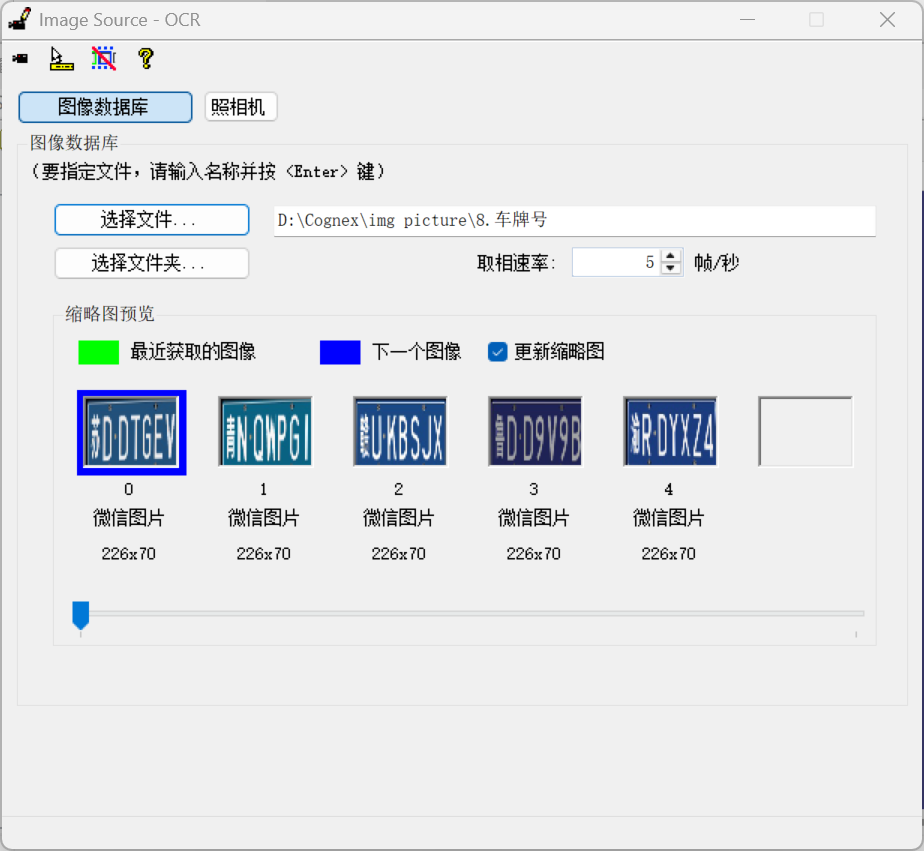
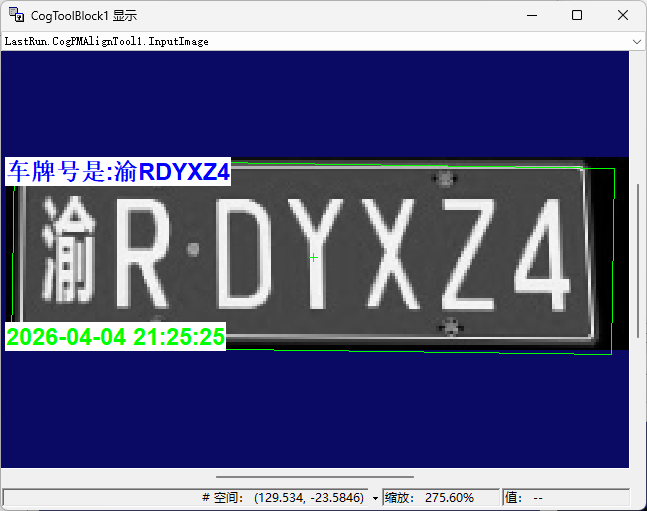
效果
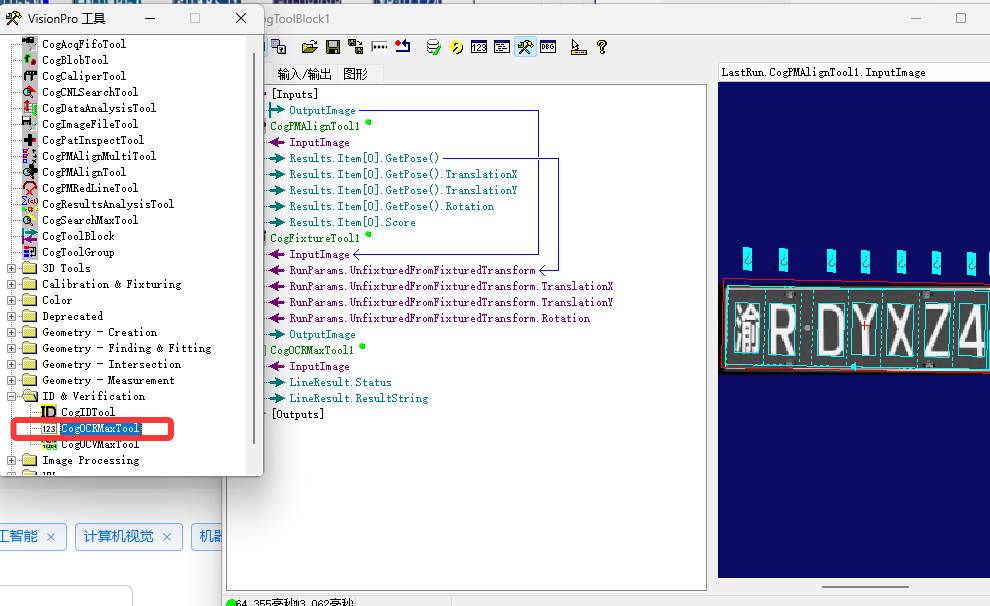
工具
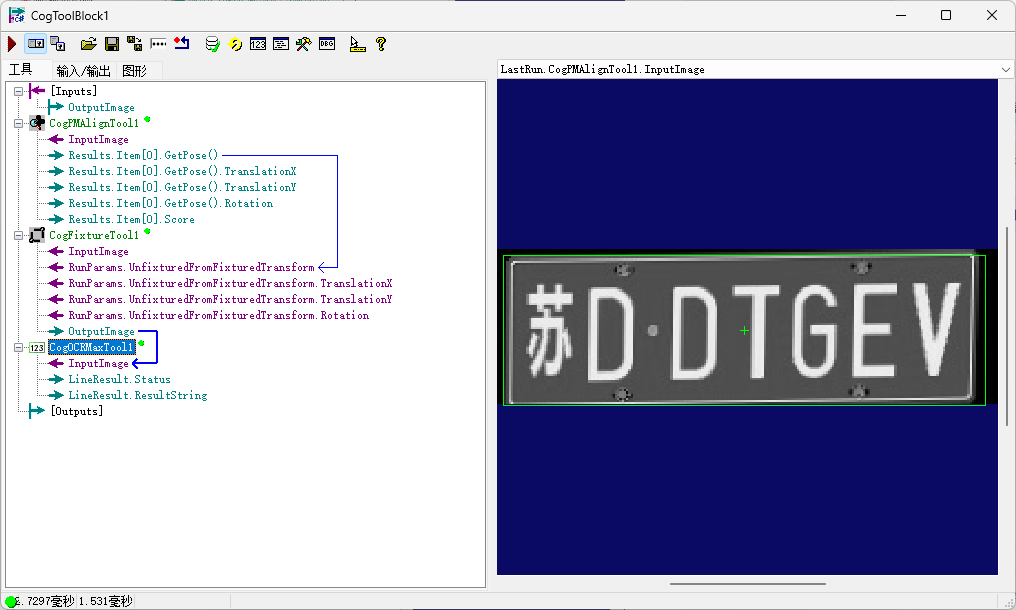
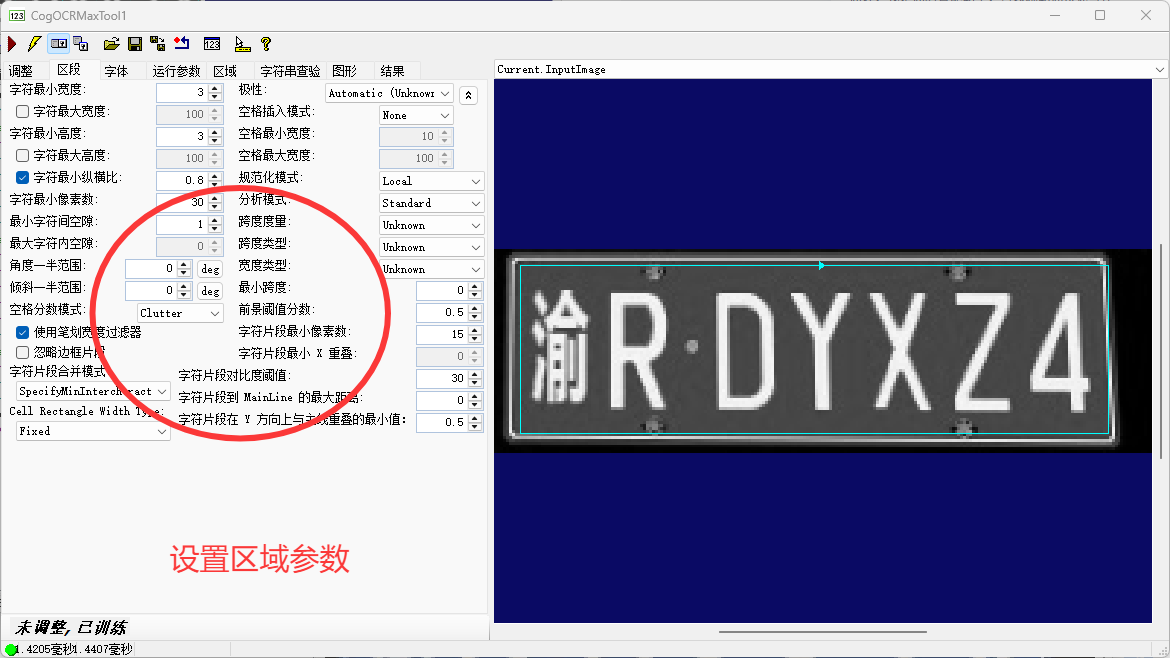
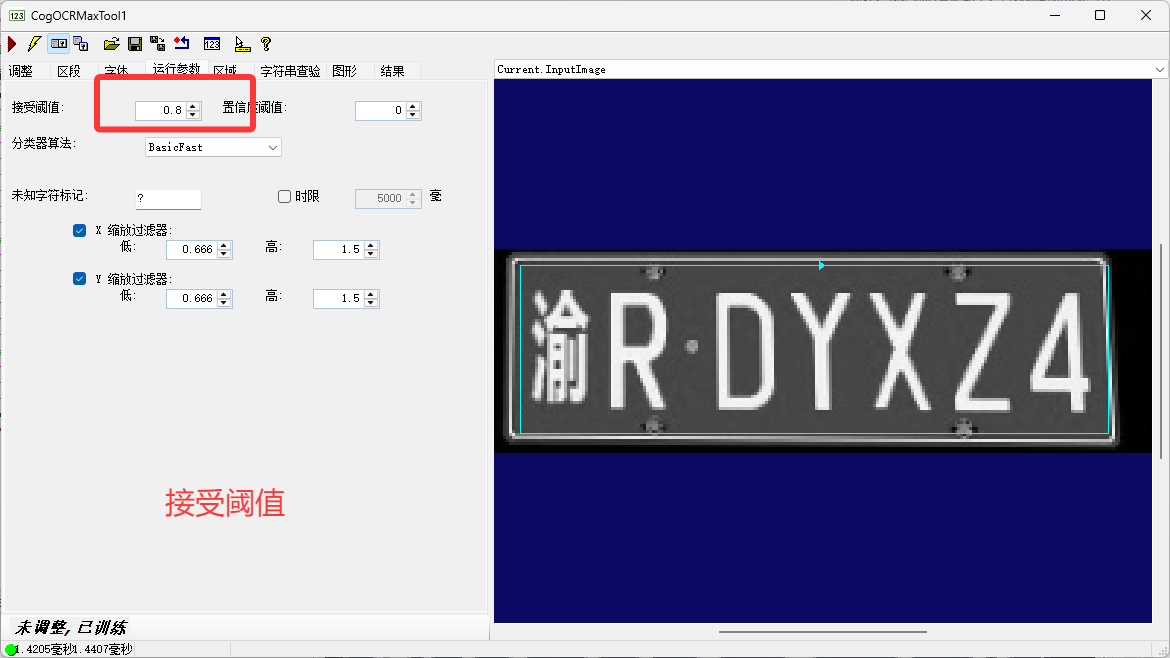
得分
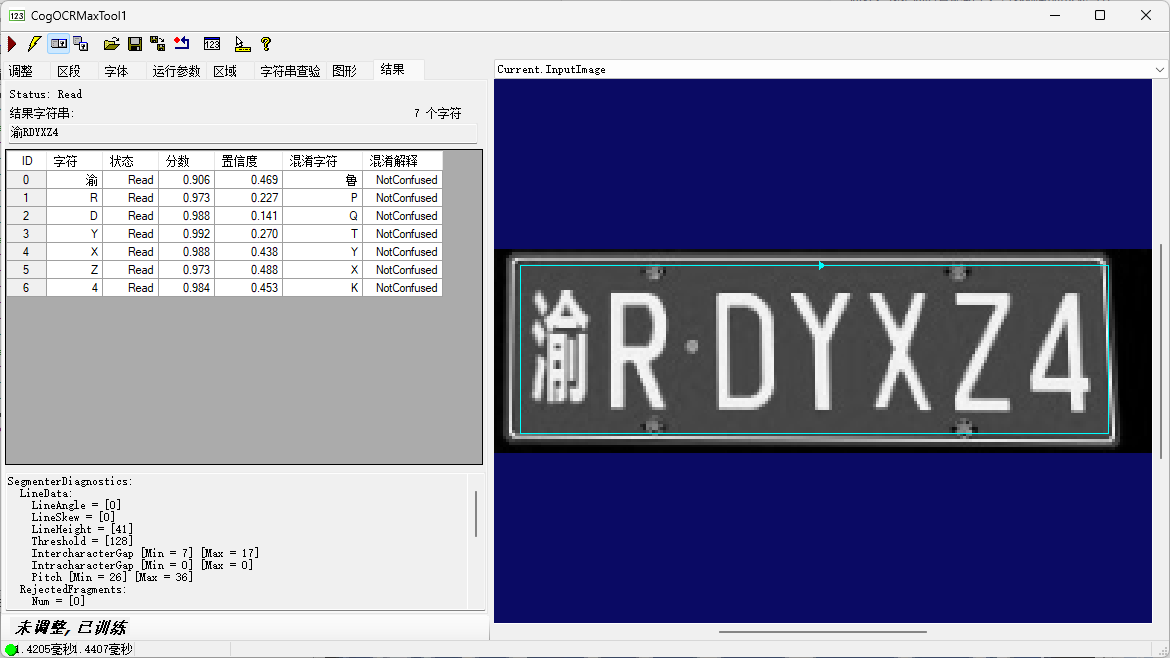
区段
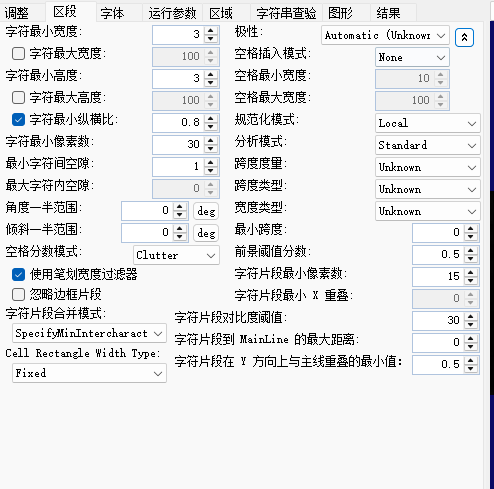
Save & Load
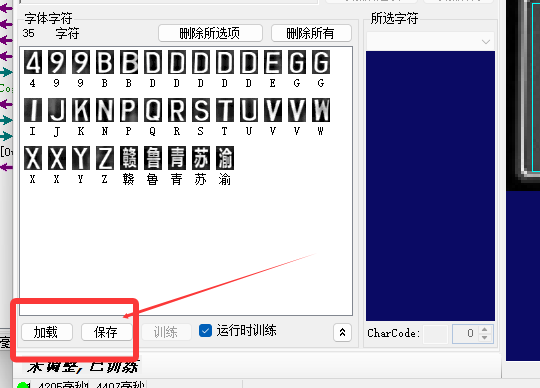
脚本
创建label
cs
private CogGraphicLabel createlabel(string text, float size, double x, double y, CogColorConstants color)
  {
    CogGraphicLabel label = new CogGraphicLabel();
    label.Font = new Font("Arial", size, FontStyle.Bold, GraphicsUnit.Pixel);
    label.Alignment = CogGraphicLabelAlignmentConstants.TopLeft;
    label.Color = color;
    label.BackgroundColor = CogColorConstants.White;
    label.SetXYText(x, y, text);
    return label;
  }
工具声明&创建集合
cs
private CogGraphicCollection dt = new CogGraphicCollection();
dt.Clear();
    mToolBlock.Outputs["ResultContent"].Value = "";
    CogPMAlignTool pma = mToolBlock.Tools["CogPMAlignTool1"]as CogPMAlignTool;
    CogOCRMaxTool ocr = mToolBlock.Tools["CogOCRMaxTool1"]as CogOCRMaxTool;
    CogFixtureTool fix = mToolBlock.Tools["CogFixtureTool1"]as CogFixtureTool;
创建转灰度工具
cs
 CogImageConvertTool Imageconvert = new CogImageConvertTool();
    Imageconvert.InputImage = mToolBlock.Inputs["OutputImage"].Value as ICogImage;
    Imageconvert.RunParams.RunMode = CogImageConvertRunModeConstants.Intensity;
    Imageconvert.Run();
图片赋值
cs
 pma.InputImage = Imageconvert.OutputImage;
    fix.InputImage=Imageconvert.OutputImage;
    pma.Run();
    fix.Run();
声明显示label
cs
 dt.Add(createlabel("车牌号是:" + ocr.LineResult.ResultString, 25, 0, 0, CogColorConstants.Blue));
    dt.Add(createlabel(DateTime.Now.ToString("yyyy-MM-dd HH:mm:ss"), 25, 0, 60, CogColorConstants.Green));
    mToolBlock.Outputs["ResultContent"].Value = ocr.LineResult.ResultString;
遍历显示
cs
foreach(ICogGraphic s in dt)
    {
      mToolBlock.AddGraphicToRunRecord(s, lastRecord, "CogPMAlignTool1.InputImage", "script");
    }
ALL 脚本
cs
#region namespace imports
using System;
using System.Collections;
using System.Drawing;
using System.IO;
using System.Windows.Forms;
using Cognex.VisionPro;
using Cognex.VisionPro.ToolBlock;
using Cognex.VisionPro3D;
using Cognex.VisionPro.PMAlign;
using Cognex.VisionPro.ImageProcessing;
using Cognex.VisionPro.OCRMax;
using Cognex.VisionPro.CalibFix;
#endregion

public class CogToolBlockAdvancedScript : CogToolBlockAdvancedScriptBase
{
  #region Private Member Variables
  private Cognex.VisionPro.ToolBlock.CogToolBlock mToolBlock;
  #endregion
  private CogGraphicCollection dt = new CogGraphicCollection();

  /// <summary>
  /// Called when the parent tool is run.
  /// Add code here to customize or replace the normal run behavior.
  /// </summary>
  /// <param name="message">Sets the Message in the tool's RunStatus.</param>
  /// <param name="result">Sets the Result in the tool's RunStatus</param>
  /// <returns>True if the tool should run normally,
  ///          False if GroupRun customizes run behavior</returns>
  public override bool GroupRun(ref string message, ref CogToolResultConstants result)
  {
    // To let the execution stop in this script when a debugger is attached, uncomment the following lines.
    // #if DEBUG
    // if (System.Diagnostics.Debugger.IsAttached) System.Diagnostics.Debugger.Break();
    // #endif
    dt.Clear();
    mToolBlock.Outputs["ResultContent"].Value = "";
    CogPMAlignTool pma = mToolBlock.Tools["CogPMAlignTool1"]as CogPMAlignTool;
    CogOCRMaxTool ocr = mToolBlock.Tools["CogOCRMaxTool1"]as CogOCRMaxTool;
    CogFixtureTool fix = mToolBlock.Tools["CogFixtureTool1"]as CogFixtureTool;
    CogImageConvertTool Imageconvert = new CogImageConvertTool();
    Imageconvert.InputImage = mToolBlock.Inputs["OutputImage"].Value as ICogImage;
    Imageconvert.RunParams.RunMode = CogImageConvertRunModeConstants.Intensity;
    Imageconvert.Run();
    pma.InputImage = Imageconvert.OutputImage;
    fix.InputImage=Imageconvert.OutputImage;
    pma.Run();
    fix.Run();


    // Run each tool using the RunTool function
    //ocr.InputImage = Imageconvert.OutputImage;
    foreach(ICogTool tool in mToolBlock.Tools)
      mToolBlock.RunTool(tool, ref message, ref result);
    dt.Add(createlabel("车牌号是:" + ocr.LineResult.ResultString, 25, 0, 0, CogColorConstants.Blue));
    dt.Add(createlabel(DateTime.Now.ToString("yyyy-MM-dd HH:mm:ss"), 25, 0, 60, CogColorConstants.Green));
    mToolBlock.Outputs["ResultContent"].Value = ocr.LineResult.ResultString;

    return false;
  }
  private CogGraphicLabel createlabel(string text, float size, double x, double y, CogColorConstants color)
  {
    CogGraphicLabel label = new CogGraphicLabel();
    label.Font = new Font("Arial", size, FontStyle.Bold, GraphicsUnit.Pixel);
    label.Alignment = CogGraphicLabelAlignmentConstants.TopLeft;
    label.Color = color;
    label.BackgroundColor = CogColorConstants.White;
    label.SetXYText(x, y, text);
    return label;
  }

  #region When the Current Run Record is Created
  /// <summary>
  /// Called when the current record may have changed and is being reconstructed
  /// </summary>
  /// <param name="currentRecord">
  /// The new currentRecord is available to be initialized or customized.</param>
  public override void ModifyCurrentRunRecord(Cognex.VisionPro.ICogRecord currentRecord)
  {
  }
  #endregion

  #region When the Last Run Record is Created
  /// <summary>
  /// Called when the last run record may have changed and is being reconstructed
  /// </summary>
  /// <param name="lastRecord">
  /// The new last run record is available to be initialized or customized.</param>
  public override void ModifyLastRunRecord(Cognex.VisionPro.ICogRecord lastRecord)
  {
    foreach(ICogGraphic s in dt)
    {
      mToolBlock.AddGraphicToRunRecord(s, lastRecord, "CogPMAlignTool1.InputImage", "script");
    }
  }
  #endregion

  #region When the Script is Initialized
  /// <summary>
  /// Perform any initialization required by your script here
  /// </summary>
  /// <param name="host">The host tool</param>
  public override void Initialize(Cognex.VisionPro.ToolGroup.CogToolGroup host)
  {
    // DO NOT REMOVE - Call the base class implementation first - DO NOT REMOVE
    base.Initialize(host);


    // Store a local copy of the script host
    this.mToolBlock = ((Cognex.VisionPro.ToolBlock.CogToolBlock)(host));
  }
  #endregion

}