学习目标:
- 基本Gameplay框架知识了解。
- 制作简单的玩家控制器(Player Controller)与角色(Pawn)。
- 实现基础移动、跳跃、摄像机控制。
- 制作物品拾取、开门、触发器(Trigger)等交互逻辑。
一.新建UE5第一人称工程
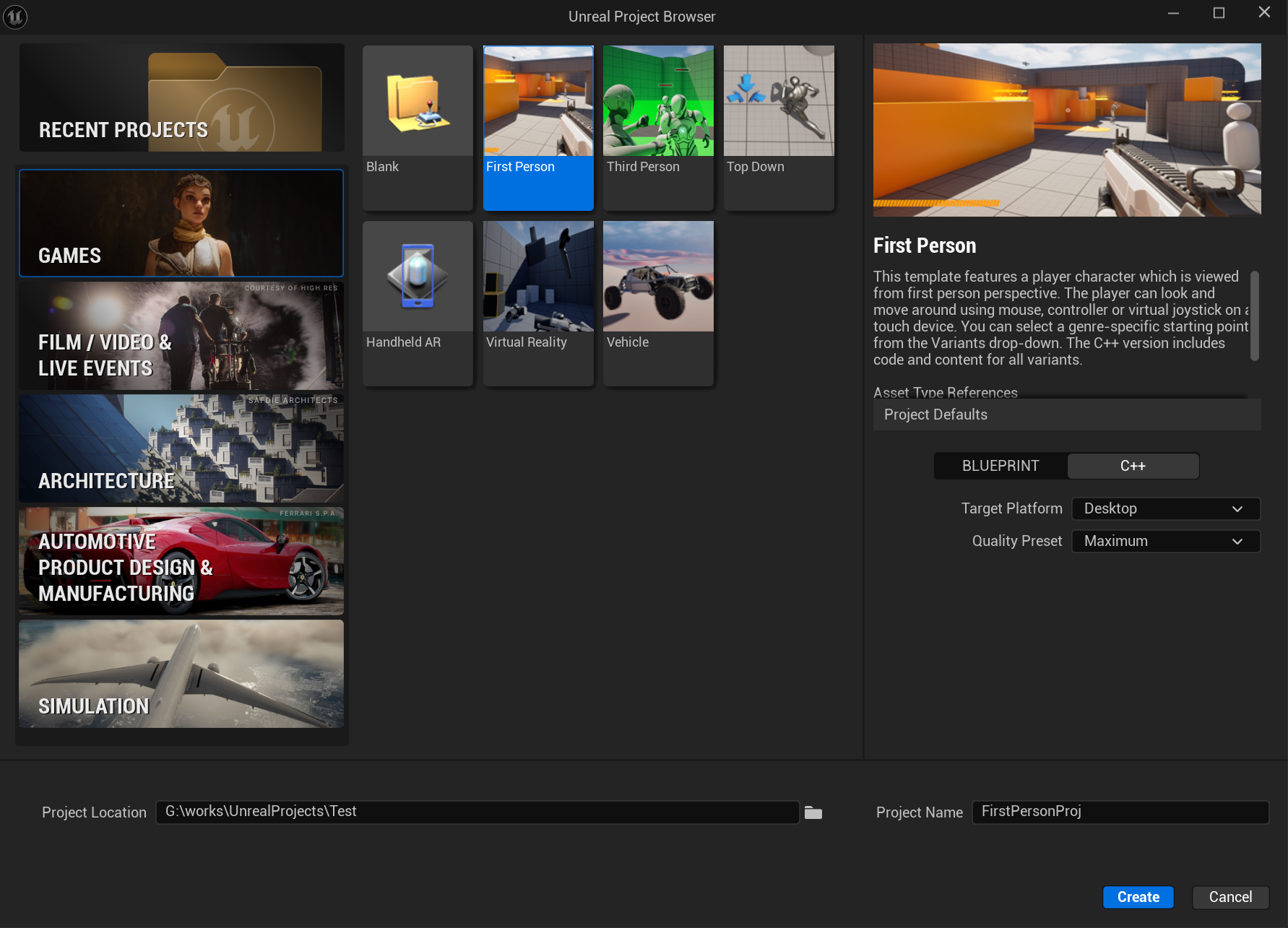
注意选择C++类型的工程项目,打开编辑器运行游戏即可体验对一个玩家的操控,具有跑跳等基本运动能力
二.认识Gameplay框架类
| 类名 | 核心职责 | 所在端 | 主要网络赋值和同步 |
|---|---|---|---|
| GameMode | 管理游戏规则、玩家登录、重生、胜负判定等核心逻辑 | 服务器端(Server) | 不网络同步,仅服务器运行逻辑 |
| Pawn / Character | 游戏中可控制角色或实体,表现位置、移动和外观 | 服务器端 + 客户端 | 位置、状态等通过Replicated同步 |
| GameState | 存储全局游戏状态数据,如比分、时间 | 服务器端 + 客户端 | 变量通过Replicated同步给所有客户端 |
| PlayerController | 连接玩家输入与Pawn,管理玩家视角和交互 | 服务器端 + 对应客户端 | 大量变量使用Replicated同步状态 |
| PlayerState | 保存单个玩家的状态信息,如分数、名字 | 服务器端 + 所有客户端 | 主要变量通过Replicated保持同步 |
以上就是游戏玩家相关核心类
那这些驱动游戏的类是怎么生效的呢?这边我们先不深究,我们先看下它们在哪里被调用
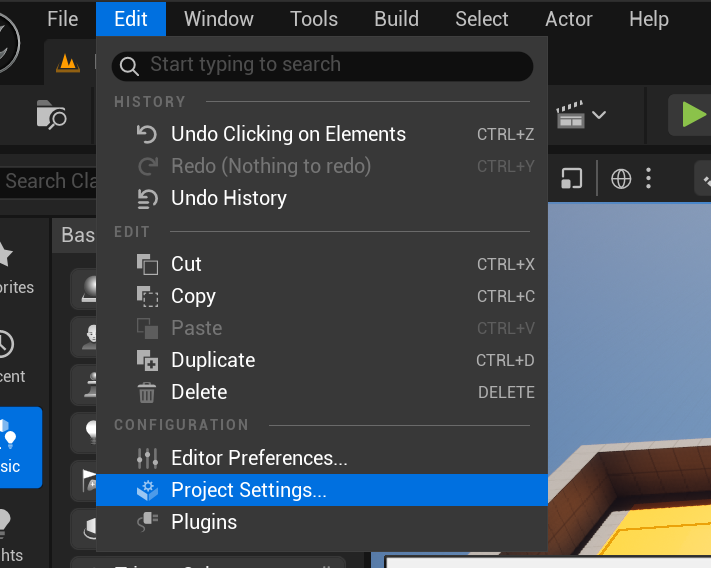
Mune菜单栏->ProjectSetting->Map&Modes
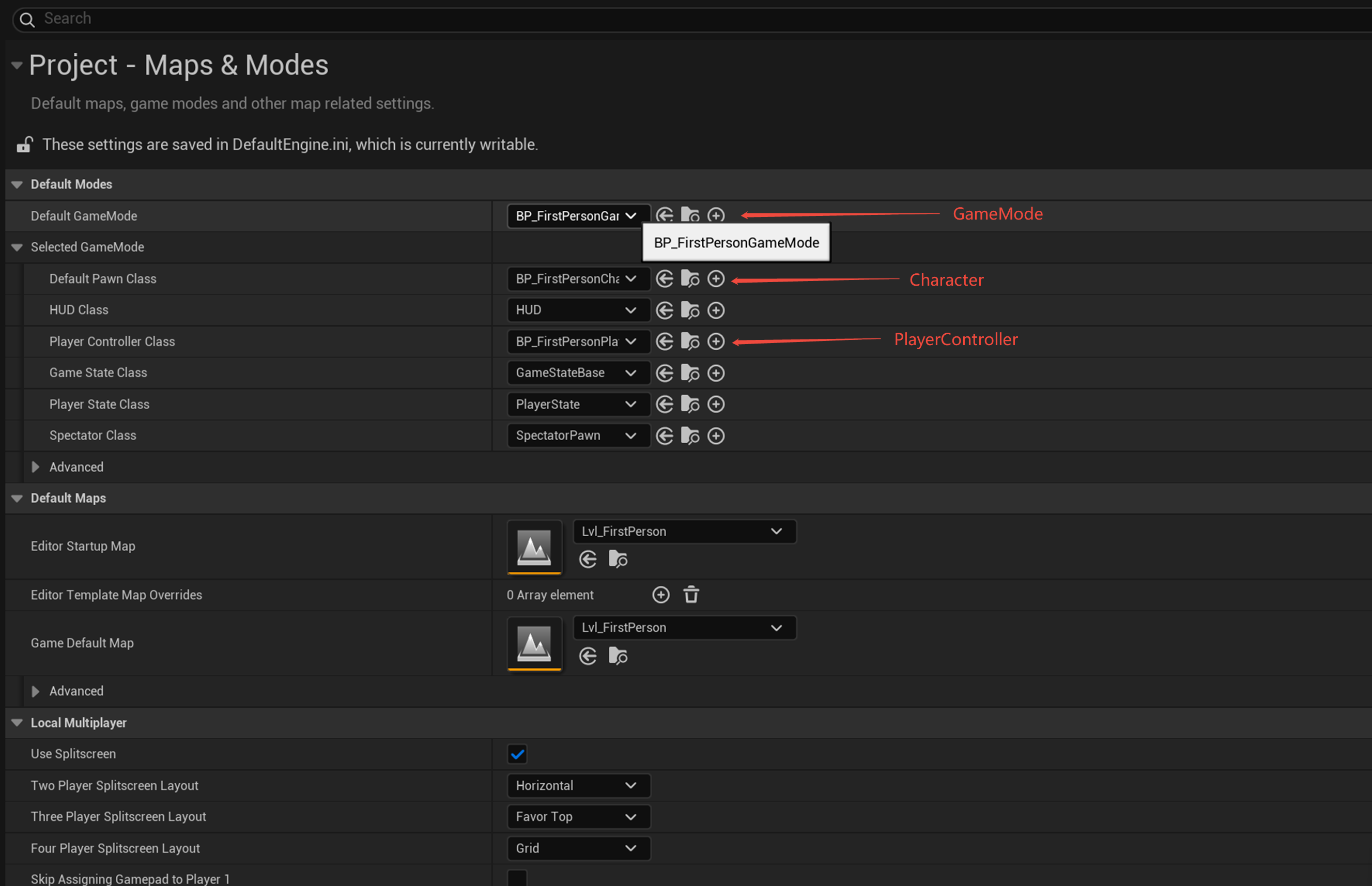
其中是GameMode,Character和PlayerController三个主要玩法类被替换为第一人称相关的玩法类
三.玩法类的解析
FirstPersonGameMode
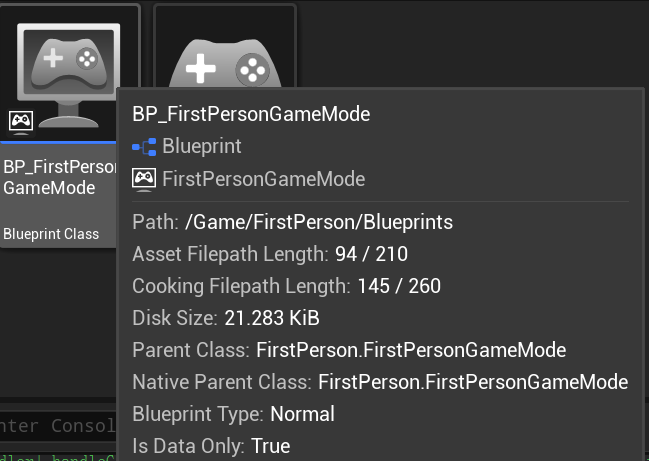
我们可以看到GameMode蓝图继承于FirstPersonGameMode GameMode类,但是看了下FirstPersonGameMode 类中除了一个构造函数外别无他物,主要是这只是一个Demo,还用不上GameMode这把"牛刀"
FirstPersonCharacter
构造函数分析
cpp
AFirstPersonCharacter::AFirstPersonCharacter()
{
	// Set size for collision capsule
	GetCapsuleComponent()->InitCapsuleSize(55.f, 96.0f);

	// Create the first person mesh that will be viewed only by this character's owner
	FirstPersonMesh = CreateDefaultSubobject<USkeletalMeshComponent>(TEXT("First Person Mesh"));
	FirstPersonMesh->SetupAttachment(GetMesh());
	FirstPersonMesh->SetOnlyOwnerSee(true);
	FirstPersonMesh->FirstPersonPrimitiveType = EFirstPersonPrimitiveType::FirstPerson;
	FirstPersonMesh->SetCollisionProfileName(FName("NoCollision"));

	// Create the Camera Component
    //创建第一人称相机并附加到网格的"head"插槽,设置初始位置和旋转,并启用第一人称视野和缩放
	FirstPersonCameraComponent = CreateDefaultSubobject<UCameraComponent>(TEXT("First Person Camera"));
	FirstPersonCameraComponent->SetupAttachment(FirstPersonMesh, FName("head"));
	FirstPersonCameraComponent->SetRelativeLocationAndRotation(FVector(-2.8f, 5.89f, 0.0f), FRotator(0.0f, 90.0f, -90.0f));
	FirstPersonCameraComponent->bUsePawnControlRotation = true;
	FirstPersonCameraComponent->bEnableFirstPersonFieldOfView = true;
	FirstPersonCameraComponent->bEnableFirstPersonScale = true;
	FirstPersonCameraComponent->FirstPersonFieldOfView = 70.0f;
	FirstPersonCameraComponent->FirstPersonScale = 0.6f;

	// configure the character comps
	//设置角色的网格对角色所有者(玩家自己)不可见。在第一人称游戏中,玩家通常只能看到自己的手和武器(通过FirstPersonMesh),
	// 而不是整个角色身体。这样可以避免在视角中看到自己的后脑勺或其他身体部位,提供更好的第一人称体验。
	GetMesh()->SetOwnerNoSee(true);
	//设置网格的第一人称原语类型为世界空间,表示网格组件在世界空间中渲染,而不是在屏幕空间中渲染。
	//它会被其他玩家看到(作为角色的世界表示)且它不会受到第一人称特定的渲染优化影响
	GetMesh()->FirstPersonPrimitiveType = EFirstPersonPrimitiveType::WorldSpaceRepresentation;
	//重新设置碰撞胶囊体的大小,匹配第一人称视角下的角色比例,避免碰撞胶囊体过大导致的问题
	GetCapsuleComponent()->SetCapsuleSize(34.0f, 96.0f);

	// Configure character movement
	GetCharacterMovement()->BrakingDecelerationFalling = 1500.0f;
	GetCharacterMovement()->AirControl = 0.5f;
}
输入处理系统
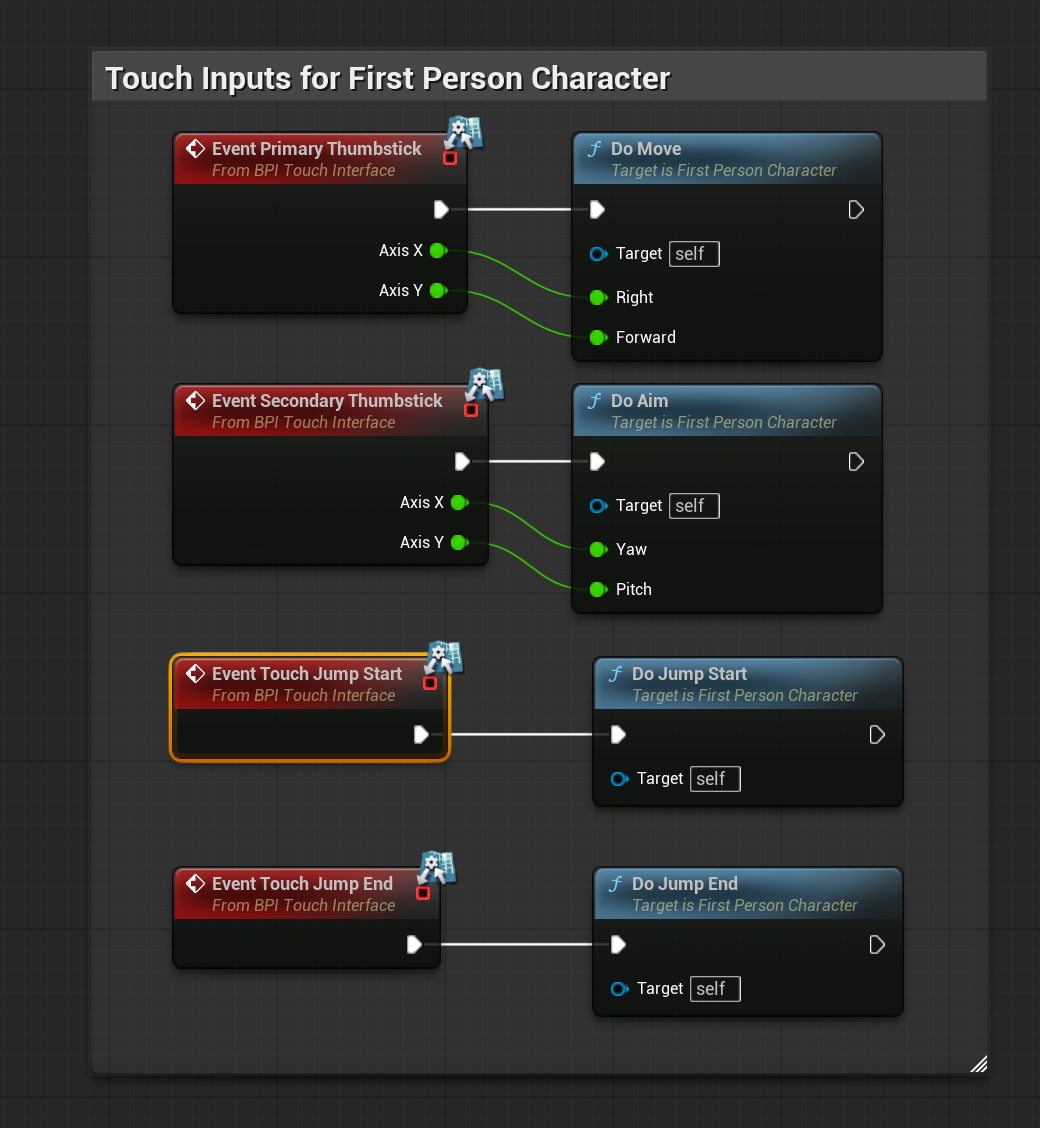
这里四种事件绑定了四种对应的操作
| 事件 | 输入设备 | 触发时机 | 典型用途 |
|---|---|---|---|
| EventPrimaryThumbstick | 手柄左摇杆(主摇杆) | 摇杆开始移动或移动时 | 移动角色 |
| EventSecondaryThumbstick | 手柄右摇杆(次摇杆) | 摇杆开始移动或移动时 | 控制摄像机或瞄准 |
| EventTouchJumpStart | 触控设备触碰跳跃按钮 | 按下跳跃按钮 | 触摸跳跃的开始 |
| EventTouchJumpEnd | 触控设备放开跳跃按钮 | 松开跳跃按钮 | 触摸跳跃的结束 |
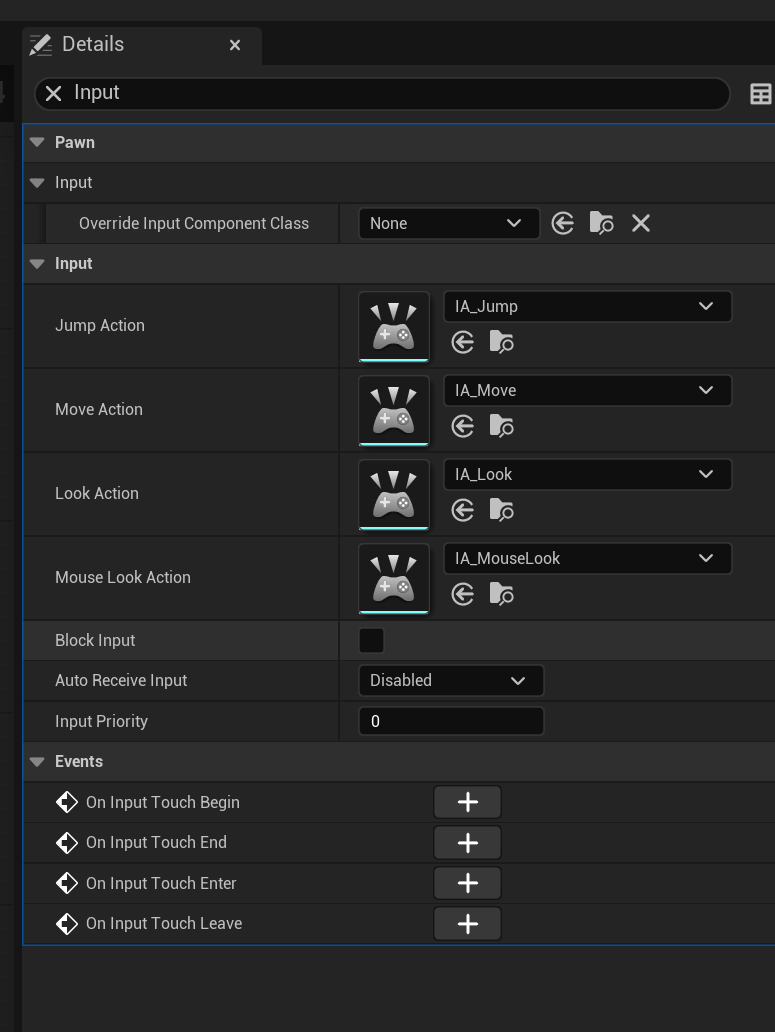
有些奇怪的是这些蓝图事件应该不需要才对(删掉事件蓝图依然可以正常运行),代码里面已经有动作事件的绑定了,原来是区别于电脑的不同设备上的事件
如果是复杂的输入,可以看看增强输入系统(UE5 推荐,功能更强大)
https://blog.csdn.net/weixin_51524146/article/details/145142046
cpp
void AFirstPersonCharacter::SetupPlayerInputComponent(UInputComponent* PlayerInputComponent)
{
	 // 1. 类型检查:确保使用Enhanced Input System
    if (UEnhancedInputComponent* EnhancedInputComponent = Cast<UEnhancedInputComponent>(PlayerInputComponent))
    {

        // 2. 动作绑定:将输入动作绑定到对应的处理函数
		// Moving
		EnhancedInputComponent->BindAction(MoveAction, ETriggerEvent::Triggered, this, &AFirstPersonCharacter::MoveInput);

		// Looking/Aiming
		EnhancedInputComponent->BindAction(LookAction, ETriggerEvent::Triggered, this, &AFirstPersonCharacter::LookInput);
		EnhancedInputComponent->BindAction(MouseLookAction, ETriggerEvent::Triggered, this, &AFirstPersonCharacter::LookInput);
	}
	else
	{
		UE_LOG(LogFirstPerson, Error, TEXT("'%s' Failed to find an Enhanced Input Component! This template is built to use the Enhanced Input system. If you intend to use the legacy system, then you will need to update this C++ file."), *GetNameSafe(this));
	}
}
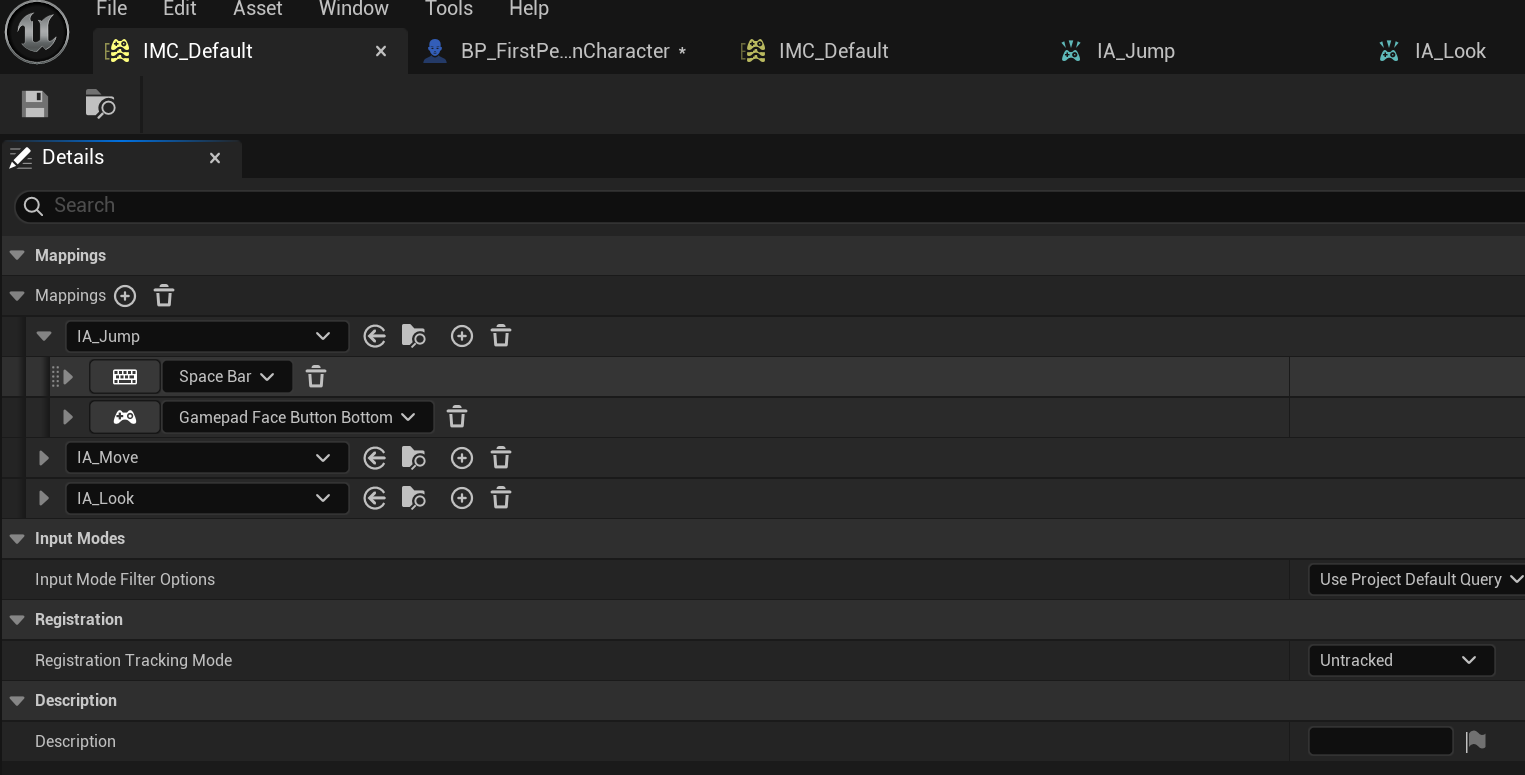
FirstPersonPlayerController
输入系统
在FirstPersonCharacter的SetupPlayerInputComponent函数中已经有了动作的绑定,我们还缺少了输入映射,这个被放在了PlayerController中
cpp
protected:

	/** Input Mapping Contexts */
	UPROPERTY(EditAnywhere, Category="Input|Input Mappings")
	TArray<UInputMappingContext*> DefaultMappingContexts;

	/** Input Mapping Contexts */
	UPROPERTY(EditAnywhere, Category="Input|Input Mappings")
	TArray<UInputMappingContext*> MobileExcludedMappingContexts;

	/** Mobile controls widget to spawn */
	UPROPERTY(EditAnywhere, Category="Input|Touch Controls")
	TSubclassOf<UUserWidget> MobileControlsWidgetClass;

	/** Pointer to the mobile controls widget */
	TObjectPtr<UUserWidget> MobileControlsWidget;

	/** Gameplay initialization */
	virtual void BeginPlay() override;

	/** Input mapping context setup */
	virtual void SetupInputComponent() override;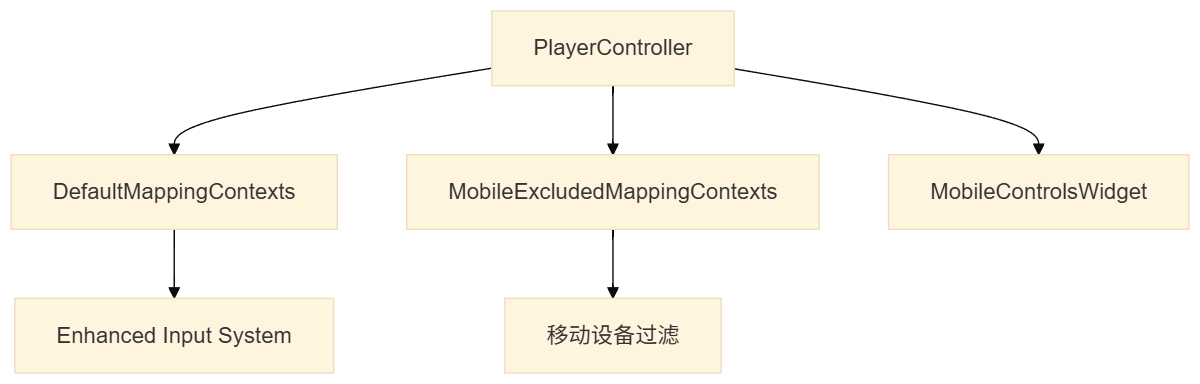
cpp
AFirstPersonPlayerController::AFirstPersonPlayerController()
{
	// set the player camera manager class
	PlayerCameraManagerClass = AFirstPersonCameraManager::StaticClass();
}

void AFirstPersonPlayerController::BeginPlay()
{
	Super::BeginPlay();


	// only spawn touch controls on local player controllers在移动设备上显示触摸控制界面
	if (SVirtualJoystick::ShouldDisplayTouchInterface() && IsLocalPlayerController())
	{
		// spawn the mobile controls widget
		MobileControlsWidget = CreateWidget<UUserWidget>(this, MobileControlsWidgetClass);

		if (MobileControlsWidget)
		{
			// add the controls to the player screen
			MobileControlsWidget->AddToPlayerScreen(0);

		} else {

			UE_LOG(LogFirstPerson, Error, TEXT("Could not spawn mobile controls widget."));

		}

	}
}

void AFirstPersonPlayerController::SetupInputComponent()
{
	Super::SetupInputComponent();

	// only add IMCs for local player controllers
	if (IsLocalPlayerController())
	{
		// Add Input Mapping Context
		if (UEnhancedInputLocalPlayerSubsystem* Subsystem = ULocalPlayer::GetSubsystem<UEnhancedInputLocalPlayerSubsystem>(GetLocalPlayer()))
		{
			for (UInputMappingContext* CurrentContext : DefaultMappingContexts)
			{
				Subsystem->AddMappingContext(CurrentContext, 0);
			}

			// only add these IMCs if we're not using mobile touch input
			if (!SVirtualJoystick::ShouldDisplayTouchInterface())
			{
				for (UInputMappingContext* CurrentContext : MobileExcludedMappingContexts)
				{
					Subsystem->AddMappingContext(CurrentContext, 0);
				}
			}
		}
	}

}
由此可见,UE5的第一人称模板输入已经采用了增强输入系统