force_handlers
[root@ansible ~]# vi an-15.yml
[root@ansible ~]# cat an-15.yml
- hosts: webservers
  tasks:
    - name: "创建文件"
      shell: touch /root/aa.txt
      notify: aa

    - name: "错误任务"
      shell: systemctl restart yuiopyuio

  handlers:
    - name: aa
      service:
        name: httpd
        state: restarted
[root@ansible ~]# ansible-playbook an-15.yml

PLAY [webservers] ***************************************************************************************************************************************

TASK [Gathering Facts] **********************************************************************************************************************************
ok: [192.168.92.20]

TASK [创建文件] ***************************************************************                                                                          **************************************************************************
changed: [192.168.92.20]

TASK [错误任务] ***************************************************************                                                                          **************************************************************************
fatal: [192.168.92.20]: FAILED! => {"changed": true, "cmd": "systemctl restart                                                                           yuiopyuio", "delta": "0:00:00.031268", "end": "2026-03-29 20:33:19.189710", "ms                                                                          g": "non-zero return code", "rc": 5, "start": "2026-03-29 20:33:19.158442", "st                                                                          derr": "Failed to restart yuiopyuio.service: Unit yuiopyuio.service not found."                                                                          , "stderr_lines": ["Failed to restart yuiopyuio.service: Unit yuiopyuio.service                                                                           not found."], "stdout": "", "stdout_lines": []}

PLAY RECAP ********************************************************************                                                                          **************************************************************************
192.168.92.20              : ok=2    changed=1    unreachable=0    failed=1                                                                              skipped=0    rescued=0    ignored=0

[root@ansible ~]# vi an-15.yml
[root@ansible ~]# cat an-15.yml
- hosts: webservers
  force_handlers: yes
  tasks:
    - name: "创建文件"
      shell: touch /root/aa.txt
      notify: aa

    - name: "错误任务"
      shell: systemctl restart yuiopyuio

  handlers:
    - name: aa
      service:
        name: httpd
        state: restarted
[root@ansible ~]# ansible-playbook an-15.yml

PLAY [webservers] ***************************************************************************************************************************************

TASK [Gathering Facts] **********************************************************************************************************************************
ok: [192.168.92.20]

TASK [创建文件] *****************************************************************************************************************************************
changed: [192.168.92.20]


TASK [错误任务] *****************************************************************************************************************************************
fatal: [192.168.92.20]: FAILED! => {"changed": true, "cmd": "systemctl restart yuiopyuio", "delta": "0:00:00.021511", "end": "2026-03-29 20:35:14.990162", "msg": "non-zero return code", "rc": 5, "start": "2026-03-29 20:35:14.968651", "stderr": "Failed to restart yuiopyuio.service: Unit yuiopyuio.service not found.", "stderr_lines": ["Failed to restart yuiopyuio.service: Unit yuiopyuio.service not found."], "stdout": "", "stdout_lines": []}

RUNNING HANDLER [aa] ************************************************************************************************************************************
changed: [192.168.92.20]

PLAY RECAP **********************************************************************************************************************************************
192.168.92.20              : ok=3    changed=2    unreachable=0    failed=1    skipped=0    rescued=0    ignored=0
第二次编辑an-15.yml文件的时候,加了force_handlers: yes,虽然错误任务没有运行起来,但是触发器成功运行了
delegate委托
下面这张图是an-16.yml
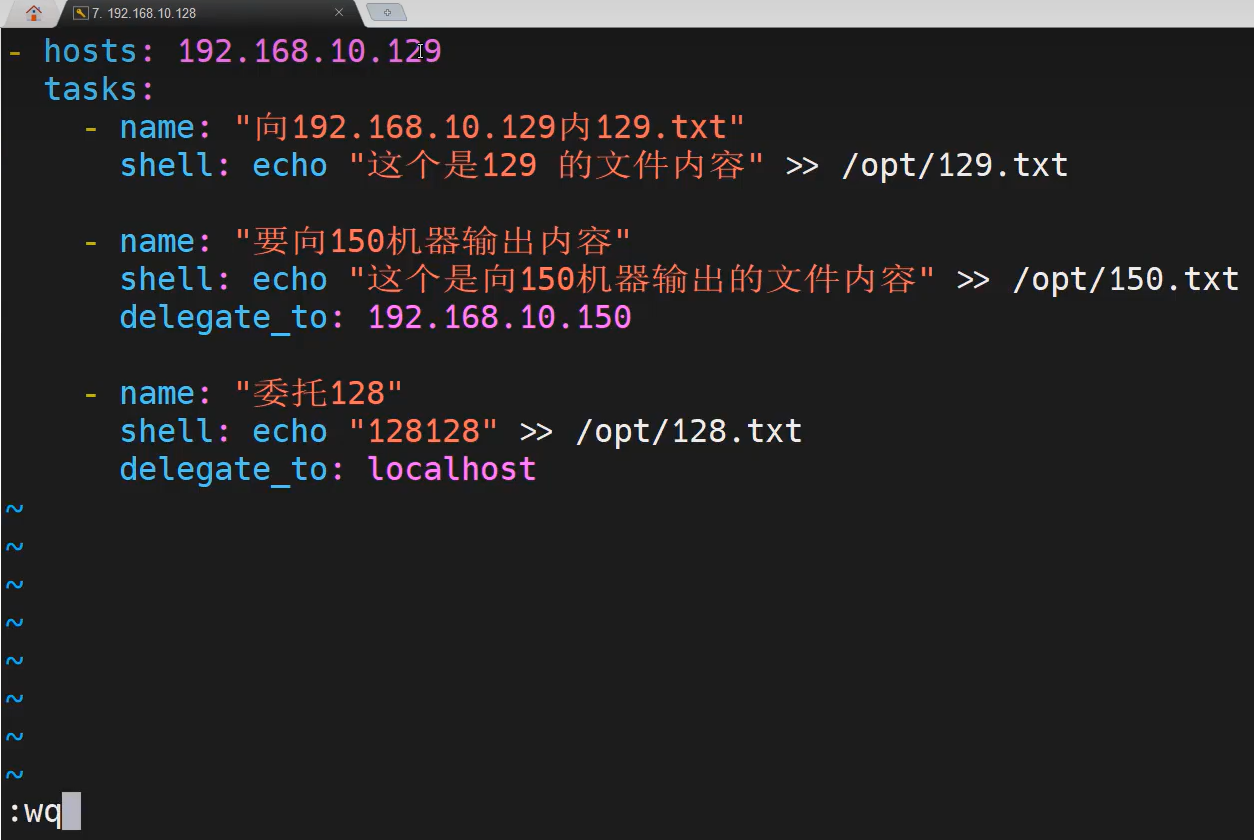
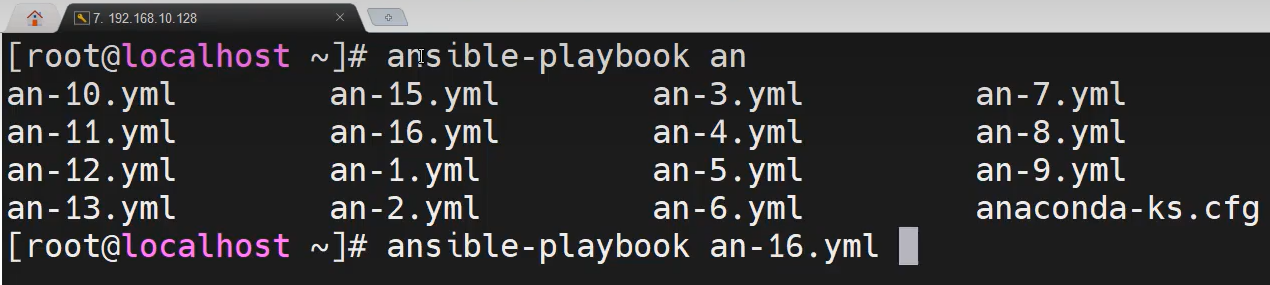
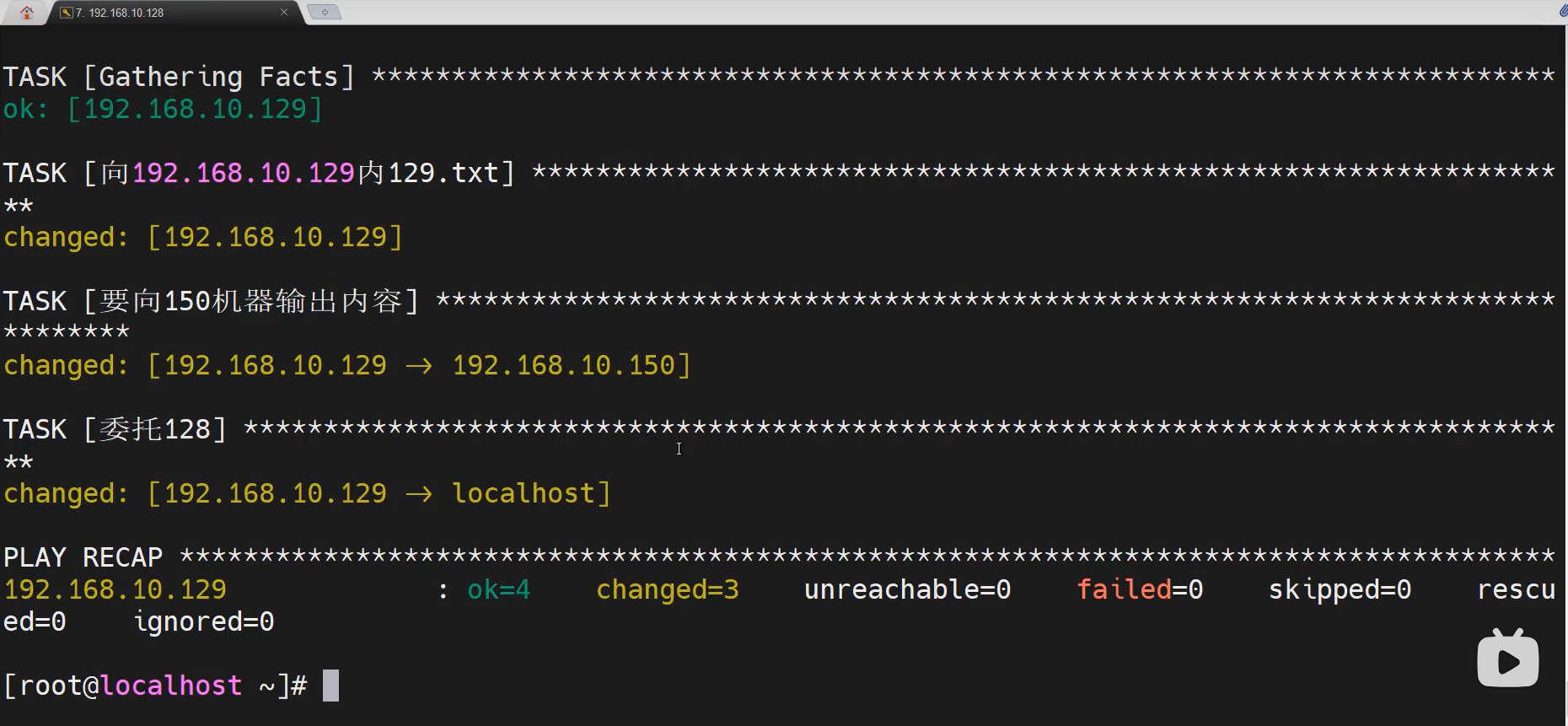
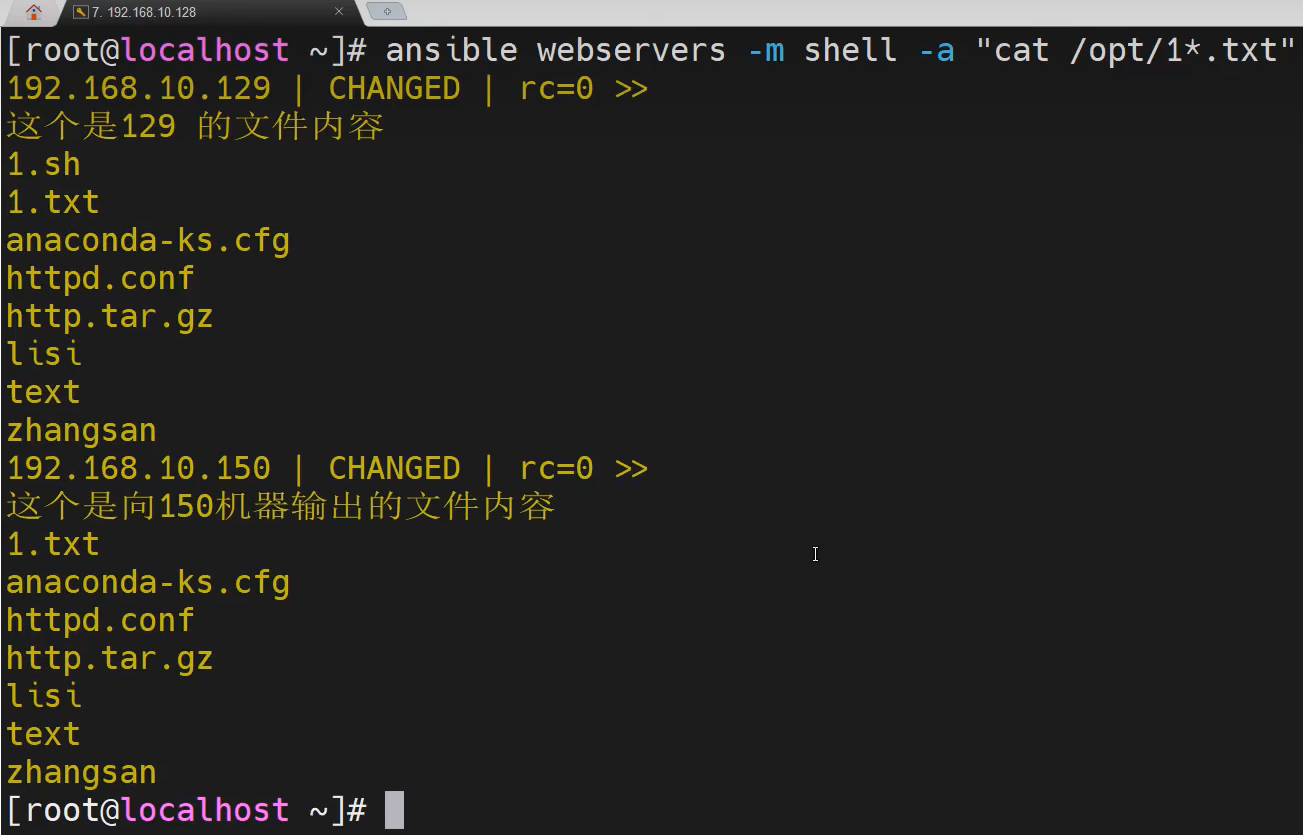
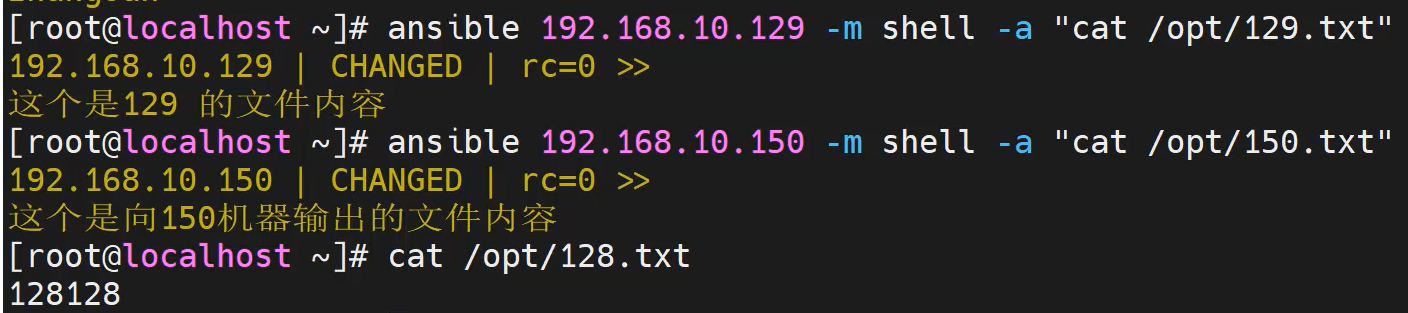
delegate通过委托完成功能而不用新加一条hosts记录,也不用单独写出来一个playbook文件
playbook语法格式
[root@ansible ~]# ansible webservers -m user -a "name=a1 password=123456"
[WARNING]: The input password appears not to have been hashed. The 'password' argument must be encrypted for this module to work
properly.
192.168.92.20 | CHANGED => {
    "ansible_facts": {
        "discovered_interpreter_python": "/usr/bin/python3"
    },
    "changed": true,
    "comment": "",
    "create_home": true,
    "group": 1204,
    "home": "/home/a1",
    "name": "a1",
    "password": "NOT_LOGGING_PASSWORD",
    "shell": "/bin/bash",
    "state": "present",
    "system": false,
    "uid": 1204
}
[root@ansible ~]# vi an-17.yml
[root@ansible ~]# cat an-17.yml
- hosts: webservers
  tasks:
    - name: "创建用户,指令参数"
      user:
        name: a2
        password: 123456

    - name: "创建用户,把指令参数写作模块属性"
      user:
        name: a3
        password: 123456

[root@ansible ~]# ansible-playbook an-17.yml

PLAY [webservers] ************************************************************************************************************************

TASK [Gathering Facts] *******************************************************************************************************************
ok: [192.168.92.20]

TASK [创建用户,指令参数] ***************************************                                                                         *****************************************************************                                                                         ********
[WARNING]: The input password appears not to have been hashed. Th                                                                         e 'password' argument must be encrypted for this module to work
properly.
changed: [192.168.92.20]

TASK [创建用户,把指令参数写作模块属性] *************************                                                                         *****************************************************************                                                                         ********
changed: [192.168.92.20]

PLAY RECAP ******************************************************                                                                         *****************************************************************                                                                         ********
192.168.92.20              : ok=3    changed=2    unreachable=0                                                                             failed=0    skipped=0    rescued=0    ignored=0
template模块
AnsibleJinJa2
什么是jinja2
。是Python的全功能模板引擎
。ansible需要是要jinja2模板修改被控端的配置文件
。假设:现在5台机器需要安装nginx,每一个主机端口号不一样
。解决方法:可以是要jinja2模板引擎功能:template
如何是要jinja2
。ansible需要是要jinja2,需要借助:template模块实现
copy模块:
    它是把指定文件内容,直接复制给指定目标,可以是覆盖替换,里面内容不会发生任何改变
    配置文件内的内容不需要发生改变,就可以是要copy
template模块:
    它会内容做解析:会分析文件,如果你的文件内有变量的,它会帮你把变量转换为对应的
    数值,然后再做覆盖和替换
    如果这个文件分发且每个设备需要的数据不一样,可以定义变量,用template做解析下发

[root@ansible ~]# vi test.yml
[root@ansible ~]# cat test.yml
- hosts: webservers
  vars:
    - my_port: 80
  tasks:
    - name: "copy"
      copy:
        src: /root/httpd.conf
        dest: /opt/httpd.conf

    - name: "template"
      template:
        src: /root/httpd.conf
        dest: /root/httpd.conf
[root@ansible ~]# vi httpd.conf
Listen这里修改为Listen {{ my_port }}
[root@ansible ~]# ansible-playbook test.yml

PLAY [webservers] ************************************************************************************************************************

TASK [Gathering Facts] *******************************************************************************************************************
ok: [192.168.92.20]

TASK [copy] ******************************************************************************************************************************
changed: [192.168.92.20]

TASK [template] **************************************************************************************************************************
changed: [192.168.92.20]

PLAY RECAP *******************************************************************************************************************************
192.168.92.20              : ok=3    changed=2    unreachable=0    failed=0    skipped=0    rescued=0    ignored=0
被控端192.168.92.20 /root/httpd.conf下显示Listen 80
被控端192.168.92.20 /opt/httpd.conf下显示Listen {{ my_port }}
template模块: 它会内容做解析:会分析文件,如果你的文件内有变量的,它会帮你把变量转换为对应的 数值,然后再做覆盖和替换,copy不行