安装依赖
shell
sudo apt install build-essential python3 python3-pip git screen下载SDK
shell
git clone --recursive https://gitee.com/Ai-Thinker-Open/Ai-Thinker-WB2修改权限
在toolchain文件夹有三个平台的编译工具,我们使用Linux平台
进入Linux,执行shell脚本
- Darwin
shell
 cd toolchain/riscv/Darwin/
. chmod755.sh - Linux
shell
 cd toolchain/riscv/Linux/
. chmod755.sh - MSYS
shell
 cd toolchain/riscv/MSYS/
 . chmod755.sh
编译Hello Word 工程
进入Helloword文件夹
shell
make -j8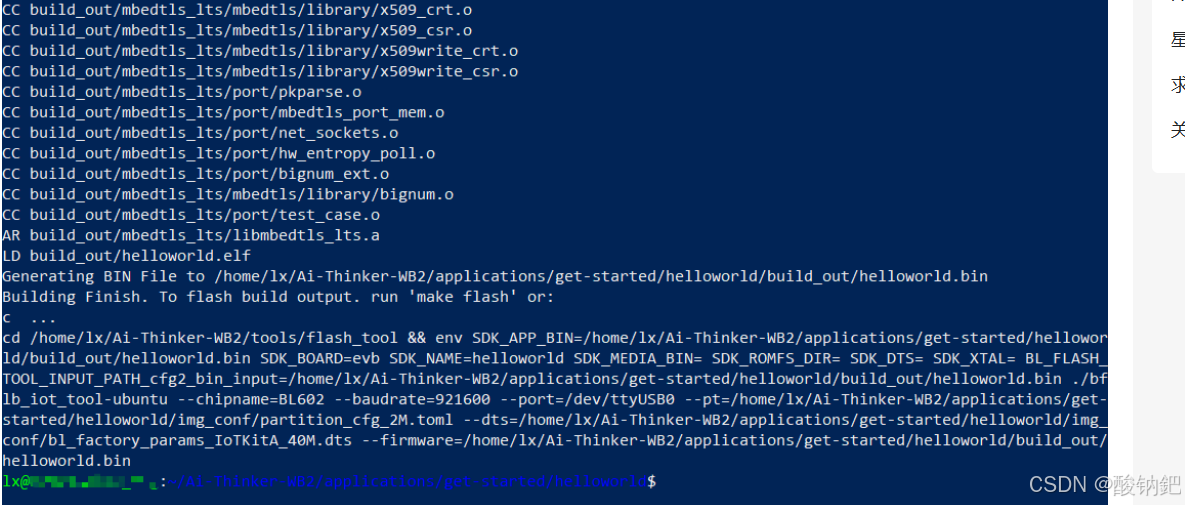
烧录
请连接您的Ai-WB2串口开发板,并根据提示按下EN按钮。
shell
make flash p=/dev/ttyUSB0 b=921600帮助
此外,您还可以使用此命令查看帮助信息。
shell
make help您的配置芯片型号为Ai-Thinker Ai-WB2 Wi-Fi与BLE模块
欢迎使用Ai-WB2 SDK构建系统。可用的make目标:
- "make all" - Build app, components
- "make clean" - Remove all app components output
- "make flash" - Build and download firmware
- "make flash-only" - Only download firmware
- "make eflash" - Use the flash after erasing it
- "make erase_flash" - Erase all internal contents of flash
- "make list-components" - List all components in the project
- "make component name" - build a component as a library