使用Vue3+Elementplus+Threejs实现智能黑板,实现基础的几何图形、三维图形、手写板的元素动态绘制效果,并实现数学、物理、化学、地理、生物等课程常见的图形元素及函数图形等。
源码下载地址: 点击下载
效果演示:
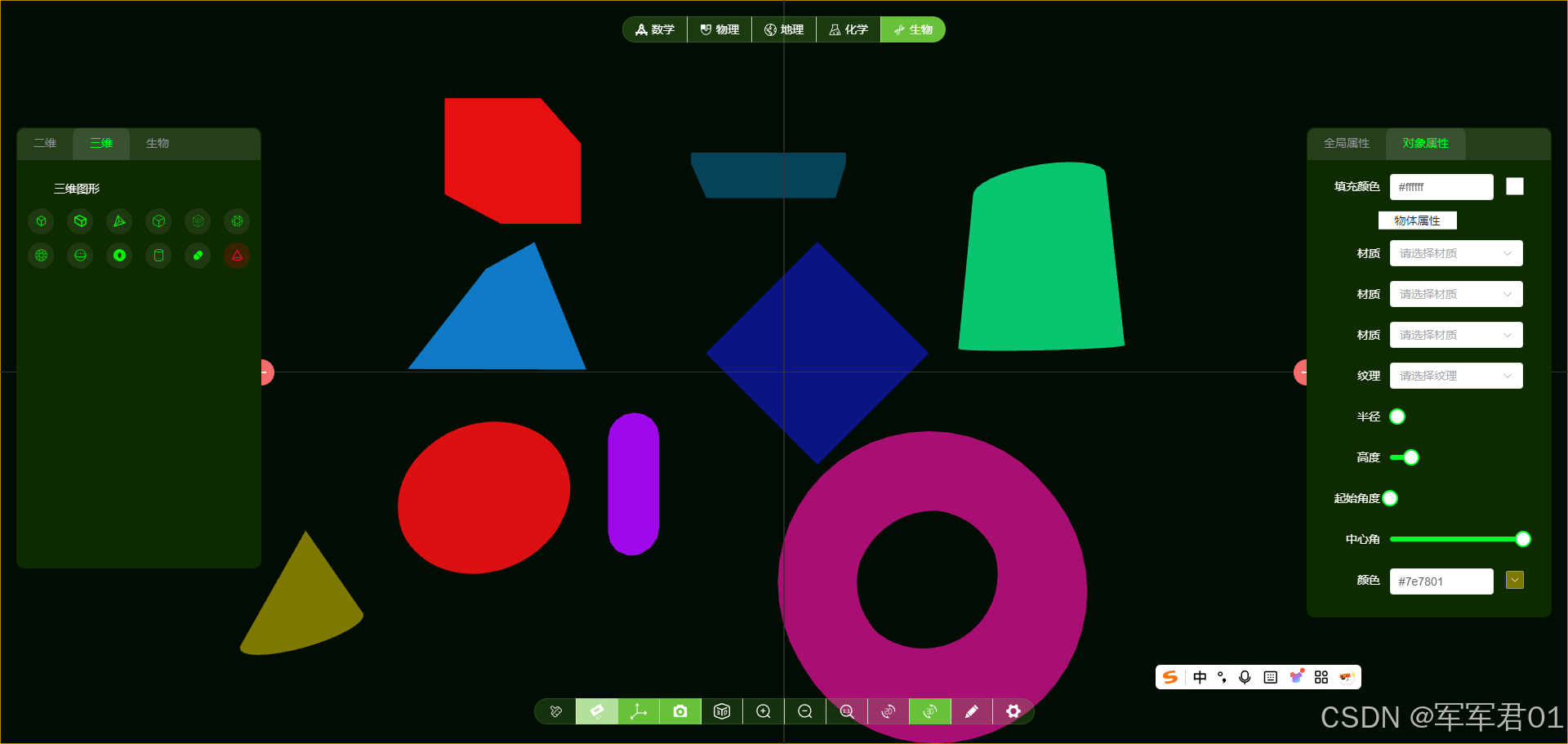
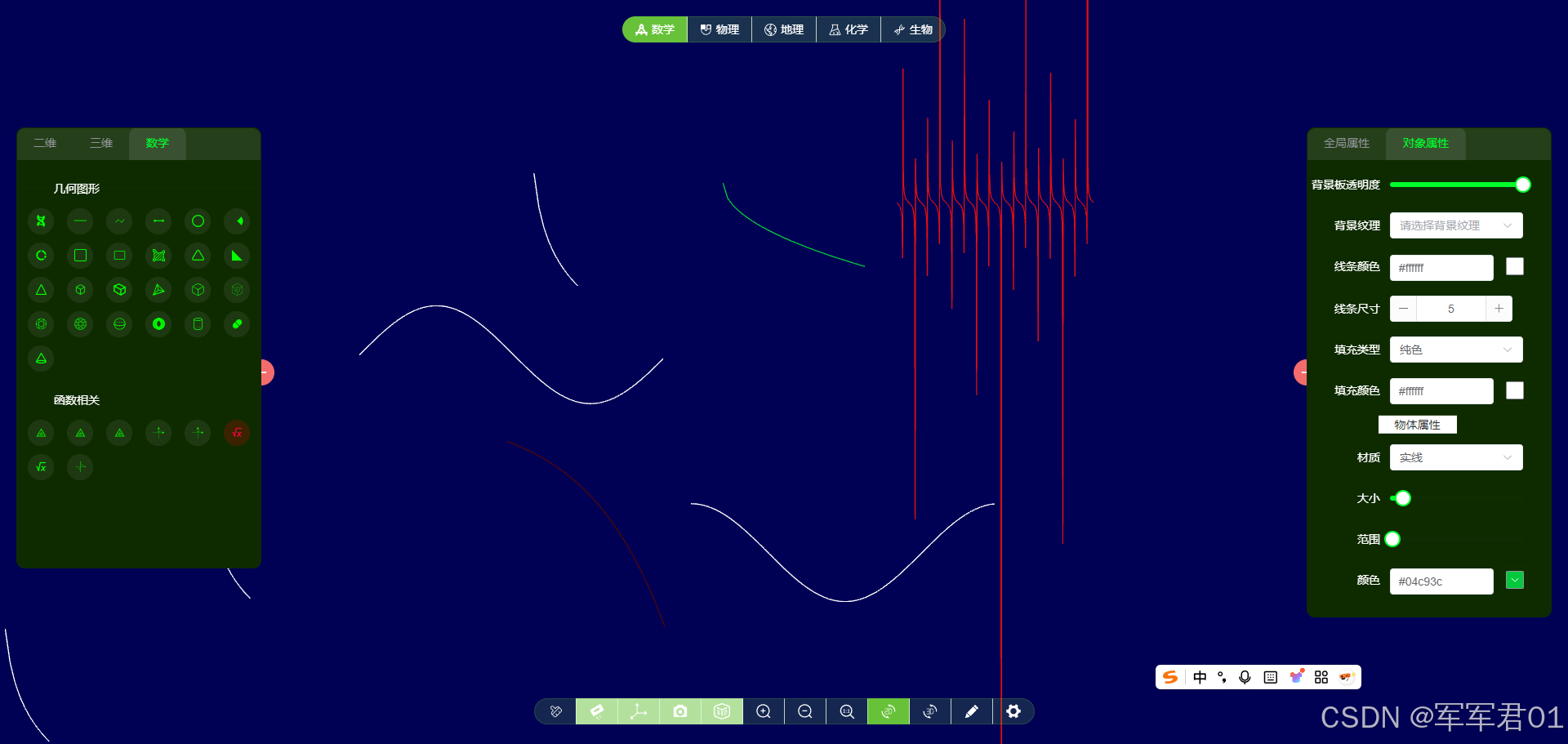
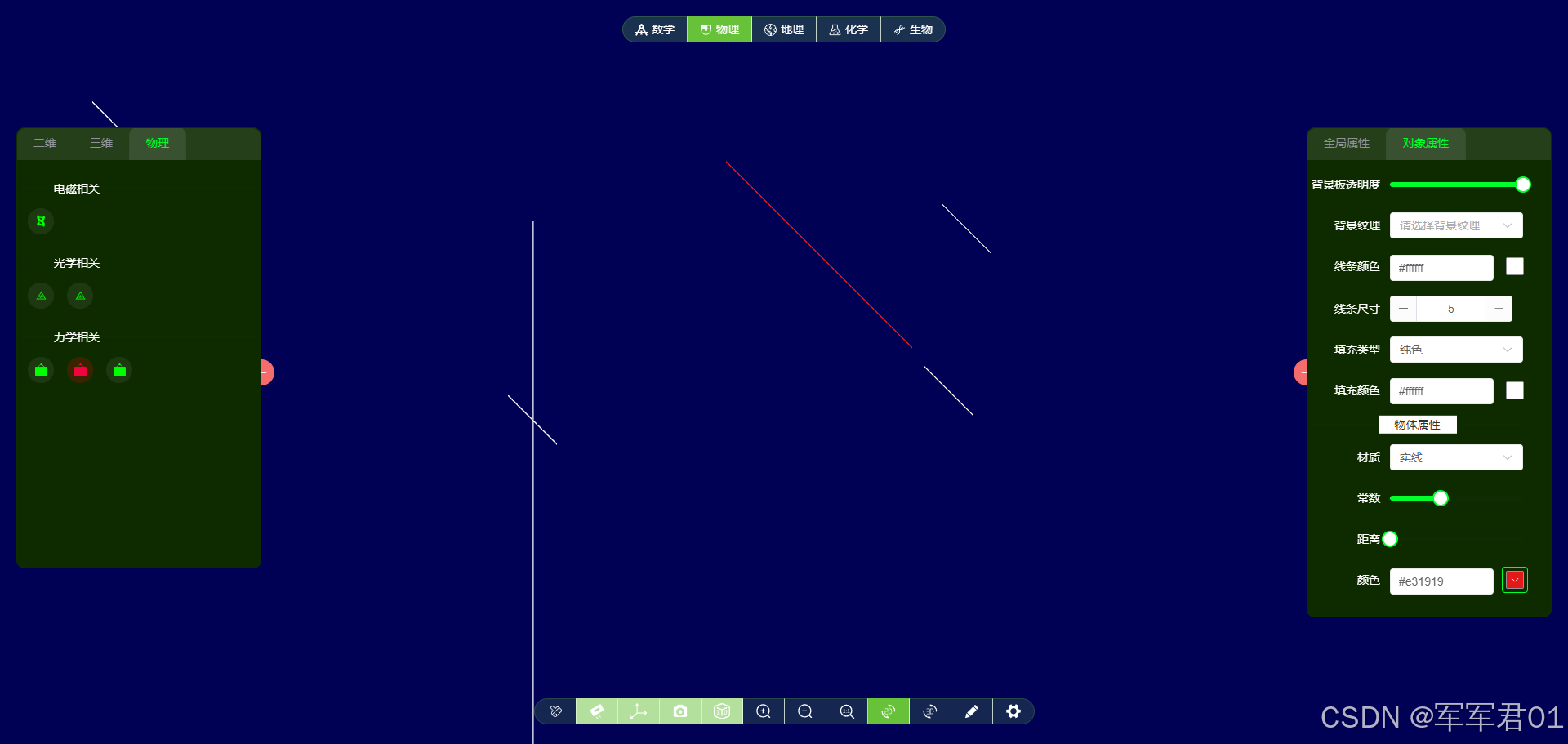
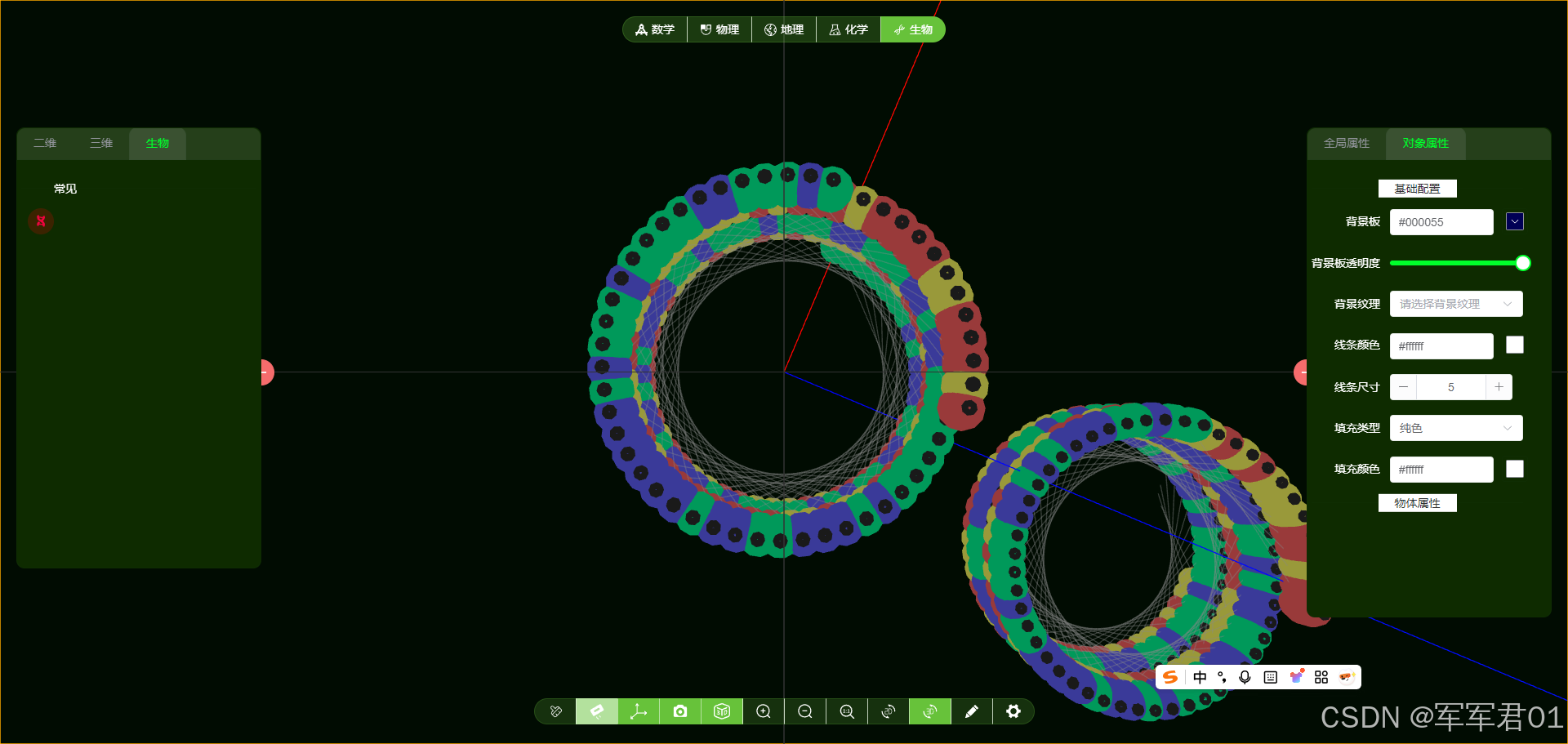
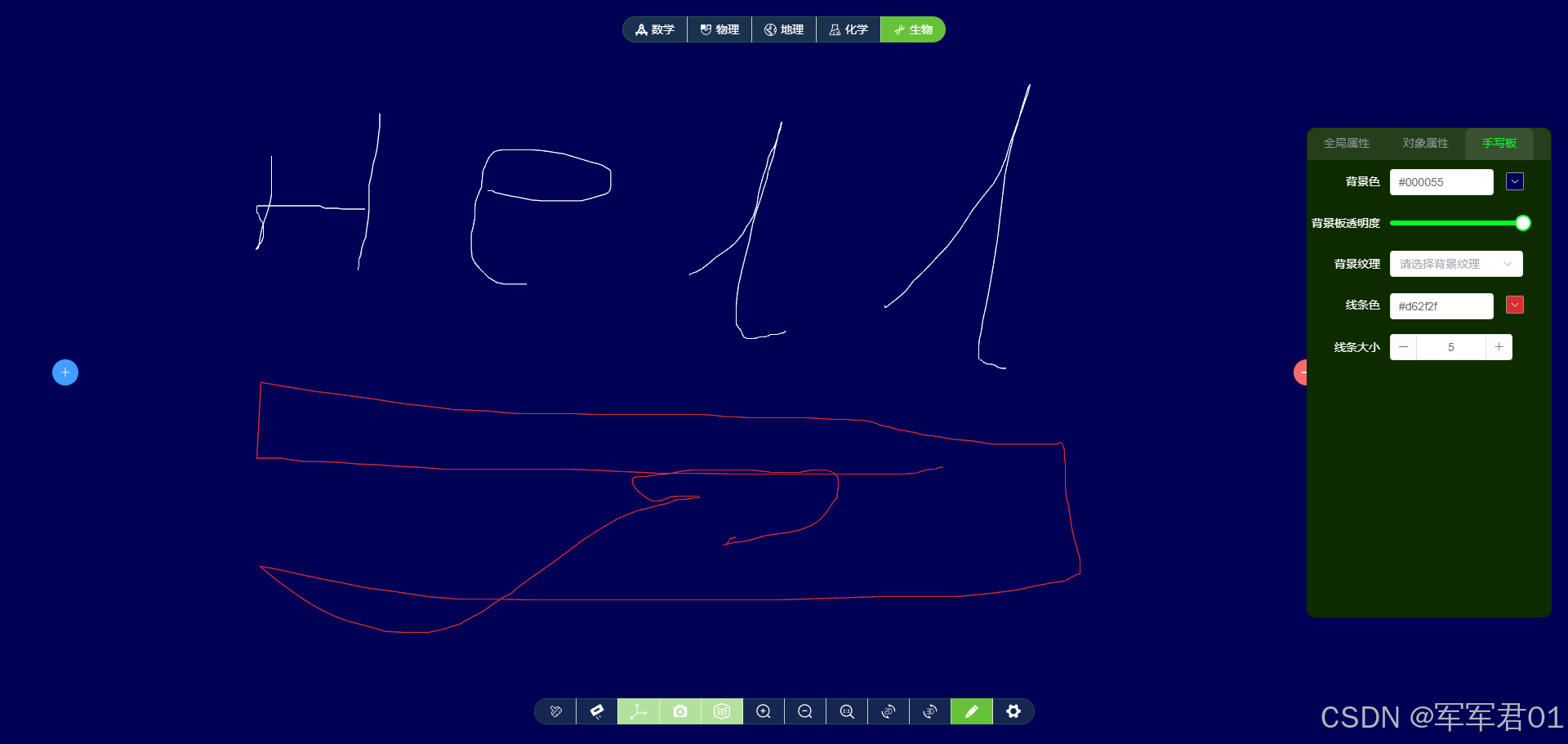
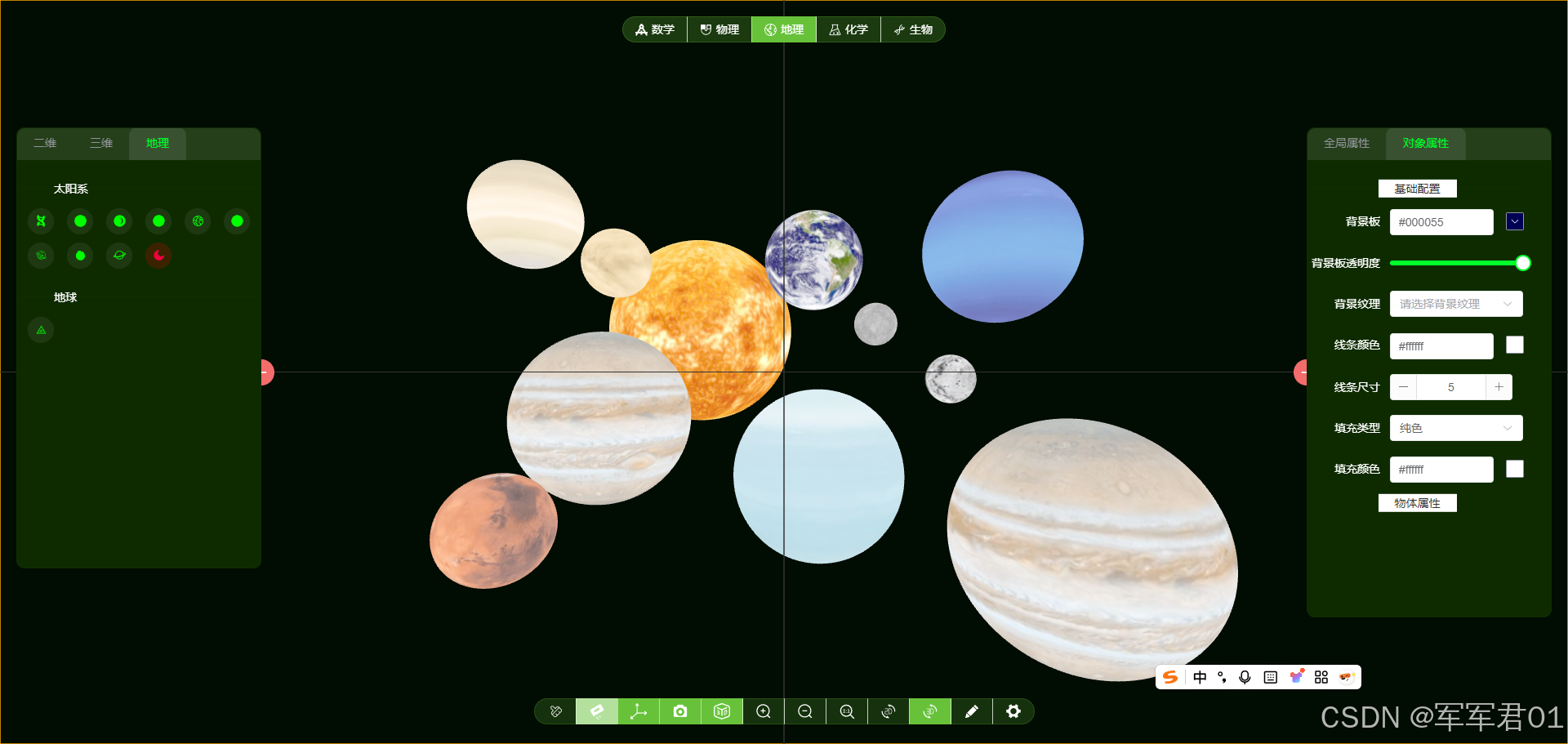
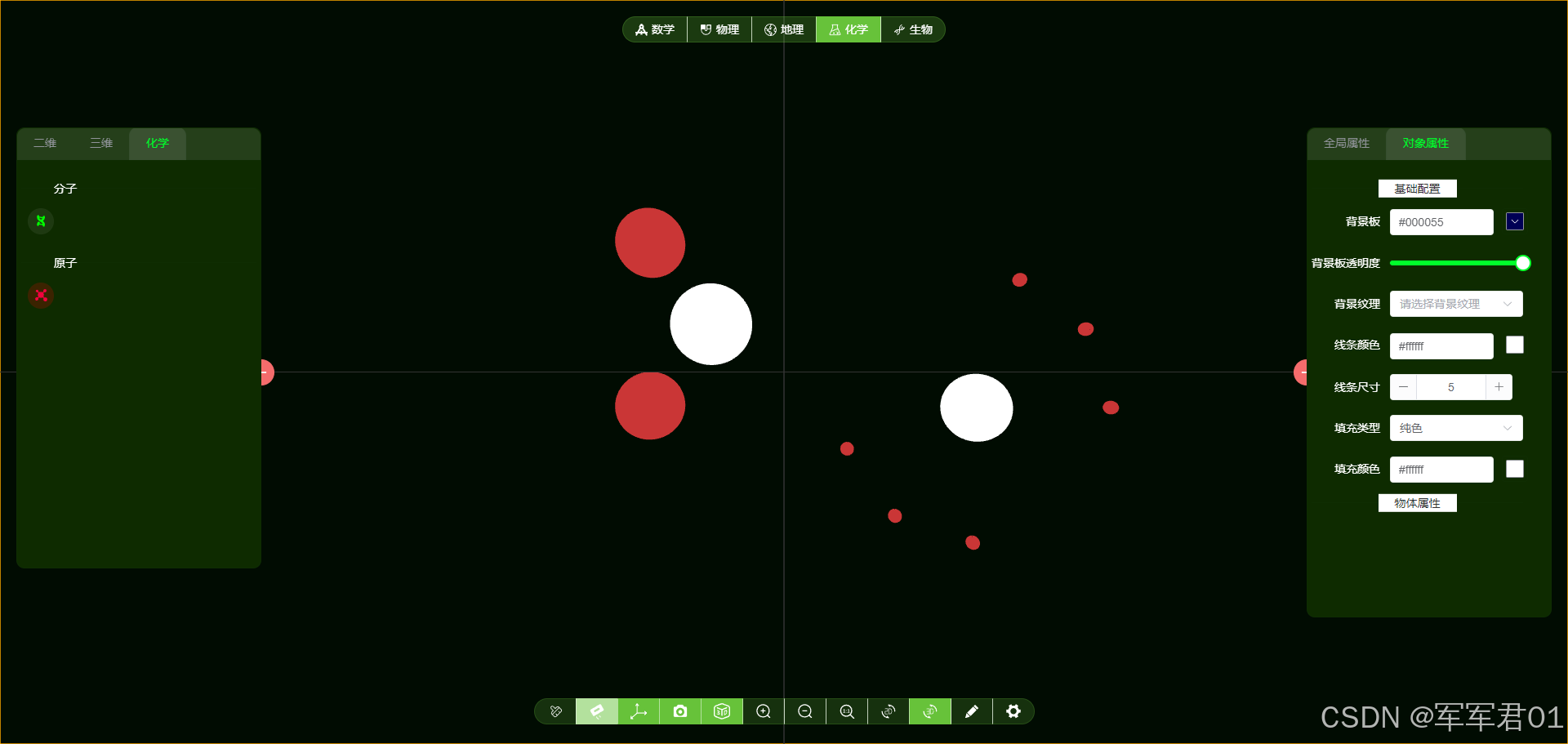
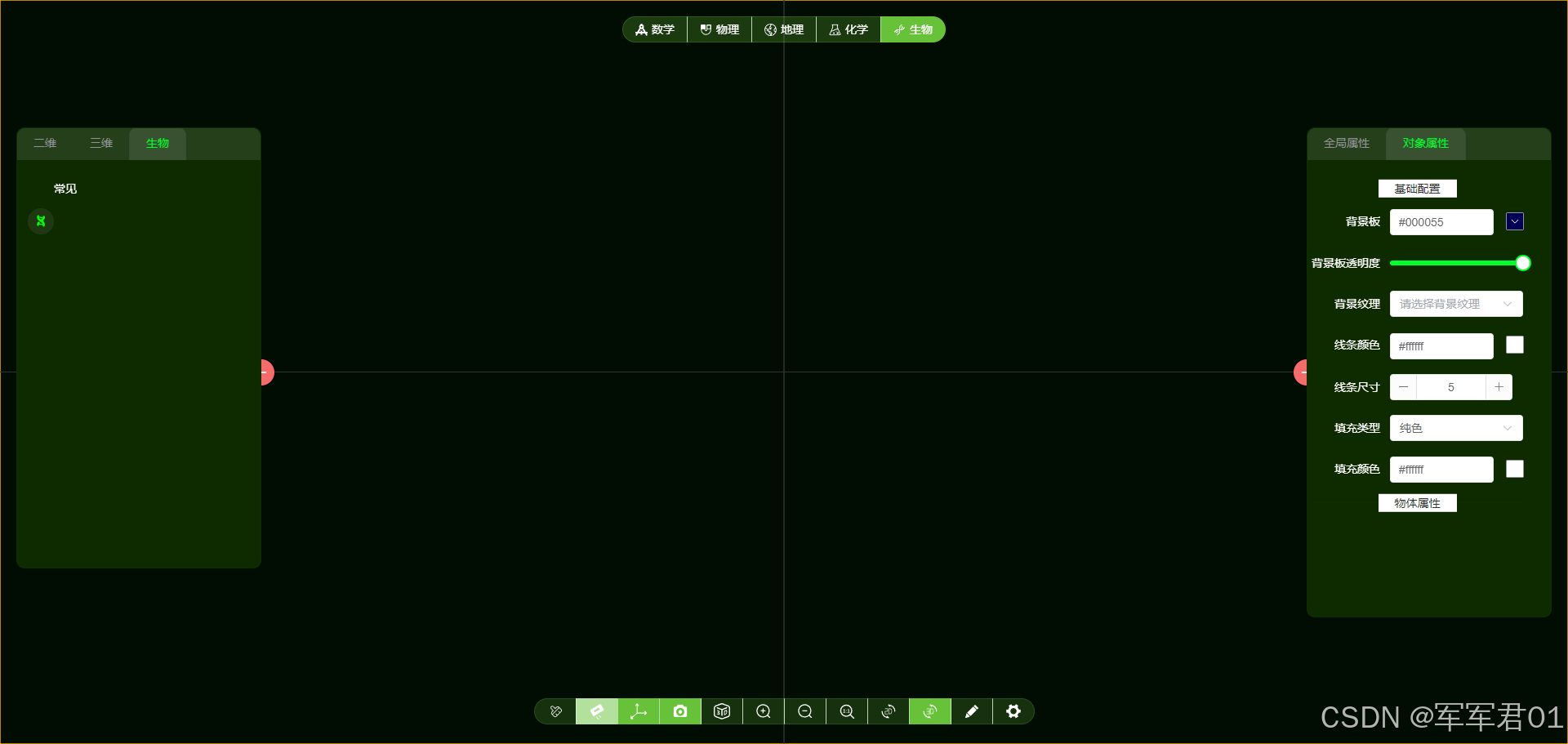
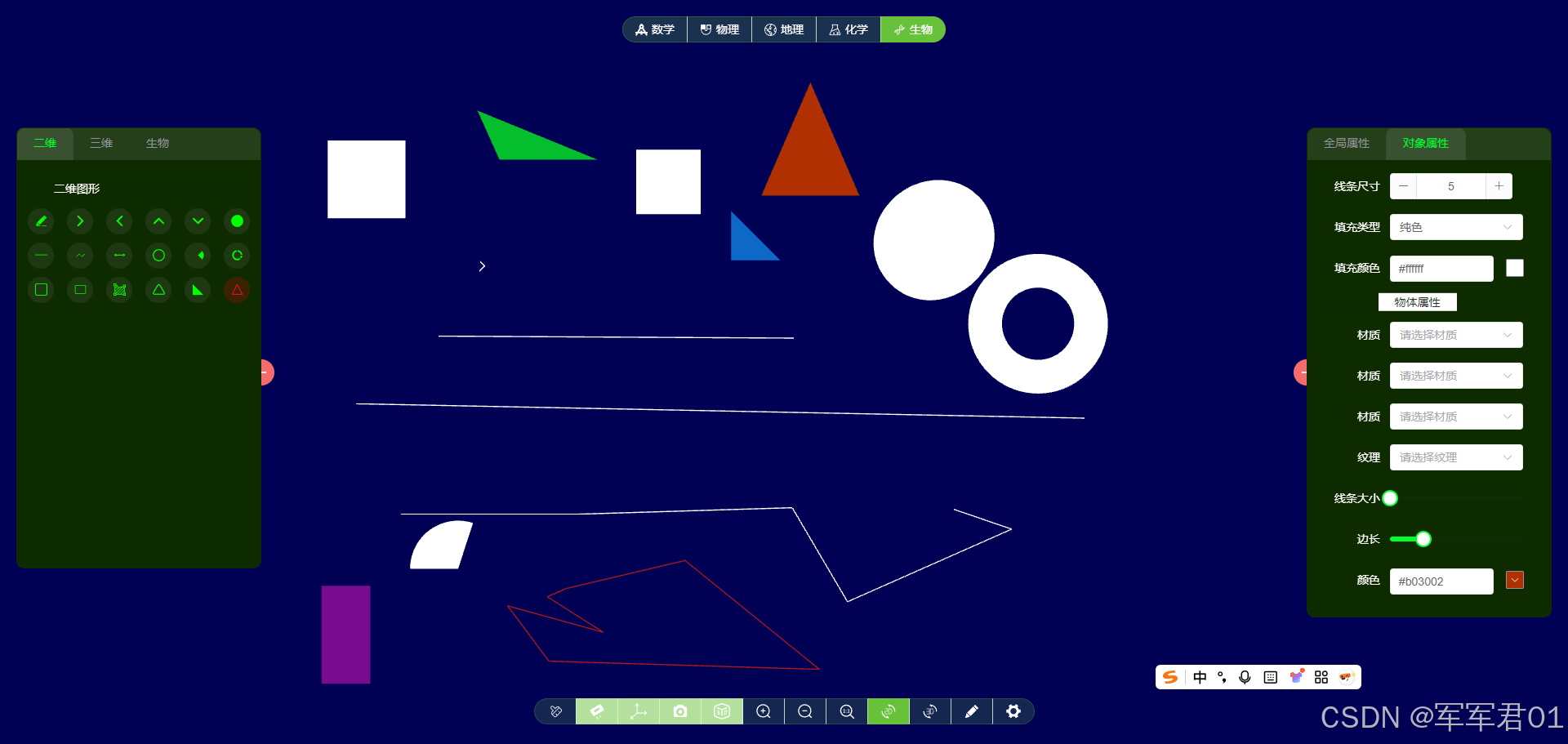
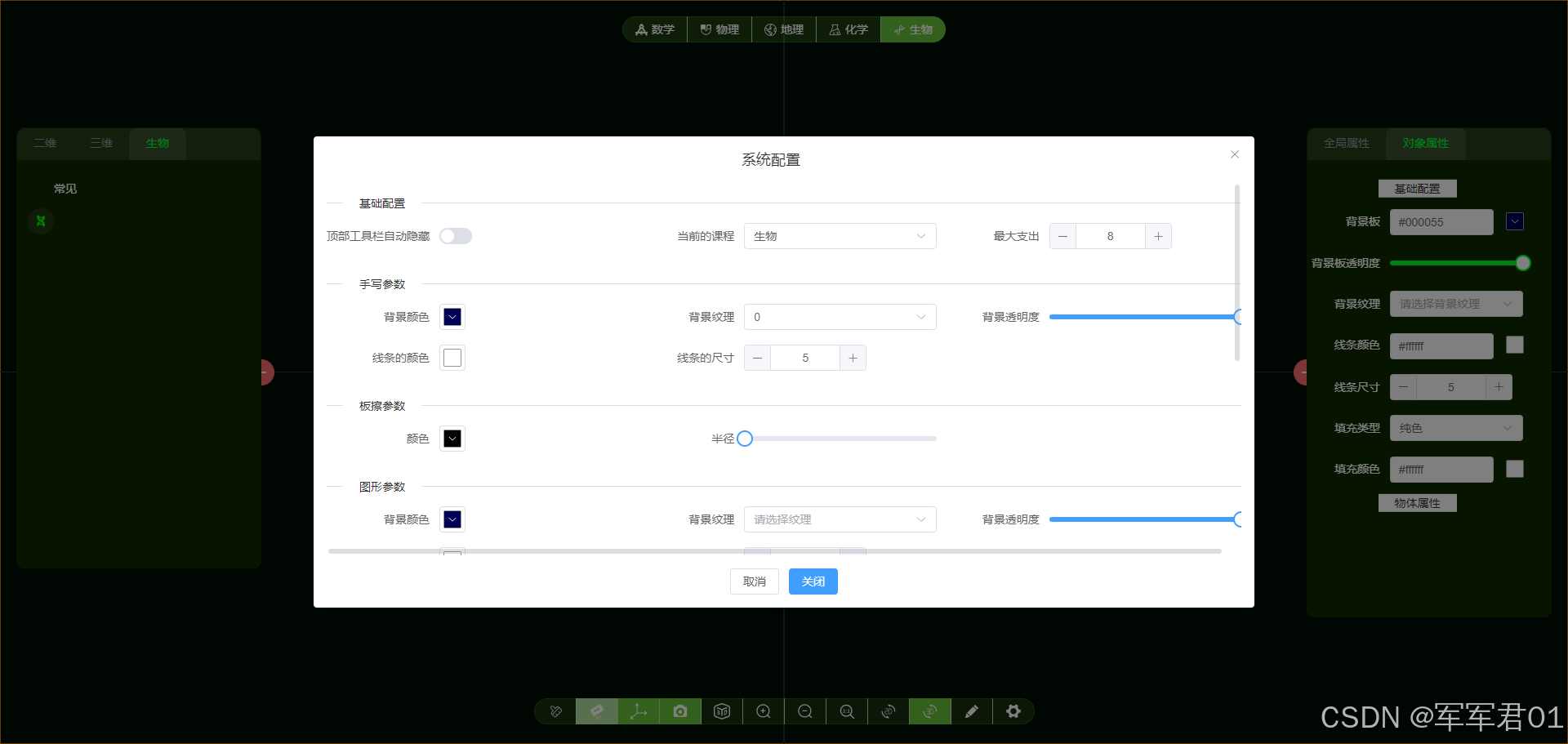
一、学习视频
https://www.bilibili.com/video/BV1JT69BUEdD/
二、项目创建
使用vue3搭建项目框架,引入three.js实现三维效果。
2.1 项目创建
官网: https://cn.vuejs.org/guide/introduction
命令: npm create vue@latest
2.2 三维引入
官网: https://threejs.org/
命令: npm install three
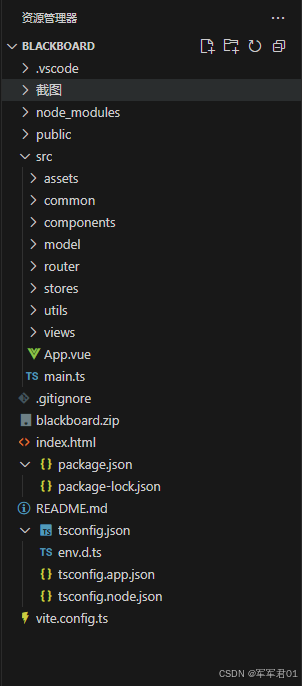
三、项目结构
项目结构如下:
四、项目基础框架
4.1 基础框架
- main.ts
javascript
import { createApp } from 'vue'
import { createPinia } from 'pinia'

import App from './App.vue'
import router from './router'

import ElementPlus from 'element-plus'
import 'element-plus/dist/index.css'
// if you just want to import css
import 'element-plus/theme-chalk/dark/css-vars.css'
import zhCn from 'element-plus/es/locale/lang/zh-cn'

// 如果您正在使用CDN引入,请删除下面一行。
import * as ElementPlusIconsVue from '@element-plus/icons-vue'

import SvgIcon from './components/SvgIcon.vue'

const app = createApp(App)

app.use(createPinia())
app.use(router)

app.use(ElementPlus,{
locale: zhCn,
})

for (const [key, component] of Object.entries(ElementPlusIconsVue)) {
  app.component(key, component)
}
app.component("SvgIcon", SvgIcon)

app.mount('#app')- App.vue
javascript
<script setup lang="ts"></script>

<template>
  <RouterView></RouterView>
</template>

<style >
@import './assets/main.css';
</style>- HomeView.vue
javascript
<script setup lang="ts">
import { onBeforeUnmount, onMounted, ref, watch } from 'vue';
import D3  from "./d3"

import TopToolBar from "./components/toolbar/top.vue"
import RightToolBar from "./components/toolbar/right.vue"
import BottomToolBar from "./components/toolbar/bottom.vue"
import LeftToolBar from "./components/toolbar/left.vue"
import FreeToolBar from "./components/toolbar/free.vue"
import { useConfigStore } from '@/stores/config';
import { useStateStore } from '@/stores/state';
import { OprationModes } from '@/model/OprationModes';
import { useToolStore } from '@/stores/tool';

//三维容器的dom元素
const d3 = ref();

//鼠标状态
const cursor = ref(useStateStore().cursor);

const tools = useToolStore();

//右侧
const rightToolBar = ref();

/**
 * 监听场景的参数
 */
watch(()=>useConfigStore().d3Config.scene.background,(newVal,oldVal)=>{
  D3.setBackground(newVal);
})
watch(()=>useConfigStore().d3Config.scene.texture,(newVal,oldVal)=>{
  if(newVal){
    D3.setSceneTexture(newVal);
  }else{
    D3.setBackground(useConfigStore().d3Config.scene.background);
  }
})
watch(()=>useConfigStore().d3Config.scene.environment,(newVal,oldVal)=>{
  D3.setSceneEnvironment(newVal);
})
watch(()=>useConfigStore().d3Config.scene.backgroundBlurriness,(newVal,oldVal)=>{
  D3.setBackgroundBlurriness(newVal);
})

/**
 * 灯光配置
 */
watch(()=>useConfigStore().d3Config.light.color,(newVal,oldVal)=>{
  D3.setLightColor(newVal);
})
watch(()=>useConfigStore().d3Config.light.intensity,(newVal,oldVal)=>{
  D3.setLightIntensity(newVal);
})

/**
 * 监听摄像头的参数
 */
watch(()=>useConfigStore().d3Config.camera.fov,(newVal,oldVal)=>{
  D3.setCameraFov(newVal);
})
watch(()=>useConfigStore().d3Config.camera.far,(newVal,oldVal)=>{
  D3.setCameraFar(newVal);
})
watch(()=>useConfigStore().d3Config.camera.near,(newVal,oldVal)=>{
  D3.setCameraNear(newVal);
})
watch(()=>useConfigStore().d3Config.camera.zoom,(newVal,oldVal)=>{
  D3.setCameraZoom(newVal);
})
watch(()=>useConfigStore().d3Config.camera.position,(newVal,oldVal)=>{
  // D3.setCameraPosition(newVal);
},{deep:true})
/**
 * 手写相关参数的监听
 */
watch(()=>useConfigStore().d3Config.handWriting.planeColor,(newVal,oldVal)=>{
  D3.setHandWritingPlaneColor(newVal);
})
watch(()=>useConfigStore().d3Config.handWriting.planeOpacity,(newVal,oldVal)=>{
  D3.setHandWritingPlaneOpacity(newVal);
})
watch(()=>useConfigStore().d3Config.handWriting.planeTexture,(newVal,oldVal)=>{
  if(newVal){
    D3.setHandWritingPlaneTexture(newVal);
  }else{
    D3.setHandWritingPlaneColor(useConfigStore().d3Config.handWriting.planeColor);
  }
})
watch(()=>useConfigStore().d3Config.handWriting.line.color,(newVal,oldVal)=>{
  D3.setHandWritingLineColor(newVal);
})
watch(()=>useConfigStore().d3Config.handWriting.line.width,(newVal,oldVal)=>{
  D3.setHandWritingLineWidth(newVal);
})
watch(()=>useStateStore().cursor,(newVal,oldVal)=>{
  cursor.value = newVal;
})

/**
 * 板擦的变动事件
 */
watch(()=>useConfigStore().d3Config.eraser.color,(newVal,oldVal)=>{
  D3.setEraserColor(newVal);
})
watch(()=>useConfigStore().d3Config.eraser.radius,(newVal,oldVal)=>{
  D3.setEraserRadius(newVal);
})


/**
 * 物体配置属性的变动事件
 */
watch(()=>useConfigStore().d3Config.mesh.d2PlaneColor,(newVal,oldVal)=>{
  D3.setMeshD2PlanColor(newVal);
})
watch(()=>useConfigStore().d3Config.mesh.d2PlaneOpacity,(newVal,oldVal)=>{
  D3.setMeshD2PlanOpacity(newVal);
})
watch(()=>useConfigStore().d3Config.mesh.d2PlaneTexture,(newVal,oldVal)=>{
  if(newVal){
    D3.setMeshD2PlanTexture(newVal);
  }else{
    D3.setMeshD2PlanColor(useConfigStore().d3Config.mesh.d2PlaneColor);
  }
})
watch(()=>useConfigStore().d3Config.mesh.line.color,(newVal,oldVal)=>{
  D3.setMeshLineColor(newVal);
})
watch(()=>useConfigStore().d3Config.mesh.line.width,(newVal,oldVal)=>{
  D3.setMeshLineWidth(newVal);
})
watch(()=>useConfigStore().d3Config.mesh.fill.type,(newVal,oldVal)=>{
  D3.setMeshFillType(newVal);
})
watch(()=>useConfigStore().d3Config.mesh.fill.color,(newVal,oldVal)=>{
  D3.setMeshFillColor(newVal);
})
watch(()=>useConfigStore().d3Config.mesh.fill.texture,(newVal,oldVal)=>{
  // TODO 待处理
})
watch(()=>useConfigStore().d3Config.mesh.fill.customer,(newVal,oldVal)=>{
  // TODO 待处理
})

//模式监听
watch(()=>useStateStore().currentMode,(newVal,oldVal)=>{
  if(OprationModes.D2 == newVal){
    let item = tools.getItemByKey("write");
    if(item){
      item.selected = false;
    }

    item = tools.getItemByKey("d3");
    if(item){
      item.selected = false;
    }

    item = tools.getItemByKey("d2");
    if(item){
      item.selected = true;
    }

    rightToolBar.value.removeTab("黑板擦");
    rightToolBar.value.removeTab("手写板");
  }else if(OprationModes.D3 == newVal){
    let item = tools.getItemByKey("d2");
    if(item){
      item.selected = false;
    }

    item = tools.getItemByKey("write");
    if(item){
      item.selected = false;
    }

    item = tools.getItemByKey("d3");
    if(item){
      item.selected = true;
    }

    rightToolBar.value.removeTab("黑板擦");
    rightToolBar.value.removeTab("手写板");
  }else if(OprationModes.HandWriting == newVal){
    let item = tools.getItemByKey("d2");
    if(item){
      item.selected = false;
    }

    item = tools.getItemByKey("d3");
    if(item){
      item.selected = false;
    }

    item = tools.getItemByKey("write");
    if(item){
      item.selected = true;
    }

    item = tools.getItemByKey("OrbitControls");
    if(item){
      item.selected = false;
    }
  }
})

onMounted(()=>{
  D3.init(d3.value,useConfigStore().d3Config);
})
onBeforeUnmount(()=>{
  D3.dispose();
})
</script>

<template>
  <div class="container" >
    <div class="d3" ref="d3"></div>
    <TopToolBar ></TopToolBar>
    <RightToolBar ref="rightToolBar"></RightToolBar>
    <BottomToolBar ></BottomToolBar>
    <LeftToolBar ></LeftToolBar>
    <FreeToolBar ></FreeToolBar>
  </div>
</template>

<style lang="less" scoped>
  .container{
    width:100vw;
    height: 100vh;
    cursor: v-bind(cursor);
    user-select: none;

    .d3{
      width:100vw;
      height: 100vh;
    }
  }
</style>- 路由:router/index.ts
javascript
import { createRouter, createWebHistory } from 'vue-router'

import HomeView from '@/views/HomeView.vue'

const router = createRouter({
  history: createWebHistory(import.meta.env.BASE_URL),
  routes: [{
    name:"home",
    path:'/',
    component:HomeView
  }],
})

export default router- 状态存储
config.ts
javascript
import { ref, computed, reactive } from 'vue'
import { defineStore } from 'pinia'
import { FillType, type D3Config } from '@/model/D3Config';
import * as THREE from "three"
/**
 * 系统的全局配置
 */
export const useConfigStore = defineStore('config', () => {

  //三维相关的配置信息
  const d3Config = reactive<D3Config>({
    maxSize:8,
    camera:{
        fov:75,
        near:0.001,
        far:1000,
        zoom:1,
        position:new THREE.Vector3(0,0,10)
    },
    scene:{
        background:new THREE.Color("#010c02"),
        texture:null,
        environment:null,
        backgroundBlurriness:0
    },
    light:{
        intensity:1,
        color:new THREE.Color("#ffffff")
    },
    handWriting:{
      planeColor:new THREE.Color(0x000055),
      planeOpacity:1,
      planeTexture:null,
      line:{
        width:5,
        color:new THREE.Color(0xffffff)
      }
    },
    eraser:{
      color:new THREE.Color(0xffff00),
      radius:1
    },
    mesh:{
        //二维时候的背景板的颜色
        d2PlaneColor:new THREE.Color(0x000055),
        d2PlaneOpacity:1,
        d2PlaneTexture:null,
        //物体的线条颜色
        line:{
            width:5,
            color:new THREE.Color(0xffffff)
        },
        //物体的填充颜色
        fill:{
            type:FillType.Color,
            color:new THREE.Color(0xffffff),
            texture:null,
            customer:null
        }
    }
  })

  //顶部按钮是否自动隐藏
  const topBarVisabled = ref(false);

  return { d3Config,topBarVisabled }
})
state.ts
javascript
import { ref, computed } from 'vue'
import { defineStore } from 'pinia'
import {MouseStatus} from '@/model/MouseStatus';
import type D2Mesh from '@/views/d3/mesh/D2Mesh';
import {OprationModes} from '@/model/OprationModes';

/**
 * 当前的展示状态
 */
export const useStateStore = defineStore('state', () => {
  //当前选中的顶部分类math physics geography chemistry biology
  const currentTop = ref("biology");

  //鼠标的状态
  const cursor = ref("url(/images/cricle.png), auto;");

  //当前选中的对象
  const currentMesh = ref<D2Mesh|null>(null);

  //当前三维操作状态
  const currentStatus = ref<MouseStatus>(MouseStatus.None);

  //当前的操作模式
  const currentMode = ref<OprationModes>(OprationModes.D3);

  return { currentTop,cursor,currentMesh ,currentStatus,currentMode}
})
texture.ts
javascript
import { ref, computed, reactive } from 'vue'
import { defineStore } from 'pinia'
import {MouseStatus} from '@/model/MouseStatus';
import type D2Mesh from '@/views/d3/mesh/D2Mesh';
import type { OptionData } from '@/model/OptionData';

/**
 * 当前的展示状态
 */
export const useTextureStore = defineStore('texture', () => {
  //当前选中的顶部分类
  const textures = reactive<OptionData[]>([{
    value:'',
    label:'无纹理'
  },{
    value:new URL("@/assets/texture/texture-1.png", import.meta.url).href,
    label:'纹理一'
  },{
    value:new URL("@/assets/texture/texture-2.png", import.meta.url).href,
    label:'纹理二'
  },{
    value:new URL("@/assets/texture/texture-3.png", import.meta.url).href,
    label:'纹理三'
  },{
    value:new URL("@/assets/texture/texture-4.png", import.meta.url).href,
    label:'纹理四'
  },{
    value:new URL("@/assets/texture/texture-5.png", import.meta.url).href,
    label:'纹理五'
  },{
    value:new URL("@/assets/texture/texture-6.png", import.meta.url).href,
    label:'纹理六'
  },{
    value:new URL("@/assets/texture/texture-7.png", import.meta.url).href,
    label:'纹理七'
  },{
    value:new URL("@/assets/texture/texture-8.png", import.meta.url).href,
    label:'纹理八'
  },{
    value:new URL("@/assets/texture/texture-9.png", import.meta.url).href,
    label:'纹理九'
  },{
    value:new URL("@/assets/texture/texture-10.png", import.meta.url).href,
    label:'纹理十'
  },{
    value:new URL("@/assets/texture/texture-bg.png", import.meta.url).href,
    label:'纹理十二'
  }]);

  return { textures}
})
tool.ts
javascript
import { reactive } from 'vue'
import { defineStore } from 'pinia'
import curriculums from '@/common/tools/curriculums'
import commonTools from '@/common/tools/commonTools'
import mathTools,{initTools as MathInitTools} from '@/common/tools/mathTools'
import routineTools from '@/common/tools/routineTools'
import biologyTools,{initTools as BiologyInitTools} from '@/common/tools/biologyTools'
import geographyTools,{initTools as GeographyInitTools} from '@/common/tools/geographyTools'
import chemistryTools,{initTools as ChemistryInitTools} from '@/common/tools/chemistryTools'
import physicsTools,{initTools as PhysicsInitTools} from '@/common/tools/physicsTools'
import type { Tool } from '@/model/ToolItem/Tool'

/**
 * 系统的工具按钮
 */
export const useToolStore = defineStore('tool', () => {

    //工具按钮信息
    const tools = reactive<Tool>({
        top: [...curriculums],
        left: [...mathTools,...biologyTools,...chemistryTools,...geographyTools,...physicsTools],
        right: [],
        bottom: [...commonTools],
        free: [...routineTools()],
    })

    /**
     * 根据标识以及命令获取对应的工具按钮
     * @param key
     */
    const getItemByKey = (key: string) => {
        let result = tools.top.find(item => item.key === key);
        if (!result) {
            result = tools.right.find(item => item.key === key);
        }
        if (!result) {
            result = tools.bottom.find(item => item.key === key);
        }
        if (!result) {
            result = tools.left.find(item => item.key === key);
        }
        return result;
    }

    /**
     * 根据标识以及命令获取对应的工具按钮
     * @param key
     * @param commond
     */
    const getItemByKeyAndCommond = (key: string, commond: string) => {
        let result = tools.top.find(item => item.key === key && item.commond === commond);
        if (!result) {
            result = tools.right.find(item => item.key === key && item.commond === commond);
        }
        if (!result) {
            result = tools.bottom.find(item => item.key === key && item.commond === commond);
        }
        if (!result) {
            result = tools.left.find(item => item.key === key && item.commond === commond);
        }
        return result;
    }

    const initItemByKey = (key:String)=>{
        switch(key){
            case 'math':
                MathInitTools();
            case 'physics':
                PhysicsInitTools();
            case 'geography':
                GeographyInitTools();
            case 'chemistry':
                ChemistryInitTools();
            case 'biology':
                BiologyInitTools();
        }
    }

    return { tools, getItemByKey, getItemByKeyAndCommond ,initItemByKey}
})- 工具方法
CommondHandle.ts
javascript
import { COMMOND_TYPE_2D_MESH, COMMOND_TYPE_3D_MESH, COMMOND_TYPE_CHANGE_MODEL, COMMOND_TYPE_D2_MODEL, COMMOND_TYPE_D3_HELP, COMMOND_TYPE_D3_MODEL, COMMOND_TYPE_D3_OP, COMMOND_TYPE_OPEN_CONFIG_DIALOG, COMMOND_TYPE_SELF_WRITE } from "@/common/Constant";
import { OprationModes } from "@/model/OprationModes";
import type { ToolBarItem } from "@/model/ToolBartem";
import { useStateStore } from "@/stores/state";
import EventBus from "@/utils/EventBus"

/**
 * 点击工具栏的处理方法
 * @param item
 */
export const  commond = (item:ToolBarItem)=>{
    if(!item || !item.commond){
        return;
    }
    switch (item.commond){
        case COMMOND_TYPE_CHANGE_MODEL://切换课程
            useStateStore().currentTop = item.key;//更新当前的顶部工具按钮
            EventBus.emit(COMMOND_TYPE_CHANGE_MODEL,item);
        break;
        case COMMOND_TYPE_OPEN_CONFIG_DIALOG://打开配置弹框
            EventBus.emit(COMMOND_TYPE_OPEN_CONFIG_DIALOG,item);
        break;
        case COMMOND_TYPE_SELF_WRITE://是否开启手写
            EventBus.emit(COMMOND_TYPE_SELF_WRITE,item);
        break;
        case COMMOND_TYPE_D3_HELP://三维辅助对象的启听
            EventBus.emit(COMMOND_TYPE_D3_HELP,item);
        break;
        case COMMOND_TYPE_D3_OP://三维的操作
            EventBus.emit(COMMOND_TYPE_D3_OP,item);
        break;
        case COMMOND_TYPE_2D_MESH://二维物体
            EventBus.emit(COMMOND_TYPE_2D_MESH,item);
        break;
        case COMMOND_TYPE_3D_MESH://三维物体的绘制
            EventBus.emit(COMMOND_TYPE_3D_MESH,item);
        break;
        case COMMOND_TYPE_D2_MODEL://二维模式
            EventBus.emit(COMMOND_TYPE_D2_MODEL,item);
        break;
        case COMMOND_TYPE_D3_MODEL://三维模式
            EventBus.emit(COMMOND_TYPE_D3_MODEL,item);
        break;
        default :
        break;
    }
}
EventBus.ts
javascript
// event-bus.js
import mitt from 'mitt';

// 创建一个 mitt 实例并导出
const emitter = mitt();

export default emitter;
Utils.ts
javascript
import type { ToolBarItem } from "@/model/ToolBartem";

/**
 * 切换工具栏的选中状态
 * @param tools 工具栏
 * @param item_ 要变动的工具栏
 * @param commond 指令
 */
export const changeToolItemSelected = (tools:ToolBarItem[],item_:ToolBarItem,commond:String)=>{
    let toolItem = tools.find(item=>item.commond === commond && (item_ as ToolBarItem).key === item.key);
    if(toolItem){
      toolItem.selected = !toolItem.selected;
    }
}- 公共组件
SvgIcon.vue
javascript
<template>
  <i v-html="svgContent" :style="{ width:width, height:height }"></i>
</template>

<script setup lang="ts">
    import { onMounted, ref } from 'vue';

    interface PropData{
        src: string,
        width: string|number,
        height: string|number
    }

    const {src='',width='12px',height='12px'} = defineProps<PropData>();

    const svgContent = ref("");

    const baseUrl = new URL('@/assets/icons/', import.meta.url).href

    onMounted(async ()=>{
        const response = await fetch(baseUrl+'/'+src);
        const svgText = await response.text();
        // 转换成 Element Plus 风格
        const updatedSvgText = svgText
          .replace(/fill="[^"]*"/g, 'fill="currentColor"')
          .replace(/(width|height)="[^"]*"/g, (match) => {
            if (match.startsWith('width')) {
              return `width="${width}"`;
            }
            return match.startsWith('height') ? `height="${height}"` : match;
          });

        svgContent.value = updatedSvgText;
    })
</script>

<style scoped>
svg {
  display: inline-block;
  vertical-align: middle;
}
</style>
4.2 系统配置
javascript
<template>
<el-dialog class="config-dialog"
v-model="dialogVisible" title="系统配置" width="60vw" draggable center destroy-on-close :transition="transitionConfig" align-center append-to-body
@closed="emits('closed')">
<el-scrollbar height="50vh">
<el-form ref="configFormRef" :model="configForm" :rules="rules" label-width="auto" class="config-form">
<el-divider content-position="left">基础配置</el-divider>
<div class="basic-form">
<el-row>
<el-col :span="8">
<el-form-item label="顶部工具栏自动隐藏" prop="topBarVisabled">
<el-switch v-model="configForm.topBarVisabled" @change="topBarVisabledChange" />
</el-form-item>
</el-col>
<el-col :span="8">
<el-form-item label="当前的课程" prop="currentTop">
<el-select v-model="configForm.currentTop" placeholder="请选择当前的课程" @change="currentTopChange">
<el-option
v-for="item in topTools"
:key="item.key"
:label="item.name"
:value="item.key"
/>
</el-select>
</el-form-item>
</el-col>
<el-col :span="8">
<el-form-item label="最大支出" prop="d3Config.maxSize">
<el-input-number v-model="configForm.d3Config.maxSize" :step="1" @change="maxSizeChange" />
</el-form-item>
</el-col>
</el-row>
</div>
<el-divider content-position="left">手写参数</el-divider>
<div class="basic-form">
<el-row>
<el-col :span="8">
<el-form-item label="背景颜色" prop="d3Config.handWriting.planeColor">
<el-color-picker color-format="hex" v-model="configForm.d3Config.handWriting.planeColor" @active-change="planeColorChange" @change="planeColorChange"/>
</el-form-item>
</el-col>
<el-col :span="8">
<el-form-item label="背景纹理" prop="d3Config.handWriting.planeTexture">
<el-select v-model="configForm.d3Config.mesh.fill.type" placeholder="请选择纹理" @change="planeTextureChange">
<el-option v-for="item in textures" :key="item.value" :label="item.label" :value="item.value" />
</el-select>
</el-form-item>
</el-col>
<el-col :span="8">
<el-form-item label="背景透明度" prop="d3Config.handWriting.planeOpacity">
<el-slider v-model="configForm.d3Config.handWriting.planeOpacity" step="0.1" :min="0" :max="1"
@input="planeOpacityChange" @change="planeOpacityChange"/>
</el-form-item>
</el-col>
<el-col :span="8">
<el-form-item label="线条的颜色" prop="d3Config.handWriting.line.color">
<el-color-picker color-format="hex" v-model="configForm.d3Config.handWriting.line.color" @active-change="lineColorChange" @change="lineColorChange"/>
</el-form-item>
</el-col>
<el-col :span="8">
<el-form-item label="线条的尺寸" prop="d3Config.handWriting.line.width">
<el-input-number v-model="configForm.d3Config.handWriting.line.width" :step="1" @change="lineWidthChange" />
</el-form-item>
</el-col>
</el-row>
</div>
<el-divider content-position="left">板擦参数</el-divider>
<div class="basic-form">
<el-row>
<el-col :span="8">
<el-form-item label="颜色" prop="d3Config.eraser.color">
<el-color-picker color-format="hex" v-model="configForm.d3Config.eraser.color" @active-change="eraserColorChange" @change="eraserColorChange"/>
</el-form-item>
</el-col>
<el-col :span="8">
<el-form-item label="半径" prop="d3Config.eraser.radius">
<el-slider v-model="configForm.d3Config.eraser.radius" step="0.001" :min="configForm.d3Config.camera.near" :max="eraserMaxRadius"
@input="eraserRadiusChange" @change="eraserRadiusChange"/>
</el-form-item>
</el-col>
<el-col :span="8">
</el-col>
</el-row>
</div>
<el-divider content-position="left">图形参数</el-divider>
<div class="basic-form">
<el-row>
<el-col :span="8">
<el-form-item label="背景颜色" prop="d3Config.mesh.d2PlaneColor">
<el-color-picker color-format="hex" v-model="configForm.d3Config.mesh.d2PlaneColor" @active-change="d2PlaneColorChange" @change="d2PlaneColorChange"/>
</el-form-item>
</el-col>
<el-col :span="8">
<el-form-item label="背景纹理" prop="d3Config.mesh.d2PlaneTexture">
<el-select v-model="configForm.d3Config.mesh.d2PlaneTexture" placeholder="请选择纹理" @change="d2PlaneTextureChange">
<el-option v-for="item in textures" :key="item.value" :label="item.label" :value="item.value" />
</el-select>
</el-form-item>
</el-col>
<el-col :span="8">
<el-form-item label="背景透明度" prop="d3Config.mesh.d2PlaneOpacity">
<el-slider v-model="configForm.d3Config.mesh.d2PlaneOpacity" step="0.1" :min="0" :max="1"
@input="d2PlaneOpacityChange" @change="d2PlaneOpacityChange"/>
</el-form-item>
</el-col>
<el-col :span="8">
<el-form-item label="线条的颜色" prop="d3Config.mesh.line.color">
<el-color-picker color-format="hex" v-model="configForm.d3Config.mesh.line.color" @active-change="meshLineColorChange" @change="meshLineColorChange"/>
</el-form-item>
</el-col>
<el-col :span="8">
<el-form-item label="线条的尺寸" prop="d3Config.mesh.line.width">
<el-input-number v-model="configForm.d3Config.mesh.line.width" :step="1" @change="meshLineWidthChange" />
</el-form-item>
</el-col>
</el-row>
<el-row>
<el-col :span="8">
<el-form-item label="填充类型" prop="d3Config.mesh.fill.type">
<el-select v-model="configForm.d3Config.mesh.fill.type" placeholder="请选择纹理类型" @change="meshFillTypeChange">
<el-option label="纯色" :value="FillType.Color"/>
<el-option label="纹理" :value="FillType.Texture"/>
<el-option label="渐变色" :value="FillType.GradientColor"/>
<el-option label="自定义" :value="FillType.Customer"/>
</el-select>
</el-form-item>
</el-col>
<template v-if="configForm.d3Config.mesh.fill.type === FillType.Color">
<el-col :span="8">
<el-form-item label="填充颜色" prop="d3Config.mesh.fill.color">
<el-color-picker color-format="hex" v-model="configForm.d3Config.mesh.fill.color" @active-change="meshFillColorChange" @change="meshFillColorChange"/>
</el-form-item>
</el-col>
<el-col :span="8">
</el-col>
</template>
<template v-if="configForm.d3Config.mesh.fill.type === FillType.Texture">
<el-col :span="16">
<el-form-item label="纹理" prop="d3Config.handWriting.line.width">
</el-form-item>
</el-col>
</template>
<template v-if="configForm.d3Config.mesh.fill.type === FillType.GradientColor">
<el-col :span="16">
<el-form-item label="纹理" prop="d3Config.handWriting.line.width">
</el-form-item>
</el-col>
</template>
<template v-if="configForm.d3Config.mesh.fill.type === FillType.Customer">
<el-col :span="16">
<el-form-item label="纹理" prop="d3Config.handWriting.line.width">
</el-form-item>
</el-col>
</template>
</el-row>
</div>
<el-divider content-position="left">灯光配置</el-divider>
<div class="basic-form">
<el-row>
<el-col :span="8">
<el-form-item label="颜色" prop="d3Config.light.color">
<el-color-picker color-format="hex" v-model="configForm.d3Config.light.color" @active-change="lightColorChange" @change="lightColorChange"/>
</el-form-item>
</el-col>
<el-col :span="8">
<el-form-item label="亮度" prop="d3Config.light.intensity">
<el-slider v-model="configForm.d3Config.light.intensity" step="0.1" :min="0" :max="1"
@input="lightIntensityChange" @change="lightIntensityChange"/>
</el-form-item>
</el-col>
<el-col :span="8">
</el-col>
</el-row>
</div>
<el-divider content-position="left">场景配置</el-divider>
<div class="basic-form">
<el-row>
<el-col :span="8">
<el-form-item label="背景颜色" prop="d3Config.scene.background">
<el-color-picker color-format="hex" v-model="configForm.d3Config.scene.background" @active-change="backgroundChange" @change="backgroundChange"/>
</el-form-item>
</el-col>
<el-col :span="8">
<el-form-item label="纹理" prop="d3Config.scene.texture">
<el-select v-model="configForm.d3Config.scene.background" :placeholder="'请选择纹理信息'" @change="sceneTextureChange">
<el-option
v-for="item in textures"
:key="item.value"
:label="item.label"
:value="item.value"
>
<el-image v-if="item.value" :src="item.value" style="width:100%;height:30px;margin-bottom: 5px;"></el-image>
<el-text v-else>无纹理</el-text>
</el-option>
</el-select>
</el-form-item>
</el-col>
<el-col :span="8">
<el-form-item label="环境纹理" prop="d3Config.scene.environment">
<el-select v-model="configForm.d3Config.scene.environment" :placeholder="'请选择纹理信息'" @change="sceneEnvironmentChange">
<el-option
v-for="item in textures"
:key="item.value"
:label="item.label"
:value="item.value"
>
<el-image v-if="item.value" :src="item.value" style="width:100%;height:30px;margin-bottom: 5px;"></el-image>
<el-text v-else>无纹理</el-text>
</el-option>
</el-select>
</el-form-item>
</el-col>
</el-row>
<el-row>
<el-col :span="8">
<el-form-item label="背景模糊度" prop="d3Config.scene.backgroundBlurriness">
<el-slider v-model="configForm.d3Config.scene.backgroundBlurriness" step="0.1" :min="0" :max="1"
@input="sceneBackgroundBlurrinessChange" @change="sceneBackgroundBlurrinessChange"/>
</el-form-item>
</el-col>
</el-row>
</div>
<el-divider content-position="left">摄像机的配置</el-divider>
<div class="basic-form">
<el-row>
<el-col :span="8">
<el-form-item label="摄像机的视角" prop="d3Config.camera.fov">
<el-input-number v-model="configForm.d3Config.camera.fov" :step="1" :max="360" @change="handleFovChange" />
</el-form-item>
</el-col>
<el-col :span="8">
<el-form-item label="摄像机的近端面" prop="d3Config.camera.near">
<el-input-number v-model="configForm.d3Config.camera.near" :step="0.001" @change="handleNearChange" />
</el-form-item>
</el-col>
<el-col :span="8">
<el-form-item label="摄像机的远端面" prop="d3Config.camera.far">
<el-input-number v-model="configForm.d3Config.camera.far" :step="0.001" @change="handleFarChange" />
</el-form-item>
</el-col>
</el-row>
<el-row>
<el-col :span="8">
<el-form-item label="摄像机的缩放倍数" prop="d3Config.camera.zoom">
<el-input-number v-model="configForm.d3Config.camera.zoom" :min="0" :step="0.1" @change="handleZoomChange" />
</el-form-item>
</el-col>
<el-col :span="16">
<el-form-item label="摄像机的位置" prop="d3Config.camera.position" class="">
<el-row :gutter="20">
<el-col :span="8">
<el-input-number v-model="configForm.d3Config.camera.position.x" :step="0.001" @change="handleCameraPostionXChange" />
</el-col>
<el-col :span="8">
<el-input-number v-model="configForm.d3Config.camera.position.y" :step="0.001" @change="handleCameraPostionYChange" />
</el-col>
<el-col :span="8">
<el-input-number v-model="configForm.d3Config.camera.position.z" :step="0.001" @change="handleCameraPostionZChange" />
</el-col>
</el-row>
</el-form-item>
</el-col>
</el-row>
</div>
</el-form>
</el-scrollbar>
<template #footer>
<div class="dialog-footer">
<el-button @click="dialogVisible = false">取消</el-button>
<el-button type="primary" @click="dialogVisible = false">
关闭
</el-button>
</div>
</template>
</el-dialog>
</template>
<script setup lang="ts">
import { computed, ref,reactive } from "vue";
import type { DialogTransition } from 'element-plus'
import * as THREE from "three"
import D3 from "@/views/d3"
import type { FormInstance, FormRules } from 'element-plus'
import { useConfigStore } from "@/stores/config";
import { useStateStore } from "@/stores/state";
import { useToolStore } from "@/stores/tool";
import { FillType, type D3Config } from "@/model/D3Config";
import { useTextureStore } from '@/stores/textures';
//内置的纹理选项
const textures = useTextureStore().textures;
//课程切换选项
const topTools = computed(()=>useToolStore().tools.top);
//自定义事件
const emits = defineEmits(['closed'])
//系统配置弹出框
const dialogVisible = ref(true);
//弹出框的动画效果
const transitionConfig = computed<DialogTransition>(() => {
return {
name: 'dialog-custom-object',
appear: true,
mode: 'out-in',
duration: 500,
}
})
interface ConfigForm {
topBarVisabled:boolean,
currentTop:string,
d3Config:D3Config
}
const configFormRef = ref<FormInstance>()
const configForm = reactive<ConfigForm>({
topBarVisabled:useConfigStore().topBarVisabled,
currentTop:useStateStore().currentTop,
d3Config:{
maxSize:useConfigStore().d3Config.maxSize,
camera:{
fov:useConfigStore().d3Config.camera.fov,
near:useConfigStore().d3Config.camera.near,
far:useConfigStore().d3Config.camera.far,
zoom:useConfigStore().d3Config.camera.zoom,
position:useConfigStore().d3Config.camera.position
},
scene:{
background:useConfigStore().d3Config.scene.background,
texture:useConfigStore().d3Config.scene.texture,
environment:useConfigStore().d3Config.scene.environment,
backgroundBlurriness:useConfigStore().d3Config.scene.backgroundBlurriness
},
light:{
intensity:useConfigStore().d3Config.light.intensity,
color:useConfigStore().d3Config.light.color
},
handWriting:{
planeColor:useConfigStore().d3Config.handWriting.planeColor.getHexString(),
planeOpacity:useConfigStore().d3Config.handWriting.planeOpacity,
planeTexture:useConfigStore().d3Config.handWriting.planeTexture,
line:{
color:useConfigStore().d3Config.handWriting.line.color.getHexString(),
width:useConfigStore().d3Config.handWriting.line.width
}
},
eraser:{
color:useConfigStore().d3Config.eraser.color,
radius:useConfigStore().d3Config.eraser.radius
},
mesh:{
//二维时候的背景板的颜色
d2PlaneColor:useConfigStore().d3Config.mesh.d2PlaneColor.getHexString(),
d2PlaneOpacity:useConfigStore().d3Config.mesh.d2PlaneOpacity,
d2PlaneTexture:useConfigStore().d3Config.mesh.d2PlaneTexture,
//物体的线条颜色
line:{
width:useConfigStore().d3Config.mesh.line.width,
color:useConfigStore().d3Config.mesh.line.color.getHexString()
},
//物体的填充颜色
fill:{
type:useConfigStore().d3Config.mesh.fill.type,
color:useConfigStore().d3Config.mesh.fill.color.getHexString(),
texture:useConfigStore().d3Config.mesh.fill.texture,
customer:useConfigStore().d3Config.mesh.fill.customer
}
}
}
})
const rules = reactive<FormRules<ConfigForm>>({
[configForm.d3Config.scene.background]: [
{ required: true, message: '请选择背景颜色', trigger: 'blur' },
],
});
//橡皮擦的最大值
const eraserMaxRadius = computed(()=>{
if(!D3.camera){
return useConfigStore().d3Config.camera.far;
}
let minSize = D3.camera.getFilmHeight();
if(minSize>D3.camera.getFilmWidth()){
minSize = D3.camera.getFilmWidth();
}
return minSize/2;
})
//摄像机的视野
const handleFovChange = (value:number)=>{
useConfigStore().d3Config.camera.fov = value;
}
//摄像机的近断面
const handleNearChange = (value:number)=>{
useConfigStore().d3Config.camera.near = value;
}
//摄像机的远端面
const handleFarChange = (value:number)=>{
useConfigStore().d3Config.camera.far = value;
}
//摄像机的缩放信息
const handleZoomChange = (value:number)=>{
useConfigStore().d3Config.camera.zoom = value;
}
//摄像机的位置X变动
const handleCameraPostionXChange = (value:number)=>{
useConfigStore().d3Config.camera.position.x = value;
}
//摄像机的位置Y变动
const handleCameraPostionYChange = (value:number)=>{
useConfigStore().d3Config.camera.position.y = value;
}
//摄像机的位置Z变动
const handleCameraPostionZChange = (value:number)=>{
useConfigStore().d3Config.camera.position.z = value;
}
//顶部工具栏自动隐藏状态变动
const topBarVisabledChange = (value:boolean)=>{
useConfigStore().topBarVisabled = value;
}
//当前课程变动事件
const currentTopChange = (value:string)=>{
useStateStore().currentTop = value;
}
//最大尺寸的变动
const maxSizeChange = (value:number)=>{
useConfigStore().d3Config.maxSize = value;
}
//手写背景颜色的变动
const planeColorChange = (value:string)=>{
useConfigStore().d3Config.handWriting.planeColor = new THREE.Color(value);
}
//背景板纹理的变动
const planeTextureChange = (value:THREE.Texture)=>{
useConfigStore().d3Config.handWriting.planeTexture = value;
}
//背景透明度的变动
const planeOpacityChange = (value:number)=>{
useConfigStore().d3Config.handWriting.planeOpacity = value;
}
//手写线条的颜色
const lineColorChange = (value:string)=>{
useConfigStore().d3Config.handWriting.line.color = new THREE.Color(value);
}
//手写线条的尺寸
const lineWidthChange = (value:number)=>{
useConfigStore().d3Config.handWriting.line.width = value;
}
//板擦的颜色变动
const eraserColorChange = (value:string)=>{
useConfigStore().d3Config.eraser.color = new THREE.Color(value);
}
//板擦的半径变动
const eraserRadiusChange = (value:number)=>{
useConfigStore().d3Config.eraser.radius = value;
}
//二维或三五物体的配置
const d2PlaneColorChange = (value:string)=>{
useConfigStore().d3Config.mesh.d2PlaneColor = new THREE.Color(value);
}
//二维或三五物体背景板纹理的变动
const d2PlaneTextureChange = (value:THREE.Texture)=>{
useConfigStore().d3Config.mesh.d2PlaneTexture = value;
}
//二维或三五物体背景透明度的变动
const d2PlaneOpacityChange = (value:number)=>{
useConfigStore().d3Config.mesh.d2PlaneOpacity = value;
}
const meshLineColorChange = (value:string)=>{
useConfigStore().d3Config.mesh.line.color = new THREE.Color(value);
}
const meshLineWidthChange = (value:number)=>{
useConfigStore().d3Config.mesh.line.width = value;
}
const meshFillTypeChange = (value:FillType)=>{
useConfigStore().d3Config.mesh.fill.type = value;
}
const meshFillColorChange = (value:string)=>{
useConfigStore().d3Config.mesh.fill.color = new THREE.Color(value);
}
//场景
//背景颜色变动
const backgroundChange = (value:string)=>{
useConfigStore().d3Config.scene.background = value;
}
const sceneBackgroundBlurrinessChange = (value:number)=>{
useConfigStore().d3Config.scene.backgroundBlurriness = value;
}
const sceneTextureChange = (value:string)=>{
useConfigStore().d3Config.scene.texture = value;
}
const sceneEnvironmentChange = (value:string)=>{
useConfigStore().d3Config.scene.environment = value;
}
//灯光
const lightColorChange = (value:string)=>{
useConfigStore().d3Config.light.color =new THREE.Color(value);
}
const lightIntensityChange = (value:number)=>{
useConfigStore().d3Config.light.intensity = value;
}
</script>
<style lang="less" scoped>
// .config-dialog{
// --el-dialog-bg-color:#000000;
// --el-text-color-primary:#ffffff
// }
.config-form{
width: 100%;
.el-select{
width:100%;
}
}
</style>4.3 工具栏按钮
- bottom.vue
javascript
<template>
  <div class="bottom-btns">
    <div class="inner">
      <el-button-group>
        <el-tooltip
          v-for="(item, index) in tools"
          v-if="!loading"
          effect="dark"
          :content="item.name"
          placement="top"
        >
          <el-button
            :round="index == 0 || index === tools.length - 1"
            :class="[toolItemSelected(item.key) ? 'selected' : '']"
            type="success"
            :disabled="((useStateStore().currentMode != OprationModes.D3 && (item.key == 'AxesHelper' || item.key == 'CameraHelper' || item.key == 'OrbitControls')) || (useStateStore().currentMode != OprationModes.HandWriting && item.key == 'eraser'))"
            @click="commond(item)"
          >
            <SvgIcon :src="item.icon" width="20px" height="20px" style="color:#fff"></SvgIcon>
          </el-button>
        </el-tooltip>
      </el-button-group>
    </div>
  </div>
  <!-- 系统配置弹出框 -->
  <ConfigDilaog
    ref="configRef"
    v-if="configDialog"
    @closed="configDialog = false"
  ></ConfigDilaog>
</template>
<script setup lang="ts">
import { useToolStore } from "@/stores/tool";
import { commond } from "@/utils/CommondHandle";
import ConfigDilaog from "../dialog/ConfigDilaog.vue";
import {  onBeforeUnmount, onMounted, ref } from "vue";
import EventBus from "@/utils/EventBus";
import {
  COMMOND_TYPE_D2_MODEL,
  COMMOND_TYPE_D3_HELP,
  COMMOND_TYPE_D3_MODEL,
  COMMOND_TYPE_D3_OP,
  COMMOND_TYPE_OPEN_CONFIG_DIALOG,
  COMMOND_TYPE_SELF_WRITE,
  COMMOND_TYPE_SELF_WRITE_STATUS_CHANGE,
} from "@/common/Constant";
import type { ToolBarItem } from "@/model/ToolItem/ToolBartem";
import { changeToolItemSelected } from "@/utils/Utils";
import  D3 from "../../d3";
import { ElMessage } from "element-plus";
import { useStateStore } from "@/stores/state";
import { OprationModes } from "@/model/OprationModes";

//全局状态的监听
const state = useStateStore();
//当前的工具按钮
const tools = useToolStore().tools.bottom;

//配置项的弹框是否展示
const configDialog = ref(false);

//当前工具按钮是否被选中
const toolItemSelected = (item_: string) => {
  if (!item_) {
    return false;
  }
  let toolItem = tools.find((item:ToolBarItem) => item.key === item_);
  return toolItem && toolItem.selected;
};

//是否正在同步数据
const loading = ref(true);

onMounted(() => {
  loading.value = false;

  //订阅事件
  EventBus.on(COMMOND_TYPE_OPEN_CONFIG_DIALOG, (item) => {
    configDialog.value = true;
  });
  EventBus.on(COMMOND_TYPE_SELF_WRITE, (item_) => {
    changeToolItemSelected(
      tools,
      item_ as ToolBarItem,
      COMMOND_TYPE_SELF_WRITE
    );
    if ((item_ as ToolBarItem).selected) {
      state.currentMode = OprationModes.HandWriting;
      D3.stopMesh2D();
      D3.stopMesh3D();
      D3.starThandWriting();
    } else {
      state.currentMode = OprationModes.D3;
      D3.stopThandWriting();
    }
  });
  EventBus.on(COMMOND_TYPE_D2_MODEL, (item_) => {
    changeToolItemSelected(
      tools,
      item_ as ToolBarItem,
      COMMOND_TYPE_D2_MODEL
    );
    if ((item_ as ToolBarItem).selected) {
      state.currentMode = OprationModes.D2;
      D3.stopThandWriting();
      D3.stopMesh3D();
      D3.startMesh2D(null);
    } else {
      state.currentMode = OprationModes.D3;
      D3.stopMesh2D();
    }
  });
  EventBus.on(COMMOND_TYPE_D3_MODEL, (item_) => {
    changeToolItemSelected(
      tools,
      item_ as ToolBarItem,
      COMMOND_TYPE_D3_MODEL
    );
    if ((item_ as ToolBarItem).selected) {
      state.currentMode = OprationModes.D3;
      D3.stopThandWriting();
      D3.stopMesh2D();
      D3.startMesh3D(null);
    } else {
      state.currentMode = OprationModes.D3;
      D3.stopMesh3D();
    }
  });
  EventBus.on(COMMOND_TYPE_D3_HELP, (item_) => {
    changeToolItemSelected(tools, item_ as ToolBarItem, COMMOND_TYPE_D3_HELP);
    switch ((item_ as ToolBarItem).key) {
      case "OrbitControls": //轨道控制器(OrbitControls)
        D3.setControlEnabled((item_ as ToolBarItem).selected ? true : false);
        break;
      case "CameraHelper": //模拟相机视锥体的辅助对象
        D3.setCameraHelper((item_ as ToolBarItem).selected ? true : false);
        break;
      case "AxesHelper": //坐标轴
        D3.setAxesHelper((item_ as ToolBarItem).selected ? true : false);
        break;
      default:
        break;
    }
  });
  EventBus.on(COMMOND_TYPE_D3_OP, (item_) => {
    switch ((item_ as ToolBarItem).key) {
      case "clear": //清空
        D3.clear();
        break;
      case "add": //放大
        D3.add();
        break;
      case "sub": //缩小
        D3.sun();
        break;
      case "reset": //复位
        D3.reset();
        break;
      case "eraser": //橡皮擦
        if (!(item_ as ToolBarItem).selected) {
          let handWritingItem = useToolStore().getItemByKeyAndCommond(
            "write",
            COMMOND_TYPE_SELF_WRITE
          );
          if (!handWritingItem || !handWritingItem.selected) {
            ElMessage.warning("请先开启手写模式~");
            return;
          }
        }
        changeToolItemSelected(tools, item_ as ToolBarItem, COMMOND_TYPE_D3_OP);
        if ((item_ as ToolBarItem).selected) {
          D3.startEraser();
        } else {
          D3.stopEraser();
        }
        break;
      default:
        break;
    }
  });
  //手写状态变动的事件
  EventBus.on(COMMOND_TYPE_SELF_WRITE_STATUS_CHANGE, (item_) => {
    useToolStore().tools.bottom.forEach((item:ToolBarItem) => {
      if (item.status?.includes(COMMOND_TYPE_SELF_WRITE)) {
        //关联了手写状态
        item.selected = item_ ? true : false;

        switch ((item as ToolBarItem).key) {
          case "OrbitControls": //轨道控制器(OrbitControls)
            D3.setControlEnabled(item.selected ? true : false);
            if(state.currentMode == OprationModes.D3){
              D3.setControlEnabled(false);
              item.selected = false;
            }
            break;
          case "CameraHelper": //模拟相机视锥体的辅助对象
            D3.setCameraHelper(item.selected ? true : false);
            break;
          case "AxesHelper": //坐标轴
            D3.setAxesHelper(item.selected ? true : false);
            break;
          default:
            break;
        }
      }
    });
  });
});
onBeforeUnmount(() => {
  EventBus.off(COMMOND_TYPE_OPEN_CONFIG_DIALOG);
  EventBus.off(COMMOND_TYPE_SELF_WRITE);
  EventBus.off(COMMOND_TYPE_D3_HELP);
  EventBus.off(COMMOND_TYPE_D3_OP);
  EventBus.off(COMMOND_TYPE_SELF_WRITE_STATUS_CHANGE);
  EventBus.off(COMMOND_TYPE_D2_MODEL);
  EventBus.off(COMMOND_TYPE_D3_MODEL);
});
</script>
<style lang="less" scoped>
.bottom-btns {
  position: fixed;
  right: 0px;
  bottom: 10px;
  height: 60px;
  width: 100%;
  display: flex;
  justify-items: center;
  justify-content: center;
  align-items: center;
  align-content: center;

  .inner {
    min-width: 300px;

    .el-button-group {
      width: 100%;
    }

    .el-button {
      --el-button-bg-color: #67c23a33;
      --el-button-border-color: #67c23a33;
      flex: 1;
    }

    .selected {
      --el-button-bg-color: var(--el-color-success);
    }
  }
}
</style>- free.vue
javascript
<template>
    <div class="tool-btns">
      <div class="inner">
          <!-- <el-button type="danger" circle :icon="Setting"></el-button> -->
      </div>
    </div>
</template>
<script setup lang="ts">
    import {Setting} from '@element-plus/icons-vue'
</script>
<style lang="less" scoped>
    .tool-btns{
        position: fixed;
        right: 5%;
        bottom: 10%;
    }
</style>- left.vue
javascript
<template>
  <div class="left-btns">
    <Transition>
      <div class="inner" v-show="open">
        <el-tabs class="left-tabs" type="border-card" v-model="currentTab">
          <el-tab-pane :label="item.name" :name="item.name" v-for="item in tabs">
            <el-scrollbar height="calc(600px - 40px - 20px)">
              <template v-for="groupItem in item.contents">
                <el-divider content-position="left">{{groupItem.name}}</el-divider>
                <el-row>
                  <el-col :span="4" v-for="toolItem in groupItem.children" class="btn-item">
                    <el-tooltip
                      effect="dark"
                      :content="toolItem.name"
                      placement="top"
                    >
                      <el-button class="tool-btn"
                        :type="(toolItem as ToolBarMeshItem).selected ? 'danger' :'default'" @click="commond(toolItem)"
                        circle plain
                      >
                        <SvgIcon :src="toolItem.icon" width="15px" height="15px" ></SvgIcon>
                        <!-- {{ toolItem.name }} -->
                      </el-button>
                    </el-tooltip>
                  </el-col>
                </el-row>
              </template>
            </el-scrollbar>
          </el-tab-pane>
        </el-tabs>
      </div>
    </Transition>
    <div class="collspan-btns" :class="[open?'open':'close']">
      <el-button :type="open?'danger':'primary'" :icon="open?SemiSelect:Plus" circle @click="open = !open"/>
    </div>
  </div>
</template>
<script setup lang="ts">
import {
  COMMOND_TYPE_2D_MESH,
  COMMOND_TYPE_3D_MESH,
  COMMOND_TYPE_CHANGE_MODEL,
  COMMOND_TYPE_D2_MODEL,
  COMMOND_TYPE_D3_MODEL,
  COMMOND_TYPE_SELF_WRITE_STATUS_CHANGE,
} from "@/common/Constant";
import type { ToolBarItem } from "@/model/ToolItem/ToolBartem";
import { useStateStore } from "@/stores/state";
import { useToolStore } from "@/stores/tool";
import { commond } from "@/utils/CommondHandle";
import EventBus from "@/utils/EventBus";
import {  nextTick, onBeforeUnmount, onMounted, reactive, ref } from "vue";
import { Plus,SemiSelect } from "@element-plus/icons-vue";
import D3  from "../../d3";
import type { ToolBarMeshItem } from "@/model/ToolItem/ToolBarMeshItem";
import { OprationModes } from "@/model/OprationModes";
import type { TabItem } from "@/model/ToolItem/TabItem";

//tab标签
const tabs = reactive<TabItem[]>([
  {
    name: "二维",
    contents: [...useToolStore().tools.free.filter((item:ToolBarItem)=>item.fkey === '2d')],
  },
  {
    name: "三维",
    contents: [...useToolStore().tools.free.filter((item:ToolBarItem)=>item.fkey === '3d')],
  },
]);

//全局状态的监听
const state = useStateStore();

//是否开启工具栏
const open = ref(true);

//当前激活的tab页
const currentTab = ref("二维");

//工具栏
const toolStore = useToolStore();

/**
 * 切换顶部的分组
 * @param key
 */
const switchTopTool = (key:String)=>{
  let name = useToolStore().tools.top.find((item:ToolBarItem)=>item.key === key);
  if(!name){
    return;
  }
  useToolStore().initItemByKey(key);
  let tools = useToolStore().tools.left.filter(
    (item:ToolBarItem) => item.fkey === key
  );
  useToolStore().tools.top.forEach((item:ToolBarItem)=>{
    let index = tabs.findIndex(itme=>itme.name === item.name);
    if(index>0){
      tabs.splice(index,1);
    }
  })
  if(tabs.find(itme=>itme.name === name.name)){
    let index = tabs.findIndex(itme=>itme.name === name.name);
    tabs.splice(index,1);
  }else{
    tabs.push({
      name:name?.name as string,
      contents:[...tools]
    });
  }
  currentTab.value = name?.name as string;
}

onMounted(() => {
  //订阅事件
  EventBus.on(COMMOND_TYPE_CHANGE_MODEL, (item) => {
    switchTopTool(useStateStore().currentTop)
  });
  EventBus.on(COMMOND_TYPE_SELF_WRITE_STATUS_CHANGE, (item) => {
    let item_ = toolStore.getItemByKey("write");
    if(item_ && item_.selected){
      open.value = false;
    }else{
      open.value = true;
      // EventBus.emit(COMMOND_TYPE_SELF_WRITE, toolStore.getItemByKey("write"));
      // EventBus.emit(COMMOND_TYPE_D3_OP, toolStore.getItemByKey("eraser"));
    }
  });
  EventBus.on(COMMOND_TYPE_D2_MODEL, (item) => {
    let item_ = toolStore.getItemByKey("d2");
    if(item_ && item_.selected){
      open.value = true;
      currentTab.value = '二维';
      useStateStore().cursor = "default";
      // EventBus.emit(COMMOND_TYPE_SELF_WRITE, toolStore.getItemByKey("write"));
      // EventBus.emit(COMMOND_TYPE_D3_OP, toolStore.getItemByKey("eraser"));
    }
  });
  EventBus.on(COMMOND_TYPE_D3_MODEL, (item) => {
    let item_ = toolStore.getItemByKey("d3");
    if(item_ && item_.selected){
      open.value = true;
      currentTab.value = '三维';
      useStateStore().cursor = "default";
      // EventBus.emit(COMMOND_TYPE_SELF_WRITE, toolStore.getItemByKey("write"));
      // EventBus.emit(COMMOND_TYPE_D3_OP, toolStore.getItemByKey("eraser"));
    }
  });
  EventBus.on(COMMOND_TYPE_2D_MESH,(item)=>{
    if((item as ToolBarMeshItem).selected){//已选中,点击之后变未选中的状态
      D3.pauseMesh2D();
    }else{
      tabs.forEach(item=>{//将其他的选中状态清除
        if(item.contents){
          item.contents.forEach((item_:ToolBarItem)=>{
            item_.selected = false;
            if(item_.children){
              item_.children.forEach((item__:ToolBarItem)=>{
                item__.selected = false;
              });
            }
          })
        }
      })
      D3.stopThandWriting();
      D3.stopMesh3D();
      D3.startMesh2D(item as ToolBarMeshItem);
      state.currentMode = OprationModes.D2;
    }
    (item as ToolBarMeshItem).selected = !(item as ToolBarMeshItem).selected;
    open.value = true;
  });
  EventBus.on(COMMOND_TYPE_3D_MESH,(item)=>{
    if((item as ToolBarMeshItem).selected){//已选中,点击之后变未选中的状态
      D3.pauseMesh3D();
    }else{
      tabs.forEach(item=>{//将其他的选中状态清除
        if(item.contents){
          item.contents.forEach((item_:ToolBarItem)=>{
            item_.selected = false;
            if(item_.children){
              item_.children.forEach((item__:ToolBarItem)=>{
                item__.selected = false;
              });
            }
          })
        }
      })
      D3.stopThandWriting();
      D3.stopMesh2D();
      D3.startMesh3D(item as ToolBarMeshItem);
      state.currentMode = OprationModes.D3;
    }
    (item as ToolBarMeshItem).selected = !(item as ToolBarMeshItem).selected;
    open.value = true;
  });

  //给一个默认的toptab
  nextTick(()=>{
    switchTopTool(useStateStore().currentTop)
  })
});

onBeforeUnmount(() => {
  EventBus.off(COMMOND_TYPE_CHANGE_MODEL);
  EventBus.off(COMMOND_TYPE_SELF_WRITE_STATUS_CHANGE);
  EventBus.off(COMMOND_TYPE_2D_MESH);
  EventBus.off(COMMOND_TYPE_3D_MESH);
  EventBus.off(COMMOND_TYPE_D2_MODEL);
  EventBus.off(COMMOND_TYPE_D3_MODEL);
});
</script>
<style lang="less" scoped>
  .v-enter-active,
  .v-leave-active {
    transition: opacity 0.5s ease;
  }

  .v-enter-from,
  .v-leave-to {
    opacity: 0;
  }

.left-btns {
  position: fixed;
  left: 20px;
  top: 0;
  height: 100%;
  width: 300px;
  display: flex;
  justify-items: center;
  justify-content: center;
  align-items: center;
  align-content: center;

    .collspan-btns{
      position: absolute;
      top:0;
      right:-30px;
      width:60px;
      height: 100%;
      display: flex;
      justify-items: center;
      justify-content: center;
      align-items: center;
      align-content: center;
    }
    .open{
      left:calc(100% - 30px)
    }
    .close{
      left:30px;
    }

  .inner {
    height: 600px;
    width: 300px;
    z-index: 1;

    .left-tabs {
      height: calc(600px - 60px);
      border-radius: var(--el-card-border-radius);

      --el-bg-color-overlay: #e4e7ed1c;
      --el-border-color: var(--tool-panel-border-color);
      --el-fill-color-light: #e4e7ed1c;
      --el-border-color-light: var(--el-border-color);
      --el-color-primary: #00ff2b;
      --el-card-border-radius: 10px;

      background: var(--tool-panel-bg-color);

      :deep(.el-tabs__header){
        border-top-left-radius: var(--el-card-border-radius);
        border-top-right-radius: var(--el-card-border-radius);
      }

      :deep(.el-tabs__item, .el-tabs__header) {
        border-top-left-radius: var(--el-card-border-radius);
        border-top-right-radius: var(--el-card-border-radius);
      }
      :deep(.el-tabs__content) {
        border-radius: var(--el-card-border-radius);
        padding: 5px;
        padding-top: 10px;

        .el-form-item__label {
          --el-text-color-regular: #fff;
        }
      }
      :deep(.el-divider__text){
        --el-bg-color: #ffffff00;
        --el-text-color-primary:#fff;
      }

      .tool-btn{
        --el-button-hover-text-color:#00ff00;
        --el-button-hover-bg-color:#00ff0044;
        --el-button-hover-border-color:#00ff0022;
        --el-button-text-color:#00ff00;
        --el-button-bg-color:#ffffff11;
        --el-button-border-color:#ffffff01;

      }

      :deep(.el-button--danger){
        --el-button-hover-text-color:#f0033e;
        --el-button-hover-bg-color:#ff000044;
        --el-button-hover-border-color:#ff000022;
        --el-button-text-color:#f0033e;
        --el-button-bg-color:#ff000030;
        --el-button-border-color:#ff000001;
      }

      .config-form {
        width: 90%;
      }
    }

    .btn-item{
      text-align: center;
      margin-bottom: 10px;
    }
  }
}
</style>- right.vue
javascript
<template>
  <div class="right-btns">
    <div class="collspan-btns" :class="[open ? 'open' : 'close']">
      <el-button :type="open ? 'danger' : 'primary'" :icon="open ? SemiSelect : Plus" circle @click="open = !open" />
    </div>
    <Transition>
      <div class="inner" v-show="open">
        <el-tabs type="border-card" class="tabs-panel" v-model="currentTab">
          <el-tab-pane v-for="item in tabs" :label="item.name" :name="item.name">
            <el-scrollbar height="calc(600px - 40px - 20px)">
              <el-form ref="configFormRef" :model="configForm" label-width="auto" class="config-form">
                <template v-for="contentItem in item.contents">
                  <template v-if="contentItem.type === 'divider'">
                    <el-divider content-position="center">{{
                      contentItem.name
                    }}</el-divider>
                  </template>
                  <el-form-item v-else :label="contentItem.name">
                    <template v-if="contentItem.type === 'slider'">
                      <el-slider v-model="configForm[contentItem.modelPath.join('_')]"
                        :step="contentItem.step ? contentItem.step : 1" :min="contentItem.min !== undefined
                            ? contentItem.min
                            : Number.MIN_SAFE_INTEGER
                          " :max="contentItem.max !== undefined
                            ? contentItem.max
                            : Number.MAX_SAFE_INTEGER
                          " @input="valueChange(contentItem, $event)" @change="valueChange(contentItem, $event)" />
                    </template>
                    <template v-if="contentItem.type === 'number'">
                      <el-input-number v-model="configForm[contentItem.modelPath.join('_')]"
                        :step="contentItem.step ? contentItem.step : 1" :min="contentItem.min !== undefined
                            ? contentItem.min
                            : Number.MIN_SAFE_INTEGER
                          " :max="contentItem.max !== undefined
                            ? contentItem.max
                            : Number.MAX_SAFE_INTEGER
                          " @change="valueChange(contentItem, $event)" />
                    </template>
                    <template v-else-if="contentItem.type === 'color'">
                      <el-row :gutter="10">
                        <el-col :span="19">
                          <el-input v-model="configForm[contentItem.modelPath.join('_')]
                            " readonly></el-input>
                        </el-col>
                        <el-col :span="4">
                          <el-color-picker color-format="hex" v-model="configForm[contentItem.modelPath.join('_')]
                            " @active-change="valueChange(contentItem, $event)"
                            @change="valueChange(contentItem, $event)" />
                        </el-col>
                      </el-row>
                    </template>
                    <template v-else-if="contentItem.type === 'select'">
                      <el-select v-model="configForm[contentItem.modelPath.join('_')]"
                        :placeholder="'请选择' + contentItem.name" @change="valueChange(contentItem, $event)">
                        <el-option v-for="item in contentItem.options" :key="item.value" :label="item.label"
                          :value="item.value" />
                      </el-select>
                    </template>
                    <template v-else-if="contentItem.type === 'texture'">
                      <el-select v-model="configForm[contentItem.modelPath.join('_')]"
                        :placeholder="'请选择' + contentItem.name" @change="valueChange(contentItem, $event)">
                        <el-option v-for="item in textures" :key="item.value" :label="item.label" :value="item.value">
                          <el-image v-if="item.value" :src="item.value" style="
                              width: 100%;
                              height: 30px;
                              margin-bottom: 5px;
                            "></el-image>
                          <el-text v-else>无纹理</el-text>
                        </el-option>
                      </el-select>
                    </template>
                  </el-form-item>
                </template>
              </el-form>
            </el-scrollbar>
          </el-tab-pane>
        </el-tabs>
      </div>
    </Transition>
  </div>
</template>
<script setup lang="ts">
import { useConfigStore } from "@/stores/config";
import { onMounted, reactive, ref, watch } from "vue";
import * as THREE from "three";
import { useStateStore } from "@/stores/state";
import EventBus from "@/utils/EventBus";
import {
  COMMOND_TYPE_2D_MESH,
  COMMOND_TYPE_3D_MESH,
  COMMOND_TYPE_D3_OP,
  COMMOND_TYPE_MESH_CANCEL_SELECTED,
  COMMOND_TYPE_MESH_SELECTED,
  COMMOND_TYPE_SELF_WRITE,
  FILL_TYPE,
} from "@/common/Constant";
import { onUnmounted } from "vue";
import { useToolStore } from "@/stores/tool";
import type { ToolBarItem } from "@/model/ToolItem/ToolBartem";
import { SemiSelect, Plus } from "@element-plus/icons-vue";
import { ToolBarMeshItemConfigItem, type ToolBarMeshItem } from "@/model/ToolItem/ToolBarMeshItem";
import TabItemContentItem from "@/model/ToolItem/TabItemContentItem";
import { useTextureStore } from "@/stores/textures";

//内置的纹理选项
const textures = useTextureStore().textures;

//全局配置信息
const configStore = useConfigStore();

//实时数据
const stateStore = useStateStore();

//工具栏
const toolStore = useToolStore();

interface TabItem {
  name: string;
  contents: TabItemContentItem[];
}

interface FormData {
  [key: string]: object | null | FormData | string|number;
}

//是否打开
const open = ref(true);

//标签页内容
const tabs = reactive<TabItem[]>([]);

//当前激活的tab
const currentTab = ref("对象属性");

//表单的内容
const configForm = reactive<FormData>({});

//当前的物体信息
const currentMeshItem = ref<ToolBarMeshItem>();

/**
 * 添加标签
 * @param item
 */
const addTab = (item: any, rootValue: FormData = configStore.d3Config) => {
  let tab = tabs.findIndex((item_) => item_.name === item.name);
  if (tab > 0) {
    currentTab.value = tabs[tabs.length - 1]?.name as string;
    return;
  }
  tabs.push(item);
  setValue(item?.contents as TabItemContentItem[], rootValue);
};
/**
 * 移除标签
 */
const removeTab = (name: String) => {
  let tab = tabs.findIndex((item) => item.name === name);
  if (tab > 0) {
    tabs.splice(tab, 1);
    currentTab.value = tabs[tabs.length - 1]?.name as string;
  }
};

/**
 * 值变动的事件
 * @param contentItem
 * @param event
 */
const valueChange = (contentItem: TabItemContentItem, event: Object) => {
  let value: any = configStore.d3Config;
  if (
    contentItem.auto &&
    currentMeshItem &&
    currentMeshItem.value &&
    (currentMeshItem.value as ToolBarMeshItem).config
  ) {
    value = (currentMeshItem.value as ToolBarMeshItem).config;
  }
  for (let i = 0; i < contentItem.modelPath.length - 1; i++) {
    if (value) {
      value = value[contentItem.modelPath[i] as string];
    }
  }
  // value[item.modelPath.join('_')] = value;
  // console.log(value,event);
  if (contentItem.type === "color") {
    value[contentItem.modelPath[contentItem.modelPath.length - 1] as string] =
      new THREE.Color(event);
  } else {
    value[contentItem.modelPath[contentItem.modelPath.length - 1] as string] =
      event;
  }

  if (contentItem.auto && stateStore.currentMesh && contentItem instanceof ToolBarMeshItemConfigItem && contentItem.updateConfig) {
    //物体自定义的配置
    contentItem.updateConfig(
      stateStore.currentMesh,
      value[contentItem.modelPath[contentItem.modelPath.length - 1] as string],
    );
  }
};

//设置初始化的数据
const setValue = (contents: TabItemContentItem[], rootValue: FormData) => {
  contents.forEach((item) => {
    let value: any = rootValue;
    for (let i = 0; i < item.modelPath.length; i++) {
      if (value) {
        value = value[item.modelPath[i] as string];
      }
    }
    if (item.type === "color" && value) {
      value = "#" + value.getHexString();
    }
    configForm[item.modelPath.join("_")] = value;
  });
};
//初始的
const init = () => {
  {
    //全局属性的配置
    let contents: TabItemContentItem[] = [];
    let tab = {
      name: "全局属性",
      contents: contents,
    };
    //获取三维配置,初始化tab属性栏
    contents.push(new TabItemContentItem("divider", "场景", []));
    contents.push(
      new TabItemContentItem("color", "背景色", ["scene", "background"]),
    );
    contents.push(
      new TabItemContentItem("texture", "纹理", ["scene", "texture"]),
    );
    contents.push(
      new TabItemContentItem("texture", "环境图", ["scene", "environment"]),
    );
    contents.push(
      new TabItemContentItem(
        "slider",
        "模糊度",
        ["scene", "backgroundBlurriness"],
        0,
        1,
        0.1,
      ),
    );
    contents.push(
      new TabItemContentItem(
        "number",
        "最大尺寸",
        ["maxSize"],
        0,
        configStore.d3Config.camera.far,
        0.1,
      ),
    );

    contents.push(new TabItemContentItem("divider", "灯光", []));
    contents.push(
      new TabItemContentItem("color", "环境光", ["light", "color"]),
    );
    contents.push(
      new TabItemContentItem(
        "slider",
        "光照强度",
        ["light", "intensity"],
        0,
        1,
        0.1,
      ),
    );

    contents.push(new TabItemContentItem("divider", "摄像机", []));
    contents.push(
      new TabItemContentItem("slider", "视角", ["camera", "fov"], 0, 360, 1),
    );
    contents.push(
      new TabItemContentItem(
        "number",
        "近端面",
        ["camera", "near"],
        undefined,
        undefined,
        configStore.d3Config.camera.near,
      ),
    );
    contents.push(
      new TabItemContentItem(
        "number",
        "远端面",
        ["camera", "far"],
        undefined,
        undefined,
        configStore.d3Config.camera.near,
      ),
    );
    contents.push(
      new TabItemContentItem(
        "number",
        "缩放倍数",
        ["camera", "zoom"],
        0,
        undefined,
        0.1,
      ),
    );
    contents.push(
      new TabItemContentItem(
        "number",
        "位置X",
        ["camera", "position", "x"],
        undefined,
        undefined,
        0.1,
      ),
    );
    contents.push(
      new TabItemContentItem(
        "number",
        "位置Y",
        ["camera", "position", "y"],
        undefined,
        undefined,
        0.1,
      ),
    );
    contents.push(
      new TabItemContentItem(
        "number",
        "位置Z",
        ["camera", "position", "z"],
        undefined,
        undefined,
        0.1,
      ),
    );

    addTab(tab);
  }

  //基础信息配置,主要绘制的物体相关属性
  {
    let contents: TabItemContentItem[] = [];
    let tab = {
      name: "对象属性",
      contents: contents,
    };
    contents.push(new TabItemContentItem("divider", "基础配置", []));
    contents.push(
      new TabItemContentItem("color", "背景板", ["mesh", "d2PlaneColor"]),
    );
    contents.push(
      new TabItemContentItem("slider", "背景板透明度", ["mesh", "d2PlaneOpacity"],0,1,0.1),
    );
    contents.push(
      new TabItemContentItem("texture", "背景纹理", ["mesh", "d2PlaneTexture"],undefined,undefined,undefined,textures),
    );
    contents.push(
      new TabItemContentItem("color", "线条颜色", ["mesh", "line", "color"]),
    );
    contents.push(
      new TabItemContentItem(
        "number",
        "线条尺寸",
        ["mesh", "line", "width"],
        0,
        undefined,
        configStore.d3Config.camera.near,
      ),
    );
    contents.push(
      new TabItemContentItem(
        "select",
        "填充类型",
        ["mesh", "fill", "type"],
        undefined,
        undefined,
        undefined,
        FILL_TYPE,
      ),
    );
    contents.push(
      new TabItemContentItem("color", "填充颜色", ["mesh", "fill", "color"]),
    );

    contents.push(new TabItemContentItem("divider", "物体属性", []));

    addTab(tab);
  }
};
/**
 * 初始化物体自定义的配置项
 * @param item
 */
const initAutoMeshConfig = (item: ToolBarMeshItem) => {
  //移除前一个对象的
  let objectFiledItems = tabs[1] as TabItem;
  objectFiledItems.contents.forEach((item) => {
    if (item.auto) {
      delete configForm[item.modelPath.join("_")];
    }
  });
  objectFiledItems.contents = objectFiledItems.contents.filter(
    (item_) => !item_.auto,
  );
  if (item && item.config) {
    for (const key in item.config) {
      let configItem: ToolBarMeshItemConfigItem<any> = item.config[key];
      if (!configItem.form) {
        continue;
      }
      objectFiledItems.contents.push(configItem);
      // objectFiledItems.contents.push(new TabItemContentItem(
      //   configItem.type,
      //   configItem.name,
      //   [...configItem.modelPath],
      //   configItem.min,
      //   configItem.max,
      //   configItem.step,
      //   configItem.options ? [...configItem.options] : [],
      //   true
      // ));
      configForm[configItem.modelPath.join("_")] = configItem.value;
      if (configItem.type === "color" && configItem.value) {
        configForm[configItem.modelPath.join("_")] =
          "#" + configItem.value.getHexString();
      }
    }
  }

  currentMeshItem.value = item as ToolBarMeshItem;
};

//监听当前视角位置变动
watch(
  () => configStore.d3Config.camera.position,
  (newVal, oldVal) => {
    configForm["camera_position_x"] = newVal.x;
    configForm["camera_position_y"] = newVal.y;
    configForm["camera_position_z"] = newVal.z;
  },
  {
    deep: true,
  },
);

onMounted(() => {
  init();
  //手写
  EventBus.on(COMMOND_TYPE_SELF_WRITE, (item_) => {
    let item = toolStore.getItemByKey("write");
    if (item && !item.selected) {
      let tab = {
        name: "手写板",
        contents: [
          new TabItemContentItem("color", "背景色", ["handWriting", "planeColor"]),
          new TabItemContentItem("slider", "背景板透明度", ["handWriting", "planeOpacity"],0,1,0.1),
          new TabItemContentItem("texture", "背景纹理", ["handWriting", "planeTexture"],undefined,undefined,undefined,textures),
          new TabItemContentItem("color", "线条色", ["handWriting", "line", "color"]),
          new TabItemContentItem("number", "线条大小", ["handWriting", "line", "width"], 0, undefined, configStore.d3Config.camera.near)
        ],
      };
      addTab(tab);
      currentTab.value = "手写板";
    } else {
      removeTab("手写板");
    }
  });
  //黑板擦
  EventBus.on(COMMOND_TYPE_D3_OP, (item_) => {
    switch ((item_ as ToolBarItem).key) {
      case "eraser": //橡皮擦
        {
          if (!(item_ as ToolBarItem).selected) {
            let handWritingItem = useToolStore().getItemByKeyAndCommond(
              "write",
              COMMOND_TYPE_SELF_WRITE,
            );
            if (!handWritingItem || !handWritingItem.selected) {
              removeTab("黑板擦");
              return;
            }
          }
          let item = toolStore.getItemByKey("eraser");
          if (item && !item.selected) {
            let tab = {
              name: "黑板擦",
              contents: [
                new TabItemContentItem("color", "背景色", ["eraser", "color"]),
                new TabItemContentItem("number", "线条大小", ["eraser", "radius"], 0, undefined, configStore.d3Config.camera.near),
              ],
            };
            addTab(tab);
            currentTab.value = "黑板擦";
          } else {
            removeTab("黑板擦");
          }
        }
        break;
      default:
        break;
    }
  });
  EventBus.on(COMMOND_TYPE_2D_MESH, (item) => {
    initAutoMeshConfig(item as ToolBarMeshItem);
  });
  EventBus.on(COMMOND_TYPE_3D_MESH, (item) => {
    initAutoMeshConfig(item as ToolBarMeshItem);
  });
  EventBus.on(COMMOND_TYPE_MESH_SELECTED, (item) => {
    initAutoMeshConfig(item as ToolBarMeshItem);
  });
  EventBus.on(COMMOND_TYPE_MESH_CANCEL_SELECTED, (item) => {
    let objectFiledItems = tabs[1] as TabItem;
    objectFiledItems.contents.forEach((item) => {
      if (item.auto) {
        delete configForm[item.modelPath.join("_")];
      }
    });
    objectFiledItems.contents = objectFiledItems.contents.filter(
      (item_) => !item_.auto,
    );
  });
});

//暴露方法
defineExpose({
  removeTab,
});

onUnmounted(() => {
  EventBus.off(COMMOND_TYPE_SELF_WRITE);
  EventBus.off(COMMOND_TYPE_D3_OP);
  EventBus.off(COMMOND_TYPE_2D_MESH);
  EventBus.off(COMMOND_TYPE_3D_MESH);
  EventBus.off(COMMOND_TYPE_MESH_SELECTED);
  EventBus.off(COMMOND_TYPE_MESH_CANCEL_SELECTED);
});
</script>
<style lang="less" scoped>
.v-enter-active,
.v-leave-active {
  transition: opacity 0.5s ease;
}

.v-enter-from,
.v-leave-to {
  opacity: 0;
}

.right-btns {
  position: fixed;
  right: 20px;
  top: 0;
  height: 100%;
  width: 300px;
  display: flex;
  justify-items: center;
  justify-content: center;
  align-items: center;
  align-content: center;

  .collspan-btns {
    position: absolute;
    top: 0;
    left: -30px;
    width: 60px;
    height: 100%;
    display: flex;
    justify-items: center;
    justify-content: center;
    align-items: center;
    align-content: center;
  }

  .open {
    left: -30px;
  }

  .close {
    left: calc(100% - 60px);
  }

  .inner {
    height: 600px;
    z-index: 1;

    .tabs-panel {
      width: 300px;
      height: 600px;

      border-radius: var(--el-card-border-radius);

      --el-bg-color-overlay: #e4e7ed1c;
      --el-border-color: var(--tool-panel-border-color);
      --el-fill-color-light: #e4e7ed1c;
      --el-border-color-light: var(--el-border-color);
      --el-color-primary: #00ff2b;
      --el-card-border-radius: 10px;

      background: var(--tool-panel-bg-color);

      :deep(.el-tabs__header) {
        border-top-left-radius: var(--el-card-border-radius);
        border-top-right-radius: var(--el-card-border-radius);
      }

      :deep(.el-tabs__item, .el-tabs__header) {
        border-top-left-radius: var(--el-card-border-radius);
        border-top-right-radius: var(--el-card-border-radius);
      }

      :deep(.el-tabs__content) {
        border-radius: var(--el-card-border-radius);
        padding: 5px;
        padding-top: 10px;

        .el-form-item__label {
          --el-text-color-regular: #fff;
        }
      }

      .config-form {
        width: 90%;
      }
    }
  }
}
</style>- top.vue
javascript
<template>
    <div class="top-btns">
      <div class="inner">
        <el-button-group>
          <el-button :round="index==0||index===tools.length-1" v-for="(item,index) in tools" type="success" :class="[item.key ==currentTop? 'selected':'']"
           @click="commond(item)">
           <SvgIcon :src="item.icon" width="15px" height="15px" style="color:#fff;margin-right: 5px;"></SvgIcon>
           {{item.name}}
          </el-button>
        </el-button-group>
      </div>
    </div>
</template>
<script setup lang="ts">
import { useConfigStore } from '@/stores/config';
import { useStateStore } from '@/stores/state';
import { useToolStore } from '@/stores/tool';
import { commond } from '@/utils/CommondHandle';
import { computed } from 'vue';


//顶部的工具按钮信息
const tools = useToolStore().tools.top;

//顶部按钮是否自动隐藏
const topBarVisabled=  computed(()=>{
    return useConfigStore().topBarVisabled?'none':'block'
});

/**
 * 当前选中的顶部按钮
 */
const currentTop = computed(()=>{
   return useStateStore().currentTop;
})

</script>
<style lang="less" scoped>
    .top-btns{
      position: fixed;
      top: 0px;
      left: 0;
      height: 60px;
      width:100%;
      padding-top: 20px;

      .inner{
        margin: 0 auto;
        width: 396px;
        display: v-bind(topBarVisabled);

        .el-button{
            --el-button-bg-color:#67c23a40;
            --el-button-border-color:#67c23a40;
        }

        .selected{
            --el-button-bg-color:var(--el-color-success)
        }
      }
    }
    .top-btns:hover{
        .inner{
            display: block;
        }
    }
</style>
未完待续~~~~~