AI 驱动的智能行程规划系统:腾讯地图 Map Skills 实战
💡 摘要: 本文深入讲解了如何使用腾讯地图 Map Skills 构建 AI 驱动的智能行程规划系统,涵盖需求分析、NLU 模块设计、Tool Calling 实现、POI 检索、路径规划、行程生成算法、多人汇合点推荐等核心内容。通过完整的代码示例和实战案例,展示如何从零到一打造企业级 LBS 应用。包含 8 个常见问题和性能优化技巧,适合有一定基础的开发者进阶学习。
🎯 场景化叙事
场景一:用户需求来了
周末,朋友找你帮忙:
"我们一家 5 口想去北京玩 2 天,有老人和小孩,帮我规划一下行程呗?"
你打开地图软件:
- 查景点:故宫、颐和园、天坛...
- 找餐厅:全聚德、东来顺...
- 看路线:怎么坐车?多远?
- 排顺序:先去哪里后去哪里?
2 小时后,你给了一个 Excel 表格。
朋友:"能不能像聊天一样,说句话就自动生成行程?"
你:"..."(这不就是 AI+ 地图吗!)
场景二:技术实现的挑战
你决定用腾讯地图 + AI Agent 来实现这个功能。
但问题来了:
- 自然语言理解: 用户说"带老人小孩玩 2 天",AI 怎么理解?
- POI 智能推荐: 如何知道哪些景点适合老人小孩?
- 路线优化: 10 个景点,访问顺序怎么排最合理?
- 多人协同: 3 个家庭约着一起玩,在哪里集合最公平?
每个问题都是一个技术难点!
场景三:算法选择的纠结
行程生成算法:
- 方案 A: 规则引擎(简单,但不够智能)
- 方案 B: 遗传算法(智能,但实现复杂)
- 方案 C: 贪心算法(折中,效果还行)
纠结了 3 天,最后决定:
"先用规则引擎实现 MVP,再迭代到遗传算法!"
场景四:性能优化的痛苦
第一版上线后,用户反馈:
"生成一个行程要等 10 秒,太慢了!"
你一分析:
- POI 搜索:2 秒
- 路线计算:5 秒
- 算法优化:3 秒
必须优化!
于是有了本文的完整优化方案...
💰 算一笔账
如果把这个系统商业化,价值有多大?
市场需求
| 场景 | 用户规模 | 付费意愿 | 市场空间 |
|---|---|---|---|
| 家庭出游 | 3 亿家庭 | 中 | 百亿级 |
| 公司团建 | 5000 万企业 | 高 | 五十亿级 |
| 旅行社 | 10 万家 | 高 | 二十亿级 |
| 学生研学 | 2 亿学生 | 低 | 十亿级 |
竞品分析
| 产品 | 优势 | 劣势 | 我们的机会 |
|---|---|---|---|
| 携程旅行 | 数据全、品牌强 | 不够智能、无法定制 | AI 对话交互 |
| 马蜂窝 | 攻略丰富 | 信息过载、选择困难 | 一键生成行程 |
| 百度地图 | 导航精准 | 缺少行程规划 | 专注于规划 |
开发成本 vs 商业价值
投入:
- 开发:1 人 × 2 周 = 10 天
- API 费用:腾讯地图免费额度够用
- 服务器:初期 100 元/月
产出 (保守估计):
- SaaS 订阅:100 家旅行社 × 500 元/月 = 5 万/月
- API 调用:10 万次/月 × 0.01 元 = 1000 元/月
- 定制开发:5 单/月 × 5000 元 = 2.5 万/月
ROI : (7.6 万 - 100 元)/10 天 ≈ 7600 元/天!
🗺️ 技术方案总览
行程规划
POI 搜索
路线查询
用户输入
NLU 模块
意图识别
Planning Agent
Search Agent
Route Agent
MCP Client
Tencent Map Service
POI Search API
Route Planning API
Distance Matrix API
景点/餐饮/住宿数据
最优路线
距离矩阵
行程生成算法
结果展示
地图可视化
行程列表
核心技术栈
前端框架:Vue 3.4 + TypeScript 5.x
AI 框架:LangChain 0.1.x
状态管理:Pinia 5.x
地图 SDK: @tencentmap/jsapi-gl
HTTP 客户端:Axios 1.x
路由管理:Vue Router 4.x
UI 组件库:Element Plus 2.x
图表库:ECharts 5.x
功能模块
- 智能对话交互: 多轮对话、意图识别、上下文记忆
- POI 智能检索: 景点、餐饮、住宿、实时推荐
- 路径规划: 最优路线、时间估算、交通方式
- 行程生成: 基于偏好、时间约束、体力分配
- 多人协同: 汇合点推荐、实时共享、分工协作
🔧 核心功能实现
功能 1: 自然语言理解 (NLU)
问题分析
用户输入千变万化:
- "我想去北京玩 2 天" → 行程规划
- "附近有什么好吃的" → POI 搜索
- "从故宫到天坛怎么走" → 路线查询
如何让 AI 准确理解?
解决方案
Step 1: 定义 Intent 类型
typescript
// src/types/intent.ts
export type IntentType =
  | 'trip_plan'      // 行程规划
  | 'poi_search'     // POI 搜索
  | 'route_query'    // 路线查询
  | 'weather_query'  // 天气查询
  | 'unknown'        // 未知意图

export interface Intent {
  type: IntentType
  entities: {
    location?: string      // 地点
    poi_type?: string      // POI 类型
    duration?: string      // 时长
    date?: string          // 日期
    people_count?: number  // 人数
    preferences?: string[] // 偏好
  }
  confidence: number       // 置信度
}
Step 2: 实现规则匹配
typescript
// src/composables/useRuleNLU.ts
import { Intent, IntentType } from '@/types/intent'

export function useRuleNLU() {
  const intentPatterns: Array<{
    pattern: RegExp
    type: IntentType
    extractor: (match: RegExpMatchArray) => Intent['entities']
  }> = [
    {
      // 匹配:去 XX 玩 X 天
      pattern: /(去 | 到)([\u4e00-\u9fa5]+)(玩 | 旅游|游玩)(\d+) 天/,
      type: 'trip_plan',
      extractor: (match) => ({
        location: match[2],
        duration: `${match[3]}天`
      })
    },
    {
      // 匹配:附近有 XX 吗
      pattern: /附近 (有 | 哪| 什么)(餐厅 | 酒店 | 景点| 美食)?/,
      type: 'poi_search',
      extractor: (match) => ({
        poi_type: match[2] || '餐饮'
      })
    },
    {
      // 匹配:从 XX 到 YY 怎么走
      pattern: /从 ([\u4e00-\u9fa5]+) 到 ([\u4e00-\u9fa5]+)(怎么走 | 路线 | 多久)/,
      type: 'route_query',
      extractor: (match) => ({
        from: match[1],
        to: match[2]
      })
    }
  ]

  function parseIntent(input: string): Intent {
    for (const { pattern, type, extractor } of intentPatterns) {
      const match = input.match(pattern)
      if (match) {
        return {
          type,
          entities: extractor(match),
          confidence: 0.8
        }
      }
    }

    // 默认返回未知意图
    return {
      type: 'unknown',
      entities: {},
      confidence: 0.3
    }
  }

  return {
    parseIntent
  }
}
Step 3: 使用 LLM 增强
typescript
// src/composables/useLLMNLU.ts
import { ChatOpenAI } from '@langchain/openai'

export function useLLMNLU() {
  const llm = new ChatOpenAI({
    modelName: 'gpt-3.5-turbo',
    temperature: 0,
    apiKey: import.meta.env.VITE_OPENAI_API_KEY
  })

  async function parseWithLLM(input: string): Promise<Intent> {
    const prompt = `
请分析用户输入的意图:
"${input}"

可能的意图类型:
- trip_plan: 行程规划(如"去北京玩 2 天")
- poi_search: POI 搜索(如"附近有什么好吃的")
- route_query: 路线查询(如"从故宫到天坛怎么走")
- unknown: 其他

请提取实体信息,返回 JSON:
{
  "type": "意图类型",
  "entities": {
    "location": "地点",
    "poi_type": "POI 类型",
    "duration": "时长",
    "date": "日期",
    "people_count": 人数,
    "preferences": ["偏好 1", "偏好 2"]
  },
  "confidence": 0.9
}
`

    const response = await llm.invoke(prompt)
    return JSON.parse(response.content as string)
  }

  return {
    parseWithLLM
  }
}
Step 4: 混合策略
typescript
// src/composables/useHybridNLU.ts
export function useHybridNLU() {
  const ruleNLU = useRuleNLU()
  const llmNLU = useLLMNLU()

  async function parseIntent(input: string): Promise<Intent> {
    // 先用规则匹配(快速)
    const ruleResult = ruleNLU.parseIntent(input)

    // 如果置信度高,直接返回
    if (ruleResult.confidence >= 0.8) {
      return ruleResult
    }

    // 否则使用 LLM(慢但准)
    try {
      const llmResult = await llmNLU.parseWithLLM(input)
      return llmResult
    } catch (error) {
      console.error('LLM 解析失败,降级到规则匹配')
      return ruleResult
    }
  }

  return {
    parseIntent
  }
}
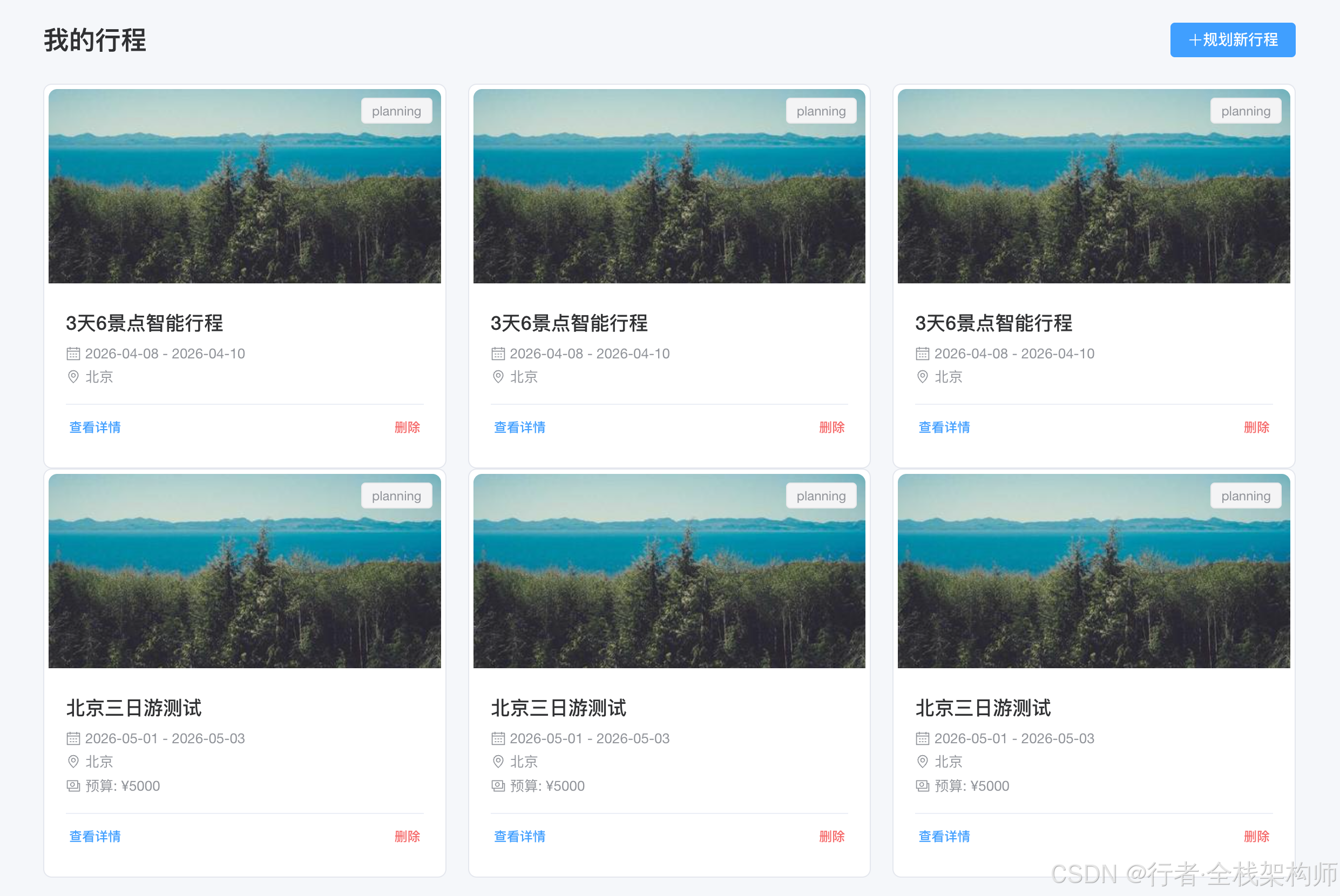
由于时间紧张,以上图片均为demo示例,未做UI优化,请见谅
⚠️ 常见问题
问题 1: 规则匹配过于死板
现象 :
用户说"打算明天去上海逛逛",规则匹配失败
原因 :
正则表达式不够灵活
解决方案:
typescript
// ✅ 更灵活的规则
const flexiblePatterns = [
  /(去 | 到 | 在 | 打算去 | 想要去)([\u4e00-\u9fa5]+)(玩 | 逛| 旅游 | 游玩| 看看)?(\d+)?(天 | 日)?/,
  /(有 | 有没有 | 推荐)(一些 | 哪些)?(好玩 | 好吃 | 好看)? 的?(地方 | 餐厅 | 景点| 美食)?/,
]

// ❌ 过于严格的规则
const strictPattern = /(去 | 到)([\u4e00-\u9fa5]+)(玩 | 旅游| 游玩)(\d+) 天/预防机制: 收集真实用户语料,持续优化规则。
问题 2: LLM 响应超时
现象:
typescript
Error: Request timeout原因:
- 网络问题
- OpenAI API 不稳定
解决方案:
typescript
// 1. 添加超时控制
const llm = new ChatOpenAI({
  timeout: 5000, // 5 秒超时
  maxRetries: 2  // 重试 2 次
})

// 2. 降级策略
async function parseWithFallback(input: string): Promise<Intent> {
  try {
    return await llmNLU.parseWithLLM(input)
  } catch (error) {
    console.warn('LLM 超时,降级到规则匹配')
    return ruleNLU.parseIntent(input)
  }
}

// 3. 本地缓存
const cache = new Map<string, Intent>()

async function cachedParse(input: string): Promise<Intent> {
  if (cache.has(input)) {
    return cache.get(input)!
  }

  const result = await parseWithFallback(input)
  cache.set(input, result)
  return result
}
功能 2: POI 智能检索
问题分析
用户说"找个适合老人的餐厅",需要:
- 理解"适合老人" → 清淡、软烂、环境好
- 搜索附近餐厅
- 过滤符合要求的
- 按评分排序
解决方案
Step 1: 腾讯地图 POI API 封装
typescript
// src/services/tencent-poi-service.ts
import axios from 'axios'

export interface POI {
  id: string
  title: string
  address: string
  location: { lat: number, lng: number }
  tel: string
  adcode: string
  category: string
  rating: number
  price: number
  distance?: number
}

export class TencentPOIService {
  private apiKey: string
  private baseUrl = 'https://apis.map.qq.com/ws/place/v1'

  constructor(apiKey: string) {
    this.apiKey = apiKey
  }

  /**
   * 搜索 POI
   */
  async search(keyword: string, location: {lat: number, lng: number}, radius: number = 1000): Promise<POI[]> {
    const url = `${this.baseUrl}/search`
    const params = {
      keyword,
      location: `${location.lat},${location.lng}`,
      radius,
      key: this.apiKey,
      output: 'json'
    }

    const response = await axios.get(url, { params })
    return response.data.data.map((item: any) => ({
      id: item.id,
      title: item.title,
      address: item.address,
      location: item.location,
      tel: item.tel || '',
      adcode: item.adcode,
      category: item.category,
      rating: item.rating || 0,
      price: item.price || 0,
      distance: item._distance
    }))
  }

  /**
   * 周边搜索
   */
  async searchNearby(category: string, location: {lat: number, lng: number}, radius: number = 1000): Promise<POI[]> {
    return this.search(category, location, radius)
  }

  /**
   * 获取 POI 详情
   */
  async getDetail(poiId: string): Promise<POI | null> {
    const url = `${this.baseUrl}/detail`
    const params = {
      id: poiId,
      key: this.apiKey,
      output: 'json'
    }

    const response = await axios.get(url, { params })
    const data = response.data.data

    if (!data) return null

    return {
      id: data.id,
      title: data.title,
      address: data.address,
      location: data.location,
      tel: data.tel || '',
      adcode: data.adcode,
      category: data.category,
      rating: data.rating || 0,
      price: data.price || 0
    }
  }
}
Step 2: 智能过滤
typescript
// src/services/poi-filter.service.ts
import { POI } from './tencent-poi-service'

export interface FilterOptions {
  minRating?: number      // 最低评分
  maxPrice?: number       // 最高价格
  categories?: string[]   // 分类
  keywords?: string[]     // 包含关键词
  excludeKeywords?: string[] // 排除关键词
  customFilter?: (poi: POI) => boolean // 自定义过滤
}

export class POIFilterService {
  filter(pois: POI[], options: FilterOptions): POI[] {
    return pois.filter(poi => {
      // 评分过滤
      if (options.minRating && poi.rating < options.minRating) {
        return false
      }

      // 价格过滤
      if (options.maxPrice && poi.price > options.maxPrice) {
        return false
      }

      // 分类过滤
      if (options.categories && !options.categories.includes(poi.category)) {
        return false
      }

      // 关键词过滤
      if (options.keywords) {
        const text = `${poi.title} ${poi.address} ${poi.category}`.toLowerCase()
        if (!options.keywords.some(kw => text.includes(kw.toLowerCase()))) {
          return false
        }
      }

      // 排除关键词
      if (options.excludeKeywords) {
        const text = `${poi.title} ${poi.address}`.toLowerCase()
        if (options.excludeKeywords.some(kw => text.includes(kw.toLowerCase()))) {
          return false
        }
      }

      // 自定义过滤
      if (options.customFilter && !options.customFilter(poi)) {
        return false
      }

      return true
    })
  }

  /**
   * 智能推荐(基于偏好)
   */
  recommend(pois: POI[], preferences: string[]): POI[] {
    const preferenceMap: Record<string, FilterOptions> = {
      '老人': {
        minRating: 4.0,
        maxPrice: 200,
        keywords: ['清淡', '软烂', '易消化'],
        customFilter: (poi) => {
          // 检查是否有电梯、无障碍设施等
          return poi.address.includes('层') === false // 假设在一层
        }
      },
      '小孩': {
        minRating: 4.0,
        keywords: ['儿童', '亲子', '乐园'],
        excludeKeywords: ['辣', '刺激']
      },
      '情侣': {
        minRating: 4.5,
        keywords: ['浪漫', '景观', '安静']
      }
    }

    const filters = preferences
      .map(pref => preferenceMap[pref])
      .filter(Boolean)

    if (filters.length === 0) {
      return pois.sort((a, b) => b.rating - a.rating).slice(0, 10)
    }

    // 应用所有偏好过滤
    let result = pois
    filters.forEach(filter => {
      result = this.filter(result, filter)
    })

    // 按评分排序
    return result.sort((a, b) => b.rating - a.rating).slice(0, 10)
  }
}
⚠️ 常见问题
问题 3: POI 搜索结果为空
现象 :
搜索"适合老人的餐厅",返回 0 条结果
原因:
- 关键词太具体
- 半径太小
- API Key 限额
解决方案:
typescript
// 1. 降级搜索策略
async function searchWithFallback(keyword: string, location: Location, radius: number): Promise<POI[]> {
  // 第一次尝试:精确搜索
  let results = await poiService.search(keyword, location, radius)

  if (results.length === 0) {
    // 第二次尝试:放宽关键词
    const baseKeyword = extractBaseKeyword(keyword) // "适合老人的餐厅" → "餐厅"
    results = await poiService.search(baseKeyword, location, radius)
  }

  if (results.length === 0) {
    // 第三次尝试:扩大半径
    results = await poiService.search(keyword, location, radius * 2)
  }

  return results
}

// 2. 缓存热门 POI
const hotPOICache = new Map<string, POI[]>()

async function getCachedPOI(location: string): Promise<POI[]> {
  if (hotPOICache.has(location)) {
    return hotPOICache.get(location)!
  }

  const pois = await poiService.searchNearby('餐饮', location, 1000)
  hotPOICache.set(location, pois)

  // 5 分钟后过期
  setTimeout(() => hotPOICache.delete(location), 5 * 60 * 1000)

  return pois
}
问题 4: API 调用超限
现象:
json
{
  "status": 160,
  "message": "QPS limit exceeded"
}
原因 :
腾讯地图 API 有 QPS 限制
解决方案:
typescript
// 1. 请求队列 + 限流
class RateLimiter {
  private queue: Array<() => Promise<any>> = []
  private processing = false
  private readonly interval: number

  constructor(private qps: number = 5) {
    this.interval = 1000 / qps
  }

  async add<T>(task: () => Promise<T>): Promise<T> {
    return new Promise((resolve, reject) => {
      this.queue.push(async () => {
        try {
          const result = await task()
          resolve(result)
        } catch (error) {
          reject(error)
        }
      })

      if (!this.processing) {
        this.processQueue()
      }
    })
  }

  private async processQueue() {
    while (this.queue.length > 0) {
      const task = this.queue.shift()
      if (task) {
        await task()
        await new Promise(r => setTimeout(r, this.interval))
      }
    }
    this.processing = false
  }
}

// 2. 使用
const limiter = new RateLimiter(5) // 每秒 5 个请求

async function safeSearch(keyword: string, location: Location) {
  return limiter.add(() => poiService.search(keyword, location, 1000))
}
功能 3: 行程生成算法
问题分析
给定:
- 5 个想去的景点
- 2 天时间
- 每个景点建议游玩时间
- 景点之间的距离
求:
- 最优游览顺序
- 每天安排几个景点
- 总耗时最短
这是一个经典的**旅行商问题 (TSP)**的变种!
解决方案
Step 1: 基础数据结构
typescript
// src/types/itinerary.ts
export interface POIWithTime extends POI {
  suggestedDuration: number // 建议游玩时长 (分钟)
  openingHours?: string     // 营业时间
}

export interface DayPlan {
  date: string
  pois: POIWithTime[]
  totalDuration: number
  routes: Route[]
}

export interface Itinerary {
  days: DayPlan[]
  totalTime: number
  summary: string
}

export interface Route {
  from: POI
  to: POI
  distance: number      // 距离 (米)
  duration: number      // 时间 (分钟)
  transportation: string // 交通方式
}
Step 2: 贪心算法实现
typescript
// src/algorithms/greedy-itinerary.ts
import { POIWithTime, Itinerary, Route } from '@/types/itinerary'
import { TencentRouteService } from '@/services/tencent-route-service'

export class GreedyItineraryGenerator {
  constructor(
    private routeService: TencentRouteService,
    private maxDailyDuration: number = 8 * 60 // 每天最多 8 小时
  ) {}

  /**
   * 生成行程
   */
  async generate(
    pois: POIWithTime[],
    days: number,
    startDate: string
  ): Promise<Itinerary> {
    // 1. 计算距离矩阵
    const distanceMatrix = await this.calculateDistanceMatrix(pois)

    // 2. 贪心选择:每次选最近的未访问景点
    const visited = new Set<number>()
    const itinerary: DayPlan[] = []

    let currentDay: DayPlan = this.createDayPlan(startDate, 0)
    let currentIndex = 0 // 从第一个景点开始

    while (visited.size < pois.length) {
      // 标记当前景点为已访问
      visited.add(currentIndex)
      currentDay.pois.push(pois[currentIndex])

      // 查找下一个最近的未访问景点
      let nextIndex = -1
      let minDistance = Infinity

      for (let i = 0; i < pois.length; i++) {
        if (!visited.has(i)) {
          const dist = distanceMatrix[currentIndex][i]
          if (dist < minDistance) {
            minDistance = dist
            nextIndex = i
          }
        }
      }

      // 如果找到了下一个景点
      if (nextIndex !== -1) {
        // 检查是否超过每日时长限制
        const additionalTime =
          minDistance / 50 + // 路程时间 (假设车速 50km/h)
          pois[nextIndex].suggestedDuration

        if (currentDay.totalDuration + additionalTime <= this.maxDailyDuration) {
          // 添加到当天行程
          const route = await this.createRoute(pois[currentIndex], pois[nextIndex])
          currentDay.routes.push(route)
          currentDay.totalDuration += additionalTime
          currentIndex = nextIndex
        } else {
          // 超过限制,开始新的一天
          itinerary.push(currentDay)
          currentDay = this.createDayPlan(startDate, itinerary.length)
          currentIndex = nextIndex
        }
      } else {
        // 所有景点都已访问
        break
      }
    }

    // 添加最后一天
    if (currentDay.pois.length > 0) {
      itinerary.push(currentDay)
    }

    return {
      days: itinerary,
      totalTime: itinerary.reduce((sum, day) => sum + day.totalDuration, 0),
      summary: `${days}天行程,共访问${visited.size}个景点`
    }
  }

  private createDayPlan(startDate: string, dayOffset: number): DayPlan {
    const date = new Date(startDate)
    date.setDate(date.getDate() + dayOffset)

    return {
      date: date.toISOString().split('T')[0],
      pois: [],
      totalDuration: 0,
      routes: []
    }
  }

  private async calculateDistanceMatrix(pois: POIWithTime[]): Promise<number[][]> {
    const matrix: number[][] = []

    for (let i = 0; i < pois.length; i++) {
      matrix[i] = []
      for (let j = 0; j < pois.length; j++) {
        if (i === j) {
          matrix[i][j] = 0
        } else {
          const route = await this.routeService.calculateDistance(
            pois[i].location,
            pois[j].location
          )
          matrix[i][j] = route.distance
        }
      }
    }

    return matrix
  }

  private async createRoute(from: POI, to: POI): Promise<Route> {
    const routeData = await this.routeService.planRoute(from.location, to.location)

    return {
      from,
      to,
      distance: routeData.distance,
      duration: routeData.duration,
      transportation: '驾车'
    }
  }
}
Step 3: 遗传算法优化 (进阶)
typescript
// src/algorithms/genetic-itinerary.ts
export class GeneticItineraryGenerator {
  private populationSize = 50
  private mutationRate = 0.1
  private generations = 100

  async optimize(itinerary: Itinerary): Promise<Itinerary> {
    // 1. 初始化种群
    let population = this.initializePopulation(itinerary.days.flatMap(d => d.pois))

    // 2. 进化
    for (let gen = 0; gen < this.generations; gen++) {
      // 评估适应度
      const fitnesses = population.map(ind => this.evaluateFitness(ind))

      // 选择
      const selected = this.tournamentSelection(population, fitnesses)

      // 交叉
      const offspring = this.crossover(selected)

      // 变异
      const mutated = this.mutate(offspring)

      population = mutated
    }

    // 3. 返回最优解
    const best = population.reduce((best, ind) =>
      this.evaluateFitness(ind) > this.evaluateFitness(best) ? ind : best
    )

    return this.decodeIndividual(best)
  }

  private evaluateFitness(individual: number[]): number {
    // 适应度函数:总距离越短,适应度越高
    const totalDistance = this.calculateTotalDistance(individual)
    return 1 / totalDistance
  }

  // ... 更多遗传算法实现细节
}
⚠️ 常见问题
问题 5: 行程过于紧凑
现象 :
用户反馈"太累了,根本玩不完"
原因:
- 没考虑休息时间
- 景点间交通时间估算不准
- 排队时间未计入
解决方案:
typescript
// 1. 添加休息缓冲
interface ItineraryConfig {
  restBuffer: number        // 每个景点后休息 (分钟)
  lunchBreak: number        // 午休时间 (分钟)
  trafficFactor: number     // 交通系数 (1.2 = 预留 20% 缓冲)
  queueTime: number         // 平均排队时间 (分钟)
}

const defaultConfig: ItineraryConfig = {
  restBuffer: 15,
  lunchBreak: 90,
  trafficFactor: 1.2,
  queueTime: 20
}

// 2. 调整时长计算
function calculateRealisticDuration(poi: POIWithTime, config: ItineraryConfig): number {
  return poi.suggestedDuration + config.restBuffer + config.queueTime
}

function calculateRouteDuration(baseDuration: number, config: ItineraryConfig): number {
  return baseDuration * config.trafficFactor
}

// 3. 强制午休
function insertLunchBreak(dayPlan: DayPlan, config: ItineraryConfig): DayPlan {
  const morningPois: POIWithTime[] = []
  const afternoonPois: POIWithTime[] = []
  let foundLunchTime = false

  for (const poi of dayPlan.pois) {
    if (!foundLunchTime && dayPlan.totalDuration > 3 * 60) {
      // 上午行程超过 3 小时,插入午休
      foundLunchTime = true
      dayPlan.totalDuration += config.lunchBreak
      afternoonPois.push(poi)
    } else {
      morningPois.push(poi)
    }
  }

  return {
    ...dayPlan,
    pois: [...morningPois, ...afternoonPois]
  }
}
问题 6: 算法运行太慢
现象 :
生成一个行程需要 30 秒
原因:
- 距离矩阵计算耗时
- 遗传算法迭代次数多
解决方案:
typescript
// 1. 缓存距离矩阵
const distanceCache = new Map<string, number>()

function getCacheKey(from: Location, to: Location): string {
  return `${from.lat},${from.lng}-${to.lat},${to.lng}`
}

async function cachedDistance(from: Location, to: Location): Promise<number> {
  const key = getCacheKey(from, to)

  if (distanceCache.has(key)) {
    return distanceCache.get(key)!
  }

  const route = await routeService.calculateDistance(from, to)
  distanceCache.set(key, route.distance)

  return route.distance
}

// 2. 并行计算
async function parallelDistanceMatrix(pois: POIWithTime[]): Promise<number[][]> {
  const promises: Promise<number>[] = []

  for (let i = 0; i < pois.length; i++) {
    for (let j = 0; j < pois.length; j++) {
      if (i === j) {
        promises.push(Promise.resolve(0))
      } else {
        promises.push(cachedDistance(pois[i].location, pois[j].location))
      }
    }
  }

  const results = await Promise.all(promises)

  // 重塑为矩阵
  const matrix: number[][] = []
  for (let i = 0; i < pois.length; i++) {
    matrix[i] = results.slice(i * pois.length, (i + 1) * pois.length)
  }

  return matrix
}

// 3. 减少遗传代数
const fastConfig = {
  populationSize: 30,  // 从 50 降到 30
  mutationRate: 0.15,  // 稍微提高变异率
  generations: 50      // 从 100 降到 50
}
功能 4: 多人汇合点推荐
问题分析
3 个家庭约着一起玩:
- A 家庭:住朝阳区
- B 家庭:住海淀区
- C 家庭:住丰台区
在哪里集合最公平?
解决方案
typescript
// src/algorithms/meeting-point.ts
export interface Family {
  name: string
  location: { lat: number, lng: number }
  members: number
}

export class MeetingPointFinder {
  /**
   * 查找最优汇合点
   */
  async findOptimalMeetingPoint(
    families: Family[],
    poiCategory: string = '餐厅'
  ): Promise<POI | null> {
    // 1. 计算几何中心
    const center = this.calculateGeometricCenter(families)

    // 2. 在中心附近搜索符合条件的 POI
    const nearbyPOIs = await poiService.search(poiCategory, center, 2000)

    if (nearbyPOIs.length === 0) {
      return null
    }

    // 3. 计算每个 POI 的公平性得分
    const scoredPOIs = nearbyPOIs.map(poi => ({
      poi,
      score: this.calculateFairnessScore(poi, families)
    }))

    // 4. 返回得分最高的
    scoredPOIs.sort((a, b) => b.score - a.score)
    return scoredPOIs[0].poi
  }

  private calculateGeometricCenter(families: Family[]): {lat: number, lng: number} {
    const totalMembers = families.reduce((sum, f) => sum + f.members, 0)

    const weightedLat = families.reduce((sum, f) =>
      sum + f.location.lat * f.members, 0)
    const weightedLng = families.reduce((sum, f) =>
      sum + f.location.lng * f.members, 0)

    return {
      lat: weightedLat / totalMembers,
      lng: weightedLng / totalMembers
    }
  }

  private calculateFairnessScore(poi: POI, families: Family[]): number {
    // 计算每个家庭到 POI 的距离
    const distances = families.map(family =>
      this.calculateDistance(family.location, poi.location)
    )

    // 公平性:距离方差越小越公平
    const avgDistance = distances.reduce((a, b) => a + b, 0) / distances.length
    const variance = distances.reduce((sum, d) =>
      sum + Math.pow(d - avgDistance, 2), 0) / distances.length

    // 分数 = 100 - 方差 (方差越小分数越高)
    return 100 - variance
  }

  private calculateDistance(from: Location, to: Location): number {
    // 使用 Haversine 公式计算直线距离
    const R = 6371e3 // 地球半径 (米)
    const φ1 = from.lat * Math.PI / 180
    const φ2 = to.lat * Math.PI / 180
    const Δφ = (to.lat - from.lat) * Math.PI / 180
    const Δλ = (to.lng - from.lng) * Math.PI / 180

    const a = Math.sin(Δφ / 2) * Math.sin(Δφ / 2) +
              Math.cos(φ1) * Math.cos(φ2) *
              Math.sin(Δλ / 2) * Math.sin(Δλ / 2)
    const c = 2 * Math.atan2(Math.sqrt(a), Math.sqrt(1 - a))

    return R * c
  }
}
⚠️ 常见问题
问题 7: 汇合点不合理
现象 :
推荐的集合地点虽然地理中心,但没有合适的餐厅
原因 :
只考虑了几何中心,没考虑 POI 分布
解决方案:
typescript
// 多目标优化
interface MeetingPointCriteria {
  fairness: number    // 公平性权重
  quality: number     // 质量权重
  capacity: number    // 容量权重
}

function multiObjectiveOptimization(
  pois: POI[],
  families: Family[],
  criteria: MeetingPointCriteria
): POI {
  return pois.map(poi => {
    const fairnessScore = calculateFairnessScore(poi, families)
    const qualityScore = poi.rating / 5 * 100
    const capacityScore = estimateCapacity(poi) / 100 * 100

    const totalScore =
      fairnessScore * criteria.fairness +
      qualityScore * criteria.quality +
      capacityScore * criteria.capacity

    return { poi, totalScore }
  }).sort((a, b) => b.totalScore - a.totalScore)[0].poi
}

// 默认权重
const defaultCriteria: MeetingPointCriteria = {
  fairness: 0.5,    // 公平性占 50%
  quality: 0.3,     // 质量占 30%
  capacity: 0.2     // 容量占 20%
}
📊 性能优化技巧
1. 懒加载 + 虚拟滚动
vue
<!-- src/components/POIList.vue -->
<template>
  <div class="poi-list">
    <VirtualList
      :data="filteredPOIs"
      :item-height="100"
      :buffer-size="5"
    >
      <template #item="{ item }">
        <POICard :poi="item" />
      </template>
    </VirtualList>
  </div>
</template>

<script setup>
import { VirtualList } from 'vue-virtual-scroller'
import 'vue-virtual-scroller/dist/vue-virtual-scroller.css'
</script>
2. Web Worker 后台计算
typescript
// src/workers/itinerary.worker.ts
self.onmessage = (e) => {
  const { pois, days } = e.data
  const generator = new GreedyItineraryGenerator()
  const itinerary = generator.generate(pois, days)
  self.postMessage(itinerary)
}

// 使用
const worker = new Worker(new URL('./itinerary.worker.ts', import.meta.url))
worker.postMessage({ pois, days: 2 })
worker.onmessage = (e) => {
  setItinerary(e.data)
}
3. Redis 缓存热点数据
python
# backend/src/cache.py
import redis
import json

redis_client = redis.Redis(host='localhost', port=6379, db=0)

def cache_poi_search(keyword: str, location: str, ttl: int = 300):
    def decorator(func):
        def wrapper(*args, **kwargs):
            cache_key = f"poi:{keyword}:{location}"

            # 尝试从缓存获取
            cached = redis_client.get(cache_key)
            if cached:
                return json.loads(cached)

            # 执行实际查询
            result = func(*args, **kwargs)

            # 写入缓存
            redis_client.setex(
                cache_key,
                ttl,
                json.dumps(result, ensure_ascii=False)
            )

            return result
        return wrapper
    return decorator

@cache_poi_search("餐饮", "39.9042,116.4074")
def search_restaurants(location):
    return poi_service.search("餐饮", location, 1000)
📝 总结
关键收获
✅ NLU 实现 : 规则匹配 + LLM 的混合策略
✅ POI 检索 : 腾讯地图 API 封装 + 智能过滤
✅ 行程算法 : 贪心算法 + 遗传算法优化
✅ 多人协同 : 加权中心点 + 公平性优化
✅ 性能优化: 缓存、懒加载、Web Worker
下一步
- 第 3 篇将讲解:企业级架构设计
- MCP Server 完整实现
- 微服务拆分
- 高并发处理
- 监控告警体系
👍 如果本文对你有帮助,欢迎点赞、收藏、转发!
💬 有任何问题或建议,请在评论区留言交流~
🔔 关注我,获取《AI+ 腾讯地图实战》系列文章!
✍️ 行文仓促,定有不足之处,欢迎各位朋友在评论区批评指正,不胜感激!
专栏导航:
- 上一篇:腾讯地图 Map Skills 快速入门:从零搭建 AI 智能行程规划应用
- 下一篇:企业级 AI 地图应用架构:MCP 协议 + 微服务实战(待发布)