阿里云百炼 + Vue3 + Express AI 流式聊天应用图文教程
�� 阿里云百炼 + Vue3 + Express AI 流式聊天应用 图文教程
�� 项目介绍
本项目基于 阿里云百炼大模型平台,使用
- Express 搭建后端服务
- Vue3 搭建前端界面
- SSE 服务器推送技术 实现 AI 回答流式打字机效果
- 支持 DeepSeek 思考过程展示
界面清爽、响应式、支持快捷键发送、自动滚动、错误提示。
��️ 效果预览(对应你提供的截图)
- 阿里云百炼控制台(模型/API配置页)
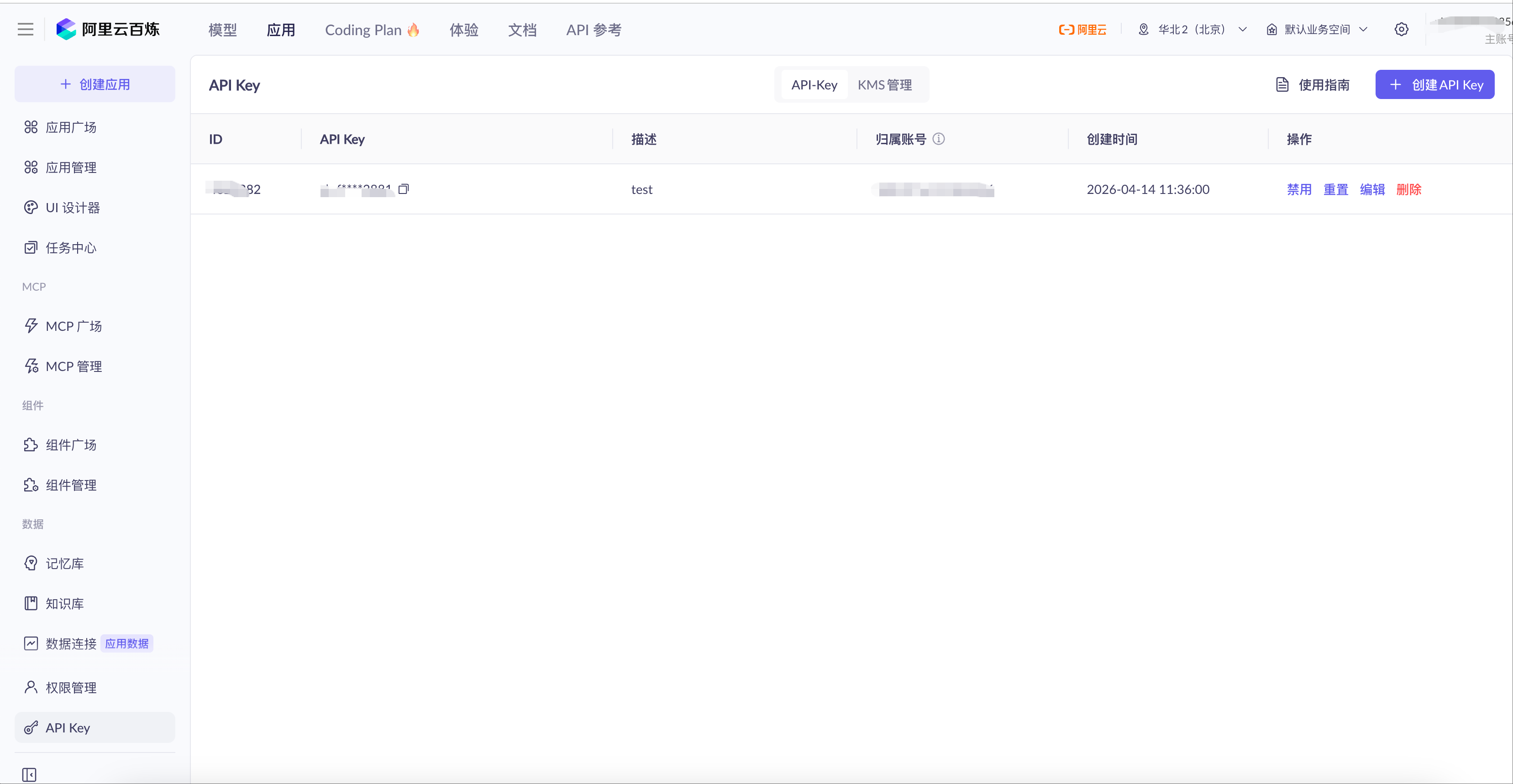
这里可创建 API Key、查看兼容接口地址、开通模型服务。
2. 后端服务运行成功界面 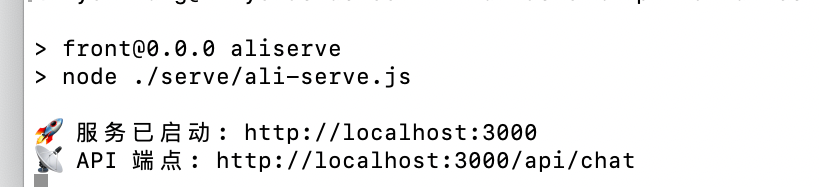
显示服务已启动:http://localhost:3000
3. 前端聊天界面(最终效果)
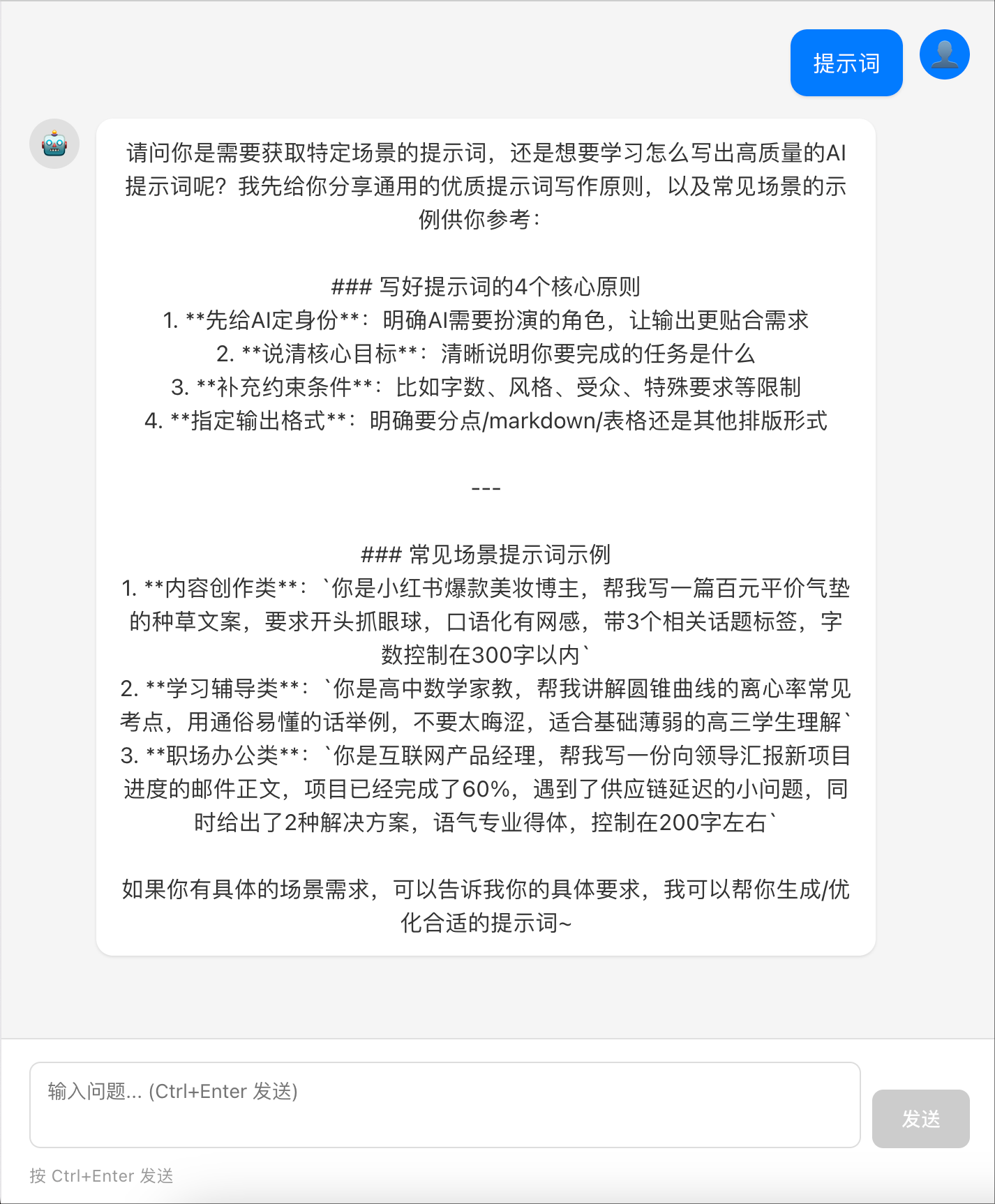
支持用户/AI 对话气泡、流式输出、输入框自动高度、加载状态。
�� 一、前期准备(阿里云百炼)
1. 登录阿里云百炼控制台
进入:https://www.aliyun.com/product/bailian
2. 创建 API Key(安全凭证)
- 左侧菜单 → API Key 管理
- 点击 创建 API Key
- 复制生成的 API-KEY(只显示一次,务必保存)
3. 确认接口地址(官方标准地址)
|--------------------------------------------------------------|
| Plain Text https://dashscope.aliyuncs.com/compatible-mode/v1 |
4. 开通模型
确保已开通:
- deepseek-v3.2
- 支持流式输出、思考过程(enable_thinking)
�� 二、后端搭建(Express + AI 接口)
1. 创建项目
|-----------------------------------------------------------------------------------------|
| Bash mkdir ai-chat-server cd ai-chat-server npm init -y npm install express cors openai |
2. 创建 server.js(完整脱敏代码)
|----------------------------------------------------------------------------------------------------------------------------------------------------------------------------------------------------------------------------------------------------------------------------------------------------------------------------------------------------------------------------------------------------------------------------------------------------------------------------------------------------------------------------------------------------------------------------------------------------------------------------------------------------------------------------------------------------------------------------------------------------------------------------------------------------------------------------------------------------------------------------------------------------------------------------------------------------------------------------------------------------------------------------------------------------------------------------------------------------------------------------------------------------------------------------------------------------------------------------------------------------------------------------------------------------------------------------------------------------------------------------------------------------------------------------------------------------------------------------------------------------------------------------------------------------------------------------------------------------------------------------------------------------------------------------------------------------------------------------------------------------------------------------------------------------------------------------------------------------------------------------------------------------------------------------------------------------------------------------------------------------------------------------------------------------------------------------------------------------------------------------------------------------------------------------------------------------------------------------------------------------------------------------------------------------------------------------------------------------------------------------------------------------------------------------------------------------------------------------------------------------------------------------------------------------------------------------------------------------------------------------------------------------------------------------------------------------------------------------------------------------------------------------------------------------------------------------------------------------------------------------------------------------------------------------------------------------------------------------------------------------------------------------------------------------------------------------------------------------------------------------------------------------------------------------------------------------------------------------------------------------------------------------------------------------------------------------------------------------------------------------------------------------------|
| JavaScript import express from 'express'; import cors from 'cors'; import OpenAI from 'openai'; const app = express(); const port = 3000; app.use(express.json()); app.use(cors()); // ========== 阿里云百炼配置(请替换自己的信息) ========== const openai = new OpenAI({ apiKey: '此处填写你自己的API Key', baseURL: 'https://dashscope.aliyuncs.com/compatible-mode/v1' }); const REQUEST_TIMEOUT = 60000; // 聊天接口 app.post('/api/chat', validateChatRequest, async (req, res) => { const abortController = new AbortController(); const timeoutId = setTimeout(() => abortController.abort(), REQUEST_TIMEOUT); try { const { query } = req.body; setupSSEHeaders(res); sendSSEMessage(res, { status: 'started' }); const stream = await openai.chat.completions.create({ model: 'deepseek-v3.2', messages: { role: 'user', content: query }, enable_thinking: true, stream: true, stream_options: { include_usage: true } }, { signal: abortController.signal }); clearTimeout(timeoutId); await handleStreamResponse(res, stream); res.end(); } catch (error) { clearTimeout(timeoutId); handleStreamError(res, error); } }); // SSE 响应头 function setupSSEHeaders(res) { res.setHeader('Content-Type', 'text/event-stream'); res.setHeader('Cache-Control', 'no-cache, no-transform'); res.setHeader('Connection', 'keep-alive'); res.setHeader('X-Accel-Buffering', 'no'); res.flushHeaders(); } // 发送 SSE 消息 function sendSSEMessage(res, data) { res.write(`data: {JSON.stringify(data)}\\n\\n\`); } // 处理流式返回 async function handleStreamResponse(res, stream) { let reasoningContent = ''; let answerContent = ''; let isAnswering = false; sendSSEMessage(res, { type: 'thinking_start', message: '思考过程' }); for await (const chunk of stream) { if (!chunk.choices?.length) { if (chunk.usage) { sendSSEMessage(res, { type: 'usage', usage: chunk.usage }); } continue; } const delta = chunk.choices\[0\].delta; if (delta.reasoning_content !== undefined \&\& delta.reasoning_content !== null) { if (!isAnswering) { reasoningContent += delta.reasoning_content; sendSSEMessage(res, { type: 'thinking', content: delta.reasoning_content }); } } if (delta.content !== undefined \&\& delta.content) { if (!isAnswering) { isAnswering = true; sendSSEMessage(res, { type: 'answer_start', message: '回复内容' }); } answerContent += delta.content; sendSSEMessage(res, { type: 'answer', content: delta.content }); } } sendSSEMessage(res, { type: 'completed', reasoning: reasoningContent, answer: answerContent }); } // 错误处理 function handleStreamError(res, error) { console.error('错误:', error); if (error.name === 'AbortError') { sendSSEMessage(res, { error: '请求超时,请重试' }); } else { sendSSEMessage(res, { error: error.message }); } res.end(); } // 参数校验 function validateChatRequest(req, res, next) { const { query } = req.body; if (!query \|\| typeof query !== 'string') { return res.status(400).json({ error: '请输入有效内容' }); } const t = query.trim(); if (t.length === 0) return res.status(400).json({ error: '内容不能为空' }); if (t.length \> 4000) return res.status(400).json({ error: '长度不能超过4000字符' }); req.body.query = t; next(); } // 健康检查 app.get('/api/health', (req, res) =\> { res.json({ status: 'ok' }); }); // 启动服务 app.listen(port, () =\> { console.log(\`�� 服务已启动: http://localhost:{port}`); console.log(`�� API 端点: http://localhost:${port}/api/chat`); }); |
3. 启动后端
|---------------------|
| Bash node server.js |
出现以下提示即成功:
|--------------------------------------------------------------------------------------|
| Plain Text �� 服务已启动: http://localhost:3000 �� API 端点: http://localhost:3000/api/chat |
�� 三、前端搭建(Vue3 聊天界面)
1. 创建 Vite + Vue 项目
|--------------------------------------------------------------------------------------|
| Bash npm create vite@latest ai-chat-web -- --template vue cd ai-chat-web npm install |
2. 替换 Chat.vue 组件
直接使用你提供的完整前端代码(已脱敏,无风险)。
3. 修改 App.vue
|---------------------------------------------------------------------------------------------------------------------------------------------------------------------------------------------------|
| Plain Text <template> <Chat /> </template> <script setup> import Chat from './components/Chat.vue' </script> <style> * { margin: 0; padding: 0; box-sizing: border-box; } </style> |
4. 启动前端
|------------------|
| Bash npm run dev |
✅ 四、运行效果说明
- 输入问题 → 发送
- AI 会流式输出(逐字显示)
- 自动滚动到底部
- 加载状态、错误提示、超时保护全部正常
- 支持 Ctrl+Enter 快捷发送
界面效果:
- 左侧:AI 消息
- 右侧:用户消息
- 输入框自动高度
- 流畅打字机效果