【组合实战】OCR + 图片去水印 API:自动清洗图片再识别文字(完整方案 + 代码示例)
在实际业务中,很多图片并不是"干净"的:
👉 带水印、遮挡、广告、LOGO、二维码......
直接做 OCR 识别,往往会出现:
-
❌ 识别错误
-
❌ 识别不完整
-
❌ 关键文字被干扰
🚀 一句话解决方案
👉 先去水印 → 再 OCR 识别 = 识别准确率大幅提升
一、真实应用场景(非常重要)
🛒 场景1:电商图片处理
-
商品图带平台水印
-
标题被遮挡
👉 解决:先去水印 → 再识别商品信息
📊 场景2:数据采集 / 爬虫
-
图片含广告/水印
-
OCR识别混乱
📄 场景3:文档处理
-
PDF截图带标识
-
水印覆盖正文
👉 如果你还不了解 OCR:《文字识别通用OCR接口调用与功能说明》
二、核心方案(组合能力)
👉 标准流程:
原始图片
   ↓
去水印 API
   ↓
清洗后的图片
   ↓
OCR识别 API
   ↓
输出文字
👉 关键点:
✔ 去水印 → 提高识别准确率
✔ OCR → 提取结构化数据
三、API能力说明
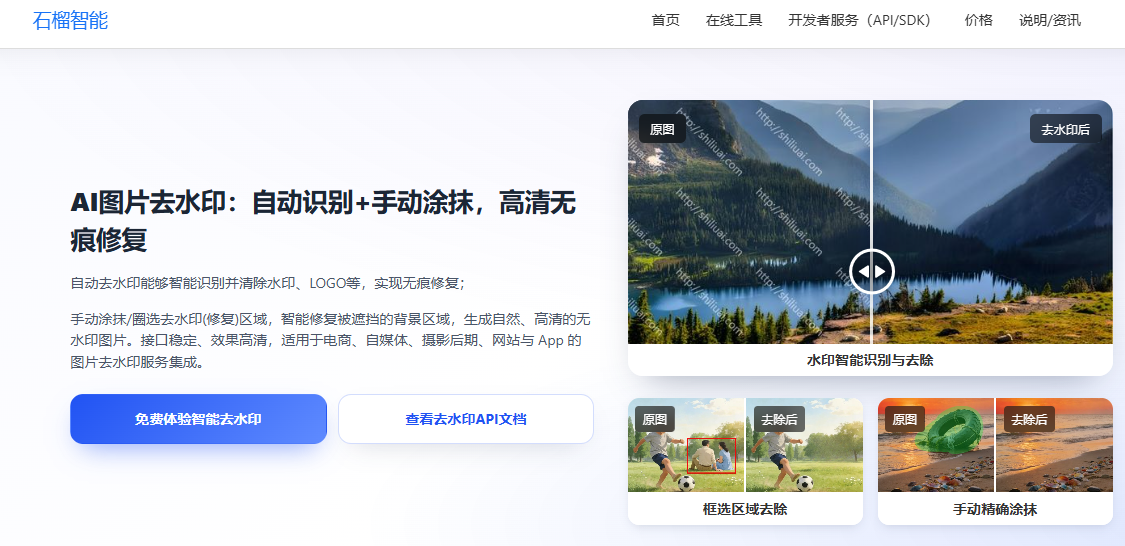
🧩 图片去水印 API
支持:
-
自动去除文字水印
-
去除LOGO / 标识
-
智能修复背景
👉 在线体验:https://www.shiliuai.com/inpaint/
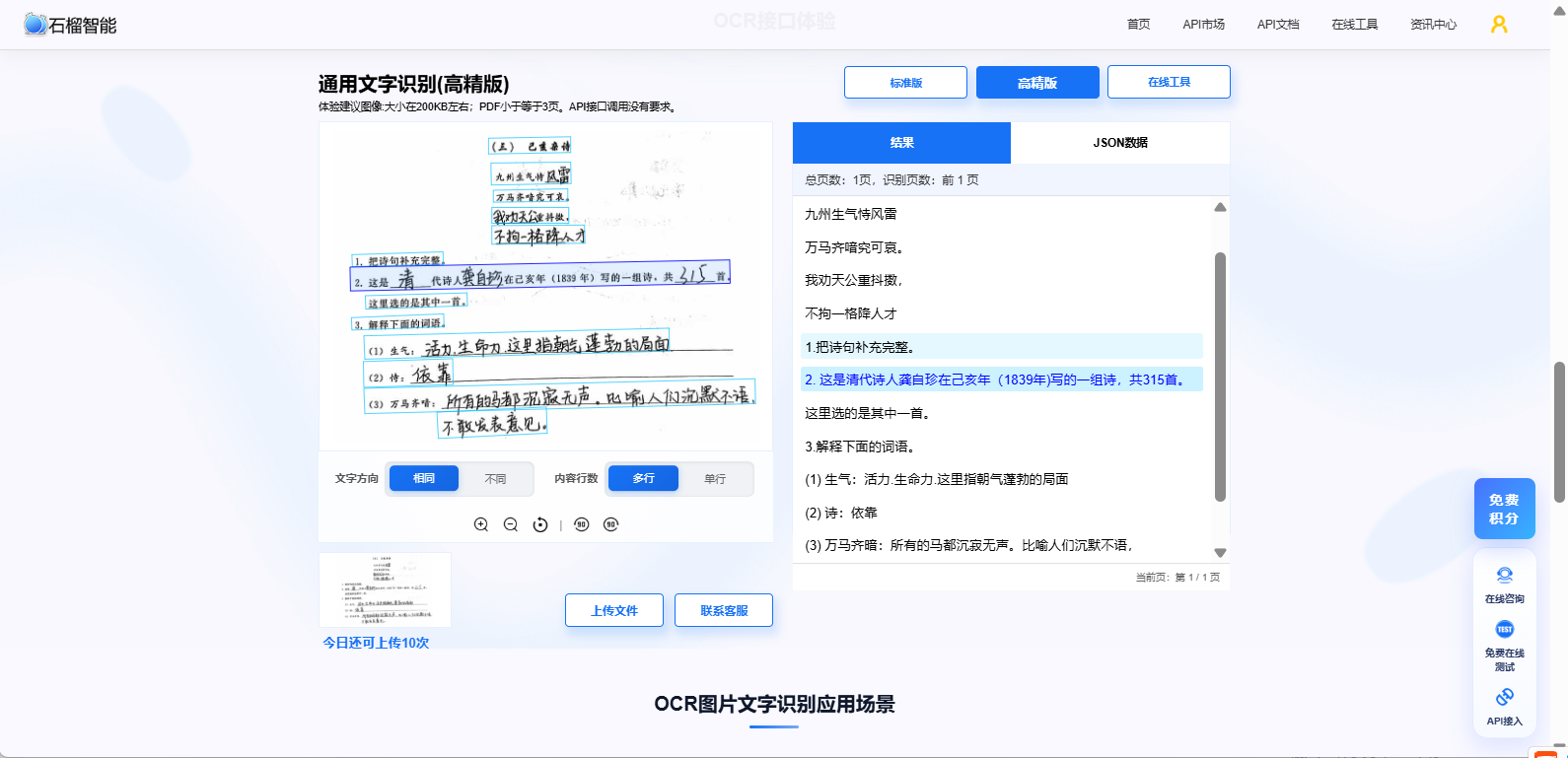
🧩 OCR识别 API
支持:
-
多语言识别
-
自动纠偏
-
高精度识别
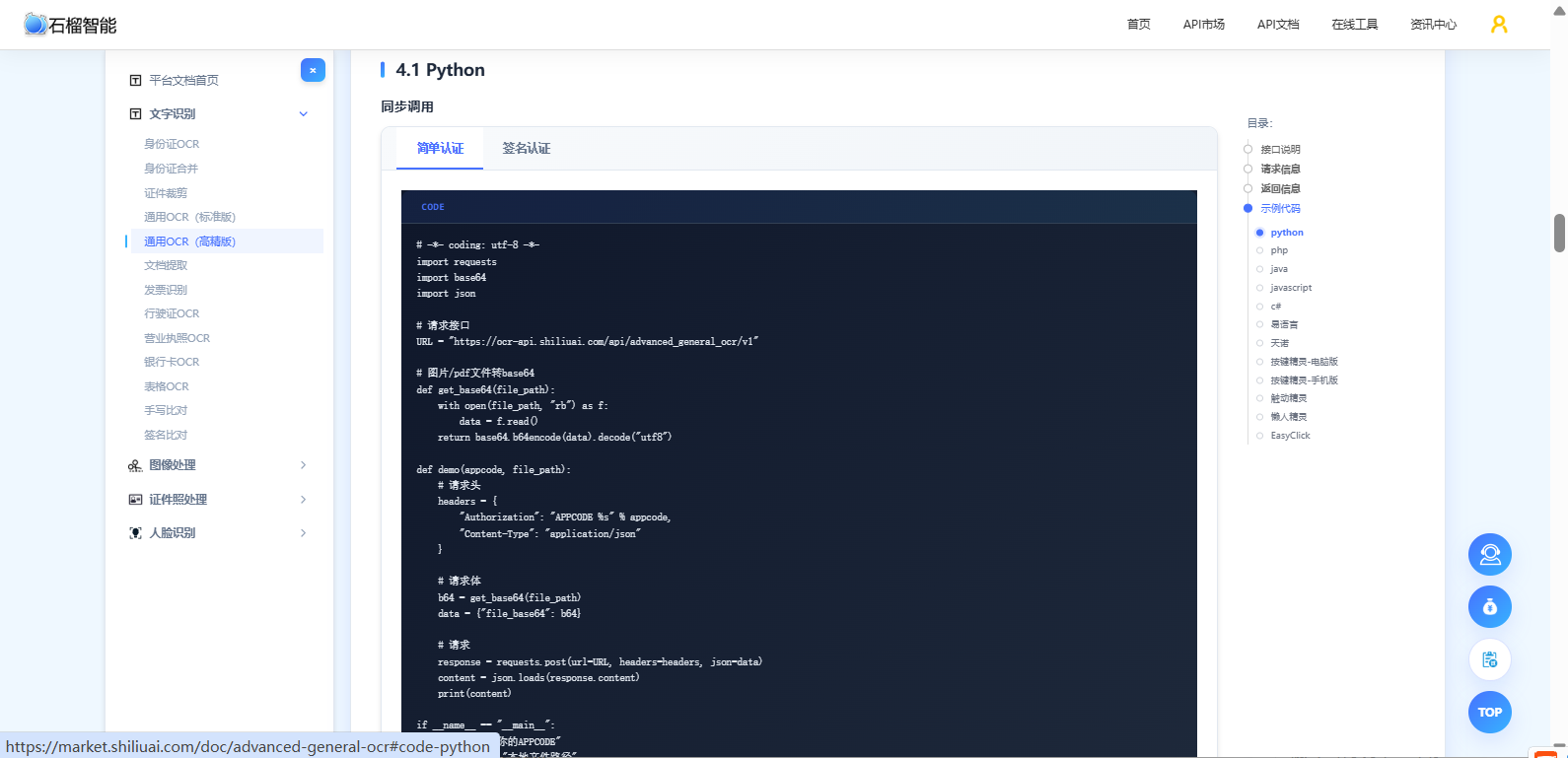
👉 支持免费在线体验,API文档齐全,提供各语言的示例代码:https://market.shiliuai.com/general-ocr
👉 API文档:
四、实战案例:去水印 + OCR 一体化处理
🧩 目标
👉 输入一张带水印图片 → 输出干净文字内容
💻 Python完整示例
python
# 去水印API文档:https://www.shiliuai.com/api/zidongqushuiyin

# -*- coding: utf-8 -*-
import requests
import base64
import cv2
import json
import numpy as np

api_key = '******'  # 你的API KEY
image_path = '...'  # 图片路径

"""
用 image_base64 请求
"""
with open(image_path, 'rb') as fp:
    image_base64 = base64.b64encode(fp.read()).decode('utf8')

url = 'https://api.shiliuai.com/api/auto_inpaint/v1'
headers = {'APIKEY': api_key, "Content-Type": "application/json"}
data = {
    "image_base64": image_base64
}

response = requests.post(url=url, headers=headers, json=data)
response = json.loads(response.content)
"""
成功:{'code': 0, 'msg': 'OK', 'msg_cn': '成功', 'result_base64': result_base64, 'image_id': image_id}
or
失败:{'code': error_code, 'msg': error_msg, 'msg_cn': 错误信息}
"""
image_id = response['image_id']
result_base64 = response['result_base64']
file_bytes = base64.b64decode(result_base64)
f = open('result.jpg', 'wb')
f.write(file_bytes)
f.close()

image = np.asarray(bytearray(file_bytes), dtype=np.uint8)
image = cv2.imdecode(image, cv2.IMREAD_UNCHANGED)
cv2.imshow('result', image)
cv2.waitKey(0)

"""
第二次用 image_id 请求
"""
data = {
    "image_id": image_id
}

response = requests.post(url=url, headers=headers, json=data)
python
# OCR文字识别API文档: https://market.shiliuai.com/doc/advanced-general-ocr

# -*- coding: utf-8 -*-
import requests
import base64
import json

# 请求接口
URL = "https://ocr-api.shiliuai.com/api/advanced_general_ocr/v1"

# 图片/pdf文件转base64
def get_base64(file_path):
    with open(file_path, "rb") as f:
        data = f.read()
    return base64.b64encode(data).decode("utf8")

def demo(appcode, file_path):
    # 请求头
    headers = {
        "Authorization": "APPCODE %s" % appcode,
        "Content-Type": "application/json"
    }

    # 请求体
    b64 = get_base64(file_path)
    data = {"file_base64": b64}

    # 请求
    response = requests.post(url=URL, headers=headers, json=data)
    content = json.loads(response.content)
    print(content)

if __name__ == "__main__":
    appcode = "你的APPCODE"
    file_path = "本地文件路径"
    demo(appcode, file_path)
🧾 效果对比
❌ 直接 OCR:
"Wate rmark SALE 50% OFF"✅ 去水印 + OCR:
"SALE 50% OFF"👉 👉 准确率明显提升
五、进阶优化(提升效果)
🚀 优化1:高清化处理
👉 组合方案:
去水印 → 高清化 → OCR
🚀 优化2:批量处理
👉 支持:
-
文件夹批量处理
-
多线程并发
🚀 优化3:关键词提取
👉 提取核心信息:
-
标题
-
参数
-
品牌
六、完整系统方案(企业/项目级)
🏗 架构设计:
图片上传
   ↓
去水印服务
   ↓
OCR识别服务
   ↓
数据解析
   ↓
数据库 / 业务系统
📈 应用价值:
| 项目 | 提升 |
|---|---|
| OCR准确率 | ↑20%~50% |
| 人工成本 | ↓80% |
| 自动化程度 | ↑显著 |
七、适用人群
👉 非常适合:
-
电商卖家(去水印识别商品)
-
数据采集开发者
-
OCR系统开发者
-
企业自动化项目
八、为什么一定要组合用?
👉 单独用 OCR:
❌ 容易被水印干扰
👉 组合使用:
✅ 更干净
✅ 更准确
✅ 更稳定
九、总结
通过本方案你可以实现:
✅ 自动清洗图片
✅ 提升 OCR 准确率
✅ 批量处理图片数据
✅ 构建完整自动化系统
🎯 补充
👉 如果你正在做:
-
图片数据处理
-
OCR系统开发
-
电商自动化
👉 强烈建议直接体验组合能力:
✔ 支持免费测试
✔ API接口简单
✔ 支持批量与高并发
📚 延伸阅读
💡 最后一段
👉 很多人只用 OCR,却忽略了"图片质量"。
👉 实际上:决定识别效果的,不只是OCR,而是"输入质量"。
👉 先清洗,再识别,效果会完全不同。
#OCR识别 #图片去水印 #图像处理 #API接口