【案例二】支持搜索的智能代理系统
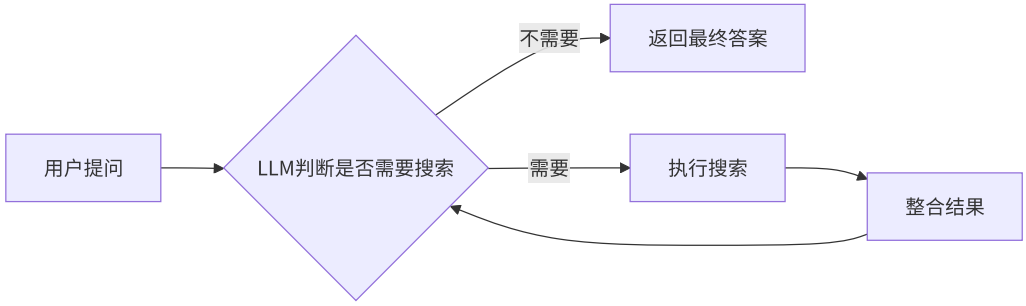
1.案例介绍
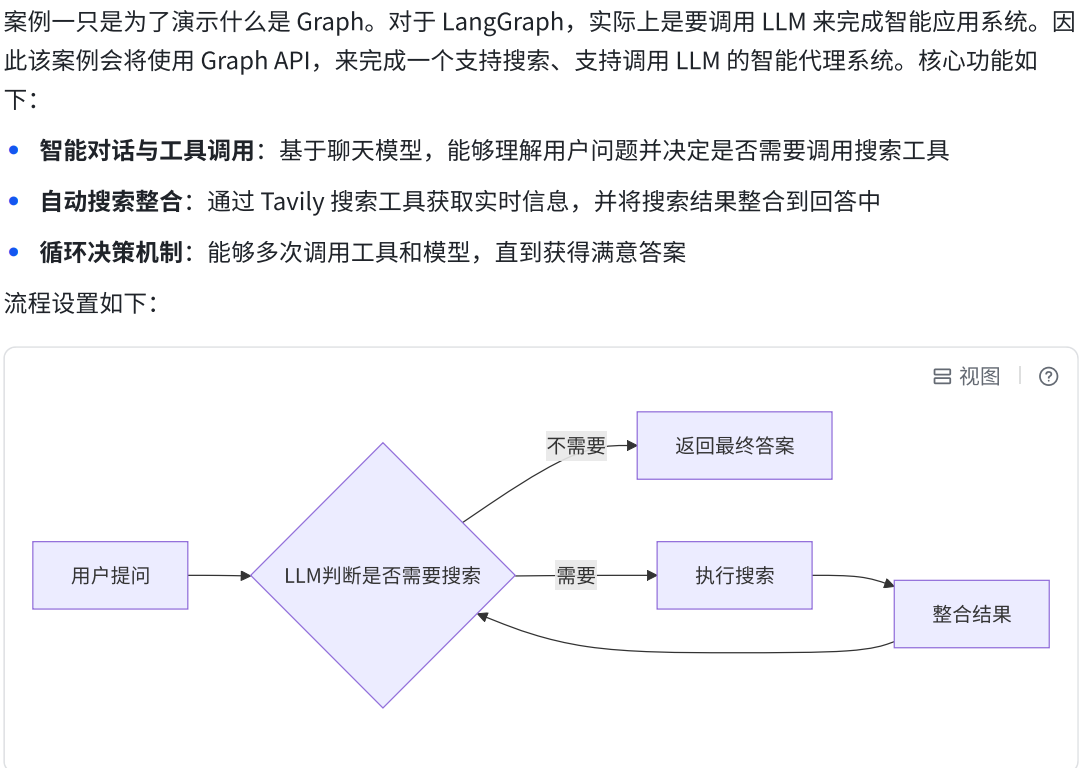
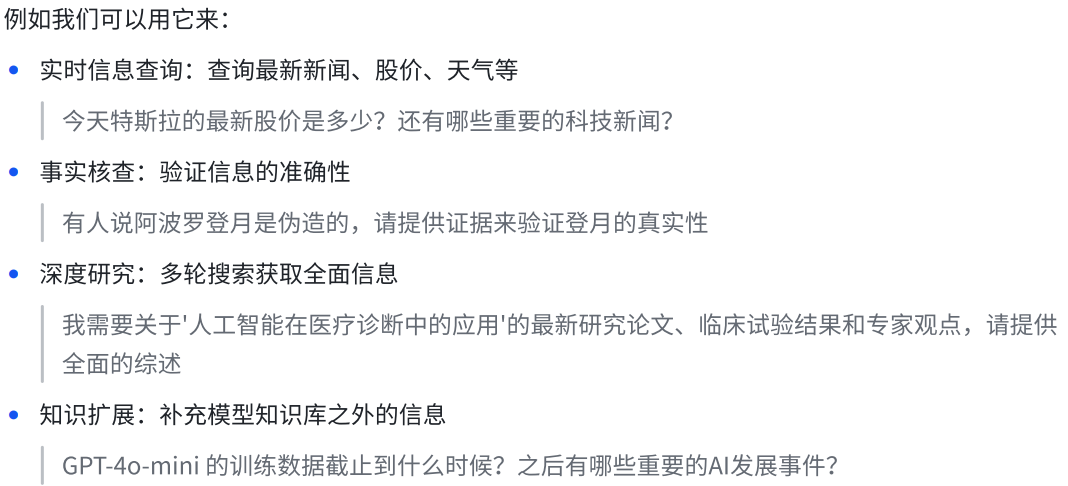
2.编码思路

a.设置Nodes
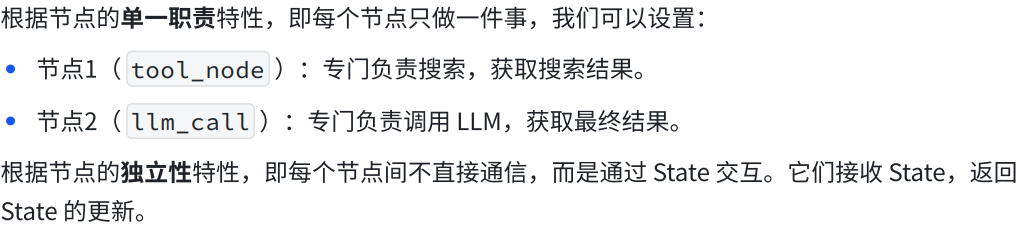
b.设置State

python
from langchain.messages import AnyMessage
from typing_extensions import TypedDict, Annotated
import operator

class MessagesState(TypedDict):
    # 类型: list[AnyMessage] - 任意消息对象的列表
    # 合并策略: operator.add - 使用加法操作符进行状态合并
    # 效果: 当状态更新时,新的消息会追加到现有列表中,而不是替换
    messages: Annotated[list[AnyMessage], operator.add]
    # 类型: int - 整数值
    # 用途: 跟踪LLM(大语言模型)的调用次数
    llm_calls: int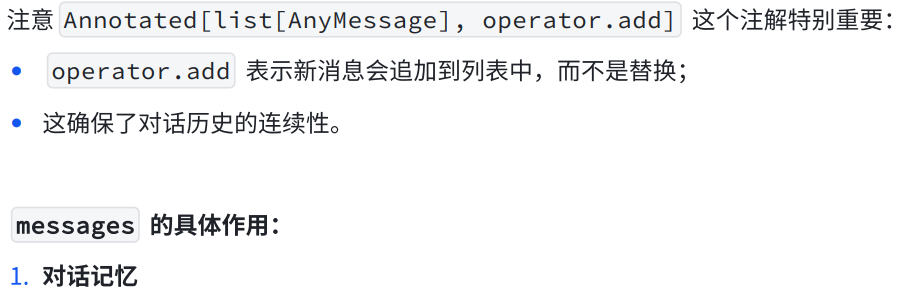
python
messages = [
    HumanMessage(content="你好"),
    AIMessage(content="你好!我是AI助手"),
    HumanMessage(content="什么是机器学习?"),
    AIMessage(content="机器学习是...")
]
python
# LLM 基于完整的对话历史⽣成回复
response = llm.invoke(state["messages"])
python
def node(state: MessagesState):
    # 可以访问完整的对话历史
    all_messages = state["messages"]
    latest_message = state["messages"][-1]
    # 处理并添加新消息
    return {"messages": [new_ai_message]}
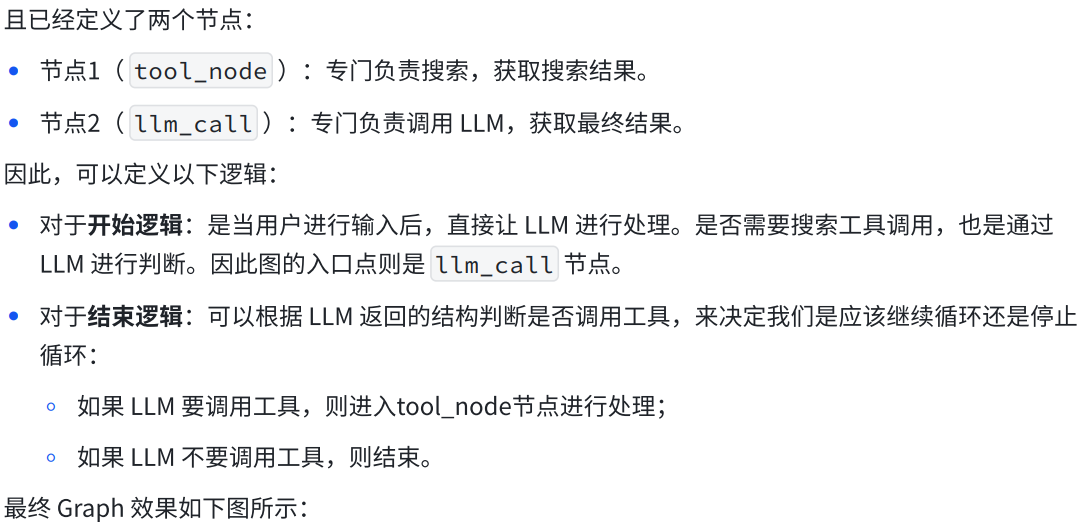
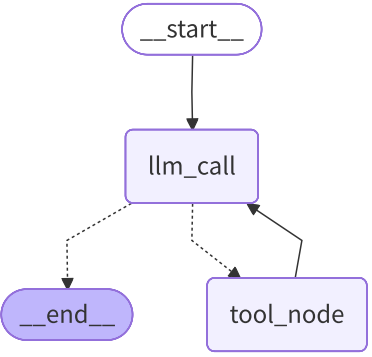
c.设置Edges

3.代码实现
a.步骤1:准备工作,定义聊天模型和搜索工具
python
from typing import TypedDict, Annotated

import operator

from langchain.chat_models import init_chat_model
from langchain_core.messages import AnyMessage
from langchain_tavily import TavilySearch


#准备工作
serach = TavilySearch(max_results=4)
tools = [serach]
model = init_chat_model("glm-4",temperature=0)
model_with_tools = model.bind_tools(tools)
b.步骤2:定义状态
python
#1.状态定义
class MessageState(TypedDict):
    #消息列表
    message: Annotated[list[AnyMessage],operator.add]
    #调用LLM次数
    llm_calls: int
c.步骤3:定义模型节点
python
#2.定义节点
def llm_calls(state: MessageState):
    """LLM决定是否调用工具"""
    #由于当前节点可能是start过来的,也可能是工具过来的
    #因此state["message"]可能是[H],[H,A,T]
    messages = state["messages"]
    #带tool_calls或不带tool_calls的AIMessage
    result = model_with_tools.invoke(
        [
            SystemMessage(content="你是一个乐于助人的助手,支持调用工具进行搜索"),
        ]
        + messages
    )
    return {
        "messages": [result],
        "llm_calls": state["llm_calls"] + 1
    }
d.步骤4:定义工具节点
回顾
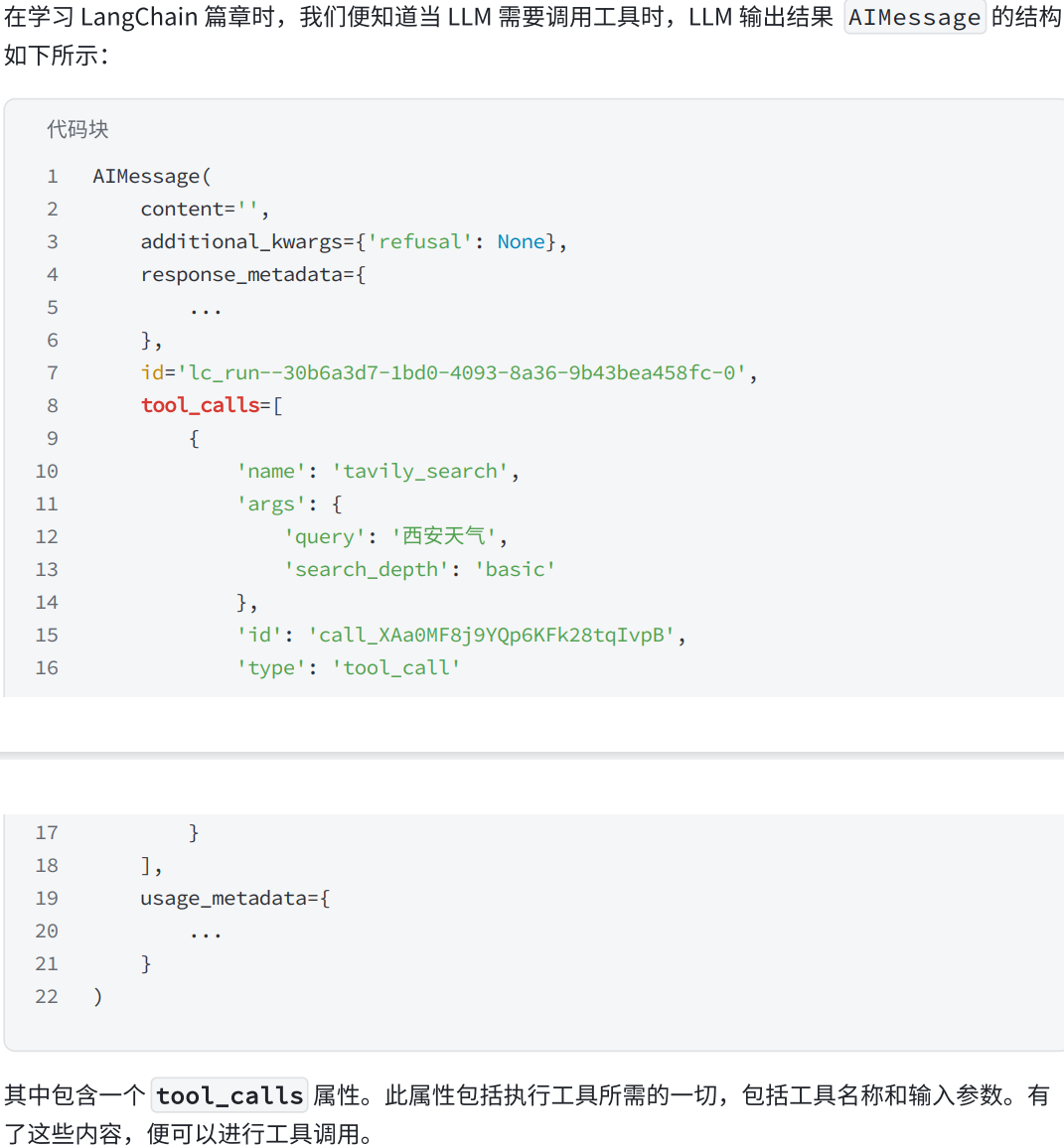
要点1:回顾AIMessage消息结构
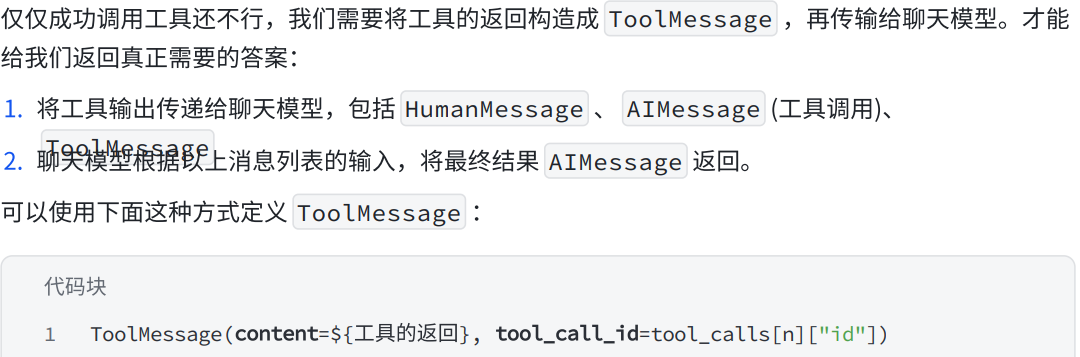
要点2:构造ToolMessage
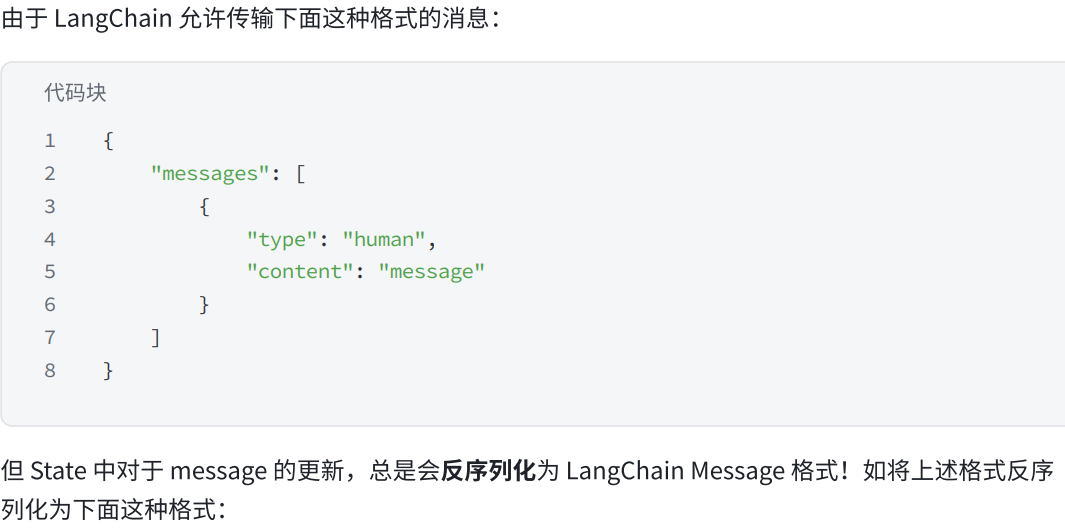
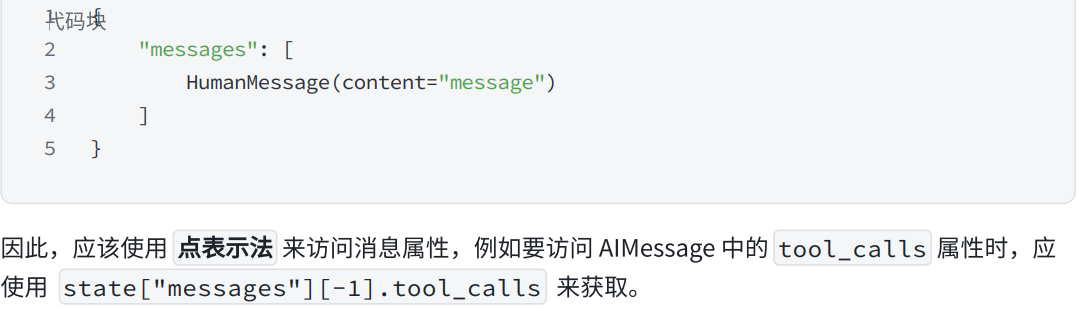
要点3:在State中访问messages
python
tools_by_name = {tool.name:tool for tool in tools}

def tool_node(state: MessageState):
    """执行工具调用节点"""
    #result 就是 toolmessage

    result = []
    for tool_call in state["messages"][-1].tool_calls:
        #获取name,args,id...
        tool = tools_by_name[tool_call["name"]]
        obs = tool.invoke(tool_call["args"])
        result.append(ToolMessage(content=obs,tool_call_id=tool_call["id"]))

    return {
        "messages": result
    }
e.步骤5:构建图,设置节点与边
python
#3.定义图,添加节点和边
agent_builder = StateGraph(MessageState)
agent_builder.add_node(llm_calls)
agent_builder.add_node(tool_node)

agent_builder.add_edge(START,"llm_calls")
def should_continue(state: MessageState):
    #最新消息是AIMessage,判断是否带有tool_calls
    last_messages = state["messages"][-1]
    if last_messages.tool_calls:
        return "tool_node"
    else:
        return END

agent_builder.add_conditional_edges(
    "llm_calls",
    should_continue,
    ["tool_node",END]
)

agent_builder.add_edge("tool_node","llm_calls")
agent_search = agent_builder.compile()
f.步骤6:可视化图
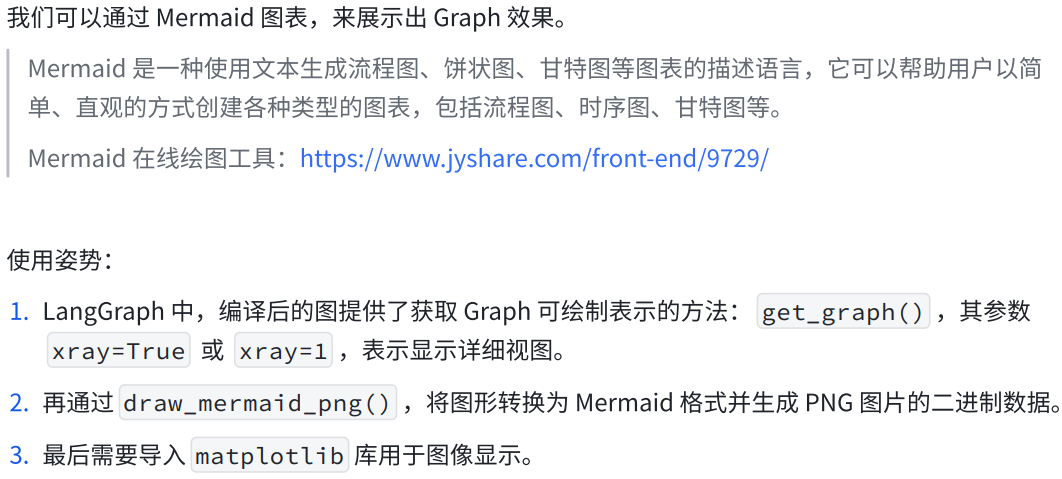
绘图工具链接:https://www.jyshare.com/front-end/9729/
python
import matplotlib.pyplot as plt
import matplotlib.image as mpimg
try:
    # 生成 Mermaid 图表并保存为图片
    mermaid_code = agent.get_graph(xray=True).draw_mermaid_png()
    # 保存文件
    with open("../jpg/graph1.jpg", "wb") as f:
        f.write(mermaid_code)

    # 使用 matplotlib 显示图像
    img = mpimg.imread("../jpg/graph1.jpg")
    plt.imshow(img)  # 显示图片
    plt.axis('off')  # 关闭坐标轴
    plt.show()       # 弹出窗口显示图片
except Exception as e:
    print(f"An error occurred: {e}")
我们能直观的看到,我们的代码写的对不对

这个得到的就是我们对应的图生成的代码
g.步骤7:执行(非流式与流式)
python
result = agent_search.invoke({
    "messages": [HumanMessage(content="今天北京的天气如何?")],
    "llm_calls": 0
})

print(f"一共调用了 {result['llm_calls']} 次LLM")
for msg in result["messages"]:
    msg.pretty_print()
4.总代码
python
from typing import TypedDict, Annotated
import operator

from langchain_core.messages import AnyMessage, SystemMessage, ToolMessage, HumanMessage
from langchain_tavily import TavilySearch
from langgraph.constants import START, END
from langgraph.graph import StateGraph


from langchain_openai import ChatOpenAI
# ===================== 终极兼容补丁(必须放在最顶部!)=====================
import langchain
langchain.verbose = False
langchain.debug = False
langchain.llm_cache = None
# ========================================================================
import os
api_key = os.getenv("ZHIPUAI_API_KEY")

model = ChatOpenAI(
    model="glm-5",
    api_key=api_key,
    base_url="https://open.bigmodel.cn/api/paas/v4/",  # 智谱官方接口
    temperature=0
)

# 工具
search = TavilySearch(max_results=4)
tools = [search]
model_with_tools = model.bind_tools(tools)

# 状态
class MessageState(TypedDict):
    messages: Annotated[list[AnyMessage], operator.add]
    llm_calls: int

# LLM 节点
def llm_calls(state: MessageState):
    messages = state["messages"]
    result = model_with_tools.invoke(
        [SystemMessage(content="你是一个乐于助人的助手,支持调用工具搜索")] + messages
    )
    return {
        "messages": [result],
        "llm_calls": state["llm_calls"] + 1
    }

# 工具节点
tools_by_name = {tool.name: tool for tool in tools}

def tool_node(state: MessageState):
    result = []
    for tool_call in state["messages"][-1].tool_calls:
        tool = tools_by_name[tool_call["name"]]
        obs = tool.invoke(tool_call["args"])
        result.append(ToolMessage(content=obs, tool_call_id=tool_call["id"]))
    return {"messages": result}

# 构建图
agent_builder = StateGraph(MessageState)
agent_builder.add_node("llm_calls", llm_calls)
agent_builder.add_node("tool_node", tool_node)

agent_builder.add_edge(START, "llm_calls")

def should_continue(state: MessageState):
    last_message = state["messages"][-1]
    return "tool_node" if last_message.tool_calls else END

agent_builder.add_conditional_edges("llm_calls", should_continue, ["tool_node", END])
agent_builder.add_edge("tool_node", "llm_calls")
# 运行
agent_search = agent_builder.compile()


import matplotlib.pyplot as plt
import matplotlib.image as mpimg
try:
    # 生成 Mermaid 图表并保存为图片
    mermaid_code = agent_search.get_graph(xray=True).draw_mermaid_png()
    # 保存文件
    with open("../jpg/graph1.jpg", "wb") as f:
        f.write(mermaid_code)

    # 使用 matplotlib 显示图像
    img = mpimg.imread("../jpg/graph1.jpg")
    plt.imshow(img)  # 显示图片
    plt.axis('off')  # 关闭坐标轴
    plt.show()       # 弹出窗口显示图片
except Exception as e:
    print(f"An error occurred: {e}")


result = agent_search.invoke({
    "messages": [HumanMessage(content="今天北京的天气如何?")],
    "llm_calls": 0
})

print(f"一共调用了 {result['llm_calls']} 次LLM")
for msg in result["messages"]:
    msg.pretty_print()