1.安装输入法(IBus)
1.1先安装程序
bash
# 安装IBus和拼音输入法(以Ubuntu/Debian为例)
sudo apt update
sudo apt install ibus ibus-pinyin

# 设置IBus为默认输入法框架
im-config -n ibus
1.2重启系统!!!
1.3配置输入法
bash
ibus-daemon -drx1.4图形界面添加输入法
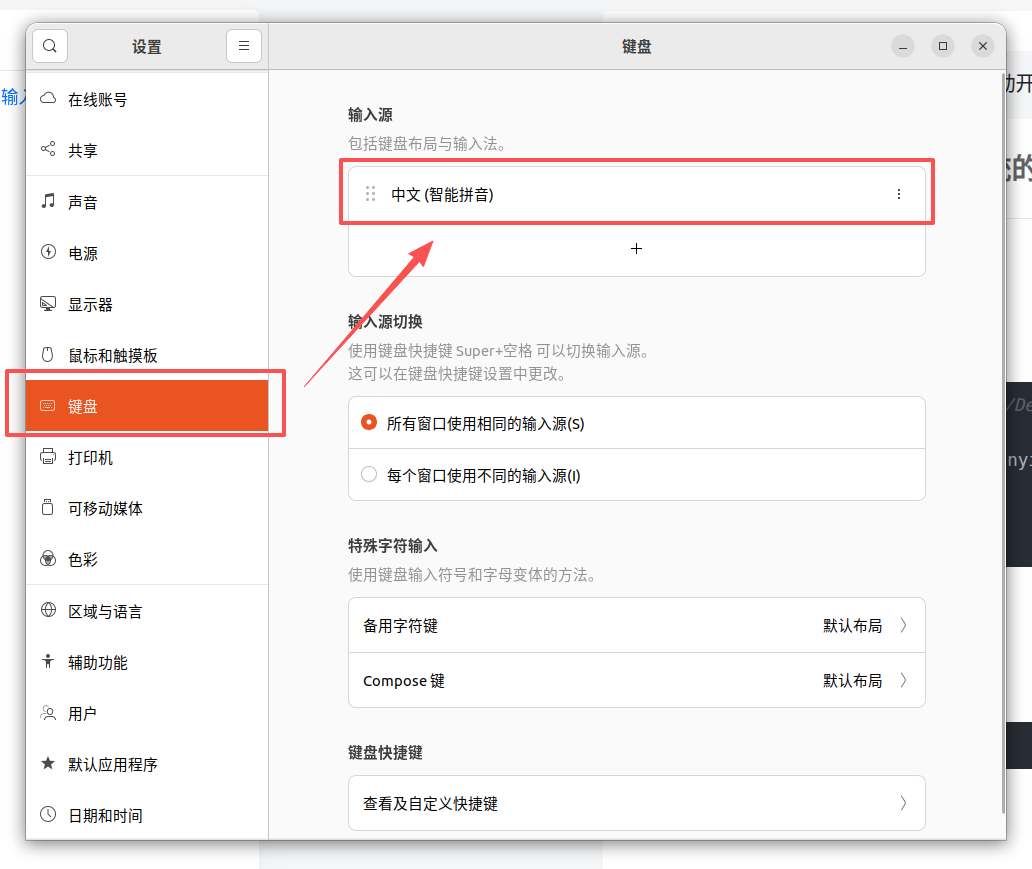
保留这一个就可以了,按键shift可以切换中英文输入
2.安装edge、vscode(个人习惯)
https://www.microsoft.com/zh-cn/edge/download?form=MA13FJ
https://code.visualstudio.com/Download
下载后安装
bash
dpkg -i microsoft-edge-stable_147.0.3912.72-1_amd64.deb
dpkg -i code_1.116.0-1776214182_amd64.deb
3.安装显卡驱动
1.禁用原有驱动(冲突)
bash
sudo vim /etc/modprobe.d/blacklist.conf在最后添加以下内容:
bash
blacklist nouveau
options nouveau modset=0
保存后执行:
bash
update-initramfs -u
reboot
重启后验证是否成功:
bash
lsmod | grep novueau没输出就是对了
2.安装驱动,用这个
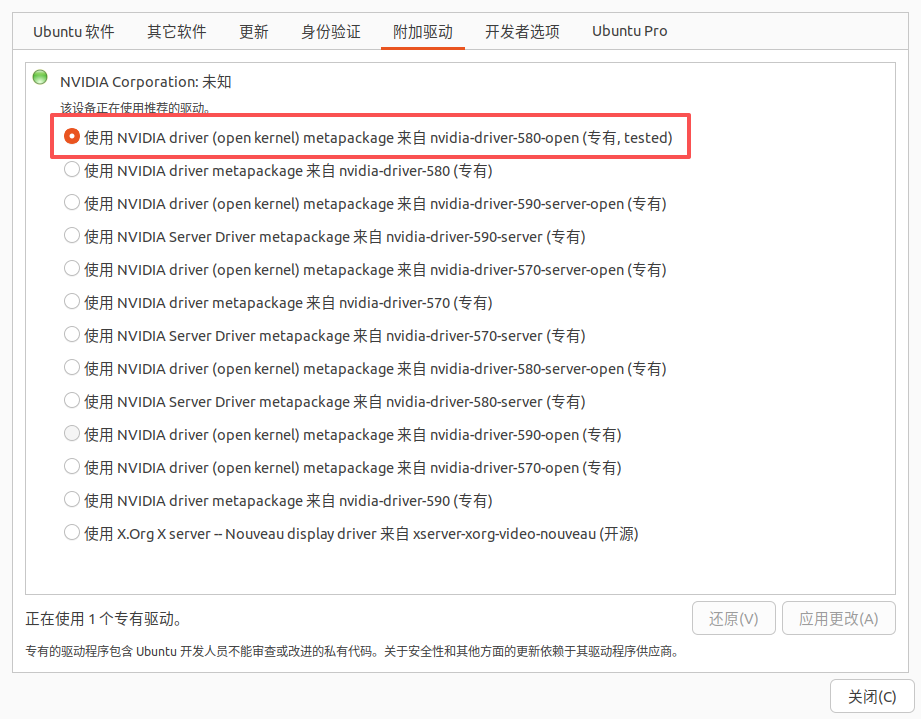
4.双系统时间同步(如果你的电脑上既有win又有linux)
bash
timedatectl set-local-rtc 1让ubuntu将系统时间和BIOS时间同步。使得ubuntu和windows一样,把BIOS时间看作当地时间,联网更新时,直接将BIOS时间设为当地时间。
参考:ubuntu与windows双系统时间同步问题------简明指南 - 知乎