1.创建 Pygame 窗口以及响应用户输入
pip install pygame安装库文件
alien_invasion.py
import pygame
from pygame.sprite import Group

from settings import Settings
from game_stats import GameStats
from ship import Ship
import game_functions as gf

def run_game():
    # Initialize pygame, settings, and screen object.
    pygame.init()
    ai_settings = Settings()
    screen = pygame.display.set_mode(
        (ai_settings.screen_width, ai_settings.screen_height))
    pygame.display.set_caption("Alien Invasion")

    # Create an instance to store game statistics.
    stats = GameStats(ai_settings)

    # Set the background color.
    bg_color = (230, 230, 230)

    # Make a ship, a group of bullets, and a group of aliens.
    ship = Ship(ai_settings, screen)
    bullets = Group()
    aliens = Group()

    # Create the fleet of aliens.
    gf.create_fleet(ai_settings, screen, ship, aliens)

    # Start the main loop for the game.
    while True:
        gf.check_events(ai_settings, screen, ship, bullets)

        if stats.game_active:
            ship.update()
            gf.update_bullets(ai_settings, screen, ship, aliens, bullets)
            gf.update_aliens(ai_settings, stats, screen, ship, aliens, bullets)

        gf.update_screen(ai_settings, screen, ship, aliens, bullets)

run_game()
2.创建设置类
class Settings():
    """A class to store all settings for Alien Invasion."""

    def __init__(self):
        """Initialize the game's settings."""
        # Screen settings.
        self.screen_width = 1200
        self.screen_height = 800
        self.bg_color = (230, 230, 230)

        # Ship settings.
        self.ship_speed_factor = 1.5
        self.ship_limit = 3

        # Bullet settings.
        self.bullet_speed_factor = 3
        self.bullet_width = 3
        self.bullet_height = 15
        self.bullet_color = 60, 60, 60
        self.bullets_allowed = 3

        # Alien settings.
        self.alien_speed_factor = 1
        self.fleet_drop_speed = 10
        # fleet_direction of 1 represents right, -1 represents left.
        self.fleet_direction = 1
3.创建 Ship 类
import pygame

class Ship():

    def __init__(self, ai_settings, screen):
        """Initialize the ship, and set its starting position."""
        self.screen = screen
        self.ai_settings = ai_settings

        # Load the ship image, and get its rect.
        self.image = pygame.image.load('images/ship.bmp')
        self.rect = self.image.get_rect()
        self.screen_rect = screen.get_rect()

        # Start each new ship at the bottom center of the screen.
        self.rect.centerx = self.screen_rect.centerx
        self.rect.bottom = self.screen_rect.bottom

        # Store a decimal value for the ship's center.
        self.center = float(self.rect.centerx)

        # Movement flags.
        self.moving_right = False
        self.moving_left = False

    def center_ship(self):
        """Center the ship on the screen."""
        self.center = self.screen_rect.centerx

    def update(self):
        """Update the ship's position, based on movement flags."""
        # Update the ship's center value, not the rect.
        if self.moving_right and self.rect.right < self.screen_rect.right:
            self.center += self.ai_settings.ship_speed_factor
        if self.moving_left and self.rect.left > 0:
            self.center -= self.ai_settings.ship_speed_factor

        # Update rect object from self.center.
        self.rect.centerx = self.center

    def blitme(self):
        """Draw the ship at its current location."""
        self.screen.blit(self.image, self.rect)
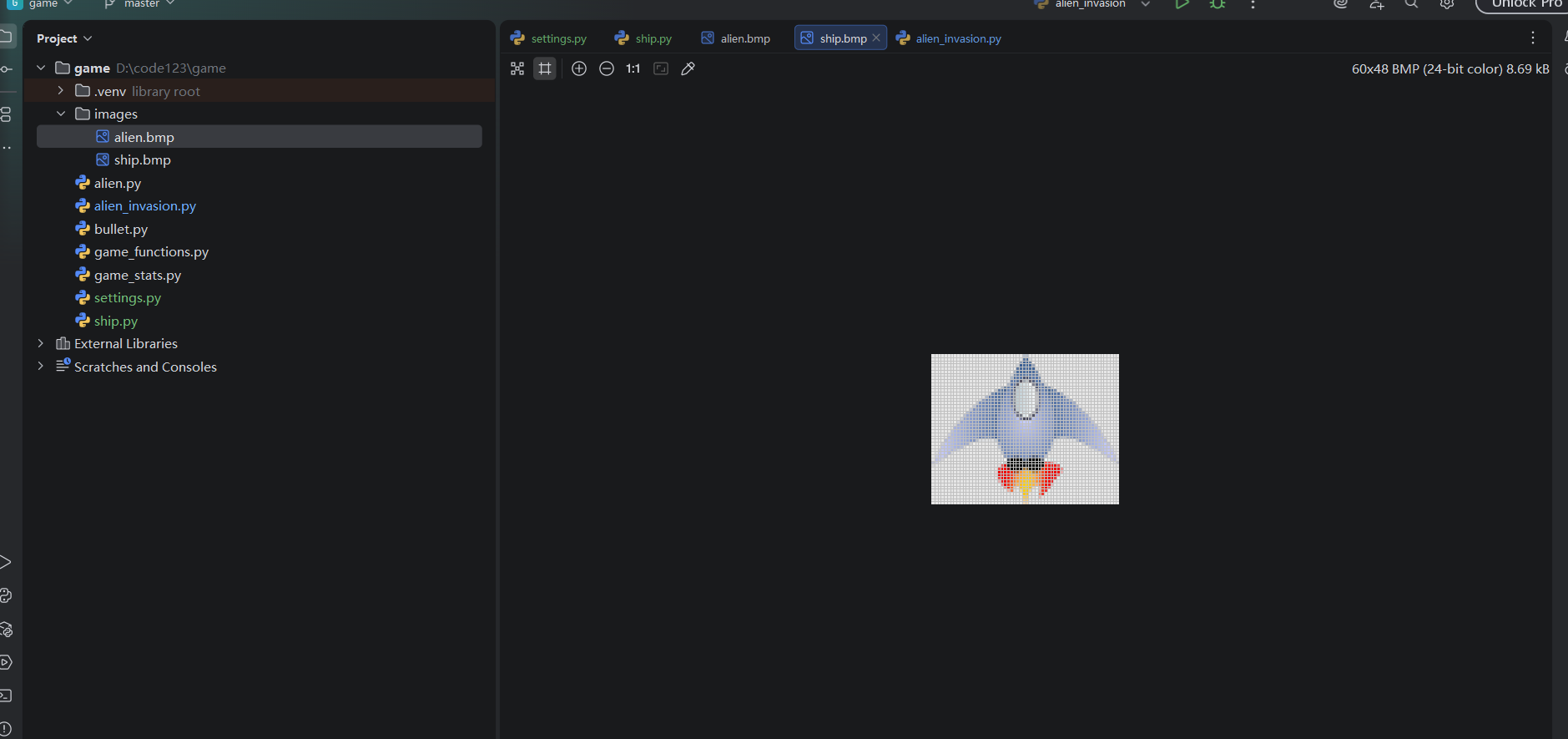
4.创建images
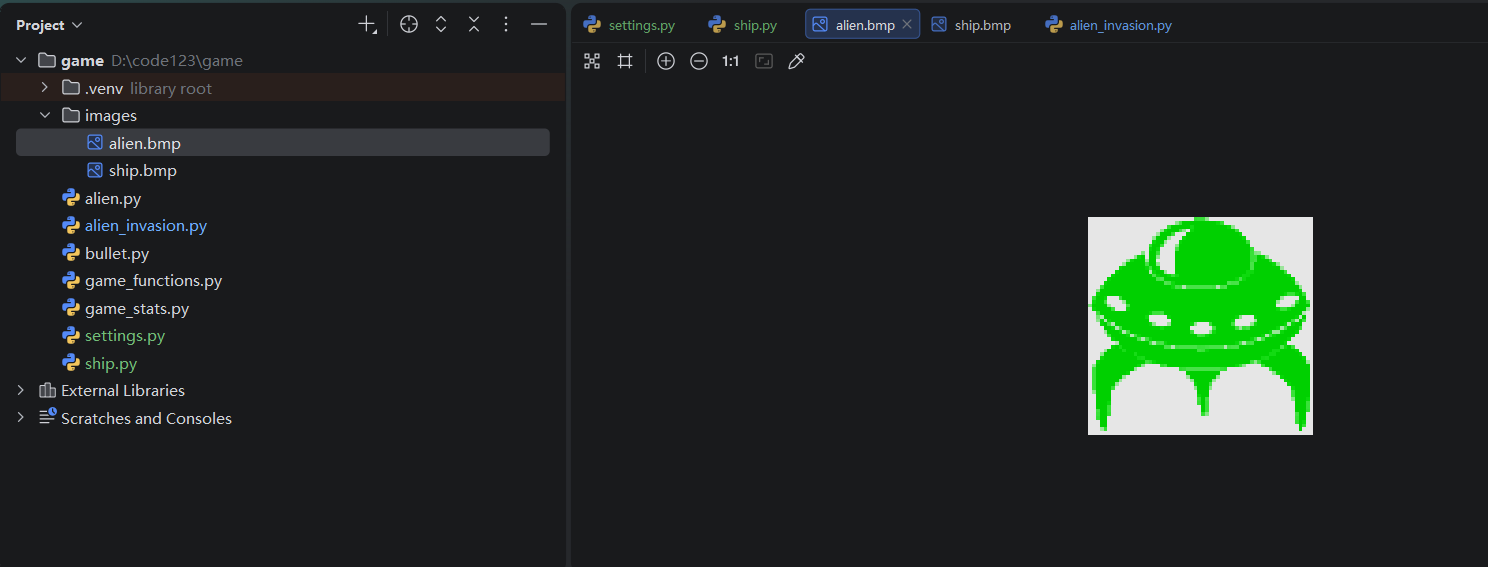
alien.bmp
ship.bmp
5.创建alien类
import pygame
from pygame.sprite import Sprite

class Alien(Sprite):
    """A class to represent a single alien in the fleet."""

    def __init__(self, ai_settings, screen):
        """Initialize the alien, and set its starting position."""
        super(Alien, self).__init__()
        self.screen = screen
        self.ai_settings = ai_settings

        # Load the alien image, and set its rect attribute.
        self.image = pygame.image.load('images/alien.bmp')
        self.rect = self.image.get_rect()

        # Start each new alien near the top left of the screen.
        self.rect.x = self.rect.width
        self.rect.y = self.rect.height

        # Store the alien's exact position.
        self.x = float(self.rect.x)

    def check_edges(self):
        """Return True if alien is at edge of screen."""
        screen_rect = self.screen.get_rect()
        if self.rect.right >= screen_rect.right:
            return True
        elif self.rect.left <= 0:
            return True

    def update(self):
        """Move the alien right or left."""
        self.x += (self.ai_settings.alien_speed_factor *
                        self.ai_settings.fleet_direction)
        self.rect.x = self.x

    def blitme(self):
        """Draw the alien at its current location."""
        self.screen.blit(self.image, self.rect)
6.创建bullet类
import pygame
from pygame.sprite import Sprite

class Bullet(Sprite):
    """A class to manage bullets fired from the ship."""

    def __init__(self, ai_settings, screen, ship):
        """Create a bullet object, at the ship's current position."""
        super(Bullet, self).__init__()
        self.screen = screen

        # Create bullet rect at (0, 0), then set correct position.
        self.rect = pygame.Rect(0, 0, ai_settings.bullet_width,
            ai_settings.bullet_height)
        self.rect.centerx = ship.rect.centerx
        self.rect.top = ship.rect.top

        # Store a decimal value for the bullet's position.
        self.y = float(self.rect.y)

        self.color = ai_settings.bullet_color
        self.speed_factor = ai_settings.bullet_speed_factor

    def update(self):
        """Move the bullet up the screen."""
        # Update the decimal position of the bullet.
        self.y -= self.speed_factor
        # Update the rect position.
        self.rect.y = self.y

    def draw_bullet(self):
        """Draw the bullet to the screen."""
        pygame.draw.rect(self.screen, self.color, self.rect)
7.创建game_functions
import sys
from time import sleep

import pygame

from bullet import Bullet
from alien import Alien

def check_keydown_events(event, ai_settings, screen, ship, bullets):
    """Respond to keypresses."""
    if event.key == pygame.K_RIGHT:
        ship.moving_right = True
    elif event.key == pygame.K_LEFT:
        ship.moving_left = True
    elif event.key == pygame.K_SPACE:
        fire_bullet(ai_settings, screen, ship, bullets)
    elif event.key == pygame.K_q:
        sys.exit()

def check_keyup_events(event, ship):
    """Respond to key releases."""
    if event.key == pygame.K_RIGHT:
        ship.moving_right = False
    elif event.key == pygame.K_LEFT:
        ship.moving_left = False

def check_events(ai_settings, screen, ship, bullets):
    """Respond to keypresses and mouse events."""
    for event in pygame.event.get():
        if event.type == pygame.QUIT:
            sys.exit()
        elif event.type == pygame.KEYDOWN:
            check_keydown_events(event, ai_settings, screen, ship, bullets)
        elif event.type == pygame.KEYUP:
            check_keyup_events(event, ship)

def fire_bullet(ai_settings, screen, ship, bullets):
    """Fire a bullet, if limit not reached yet."""
    # Create a new bullet, add to bullets group.
    if len(bullets) < ai_settings.bullets_allowed:
        new_bullet = Bullet(ai_settings, screen, ship)
        bullets.add(new_bullet)

def update_screen(ai_settings, screen, ship, aliens, bullets):
    """Update images on the screen, and flip to the new screen."""
    # Redraw the screen, each pass through the loop.
    screen.fill(ai_settings.bg_color)

    # Redraw all bullets, behind ship and aliens.
    for bullet in bullets.sprites():
        bullet.draw_bullet()
    ship.blitme()
    aliens.draw(screen)

    # Make the most recently drawn screen visible.
    pygame.display.flip()

def update_bullets(ai_settings, screen, ship, aliens, bullets):
    """Update position of bullets, and get rid of old bullets."""
    # Update bullet positions.
    bullets.update()

    # Get rid of bullets that have disappeared.
    for bullet in bullets.copy():
        if bullet.rect.bottom <= 0:
            bullets.remove(bullet)

    check_bullet_alien_collisions(ai_settings, screen, ship, aliens, bullets)

def check_bullet_alien_collisions(ai_settings, screen, ship, aliens, bullets):
    """Respond to bullet-alien collisions."""
    # Remove any bullets and aliens that have collided.
    collisions = pygame.sprite.groupcollide(bullets, aliens, True, True)

    if len(aliens) == 0:
        # Destroy existing bullets, and create new fleet.
        bullets.empty()
        create_fleet(ai_settings, screen, ship, aliens)

def check_fleet_edges(ai_settings, aliens):
    """Respond appropriately if any aliens have reached an edge."""
    for alien in aliens.sprites():
        if alien.check_edges():
            change_fleet_direction(ai_settings, aliens)
            break

def change_fleet_direction(ai_settings, aliens):
    """Drop the entire fleet, and change the fleet's direction."""
    for alien in aliens.sprites():
        alien.rect.y += ai_settings.fleet_drop_speed
    ai_settings.fleet_direction *= -1

def ship_hit(ai_settings, stats, screen, ship, aliens, bullets):
    """Respond to ship being hit by alien."""
    if stats.ships_left > 0:
        # Decrement ships_left.
        stats.ships_left -= 1
    else:
        stats.game_active = False

    # Empty the list of aliens and bullets.
    aliens.empty()
    bullets.empty()

    # Create a new fleet, and center the ship.
    create_fleet(ai_settings, screen, ship, aliens)
    ship.center_ship()

    # Pause.
    sleep(0.5)

def check_aliens_bottom(ai_settings, stats, screen, ship, aliens, bullets):
    """Check if any aliens have reached the bottom of the screen."""
    screen_rect = screen.get_rect()
    for alien in aliens.sprites():
        if alien.rect.bottom >= screen_rect.bottom:
            # Treat this the same as if the ship got hit.
            ship_hit(ai_settings, stats, screen, ship, aliens, bullets)
            break

def update_aliens(ai_settings, stats, screen, ship, aliens, bullets):
    """
    Check if the fleet is at an edge,
      then update the postions of all aliens in the fleet.
    """
    check_fleet_edges(ai_settings, aliens)
    aliens.update()

    # Look for alien-ship collisions.
    if pygame.sprite.spritecollideany(ship, aliens):
        ship_hit(ai_settings, stats, screen, ship, aliens, bullets)

    # Look for aliens hitting the bottom of the screen.
    check_aliens_bottom(ai_settings, stats, screen, ship, aliens, bullets)

def get_number_aliens_x(ai_settings, alien_width):
    """Determine the number of aliens that fit in a row."""
    available_space_x = ai_settings.screen_width - 2 * alien_width
    number_aliens_x = int(available_space_x / (2 * alien_width))
    return number_aliens_x

def get_number_rows(ai_settings, ship_height, alien_height):
    """Determine the number of rows of aliens that fit on the screen."""
    available_space_y = (ai_settings.screen_height -
                            (3 * alien_height) - ship_height)
    number_rows = int(available_space_y / (2 * alien_height))
    return number_rows

def create_alien(ai_settings, screen, aliens, alien_number, row_number):
    """Create an alien, and place it in the row."""
    alien = Alien(ai_settings, screen)
    alien_width = alien.rect.width
    alien.x = alien_width + 2 * alien_width * alien_number
    alien.rect.x = alien.x
    alien.rect.y = alien.rect.height + 2 * alien.rect.height * row_number
    aliens.add(alien)

def create_fleet(ai_settings, screen, ship, aliens):
    """Create a full fleet of aliens."""
    # Create an alien, and find number of aliens in a row.
    alien = Alien(ai_settings, screen)
    number_aliens_x = get_number_aliens_x(ai_settings, alien.rect.width)
    number_rows = get_number_rows(ai_settings, ship.rect.height,
        alien.rect.height)

    # Create the fleet of aliens.
    for row_number in range(number_rows):
        for alien_number in range(number_aliens_x):
            create_alien(ai_settings, screen, aliens, alien_number,
                row_number)
8.创建game_stats
class GameStats():
    """Track statistics for Alien Invasion."""

    def __init__(self, ai_settings):
        """Initialize statistics."""
        self.ai_settings = ai_settings
        self.reset_stats()

        # Start Alien Invasion in an active state.
        self.game_active = True

    def reset_stats(self):
        """Initialize statistics that can change during the game."""
        self.ships_left = self.ai_settings.ship_limit
参考书目:
python编程从入门到实践