在专门的字幕网站上,下载字幕。
英语电影台词文本,下载用如下代码:
python
import requests
from bs4 import BeautifulSoup as bs

wfile=open("web.txt","w",encoding="utf-8")

for page in range(1,7):
    url = f"https://taicishe.com/movie-kung-fu-panda-2008?page={page}"
    print(url)

    # 1. 先拿到一个 Cookie(关键)
    session = requests.Session()
    session.headers.update({
        "User-Agent": "Mozilla/5.0 (Windows NT 10.0; Win64; x64) AppleWebKit/537.36 "
                      "(KHTML, like Gecko) Chrome/124.0.0.0 Safari/537.36",
        "Accept": "text/html,application/xhtml+xml,application/xml;q=0.9,*/*;q=0.8",
        "Accept-Language": "zh-CN,zh;q=0.9",
        "Upgrade-Insecure-Requests": "1",
    })

    # 2. 第一次访问通常会被 302 或 403,拿到 Cookie 后再重试
    resp = session.get(url)
    resp.encoding="utf-8"
    if resp.status_code != 200:
        # 把 Cookie 固化到会话里再发一次
        resp = session.get(url, timeout=10)

    print(resp.status_code)          # 应该变成 200

    soup = bs(resp.text, "lxml")
##
##    name=soup.find_all("h2")
##    for n in name:
##        print(n.get_text(),file=wfile)
    tags=soup.find_all(attrs={"class":"entry"})
    for i in tags:

        print(i.get_text(),file=wfile)
        print("\n",file=wfile)
wfile.close()
即可完成。
寻找字幕,如射手网。
在射手网中选择搜索日语字幕。
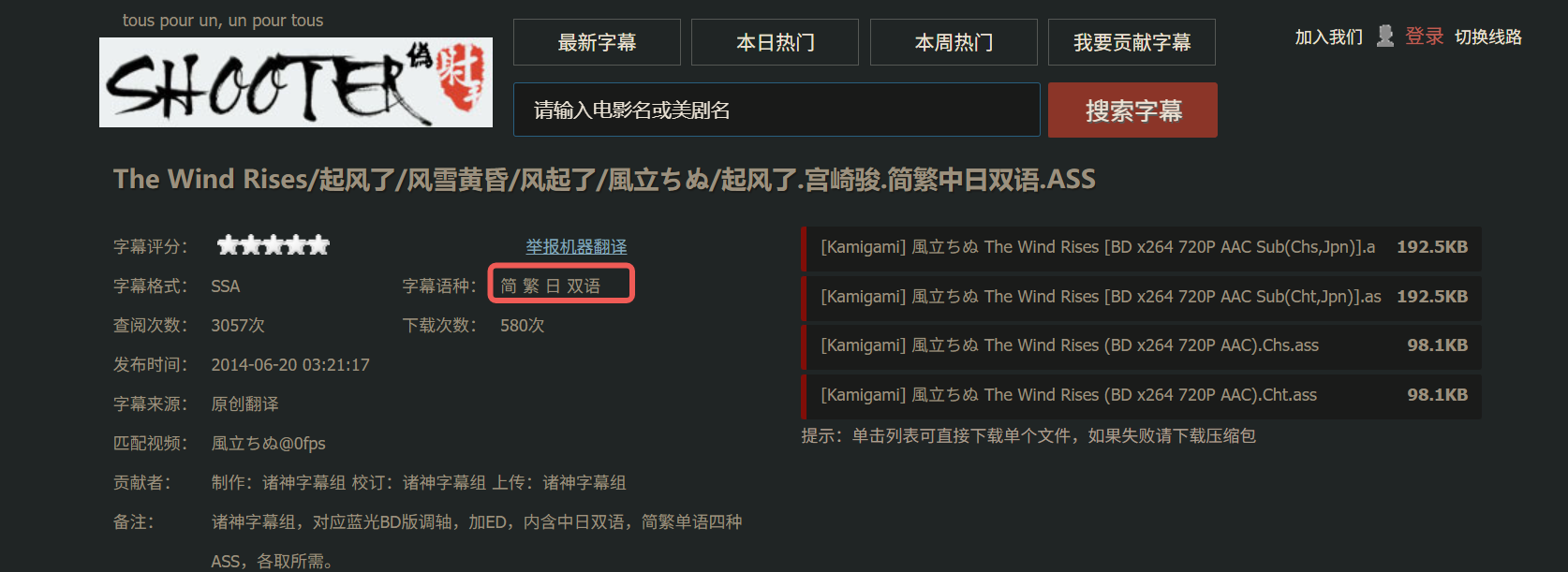
下载的日语电影台词字幕,整理台词:
python
import re

def clean_subtitle_line(line):
    # 1. 处理 {数字}{数字} 格式(你第一段的台词)
    line = re.sub(r'^\{\d+\}\{\d+\}', '', line)

    # 2. 处理 ASS 字幕 Dialogue: 格式(你现在这段)
    if line.startswith('Dialogue:'):
        # 分割逗号,取最后一部分内容
        parts = line.split(',', 9)
        if len(parts) == 10:
            line = parts[9]

    # 3. 去除 {\...} 样式标签(关键!)
    line = re.sub(r'\{.*?\}', '', line)

    # 4. 去除首尾空白
    line = line.strip()

    return line

# 主处理逻辑
with open("webfilm.txt", "r", encoding="utf-8") as infile, \
     open("filmContent.txt", "w", encoding="utf-8") as outfile:

    for line in infile:
        cleaned = clean_subtitle_line(line)
        # 只写入非空内容
        if cleaned:
            print(cleaned, file=outfile)
这段代码能够解决字幕整理的问题。
失败的代码,如下所示:
python
import re
def extract_last_cjk(text):
    """提取每行最后面的中文/日语字符(去除末尾标点后)"""
    # 先去除末尾空白和常见标点
    cleaned = text.rstrip(' \t\n\r。,、!?.,;:"\')】》〉」』】〕]}')
    # 匹配末尾连续的CJK字符
    match = re.search(r'[\u4e00-\u9fff\u3040-\u309f\u30a0-\u30ff]+$', cleaned)
    return match.group() if match else ''


file=open("webfilm.txt","r",encoding="utf-8")
data=file.read()
file.close()


wfile=open("filmContent.txt","w",encoding="utf-8")
datalines=data.splitlines()
for line in datalines:
    print(f"{extract_last_cjk(line)}",file=wfile)
wfile.close()这段代码实现作用:只提取行尾的日文,遇到带引号、括号、英文的台词就会截断 / 丢失。犯错原因在于没有认识到字幕有两种不同的形式。所以需要优化代码,如下修改。
python
import re

# 打开文件读取所有内容
with open("webfilm.txt", "r", encoding="utf-8") as file:
    datalines = file.readlines()

# 打开文件准备写入
with open("filmContent.txt", "w", encoding="utf-8") as wfile:
    # 匹配开头 {数字}{数字} 的正则表达式
    pattern = re.compile(r'^\{\d+\}\{\d+\}')

    for line in datalines:
        # 去掉开头的 {数字}{数字}
        cleaned_line = pattern.sub('', line).strip()
        # 如果处理后不是空行,就写入
        if cleaned_line:
            print(cleaned_line, file=wfile)
即可完成。