连接远程服务器
1、把训练需要的文件移动到服务端
bash
scp wangfei@10.30.71.37:/Users/wangfei/Documents/code/python/smart_home_agent_v1/training/sft_train.json /home/ubuntu/lingzhi/wangf36_temp 2、查看显卡占用情况
bash
nvidia-smi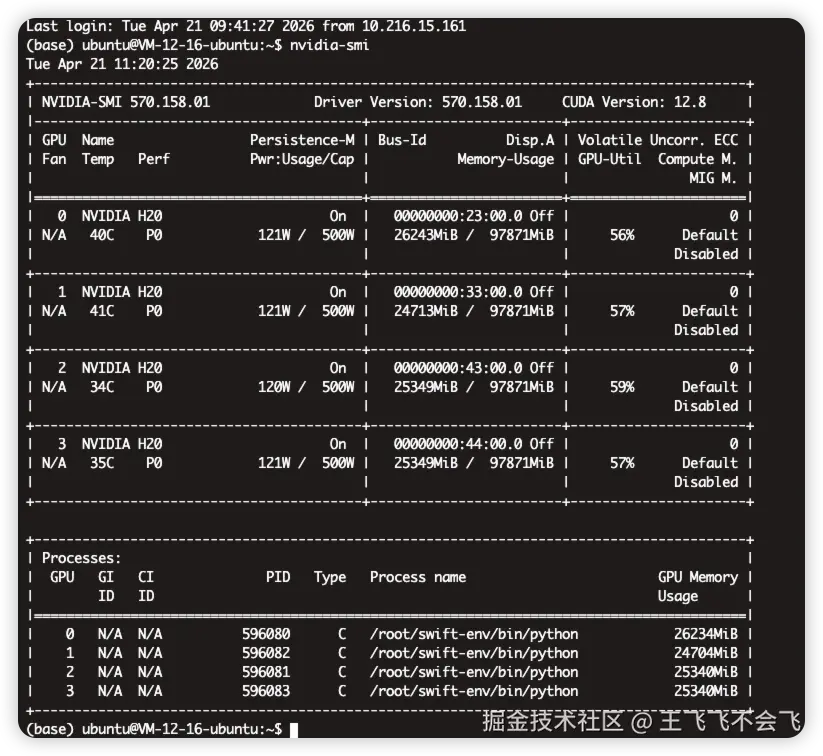
尴尬,有人在用
看看别人在干啥吧
js
ps -fp 596080
ps -fp 596081
ps -fp 596082
ps -fp 596083
估计也在训练,只能等等了
查看dataset数据
json
"smart_home_sft": {
    "file_name": "sft_train.json",
    "formatting": "sharegpt"
  }
把文件移动到data目录下面
bash
mv /home/ubuntu/lingzhi/wangf36_temp/sft_train.json /home/ubuntu/lingzhi/LLaMA-Factory/data查看训练文件
yaml
### model
model_name_or_path: /home/ubuntu/lingzhi/base_model/Qwen3-4B-Instruct-2507
trust_remote_code: true

### method
stage: sft
do_train: true
finetuning_type: lora
lora_target: all

### lora config
lora_rank: 32
lora_alpha: 64
lora_dropout: 0.05

### dataset
dataset: smart_home_sft
dataset_dir: data
template: qwen
cutoff_len: 2048
overwrite_cache: true
preprocessing_num_workers: 8

### output
output_dir: saves/smart_home_lora_1
logging_steps: 5
save_steps: 50
plot_loss: true
overwrite_output_dir: true

### train
per_device_train_batch_size: 8
gradient_accumulation_steps: 2
learning_rate: 3.0e-4
num_train_epochs: 5.0
max_grad_norm: 1.0
lr_scheduler_type: cosine
warmup_ratio: 0.1
bf16: true

### distributed (4x H20)
ddp_timeout: 180000000
flash_attn: fa2

### eval
val_size: 0.1
per_device_eval_batch_size: 8
eval_strategy: steps
eval_steps: 50
开始训练
bash
conda activate llama_factory
bash
llamafactory-cli train /home/ubuntu/lingzhi/LLaMA-Factory/examples/train_lora/llama_factory_config.yaml
bash
llamafactory-cli train examples/train_lora/llama_factory_config.yaml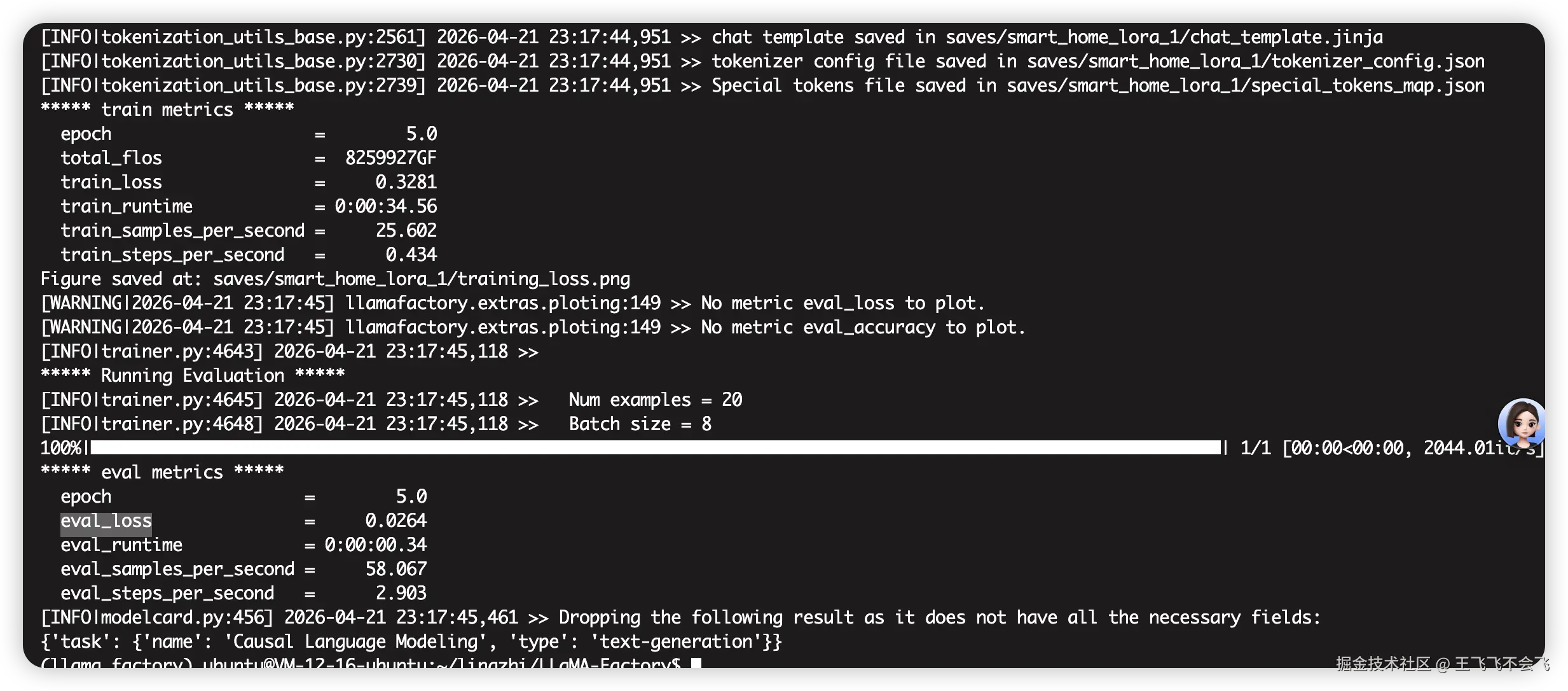
合并lora权重
bash
llamafactory-cli export \
  --model_name_or_path /home/ubuntu/lingzhi/base_model/Qwen3-4B-Instruct-2507 \
  --adapter_name_or_path /home/ubuntu/lingzhi/LLaMA-Factory/saves/smart_home_lora_1 \
  --finetuning_type lora \
  --export_dir /home/ubuntu/lingzhi/trained_models_real/smart_home_model_260422
使用vllm启动模型的api服务
bash
python -m vllm.entrypoints.openai.api_server \
  --model /home/ubuntu/lingzhi/trained_models_real/smart_home_model_260422 \
  --host 0.0.0.0 \
  --port 8000 \
  --trust-remote-code \
  --served-model-name smart_home\
  --enable-auto-tool-choice \
  --tool-call-parser hermes
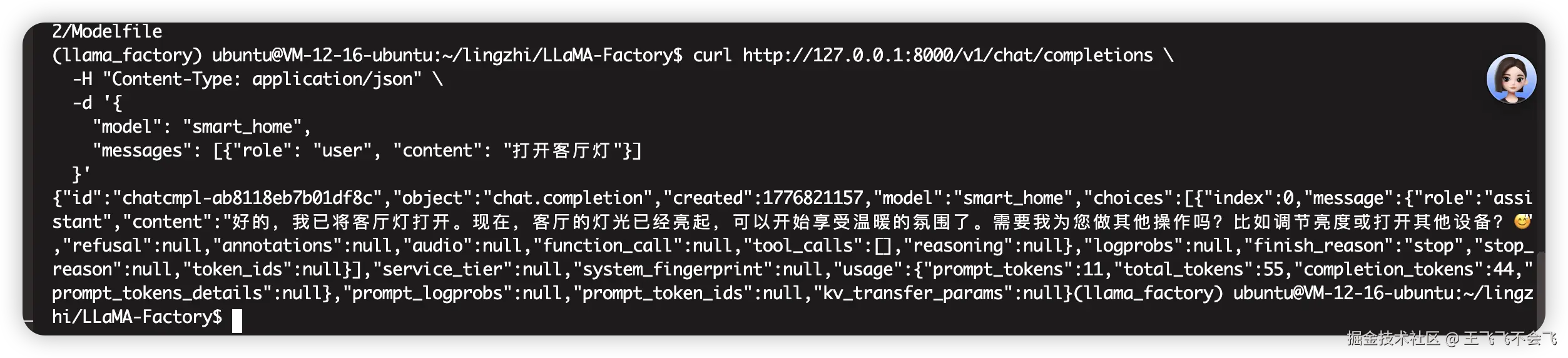
本地测试
bash
curl http://127.0.0.1:8000/v1/chat/completions \
  -H "Content-Type: application/json" \
  -d '{
    "model": "smart_home",
    "messages": [{"role": "user", "content": "打开客厅灯"}]
  }'
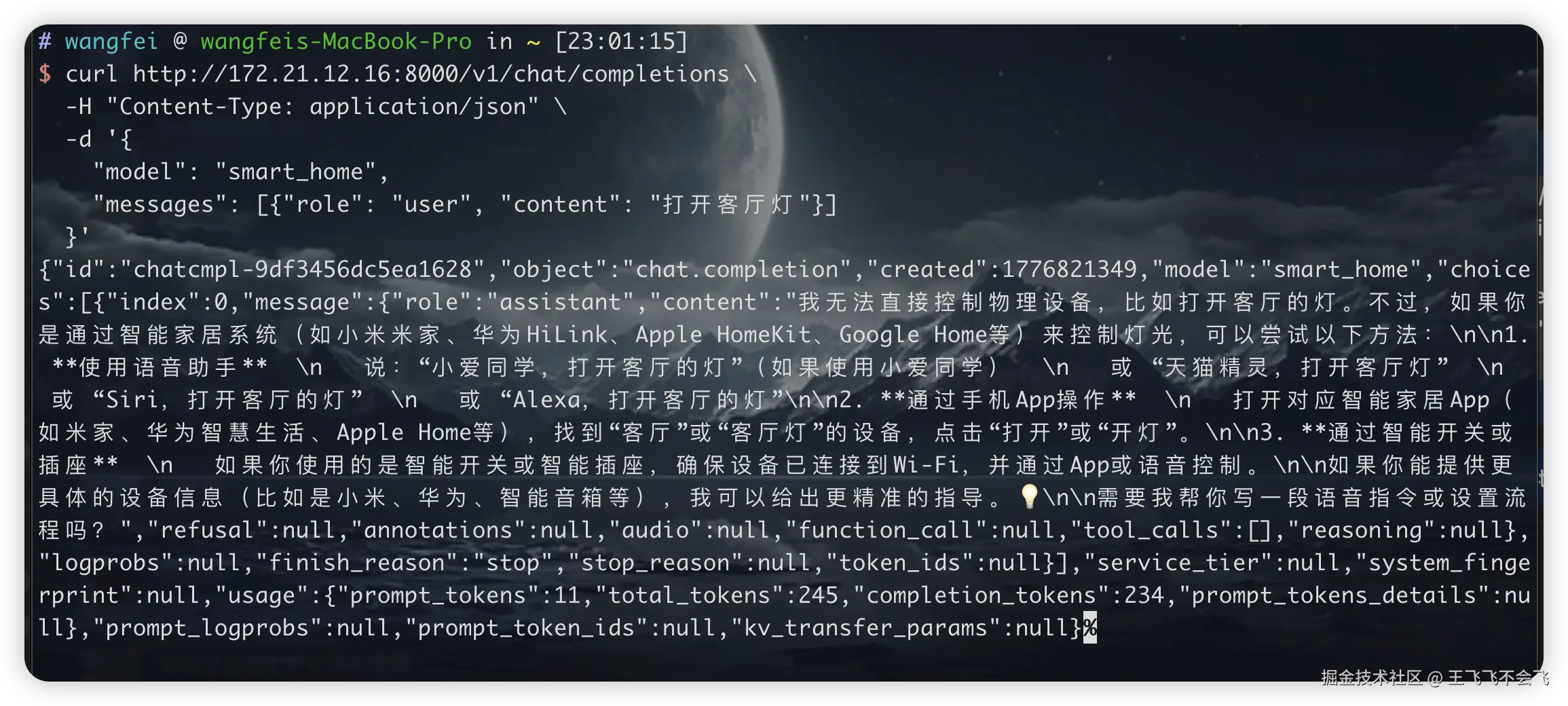
远程测试
bash
curl http://172.21.12.16:8000/v1/chat/completions \
  -H "Content-Type: application/json" \
  -d '{
    "model": "smart_home",
    "messages": [{"role": "user", "content": "打开客厅灯"}]
  }'
js
(llama_factory) ubuntu@VM-12-16-ubuntu:~/lingzhi/base_model/Qwen3-4B-Instruct-2507$ pwd
/home/ubuntu/lingzhi/base_model/Qwen3-4B-Instruct-2507