目录
- 吐槽:
- 进入正文
- 一、问题&解决:
- 二、烧录&启动
-
- [2.1 进入U-BOOT](#2.1 进入U-BOOT)
- [2.2 选择系统](#2.2 选择系统)
- 2.3查看系统分区
- [2.4 烧录UFS](#2.4 烧录UFS)
- [2.5 成功启动](#2.5 成功启动)
- 三、功能测试
- 四、总结
- 五、附录
吐槽:
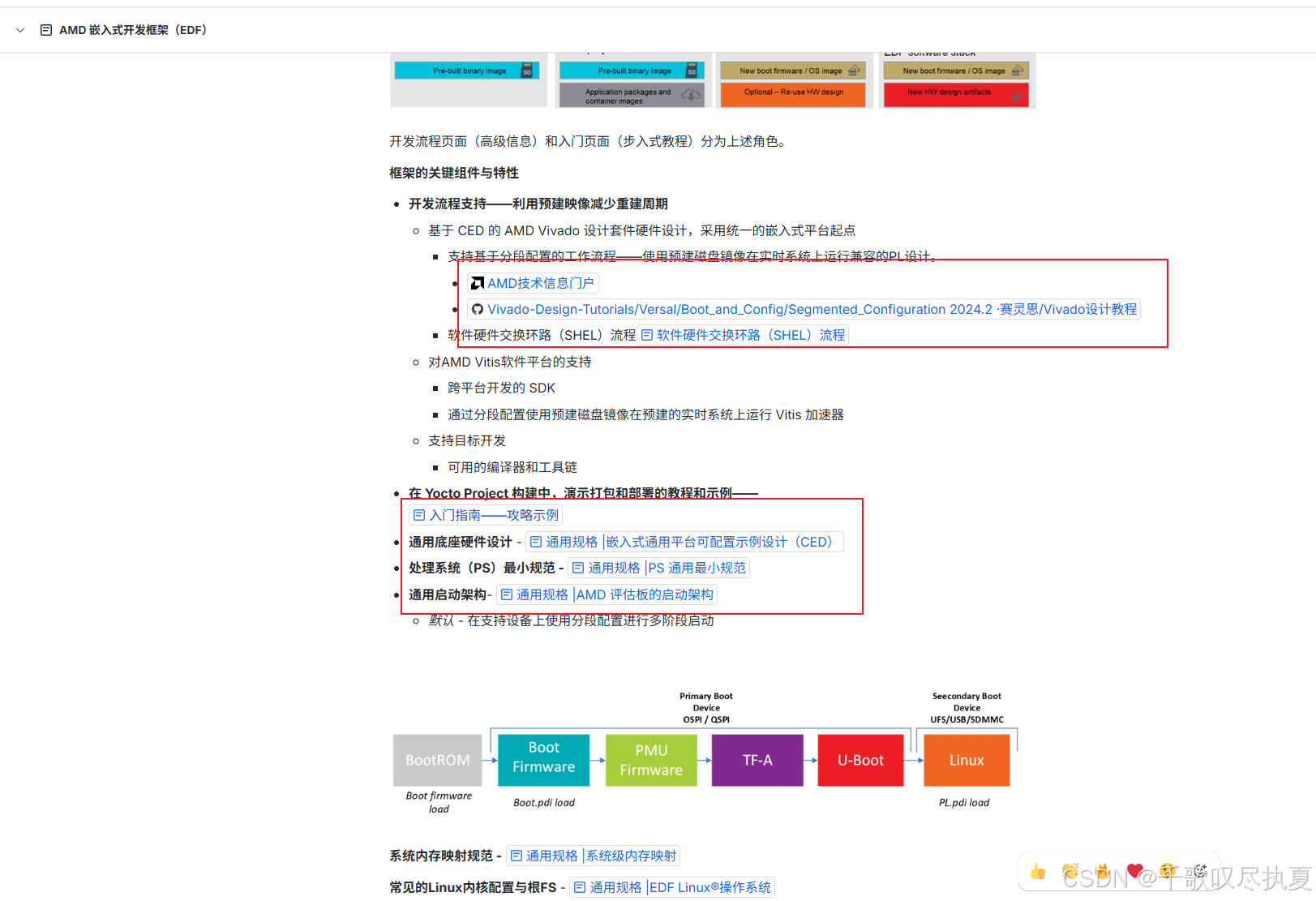
文章开始之前,想吐槽一下Xilinx的教程,如果你想构建一个Xilinx官方的程序,比如EDF,你需要看十几篇文章,才能做好这件事。真的相当无语!!!!😓😓😓😓😓😓😓
一段话里面套了一个链接,链接里面又套了一个链接,从论坛去到Github,再去到官网下载中心,Github里面又能套几个链接!!!!😓😓😓😓😓😓😓
诶,不是哥们,你是怕我被AI替代了吗????💩 💩 💩 💩 💩
还有就是,文件给了,不全给,非要你自己单独构建一点东西,你都做了,就不能把这件事做好吗?给BIN文件,就不给PDI文件。文件这里放一点,那里放一点,不能统一放一起吗?😓😓😓😓😓😓😓
然后就是网上一些文章,故意这里却一点,那里却一点,让你根本构建不起来,只能邮箱问他们,然后就是商务上的事情。😓😓😓😓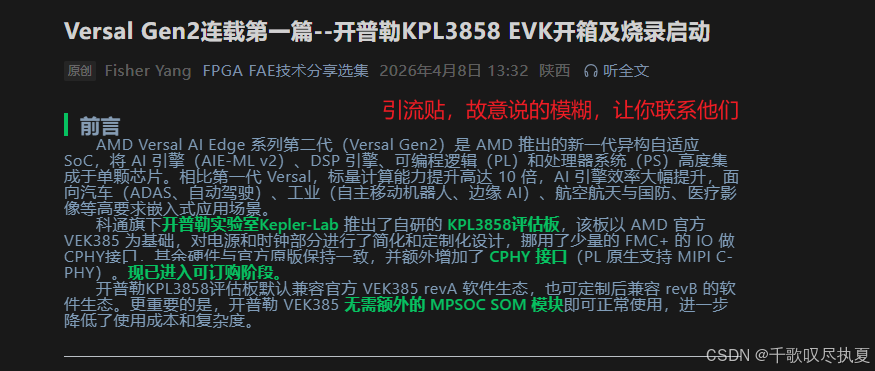
比如文章中的,SD卡启动,VEK385理论上没有SD卡启动模式,除非自己设置了后门。SD卡烧录都是双重引导,即SC启动+versal OSPI+SD卡+UFS烧录,这是我亲测有效流程。SW1即启动模式,目前就UFS,OSPI,JTAG。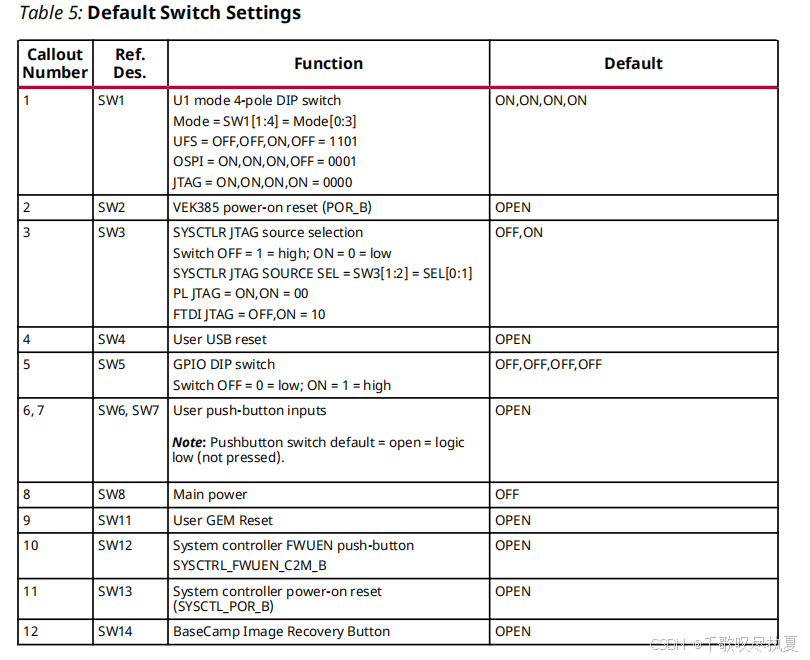
进入正文
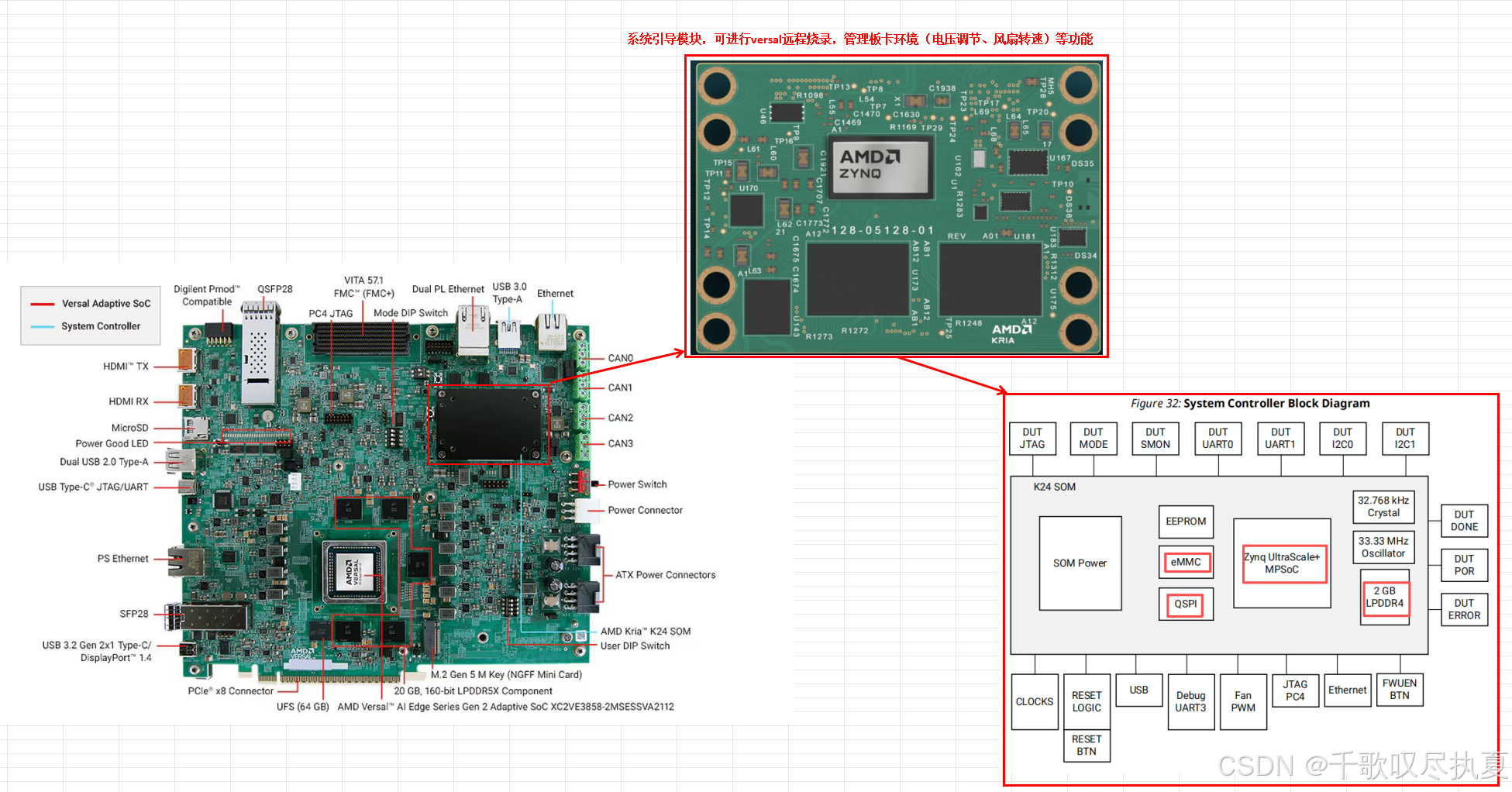
硬件概览:
板子型号:Vek385 revb
器件型号:xc2ve3858-ssva2112-2MP-e-S
其他的,自己看图。
本文章所有文件及log,会打包放到文末,都是官方文件不涉密,只不过归类梳理了。
2026-4-22:文件和log还没梳理,放到下篇文章一起。
一、问题&解决:
先说我遇到的问题,因为xilinx文章及教程太多,冗余想前面吐槽的那样,导致整个启动流程顺序,细节都很模糊。
初期遇到的问题,在xilinx论坛和FAE交流了,但是没得到结果,可以点进去看看是什么问题。
https://adaptivesupport.amd.com/s/question/0D5Pd00001SjbXRKAZ/vek385-启动-login-incorrect
这里做一下问题顺序:下一节再讲一下完整启动流程。
1、硬件连接好后,上电后,SC PS串口进不到系统,一直显示用户密码出错。
原因:这个是SC系统,XILINX没有开放
很操蛋的是:我看了官方这个教学视频,就是从SC这个串口进的,并且登录用户名,导致我在这个问题折腾了3天,官方FAE也不说,就是扯东扯西,我估计他就是自己也不明白😓😓😓😓,不过也让我完整了解了整套烧录启动逻辑。😅😅😅😅
毒攻略:这就是那个教学视频,一模一样按视频操作就是不行。
20260422更新:
重新研究了一下,他这个网页登录及IP显示,有2种方式:
第一种,论坛交流的,用路由器/交换机连接网线,这样能自动显示IP(因为电脑没有DHCP服务),单独交换机不行,需要路由器的输入,因为交换机没办法分配DHCP;
第二种就是视频里面的,用户名密码登录后,电脑和SC一起设置IP地址。(但人家不开放密码)
所以大概率就第一种能成功,因为我后面2.4小节成功了,自己买的路由器就退货了,没试。😅😅
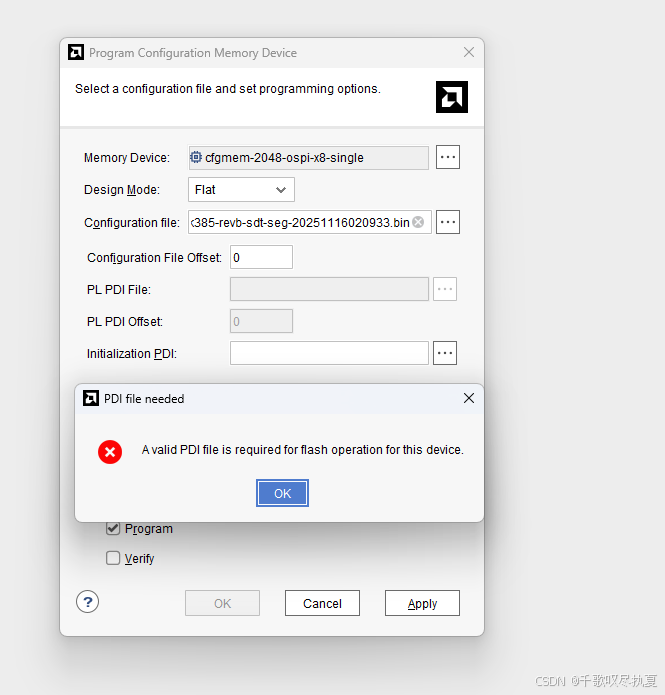
2、官方给的OSPI启动码流只有BIN,没有PDI,versal架构是,你没有PDI文件,在vivado烧录不进去的。
原因:官方说了,自己创建一个带CPIS的随机PDI,就是自己随便搞,有CPIS就行。你说操蛋吧,他给都给了,就是不给全。😓😓😓
PDI文件,可以在文末压缩包找。
XSDB TCL理论上可以烧录,但是我烧录没成功,有空我再debug一下试试。(20260421待debug)
这一步烧录完,你就可以在versal端进入系统(SD卡的Linux,可以用户+设置新密码,但不是视频里面那套。)
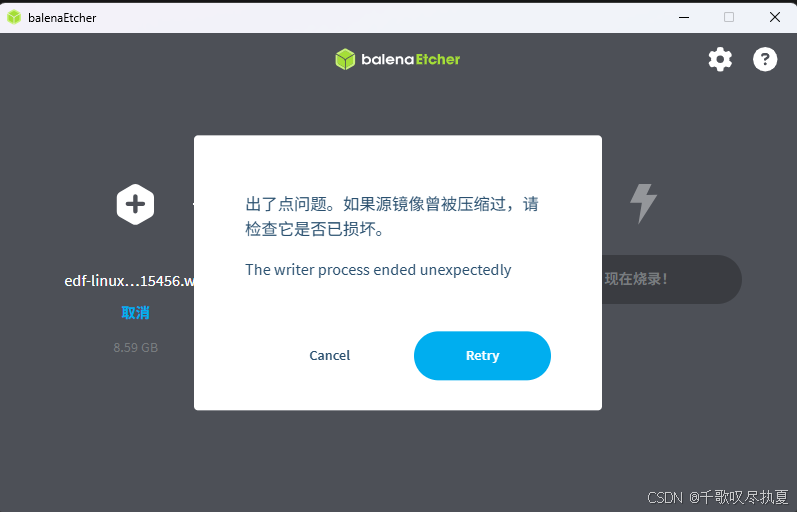
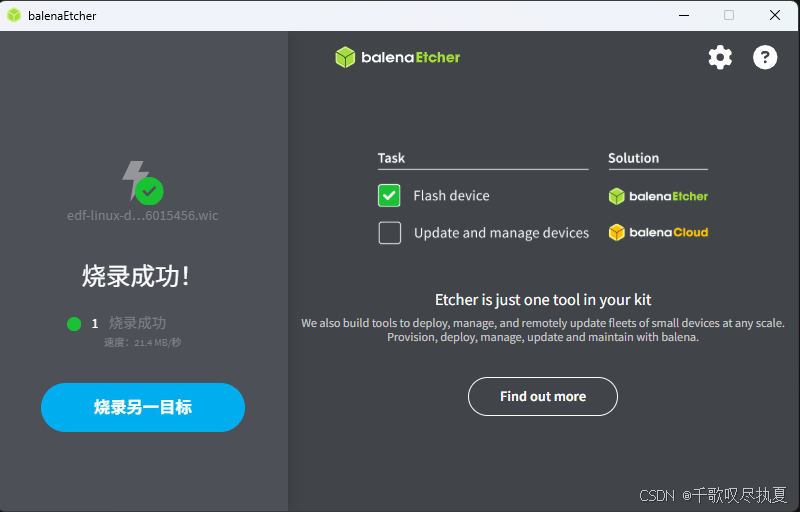
3、官方给的SD卡镜像文件,不要按他说的,通过 balenaEtcher 直接烧录,要解压一下,不然会报错。
edf-linux-disk-image-amd-cortexa78-mali-common.rootfs-20251116015456.wic.xz
解压成:
edf-linux-disk-image-amd-cortexa78-mali-common.rootfs-20251116015456.wic
再烧录这个解压后的文件进去。
报警:
成功:
4、文件很乱,下载地方很多,需要结合需要查找。
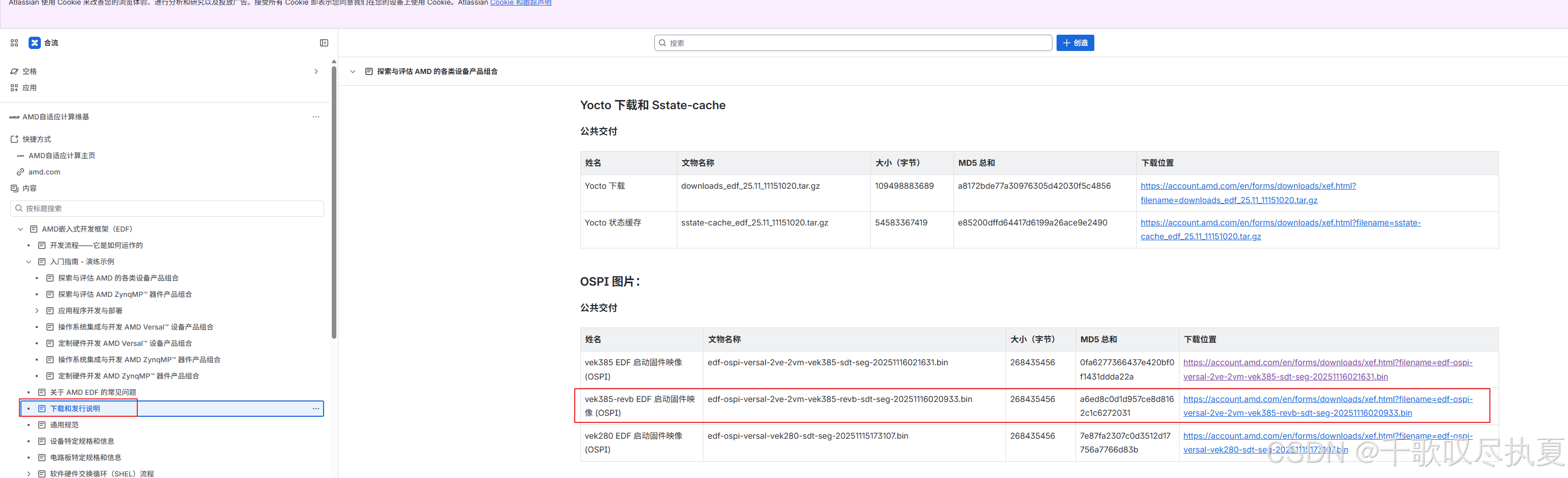
A、Versal OSPI BIN文件:
https://xilinx-wiki.atlassian.net/wiki/spaces/A/pages/3250586438/Downloads+and+Release+Notes
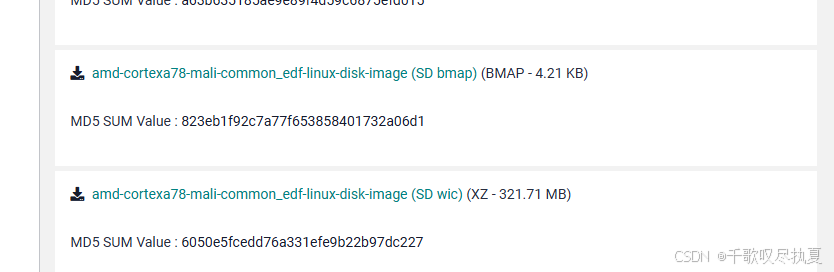
B、SD卡 WIC镜像:烧录的时候用wic,参考问题3。bmap复制到烧录后的U盘里面,跟Image文件同级即可。
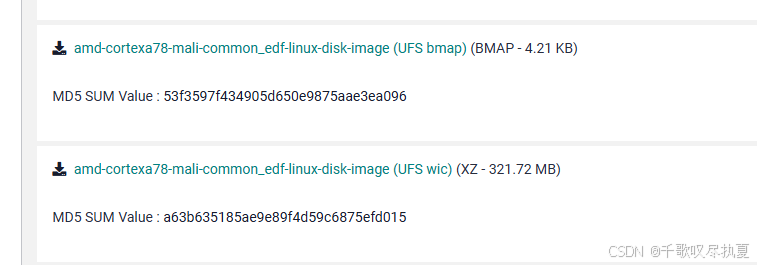
UFS镜像:
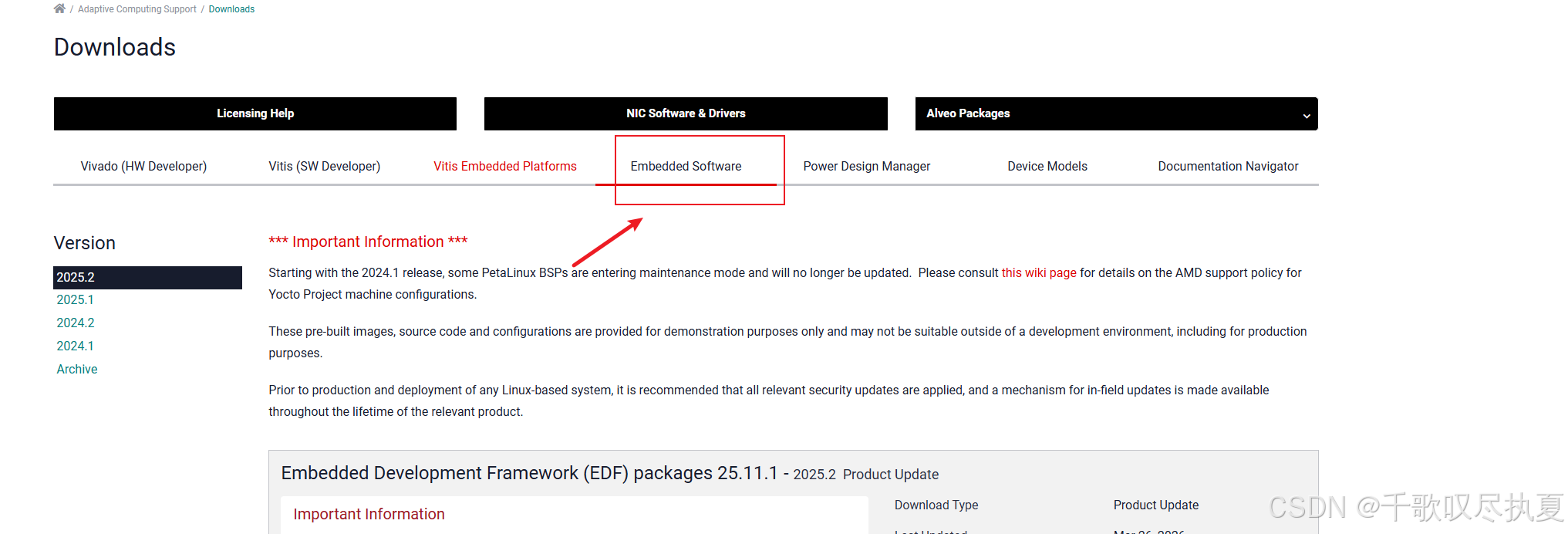
找不到的,在平时下载Vivado的这个地方:
二、烧录&启动
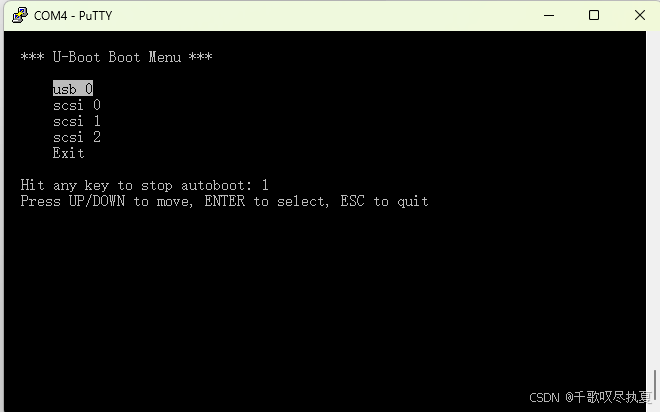
2.1 进入U-BOOT
设备管理器查串口号,先第一个串口登录putty,上电后,默认串口(3秒后自动选择uart0)
2.2 选择系统
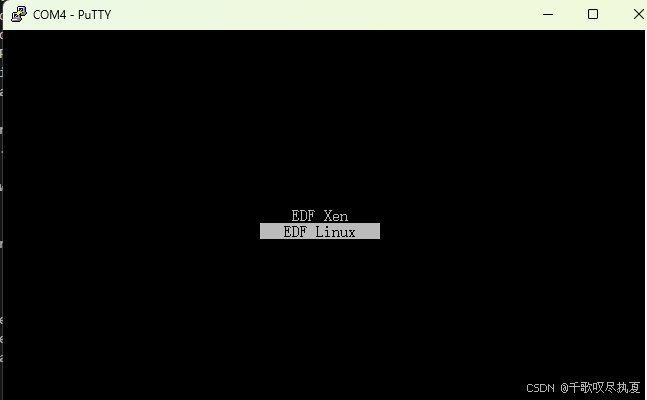
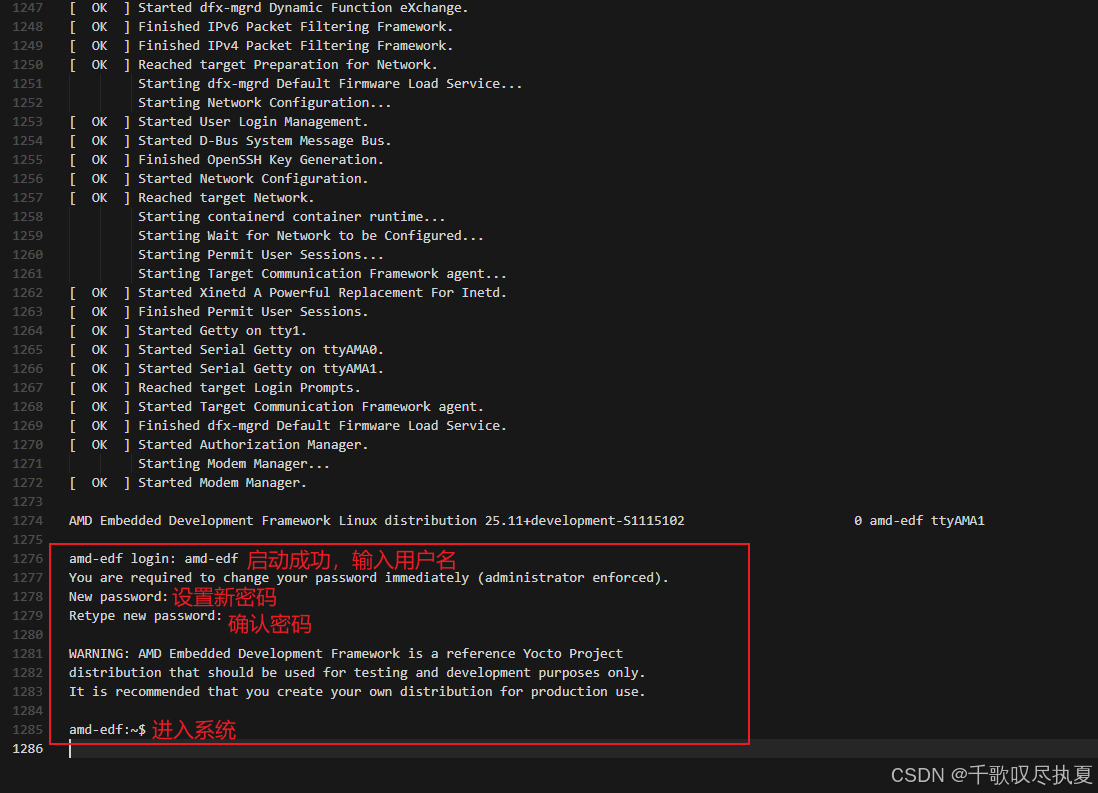
然后到登录界面选EDF Linux
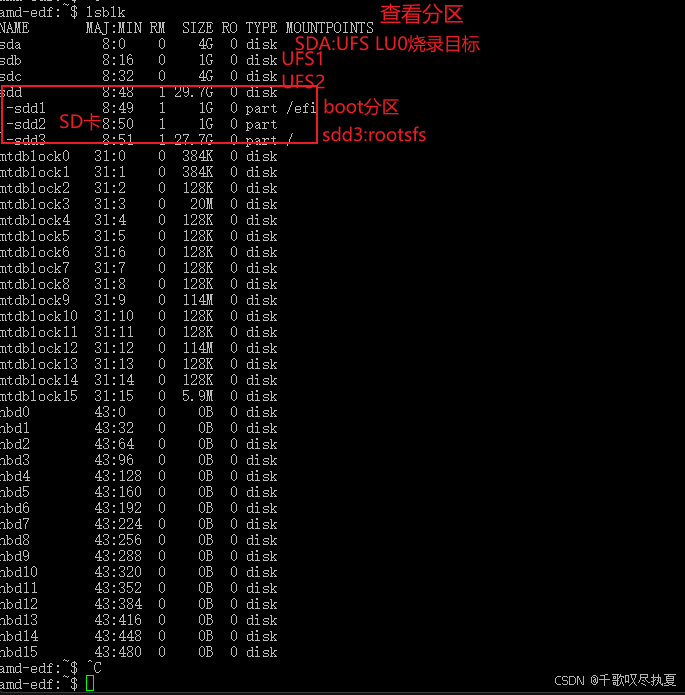
2.3查看系统分区
2.4 烧录UFS
指令:sudo bmaptool copy --bmap /efi/edf-linux-disk-image-amd-cortexa78-mali-common.rootfs.wic.ufs.bmap /efi/edf-linux-disk-image-amd-cortexa78-mali-common.rootfs-20251116015456.wic.ufs.xz /dev/sda
我的bmap被我删掉了日期,名称太长了,你们指令可以自己加回去。
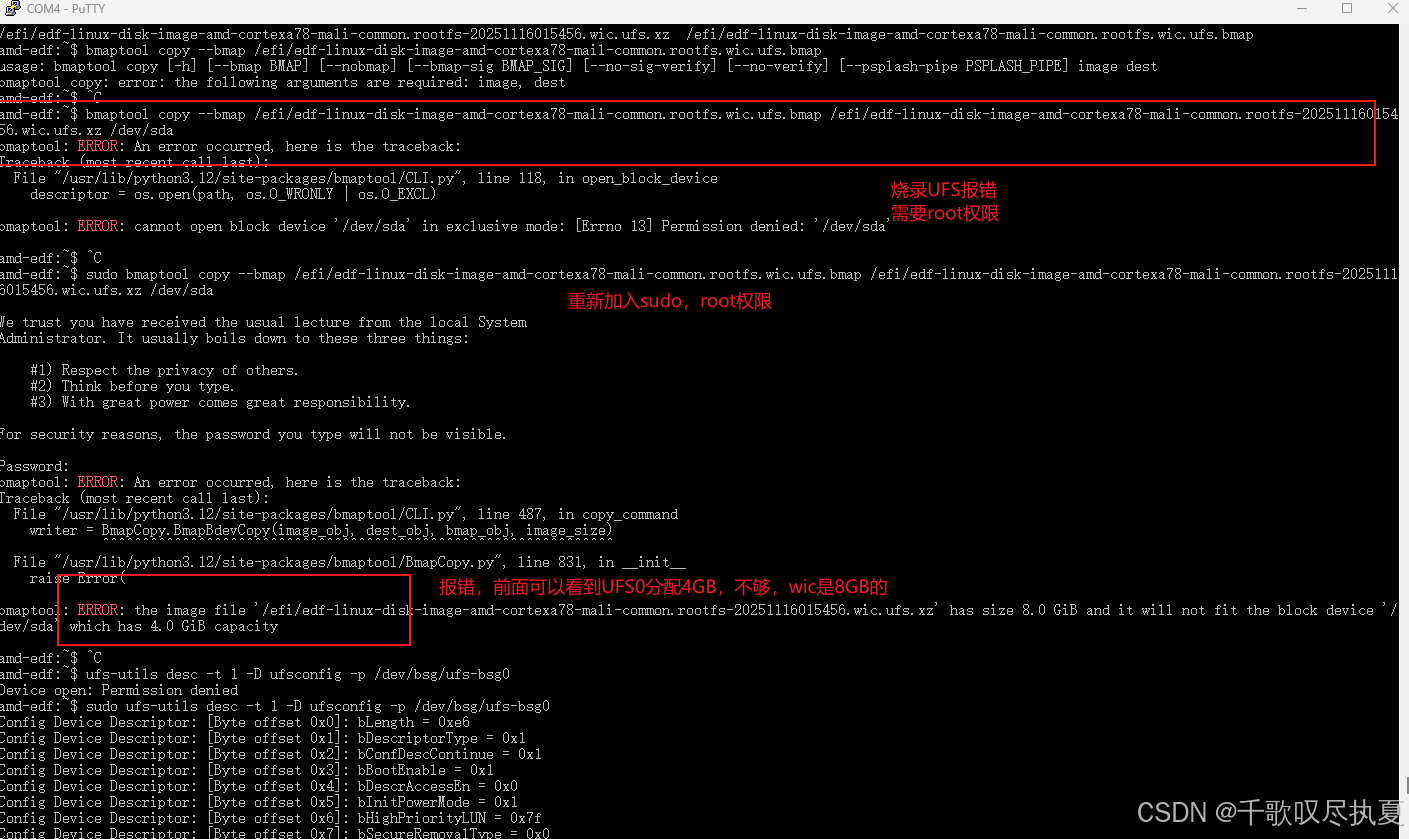
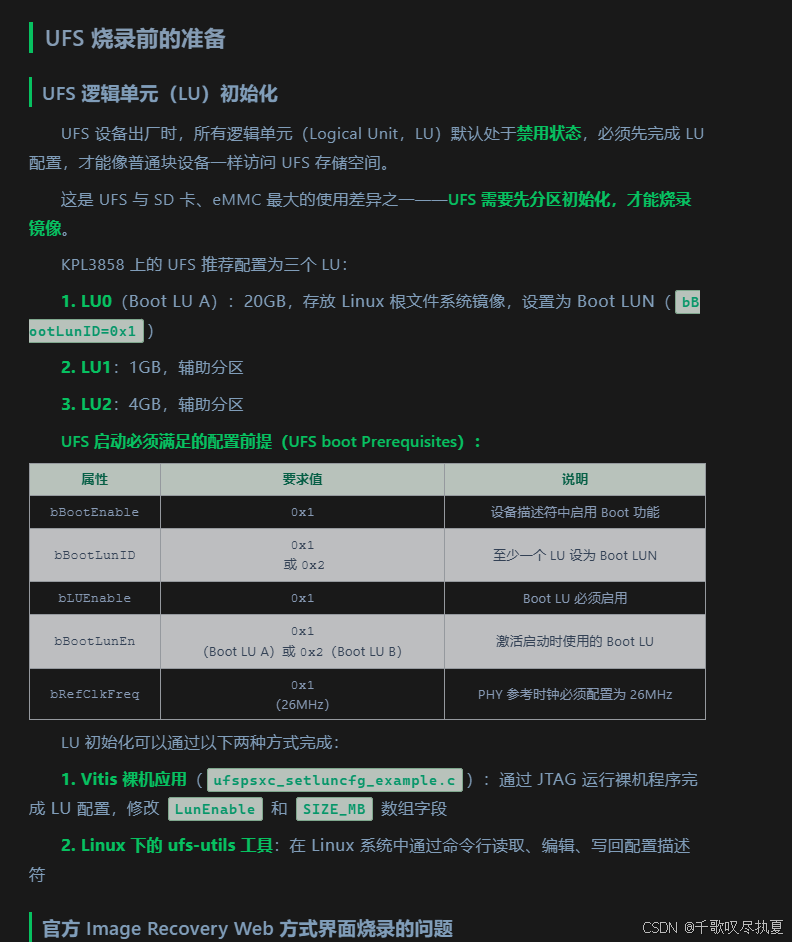
烧录UFS会报错,因为初始系统设置的UFS0是4GB,但是wic是8GB,所以需要修改UFS0大小:
bash
读取配置信息
ufs-utils desc -t 1 -D ufsconfig -p /dev/bsg/ufs-bsg0
sudo xxd ufsconfig | head -30
设置
printf '\x14' | sudo dd of=ufsconfig bs=1 seek=28 count=1 conv=notrunc
读取新配置
xxd ufsconfig | head -5
写回保存
sudo ufs-utils desc -t 1 -w ufsconfig -p /dev/bsg/ufs-bsg0
完整过程log:
bash
amd-edf:~$ sudo ufs-utils desc -t 1 -D ufsconfig -p /dev/bsg/ufs-bsg0
Config Device Descriptor: [Byte offset 0x0]: bLength = 0xe6
Config Device Descriptor: [Byte offset 0x1]: bDescriptorType = 0x1
Config Device Descriptor: [Byte offset 0x2]: bConfDescContinue = 0x1
Config Device Descriptor: [Byte offset 0x3]: bBootEnable = 0x1
Config Device Descriptor: [Byte offset 0x4]: bDescrAccessEn = 0x0
Config Device Descriptor: [Byte offset 0x5]: bInitPowerMode = 0x1
Config Device Descriptor: [Byte offset 0x6]: bHighPriorityLUN = 0x7f
Config Device Descriptor: [Byte offset 0x7]: bSecureRemovalType = 0x0
Config Device Descriptor: [Byte offset 0x8]: bInitActiveICCLevel = 0x0
Config Device Descriptor: [Byte offset 0x9]: wPeriodicRTCUpdate = 0x0
Config Device Descriptor: [Byte offset 0xb]: bHPBControl = 0x1
Config Device Descriptor: [Byte offset 0xc]: bRPMBRegionEnable = 0x0
Config Device Descriptor: [Byte offset 0xd]: bRPMBRegion1Size = 0x0
Config Device Descriptor: [Byte offset 0xe]: bRPMBRegion2Size = 0x0
Config Device Descriptor: [Byte offset 0xf]: bRPMBRegion3Size = 0x0
Config Device Descriptor: [Byte offset 0x10]: bWriteBoosterBufferPreserveUserSpaceEn = 0x0
Config Device Descriptor: [Byte offset 0x11]: bWriteBoosterBufferType = 0x0
Config Device Descriptor: [Byte offset 0x12]: dNumSharedWriteBoosterBufferAllocUnits = 0x0
Config 0 Unit Descriptor:
Config Descriptor: [Byte offset 0x0]: bLUEnable = 0x1
Config Descriptor: [Byte offset 0x1]: bBootLunID = 0x1
Config Descriptor: [Byte offset 0x2]: bLUWriteProtect = 0x0
Config Descriptor: [Byte offset 0x3]: bMemoryType = 0x0
Config Descriptor: [Byte offset 0x4]: dNumAllocUnits = 0x400
Config Descriptor: [Byte offset 0x8]: bDataReliability = 0x0
Config Descriptor: [Byte offset 0x9]: bLogicalBlockSize = 0xc
Config Descriptor: [Byte offset 0xa]: bProvisioningType = 0x0
Config Descriptor: [Byte offset 0xb]: wContextCapabilities = 0x0
Config Descriptor: [Byte offset 0x10]: wLUMaxActiveHPBRegions = 0x0
Config Descriptor: [Byte offset 0x12]: wHPBPinnedRegionStartIdx = 0x0
Config Descriptor: [Byte offset 0x14]: wNumHPBPinnedRegions = 0x0
Config Descriptor: [Byte offset 0x16]: dLUNumWriteBoosterBufferAllocUnits = 0x0
Config 1 Unit Descriptor:
Config Descriptor: [Byte offset 0x0]: bLUEnable = 0x1
Config Descriptor: [Byte offset 0x1]: bBootLunID = 0x0
Config Descriptor: [Byte offset 0x2]: bLUWriteProtect = 0x0
Config Descriptor: [Byte offset 0x3]: bMemoryType = 0x0
Config Descriptor: [Byte offset 0x4]: dNumAllocUnits = 0x100
Config Descriptor: [Byte offset 0x8]: bDataReliability = 0x0
Config Descriptor: [Byte offset 0x9]: bLogicalBlockSize = 0xc
Config Descriptor: [Byte offset 0xa]: bProvisioningType = 0x0
Config Descriptor: [Byte offset 0xb]: wContextCapabilities = 0x0
Config Descriptor: [Byte offset 0x10]: wLUMaxActiveHPBRegions = 0x0
Config Descriptor: [Byte offset 0x12]: wHPBPinnedRegionStartIdx = 0x0
Config Descriptor: [Byte offset 0x14]: wNumHPBPinnedRegions = 0x0
Config Descriptor: [Byte offset 0x16]: dLUNumWriteBoosterBufferAllocUnits = 0x0
Config 2 Unit Descriptor:
Config Descriptor: [Byte offset 0x0]: bLUEnable = 0x1
Config Descriptor: [Byte offset 0x1]: bBootLunID = 0x2
Config Descriptor: [Byte offset 0x2]: bLUWriteProtect = 0x0
Config Descriptor: [Byte offset 0x3]: bMemoryType = 0x0
Config Descriptor: [Byte offset 0x4]: dNumAllocUnits = 0x400
Config Descriptor: [Byte offset 0x8]: bDataReliability = 0x0
Config Descriptor: [Byte offset 0x9]: bLogicalBlockSize = 0xc
Config Descriptor: [Byte offset 0xa]: bProvisioningType = 0x0
Config Descriptor: [Byte offset 0xb]: wContextCapabilities = 0x0
Config Descriptor: [Byte offset 0x10]: wLUMaxActiveHPBRegions = 0x0
Config Descriptor: [Byte offset 0x12]: wHPBPinnedRegionStartIdx = 0x0
Config Descriptor: [Byte offset 0x14]: wNumHPBPinnedRegions = 0x0
Config Descriptor: [Byte offset 0x16]: dLUNumWriteBoosterBufferAllocUnits = 0x0
Config 3 Unit Descriptor:
Config Descriptor: [Byte offset 0x0]: bLUEnable = 0x0
Config Descriptor: [Byte offset 0x1]: bBootLunID = 0x0
Config Descriptor: [Byte offset 0x2]: bLUWriteProtect = 0x0
Config Descriptor: [Byte offset 0x3]: bMemoryType = 0x0
Config Descriptor: [Byte offset 0x4]: dNumAllocUnits = 0x0
Config Descriptor: [Byte offset 0x8]: bDataReliability = 0x0
Config Descriptor: [Byte offset 0x9]: bLogicalBlockSize = 0xc
Config Descriptor: [Byte offset 0xa]: bProvisioningType = 0x0
Config Descriptor: [Byte offset 0xb]: wContextCapabilities = 0x0
Config Descriptor: [Byte offset 0x10]: wLUMaxActiveHPBRegions = 0x0
Config Descriptor: [Byte offset 0x12]: wHPBPinnedRegionStartIdx = 0x0
Config Descriptor: [Byte offset 0x14]: wNumHPBPinnedRegions = 0x0
Config Descriptor: [Byte offset 0x16]: dLUNumWriteBoosterBufferAllocUnits = 0x0
Config 4 Unit Descriptor:
Config Descriptor: [Byte offset 0x0]: bLUEnable = 0x0
Config Descriptor: [Byte offset 0x1]: bBootLunID = 0x0
Config Descriptor: [Byte offset 0x2]: bLUWriteProtect = 0x0
Config Descriptor: [Byte offset 0x3]: bMemoryType = 0x0
Config Descriptor: [Byte offset 0x4]: dNumAllocUnits = 0x0
Config Descriptor: [Byte offset 0x8]: bDataReliability = 0x0
Config Descriptor: [Byte offset 0x9]: bLogicalBlockSize = 0xc
Config Descriptor: [Byte offset 0xa]: bProvisioningType = 0x0
Config Descriptor: [Byte offset 0xb]: wContextCapabilities = 0x0
Config Descriptor: [Byte offset 0x10]: wLUMaxActiveHPBRegions = 0x0
Config Descriptor: [Byte offset 0x12]: wHPBPinnedRegionStartIdx = 0x0
Config Descriptor: [Byte offset 0x14]: wNumHPBPinnedRegions = 0x0
Config Descriptor: [Byte offset 0x16]: dLUNumWriteBoosterBufferAllocUnits = 0x0
Config 5 Unit Descriptor:
Config Descriptor: [Byte offset 0x0]: bLUEnable = 0x0
Config Descriptor: [Byte offset 0x1]: bBootLunID = 0x0
Config Descriptor: [Byte offset 0x2]: bLUWriteProtect = 0x0
Config Descriptor: [Byte offset 0x3]: bMemoryType = 0x0
Config Descriptor: [Byte offset 0x4]: dNumAllocUnits = 0x0
Config Descriptor: [Byte offset 0x8]: bDataReliability = 0x0
Config Descriptor: [Byte offset 0x9]: bLogicalBlockSize = 0xc
Config Descriptor: [Byte offset 0xa]: bProvisioningType = 0x0
Config Descriptor: [Byte offset 0xb]: wContextCapabilities = 0x0
Config Descriptor: [Byte offset 0x10]: wLUMaxActiveHPBRegions = 0x0
Config Descriptor: [Byte offset 0x12]: wHPBPinnedRegionStartIdx = 0x0
Config Descriptor: [Byte offset 0x14]: wNumHPBPinnedRegions = 0x0
Config Descriptor: [Byte offset 0x16]: dLUNumWriteBoosterBufferAllocUnits = 0x0
Config 6 Unit Descriptor:
Config Descriptor: [Byte offset 0x0]: bLUEnable = 0x0
Config Descriptor: [Byte offset 0x1]: bBootLunID = 0x0
Config Descriptor: [Byte offset 0x2]: bLUWriteProtect = 0x0
Config Descriptor: [Byte offset 0x3]: bMemoryType = 0x0
Config Descriptor: [Byte offset 0x4]: dNumAllocUnits = 0x0
Config Descriptor: [Byte offset 0x8]: bDataReliability = 0x0
Config Descriptor: [Byte offset 0x9]: bLogicalBlockSize = 0xc
Config Descriptor: [Byte offset 0xa]: bProvisioningType = 0x0
Config Descriptor: [Byte offset 0xb]: wContextCapabilities = 0x0
Config Descriptor: [Byte offset 0x10]: wLUMaxActiveHPBRegions = 0x0
Config Descriptor: [Byte offset 0x12]: wHPBPinnedRegionStartIdx = 0x0
Config Descriptor: [Byte offset 0x14]: wNumHPBPinnedRegions = 0x0
Config Descriptor: [Byte offset 0x16]: dLUNumWriteBoosterBufferAllocUnits = 0x0
Config 7 Unit Descriptor:
Config Descriptor: [Byte offset 0x0]: bLUEnable = 0x0
Config Descriptor: [Byte offset 0x1]: bBootLunID = 0x0
Config Descriptor: [Byte offset 0x2]: bLUWriteProtect = 0x0
Config Descriptor: [Byte offset 0x3]: bMemoryType = 0x0
Config Descriptor: [Byte offset 0x4]: dNumAllocUnits = 0x0
Config Descriptor: [Byte offset 0x8]: bDataReliability = 0x0
Config Descriptor: [Byte offset 0x9]: bLogicalBlockSize = 0xc
Config Descriptor: [Byte offset 0xa]: bProvisioningType = 0x0
Config Descriptor: [Byte offset 0xb]: wContextCapabilities = 0x0
Config Descriptor: [Byte offset 0x10]: wLUMaxActiveHPBRegions = 0x0
Config Descriptor: [Byte offset 0x12]: wHPBPinnedRegionStartIdx = 0x0
Config Descriptor: [Byte offset 0x14]: wNumHPBPinnedRegions = 0x0
Config Descriptor: [Byte offset 0x16]: dLUNumWriteBoosterBufferAllocUnits = 0x0
Config Descriptor was written into ufsconfig file

sudo xxd ufsconfig | head -30
00000000: e601 0101 0001 7f00 0000 0001 0000 0000  ................
00000010: 0000 0000 0000 0101 0000 0000 0400 000c  ................
00000020: 0000 0000 0000 0000 0000 0000 0000 0000  ................
00000030: 0100 0000 0000 0100 000c 0000 0000 0000  ................
00000040: 0000 0000 0000 0000 0000 0102 0000 0000  ................
00000050: 0400 000c 0000 0000 0000 0000 0000 0000  ................
00000060: 0000 0000 0000 0000 0000 0000 000c 0000  ................
00000070: 0000 0000 0000 0000 0000 0000 0000 0000  ................
00000080: 0000 0000 0000 000c 0000 0000 0000 0000  ................
00000090: 0000 0000 0000 0000 0000 0000 0000 0000  ................
000000a0: 000c 0000 0000 0000 0000 0000 0000 0000  ................
000000b0: 0000 0000 0000 0000 0000 000c 0000 0000  ................
000000c0: 0000 0000 0000 0000 0000 0000 0000 0000  ................
000000d0: 0000 0000 000c 0000 0000 0000 0000 0000  ................
000000e0: 0000 0000 0000                           ......

amd-edf:~$ printf '\x14' | sudo dd of=ufsconfig bs=1 seek=28 count=1 conv=notrunc
1+0 records in
1+0 records out
1 byte copied, 5.055e-05 s, 19.8 kB/s
amd-edf:~$ xxd ufsconfig | head -5
xxd: ufsconfig: Permission denied
amd-edf:~$ sudo xxd ufsconfig | head -5
00000000: e601 0101 0001 7f00 0000 0001 0000 0000  ................
00000010: 0000 0000 0000 0101 0000 0000 1400 000c  ................
00000020: 0000 0000 0000 0000 0000 0000 0000 0000  ................
00000030: 0100 0000 0000 0100 000c 0000 0000 0000  ................
00000040: 0000 0000 0000 0000 0000 0102 0000 0000  ................
amd-edf:~$
UFS位置:
需要把 offset 0x1C 的 04 改成 14,使其变成 00 00 14 00(= 0x1400 = 20GB)
bash
00000010: 0000 0000 0000 0101 0000 0000 0400 000c
                      ^^^^ ^^^^^^^^^^^^^^^^ ^^^^
                      LU0  dNumAllocUnits
                           (0x0400 = 4GB)
LU0 的 dNumAllocUnits 在 offset 0x1A-0x1D,当前值是 00 00 04 00(大端序,= 0x400 = 4GB)
但是,没有生效,查看配置是已经写进去了,重启也没用!怪难绷的!😓😓😓
20240422 19:23更新:
1、尝试vitis,使用xufspsxc_setluncfg_example.c修改UFS内存,没成功,烧录失败,不知道什么原因。
折腾了半天时间,汗。
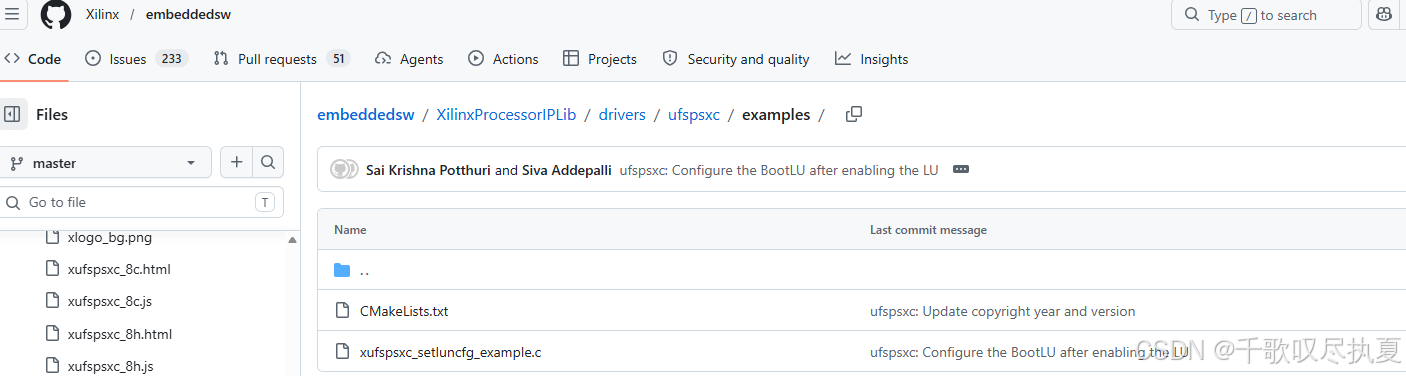
2、重新从命令端尝试修改:
问题根源:
Config Device Descriptor: Byte offset 0x2: bConfDescContinue = 0x1
bConfDescContinue = 0x1 表示"这不是最后一个配置描述符",设备会等待更多配置而不执行当前配置!必须将 bConfDescContinue 设置为 0x00,设备才会应用配置。
重新输入指令:
bash
# 1. 修改 bConfDescContinue (偏移 0x02) 为 0x00
printf '\x00' | sudo dd of=/tmp/ufsconfig bs=1 seek=2 count=1 conv=notrunc

# 2. 修改 LU0 的 dNumAllocUnits 为 0x1400 (20GB)
# dNumAllocUnits 是 4 字节大端格式,位于偏移 0x1A-0x1D
# 0x1400 = 00 00 14 00,只需修改偏移 0x1C 的值
printf '\x14' | sudo dd of=/tmp/ufsconfig bs=1 seek=28 count=1 conv=notrunc
bash
# 用 hexdump 检查修改是否正确
hexdump -C /tmp/ufsconfig | head -5
应该看到:
偏移 0x02 位置是 00 (bConfDescContinue)
偏移 0x1C 位置是 14 (dNumAllocUnits 高字节)
bash
#写回配置:
sudo ufs-utils desc -t 1 -w /tmp/ufsconfig -p /dev/bsg/ufs-bsg0
#设置 fDeviceInit 标志触发设备初始化
sudo ufs-utils fl -t 1 -e -p /dev/bsg/ufs-bsg0
#关机
sudo poweroff
手动断电,开关下电。
重新上电,开机,查看分区:感人!!!!!!😭😭😭😭
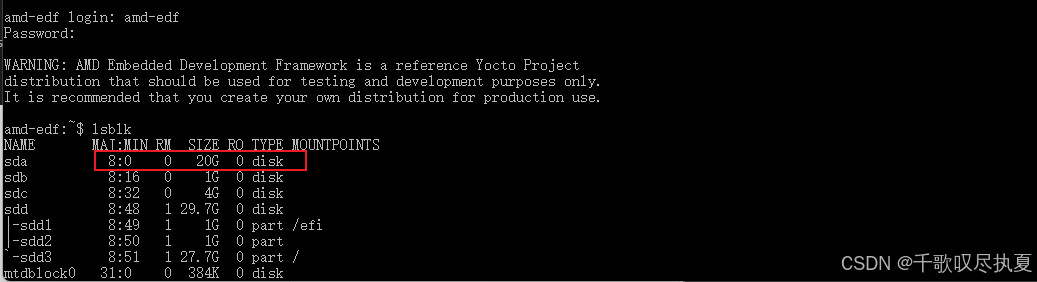
重新执行烧录:
sudo bmaptool copy --bmap /efi/edf-linux-disk-image-amd-cortexa78-mali-common.rootfs.wic.ufs.bmap /efi/edf-linux-disk-image-amd-cortexa78-mali-common.rootfs-20251116015456.wic.ufs.xz /dev/sda

bash
# 同步确保数据写入完成
sudo sync

# 关机
sudo poweroff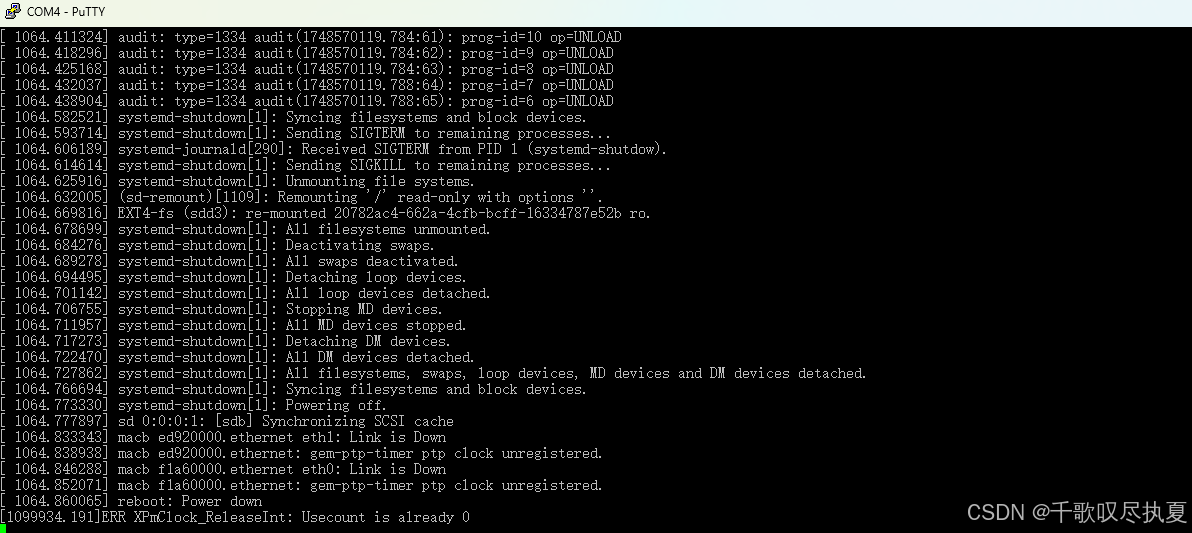
电源断电。
2.5 成功启动
弹出SD卡,保持OSPI启动方式。可以看到不是USB了,变成scsi 0启动。
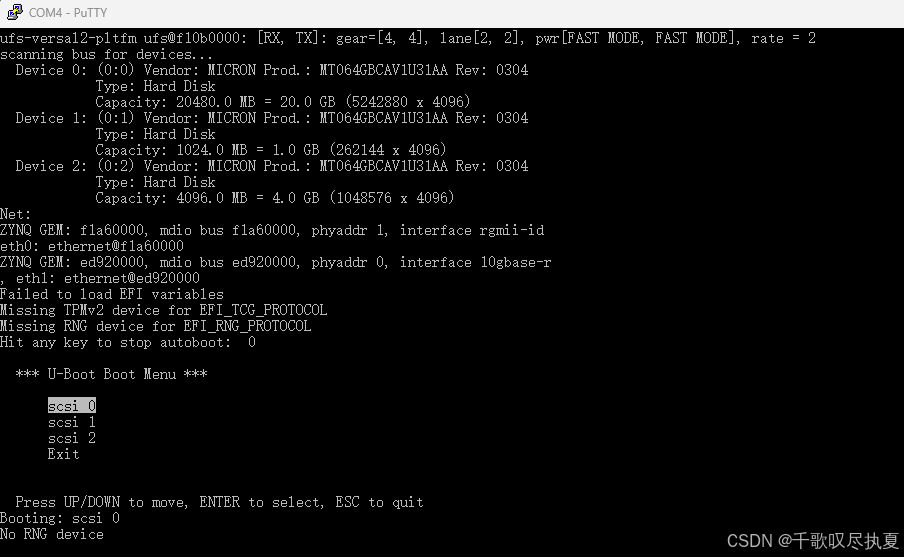
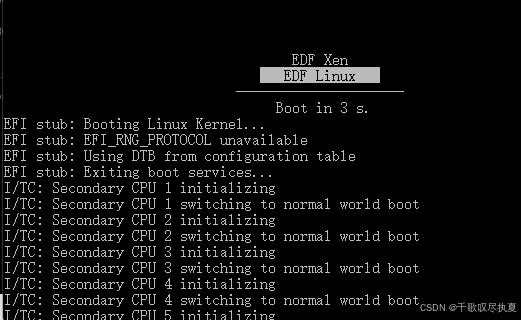
进来后,其实和SD卡的系统一样,所以你不搞UFS应该也能用(废话来的太迟)。😅
三、功能测试
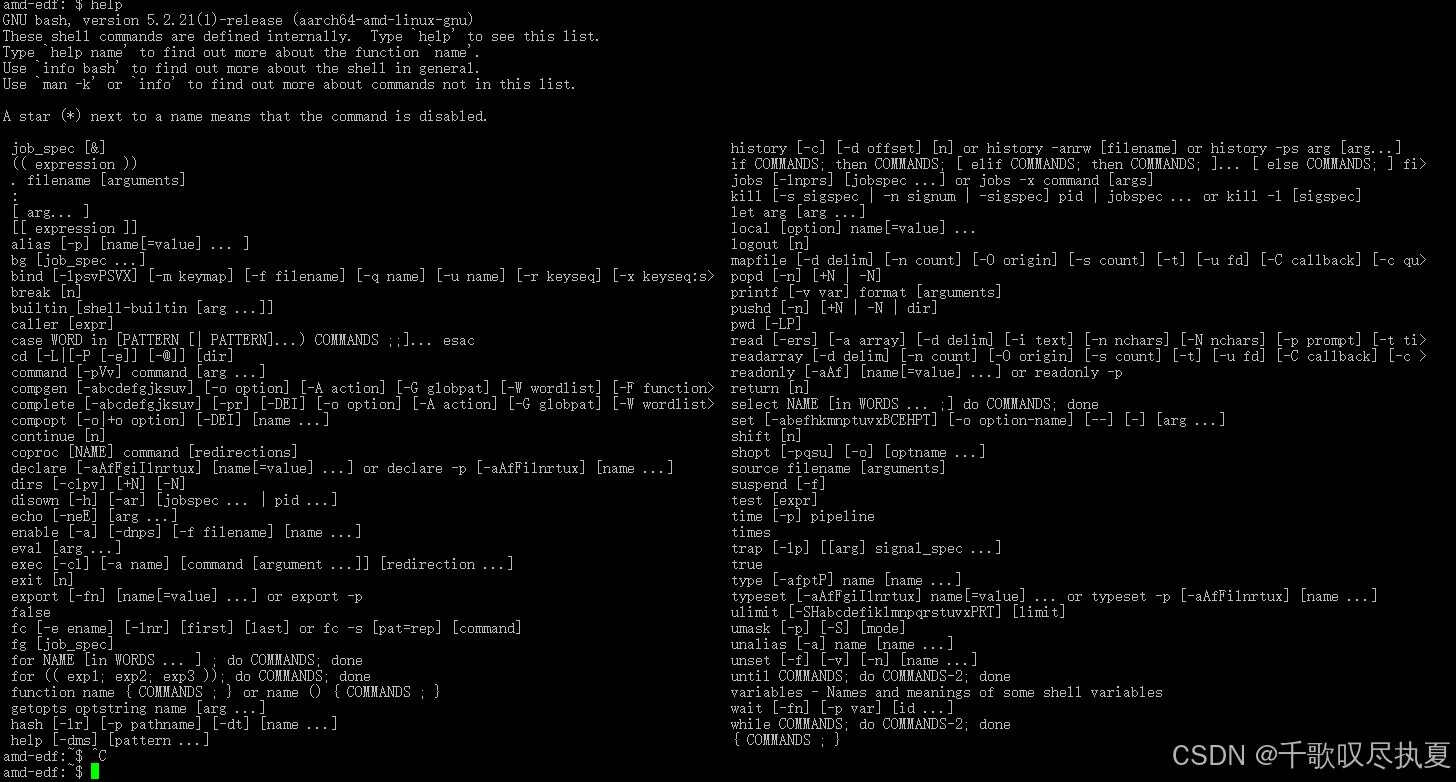
help:
支持以下功能:
四、总结
下章再详细试一下里面每一项功能。
五、附录
https://mp.weixin.qq.com/s/N_pp58W5DZGWE_w9d5fxPg
一些定义可以看看这篇文章,反正他说的那些方法我试了没成功,指令倒是借鉴了几条。