⑴
All right, so let's introduce some other functionality into the mix. It turns out that there are other types of data, other types of variables in the world, not just string.
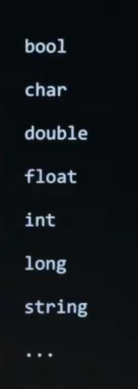
Bur indeed, per before, we have things called integers, " int " for short, floating point values, " float " for short, and a few others as well.
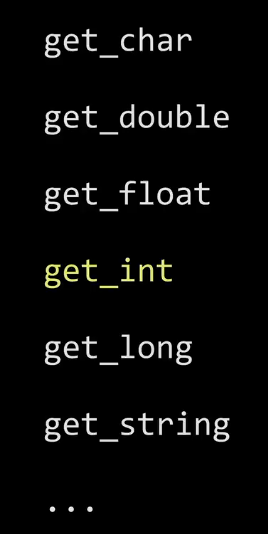
So rather than only focus on string, let's get a little more interesting with numbers here and see what we can do with something like integers, again, " int " for short, by taking a look at not get_string, as before, but now how about get_int. And for this, I'm going to give us a few other tools in our toolkit, those format codes to which I alluded earlier, like %s, fortunately are pretty straightforward.
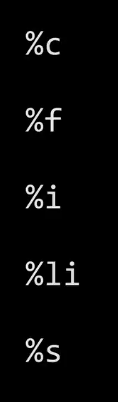
And here is a list of most of the popular format codes that you might ever care about with printf. In particular, we saw %s for string. And you can perhaps guess which one we're going to use for integers. And this is the kind of thing that you can consult in the manual pages or a slide like this. There's only a few of them that you might frequently use. But let's go ahead and use integers in a more interesting context, not just using functions. But let's revisit this idea of conditionals. And conditionals in Scratch were like these proverbial forks in the road. Like, do you want to do this thing or this thing or this other thing ? It's a way of making decisions in a program, which is going to be super useful and pretty much omnipresent in any problems, that we try to solve. So let me give you a few more building block in C by doing the side - by - side comparison again.
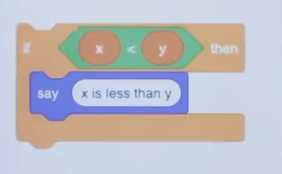
So here in Scratch is how we might Say if two variables, x and y, one is less than the other, then go ahead and Say, quote, unquote, " x is less than y ". So kind of a stupid program. But just to show you the basic syntax for Scratch, this is how you would ask the question, if x is less than y, then say this. So Say is the function, " if " is the conditional. And the green thing here we called, what ? A Boolean or a Boolean expression, which is just a fancy way of saying a question whose answer is true or false, yes or no, 1 or 0, however you want to think about it.
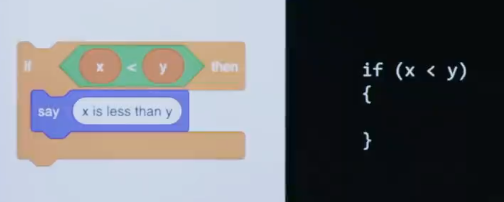
In C, the code is going to look like this. So it'll take a little bit of habit, a little bit of muscle memory to develop. But you're going to say " if ", then in parentheses, you're going to say " x less than y ", assuming x and y are variables. You're then going to use these curly braces.
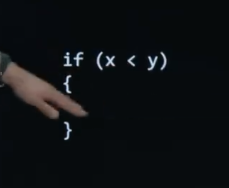
And then if you want to say, quote, unquote, " x is less than y " in C, what functioin should we use here presumably ?
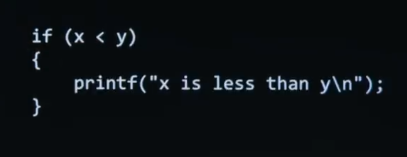
So printf, quote, unquote, " x is less than y ". So it's a bit of a mouthful, but again notice the pattern. Name of the function is printf. In the parentheses, left and right, is the argument to printf, which is, quote, unquote, " x is less than y ". And again, just for aesthetics, to move the cursor to the next line, which you don't have to worry about in Scratch because everything's in speech bubbles, we're adding a backslash n, as well.
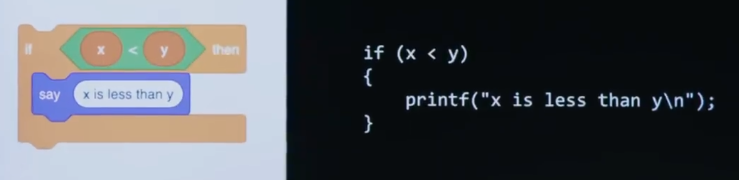
So notice that these curly braces, as they're called, much like the orange puzzle piece here, are kind of hugging the code like this.
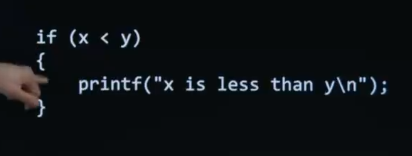
And I'll note that technically speaking in C. If you only have one line of code inside of your conditional, you can actually omit the curly braces altogether. And the code will still work if you have one single line of code. Why ? Just saves people some keystrokes. If you have two lines, three lines, or more in three, you need the curly braces. But I'll always draw it with the curly braces in class, so it resembles Scratch as closely as possible.
⑵
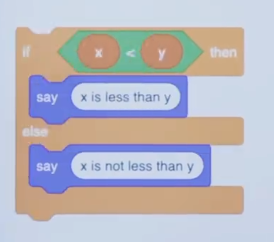
So here is how, in Scratch, we might have a two-way fork in the road. If x is less than y, say x is less than y, else say x is not less than y.
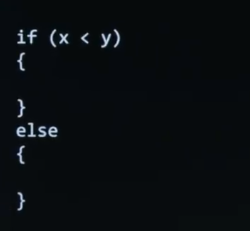
In C, it's going to look pretty much the same. But notice I'm adding an " else " keyword here with another set of curly braces.
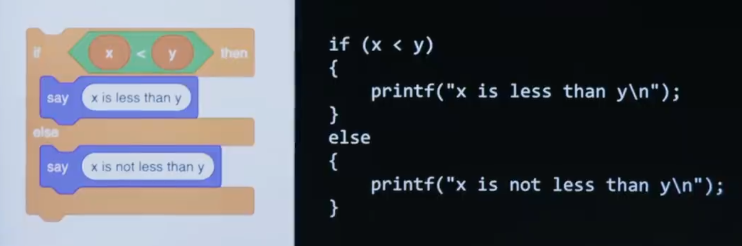
I'm going to have a couple of more printf's. But in C, even though it's clearly keyboard based, it's just text, no more puzzle pieces, it's kind of the same shape, so to speak, and it's definitely the same idea.
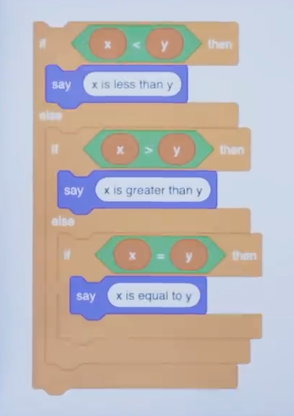
So it's following a pattern what about a three-way fork in the road, if x is less than y, then say x is less than y, else if x is greater than y, say x is greater than y, else if x equals y, than say x is equal to y.
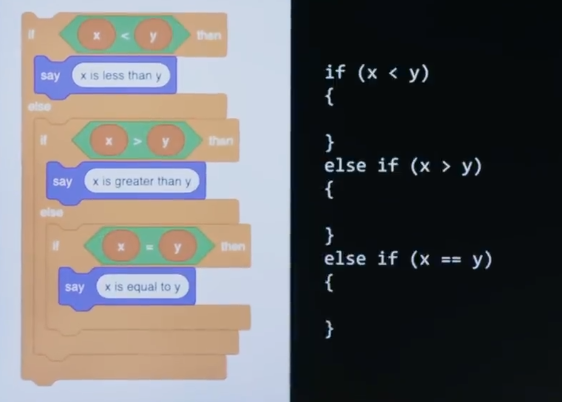
Well, you can probably see where this is going. On the right-hand side, it looks almost the same.
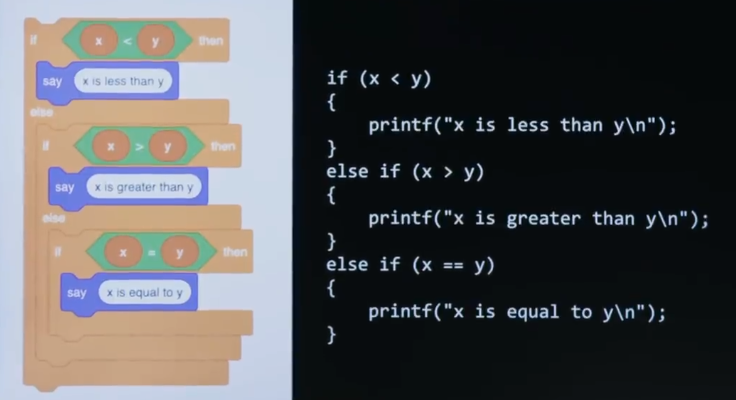
In fact, if I add in the printf's, it's really almost the same at least logically. But there is at least one curiosity, seemingly a typo, but it's not this time.
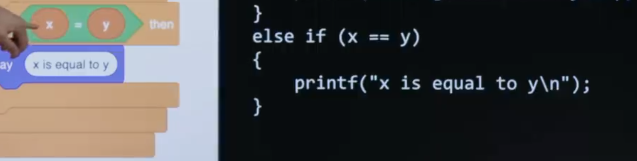
Yeah, the double equal signs does not match Scratch, but it's not in fact a bug or a mistake in C. Anyone have an intuition for why I did use two equal signs instead of one here ? Well, otherwise it would be mistaken for a variable, specifically assignment of a variable. So recall that in previous code, when we used the get_string function, we used an equals sign to assign, from right to left, the value of a variable. And that's a reasonable decision. " Equal " kind of means that the two should ultimately be equal even though you think about it from going right to left. Unfortunately, the authors of C kind of " painted " themselves into a corner. And presumably, decades ago when they realized, oh, sheet, we've already used a single equal sign, how do we represent equality of two values, the answer they came up with was, all right, we'll just use two instead. And thus was born this decision. Crazy enough, in other languages like JavaScript, you have not just one, but two, but also three equal signs in a row to solve yet another problem. So reasonable people will disagree as to how good or bad these decisions are. But in C, this is what you must do. But these's a bad decision here, too. It's still correct, the code, left and right. But I bet I could critique the quality of the design of both the Scratch code and the C code for reasons, what ?
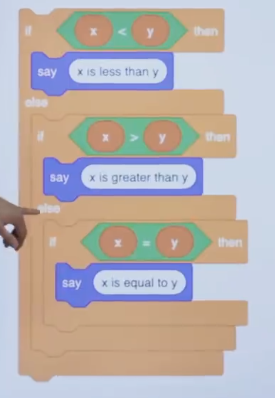
Do we have to ask this third question, " else if x equals y ? ". So short answer, no, logically, right ? Just based on arithmetic, either x is less than y or x is greater than y or what's the only other possible answer ? They must be equal, logically. So technically, you're just kind of wasting the computer's time by asking this question because it already knows, at that point, the answer. And you're wasting your time as the programmer bothering to type out more code or more puzzle pieces than you need because logically one stems from the other.
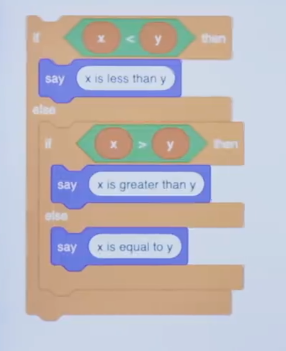
So I can tighten this up, get rid of the " else, if " just use an " else ".
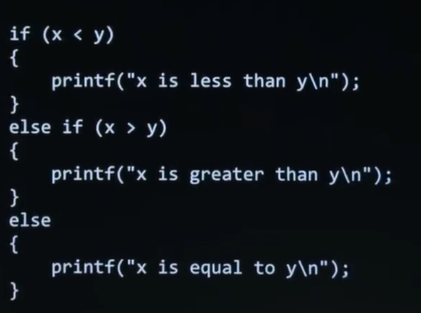
And I can do the same thing over here in C, thereby avoiding, the double equal sign altogether, but not because it's wrong, but because you're wasting time, because now you're potentially asking only two questions, two Boolean expressions, instead of 50% more by asking a total of three questions at most.
⑶
Let's introduce variables in C, as well. We saw an example using a string a moment ago.
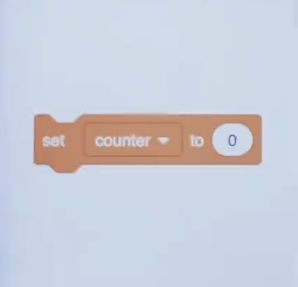
But what about with something like integers ? Well, you might not have used this in Scratch. But here's the organe puzzle pieces in Scratch via which you can create a variable called counter to count things. And you can set it equal to some value like 0. Now you can perhaps guess where we're going with this.
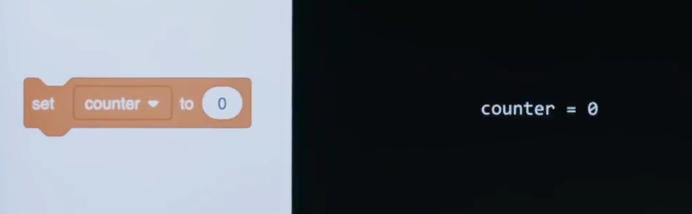
If I want in C a variable called counter and I want to set it equal to 0, I use a single equal sign because logically you read it from right to left. But that's not enough in C. What's missing from the screen ?
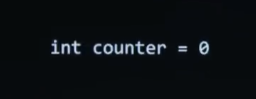
So we need a data type. And if it's going to be an integer, indeed I'm going to use int. And now the other mistake I keep making is - -
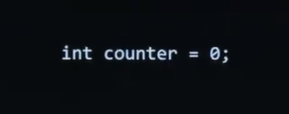
So a semicolon at the end of the line. So it's a little more verbose than some languages. But if you read it left to right, this is how you tell C to give you a variable called counter of type int, and initialize it to a value of 0. That's all.
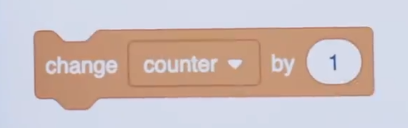
All right, how about, in Scratch, if you want to change that variable by 1, by adding 1 to it ? In Scratch, it's super simple. You just change it by 1 or even negative 1, if you want to go up or down respectively.

In C, it turns out you have a few different ways to do this. And this looks like it's not mathematically possible, but that's because equals is assignment, recall. So this line of code is not saying that counter equals counter plus 1, because that's just not possible using typical numbers. But this means take counter's value, add 1 to it, and assign it back to the counter variable. So it's like incrementing counter in this way. But this is such a common thing in C and in programming to increase or decrease the values of variables, there's a more succinct syntax.
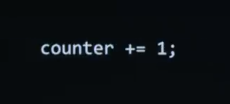
This is identical. And it might take you a little practice to get used to it, but it just saves you some keystrokes. But it similarly adds 1, or whatever number you use there. And this is such a common operation in C especially that there's an even tighter way of executing the same idea.

And you can literally just say counter++ and then semicolon in this case. All three are exactly the same. All three are perfectly correct. But you'll learn over time that typing less on screen, is probably going to save you some time.
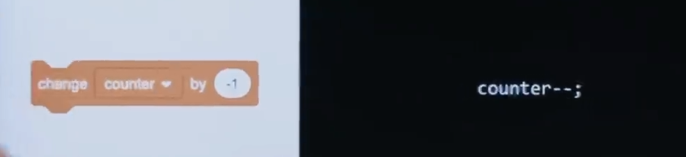
Meanwhile, if we wanted to do the opposite and do something like minus 1 In Scratch, we could similarly do minus minus in C.