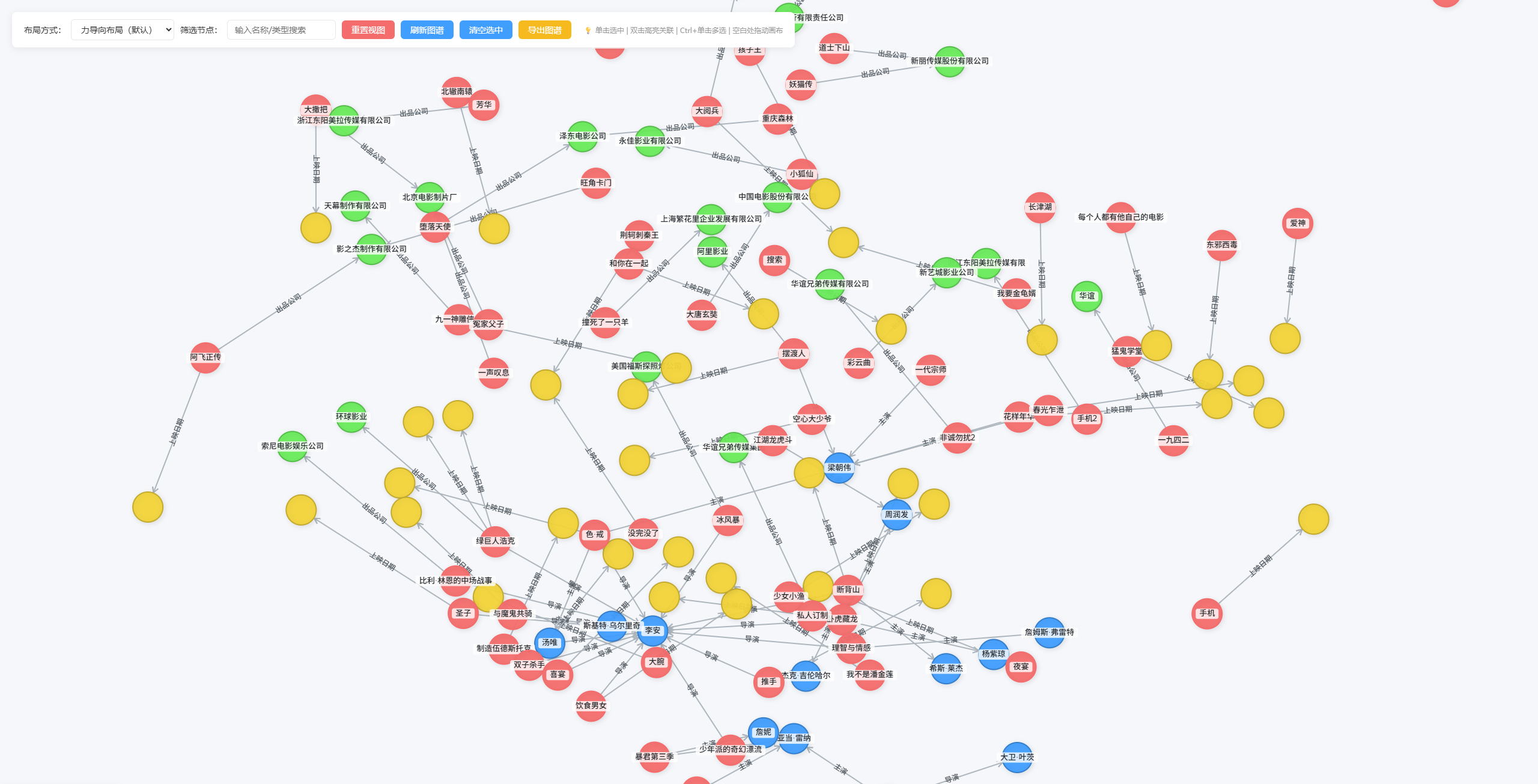
1、知识图谱后端数据查询接口返回的数据结构(针对neo4j查询数据)
java
{
        "code": 10000,
        "msg": "操作成功",
        "data": {
          "nodes": [
            { "id": 262, "labels": ["作品"], "props": { "name": "集结号" } },
            { "id": 136, "labels": ["人物"], "props": { "name": "陈凯歌" } },
            { "id": 264, "labels": ["作品"], "props": { "name": "黄土地" } },
            { "id": 140, "labels": ["人物"], "props": { "name": "刘恒" } },
            { "id": 268, "labels": ["作品"], "props": { "name": "天生胆小" } },
            { "id": 205, "labels": ["人物"], "props": { "name": "万玛才旦" } },
            { "id": 142, "labels": ["人物"], "props": { "name": "柯蓝" } },
            { "id": 270, "labels": ["作品"], "props": { "name": "霸王别姬" } },
            { "id": 147, "labels": ["人物"], "props": { "name": "芦苇" } },
            { "id": 276, "labels": ["作品"], "props": { "name": "搜索" } },
            { "id": 277, "labels": ["作品"], "props": { "name": "芳华" } },
            { "id": 153, "labels": ["人物"], "props": { "name": "严歌苓" } },
            { "id": 289, "labels": ["作品"], "props": { "name": "爱神" } },
            { "id": 162, "labels": ["人物"], "props": { "name": "王家卫" } },
            { "id": 100, "labels": ["人物"], "props": { "name": "冯小刚" } },
            { "id": 295, "labels": ["作品"], "props": { "name": "妖猫传" } },
            { "id": 300, "labels": ["作品"], "props": { "name": "恶男" } },
            { "id": 172, "labels": ["人物"], "props": { "name": "王蕙玲" } },
            { "id": 305, "labels": ["作品"], "props": { "name": "小狐仙" } },
            { "id": 306, "labels": ["作品"], "props": { "name": "摆渡人" } },
            { "id": 308, "labels": ["作品"], "props": { "name": "我要金龟婿" } },
            { "id": 309, "labels": ["作品"], "props": { "name": "龙凤智多星" } },
            { "id": 316, "labels": ["作品"], "props": { "name": "撞死了一只羊" } },
            { "id": 190, "labels": ["人物"], "props": { "name": "张嘉佳" } }
          ],
          "edges": [
            { "edgeId": 187, "srcId": 289, "dstId": 162, "label": "编剧" },
            { "edgeId": 192, "srcId": 308, "dstId": 162, "label": "编剧" },
            { "edgeId": 193, "srcId": 309, "dstId": 162, "label": "编剧" },
            { "edgeId": 181, "srcId": 262, "dstId": 140, "label": "编剧" },
            { "edgeId": 182, "srcId": 264, "dstId": 142, "label": "编剧" },
            { "edgeId": 186, "srcId": 277, "dstId": 153, "label": "编剧" },
            { "edgeId": 190, "srcId": 305, "dstId": 162, "label": "编剧" },
            { "edgeId": 191, "srcId": 306, "dstId": 190, "label": "编剧" },
            { "edgeId": 184, "srcId": 270, "dstId": 147, "label": "编剧" },
            { "edgeId": 189, "srcId": 300, "dstId": 162, "label": "编剧" },
            { "edgeId": 185, "srcId": 276, "dstId": 136, "label": "编剧" },
            { "edgeId": 194, "srcId": 316, "dstId": 205, "label": "编剧" },
            { "edgeId": 183, "srcId": 268, "dstId": 100, "label": "编剧" },
            { "edgeId": 188, "srcId": 295, "dstId": 172, "label": "编剧" }
          ]
        }
2、渲染知识图谱数据的完整html页面代码
可以在url: 'http://127.0.0.1:8989/neo4j/query/matchPath',位置修改后端接口,接口返回的数据结构要跟上面一样。
javascript
<!DOCTYPE html>
<html lang="zh-CN">
<head>
<meta charset="UTF-8">
<meta name="viewport" content="width=device-width, initial-scale=1.0">
<title>知识图谱 - AntV G6 原生JS生产版</title>
<!-- 引入 G6 核心库 - 使用多个CDN备用 -->
<script src="https://unpkg.com/@antv/g6@4.8.24/dist/g6.min.js"></script>
<script>
// 如果第一个CDN失败,尝试备用CDN
if (typeof G6 === 'undefined') {
document.write('<script src="https://cdn.jsdelivr.net/npm/@antv/g6@4.8.24/dist/g6.min.js"><\/script>');
}
</script>
<style>
* {
margin: 0;
padding: 0;
box-sizing: border-box;
font-family: "Microsoft YaHei", sans-serif;
}
body {
overflow: hidden;
background: #f5f7fa;
}
/* 图谱操作工具栏 */
.graph-toolbar {
position: absolute;
top: 20px;
left: 20px;
z-index: 999;
display: flex;
gap: 10px;
align-items: center;
background: #ffffff;
padding: 12px 20px;
border-radius: 8px;
box-shadow: 0 2px 12px 0 rgba(0, 0, 0, 0.08);
}
.tool-item {
display: flex;
align-items: center;
gap: 8px;
}
.tool-item label {
font-size: 14px;
color: #333333;
font-weight: 500;
}
.tool-item select, .tool-item input {
padding: 6px 12px;
border: 1px solid #e5e7eb;
border-radius: 6px;
font-size: 14px;
color: #333333;
outline: none;
cursor: pointer;
}
.tool-item select:focus, .tool-item input:focus {
border-color: #409eff;
}
.tool-btn {
padding: 6px 16px;
background: #409eff;
color: #ffffff;
border: none;
border-radius: 6px;
font-size: 14px;
cursor: pointer;
transition: background 0.2s;
}
.tool-btn:hover {
background: #337ecc;
}
.tool-btn:nth-child(2) {
background: #67c23a;
}
.tool-btn:nth-child(2):hover {
background: #529b2e;
}
.tool-btn:nth-child(3) {
background: #f56c6c;
}
.tool-btn:nth-child(3):hover {
background: #d9534f;
}
/* 新增:导出图片按钮独立样式 */
#exportBtn {
background: #f7ba1e;
}
#exportBtn:hover {
background: #e0a800;
}
/* 图谱容器 */
#graphContainer {
width: 100vw;
height: 100vh;
position: relative;
cursor: grab; /* 默认显示可抓取光标 */
}
#graphContainer:active {
cursor: grabbing; /* 拖动时显示抓取中光标 */
}
/* 小地图样式 */
.minimap {
background: #ffffff;
border: 1px solid #e5e7eb;
border-radius: 8px;
box-shadow: 0 2px 12px rgba(0, 0, 0, 0.1);
}
/* 自定义hover提示框样式 */
.g6-tooltip-custom {
position: absolute;
padding: 8px 12px;
background: #ffffff;
border: 1px solid #e5e7eb;
border-radius: 6px;
box-shadow: 0 2px 12px 0 rgba(0, 0, 0, 0.1);
font-size: 14px;
color: #333333;
z-index: 9999;
pointer-events: none;
display: none;
min-width: 120px;
}
/* 新增:右键菜单样式 */
.g6-contextmenu {
position: absolute;
width: 140px;
background: #ffffff;
border-radius: 6px;
box-shadow: 0 2px 10px rgba(0, 0, 0, 0.1);
z-index: 99999;
display: none;
}
.g6-contextmenu-item {
padding: 8px 16px;
font-size: 14px;
color: #333;
cursor: pointer;
transition: background 0.2s;
}
.g6-contextmenu-item:hover {
background: #f5f7fa;
color: #409eff;
}
.g6-contextmenu-item + .g6-contextmenu-item {
border-top: 1px solid #e5e7eb;
}
</style>
</head>
<body>
<!-- 图谱操作工具栏:新增导出图片按钮 -->
<div class="graph-toolbar">
<div class="tool-item">
<label>布局方式:</label>
<select id="layoutSelect">
<option value="force">力导向布局(默认)</option>
<option value="circular">环形布局</option>
<option value="radial">辐射布局</option>
<option value="dagre">层次布局</option>
</select>
</div>
<div class="tool-item">
<label>筛选节点:</label>
<input type="text" id="nodeSearch" placeholder="输入名称/类型搜索" />
</div>
<button class="tool-btn" id="resetBtn">重置视图</button>
<button class="tool-btn" id="refreshBtn">刷新图谱</button>
<button class="tool-btn" id="clearSelectBtn">清空选中</button>
<button class="tool-btn" id="exportBtn">导出图谱</button>
<div style="font-size: 12px; color: #999; margin-left: 10px;">
💡 单击选中 | 双击高亮关联 | Ctrl+单击多选 | 空白处拖动画布
</div>
</div>
<!-- 图谱容器 -->
<div id="graphContainer"></div>
<!-- 自定义hover提示框 -->
<div class="g6-tooltip-custom" id="graphTooltip"></div>
<!-- 新增:右键菜单容器 -->
<div class="g6-contextmenu" id="graphContextMenu">
<div class="g6-contextmenu-item" data-action="highlight">高亮关联节点</div>
<div class="g6-contextmenu-item" data-action="cancelHighlight">取消高亮</div>
<div class="g6-contextmenu-item" data-action="centerNode">节点居中</div>
<div class="g6-contextmenu-item" data-action="copyNodeInfo">复制节点信息</div>
</div>
<script>
// 全局变量
let graph = null;
let originalGraphData = null; // 原始图谱数据
let highlightNodeIds = new Set(); // 高亮节点ID集合
let highlightEdgeIds = new Set(); // 高亮边ID集合
const tooltipDom = document.getElementById('graphTooltip');
const contextMenuDom = document.getElementById('graphContextMenu');
// 拖拽相关变量
let dragState = {
isDragging: false,
draggedNodeId: null,
relatedNodes: new Set(), // 关联节点ID集合
relatedEdges: new Set(), // 关联边ID集合
dragStartPos: { x: 0, y: 0 }, // 拖拽起始位置
nodePositions: new Map(), // 记录节点原始位置
lastUpdateTime: 0, // 上次更新时间(用于节流)
pendingUpdates: [] // 待处理的更新队列
};
/**
* 安全的setItemState包装函数 - 彻底解决拖拽时的null错误
* @param {Object} item - G6节点或边对象
* @param {string} state - 状态名称
* @param {boolean} enabled - 是否启用该状态
*/
function safeSetItemState(item, state, enabled) {
if (!item || !graph) return;
try {
// 检查item是否有hasState方法(防止null或已销毁的对象)
if (typeof item.hasState === 'function') {
graph.setItemState(item, state, enabled);
}
} catch (err) {
// 静默忽略错误,避免控制台污染
}
}
// 颜色生成工具:根据标签类型生成鲜艳的颜色(参考按钮角色配色)
function getNodeColor(label) {
// 预定义常用类型的鲜艳颜色(参考按钮角色:蓝、绿、红、黄等)
const colorMap = {
'人物': { fill: '#409eff', stroke: '#337ecc' }, // 蓝色 - 主要按钮
'作品': { fill: '#f56c6c', stroke: '#f56c6c' }, // 绿色 - 成功按钮
'组织': { fill: '#f56c6c', stroke: '#d9534f' }, // 红色 - 危险按钮
'地点': { fill: '#f7ba1e', stroke: '#e0a800' }, // 黄色 - 警告按钮
'时间': { fill: '#909399', stroke: '#73767a' }, // 灰色 - 信息按钮
'事件': { fill: '#e6a23c', stroke: '#cf9236' }, // 橙色 - 强调色
'概念': { fill: '#6f7ad3', stroke: '#5d69be' }, // 靛蓝 - 次要色
};
// 如果找到预定义颜色,直接返回
if (colorMap[label]) {
return colorMap[label];
}
// 动态生成鲜艳颜色:使用高饱和度的彩虹色系
const hash = label.split('').reduce((acc, char) => acc + char.charCodeAt(0), 0);
const hue = (hash * 137.508) % 360; // 黄金角度分布,确保颜色分散
const saturation = 75 + (hash % 15); // 饱和度:75-90%(高饱和度)
const lightness = 55 + (hash % 10); // 亮度:55-65%(中等偏亮)
// HSL转HEX
const h = hue / 360;
const s = saturation / 100;
const l = lightness / 100;
let r, g, b;
if (s === 0) {
r = g = b = l;
} else {
const hue2rgb = (p, q, t) => {
if (t < 0) t += 1;
if (t > 1) t -= 1;
if (t < 1/6) return p + (q - p) * 6 * t;
if (t < 1/2) return q;
if (t < 2/3) return p + (q - p) * (2/3 - t) * 6;
return p;
};
const q = l < 0.5 ? l * (1 + s) : l + s - l * s;
const p = 2 * l - q;
r = hue2rgb(p, q, h + 1/3);
g = hue2rgb(p, q, h);
b = hue2rgb(p, q, h - 1/3);
}
const toHex = x => {
const hex = Math.round(x * 255).toString(16);
return hex.length === 1 ? '0' + hex : hex;
};
const fillColor = `#${toHex(r)}${toHex(g)}${toHex(b)}`;
// 边框颜色稍微深一点,增加对比度
const strokeColor = `#${toHex(r * 0.8)}${toHex(g * 0.8)}${toHex(b * 0.8)}`;
console.log(`【动态生成颜色】标签: ${label}, 填充: ${fillColor}, 边框: ${strokeColor}`);
return { fill: fillColor, stroke: strokeColor };
}
// 核心配置项:所有样式/功能/布局统一配置,一键修改
const CONFIG = {
// 接口配置
API: {
url: 'http://127.0.0.1:8989/neo4j/query/matchPath',
method: 'GET'
},
// 节点配置:统一使用圆形,大小保持一致,颜色动态生成
NODE: {
defaultType: 'circle',
defaultSize: 50
},
// 布局配置:四种布局参数优化,辐射布局以中心节点为核心
LAYOUT: {
force: { type: 'force', linkDistance: 180, nodeStrength: -80, edgeStrength: 0.2, preventOverlap: true, nodeSize: 50 },
circular: { type: 'circular', radius: 300, spacing: 0.2, preventOverlap: true },
radial: {
type: 'radial',
unitRadius: 80,
linkDistance: 150,
maxIteration: 1000,
center: null, // 自动计算中心节点(度数最高的节点)
preventOverlap: true,
nodeSpacing: 30
},
dagre: { type: 'dagre', ranksep: 150, nodesep: 80, rankdir: 'TB' }
},
// 边基础样式
EDGE: {
stroke: '#adb5bd',
selectedStroke: '#409eff',
highlightStroke: '#f7ba1e', // 新增:高亮边颜色(黄色)
lineWidth: 2,
highlightLineWidth: 3, // 新增:高亮边宽度
arrowSize: [6, 9, 12]
},
// 提示框偏移
TOOLTIP_OFFSET: { x: 10, y: 10 },
// 拖拽吸附配置
DRAG_SNAP: {
enable: true, // 是否开启吸附
snapDistance: 150, // 吸附距离阈值
minNodeDistance: 60, // 节点间最小距离(防止重叠)
animationDuration: 200, // 平滑动画时长(毫秒)- 缩短以提升响应速度
followStrength: 0.5, // 跟随强度(0-1)- 降低以减少计算量
throttleDelay: 16 // 节流延迟(毫秒)- 约60fps
},
// 新增:高亮样式配置
HIGHLIGHT: {
nodeFill: '#f7ba1e', // 高亮节点填充色
nodeStroke: '#e0a800', // 高亮节点边框色
nodeShadow: 'rgba(247,186,30,0.4)', // 高亮节点阴影
unHighlightOpacity: 0.2 // 非高亮节点/边透明度
},
// 新增:导出图片配置
EXPORT: {
fileName: '知识图谱', // 导出图片名称
pixelRatio: 2, // 图片清晰度(2倍)
backgroundColor: '#ffffff' // 导出图片背景色
}
};
/**
* 1. 初始化G6图谱实例 - 集成所有新功能配置
*/
function initGraph(layoutType = 'force') {
console.log('【初始化图谱】布局类型:', layoutType);
console.log('【节点默认配置】类型:', CONFIG.NODE.defaultType, '尺寸:', CONFIG.NODE.defaultSize);
// 销毁原有实例,避免内存泄漏
if (graph) graph.destroy();
// 清空高亮状态
highlightNodeIds.clear();
highlightEdgeIds.clear();
// 如果是辐射布局,找到中心节点
let layoutConfig = { ...CONFIG.LAYOUT[layoutType] }; // 复制配置,避免修改原配置
if (layoutType === 'radial' && originalGraphData) {
const centerNodeId = findCenterNode(originalGraphData);
if (centerNodeId) {
console.log(`【辐射布局】设置中心节点: ${centerNodeId}`);
// 创建新的布局配置,指定中心节点
layoutConfig = {
...layoutConfig,
center: [window.innerWidth / 2, window.innerHeight / 2] // 画布中心位置
};
}
}
graph = new G6.Graph({
container: 'graphContainer',
width: window.innerWidth,
height: window.innerHeight,
fitView: true,
fitViewPadding: [60, 60, 60, 60],
layout: layoutConfig,
// 节点默认样式
defaultNode: {
style: {
lineWidth: 3,
fillOpacity: 0.95,
shadowColor: 'rgba(0,0,0,0.1)',
shadowBlur: 8,
shadowOffsetX: 2,
shadowOffsetY: 2
},
labelCfg: {
style: {
fontSize: 13,
fill: '#212529',
fontWeight: 500,
background: { fill: '#ffffff', padding: [2, 6], radius: 4, fillOpacity: 0.8 }
},
offset: [0, 30]
}
},
// 边默认样式 - 使用直线,新增高亮样式
defaultEdge: {
type: 'line', // 改为直线
style: {
stroke: CONFIG.EDGE.stroke,
lineWidth: CONFIG.EDGE.lineWidth,
endArrow: true // 简化箭头配置,避免拖拽时的undefined错误
},
labelCfg: {
autoRotate: true,
style: { fontSize: 12, fill: '#495057', fontWeight: 500, background: { fill: '#ffffff', padding: [3, 8], radius: 4, stroke: '#e5e7eb', lineWidth: 1 } },
offset: 20
}
},
// 交互模式 - 保留批量选中,新增右键菜单,优化画布拖动
modes: {
default: [
'drag-node', 'zoom-canvas', 'drag-canvas', 'hover-node',
{ type: 'click-select', multiple: true, trigger: 'ctrl' },
{ type: 'contextmenu', trigger: 'rightclick' } // 右键菜单触发
]
},
// 画布拖动配置 - 优化拖动体验
plugins: [
new G6.Minimap({
size: [200, 150],
className: 'minimap',
type: 'delegate',
position: 'bottom-right'
})
],
// 状态样式 - 新增高亮/非高亮/吸附样式
nodeStateStyles: {
selected: { fillOpacity: 1, shadowColor: 'rgba(64,158,255,0.4)', shadowBlur: 15, lineWidth: 4 },
hover: { fillOpacity: 1, shadowBlur: 12 },
hidden: { opacity: 0, fillOpacity: 0, strokeOpacity: 0, labelOpacity: 0 },
highlight: { // 新增:高亮状态
fill: CONFIG.HIGHLIGHT.nodeFill,
stroke: CONFIG.HIGHLIGHT.nodeStroke,
shadowColor: CONFIG.HIGHLIGHT.nodeShadow,
shadowBlur: 15,
fillOpacity: 1
},
unhighlight: { // 新增:非高亮状态
opacity: CONFIG.HIGHLIGHT.unHighlightOpacity,
fillOpacity: CONFIG.HIGHLIGHT.unHighlightOpacity
},
snap: { // 新增:吸附状态
shadowColor: 'rgba(64,158,255,0.3)',
shadowBlur: 10
}
},
edgeStateStyles: {
selected: { stroke: CONFIG.EDGE.selectedStroke, lineWidth: 3 },
hidden: { opacity: 0, strokeOpacity: 0, labelOpacity: 0 },
highlight: { // 新增:高亮边
stroke: CONFIG.EDGE.highlightStroke,
lineWidth: CONFIG.EDGE.highlightLineWidth
},
unhighlight: { // 新增:非高亮边
opacity: CONFIG.HIGHLIGHT.unHighlightOpacity,
strokeOpacity: CONFIG.HIGHLIGHT.unHighlightOpacity
}
}
});
// 绑定所有核心事件
bindGraphEvents();
// 绑定工具栏事件(含导出)
bindToolbarEvents();
// 绑定右键菜单事件
bindContextMenuEvents();
// 初始化智能拖拽吸附
if (CONFIG.DRAG_SNAP.enable) initSmartDragSnap();
// 设置初始视图 - 确保能看到全部图谱
setTimeout(() => {
if (graph) {
graph.fitView({ padding: [80, 80, 80, 80] });
console.log('【视图优化】已自动适配全部图谱内容');
}
}, 300);
}
/**
* 2. 数据格式转换 - 适配接口结构,保留原始数据
*/
function formatData(nodes, edges) {
// 确保节点ID唯一性
const nodeIdSet = new Set();
const g6Nodes = nodes.map(item => {
const nodeType = item.labels[0];
// 根据标签类型动态生成颜色
const colorConfig = getNodeColor(nodeType);
// 确保ID唯一,如果重复则添加后缀
let nodeId = item.id.toString();
if (nodeIdSet.has(nodeId)) {
console.warn(`【警告】节点ID ${nodeId} 重复,自动添加后缀`);
nodeId = `${nodeId}_${Date.now()}`;
}
nodeIdSet.add(nodeId);
return {
id: nodeId,
label: item.props.name,
type: nodeType,
shape: CONFIG.NODE.defaultType,
size: CONFIG.NODE.defaultSize,
rawData: item,
style: {
fill: colorConfig.fill,
stroke: colorConfig.stroke,
lineWidth: 2
}
};
});
const g6Edges = edges.map(item => ({
id: `edge_${item.edgeId}`, // 添加前缀避免与节点ID冲突
source: item.srcId.toString(),
target: item.dstId.toString(),
label: item.label,
rawData: item,
style: { stroke: CONFIG.EDGE.stroke }
}));
console.log('【数据转换完成】节点数:', g6Nodes.length, '边数:', g6Edges.length);
return { nodes: g6Nodes, edges: g6Edges };
}
/**
* 新增:2.1 查找度数最高的节点(连接最多的节点)作为中心节点
*/
function findCenterNode(graphData) {
if (!graphData || !graphData.nodes || graphData.nodes.length === 0) {
return null;
}
// 统计每个节点的度数(连接数)
const degreeMap = {};
graphData.nodes.forEach(node => {
degreeMap[node.id] = 0;
});
graphData.edges.forEach(edge => {
if (degreeMap[edge.source] !== undefined) {
degreeMap[edge.source]++;
}
if (degreeMap[edge.target] !== undefined) {
degreeMap[edge.target]++;
}
});
// 找到度数最高的节点
let maxDegree = -1;
let centerNodeId = null;
Object.keys(degreeMap).forEach(nodeId => {
if (degreeMap[nodeId] > maxDegree) {
maxDegree = degreeMap[nodeId];
centerNodeId = nodeId;
}
});
console.log(`【中心节点】ID: ${centerNodeId}, 度数: ${maxDegree}`);
return centerNodeId;
}
/**
* 3. 初始化智能拖拽吸附功能 - 性能优化版,修复样式错乱
*/
function initSmartDragSnap() {
console.log('【智能拖拽】已启用(性能优化版),支持关联节点跟随和避让');
let animationFrameId = null;
let isUpdating = false; // 防止并发更新
// 监听拖拽开始
graph.on('node:dragstart', (e) => {
if (!e.item) return;
const nodeId = e.item.getModel().id;
// 取消之前的动画帧
if (animationFrameId) {
cancelAnimationFrame(animationFrameId);
animationFrameId = null;
}
dragState.isDragging = true;
dragState.draggedNodeId = nodeId;
dragState.dragStartPos = { x: e.x, y: e.y };
dragState.lastUpdateTime = 0;
dragState.pendingUpdates = [];
isUpdating = false;
// 找出所有关联节点和边
findRelatedNodesAndEdges(nodeId);
// 记录所有节点的原始位置
recordNodePositions();
console.log(`【拖拽开始】节点: ${nodeId}, 关联节点数: ${dragState.relatedNodes.size}`);
});
// 监听拖拽过程 - 使用节流优化,防止样式错乱
graph.on('node:drag', (e) => {
if (!dragState.isDragging || !e.item || isUpdating) return;
const now = Date.now();
// 节流:限制更新频率
if (now - dragState.lastUpdateTime < CONFIG.DRAG_SNAP.throttleDelay) {
return;
}
dragState.lastUpdateTime = now;
isUpdating = true; // 标记正在更新
const draggedNode = e.item;
const currentPos = { x: e.x, y: e.y };
// 批量更新节点位置
batchUpdateNodes(draggedNode, currentPos);
// 延迟解锁,确保更新完成
setTimeout(() => {
isUpdating = false;
}, CONFIG.DRAG_SNAP.throttleDelay);
});
// 监听拖拽结束
graph.on('node:dragend', (e) => {
if (!dragState.isDragging) return;
// 取消未完成的动画
if (animationFrameId) {
cancelAnimationFrame(animationFrameId);
animationFrameId = null;
}
console.log(`【拖拽结束】节点: ${dragState.draggedNodeId}`);
// 重置拖拽状态
dragState.isDragging = false;
dragState.draggedNodeId = null;
dragState.relatedNodes.clear();
dragState.relatedEdges.clear();
dragState.nodePositions.clear();
dragState.pendingUpdates = [];
isUpdating = false;
});
}
/**
* 批量更新节点位置 - 性能优化核心,避免样式错乱
*/
function batchUpdateNodes(draggedNode, currentPos) {
if (!graph || !draggedNode) return;
const updates = [];
// 1. 更新被拖拽节点(立即更新,保证跟手性)
updates.push({
node: draggedNode,
x: currentPos.x,
y: currentPos.y,
immediate: true
});
// 2. 计算关联节点的跟随位置
if (dragState.draggedNodeId) {
const originalPos = dragState.nodePositions.get(dragState.draggedNodeId);
if (originalPos) {
const deltaX = currentPos.x - originalPos.x;
const deltaY = currentPos.y - originalPos.y;
dragState.relatedNodes.forEach(nodeId => {
if (nodeId === dragState.draggedNodeId) return;
const node = graph.findById(nodeId);
if (!node || !node.getModel()) return;
const originalNodePos = dragState.nodePositions.get(nodeId);
if (!originalNodePos) return;
const targetX = originalNodePos.x + deltaX * CONFIG.DRAG_SNAP.followStrength;
const targetY = originalNodePos.y + deltaY * CONFIG.DRAG_SNAP.followStrength;
// 检查是否会重叠
if (!willOverlapFast(nodeId, targetX, targetY)) {
updates.push({
node: node,
x: targetX,
y: targetY,
immediate: false
});
}
});
}
}
// 3. 计算其他节点的避让位置(限制数量,避免过多计算)
let avoidCount = 0;
const maxAvoidNodes = 20; // 最多处理20个避让节点
const allNodes = graph.getNodes();
for (let i = 0; i < allNodes.length && avoidCount < maxAvoidNodes; i++) {
const node = allNodes[i];
if (!node || !node.getModel()) continue;
const nodeId = node.getModel().id;
// 跳过被拖拽节点和关联节点
if (dragState.relatedNodes.has(nodeId)) continue;
const nodeModel = node.getModel();
const nodeX = nodeModel.x || 0;
const nodeY = nodeModel.y || 0;
// 快速距离检查(避免开方运算)
const dx = nodeX - currentPos.x;
const dy = nodeY - currentPos.y;
const distanceSquared = dx * dx + dy * dy;
const minDistance = CONFIG.DRAG_SNAP.minNodeDistance;
if (distanceSquared < minDistance * minDistance && distanceSquared > 0) {
const distance = Math.sqrt(distanceSquared);
const angle = Math.atan2(dy, dx);
const pushDistance = minDistance - distance;
const avoidX = nodeX + Math.cos(angle) * pushDistance * 0.3;
const avoidY = nodeY + Math.sin(angle) * pushDistance * 0.3;
if (!willOverlapFast(nodeId, avoidX, avoidY)) {
updates.push({
node: node,
x: avoidX,
y: avoidY,
immediate: false
});
avoidCount++;
}
}
}
// 4. 执行批量更新
if (updates.length > 0) {
executeBatchUpdates(updates);
}
}
/**
* 执行批量更新 - 减少重绘次数,避免样式错乱
*/
function executeBatchUpdates(updates) {
if (!graph || updates.length === 0) return;
try {
// 使用事务方式批量更新,避免中间状态渲染
const updateQueue = [];
// 收集所有需要更新的节点
updates.forEach(update => {
if (update.node && update.node.getModel()) {
updateQueue.push({
item: update.node,
config: {
x: update.x,
y: update.y
}
});
}
});
// 批量执行更新(G6会自动优化重绘)
updateQueue.forEach(({ item, config }) => {
try {
graph.updateItem(item, config);
} catch (err) {
// 忽略单个节点的更新错误,继续处理其他节点
console.warn('【警告】节点更新失败:', err.message);
}
});
} catch (err) {
console.error('【错误】批量更新失败:', err.message);
}
}
/**
* 查找关联节点和边 - 性能优化版
*/
function findRelatedNodesAndEdges(nodeId) {
dragState.relatedNodes.clear();
dragState.relatedEdges.clear();
dragState.relatedNodes.add(nodeId);
try {
const edges = graph.getEdges();
for (let i = 0; i < edges.length; i++) {
const edge = edges[i];
if (!edge) continue;
const model = edge.getModel();
if (model && (model.source === nodeId || model.target === nodeId)) {
dragState.relatedEdges.add(model.id);
dragState.relatedNodes.add(model.source);
dragState.relatedNodes.add(model.target);
}
}
} catch (err) {
console.error('【错误】查找关联节点失败:', err.message);
}
}
/**
* 记录所有节点的原始位置 - 性能优化版
*/
function recordNodePositions() {
dragState.nodePositions.clear();
try {
const nodes = graph.getNodes();
for (let i = 0; i < nodes.length; i++) {
const node = nodes[i];
if (!node) continue;
const model = node.getModel();
dragState.nodePositions.set(model.id, {
x: model.x || 0,
y: model.y || 0
});
}
} catch (err) {
console.error('【错误】记录节点位置失败:', err.message);
}
}
/**
* 快速检查节点在指定位置是否会与其他节点重叠 - 性能优化版
*/
function willOverlapFast(nodeId, x, y) {
const minDistance = CONFIG.DRAG_SNAP.minNodeDistance;
const minDistanceSquared = minDistance * minDistance; // 预计算平方值
try {
const nodes = graph.getNodes();
for (let i = 0; i < nodes.length; i++) {
const node = nodes[i];
if (!node) continue;
const model = node.getModel();
if (model.id === nodeId) continue; // 跳过自己
const nodeX = model.x || 0;
const nodeY = model.y || 0;
// 使用平方距离比较,避免开方运算
const dx = x - nodeX;
const dy = y - nodeY;
const distanceSquared = dx * dx + dy * dy;
if (distanceSquared < minDistanceSquared) {
return true; // 会重叠
}
}
} catch (err) {
console.error('【错误】检查重叠失败:', err.message);
}
return false; // 不会重叠
}
/**
* 新增:4. 关联节点高亮功能 - 高亮目标节点及其所有关联节点/边
* @param {string} nodeId 目标节点ID
*/
function highlightRelatedNodes(nodeId) {
if (!graph) return; // 防止graph未初始化
// 清空原有高亮
cancelAllHighlight();
// 获取目标节点
const targetNode = graph.findById(nodeId);
if (!targetNode) {
console.warn(`【警告】未找到节点: ${nodeId}`);
return;
}
// 收集关联节点和边
const relatedNodes = new Set([nodeId]);
const relatedEdges = new Set();
// 遍历所有边,找到关联边和节点
try {
graph.getEdges().forEach(edge => {
if (!edge) return; // 防止null错误
try {
const model = edge.getModel();
if (model && (model.source === nodeId || model.target === nodeId)) {
relatedEdges.add(model.id);
relatedNodes.add(model.source);
relatedNodes.add(model.target);
}
} catch (err) {
// 忽略单个边的错误,继续处理其他边
console.warn('【警告】处理边时出错:', err.message);
}
});
} catch (err) {
console.error('【错误】获取边列表失败:', err.message);
return;
}
// 保存高亮ID集合
highlightNodeIds = relatedNodes;
highlightEdgeIds = relatedEdges;
// 设置高亮状态
try {
graph.getNodes().forEach(node => {
if (!node) return; // 防止null错误
const id = node.getModel().id;
safeSetItemState(node, 'highlight', relatedNodes.has(id));
safeSetItemState(node, 'unhighlight', !relatedNodes.has(id));
});
graph.getEdges().forEach(edge => {
if (!edge) return; // 防止null错误
const id = edge.getModel().id;
safeSetItemState(edge, 'highlight', relatedEdges.has(id));
safeSetItemState(edge, 'unhighlight', !relatedEdges.has(id));
});
} catch (err) {
console.error('【错误】设置高亮状态失败:', err.message);
}
}
/**
* 新增:5. 取消所有高亮 - 恢复节点/边原始状态
*/
function cancelAllHighlight() {
if (!graph) return; // 防止graph未初始化
try {
graph.getNodes().forEach(node => {
if (!node) return; // 防止null错误
safeSetItemState(node, 'highlight', false);
safeSetItemState(node, 'unhighlight', false);
});
graph.getEdges().forEach(edge => {
if (!edge) return; // 防止null错误
safeSetItemState(edge, 'highlight', false);
safeSetItemState(edge, 'unhighlight', false);
});
} catch (err) {
// 忽略整体错误
}
highlightNodeIds.clear();
highlightEdgeIds.clear();
}
/**
* 新增:6. 图谱导出为图片功能 - 高清导出,自定义名称和背景
*/
function exportGraphAsImage() {
if (!graph) return;
// G6原生导出方法,配置清晰度和背景
graph.exportImage({
fileName: CONFIG.EXPORT.fileName,
pixelRatio: CONFIG.EXPORT.pixelRatio,
backgroundColor: CONFIG.EXPORT.backgroundColor,
// 导出成功回调
success: (imgData) => {
// 创建下载链接
const link = document.createElement('a');
link.href = imgData;
link.download = `${CONFIG.EXPORT.fileName}.png`;
link.click();
// 释放图片资源
URL.revokeObjectURL(imgData);
alert('图谱导出成功!');
},
// 导出失败回调
fail: (err) => {
console.error('图谱导出失败:', err);
alert('图谱导出失败,请重试!');
}
});
}
/**
* 7. 节点筛选功能 - 模糊匹配名称/类型
*/
function filterNodes(keyword) {
if (!originalGraphData || !graph) return;
try {
if (!keyword) {
originalGraphData.nodes.forEach(node => {
safeSetItemState(graph.findById(node.id), 'hidden', false);
});
originalGraphData.edges.forEach(edge => {
safeSetItemState(graph.findById(edge.id), 'hidden', false);
});
return;
}
const matchNodeIds = new Set();
originalGraphData.nodes.forEach(node => {
try {
const isMatch = node.label.toLowerCase().includes(keyword) || node.type.toLowerCase().includes(keyword);
safeSetItemState(graph.findById(node.id), 'hidden', !isMatch);
if (isMatch) matchNodeIds.add(node.id);
} catch (err) {
// 忽略单个节点错误
}
});
originalGraphData.edges.forEach(edge => {
try {
const isMatch = matchNodeIds.has(edge.source) && matchNodeIds.has(edge.target);
safeSetItemState(graph.findById(edge.id), 'hidden', !isMatch);
} catch (err) {
// 忽略单个边错误
}
});
} catch (err) {
console.error('【错误】筛选节点失败:', err.message);
}
}
/**
* 8. 绑定图谱核心交互事件 - hover/点击/画布等
*/
function bindGraphEvents() {
// 节点hover提示
graph.on('node:mouseenter', (e) => {
if (!e.item) return;
const { x, y } = e;
const model = e.item.getModel();
tooltipDom.innerHTML = `
<div><strong>类型:</strong>${model.type}</div>
<div><strong>名称:</strong>${model.label}</div>
<div><strong>ID:</strong>${model.id}</div>
`;
tooltipDom.style.display = 'block';
tooltipDom.style.left = `${x + CONFIG.TOOLTIP_OFFSET.x}px`;
tooltipDom.style.top = `${y + CONFIG.TOOLTIP_OFFSET.y}px`;
safeSetItemState(e.item, 'hover', true);
});
graph.on('node:mouseleave', (e) => {
if (!e.item) return;
tooltipDom.style.display = 'none';
safeSetItemState(e.item, 'hover', false);
});
// 鼠标移动提示框跟随
graph.on('mousemove', (e) => {
if (tooltipDom.style.display === 'block') {
tooltipDom.style.left = `${e.x + CONFIG.TOOLTIP_OFFSET.x}px`;
tooltipDom.style.top = `${e.y + CONFIG.TOOLTIP_OFFSET.y}px`;
}
});
// 节点点击 - 仅用于日志记录,不干扰选中状态
graph.on('node:click', (e) => {
if (!e.item) return; // 防止null错误
const model = e.item.getModel();
console.log('【节点点击】', { type: model.type, name: model.label, id: model.id });
});
// 节点双击 - 高亮关联节点(避免与单击选中冲突)
graph.on('node:dblclick', (e) => {
if (!e.item) return; // 防止null错误
const model = e.item.getModel();
highlightRelatedNodes(model.id);
console.log('【节点双击高亮】', { type: model.type, name: model.label, id: model.id });
});
// 边点击事件
graph.on('edge:click', (e) => {
if (!e.item) return; // 防止null错误
const model = e.item.getModel();
const sourceNode = graph.findById(model.source);
const targetNode = graph.findById(model.target);
if (!sourceNode || !targetNode) return; // 防止节点不存在
const sourceModel = sourceNode.getModel();
const targetModel = targetNode.getModel();
console.log('【边点击】', {
关系: model.label,
来源: `${sourceModel.type}-${sourceModel.label}`,
目标: `${targetModel.type}-${targetModel.label}`
});
});
// 画布点击 - 隐藏提示框、右键菜单,取消非Ctrl选中
graph.on('canvas:click', (e) => {
tooltipDom.style.display = 'none';
contextMenuDom.style.display = 'none';
if (!e.ctrlKey) {
// 安全地清除所有选中状态
try {
graph.getNodes().forEach(node => {
if (node) safeSetItemState(node, 'selected', false);
});
} catch (err) {
// 忽略错误
}
}
});
// 画布拖动开始 - 改变光标
graph.on('canvas:dragstart', () => {
const container = document.getElementById('graphContainer');
if (container) {
container.style.cursor = 'grabbing';
}
});
// 画布拖动结束 - 恢复光标
graph.on('canvas:dragend', () => {
const container = document.getElementById('graphContainer');
if (container) {
container.style.cursor = 'grab';
}
});
// 右键点击画布 - 隐藏右键菜单
graph.on('canvas:contextmenu', () => {
contextMenuDom.style.display = 'none';
});
// 右键点击节点 - 显示右键菜单,定位到鼠标位置
graph.on('node:contextmenu', (e) => {
e.preventDefault(); // 阻止浏览器默认右键菜单
const { x, y } = e;
// 定位右键菜单
contextMenuDom.style.left = `${x}px`;
contextMenuDom.style.top = `${y}px`;
contextMenuDom.style.display = 'block';
// 保存当前右键节点ID到菜单属性,供后续操作
contextMenuDom.setAttribute('data-node-id', e.item.getModel().id);
// 取消默认选中
try {
graph.getNodes().forEach(node => {
if (node) safeSetItemState(node, 'selected', false);
});
} catch (err) {
// 忽略错误
}
safeSetItemState(e.item, 'selected', true);
});
}
/**
* 新增:9. 绑定右键菜单事件 - 高亮/居中/复制/取消高亮
*/
function bindContextMenuEvents() {
contextMenuDom.addEventListener('click', (e) => {
const target = e.target;
if (!target.classList.contains('g6-contextmenu-item')) return;
// 获取当前操作的节点ID
const nodeId = contextMenuDom.getAttribute('data-node-id');
if (!nodeId) return;
// 获取菜单操作类型
const action = target.getAttribute('data-action');
// 根据操作类型执行对应功能
switch (action) {
case 'highlight':
highlightRelatedNodes(nodeId);
break;
case 'cancelHighlight':
cancelAllHighlight();
break;
case 'centerNode':
// 节点居中并缩放至合适大小
graph.focusItem(nodeId, true);
// 使用graph.zoomTo配合画布中心点
const canvas = graph.get('canvas');
if (canvas) {
const center = { x: canvas.get('width') / 2, y: canvas.get('height') / 2 };
graph.zoomTo(1.2, center);
}
break;
case 'copyNodeInfo':
// 复制节点信息到剪贴板
const node = graph.findById(nodeId).getModel();
const nodeInfo = `节点类型:${node.type}\n节点名称:${node.label}\n节点ID:${node.id}`;
navigator.clipboard.writeText(nodeInfo).then(() => {
alert('节点信息已复制到剪贴板!');
}).catch(err => {
console.error('复制失败:', err);
alert('节点信息复制失败,请手动复制!');
});
break;
}
// 执行操作后隐藏右键菜单
contextMenuDom.style.display = 'none';
});
// 点击菜单外部隐藏菜单
document.addEventListener('click', (e) => {
if (!contextMenuDom.contains(e.target)) {
contextMenuDom.style.display = 'none';
}
});
}
/**
* 10. 绑定工具栏事件 - 含新增导出按钮
*/
function bindToolbarEvents() {
const layoutSelect = document.getElementById('layoutSelect');
const nodeSearch = document.getElementById('nodeSearch');
const resetBtn = document.getElementById('resetBtn');
const refreshBtn = document.getElementById('refreshBtn');
const clearSelectBtn = document.getElementById('clearSelectBtn');
const exportBtn = document.getElementById('exportBtn'); // 新增导出按钮
// 布局切换
layoutSelect.addEventListener('change', (e) => {
const newLayout = e.target.value;
initGraph(newLayout);
if (originalGraphData) {
try {
graph.data(originalGraphData);
graph.render();
graph.fitView({ padding: [60, 60, 60, 60] });
// 如果是辐射布局,渲染后自动聚焦到中心节点
if (newLayout === 'radial') {
setTimeout(() => {
try {
const centerNodeId = findCenterNode(originalGraphData);
if (centerNodeId) {
graph.focusItem(centerNodeId, true, { duration: 500 });
}
} catch (err) {
console.error('【错误】辐射布局聚焦失败:', err.message);
}
}, 100);
}
} catch (err) {
console.error('【错误】布局切换失败:', err.message);
}
}
});
// 节点筛选防抖
let searchTimer = null;
nodeSearch.addEventListener('input', (e) => {
clearTimeout(searchTimer);
const keyword = e.target.value.trim().toLowerCase();
searchTimer = setTimeout(() => {
filterNodes(keyword);
}, 300);
});
// 重置视图 - 重新适配全部图谱
resetBtn.addEventListener('click', () => {
nodeSearch.value = '';
filterNodes('');
cancelAllHighlight(); // 重置时取消高亮
// 平滑过渡到全图视图
graph.fitView({ padding: [80, 80, 80, 80], duration: 500 });
console.log('【重置视图】已恢复到全图视图');
});
// 刷新图谱
refreshBtn.addEventListener('click', () => {
nodeSearch.value = '';
cancelAllHighlight();
loadAndRenderGraph();
});
// 清空选中
clearSelectBtn.addEventListener('click', () => {
try {
graph.getNodes().forEach(node => {
if (node) safeSetItemState(node, 'selected', false);
});
} catch (err) {
// 忽略错误
}
cancelAllHighlight(); // 清空选中时取消高亮
});
// 新增:导出图谱为图片
exportBtn.addEventListener('click', exportGraphAsImage);
}
/**
* 11. 加载数据并渲染图谱 - 优先接口,失败用模拟数据
*/
async function loadAndRenderGraph() {
// 检查 G6 是否加载成功
if (typeof G6 === 'undefined') {
console.error('【G6 库加载失败】请检查网络连接或 CDN 可用性');
alert('知识图谱组件加载失败,请刷新页面重试。如果问题持续,请检查网络连接。');
return;
}
try {
const response = await fetch(CONFIG.API.url, {
method: CONFIG.API.method,
headers: { 'Content-Type': 'application/json' }
});
const data = await response.json();
if (data.code === 10000) {
originalGraphData = formatData(data.data.nodes, data.data.edges);
initGraph();
graph.data(originalGraphData);
graph.render();
} else {
throw new Error(`接口错误:${data.msg}`);
}
} catch (error) {
console.error('【图谱数据加载失败】', error);
// 模拟数据(与你的接口结构完全一致)
const mockData = getMockGraphData();
originalGraphData = formatData(mockData.data.nodes, mockData.data.edges);
initGraph();
graph.data(originalGraphData);
graph.render();
}
}
/**
* 12. 模拟图谱数据 - 与接口结构完全一致
*/
function getMockGraphData() {
return {
"code": 10000,
"msg": "操作成功",
"data": {
"nodes": [
{ "id": 262, "labels": ["作品"], "props": { "name": "集结号" } },
{ "id": 136, "labels": ["人物"], "props": { "name": "陈凯歌" } },
{ "id": 264, "labels": ["作品"], "props": { "name": "黄土地" } },
{ "id": 140, "labels": ["人物"], "props": { "name": "刘恒" } },
{ "id": 268, "labels": ["作品"], "props": { "name": "天生胆小" } },
{ "id": 205, "labels": ["人物"], "props": { "name": "万玛才旦" } },
{ "id": 142, "labels": ["人物"], "props": { "name": "柯蓝" } },
{ "id": 270, "labels": ["作品"], "props": { "name": "霸王别姬" } },
{ "id": 147, "labels": ["人物"], "props": { "name": "芦苇" } },
{ "id": 276, "labels": ["作品"], "props": { "name": "搜索" } },
{ "id": 277, "labels": ["作品"], "props": { "name": "芳华" } },
{ "id": 153, "labels": ["人物"], "props": { "name": "严歌苓" } },
{ "id": 289, "labels": ["作品"], "props": { "name": "爱神" } },
{ "id": 162, "labels": ["人物"], "props": { "name": "王家卫" } },
{ "id": 100, "labels": ["人物"], "props": { "name": "冯小刚" } },
{ "id": 295, "labels": ["作品"], "props": { "name": "妖猫传" } },
{ "id": 300, "labels": ["作品"], "props": { "name": "恶男" } },
{ "id": 172, "labels": ["人物"], "props": { "name": "王蕙玲" } },
{ "id": 305, "labels": ["作品"], "props": { "name": "小狐仙" } },
{ "id": 306, "labels": ["作品"], "props": { "name": "摆渡人" } },
{ "id": 308, "labels": ["作品"], "props": { "name": "我要金龟婿" } },
{ "id": 309, "labels": ["作品"], "props": { "name": "龙凤智多星" } },
{ "id": 316, "labels": ["作品"], "props": { "name": "撞死了一只羊" } },
{ "id": 190, "labels": ["人物"], "props": { "name": "张嘉佳" } }
],
"edges": [
{ "edgeId": 187, "srcId": 289, "dstId": 162, "label": "编剧" },
{ "edgeId": 192, "srcId": 308, "dstId": 162, "label": "编剧" },
{ "edgeId": 193, "srcId": 309, "dstId": 162, "label": "编剧" },
{ "edgeId": 181, "srcId": 262, "dstId": 140, "label": "编剧" },
{ "edgeId": 182, "srcId": 264, "dstId": 142, "label": "编剧" },
{ "edgeId": 186, "srcId": 277, "dstId": 153, "label": "编剧" },
{ "edgeId": 190, "srcId": 305, "dstId": 162, "label": "编剧" },
{ "edgeId": 191, "srcId": 306, "dstId": 190, "label": "编剧" },
{ "edgeId": 184, "srcId": 270, "dstId": 147, "label": "编剧" },
{ "edgeId": 189, "srcId": 300, "dstId": 162, "label": "编剧" },
{ "edgeId": 185, "srcId": 276, "dstId": 136, "label": "编剧" },
{ "edgeId": 194, "srcId": 316, "dstId": 205, "label": "编剧" },
{ "edgeId": 183, "srcId": 268, "dstId": 100, "label": "编剧" },
{ "edgeId": 188, "srcId": 295, "dstId": 172, "label": "编剧" }
]
}
};
}
/**
* 13. 窗口自适应 - 防抖处理,保持视图比例
*/
function resizeGraph() {
if (graph) {
graph.changeSize(window.innerWidth, window.innerHeight);
// 窗口大小变化时,保持当前视图范围
graph.fitView({ padding: [80, 80, 80, 80], duration: 300 });
}
}
/**
* 页面初始化 - 加载完成后启动图谱
*/
window.onload = function () {
loadAndRenderGraph();
// 窗口大小变化防抖
let resizeTimer = null;
window.addEventListener('resize', () => {
clearTimeout(resizeTimer);
resizeTimer = setTimeout(resizeGraph, 200);
});
};
/**
* 页面卸载 - 销毁图谱实例,释放资源
* 注意:使用 beforeunload 替代 unload 以避免 Permissions Policy 警告
*/
window.addEventListener('beforeunload', function () {
if (graph) {
graph.destroy();
graph = null;
originalGraphData = null;
}
highlightNodeIds.clear();
highlightEdgeIds.clear();
});
</script>
</body>
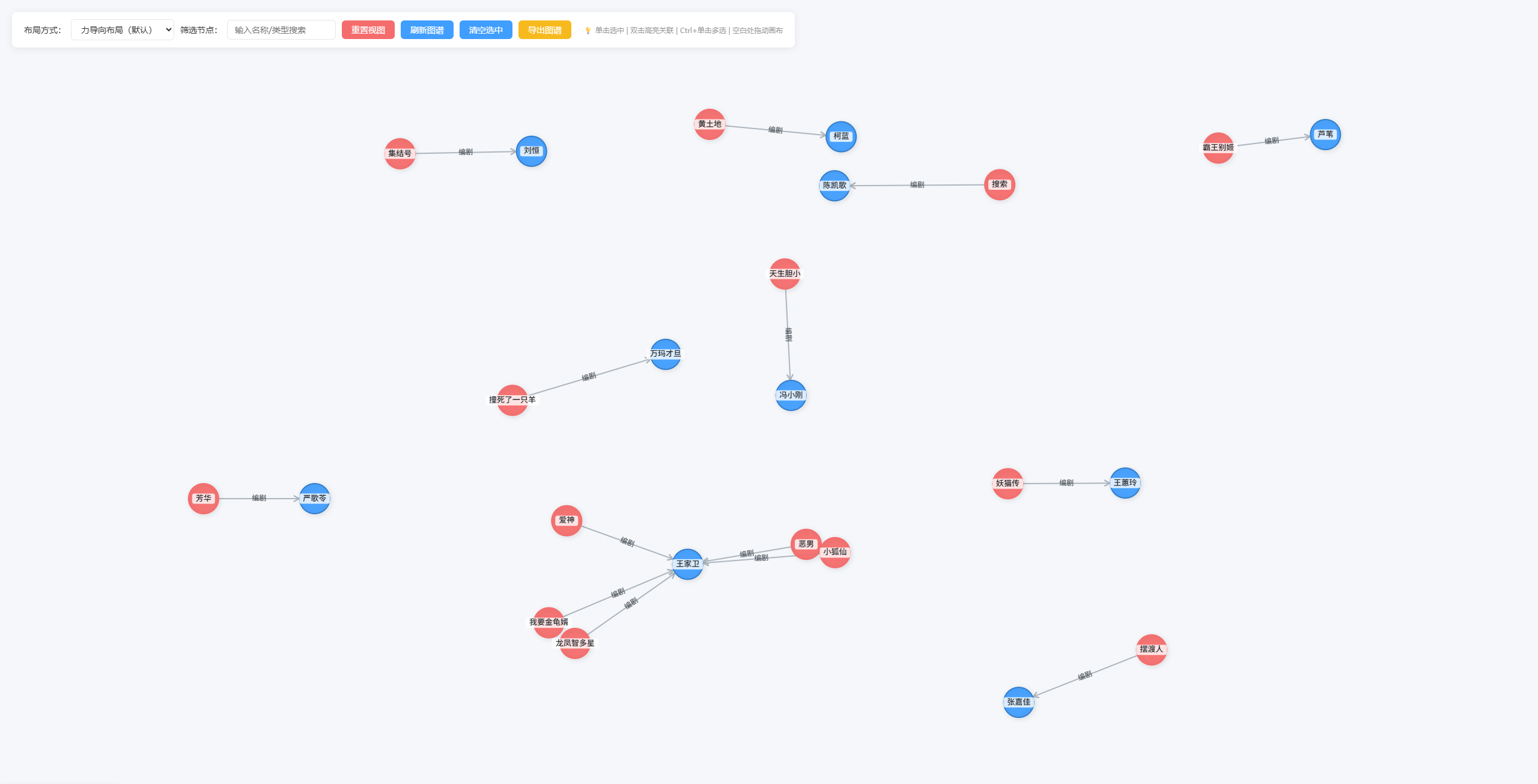
</html>3、图谱数据渲染效果
具有拖拽、高亮等功能。