一、环境准备
1.1 服务器基础信息确认
操作系统:UOS Server 20 (1070a)
服务器IP:
- 192.169.188.85
- 192.169.188.86
- 192.169.188.87
1.2 端口规划(3主3从,其实由redis自己分配,一般不是一主一从在同一台机器上)
| 服务器IP | 主节点端口 | 从节点端口 | 角色分配(不确定) |
|---|---|---|---|
| 192.169.188.85 | 6371 | 6372 | 主1 + 从2 |
| 192.169.188.86 | 6373 | 6374 | 主2 + 从3 |
| 192.169.188.87 | 6375 | 6376 | 主3 + 从1 |
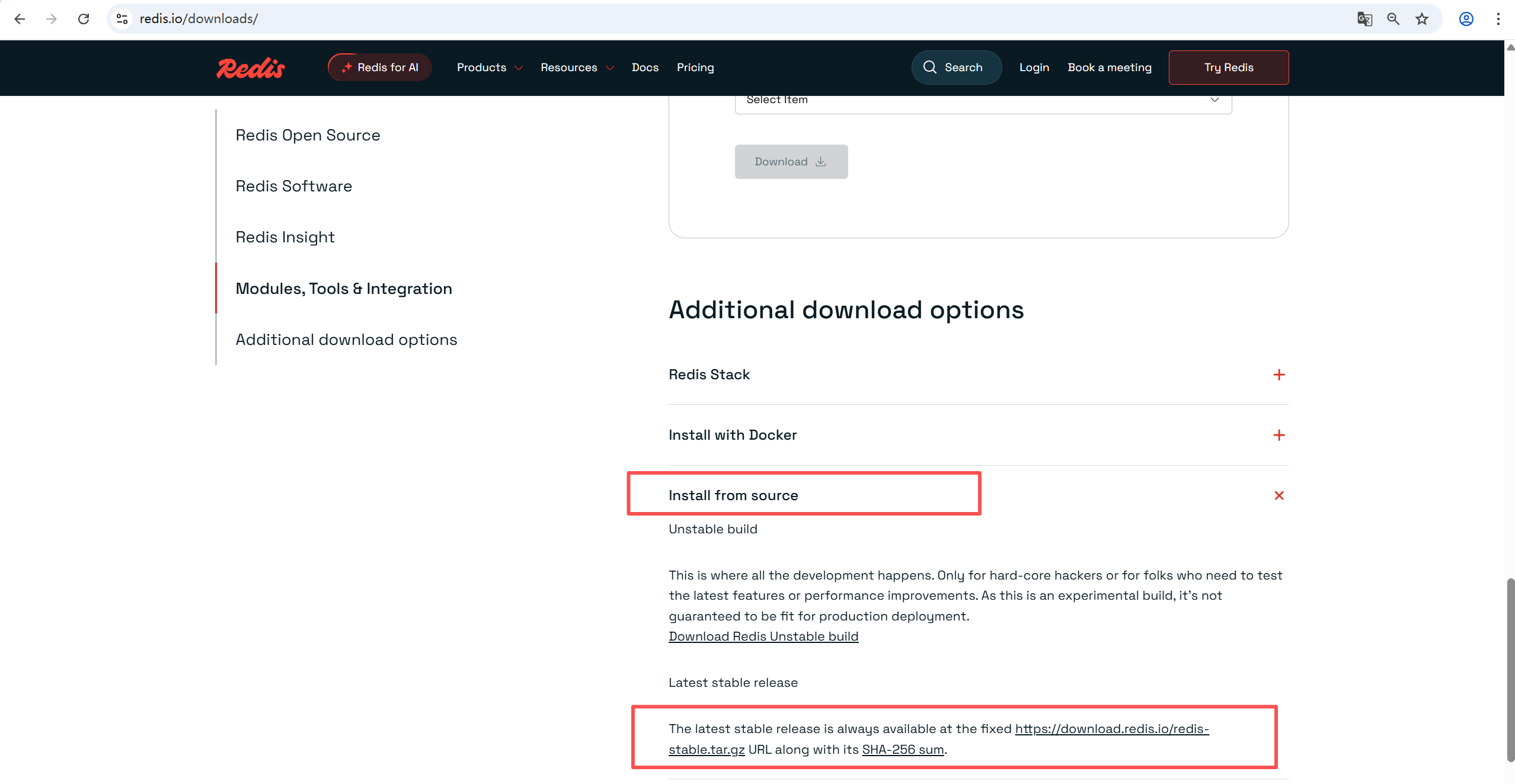
1.3 下载redis源码
二、安装Redis(所有节点执行)
2.1 安装编译依赖(使用yum)
bash
# 安装依赖
yum install -y gcc make
2.2 编译Redis最新版本
bash
# 创建/data目录
mkdir -p /data/redis
chmod 755 /data/redis

# 解压
tar xzf redis-stable.tar.gz
cd redis-stable

# 编译安装
make
make install PREFIX=/data/redis

# 验证安装
/data/redis/bin/redis-server --version
/data/redis/bin/redis-cli --version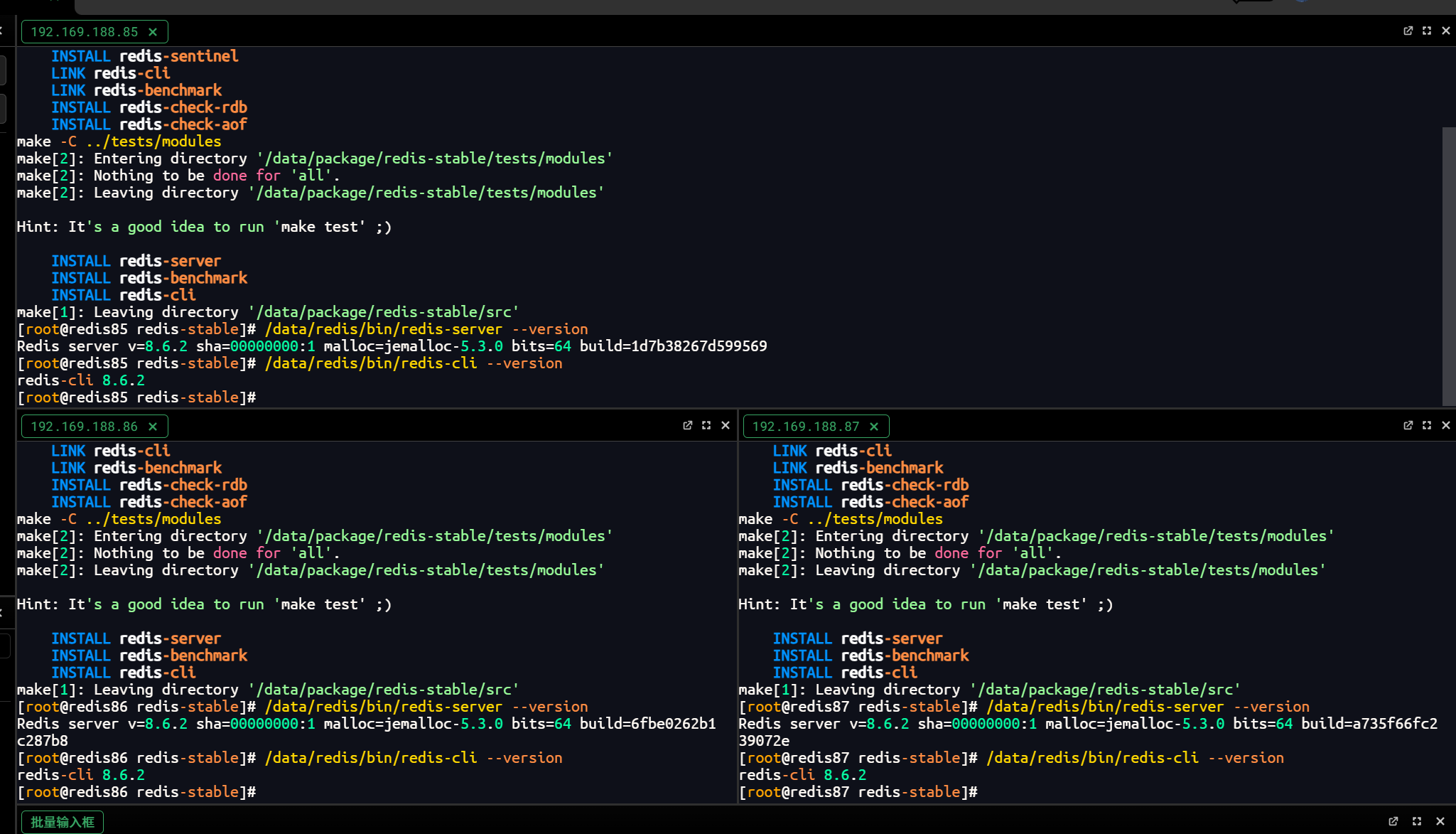
2.3 创建集群目录结构(所有节点执行)
bash
mkdir -p /data/redis/cluster

# 85节点
if [ "$(hostname -I | awk '{print $1}')" = "192.169.188.85" ]; then
    mkdir -p /data/redis/cluster/6371 /data/redis/cluster/6372
fi

# 86节点
if [ "$(hostname -I | awk '{print $1}')" = "192.169.188.86" ]; then
   mkdir -p /data/redis/cluster/6373 /data/redis/cluster/6374
fi

# 87节点
if [ "$(hostname -I | awk '{print $1}')" = "192.169.188.87" ]; then
    mkdir -p /data/redis/cluster/6375 /data/redis/cluster/6376
fi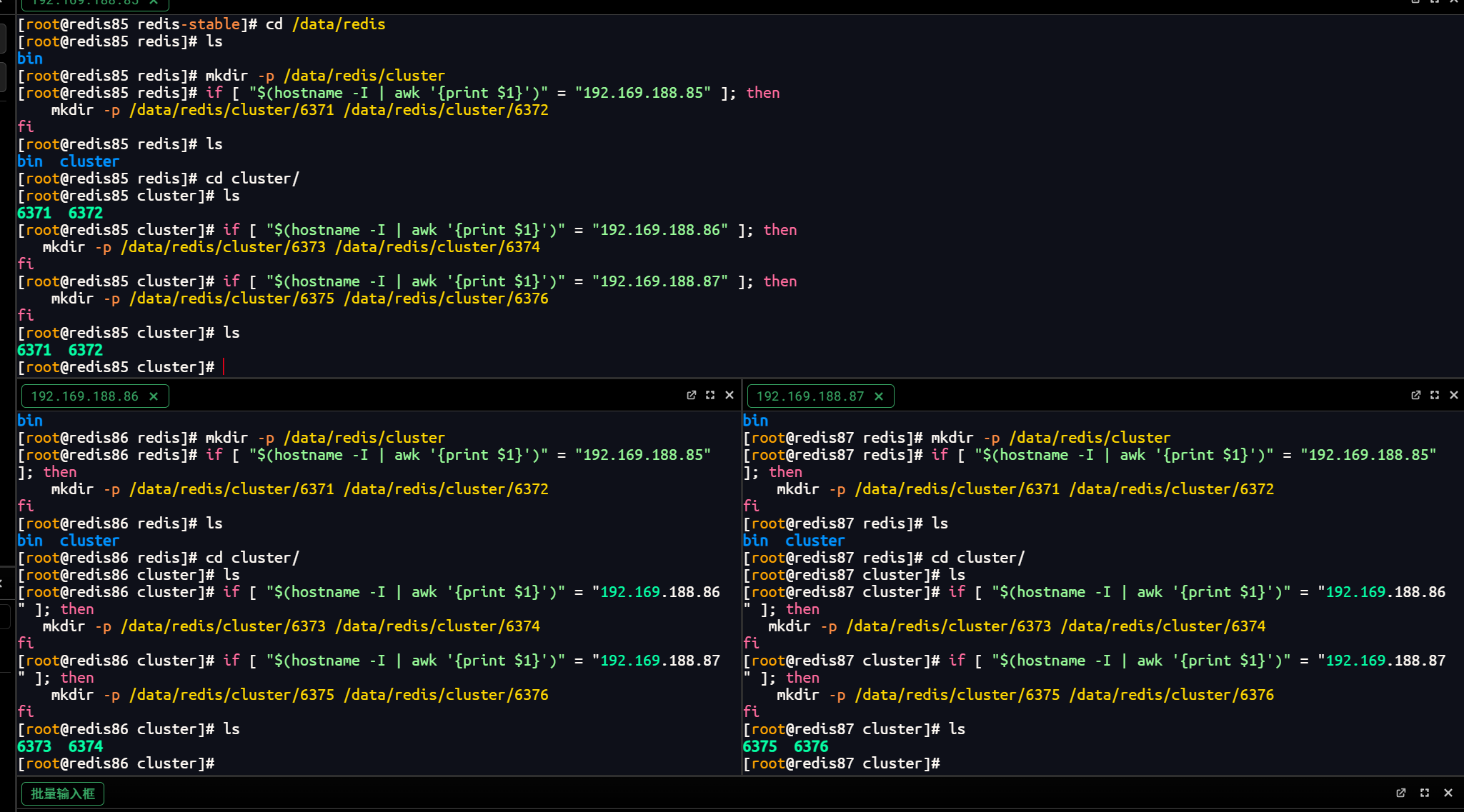
三、配置文件准备
3.1 通用配置模板(每个节点)
在源码包里面,找到默认的配置文件 redis.conf ,去掉注释,方便配置
bash
sed -e '/^[[:space:]]*#/d' -e '/^[[:space:]]*$/d' redis.conf >redis.conf.template移动至目录
bash
/data/redis/cluster/修改或添加如下配置
bash
# /data/redis/cluster/redis.conf.template

# 网络配置
port %port%
bind 0.0.0.0
protected-mode no

# 基础配置
daemonize yes
pidfile /var/run/redis_%port%.pid
logfile "/data/redis/cluster/%port%/redis.log"
dir "/data/redis/cluster/%port%"

# 集群配置
cluster-enabled yes
cluster-config-file nodes-%port%.conf
cluster-node-timeout 15000

# 安全配置-设置密码
requirepass "YourStrongPassword123!"
masterauth "YourStrongPassword123!"

# 持久化配置开启AOF
appendonly yes
appendfilename "appendonly.aof"
appendfsync everysec
3.2 为每个节点生成具体配置
bash
# 85节点
cd /data/redis/cluster/
cp redis.conf.template 6371/redis.conf
sed -i 's/%port%/6371/g' 6371/redis.conf

# 85节点
cp redis.conf.template 6372/redis.conf
sed -i 's/%port%/6372/g' 6372/redis.conf

# 86节点
cp redis.conf.template 6373/redis.conf
sed -i 's/%port%/6373/g' 6373/redis.conf

# 86节点
cp redis.conf.template 6374/redis.conf
sed -i 's/%port%/6374/g' 6374/redis.conf

# 87节点
cp redis.conf.template 6375/redis.conf
sed -i 's/%port%/6375/g' 6375/redis.conf

# 87节点
cp redis.conf.template 6376/redis.conf
sed -i 's/%port%/6376/g' 6376/redis.conf
四、启动Redis节点
4.1 创建启动脚本
bash
vim /data/redis/cluster/start_redis_nodes.sh
bash
#!/bin/bash

# 根据当前IP确定需要启动的节点
CURRENT_IP=$(hostname -I | awk '{print $1}')
NODES=()

case $CURRENT_IP in
    "192.169.188.85")
        NODES=("6371" "6372")
        ;;
    "192.169.188.86")
        NODES=("6373" "6374")
        ;;
    "192.169.188.87")
        NODES=("6375" "6376")
        ;;
    *)
        echo "Unknown IP: $CURRENT_IP"
        exit 1
        ;;
esac

echo "启动 Redis 节点  $CURRENT_IP: ${NODES[@]}"

for port in "${NODES[@]}"; do
    echo "Starting Redis node on port $port..."
    /data/redis/bin/redis-server /data/redis/cluster/$port/redis.conf
    sleep 2

    # 检查是否启动成功
    if ps -ef | grep "redis-server .*:$port" | grep -v grep > /dev/null; then
        echo "Redis node $port started successfully"
    else
        echo "Failed to start Redis node $port"
        exit 1
    fi
done

echo "所有Redis节点成功启动!"
4.2 执行启动脚本
bash
cd /data/redis/cluster/
chmod +x start_redis_nodes.sh
./start_redis_nodes.sh
4.3 验证节点状态
bash
# 检查进程
ps -ef | grep redis-server

# 检查端口
netstat -tlnp | grep redis

# 检查日志
tail -f /data/redis/cluster/6371/redis.log
五、创建Redis Cluster
5.1 在任意一个节点上执行集群创建命令
bash
/data/redis/bin/redis-cli -a "YourStrongPassword123!" --cluster create \
192.169.188.85:6371 192.169.188.85:6372 \
192.169.188.86:6373 192.169.188.86:6374 \
192.169.188.87:6375 192.169.188.87:6376 \
--cluster-replicas 1
5.2 确认集群创建(输入yes)
bash
Can I set the above configuration? (type 'yes' to accept):六、验证集群状态
6.1 检查集群信息
bash
/data/redis/bin/redis-cli -p 6371 -a "YourStrongPassword123!" cluster info
/data/redis/bin/redis-cli -p 6371 -a "YourStrongPassword123!" cluster nodes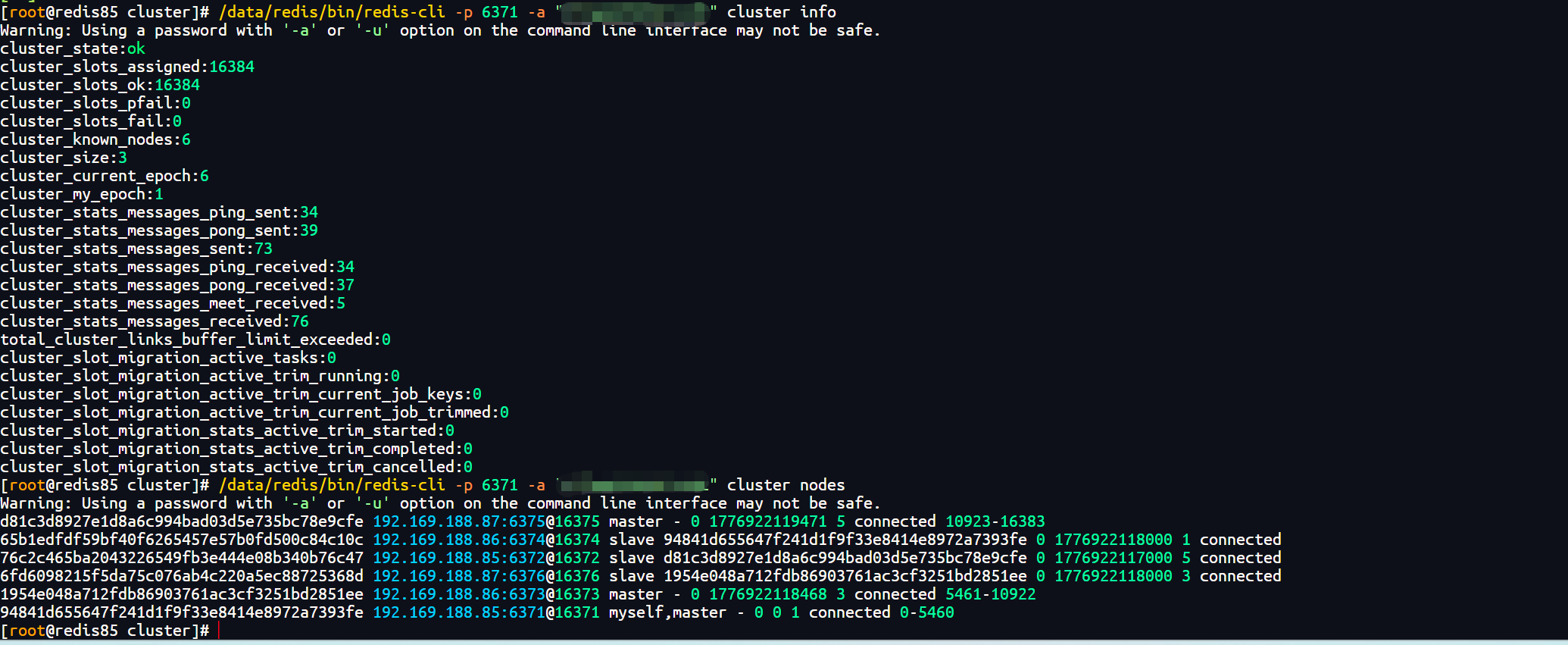
6.2 验证主从关系
bash
# 检查主节点
#85
/data/redis/bin/redis-cli -p 6371 -a "YourStrongPassword123!" info replication
#86
/data/redis/bin/redis-cli -p 6373 -a "YourStrongPassword123!" info replication
#87
/data/redis/bin/redis-cli -p 6375 -a "YourStrongPassword123!" info replication

# 检查从节点
#85
/data/redis/bin/redis-cli -p 6372 -a "YourStrongPassword123!" info replication
#86
/data/redis/bin/redis-cli -p 6374 -a "YourStrongPassword123!" info replication
#87
/data/redis/bin/redis-cli -p 6376 -a "YourStrongPassword123!" info replication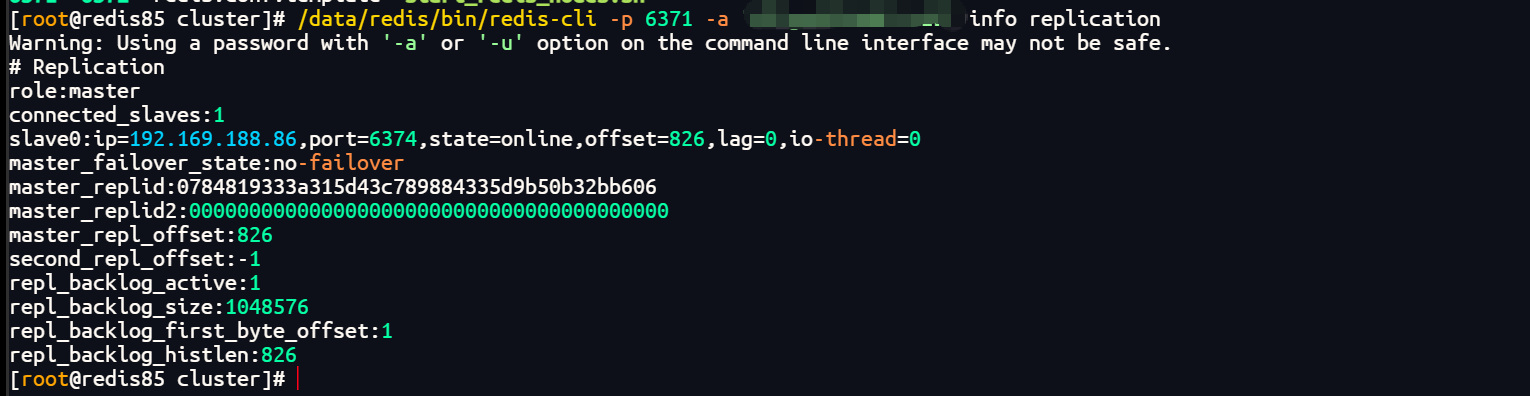
6.3 测试集群写入
bash
/data/redis/bin/redis-cli -c -p 6371 -a "YourStrongPassword123!"
> set test_key "Hello Redis Cluster"
> get test_key
> cluster keyslot test_key