昇腾Ascend环境微调部署Qwen3(LlamaFactory+vLLM-Ascend)
环境介绍:
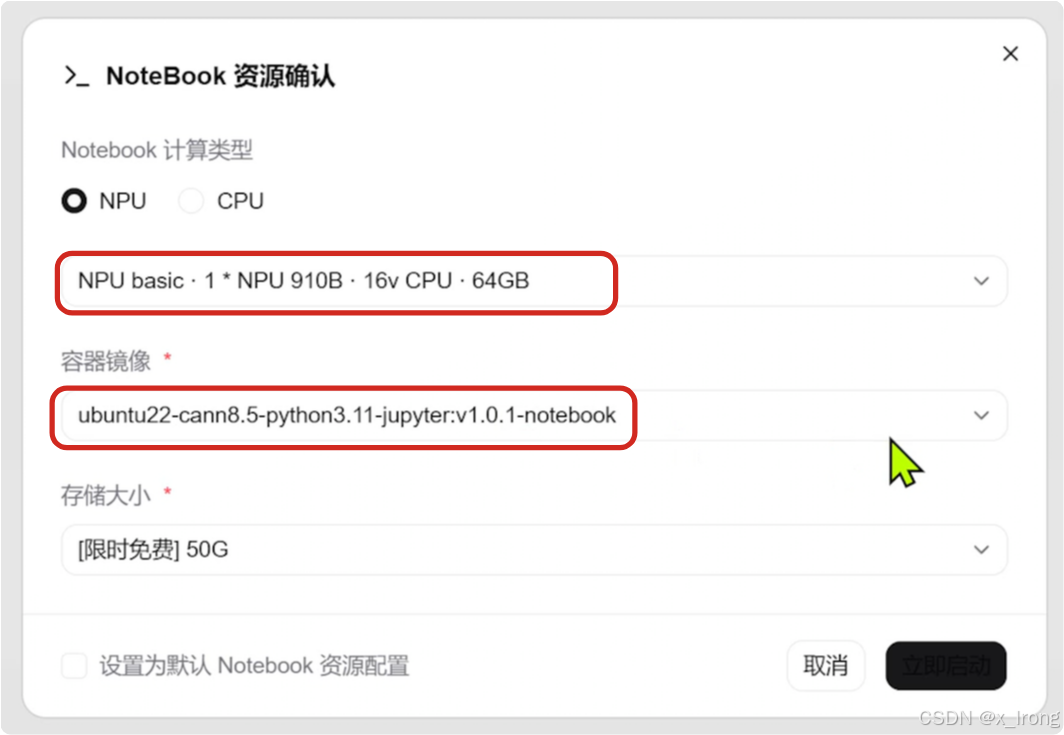
实例:NPU basic · 1 * NPU 910B · 16v CPU · 64GB
容器镜像:ubuntu22-cann8.5-python3.11-jupyter:v1.0.1-notebook
模型:千问3-0.6B
数据集:helloworld0/Brain_teasers、identity
LlamaFactory:v0.9.5.dev0
vLLM-Ascend:v0.13.0
1. 准备环境
1.1 启动Notebook实例
1.2 创建模型存放路径和虚拟环境
mkdir models
python -m venv ~/llamafactory_env
python -m venv ~/vllm_env
2. 拉取模型
2.1 切换modelscope虚拟环境
source modelscope_env/bin/activate2.2 拉取模型
pip install modelscope
modelscope download --model Qwen/Qwen3-0.6B --local_dir ~/models/Qwen/Qwen3-0.6B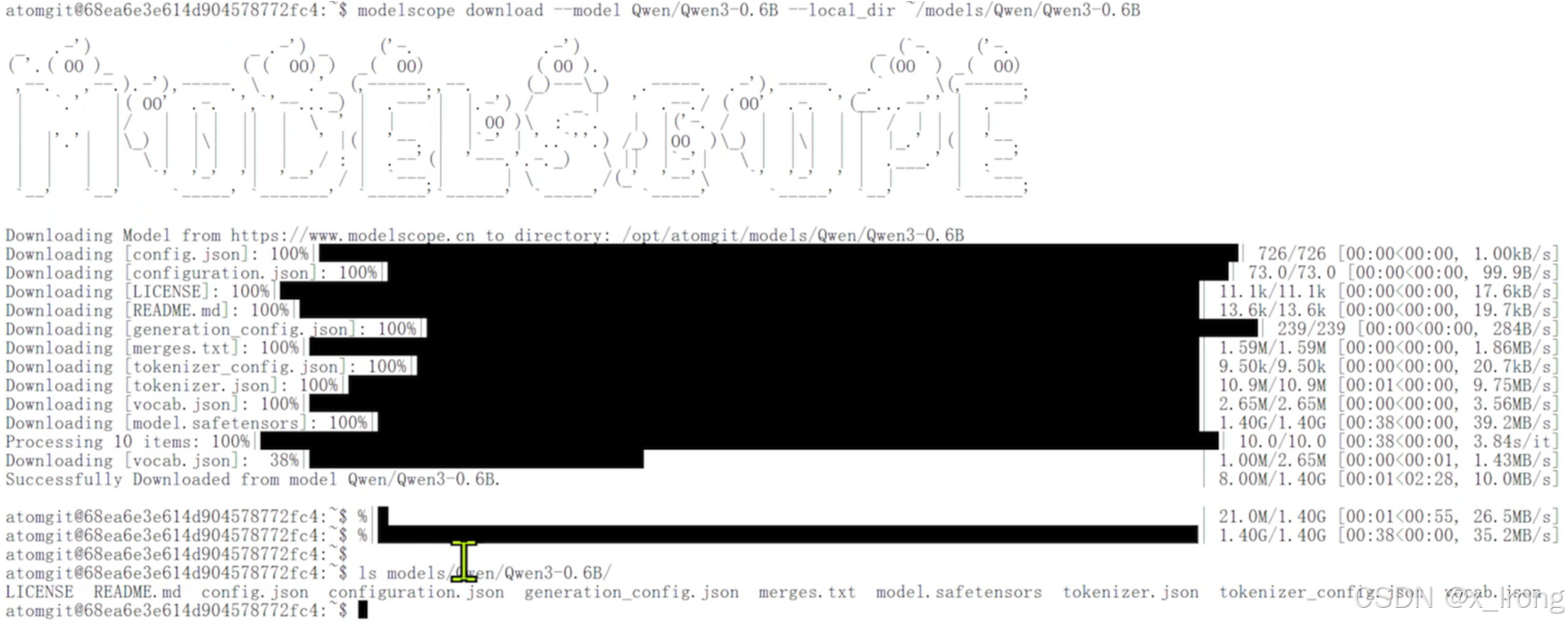
3. LlamaFactory微调模型
3.1 微调任务
3.1.1 拉取仓库
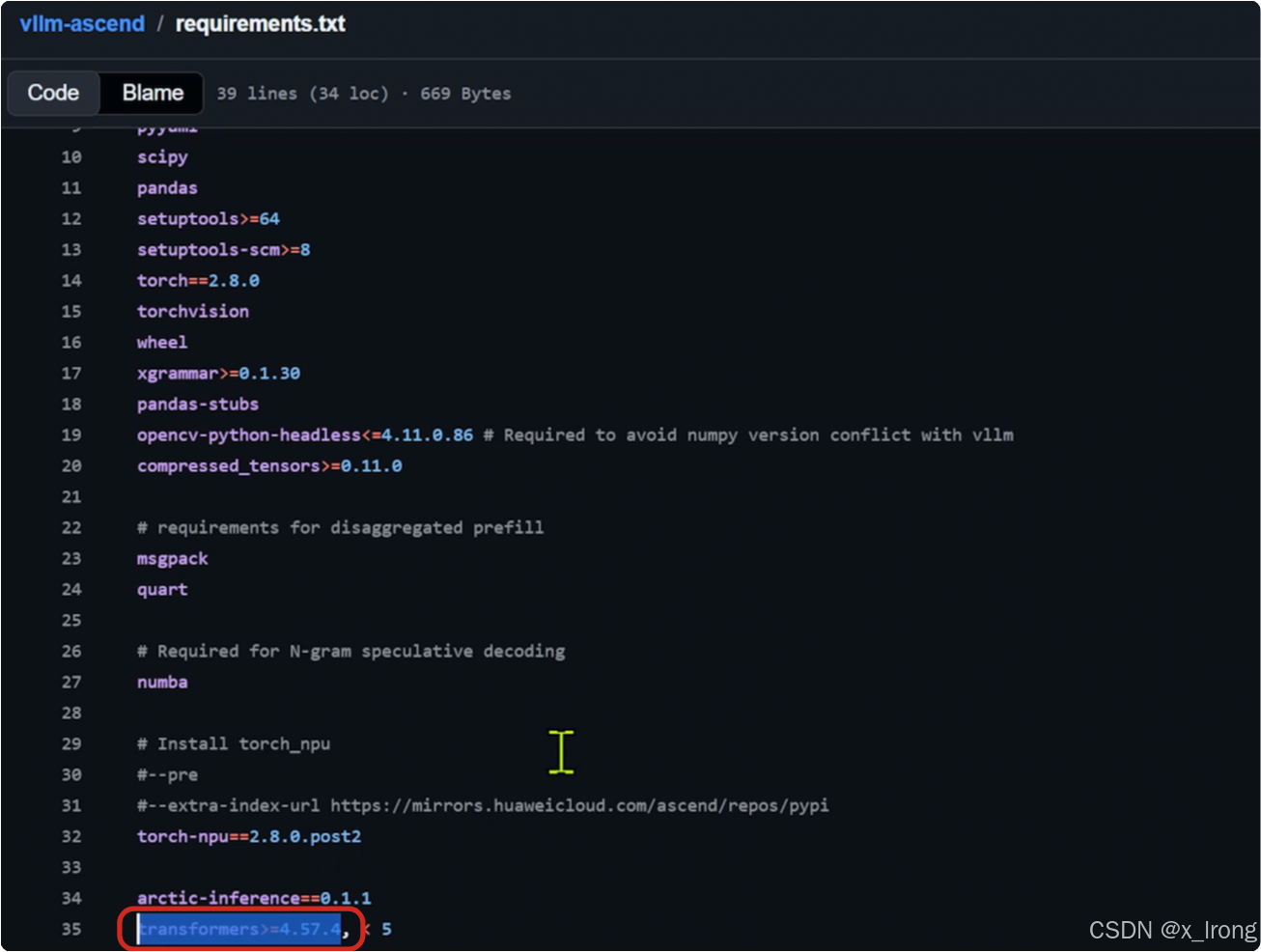
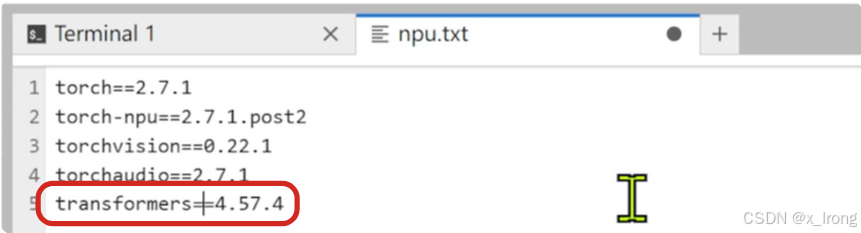
git clone https://github.com/hiyouga/LlamaFactory.git3.1.2 修改 requirements/npu.txt 文件(这一步主要是要 llamafactory 和 vllm-ascend 的 transformers 版本一致,注意需要提前确认两边支持同一版本的 transformers )
llama-factory测:
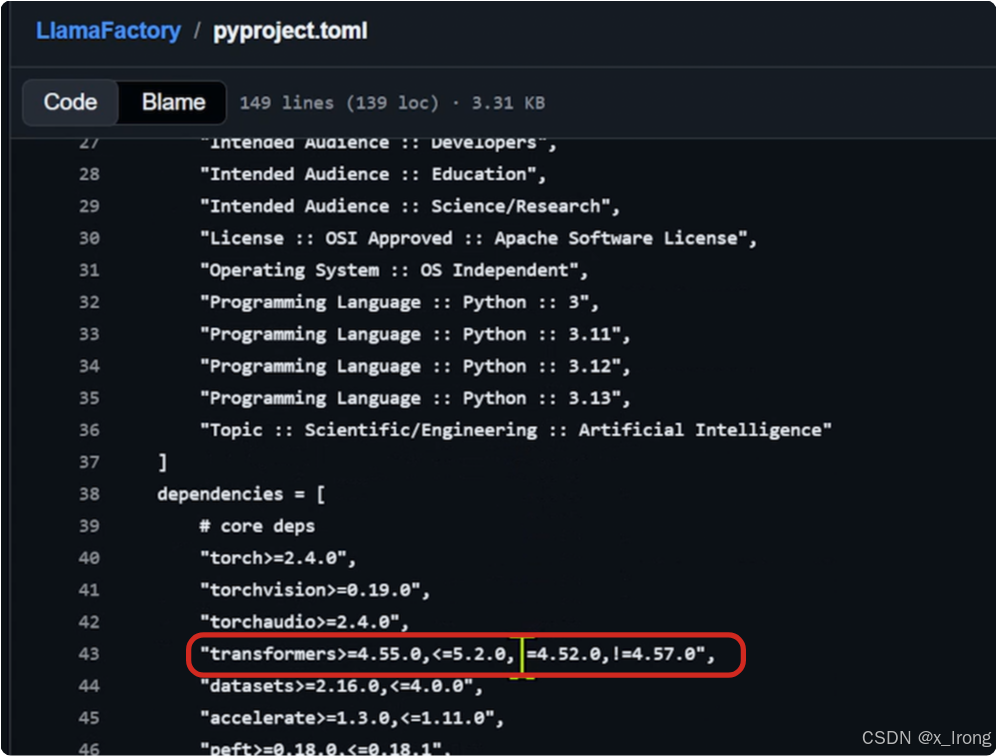
vllm-ascend测:
cd LlamaFactory
vim npu.txt
末尾加上 transformers==4.57.4
3.1.3 配置镜像加速
pip config set global.index-url https://pypi.tuna.tsinghua.edu.cn/simple/
3.1.4 安装依赖项
pip install -e .
pip install -r requirements/metrics.txt
pip install -r requirements/npu.txt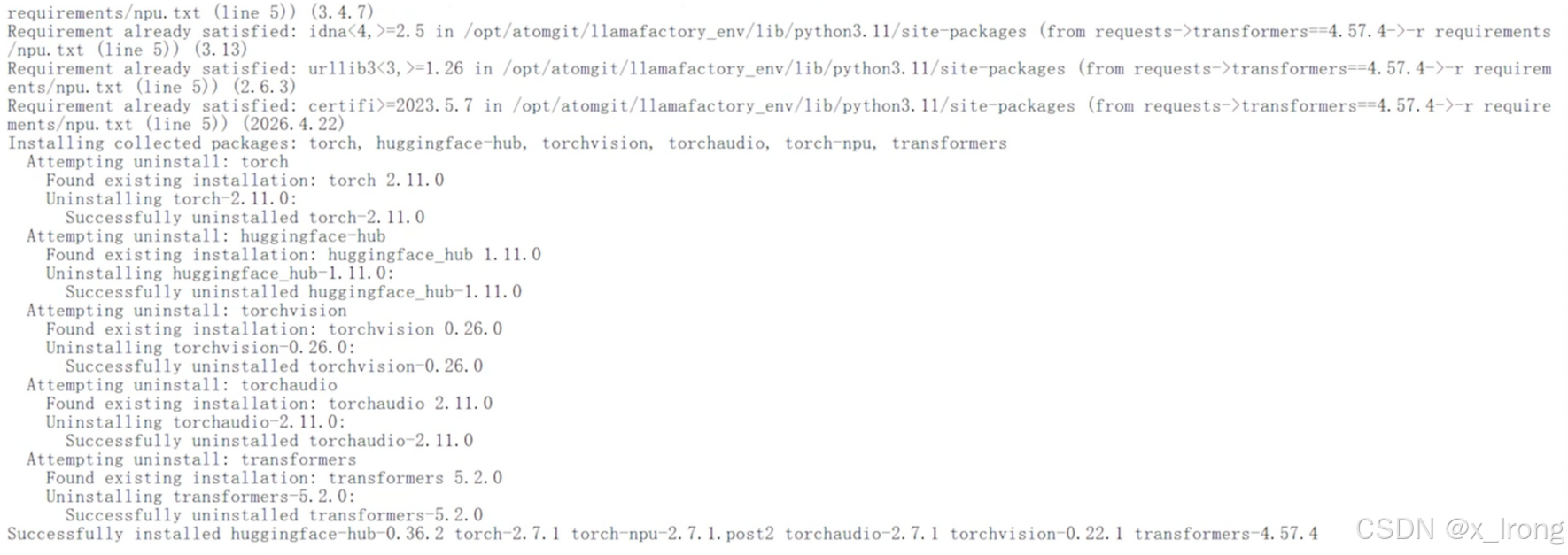
验证 LlamaFactory 安装情况
llamafactory-cli env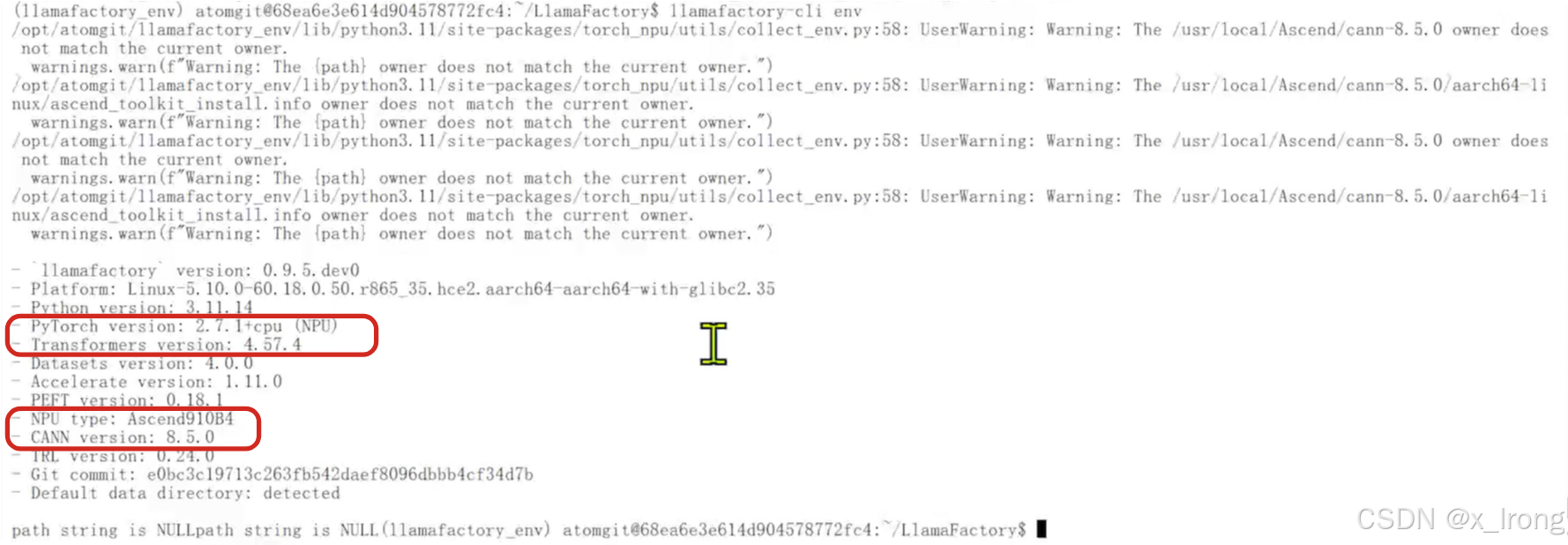
llamafactory-cli version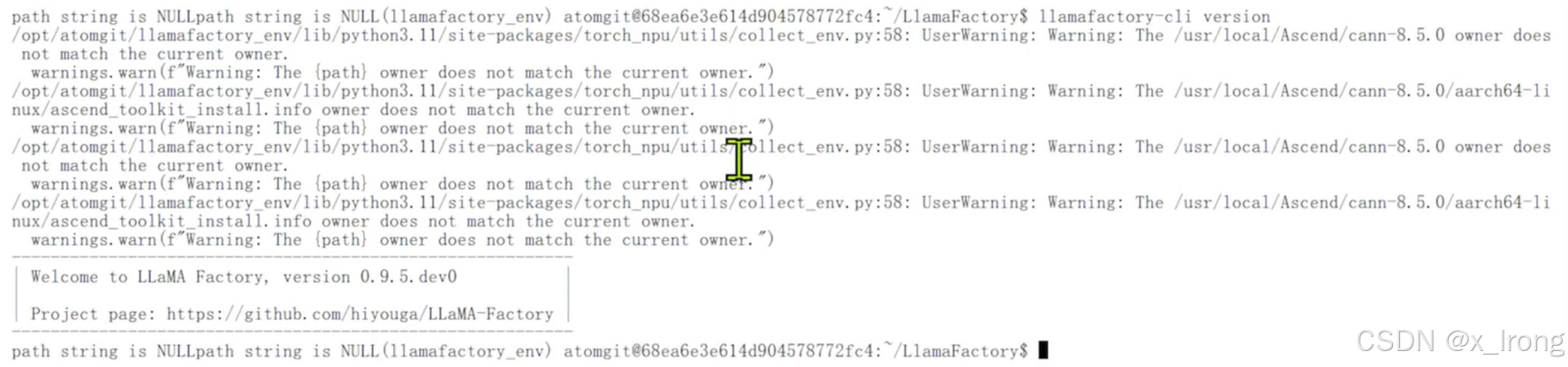
3.1.5 获取数据集
cd
cd LlamaFactory/data
modelscope download --dataset helloworld0/Brain_teasers data.json --local_dir ./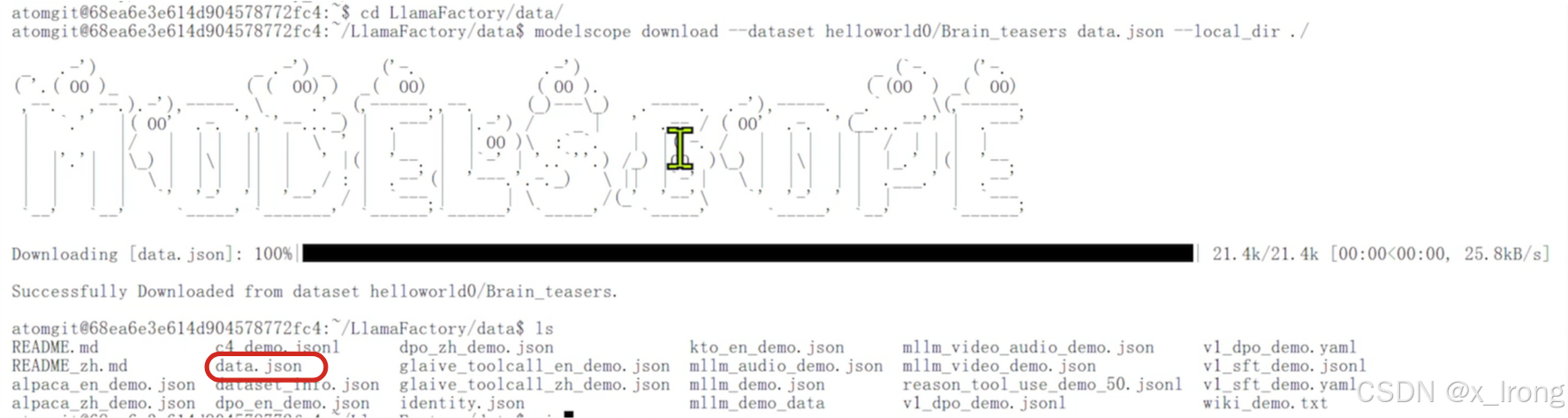
调整数据集格式,数据集最前和最后加上 [] 括号
vim data.json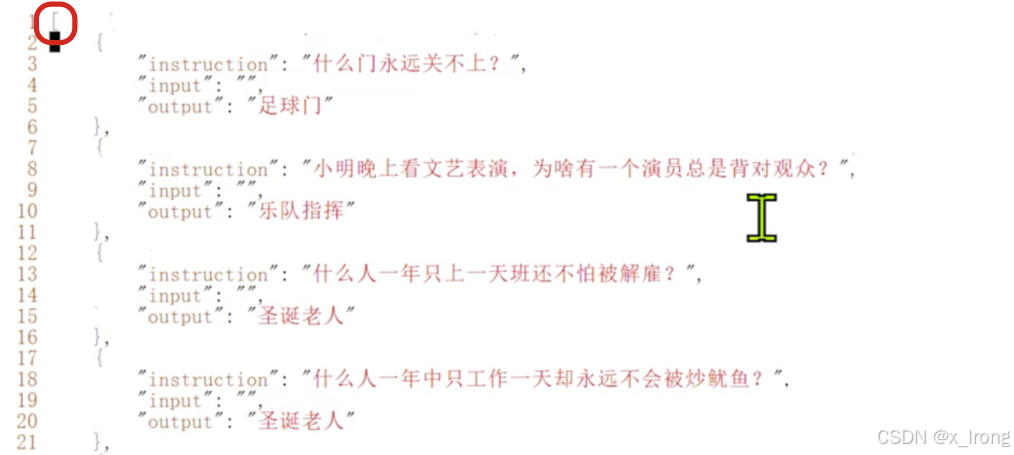
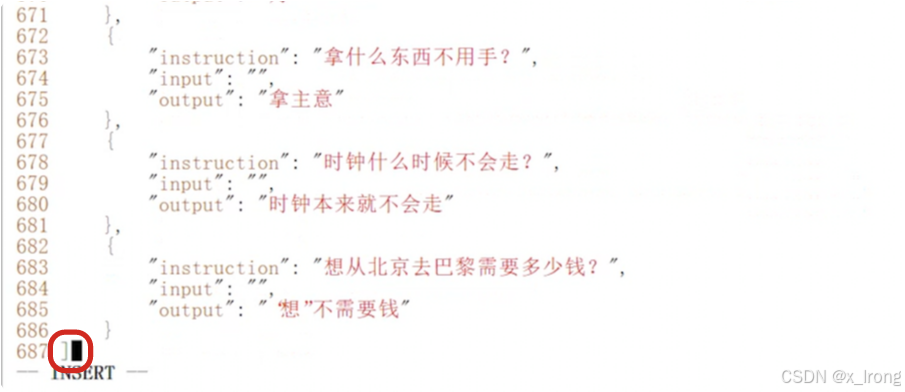
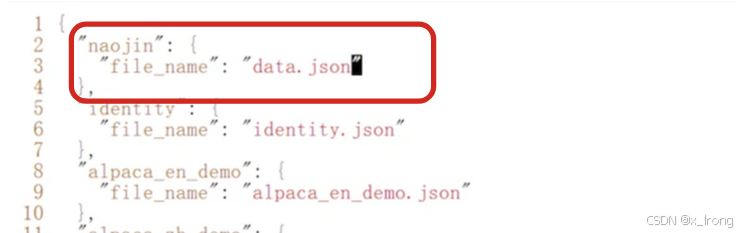
修改 dataset_info.json 文件
vim dataset_info.json注册新数据集
"naojin": {
  "file_name": "data.json"
},
3.1.6 准备训练脚本
mkdir my_yaml
mkdir my_yaml/train_lora
cp examples/train_lora/qwen3_lora_sft.yaml my_yaml/train_lora/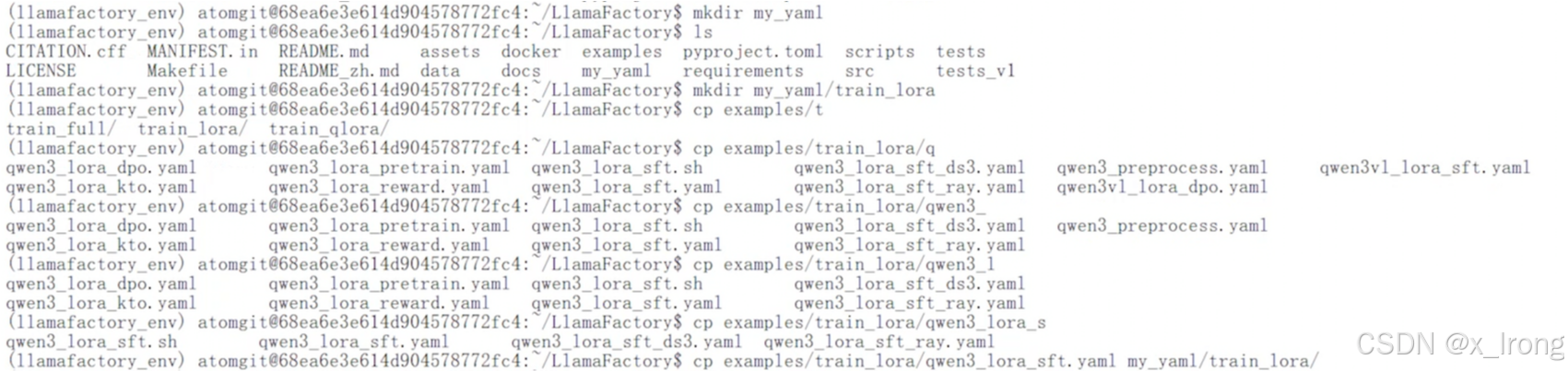
修改脚本,修改以下内容
model_name_or_path: /opt/atomgit/models/Qwen/Qwen3-0.6B

dataset: identity,naojin

output_dir: saves/Qwen/Qwen3-0.6B/lora/sft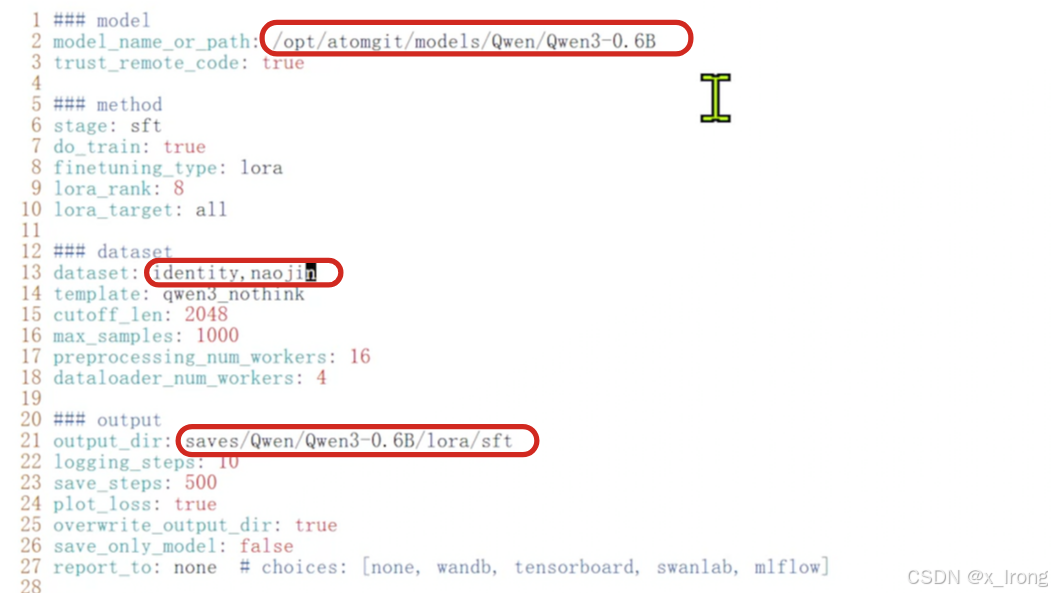
3.1.7 开始微调
llamafactory-cli train my_yaml/train_lora/qwen3_lora_sft.yaml
训练过程中看下NPU利用率
npu-smi info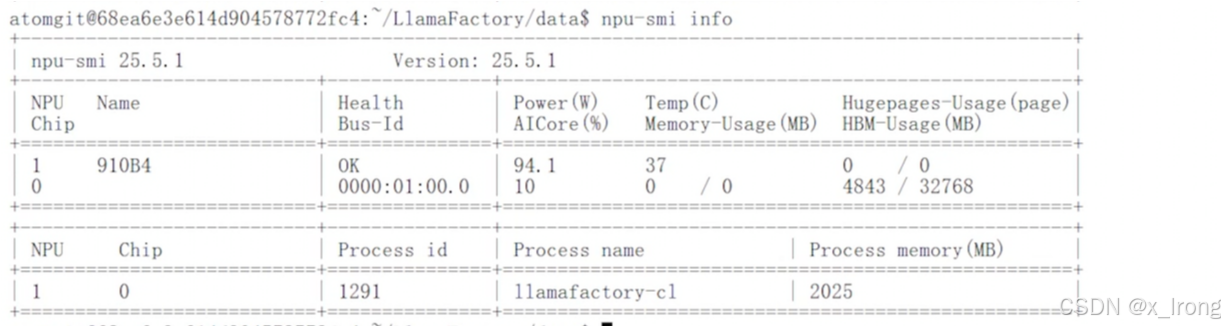
训练结束
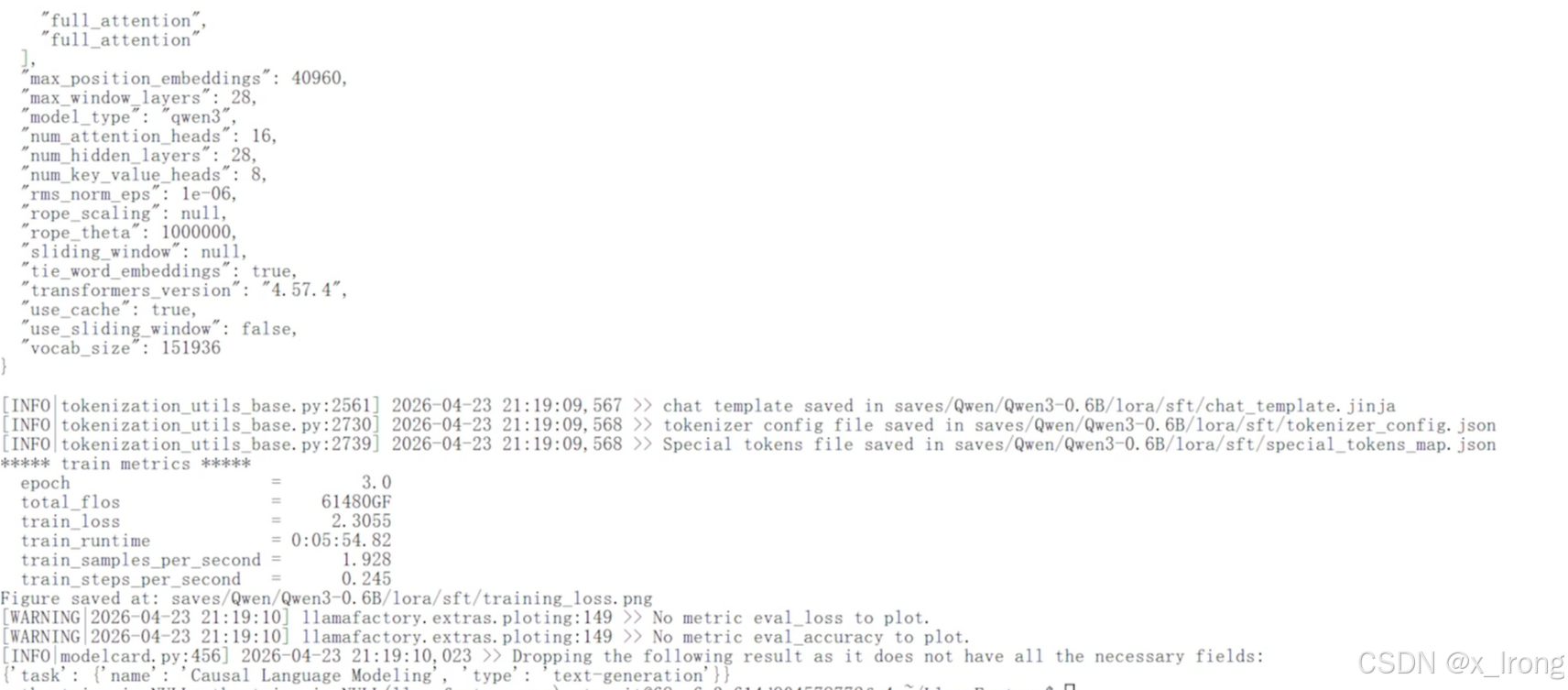
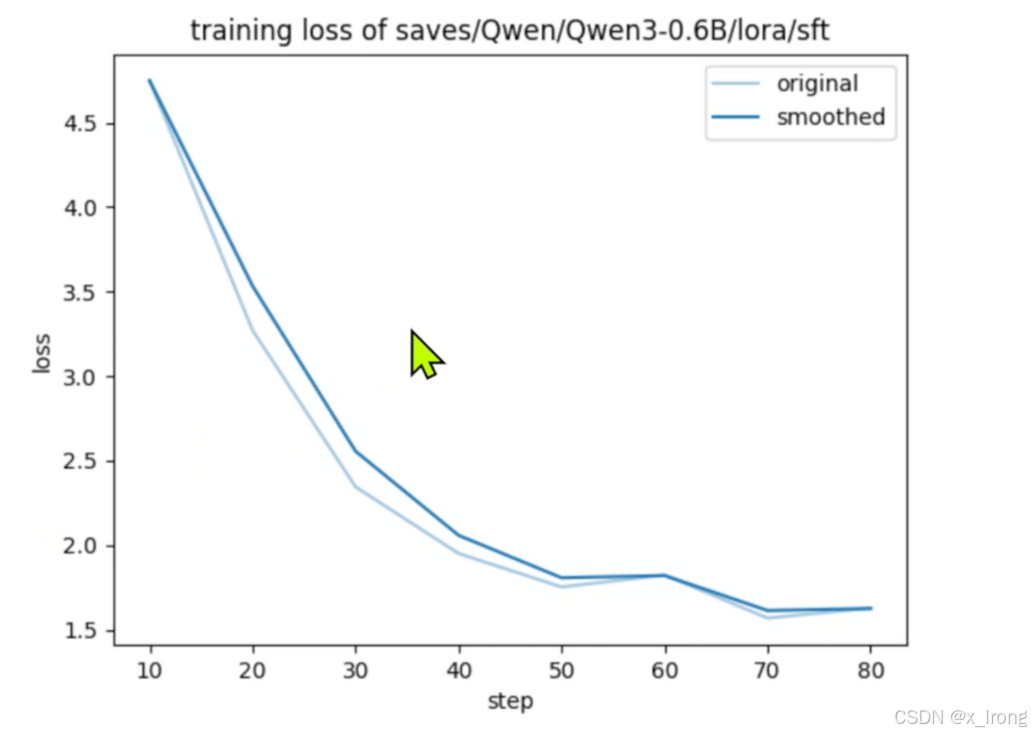
3.1.8 查看训练loss,路径: /opt/atomgit/LlamaFactory/saves/Qwen/Qwen3-0.6B/lora/sft/training_loss.png
3.2 合并模型
3.2.1 准备合并配置文件
cd ~/LlamaFactory

mkdir my_yaml/merge_lora

cp examples/merge_lora/qwen3_lora_sft.yaml my_yaml/merge_lora/
vim my_yaml/merge_lora/qwen3_lora_sft.yaml修改以下字段
model_name_or_path: /opt/atomgit/models/Qwen/Qwen3-0.6B

adapter_name_or_path: saves/Qwen/Qwen3-0.6B/lora/sft

export_dir: /opt/atomgit/models/Qwen/Qwen3-0.6B_sft_merged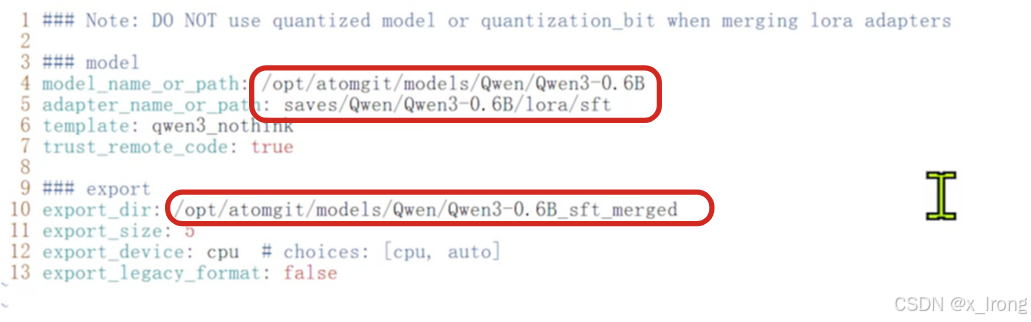
3.2.2 合并模型
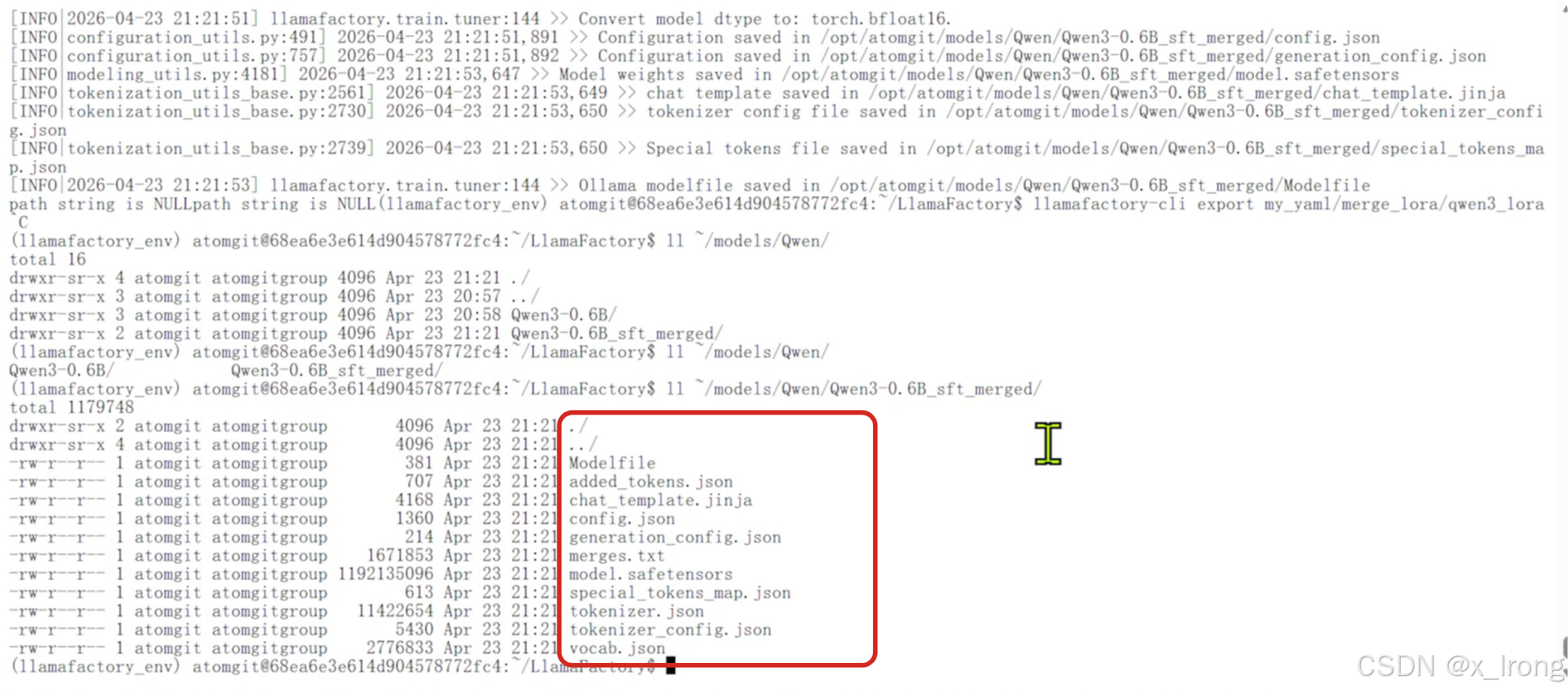
llamafactory-cli export my_yaml/merge_lora/qwen3_lora_sft.yaml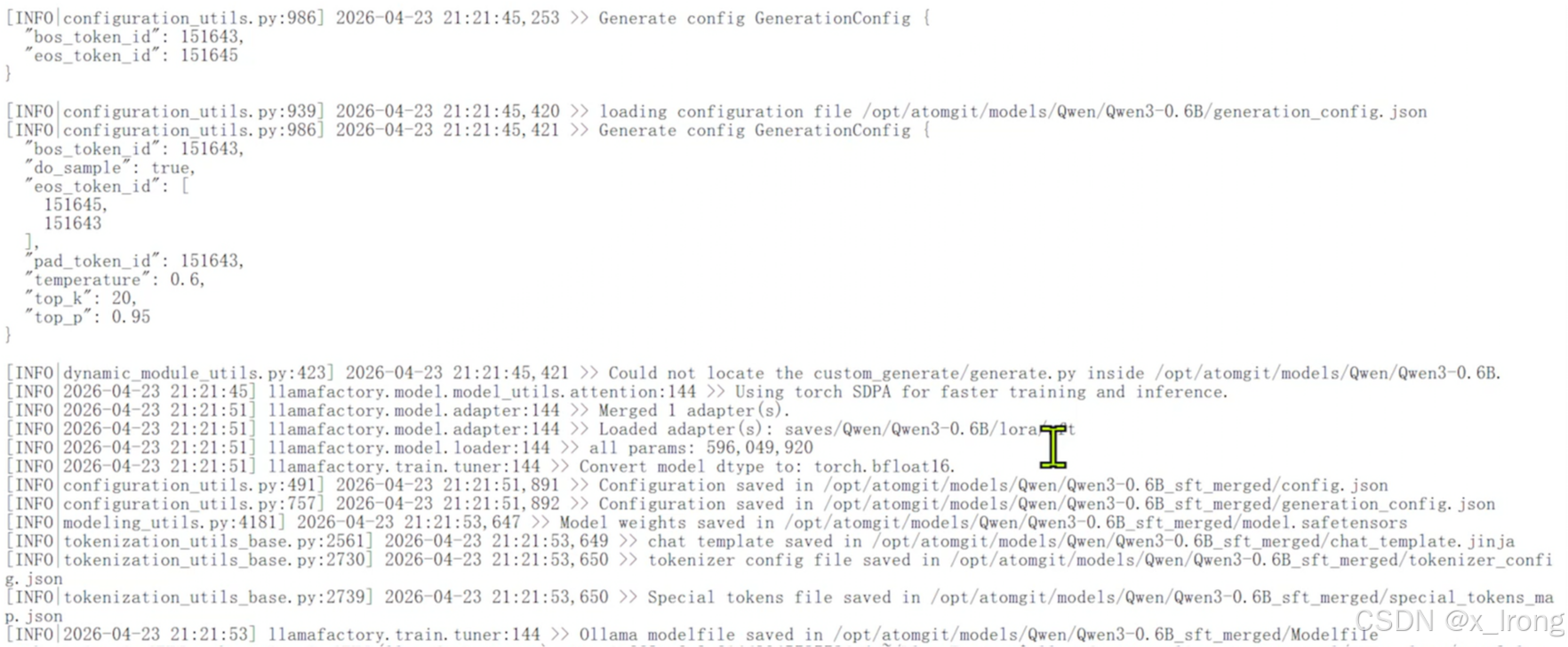
4. 部署/测试模型
4.1 切换vllm环境
cd
source vllm_env/bin/activate
4.2 安装依赖
sudo sed -i 's|ports.ubuntu.com|mirrors.tuna.tsinghua.edu.cn|g' /etc/apt/sources.list

sudo apt-get update -y && apt-get install -y gcc g++ cmake libnuma-dev wget git curl jq

pip config set global.index-url https://mirrors.tuna.tsinghua.edu.cn/pypi/web/simple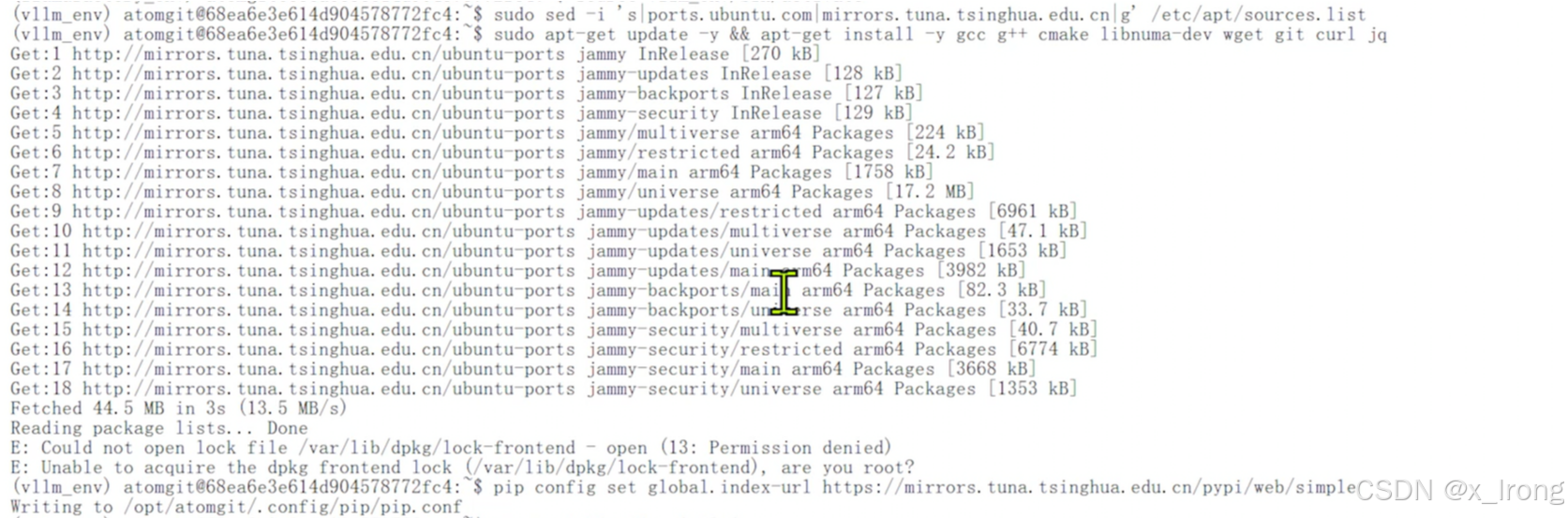
pip install vllm==0.13.0

pip install vllm-ascend==0.13.0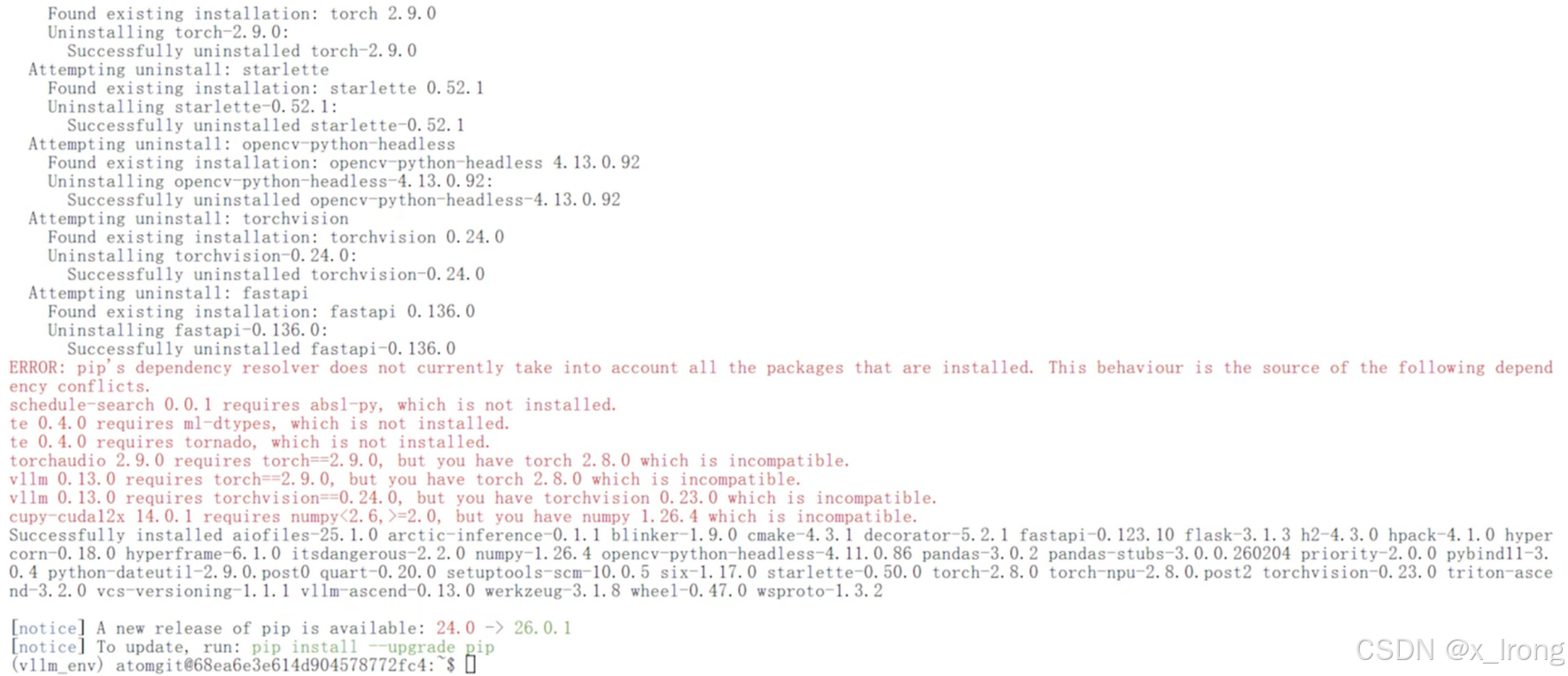
4.3 代码测试
创建文件 test.py
from vllm import LLM, SamplingParams

prompts = [
    "Hello, my name is",
    "The president of the United States is",
    "The capital of France is",
    "The future of AI is",
    "你是谁",
]

# Create a sampling params object.
sampling_params = SamplingParams(temperature=0.8, top_p=0.95)
# Create an LLM.
llm = LLM(model="Qwen/Qwen2.5-0.5B-Instruct")

# Generate texts from the prompts.
outputs = llm.generate(prompts, sampling_params)
for output in outputs:
    prompt = output.prompt
    generated_text = output.outputs[0].text
    print(f"Prompt: {prompt!r}, Generated text: {generated_text!r}")
运行代码
python
python test.py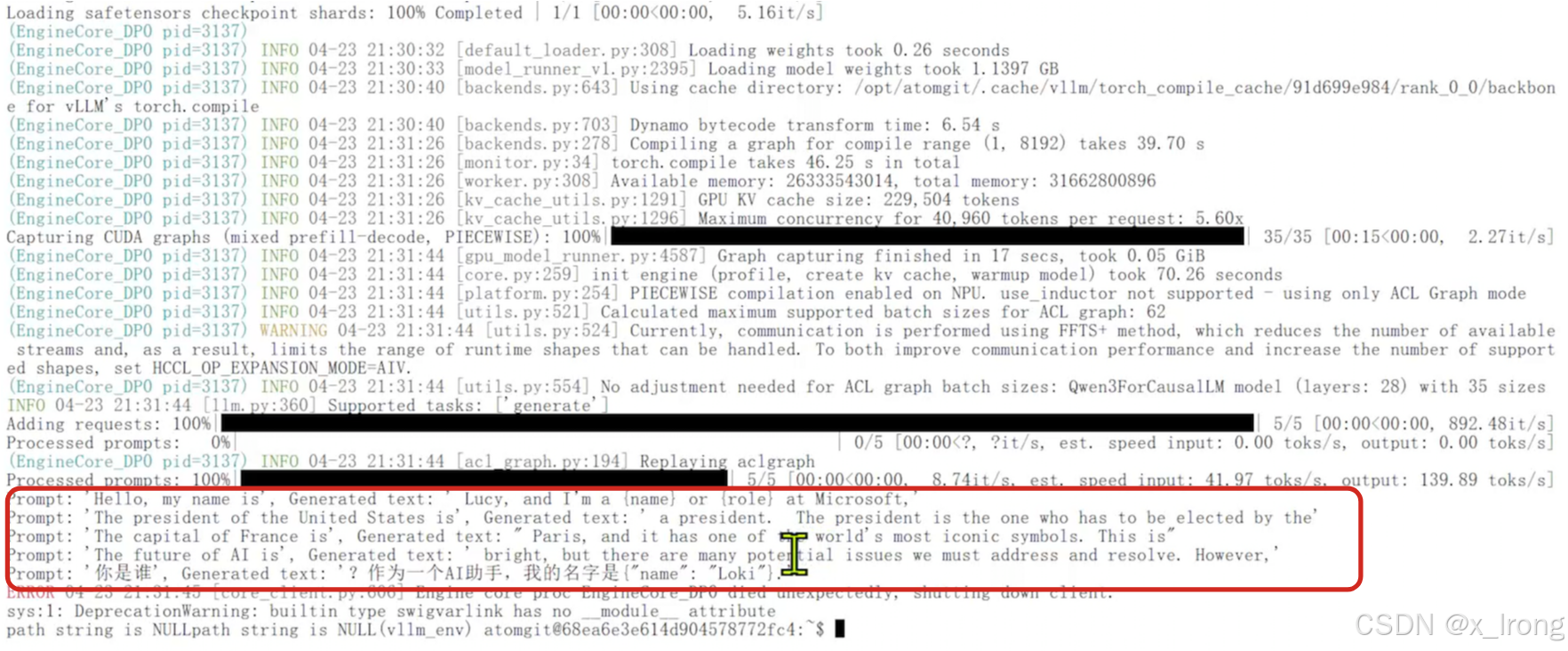
4.4 部署测试微调后模型
vllm serve /opt/atomgit/models/Qwen/Qwen3-0.6B_sft_merged \
    --host 0.0.0.0 \
    --port 8000 \
    --served-model-name Qwen3-0.6B_sft_merged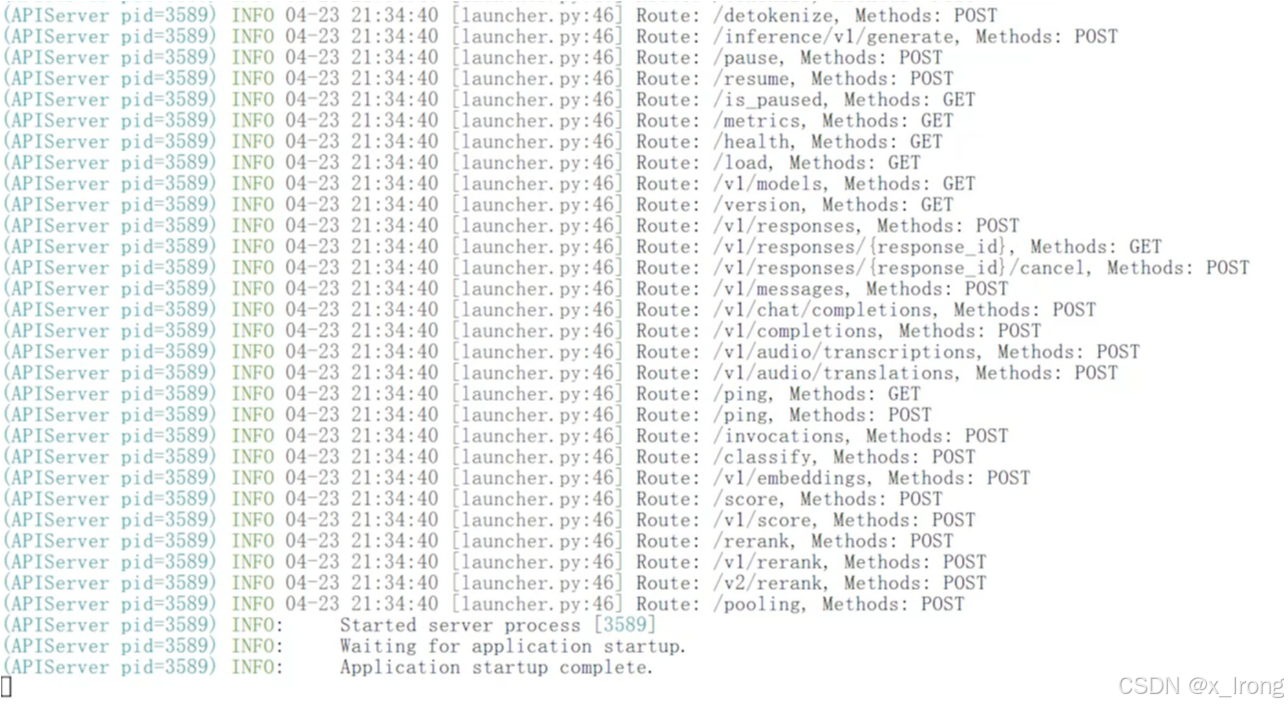
curl http://localhost:8000/v1/chat/completions -H "Content-Type: application/json" -d '{
  "model": "Qwen3-0.6B_sft_merged",
  "messages": [
    {"role": "user", "content": "你是谁?"}
  ],
  "temperature": 0.6,
  "top_p": 0.95,
  "top_k": 20,
  "max_tokens": 4096
}'
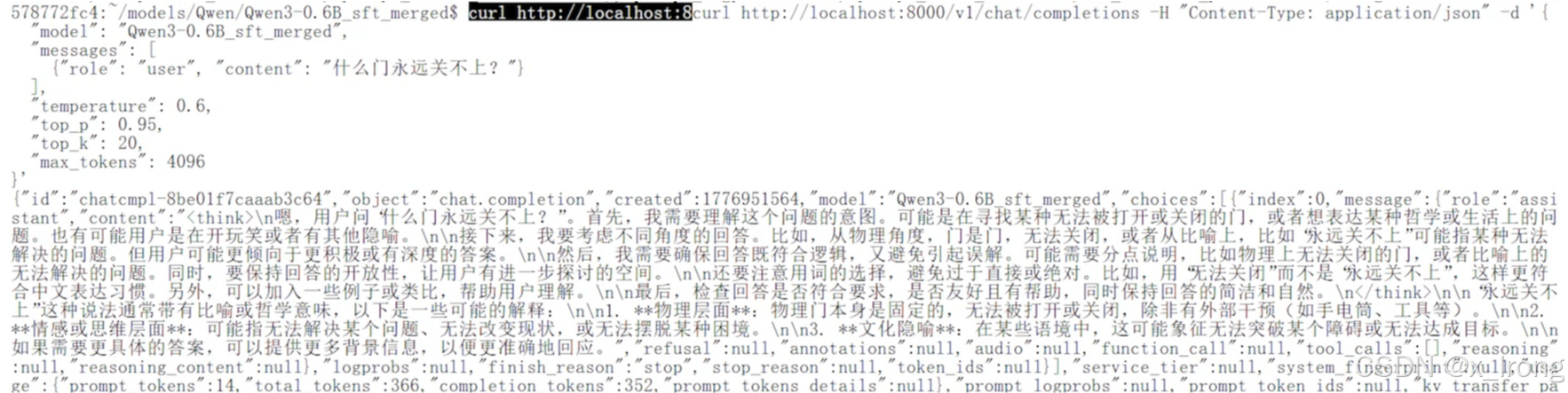
curl http://localhost:8000/v1/chat/completions -H "Content-Type: application/json" -d '{
  "model": "Qwen3-0.6B_sft_merged",
  "messages": [
    {"role": "user", "content": "什么门永远关不上?"}
  ],
  "temperature": 0.6,
  "top_p": 0.95,
  "top_k": 20,
  "max_tokens": 4096
}'
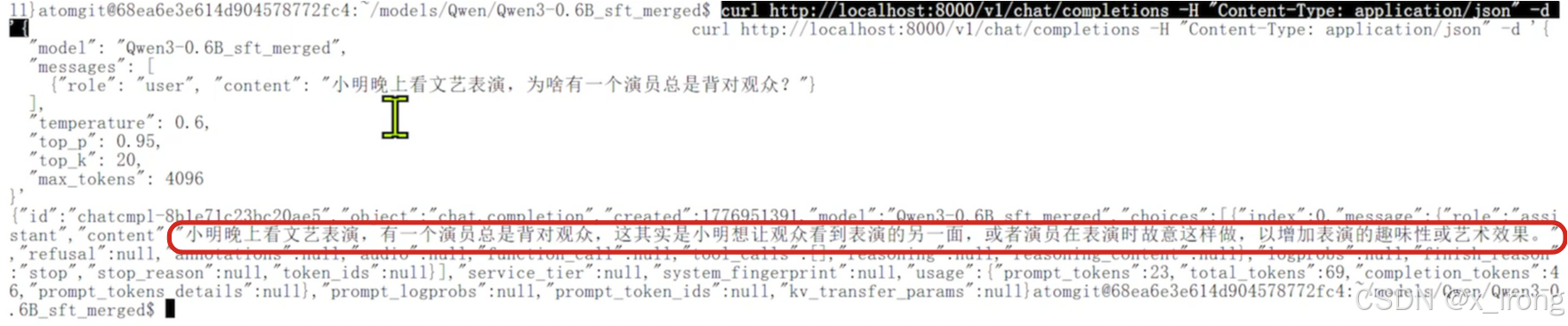
curl http://localhost:8000/v1/chat/completions -H "Content-Type: application/json" -d '{
  "model": "Qwen3-0.6B_sft_merged",
  "messages": [
    {"role": "user", "content": "小明晚上看文艺表演,为啥有一个演员总是背对观众?"}
  ],
  "temperature": 0.6,
  "top_p": 0.95,
  "top_k": 20,
  "max_tokens": 4096
}'
4.5 部署测试微调前模型做对比
vllm serve /opt/atomgit/models/Qwen/Qwen3-0.6B \
    --host 0.0.0.0 \
    --port 8000 \
    --served-model-name Qwen3-0.6B_sft_merged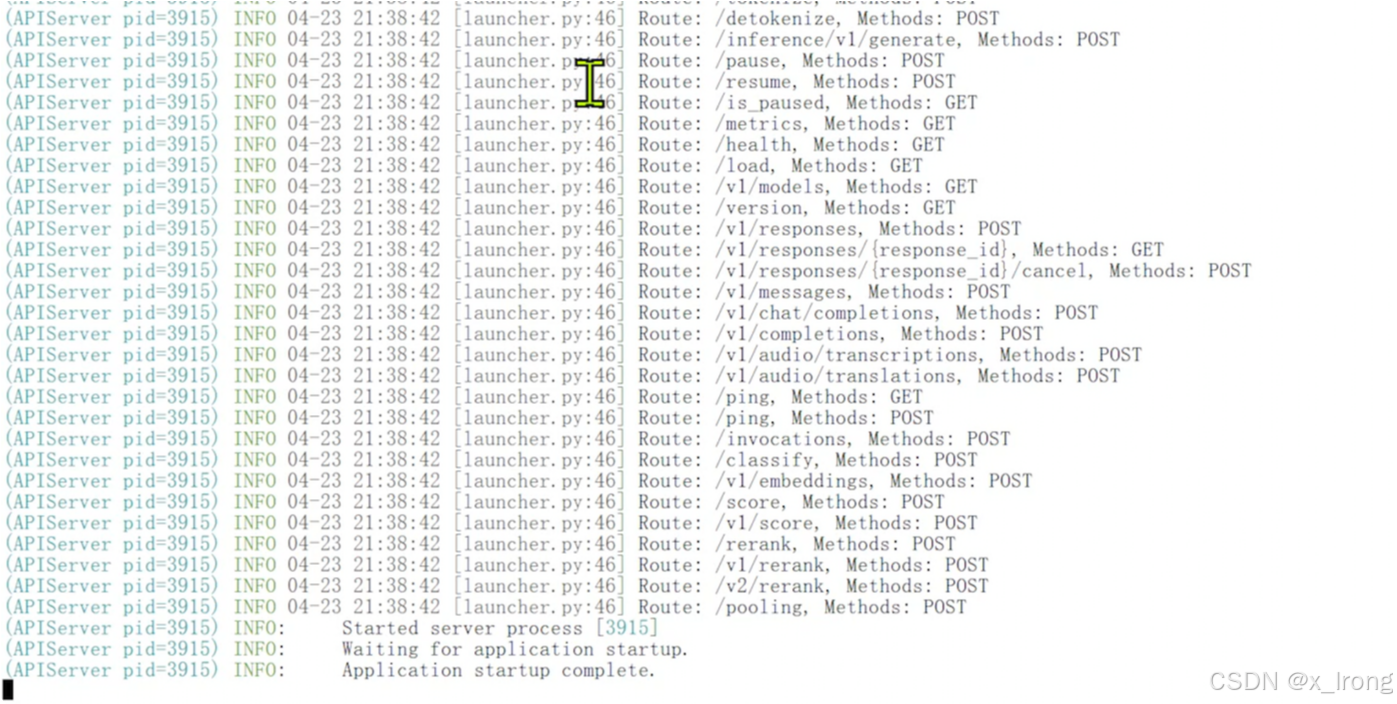
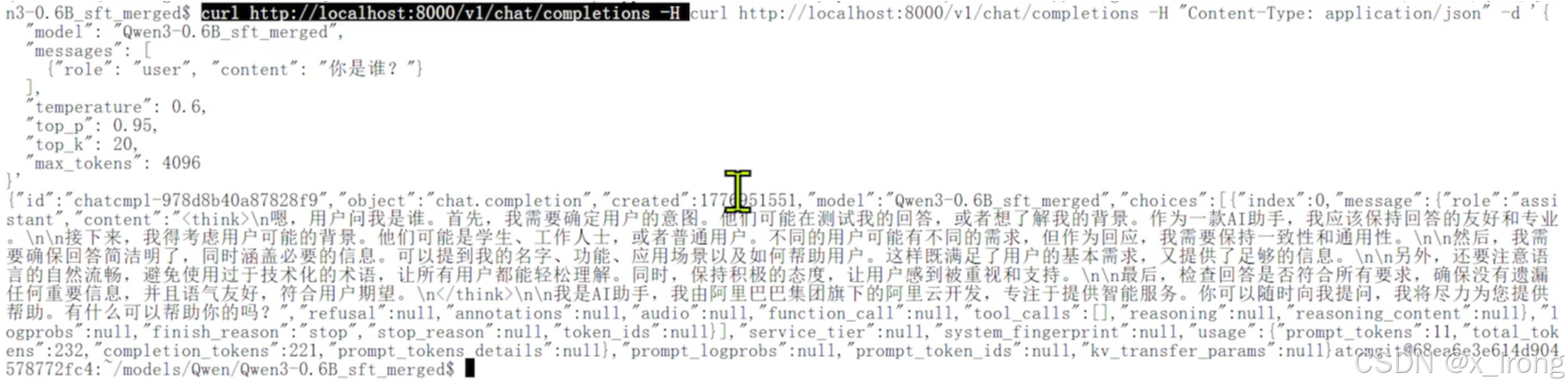
curl http://localhost:8000/v1/chat/completions -H "Content-Type: application/json" -d '{
  "model": "Qwen3-0.6B_sft_merged",
  "messages": [
    {"role": "user", "content": "你是谁?"}
  ],
  "temperature": 0.6,
  "top_p": 0.95,
  "top_k": 20,
  "max_tokens": 4096
}'
curl http://localhost:8000/v1/chat/completions -H "Content-Type: application/json" -d '{
  "model": "Qwen3-0.6B_sft_merged",
  "messages": [
    {"role": "user", "content": "什么门永远关不上?"}
  ],
  "temperature": 0.6,
  "top_p": 0.95,
  "top_k": 20,
  "max_tokens": 4096
}'