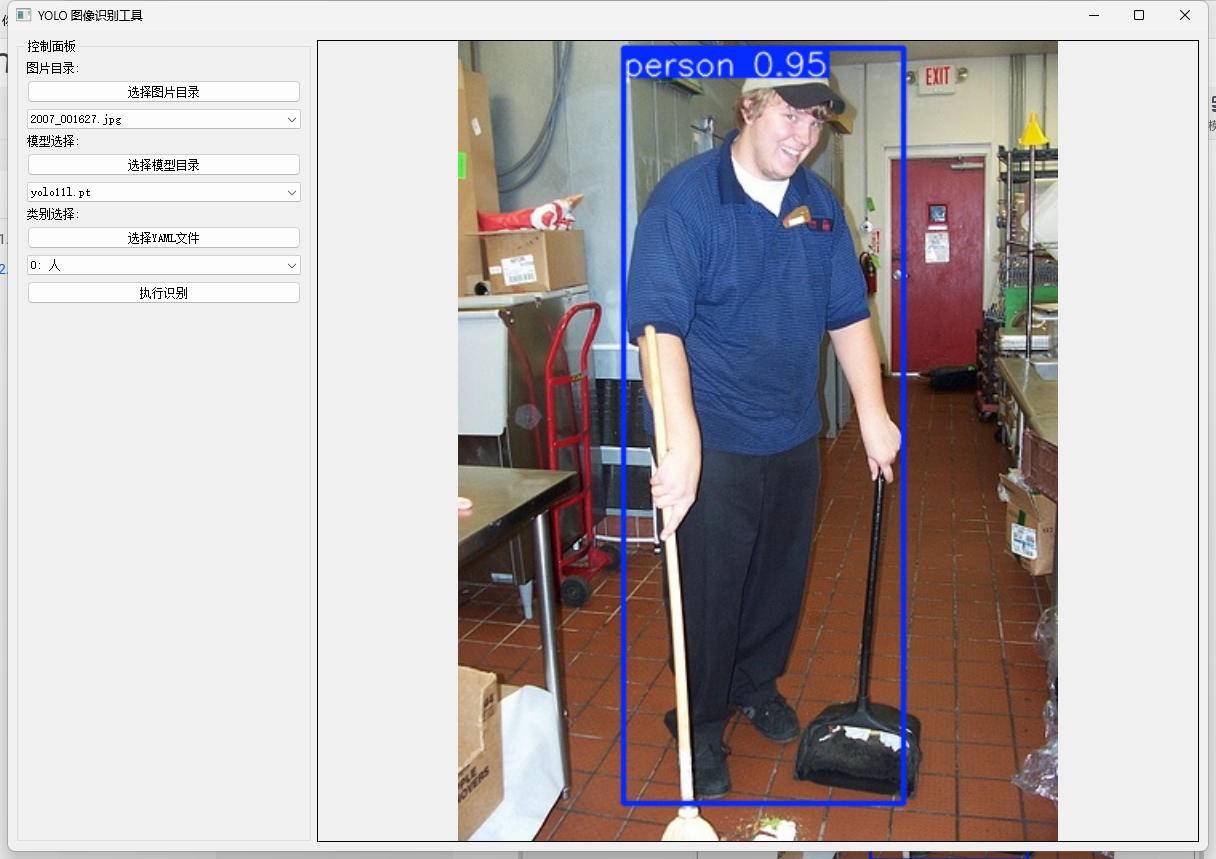
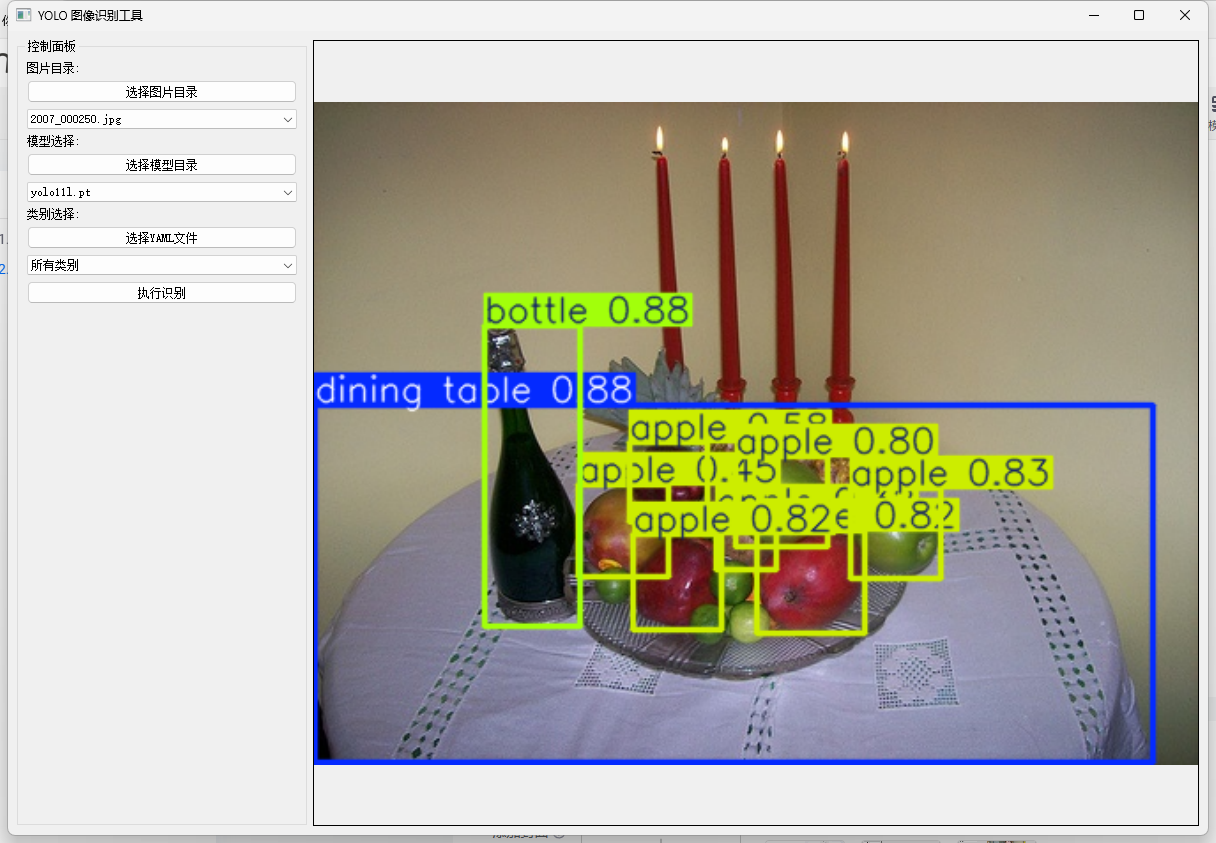
这里实现了一个python程序,用于测试模型的目标检测功能
1.测试代码
import os
import cv2
from PyQt5.QtWidgets import (QApplication, QMainWindow, QVBoxLayout, QHBoxLayout, QLabel,
                            QComboBox, QPushButton, QFileDialog, QWidget, QGroupBox)
from PyQt5.QtGui import QPixmap, QImage
from PyQt5.QtCore import Qt
from ultralytics import YOLO

class YOLOViewer(QMainWindow):
    def __init__(self):
        super().__init__()
        self.setWindowTitle("YOLO 图像识别工具")
        self.setGeometry(100, 100, 1200, 800)

        # 初始化变量
        self.image_dir = ""
        self.model_dir = ""
        self.yaml_path = ""
        self.current_image = None
        self.current_model = None
        self.classes = []

        # 创建主界面
        self.init_ui()

    def init_ui(self):
        # 主布局
        main_widget = QWidget()
        main_layout = QHBoxLayout()

        # 左侧控制面板
        control_panel = QGroupBox("控制面板")
        control_layout = QVBoxLayout()

        # 图片目录选择
        self.btn_image_dir = QPushButton("选择图片目录")
        self.btn_image_dir.clicked.connect(self.select_image_dir)
        self.combo_images = QComboBox()
        self.combo_images.currentIndexChanged.connect(self.load_image)

        # 模型选择
        self.btn_model_dir = QPushButton("选择模型目录")
        self.btn_model_dir.clicked.connect(self.select_model_dir)
        self.combo_models = QComboBox()
        self.combo_models.currentIndexChanged.connect(self.load_model)

        # YAML文件选择
        self.btn_yaml = QPushButton("选择YAML文件")
        self.btn_yaml.clicked.connect(self.select_yaml_file)
        self.combo_classes = QComboBox()
        self.combo_classes.currentIndexChanged.connect(self.update_detection)

        # 识别按钮
        self.btn_detect = QPushButton("执行识别")
        self.btn_detect.clicked.connect(self.detect_objects)

        # 添加到控制面板
        control_layout.addWidget(QLabel("图片目录:"))
        control_layout.addWidget(self.btn_image_dir)
        control_layout.addWidget(self.combo_images)

        control_layout.addWidget(QLabel("模型选择:"))
        control_layout.addWidget(self.btn_model_dir)
        control_layout.addWidget(self.combo_models)

        control_layout.addWidget(QLabel("类别选择:"))
        control_layout.addWidget(self.btn_yaml)
        control_layout.addWidget(self.combo_classes)

        control_layout.addWidget(self.btn_detect)
        control_layout.addStretch()

        control_panel.setLayout(control_layout)

        # 右侧图像显示
        self.image_label = QLabel()
        self.image_label.setAlignment(Qt.AlignCenter)
        self.image_label.setStyleSheet("border: 1px solid black;")

        # 添加布局
        main_layout.addWidget(control_panel, stretch=1)
        main_layout.addWidget(self.image_label, stretch=3)

        main_widget.setLayout(main_layout)
        self.setCentralWidget(main_widget)

    def select_image_dir(self):
        """选择图片目录"""
        self.image_dir = QFileDialog.getExistingDirectory(self, "选择图片目录")
        if self.image_dir:
            self.load_image_list()

    def load_image_list(self):
        """加载图片列表到下拉框"""
        self.combo_images.clear()
        image_files = [f for f in os.listdir(self.image_dir)
                      if f.lower().endswith(('.png', '.jpg', '.jpeg', '.bmp'))]
        self.combo_images.addItems(image_files)

    def select_model_dir(self):
        """选择模型目录"""
        self.model_dir = QFileDialog.getExistingDirectory(self, "选择模型目录")
        if self.model_dir:
            self.load_model_list()

    def load_model_list(self):
        """加载模型列表到下拉框"""
        self.combo_models.clear()
        model_files = [f for f in os.listdir(self.model_dir)
                      if f.lower().endswith('.pt')]
        self.combo_models.addItems(model_files)

    def select_yaml_file(self):
        """选择YAML文件"""
        self.yaml_path, _ = QFileDialog.getOpenFileName(self, "选择YAML文件", "", "YAML Files (*.yaml *.yml)")
        if self.yaml_path:
            self.load_classes()

    def load_classes(self):
        try:
            import yaml
            with open(self.yaml_path, 'r', encoding='utf-8') as f:
                data = yaml.safe_load(f)
                self.classes = data.get('names', {})  # 确保是字典格式

                self.combo_classes.clear()
                self.combo_classes.addItem("所有类别", "all")

                # 直接遍历字典的键值对
                for idx, name in self.classes.items():
                    self.combo_classes.addItem(f"{idx}: {name}", idx)
        except Exception as e:
            print(f"加载YAML文件出错: {e}")

    def load_image(self):
        """加载选中的图片"""
        if self.combo_images.currentIndex() >= 0:
            image_file = os.path.join(self.image_dir, self.combo_images.currentText())
            self.current_image = cv2.imread(image_file)
            self.display_image(self.current_image)

    def load_model(self):
        """加载选中的模型"""
        if self.combo_models.currentIndex() >= 0:
            model_file = os.path.join(self.model_dir, self.combo_models.currentText())
            self.current_model = YOLO(model_file)

    def detect_objects(self):
        """执行目标检测,正确处理类别选择"""
        if self.current_image is None or self.current_model is None:
            return

        selected_text = self.combo_classes.currentText()  # 如 "0: person"
        if selected_text == "所有类别":
            classes = None  # 检测所有类别
        else:
            class_idx = int(selected_text.split(":")[0])  # 提取数字部分
            classes = [class_idx]

        results = self.current_model.predict(self.current_image, classes=classes)
        annotated_image = results[0].plot()
        self.display_image(annotated_image)

    def update_detection(self):
        """当类别改变时自动更新检测结果"""
        if self.current_image is not None and self.current_model is not None:
            self.detect_objects()

    def display_image(self, image):
        """显示图片"""
        if image is not None:
            # 转换颜色空间 BGR -> RGB
            rgb_image = cv2.cvtColor(image, cv2.COLOR_BGR2RGB)
            h, w, ch = rgb_image.shape
            bytes_per_line = ch * w
            qt_image = QImage(rgb_image.data, w, h, bytes_per_line, QImage.Format_RGB888)
            pixmap = QPixmap.fromImage(qt_image)

            # 缩放图片以适应标签大小
            scaled_pixmap = pixmap.scaled(
                self.image_label.size(),
                Qt.KeepAspectRatio,
                Qt.SmoothTransformation
            )
            self.image_label.setPixmap(scaled_pixmap)

if __name__ == "__main__":
    app = QApplication([])
    window = YOLOViewer()
    window.show()
    app.exec_()
需要导入模型的对应yaml文件,用于类型区分
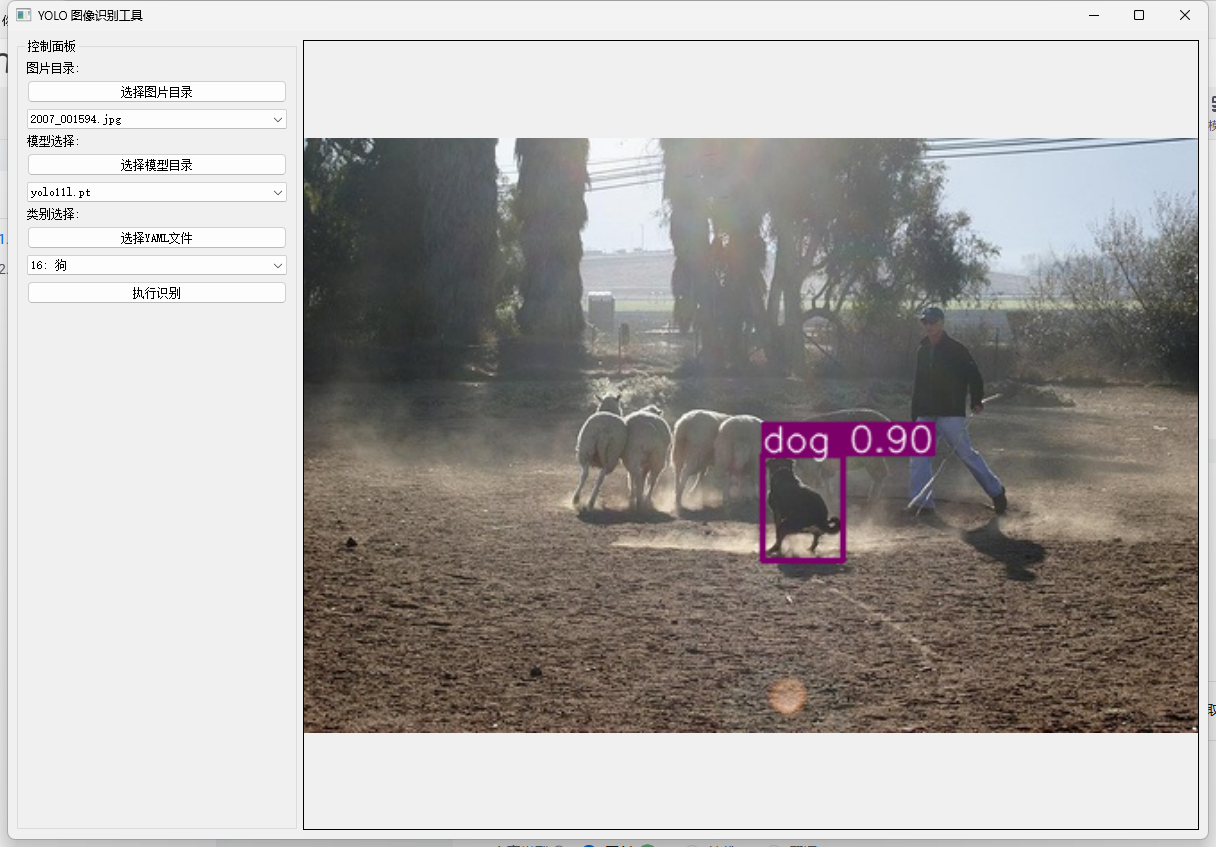
2.官方模型测试
狗
人类