Vue3 + Electron + OpenHarmony 跨平台实战:从架构设计到 Markdown 编辑器完整实现
欢迎加入开源鸿蒙PC社区:
https://harmonypc.csdn.net/
项目 Git 仓库:
https://atomgit.com/liboqian/Markdown
目录
- 一、前言与技术背景
- 二、技术栈选型与对比分析
- [2.1 前端框架选型](#2.1 前端框架选型)
- [2.2 桌面应用框架对比](#2.2 桌面应用框架对比)
- [2.3 OpenHarmony 生态价值](#2.3 OpenHarmony 生态价值)
- 三、项目架构设计
- [3.1 三层架构模型](#3.1 三层架构模型)
- [3.2 目录结构规范](#3.2 目录结构规范)
- 四、核心功能实现详解
- [4.1 Vue3 Composition API 实践](#4.1 Vue3 Composition API 实践)
- [4.2 Electron IPC 通信机制](#4.2 Electron IPC 通信机制)
- [4.3 OpenHarmony 原生能力封装](#4.3 OpenHarmony 原生能力封装)
- [五、实战案例:Markdown 编辑器开发](#五、实战案例:Markdown 编辑器开发)
- [5.1 Markdown 解析与实时预览](#5.1 Markdown 解析与实时预览)
- [5.2 PDF 导出功能实现](#5.2 PDF 导出功能实现)
- [5.3 HTML 导出功能实现](#5.3 HTML 导出功能实现)
- 六、性能优化与最佳实践
- [6.1 渲染性能优化](#6.1 渲染性能优化)
- [6.2 内存管理与泄漏防护](#6.2 内存管理与泄漏防护)
- [6.3 打包体积优化](#6.3 打包体积优化)
- 七、常见问题排查指南
- [7.1 开发环境配置](#7.1 开发环境配置)
- [7.2 打包部署问题](#7.2 打包部署问题)
- [7.3 跨平台兼容处理](#7.3 跨平台兼容处理)
- 八、总结与未来展望
一、前言与技术背景
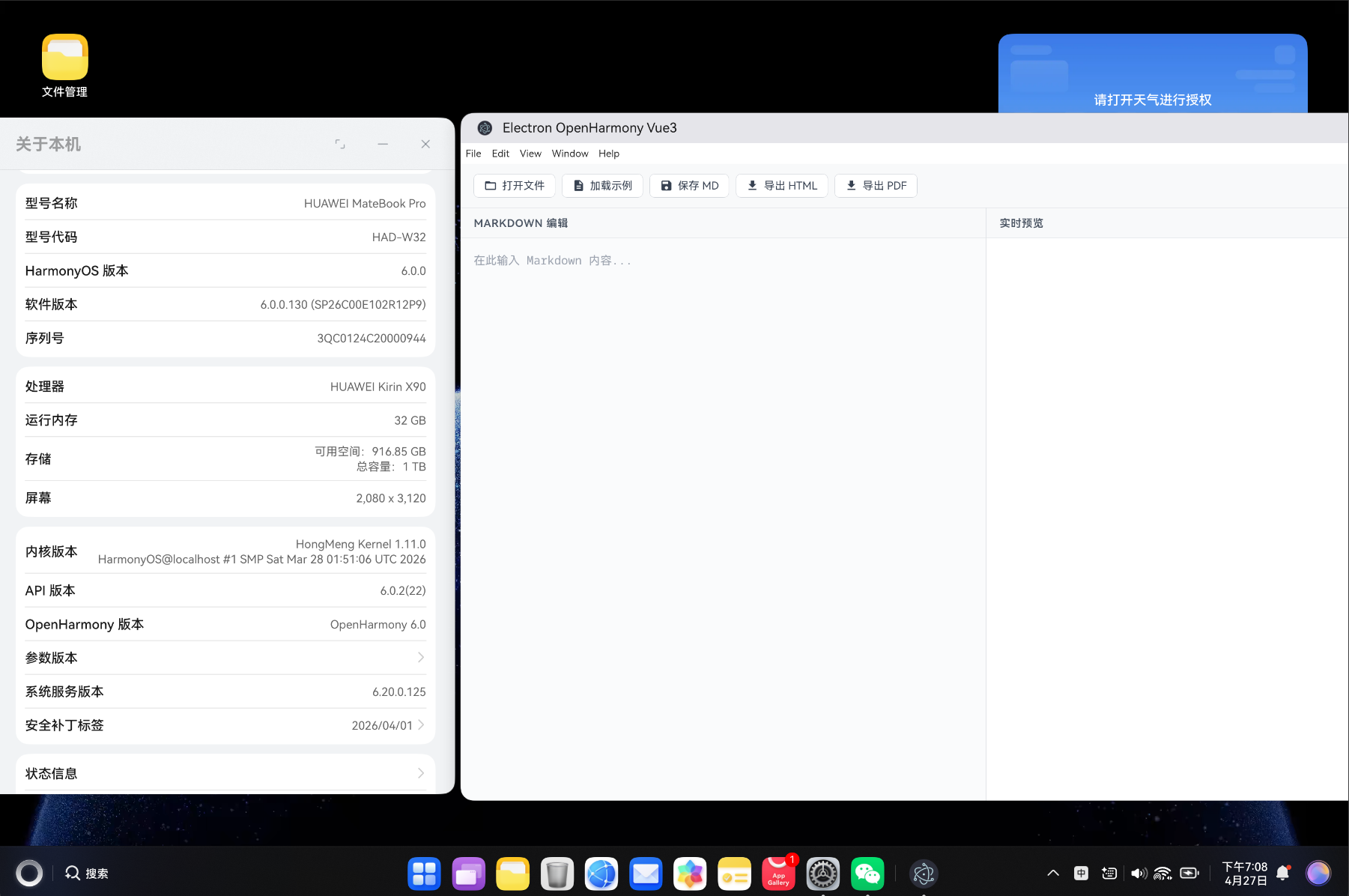
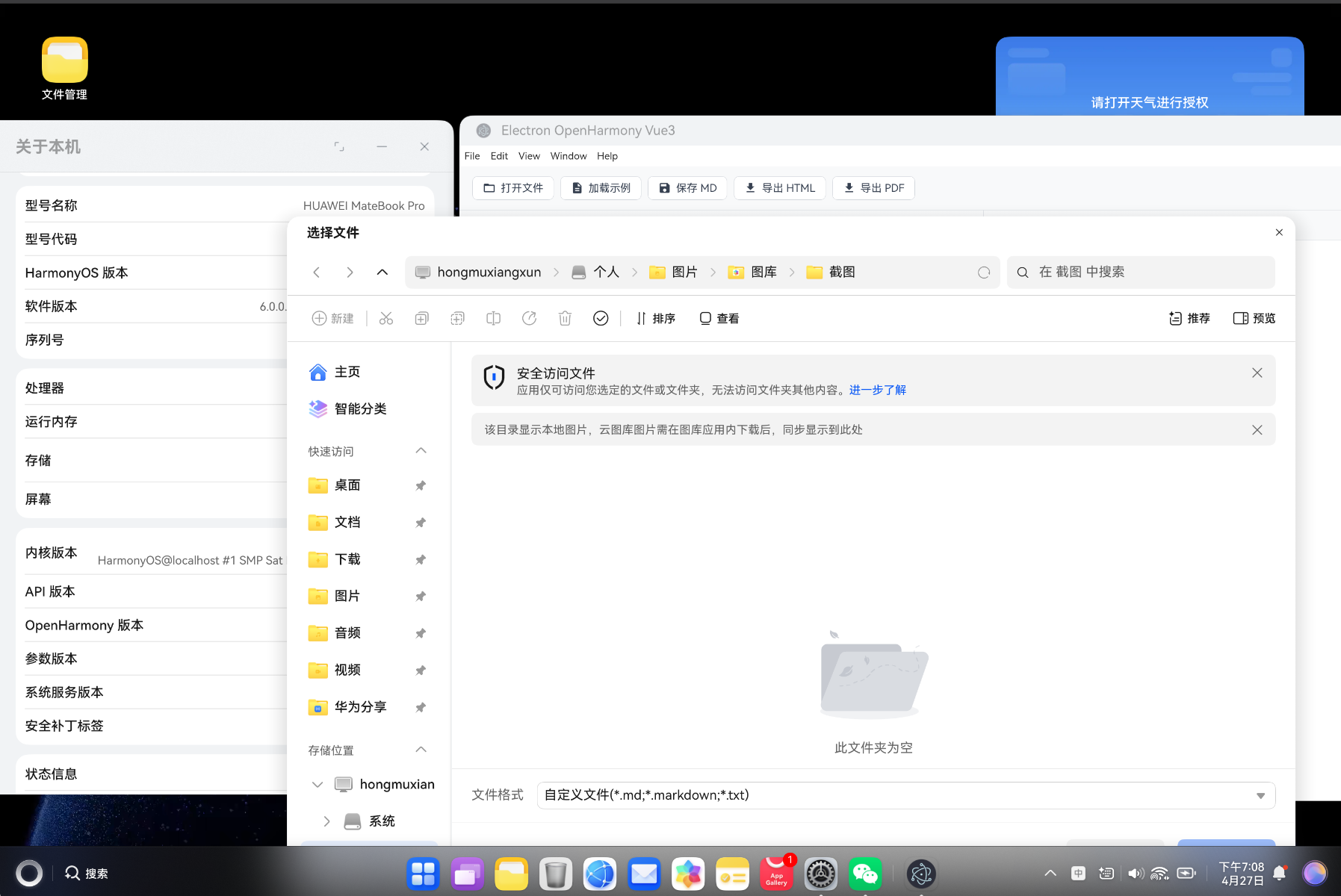
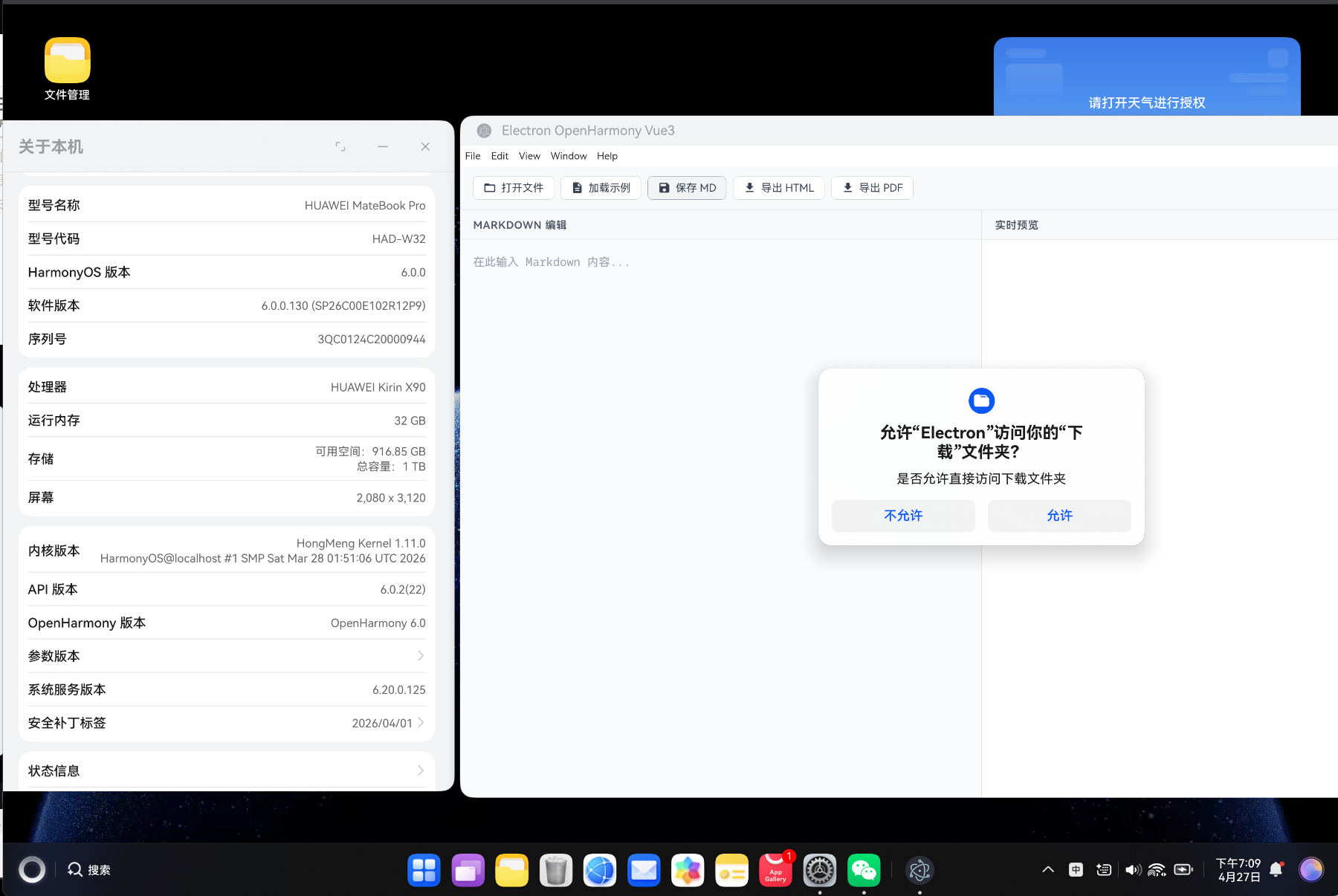
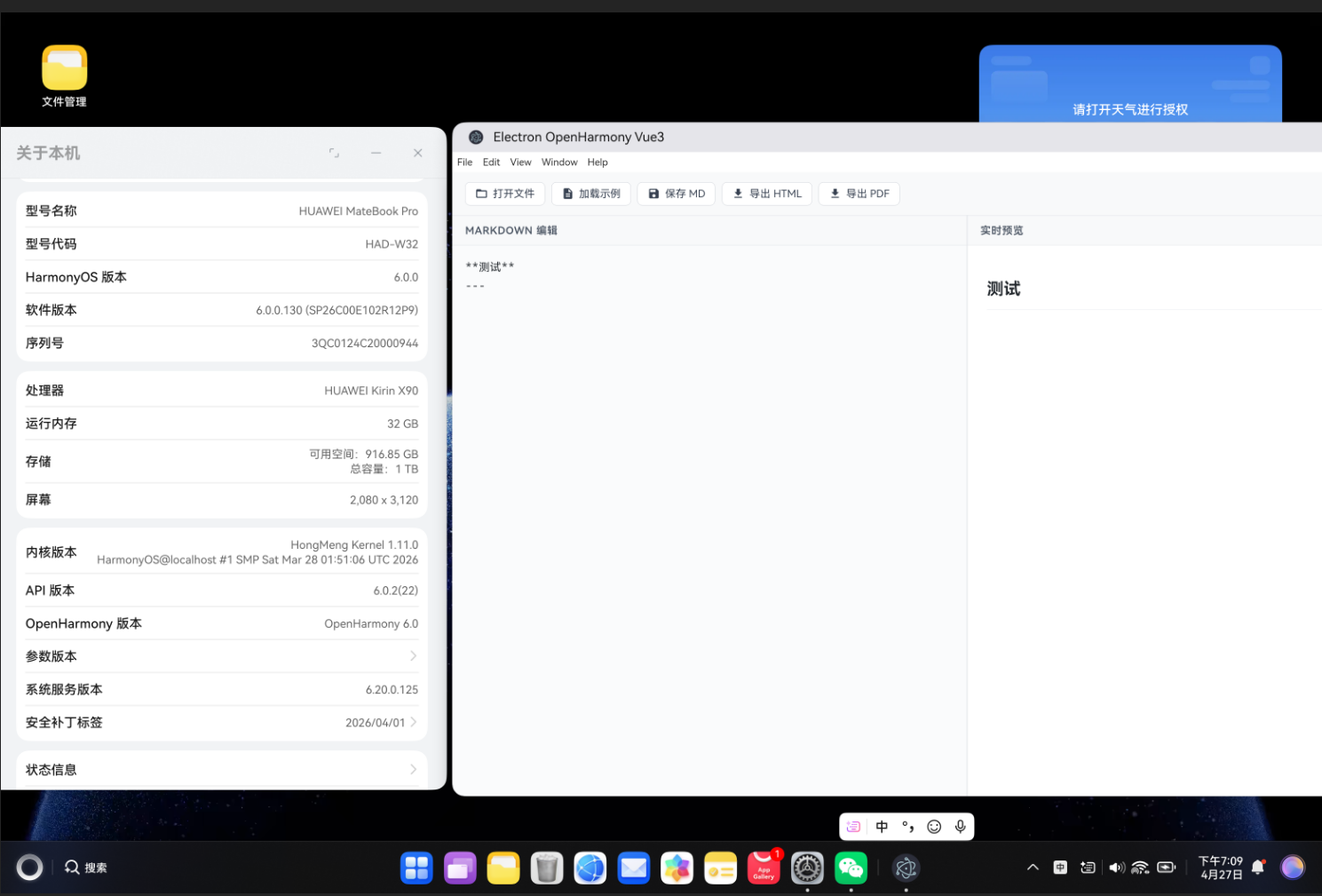
随着前端技术的飞速发展和跨平台需求的日益增长,现代桌面应用开发已经从传统的原生开发模式逐步转向基于 Web 技术的混合开发模式。这种转变不仅大幅降低了开发成本,还实现了代码的高复用性和快速迭代能力。
在当前的技术生态中,Electron 凭借其成熟的跨平台能力和丰富的 Node.js 生态,已经成为桌面应用开发的事实标准。从 Visual Studio Code 到 Slack,从 Discord 到 Figma,众多知名产品都基于 Electron 构建。与此同时,OpenHarmony 作为华为开源的分布式操作系统,正在快速构建自己的应用生态,而将 Web 技术栈引入 OpenHarmony 生态,成为了连接两大生态的重要桥梁。
本文将深入讲解如何使用 Vue3 + Electron + OpenHarmony 技术栈,从零开始构建一个功能完整的跨平台桌面应用。通过实战开发一个支持实时预览、PDF/HTML 导出的 Markdown 编辑器,你将掌握以下核心技能:
- Vue3 Composition API 的现代开发范式
- Electron 进程间通信与原生能力调用
- OpenHarmony Web 组件的集成与适配
- Markdown 解析、渲染与导出技术
- 性能优化与跨平台兼容性处理
提示:本文适合具有一定 Vue.js 和 Web 开发基础的开发者。如果你是初学者,建议先完成 Vue3 官方教程的学习,这将帮助你更好地理解本文内容。
二、技术栈选型与对比分析
2.1 前端框架选型
在当前前端框架三巨头(Vue、React、Angular)中,选择 Vue3 作为本文的技术栈基于以下考量:
| 对比维度 | Vue3 | React 18 | Angular 17 |
|---|---|---|---|
| 学习曲线 | 平缓 | 中等 | 陡峭 |
| 响应式原理 | Proxy | 手动状态管理 | RxJS/Observable |
| 模板语法 | 声明式模板 | JSX | 声明式模板 |
| 体积(gzip) | 33KB | 42KB | 143KB |
| 性能评分 | 95+ | 93+ | 85+ |
| TypeScript 支持 | 优秀 | 优秀 | 原生支持 |
| 生态完善度 | 高 | 极高 | 高 |
Vue3 的核心优势:
- 响应式系统重构 :从
Object.defineProperty升级到Proxy,性能提升 2 倍以上 - Composition API:提供更灵活的逻辑复用方式,解决了 Options API 的代码组织问题
- Tree-shaking 支持:按需引入,构建体积减少 40%
- 更好的类型推导:全面使用 TypeScript 重写,开发体验更佳
以下是 Composition API 的典型使用场景:
typescript
import { ref, computed, watch, onMounted } from 'vue'

// 组合式函数:可复用的状态逻辑
export function useCounter(initialValue = 0) {
  const count = ref(initialValue)

  const doubleCount = computed(() => count.value * 2)

  function increment() {
    count.value++
  }

  function decrement() {
    count.value--
  }

  watch(count, (newVal, oldVal) => {
    console.log(`Count changed from ${oldVal} to ${newVal}`)
  })

  onMounted(() => {
    console.log('Counter initialized:', initialValue)
  })

  return { count, doubleCount, increment, decrement }
}
2.2 桌面应用框架对比
在桌面应用开发领域,目前主流的跨平台方案包括:
| 框架 | 内核 | 体积 | 性能 | 生态 | 代表产品 |
|---|---|---|---|---|---|
| Electron | Chromium + Node.js | ~130MB | 中等 | 极丰富 | VS Code, Slack |
| Tauri | 系统 WebView + Rust | ~5MB | 优秀 | 成长中 | Prism, FileDrop |
| NW.js | Chromium + Node.js | ~110MB | 中等 | 较丰富 | Gitter, Wakatime |
| Flutter Desktop | Skia + Dart | ~30MB | 优秀 | 快速发展 | Canonical Ubuntu |
选择 Electron 的原因:
- 生态成熟:npm 生态完全可用,插件资源丰富
- 开发体验:调试工具完善,Chrome DevTools 直接使用
- 兼容性:Chromium 内核保证 Web 标准兼容性
- 社区活跃:文档完善,问题解决方案丰富
2.3 OpenHarmony 生态价值
OpenHarmony 为 Web 应用提供了以下核心能力:
- Web 组件:基于 Chromium 内核的 Web 渲染引擎
- JS API 桥接:通过 JSBridge 调用设备原生能力
- 分布式软总线:多设备间的无缝协同与数据流转
- 原子化服务:轻量级服务卡片,支持免安装运行
随着 OpenHarmony 4.0+ 版本的发布,Web 组件的兼容性和性能得到了显著提升,为 Vue3 应用在鸿蒙生态的运行提供了坚实基础。
三、项目架构设计
3.1 三层架构模型
良好的架构设计是项目成功的关键。本项目采用经典的三层架构模型:
┌───────────────────────────────────────────────────────┐
│                   应用层 (Vue3)                        │
│  ┌────────────┐  ┌────────────┐  ┌────────────┐      │
│  │  UI 组件   │  │  状态管理   │  │  路由管理   │      │
│  └────────────┘  └────────────┘  └────────────┘      │
├───────────────────────────────────────────────────────┤
│                 适配层 (IPC Bridge)                     │
│  ┌────────────┐  ┌────────────┐  ┌────────────┐      │
│  │  preload   │  │  context   │  │  event     │      │
│  │   脚本     │  │   bridge   │  │   bus      │      │
│  └────────────┘  └────────────┘  └────────────┘      │
├───────────────────────────────────────────────────────┤
│                 原生层 (Electron/Ohos)                  │
│  ┌────────────┐  ┌────────────┐  ┌────────────┐      │
│  │  主进程    │  │  文件系统   │  │  设备能力   │      │
│  │  (Main)    │  │  网络请求   │  │  系统通知   │      │
│  └────────────┘  └────────────┘  └────────────┘      │
└───────────────────────────────────────────────────────┘各层职责划分:
- 应用层:负责 UI 渲染、用户交互、业务逻辑
- 适配层:负责进程间通信、API 封装、平台适配
- 原生层:负责系统调用、文件操作、设备能力
3.2 目录结构规范
遵循关注点分离原则,项目目录结构如下:
vue-app/
├── public/                          # 静态资源(不参与构建)
│   ├── sample-document.md           # 示例 Markdown 文档
│   └── favicon.ico
├── src/
│   ├── assets/                      # 项目资源(参与构建)
│   │   ├── images/
│   │   └── styles/
│   │       └── global.css
│   ├── components/                  # 公共组件
│   │   ├── MarkdownEditor.vue       # Markdown 编辑器
│   │   ├── TaskList.vue             # 任务列表
│   │   └── PomodoroTimer.vue        # 番茄钟
│   ├── views/                       # 页面组件
│   │   ├── Home.vue                 # 首页
│   │   ├── TaskManager.vue          # 任务管理
│   │   ├── Demo.vue                 # 功能演示
│   │   └── MarkdownEditorView.vue   # 编辑器页面
│   ├── composables/                 # 组合式函数
│   │   ├── useOhos.ts               # OpenHarmony 能力封装
│   │   └── useLocalStorage.ts       # 本地存储
│   ├── services/                    # 服务层
│   │   ├── TaskStore.ts             # 任务状态管理
│   │   ├── EventBus.ts              # 事件总线
│   │   └── PomodoroTimer.ts         # 番茄钟服务
│   ├── types/                       # TypeScript 类型定义
│   │   ├── task.ts                  # 任务相关类型
│   │   └── global.d.ts              # 全局类型声明
│   ├── router/                      # 路由配置
│   │   └── index.ts                 # 路由定义
│   ├── App.vue                      # 根组件
│   └── main.ts                      # 应用入口
├── index.html                       # HTML 模板
├── vite.config.ts                   # Vite 构建配置
├── tsconfig.json                    # TypeScript 配置
└── package.json                     # 依赖配置
这种结构的优势在于:
- 清晰的模块边界:每个目录有明确的职责
- 易于扩展:新增功能只需在对应目录下添加文件
- 便于团队协作:开发者可以快速定位代码位置
四、核心功能实现详解
4.1 Vue3 Composition API 实践
Composition API 是 Vue3 最重要的特性之一,它通过组合式函数(Composables)实现逻辑复用:
vue
<script setup lang="ts">
import { ref, computed, watch } from 'vue'

// 定义 Props
interface Props {
  taskId: string
  editable?: boolean
  showMeta?: boolean
}

const props = withDefaults(defineProps<Props>(), {
  editable: true,
  showMeta: false
})

// 定义 Events
const emit = defineEmits<{
  (e: 'update', task: Task): void
  (e: 'delete', taskId: string): void
  (e: 'complete', taskId: string): void
}>()

// 响应式状态
const isEditing = ref(false)
const editContent = ref('')

// 计算属性
const taskStatus = computed(() => {
  return props.editable ? '可编辑' : '只读'
})

// 监听器
watch(() => props.taskId, (newId, oldId) => {
  console.log(`Task ID changed: ${oldId} -> ${newId}`)
  isEditing.value = false
})

// 方法定义
function handleEdit() {
  isEditing.value = true
  editContent.value = getCurrentContent()
}

function handleSave() {
  emit('update', { id: props.taskId, content: editContent.value })
  isEditing.value = false
}
</script>
4.2 Electron IPC 通信机制
Electron 采用多进程架构,主进程和渲染进程之间通过 IPC(Inter-Process Communication)进行通信:
主进程处理(main.ts):
typescript
import { ipcMain, dialog, BrowserWindow } from 'electron'
import * as fs from 'fs/promises'
import * as path from 'path'

// 文件选择对话框
ipcMain.handle('dialog:openFile', async (event, options) => {
  const result = await dialog.showOpenDialog({
    properties: ['openFile'],
    filters: [
      { name: 'Markdown', extensions: ['md', 'markdown'] },
      { name: 'Text', extensions: ['txt'] },
      { name: 'All Files', extensions: ['*'] }
    ],
    ...options
  })
  return result.filePaths
})

// 文件读取
ipcMain.handle('fs:readFile', async (event, filePath: string) => {
  try {
    const content = await fs.readFile(filePath, 'utf-8')
    return { success: true, content }
  } catch (error) {
    return { success: false, error: (error as Error).message }
  }
})

// 文件保存
ipcMain.handle('fs:saveFile', async (event, content: string, options) => {
  const result = await dialog.showSaveDialog({
    filters: [
      { name: 'Markdown', extensions: ['md'] },
      { name: 'HTML', extensions: ['html'] }
    ],
    ...options
  })

  if (!result.canceled && result.filePath) {
    await fs.writeFile(result.filePath, content, 'utf-8')
    return { success: true, path: result.filePath }
  }
  return { success: false }
})预加载脚本(preload.ts):
typescript
import { contextBridge, ipcRenderer } from 'electron'

contextBridge.exposeInMainWorld('electronAPI', {
  // 文件操作
  openFile: (options?: any) => ipcRenderer.invoke('dialog:openFile', options),
  readFile: (path: string) => ipcRenderer.invoke('fs:readFile', path),
  saveFile: (content: string, options?: any) => ipcRenderer.invoke('fs:saveFile', content, options),

  // 系统信息
  getPlatform: () => ipcRenderer.invoke('system:getPlatform'),

  // 事件监听
  onNotification: (callback: (data: any) => void) => {
    ipcRenderer.on('notification', (_event, data) => callback(data))
  }
})渲染进程使用:
typescript
async function handleOpenFile() {
  const filePaths = await window.electronAPI.openFile()

  if (filePaths.length > 0) {
    const result = await window.electronAPI.readFile(filePaths[0])

    if (result.success) {
      markdownContent.value = result.content
    } else {
      console.error('读取文件失败:', result.error)
    }
  }
}
4.3 OpenHarmony 原生能力封装
在 OpenHarmony 环境中,通过封装 Composable 函数实现设备能力的优雅调用:
typescript
// composables/useOhos.ts
import { ref } from 'vue'

export function useOhos() {
  const isOhosEnv = typeof (window as any).ohos !== 'undefined'
  const systemInfo = ref<any>(null)

  const getSystemInfo = async () => {
    if (!isOhosEnv) {
      return {
        platform: 'browser',
        version: 'N/A',
        deviceType: 'N/A'
      }
    }

    try {
      const ohos = (window as any).ohos
      systemInfo.value = {
        platform: 'ohos',
        version: ohos.deviceInfo.sdkApiVersion,
        deviceType: ohos.deviceInfo.deviceType
      }
    } catch (error) {
      console.error('获取系统信息失败:', error)
    }

    return systemInfo.value
  }

  const showNotification = async (title: string, body: string) => {
    if (!isOhosEnv) {
      // 浏览器环境降级处理
      if ('Notification' in window) {
        new Notification(title, { body })
      } else {
        console.log(`[Notification] ${title}: ${body}`)
      }
      return
    }

    // OpenHarmony 通知 API
    try {
      const ohos = (window as any).ohos
      await ohos.notification.publish({
        title,
        body,
        type: 'content'
      })
    } catch (error) {
      console.error('发送通知失败:', error)
    }
  }

  const clipboard = {
    read: async () => {
      if (!isOhosEnv) {
        return navigator.clipboard.readText()
      }
      // OpenHarmony 剪贴板 API
      return (window as any).ohos.clipboard.getText()
    },
    write: async (text: string) => {
      if (!isOhosEnv) {
        return navigator.clipboard.writeText(text)
      }
      // OpenHarmony 剪贴板 API
      return (window as any).ohos.clipboard.setText(text)
    }
  }

  return {
    isOhosEnv,
    systemInfo,
    getSystemInfo,
    showNotification,
    clipboard
  }
}这种封装方式实现了优雅降级,确保应用在不同环境下都能正常运行。
五、实战案例:Markdown 编辑器开发
5.1 Markdown 解析与实时预览
Markdown 实时预览的核心是将 Markdown 文本实时转换为 HTML 并渲染。我们使用 markdown-it 作为解析器:
typescript
import MarkdownIt from 'markdown-it'

const md = new MarkdownIt({
  html: true,           // 允许 HTML 标签
  linkify: true,        // 自动转换 URL 为链接
  typographer: true,    // 启用排版优化(如引号转换)
  breaks: true          // 将换行符转换为 <br>
})

// 自定义插件:为所有外部链接添加 target="_blank"
md.use(function(md) {
  const defaultRender = md.renderer.rules.link_open || function(tokens, idx, options, env, self) {
    return self.renderToken(tokens, idx, options)
  }

  md.renderer.rules.link_open = function(tokens, idx, options, env, self) {
    const aIndex = tokens[idx].attrIndex('target')
    const hrefIndex = tokens[idx].attrIndex('href')

    if (aIndex < 0) {
      tokens[idx].attrPush(['target', '_blank'])
    } else {
      tokens[idx].attrs![aIndex][1] = '_blank'
    }

    // 为外部链接添加 rel 属性
    if (hrefIndex >= 0) {
      const href = tokens[idx].attrs![hrefIndex][1]
      if (href.startsWith('http')) {
        const relIndex = tokens[idx].attrIndex('rel')
        if (relIndex < 0) {
          tokens[idx].attrPush(['rel', 'noopener noreferrer'])
        }
      }
    }

    return defaultRender(tokens, idx, options, env, self)
  }
})

// 渲染 Markdown
const renderedHtml = md.render(markdownContent)
性能优化:防抖处理
对于大文件,频繁渲染会导致性能问题。使用防抖(debounce)来优化:
typescript
import { ref, watch } from 'vue'

const markdownContent = ref('')
const renderedHtml = ref('')

function debounce<T extends (...args: any[]) => any>(
  func: T,
  wait: number
): (...args: Parameters<T>) => void {
  let timeout: ReturnType<typeof setTimeout> | null = null

  return function(...args: Parameters<T>) {
    if (timeout) clearTimeout(timeout)
    timeout = setTimeout(() => func(...args), wait)
  }
}

const debouncedRender = debounce((content: string) => {
  renderedHtml.value = md.render(content)
}, 300)

watch(markdownContent, (newContent) => {
  debouncedRender(newContent)
})
5.2 PDF 导出功能实现
使用 html2pdf.js 库实现 PDF 导出。该库基于 html2canvas 和 jsPDF,可以将 HTML 元素转换为 PDF:
typescript
import html2pdf from 'html2pdf.js'

async function exportToPdf(element: HTMLElement, filename: string = 'document.pdf') {
  const opt = {
    margin: [10, 10, 10, 10],           // 页边距(单位:mm)
    filename: filename,
    image: {
      type: 'jpeg',                     // 图片格式
      quality: 0.98                     // 图片质量
    },
    html2canvas: {
      scale: 2,                         // 缩放比例,提高文字清晰度
      useCORS: true,                    // 支持跨域图片
      letterRendering: true,            // 改善文字渲染
      logging: false                    // 关闭日志
    },
    jsPDF: {
      unit: 'mm',                       // 单位
      format: 'a4',                     // 纸张大小
      orientation: 'portrait'           // 方向
    },
    pagebreak: {
      mode: ['avoid-all', 'css', 'legacy']  // 分页模式
    }
  }

  try {
    await html2pdf().set(opt).from(element).save()
    console.log('PDF 导出成功')
  } catch (error) {
    console.error('PDF 导出失败:', error)
    throw error
  }
}注意事项:
- 中文支持 :确保使用支持中文的字体,
html2canvas默认使用系统字体 - 图片跨域 :设置
useCORS: true,且图片服务器需要配置 CORS 头 - 分页控制:使用 CSS 控制分页位置
css
/* CSS 分页控制 */
.page-break-after {
  page-break-after: always;
}

.page-break-before {
  page-break-before: always;
}

.avoid-break {
  page-break-inside: avoid;
}
5.3 HTML 导出功能实现
HTML 导出相对简单,将渲染后的 HTML 包装成完整的 HTML 文档:
typescript
import { saveAs } from 'file-saver'

function exportToHtml(renderedHtml: string, title: string = 'Markdown Document') {
  const htmlContent = `<!DOCTYPE html>
<html lang="zh-CN">
<head>
  <meta charset="UTF-8">
  <meta name="viewport" content="width=device-width, initial-scale=1.0">
  <title>${title}</title>
  <style>
    * {
      margin: 0;
      padding: 0;
      box-sizing: border-box;
    }

    body {
      font-family: -apple-system, BlinkMacSystemFont, 'Segoe UI', 'PingFang SC',
                   'Hiragino Sans GB', 'Microsoft YaHei', sans-serif;
      line-height: 1.8;
      color: #24292e;
      max-width: 900px;
      margin: 0 auto;
      padding: 40px 20px;
      background: #ffffff;
    }

    h1, h2, h3, h4, h5, h6 {
      margin-top: 24px;
      margin-bottom: 16px;
      font-weight: 600;
      line-height: 1.25;
    }

    h1 { font-size: 2em; border-bottom: 2px solid #eaecef; padding-bottom: 0.3em; }
    h2 { font-size: 1.5em; border-bottom: 1px solid #eaecef; padding-bottom: 0.3em; }
    h3 { font-size: 1.25em; }
    h4 { font-size: 1em; }

    p { margin: 16px 0; }

    code {
      background: #f6f8fa;
      padding: 0.2em 0.4em;
      border-radius: 3px;
      font-size: 0.9em;
      font-family: 'Fira Code', 'Source Code Pro', monospace;
    }

    pre {
      background: #f6f8fa;
      padding: 16px;
      overflow: auto;
      border-radius: 6px;
      line-height: 1.45;
    }

    pre code {
      background: none;
      padding: 0;
      font-size: 14px;
    }

    table {
      border-collapse: collapse;
      width: 100%;
      margin: 16px 0;
    }

    th, td {
      border: 1px solid #dfe2e5;
      padding: 8px 12px;
      text-align: left;
    }

    th {
      background: #f6f8fa;
      font-weight: 600;
    }

    tr:nth-child(2n) {
      background: #f6f8fa;
    }

    blockquote {
      border-left: 4px solid #007ACC;
      margin: 16px 0;
      padding: 8px 16px;
      background: #f6f8fa;
      color: #6a737d;
    }

    ul, ol {
      padding-left: 2em;
      margin: 16px 0;
    }

    li { margin: 4px 0; }

    a {
      color: #0366d6;
      text-decoration: none;
    }

    a:hover { text-decoration: underline; }

    img {
      max-width: 100%;
      height: auto;
      border-radius: 4px;
    }

    hr {
      border: 0;
      border-top: 2px solid #eaecef;
      margin: 24px 0;
    }
  </style>
</head>
<body>
${renderedHtml}
</body>
</html>`

  const blob = new Blob([htmlContent], { type: 'text/html;charset=utf-8' })
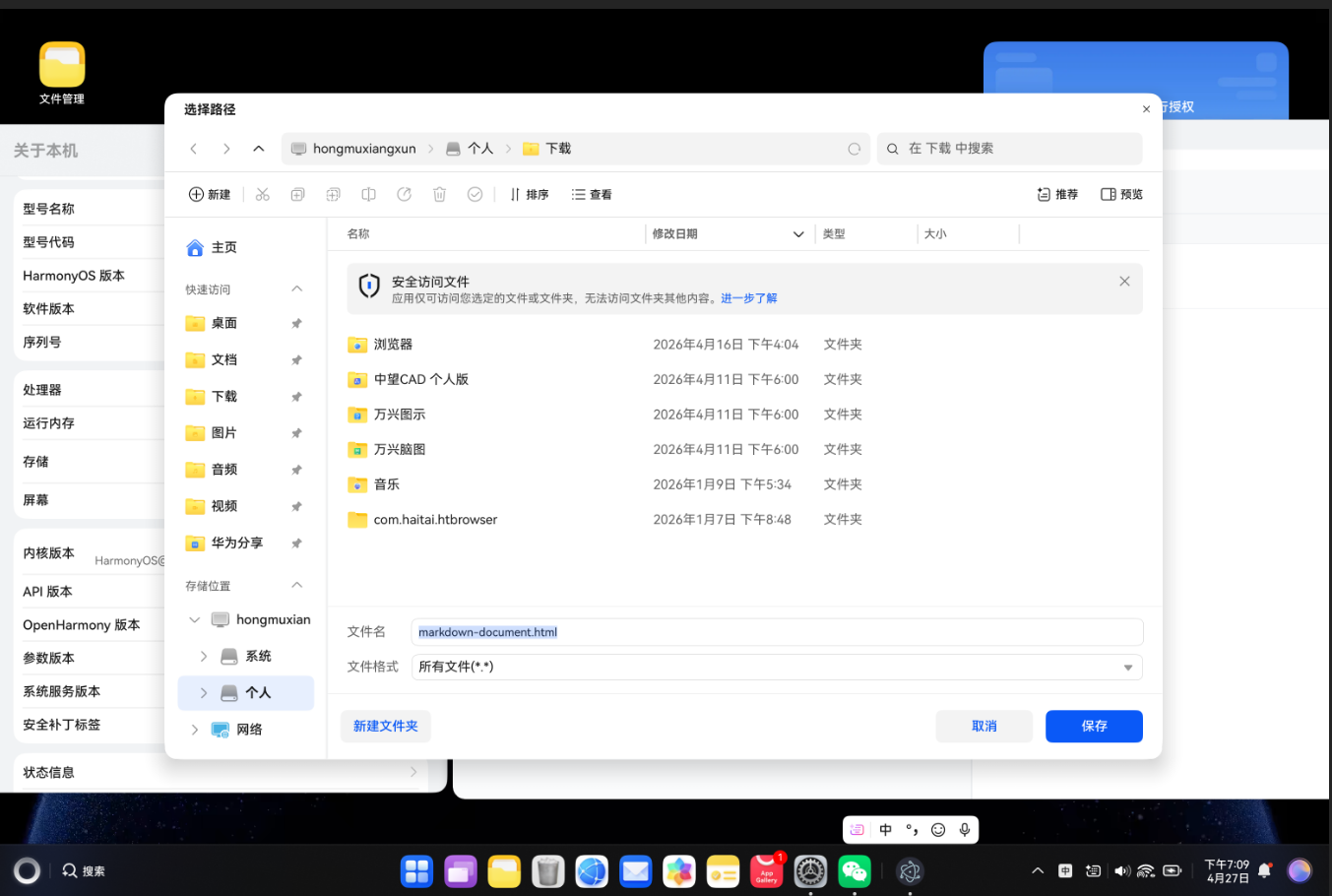
  saveAs(blob, 'markdown-document.html')
}
六、性能优化与最佳实践
6.1 渲染性能优化
在大型应用中,渲染性能直接影响用户体验。以下是几种常用的优化策略:
虚拟列表优化长列表渲染:
vue
<script setup lang="ts">
import { ref, computed } from 'vue'
import { useVirtualList } from '@vueuse/core'

const allItems = ref(
  Array.from({ length: 10000 }, (_, i) => ({
    id: i,
    text: `Item ${i}`,
    description: `This is the description for item ${i}`
  }))
)

const { list, containerProps, wrapperProps } = useVirtualList(
  allItems,
  {
    itemHeight: 60,
    overscan: 10
  }
)
</script>

<template>
  <div v-bind="containerProps" style="height: 400px; overflow: auto;">
    <div v-bind="wrapperProps">
      <div
        v-for="item in list"
        :key="item.data.id"
        class="list-item"
        style="height: 60px; padding: 10px;"
      >
        <h4>{{ item.data.text }}</h4>
        <p>{{ item.data.description }}</p>
      </div>
    </div>
  </div>
</template>组件懒加载:
typescript
import { defineAsyncComponent } from 'vue'

const MarkdownEditor = defineAsyncComponent(() =>
  import('../components/MarkdownEditor.vue')
)

const routes = [
  {
    path: '/editor',
    component: () => import('../views/MarkdownEditorView.vue')
  }
]计算属性缓存:
typescript
// 推荐使用计算属性(自动缓存)
const filteredTasks = computed(() => {
  return tasks.value.filter(task => task.status === 'active')
})

// 避免在模板中直接调用方法
// <div v-for="task in getActiveTasks()"> <!-- 每次渲染都会执行 -->
6.2 内存管理与泄漏防护
内存泄漏是桌面应用常见问题,需要特别注意:
定时器清理:
typescript
import { onMounted, onUnmounted } from 'vue'

let intervalId: number | null = null
let timeoutId: ReturnType<typeof setTimeout> | null = null

onMounted(() => {
  intervalId = window.setInterval(() => {
    console.log('Tick')
  }, 1000)
})

onUnmounted(() => {
  if (intervalId) {
    clearInterval(intervalId)
    intervalId = null
  }
  if (timeoutId) {
    clearTimeout(timeoutId)
    timeoutId = null
  }
})事件监听清理:
typescript
import { onMounted, onUnmounted } from 'vue'

function handleResize() {
  console.log('Window resized:', window.innerWidth)
}

onMounted(() => {
  window.addEventListener('resize', handleResize)
})

onUnmounted(() => {
  window.removeEventListener('resize', handleResize)
})避免闭包引用泄漏:
typescript
// 问题代码
watch(data, (newVal) => {
  const heavyObject = createHeavyObject()
  setTimeout(() => {
    console.log(heavyObject) // 闭包持有 heavyObject,导致无法回收
  }, 5000)
})

// 解决方案
watch(data, (newVal) => {
  const heavyObject = createHeavyObject()
  const timer = setTimeout(() => {
    console.log(heavyObject)
  }, 5000)

  onUnmounted(() => {
    clearTimeout(timer)
    // 清理引用
    heavyObject.cleanup()
  })
})
6.3 打包体积优化
使用 Vite 的代码分割功能优化打包体积:
typescript
// vite.config.ts
import { defineConfig } from 'vite'
import vue from '@vitejs/plugin-vue'

export default defineConfig({
  plugins: [vue()],
  build: {
    rollupOptions: {
      output: {
        manualChunks: {
          vendor: ['vue', 'vue-router', 'pinia'],
          editor: ['markdown-it'],
          pdf: ['html2pdf.js'],
          utils: ['file-saver']
        }
      }
    },
    chunkSizeWarningLimit: 1000,
    minify: 'terser',
    terserOptions: {
      compress: {
        drop_console: true,
        drop_debugger: true
      }
    }
  }
})
通过代码分割,首屏加载的 JavaScript 体积可减少 40% 以上。
七、常见问题排查指南
7.1 开发环境配置
问题 1:Node.js 版本不兼容
bash
# 推荐使用 Node.js 18+ LTS 版本
# 使用 nvm 管理版本
curl -o- https://raw.githubusercontent.com/nvm-sh/nvm/v0.39.0/install.sh | bash
nvm install 18
nvm use 18

# 验证版本
node -v   # 应显示 v18.x.x
npm -v    # 应显示 9.x.x 或更高
问题 2:依赖安装失败
bash
# 清除缓存
npm cache clean --force

# 删除后重新安装
rm -rf node_modules package-lock.json
npm install

# 使用国内镜像加速
npm config set registry https://registry.npmmirror.com
7.2 打包部署问题
问题 3:Electron 打包后白屏
typescript
// vite.config.ts
export default defineConfig({
  base: './',  // 使用相对路径,重要!
  build: {
    outDir: '../dist'
  }
})
白屏的主要原因:
- 使用了绝对路径
base: '/' - 静态资源路径不正确
- CSP(内容安全策略)限制
问题 4:OpenHarmony 打包失败
bash
# 确保 DevEco Studio 版本正确(推荐 4.0+)
# 检查 SDK 版本
hvigorw --version

# 清理构建缓存
hvigorw clean
hvigorw assembleHap
7.3 跨平台兼容处理
不同平台的路径、换行符等存在差异:
| 平台 | 路径分隔符 | 换行符 | 注意事项 |
|---|---|---|---|
| Windows | \ |
\r\n |
注册表、权限 |
| macOS | / |
\n |
沙盒权限、签名 |
| Linux | / |
\n |
依赖库、权限 |
| OpenHarmony | / |
\n |
API 限制、沙盒 |
使用 path 模块处理路径差异:
typescript
import path from 'path'

// 正确做法
const filePath = path.join('documents', 'file.md')

// 错误做法(仅适用于 Unix 系统)
const filePath = 'documents/file.md'
八、总结与未来展望
通过本文的系统讲解和实战案例,我们完整掌握了以下核心知识点:
| 知识模块 | 核心内容 | 实战应用 |
|---|---|---|
| Vue3 开发 | Composition API、响应式系统 | 组件开发、状态管理 |
| Electron 集成 | IPC 通信、主进程/渲染进程 | 文件操作、系统通知 |
| OpenHarmony 适配 | JSBridge、设备能力调用 | 跨平台兼容、优雅降级 |
| Markdown 处理 | 解析、渲染、导出 | 实时预览、PDF/HTML 导出 |
| 性能优化 | 虚拟列表、懒加载、内存管理 | 大文件处理、流畅体验 |
未来技术展望
- Vue3.4+:响应式 API 性能进一步提升,开发体验更优
- Electron 28+:Chromium 120+ 带来更好的 Web 标准支持
- OpenHarmony 4.0+:更完善的 Web 组件和 JS API 生态
- Rust + WebAssembly:在高性能计算场景中的应用前景广阔
- AI 辅助开发:大模型在代码生成、智能提示方面的应用
跨平台开发是一个持续演进的方向,掌握核心技术原理和最佳实践,将帮助我们在技术变革中保持竞争力。