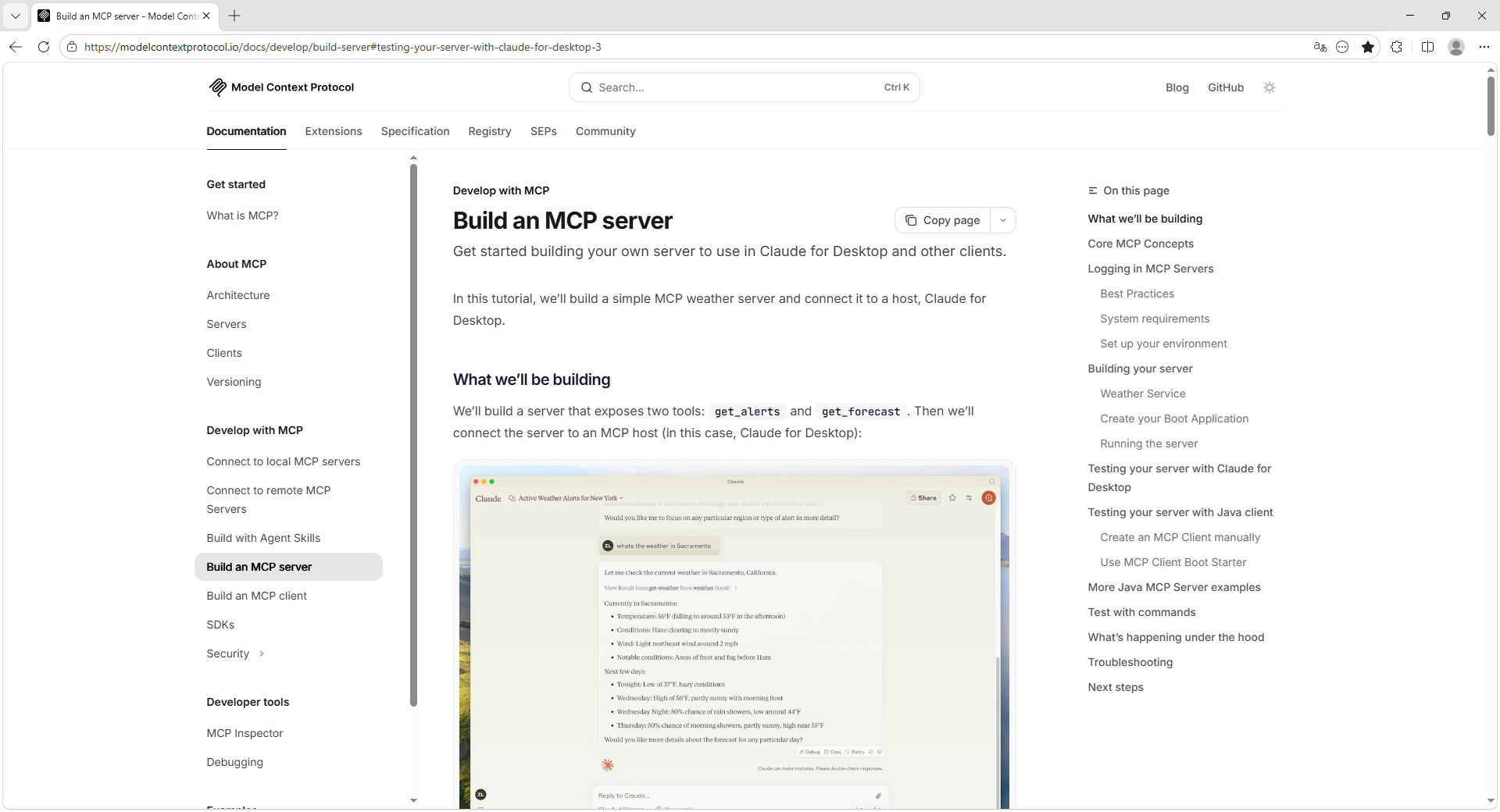
1. MCP 官网文档
本文参考官方文档,面向SpringBoot项目。
2. MCP Inspector(测试工具)
MCP Inspector:MCP服务器测试工具。
2.1. Inspector 官网
https://modelcontextprotocol.io/docs/tools/inspector
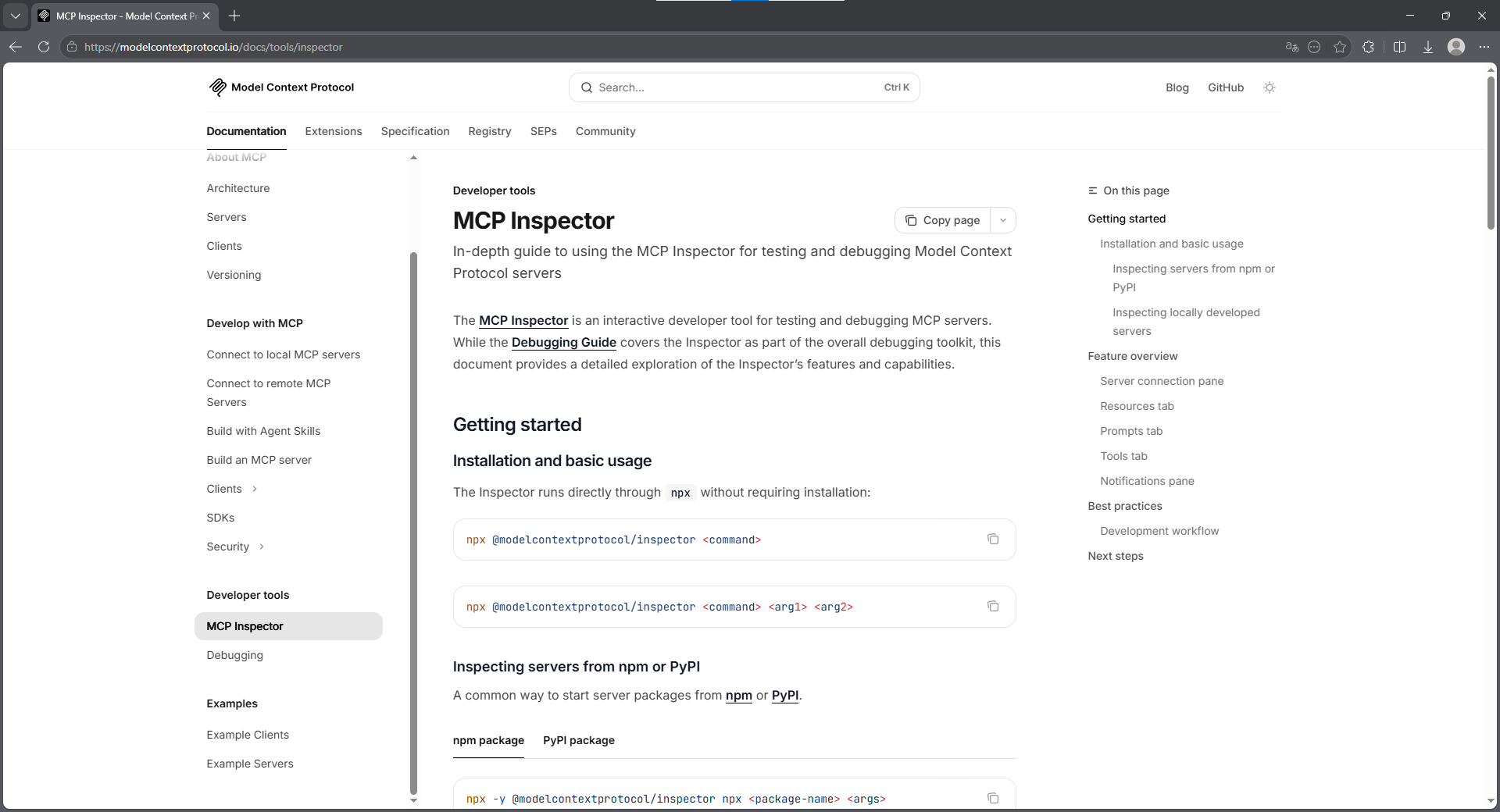
2.2. 核心命令
bash
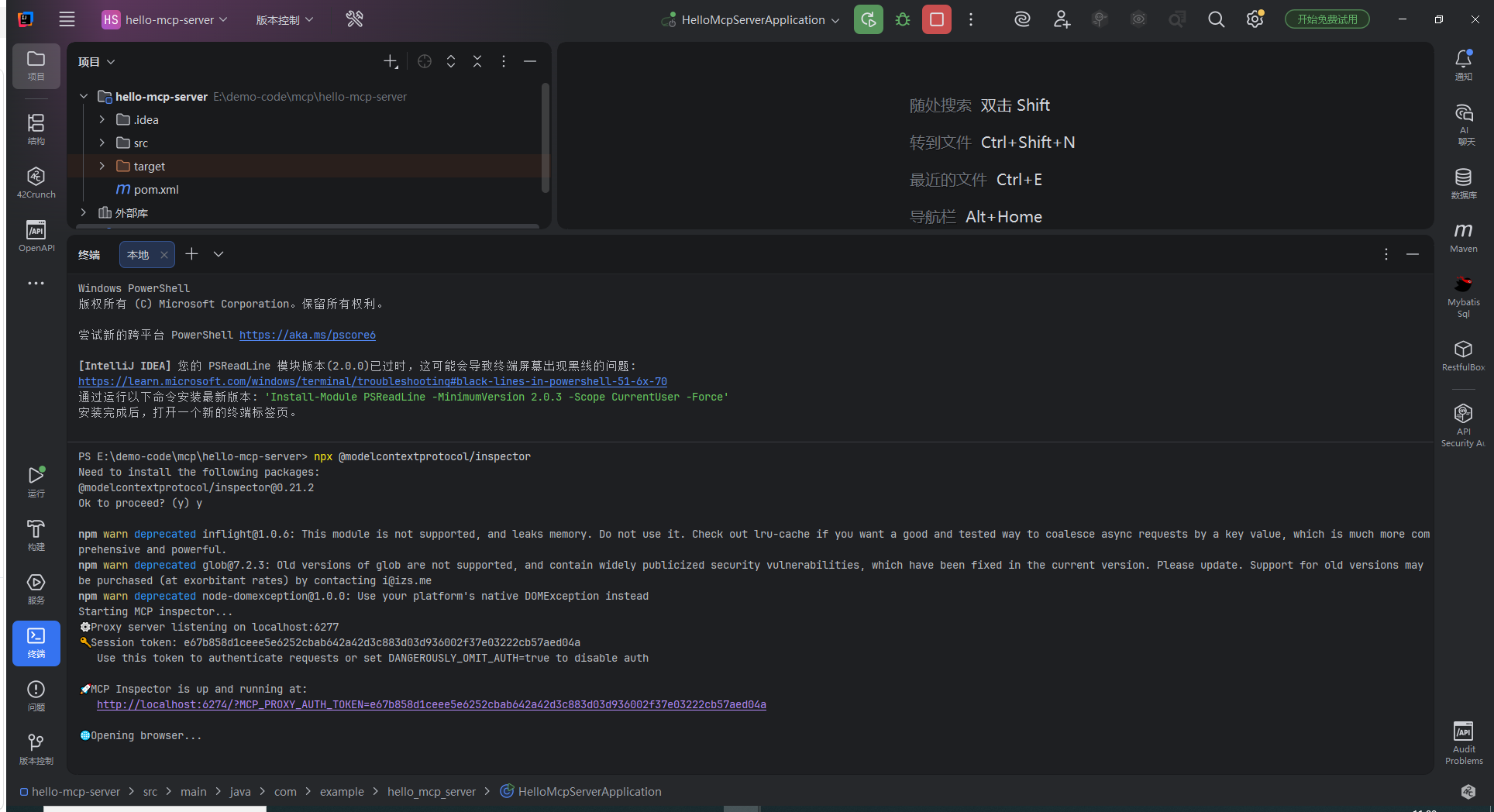
npx @modelcontextprotocol/inspector2.3. 初次运行效果
bash
PS E:\demo-code\mcp\hello-mcp-server> npx @modelcontextprotocol/inspector
Need to install the following packages:
@modelcontextprotocol/inspector@0.21.2
Ok to proceed? (y) y

npm warn deprecated inflight@1.0.6: This module is not supported, and leaks memory. Do not use it. Check out lru-cache if you want a good and tested way to coalesce async requests by a key value, which is much more comprehensive and powerful.
npm warn deprecated glob@7.2.3: Old versions of glob are not supported, and contain widely publicized security vulnerabilities, which have been fixed in the current version. Please update. Support for old versions may be purchased (at exorbitant rates) by contacting i@izs.me
npm warn deprecated node-domexception@1.0.0: Use your platform's native DOMException instead
Starting MCP inspector...
⚙️ Proxy server listening on localhost:6277
🔑 Session token: e67b858d1ceee5e6252cbab642a42d3c883d03d936002f37e03222cb57aed04a
   Use this token to authenticate requests or set DANGEROUSLY_OMIT_AUTH=true to disable auth

🚀 MCP Inspector is up and running at:
   http://localhost:6274/?MCP_PROXY_AUTH_TOKEN=e67b858d1ceee5e6252cbab642a42d3c883d03d936002f37e03222cb57aed04a

🌐 Opening browser...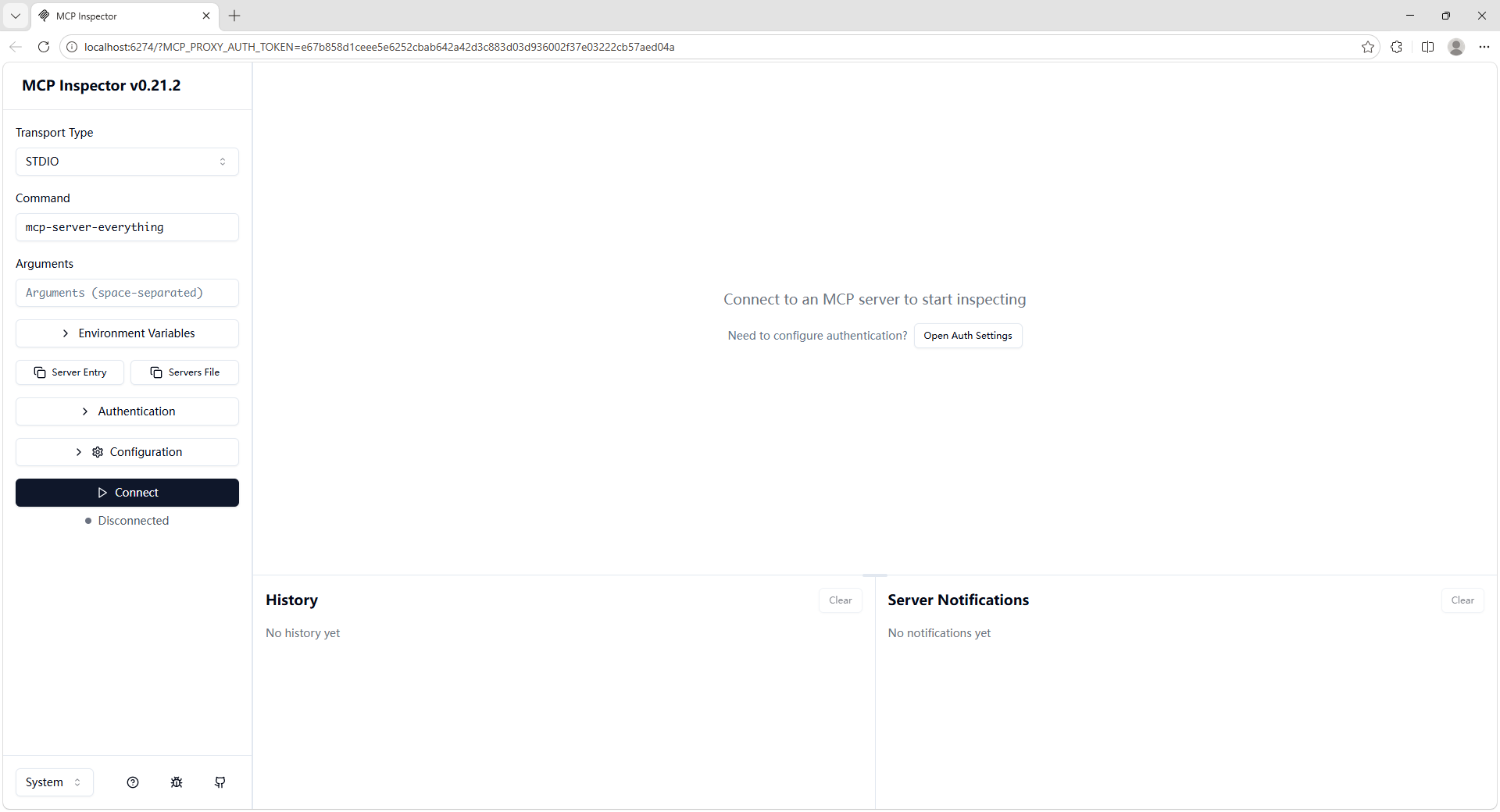
3. hello-mcp-server(示例项目)
- SpringBoot版本:4.0.5
- JDK版本:21
3.1. 依赖
xml
        <dependency>
            <groupId>org.springframework.ai</groupId>
            <artifactId>spring-ai-starter-mcp-server-webmvc</artifactId>
        </dependency>
xml
    <properties>
        <spring-ai.version>2.0.0-M4</spring-ai.version>
    </properties>
xml
    <dependencyManagement>
        <dependencies>
            <dependency>
                <groupId>org.springframework.ai</groupId>
                <artifactId>spring-ai-bom</artifactId>
                <version>${spring-ai.version}</version>
                <type>pom</type>
                <scope>import</scope>
            </dependency>
        </dependencies>
    </dependencyManagement>
3.2. yml 配置
配置MCP服务器的协议为:STREAMABLE。
yml
spring:
  ai:
    mcp:
      server:
        protocol: STREAMABLE
3.3. MCP服务接口(MCP Tool)
java
package com.example.hello_mcp_server.mcp;

import org.springframework.ai.tool.annotation.Tool;
import org.springframework.ai.tool.annotation.ToolParam;
import org.springframework.stereotype.Service;

@Service
public class MathService {

    /**
     * 加法计算工具
     *
     * @param a 第一个加数
     * @param b 第二个加数
     * @return 两数之和
     */
    @Tool(description = "计算两个整数的和,支持正负数")
    public int add(
            @ToolParam(description = "第一个加数,必填,例如 5") int a,
            @ToolParam(description = "第二个加数,必填,例如 3") int b
    ) {
        return a + b;
    }

}
3.4. 注册MCP服务
java
package com.example.hello_mcp_server;

import com.example.hello_mcp_server.mcp.MathService;
import org.springframework.ai.tool.ToolCallbackProvider;
import org.springframework.ai.tool.method.MethodToolCallbackProvider;
import org.springframework.boot.SpringApplication;
import org.springframework.boot.autoconfigure.SpringBootApplication;
import org.springframework.context.annotation.Bean;

@SpringBootApplication
public class HelloMcpServerApplication {

    public static void main(String[] args) {
        SpringApplication.run(HelloMcpServerApplication.class, args);
    }

    @Bean
    public ToolCallbackProvider mathTools(MathService mathService) {
        return MethodToolCallbackProvider.builder()
                .toolObjects(mathService)
                .build();
    }

}
3.5. 启动运行
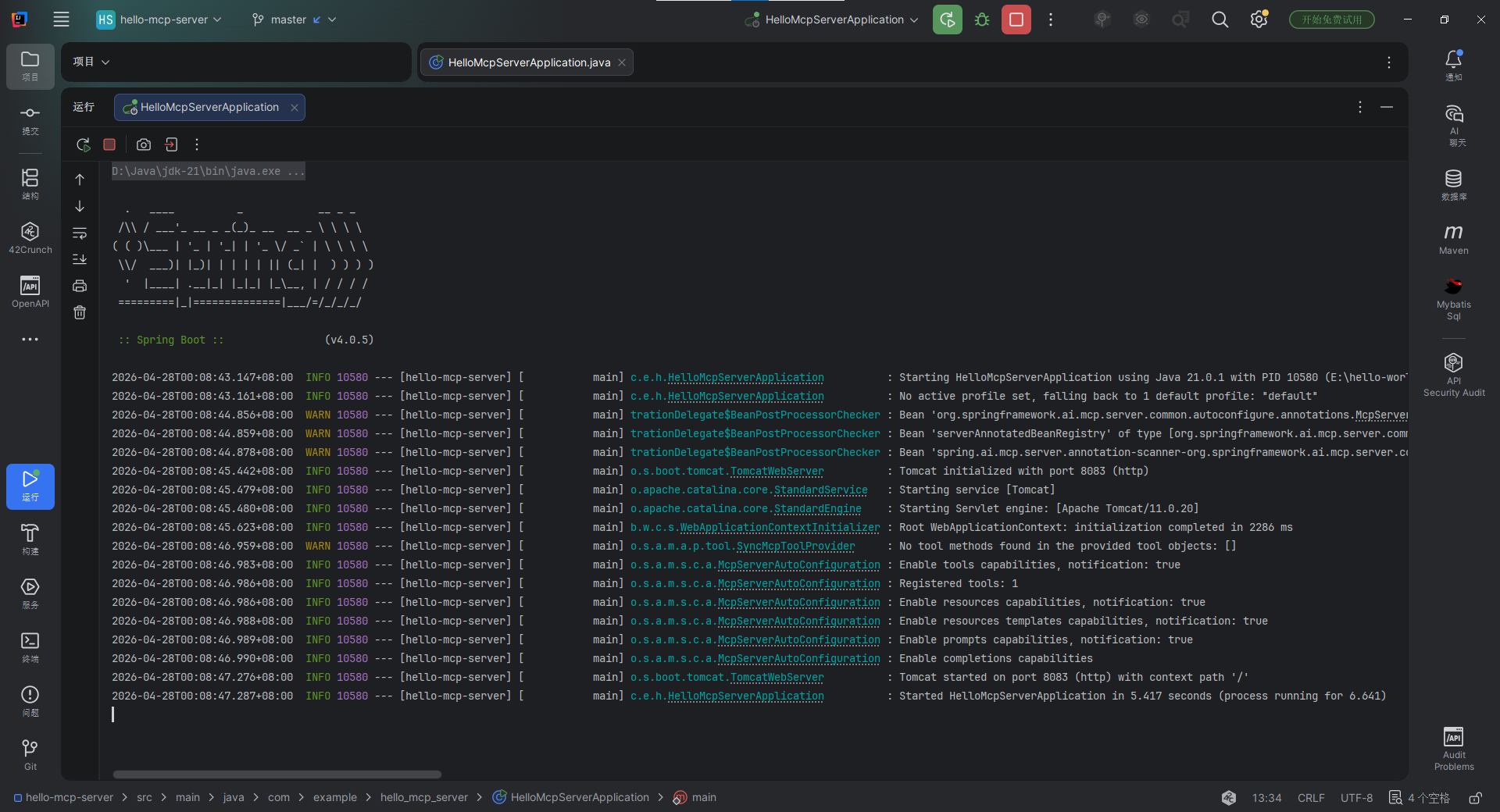
log
  .   ____          _            __ _ _
 /\\ / ___'_ __ _ _(_)_ __  __ _ \ \ \ \
( ( )\___ | '_ | '_| | '_ \/ _` | \ \ \ \
 \\/  ___)| |_)| | | | | || (_| |  ) ) ) )
  '  |____| .__|_| |_|_| |_\__, | / / / /
 =========|_|==============|___/=/_/_/_/

 :: Spring Boot ::                (v4.0.5)

2026-04-28T00:08:43.147+08:00  INFO 10580 --- [hello-mcp-server] [           main] c.e.h.HelloMcpServerApplication          : Starting HelloMcpServerApplication using Java 21.0.1 with PID 10580 (E:\hello-world\hello-mcp-server\target\classes started by SongGuanxun in E:\hello-world\hello-mcp-server)
2026-04-28T00:08:43.161+08:00  INFO 10580 --- [hello-mcp-server] [           main] c.e.h.HelloMcpServerApplication          : No active profile set, falling back to 1 default profile: "default"
2026-04-28T00:08:44.856+08:00  WARN 10580 --- [hello-mcp-server] [           main] trationDelegate$BeanPostProcessorChecker : Bean 'org.springframework.ai.mcp.server.common.autoconfigure.annotations.McpServerAnnotationScannerAutoConfiguration' of type [org.springframework.ai.mcp.server.common.autoconfigure.annotations.McpServerAnnotationScannerAutoConfiguration] is not eligible for getting processed by all BeanPostProcessors (for example: not eligible for auto-proxying). Is this bean getting eagerly injected/applied to a currently created BeanPostProcessor [serverAnnotatedMethodBeanPostProcessor]? Check the corresponding BeanPostProcessor declaration and its dependencies/advisors. If this bean does not have to be post-processed, declare it with ROLE_INFRASTRUCTURE.
2026-04-28T00:08:44.859+08:00  WARN 10580 --- [hello-mcp-server] [           main] trationDelegate$BeanPostProcessorChecker : Bean 'serverAnnotatedBeanRegistry' of type [org.springframework.ai.mcp.server.common.autoconfigure.annotations.McpServerAnnotationScannerAutoConfiguration$ServerMcpAnnotatedBeans] is not eligible for getting processed by all BeanPostProcessors (for example: not eligible for auto-proxying). Is this bean getting eagerly injected/applied to a currently created BeanPostProcessor [serverAnnotatedMethodBeanPostProcessor]? Check the corresponding BeanPostProcessor declaration and its dependencies/advisors. If this bean does not have to be post-processed, declare it with ROLE_INFRASTRUCTURE.
2026-04-28T00:08:44.878+08:00  WARN 10580 --- [hello-mcp-server] [           main] trationDelegate$BeanPostProcessorChecker : Bean 'spring.ai.mcp.server.annotation-scanner-org.springframework.ai.mcp.server.common.autoconfigure.annotations.McpServerAnnotationScannerProperties' of type [org.springframework.ai.mcp.server.common.autoconfigure.annotations.McpServerAnnotationScannerProperties] is not eligible for getting processed by all BeanPostProcessors (for example: not eligible for auto-proxying). Is this bean getting eagerly injected/applied to a currently created BeanPostProcessor [serverAnnotatedMethodBeanPostProcessor]? Check the corresponding BeanPostProcessor declaration and its dependencies/advisors. If this bean does not have to be post-processed, declare it with ROLE_INFRASTRUCTURE.
2026-04-28T00:08:45.442+08:00  INFO 10580 --- [hello-mcp-server] [           main] o.s.boot.tomcat.TomcatWebServer          : Tomcat initialized with port 8083 (http)
2026-04-28T00:08:45.479+08:00  INFO 10580 --- [hello-mcp-server] [           main] o.apache.catalina.core.StandardService   : Starting service [Tomcat]
2026-04-28T00:08:45.480+08:00  INFO 10580 --- [hello-mcp-server] [           main] o.apache.catalina.core.StandardEngine    : Starting Servlet engine: [Apache Tomcat/11.0.20]
2026-04-28T00:08:45.623+08:00  INFO 10580 --- [hello-mcp-server] [           main] b.w.c.s.WebApplicationContextInitializer : Root WebApplicationContext: initialization completed in 2286 ms
2026-04-28T00:08:46.959+08:00  WARN 10580 --- [hello-mcp-server] [           main] o.s.a.m.a.p.tool.SyncMcpToolProvider     : No tool methods found in the provided tool objects: []
2026-04-28T00:08:46.983+08:00  INFO 10580 --- [hello-mcp-server] [           main] o.s.a.m.s.c.a.McpServerAutoConfiguration : Enable tools capabilities, notification: true
2026-04-28T00:08:46.986+08:00  INFO 10580 --- [hello-mcp-server] [           main] o.s.a.m.s.c.a.McpServerAutoConfiguration : Registered tools: 1
2026-04-28T00:08:46.986+08:00  INFO 10580 --- [hello-mcp-server] [           main] o.s.a.m.s.c.a.McpServerAutoConfiguration : Enable resources capabilities, notification: true
2026-04-28T00:08:46.988+08:00  INFO 10580 --- [hello-mcp-server] [           main] o.s.a.m.s.c.a.McpServerAutoConfiguration : Enable resources templates capabilities, notification: true
2026-04-28T00:08:46.989+08:00  INFO 10580 --- [hello-mcp-server] [           main] o.s.a.m.s.c.a.McpServerAutoConfiguration : Enable prompts capabilities, notification: true
2026-04-28T00:08:46.990+08:00  INFO 10580 --- [hello-mcp-server] [           main] o.s.a.m.s.c.a.McpServerAutoConfiguration : Enable completions capabilities
2026-04-28T00:08:47.276+08:00  INFO 10580 --- [hello-mcp-server] [           main] o.s.boot.tomcat.TomcatWebServer          : Tomcat started on port 8083 (http) with context path '/'
2026-04-28T00:08:47.287+08:00  INFO 10580 --- [hello-mcp-server] [           main] c.e.h.HelloMcpServerApplication          : Started HelloMcpServerApplication in 5.417 seconds (process running for 6.641)
3.6. 效果测试(Inspector)
3.6.1. 启动 Inspector
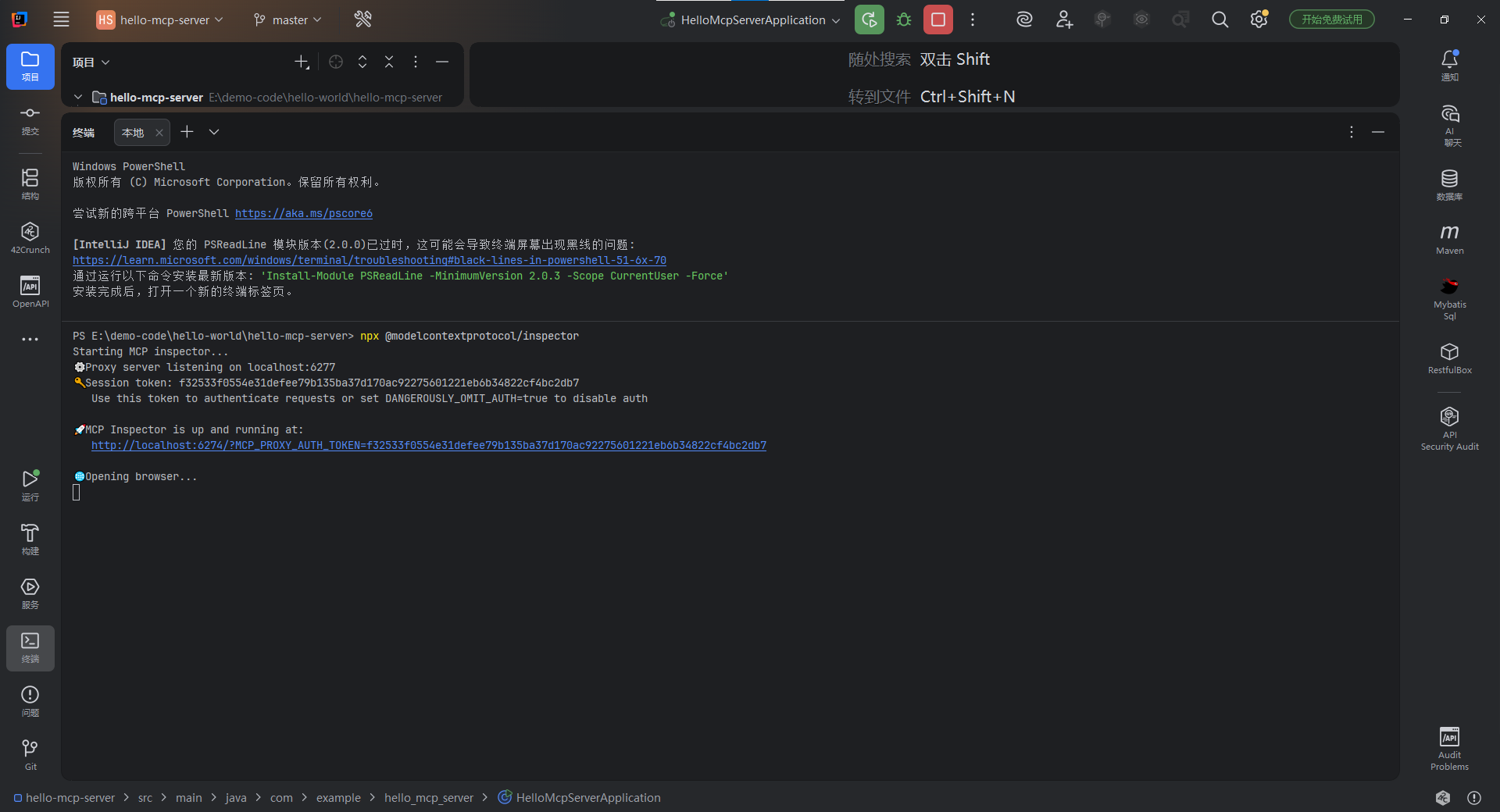
bash
PS E:\demo-code\hello-world\hello-mcp-server> npx @modelcontextprotocol/inspector
Starting MCP inspector...
⚙️ Proxy server listening on localhost:6277
🔑 Session token: f32533f0554e31defee79b135ba37d170ac92275601221eb6b34822cf4bc2db7
   Use this token to authenticate requests or set DANGEROUSLY_OMIT_AUTH=true to disable auth

🚀 MCP Inspector is up and running at:
   http://localhost:6274/?MCP_PROXY_AUTH_TOKEN=f32533f0554e31defee79b135ba37d170ac92275601221eb6b34822cf4bc2db7

🌐 Opening browser...- Inspector 启动成功,自动打开页面
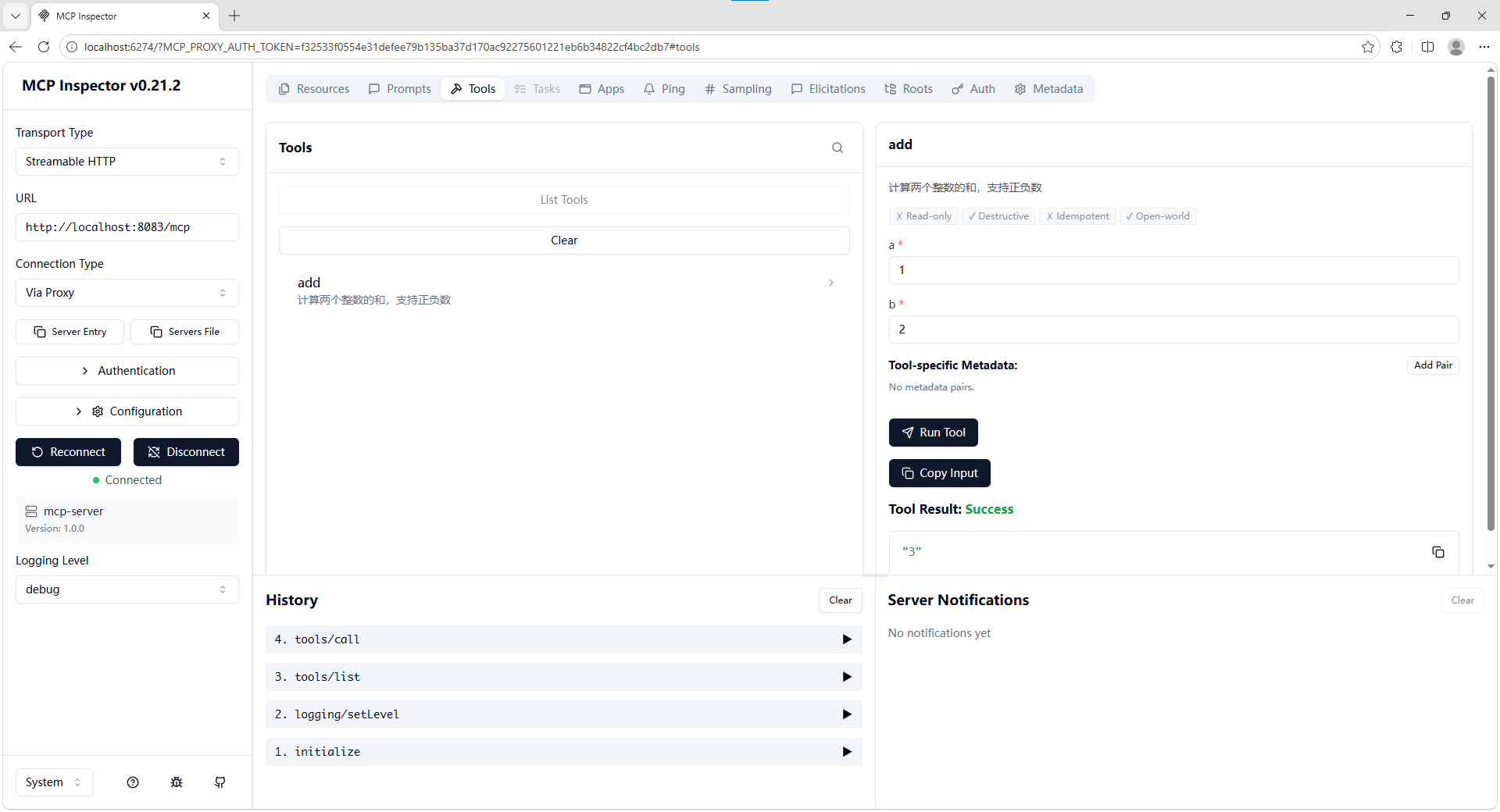
3.6.2. Inspector 使用方法和效果
- 配置
Transport Type和URL(MCP服务器地址)。 - 点击
连接(Connect/Reconnect),连接MCP服务器。 - 选择到
Tools页面,查询MCP接口。 - 测试MCP接口。
配置示例:
Transport Type :Streamable HTTP
URL :http://localhost:8083/mcp
3.6.3. Inspector日志
bash
New StreamableHttp connection request
Query parameters: {"url":"http://localhost:8083/mcp","transportType":"streamable-http"}
Created StreamableHttp client transport
Client <-> Proxy  sessionId: a20c7346-c43a-425c-a643-4eb4f18c2a76
Proxy  <-> Server sessionId: d03b312b-8f0e-4114-a498-8b8aacb32263
Received POST message for sessionId a20c7346-c43a-425c-a643-4eb4f18c2a76
Received GET message for sessionId a20c7346-c43a-425c-a643-4eb4f18c2a76
Received POST message for sessionId a20c7346-c43a-425c-a643-4eb4f18c2a76
Received POST message for sessionId a20c7346-c43a-425c-a643-4eb4f18c2a76
Received POST message for sessionId a20c7346-c43a-425c-a643-4eb4f18c2a76
4. REST API 转 MCP Tool
把面向人类开发者的 REST HTTP 接口,改造为面向大模型 / AI Agent 可理解、可标准化调用的 MCP 协议工具接口。
这个转换的核心本质,是将 REST API 的 HTTP 端点,映射封装为 MCP 协议定义的Tool(工具),通过 MCP Server 暴露给 MCP 兼容的 AI 客户端(如 Dify)调用,底层完成 REST HTTP 语义到 MCP 的 JSON-RPC 协议语义的双向转换与适配。
4.1. OpenFeign
本文中,MCP服务器使用 OpenFeign 访问 REST API 接口。
4.1.1. OpenFeign依赖
xml
        <dependency>
            <groupId>org.springframework.cloud</groupId>
            <artifactId>spring-cloud-starter-openfeign</artifactId>
        </dependency>
xml
    <properties>
        <spring-cloud.version>2025.1.1</spring-cloud.version>
    </properties>
xml
    <dependencyManagement>
        <dependencies>
            <dependency>
                <groupId>org.springframework.cloud</groupId>
                <artifactId>spring-cloud-dependencies</artifactId>
                <version>${spring-cloud.version}</version>
                <type>pom</type>
                <scope>import</scope>
            </dependency>
        </dependencies>
    </dependencyManagement>
4.1.2. 开启OpenFeign客户端:@EnableFeignClients
@EnableFeignClients 放在 Application 上,开启OpenFeign客户端。
java
@EnableFeignClients
@SpringBootApplication
public class HelloMcpServerApplication {

    public static void main(String[] args) {
        SpringApplication.run(HelloMcpServerApplication.class, args);
    }

    // ...

}
4.1.3. OpenFeign客户端
java
package com.example.hello_mcp_server.feign;

import org.springframework.cloud.openfeign.FeignClient;
import org.springframework.web.bind.annotation.GetMapping;

import java.util.List;

@FeignClient(contextId = "UserFeignClient", name = "hello-user", url = "http://localhost:8080")
public interface UserFeignClient {

    @GetMapping("/users")
    List<User> getUsers();

}
java
package com.example.hello_mcp_server.feign;

import lombok.Data;

import java.util.Date;

@Data
public class User {

    private Long id;
    private String username;
    private String realName;
    private String phone;
    private String email;
    private Integer age;
    private Integer gender; // 性别:0=未知;1=男;2=女
    private Integer status; // 状态:0=禁用;1=正常
    private Date createTime;
    private Date updateTime;

}
4.2. MCP服务调用 REST API 接口
java
package com.example.hello_mcp_server.mcp;

import com.example.hello_mcp_server.feign.User;
import com.example.hello_mcp_server.feign.UserFeignClient;
import lombok.extern.slf4j.Slf4j;
import org.springframework.ai.tool.annotation.Tool;
import org.springframework.beans.factory.annotation.Autowired;
import org.springframework.stereotype.Service;

import java.util.List;

@Slf4j
@Service
public class UserService {

    @Autowired
    private UserFeignClient userFeignClient;

    /**
     * 查询账号列表
     */
    @Tool(description = "查询账号列表")
    public List<User> getUsers() {
        log.info("收到请求");
        List<User> users = userFeignClient.getUsers();
        log.info("users={}", users);
        return users;
    }

}
4.3. 注册MCP服务
java
package com.example.hello_mcp_server;

import com.example.hello_mcp_server.mcp.MathService;
import com.example.hello_mcp_server.mcp.UserService;
import org.springframework.ai.tool.ToolCallbackProvider;
import org.springframework.ai.tool.method.MethodToolCallbackProvider;
import org.springframework.boot.SpringApplication;
import org.springframework.boot.autoconfigure.SpringBootApplication;
import org.springframework.cloud.openfeign.EnableFeignClients;
import org.springframework.context.annotation.Bean;

@EnableFeignClients
@SpringBootApplication
public class HelloMcpServerApplication {

    // ...

    @Bean
    public ToolCallbackProvider userTools(UserService service) {
        return MethodToolCallbackProvider.builder()
                .toolObjects(service)
                .build();
    }

}
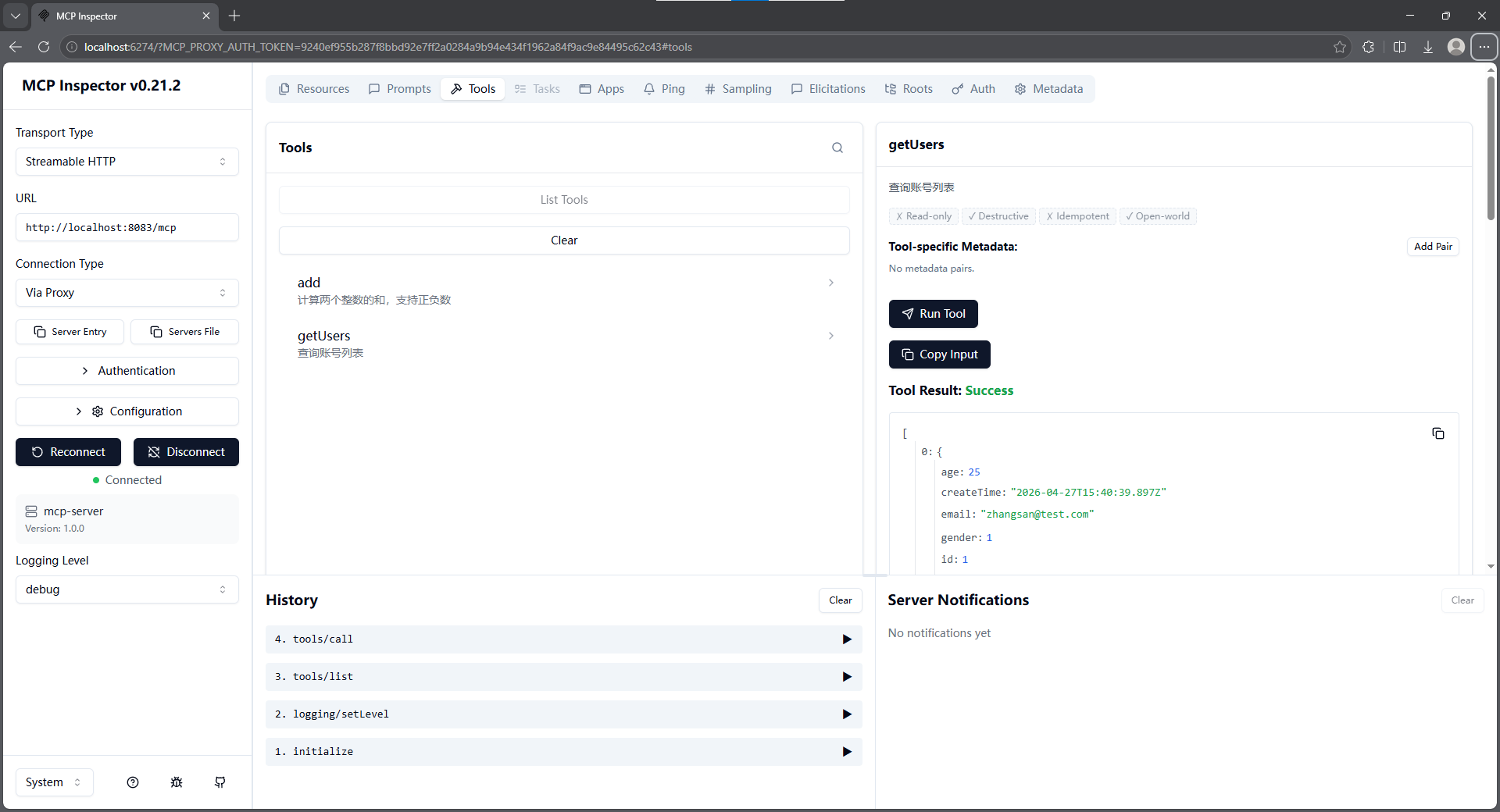
4.4. 效果测试(Inspector)
5. 附录
5.1. POM
xml
<?xml version="1.0" encoding="UTF-8"?>
<project xmlns="http://maven.apache.org/POM/4.0.0" xmlns:xsi="http://www.w3.org/2001/XMLSchema-instance"
         xsi:schemaLocation="http://maven.apache.org/POM/4.0.0 https://maven.apache.org/xsd/maven-4.0.0.xsd">
    <modelVersion>4.0.0</modelVersion>

    <parent>
        <groupId>org.springframework.boot</groupId>
        <artifactId>spring-boot-starter-parent</artifactId>
        <version>4.0.5</version>
        <relativePath/>
    </parent>

    <groupId>com.example</groupId>
    <artifactId>hello-mcp-server</artifactId>
    <version>0.0.1-SNAPSHOT</version>

    <properties>
        <java.version>21</java.version>
        <spring-ai.version>2.0.0-M4</spring-ai.version>
        <spring-cloud.version>2025.1.1</spring-cloud.version>
    </properties>

    <dependencies>
        <dependency>
            <groupId>org.springframework.ai</groupId>
            <artifactId>spring-ai-starter-mcp-server-webmvc</artifactId>
        </dependency>
        <dependency>
            <groupId>org.projectlombok</groupId>
            <artifactId>lombok</artifactId>
            <optional>true</optional>
        </dependency>
        <dependency>
            <groupId>org.springframework.boot</groupId>
            <artifactId>spring-boot-starter-webmvc-test</artifactId>
            <scope>test</scope>
        </dependency>
        <dependency>
            <groupId>org.springframework.cloud</groupId>
            <artifactId>spring-cloud-starter-openfeign</artifactId>
        </dependency>
    </dependencies>

    <dependencyManagement>
        <dependencies>
            <dependency>
                <groupId>org.springframework.cloud</groupId>
                <artifactId>spring-cloud-dependencies</artifactId>
                <version>${spring-cloud.version}</version>
                <type>pom</type>
                <scope>import</scope>
            </dependency>
            <dependency>
                <groupId>org.springframework.ai</groupId>
                <artifactId>spring-ai-bom</artifactId>
                <version>${spring-ai.version}</version>
                <type>pom</type>
                <scope>import</scope>
            </dependency>
        </dependencies>
    </dependencyManagement>

    <build>
        <plugins>
            <plugin>
                <groupId>org.springframework.boot</groupId>
                <artifactId>spring-boot-maven-plugin</artifactId>
                <configuration>
                    <excludes>
                        <exclude>
                            <groupId>org.projectlombok</groupId>
                            <artifactId>lombok</artifactId>
                        </exclude>
                    </excludes>
                </configuration>
            </plugin>
            <plugin>
                <groupId>org.apache.maven.plugins</groupId>
                <artifactId>maven-compiler-plugin</artifactId>
                <executions>
                    <execution>
                        <id>default-compile</id>
                        <phase>compile</phase>
                        <goals>
                            <goal>compile</goal>
                        </goals>
                        <configuration>
                            <annotationProcessorPaths>
                                <path>
                                    <groupId>org.projectlombok</groupId>
                                    <artifactId>lombok</artifactId>
                                </path>
                            </annotationProcessorPaths>
                        </configuration>
                    </execution>
                    <execution>
                        <id>default-testCompile</id>
                        <phase>test-compile</phase>
                        <goals>
                            <goal>testCompile</goal>
                        </goals>
                        <configuration>
                            <annotationProcessorPaths>
                                <path>
                                    <groupId>org.projectlombok</groupId>
                                    <artifactId>lombok</artifactId>
                                </path>
                            </annotationProcessorPaths>
                        </configuration>
                    </execution>
                </executions>
            </plugin>
        </plugins>
    </build>

</project>
5.2. application.yml
yml
spring:
  application:
    name: hello-mcp-server
  ai:
    mcp:
      server:
        protocol: STREAMABLE
server:
  port: 8083
5.3. Application
java
package com.example.hello_mcp_server;

import com.example.hello_mcp_server.mcp.MathService;
import com.example.hello_mcp_server.mcp.UserService;
import org.springframework.ai.tool.ToolCallbackProvider;
import org.springframework.ai.tool.method.MethodToolCallbackProvider;
import org.springframework.boot.SpringApplication;
import org.springframework.boot.autoconfigure.SpringBootApplication;
import org.springframework.cloud.openfeign.EnableFeignClients;
import org.springframework.context.annotation.Bean;

@EnableFeignClients
@SpringBootApplication
public class HelloMcpServerApplication {

    public static void main(String[] args) {
        SpringApplication.run(HelloMcpServerApplication.class, args);
    }

    @Bean
    public ToolCallbackProvider mathTools(MathService mathService) {
        return MethodToolCallbackProvider.builder()
                .toolObjects(mathService)
                .build();
    }

    @Bean
    public ToolCallbackProvider userTools(UserService service) {
        return MethodToolCallbackProvider.builder()
                .toolObjects(service)
                .build();
    }

}