文章目录
- 前言
- 一、下载openclaw
- [二、 下载arm64 node.js](#二、 下载arm64 node.js)
- 三、部署node.js
- 四、部署openclaw
- 五、安装插件(可选)
- 六、关联qq(可选)
-
- 1、进入qq开放平台
- 2、创建机器人
- 3、获取AppID和Secret
- 4、绑定openclaw
-
- [(1进入openclaw目录](#(1进入openclaw目录)
- (2)绑定qq
- (4)重启openclaw
- 七、关联微信(可选)
- 总结
前言
openclaw是基于node.js的,通常在Ubuntu安装是比较容易的,但是如果是嵌入式Linux没有包管理的情况,就没那么容易了,尤其是没有git,通过node官方预编译的npm也无法安装openclaw。这个时候就需要其他方式了。
一、下载openclaw
我们先找一台ubuntu设备,x86、arm都可以。
1、安装必要工具。
bash
apt install -y curl wget git python3 build-essential libssl-dev ufw安装node
bash
curl -fsSL https://deb.nodesource.com/setup_20.x | sudo -E bash -
sudo apt-get install -y nodejs
2、下载openclaw
bash
mkdir openclaw
cd openclaw
NODE_LLAMA_CPP_SKIP_DOWNLOAD=true npm install openclaw@latest --omit=dev --verbose
4、打包
cd到第二步openclaw的上一级目录。
bash
cd ..
tar -cvf openclaw.tar openclaw
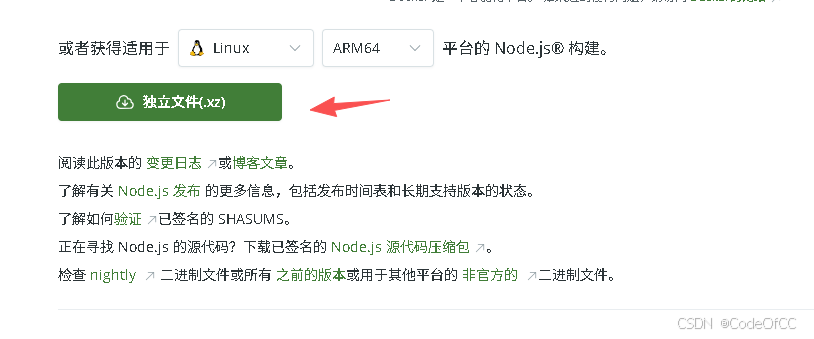
二、 下载arm64 node.js
https://nodejs.org/zh-cn/download
三、部署node.js
1、解压
将下载的node静态包,放入嵌入式linux系统并解压,下列是精简版tar不支持解压,所以需要先xz解压。
bash
xz -d  node-v24.15.0-linux-arm64.tar.xz
tar -xvf node-v24.15.0-linux-arm64.tar
2、设置环境变量
设置环境变了将上述node-v22.14.0-linux-arm64/bin/放到PATH中
比如:
bash
export PATH=$PATH:/root/node-v22.14.0-linux-arm64/bin/四、部署openclaw
将第一节打包的openclaw.tar放入嵌入式linux系统并解压。
1、解压
bash
tar -xvf openclaw.tar2、安装依赖。
进入目录
bash
cd openclaw
bash
NODE_LLAMA_CPP_SKIP_DOWNLOAD=true npm install --omit=dev3、openclaw config
在openclaw目录 通过node来启动,命令openclaw,node node_modules/openclaw/dist/index.js 等价于openclaw
确保进入目录
bash
cd openclaw
bash
node node_modules/openclaw/dist/index.js config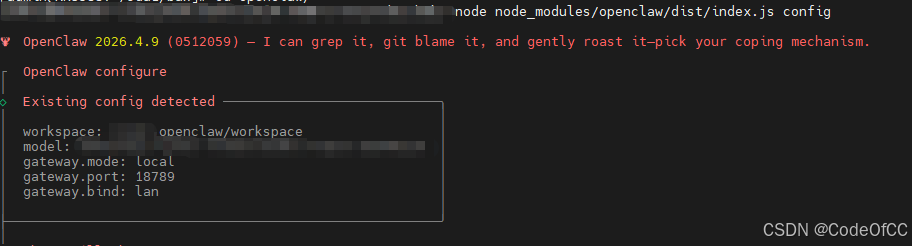
3、openclaw gateway
在openclaw目录 通过node来启动,命令openclaw,node node_modules/openclaw/dist/index.js 等价于openclaw
确保进入目录
bash
cd openclaw
bash
node node_modules/openclaw/dist/index.js gateway
五、安装插件(可选)
回到第一节的ubuntu设备
1、下载插件
bash
cd openclaw微信
bash
node node_modules/openclaw/dist/index.js plugins install "@tencent-weixin/openclaw-weixin@latest"
bash
node node_modules/openclaw/dist/index.js plugins install @sliverp/qqbot@latest2、打包插件
cd到.openclaw中找到插件。通常在$HOME/.openclaw。
bash
cd ~/.openclaw/extensions/微信
bash
tar -cvf openclaw-weixin.tar openclaw-weixin
bash
tar -cvf qqbot.tar qqbot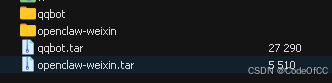
3、部署
将qqbot.tar、openclaw-weixin.tar放入嵌入式Linux的$HOME/.openclaw目录,并解压
bash
cd ~/.openclaw/extensions/微信
bash
tar -xvf openclaw-weixin.tar
bash
tar -xvf qqbot.tar 如果所属用户与当前系统不一致则需要手动改一下,比如下面改成root。
bash
chown -R root openclaw-weixin/
bash
chown -R root qqbot/将ubuntu设备 的~/.openclaw/openclaw.json的插件配置拷贝到嵌入式Linux的 ~/.openclaw/openclaw.json中
bash
vi ~/.openclaw/extensions/openclaw.json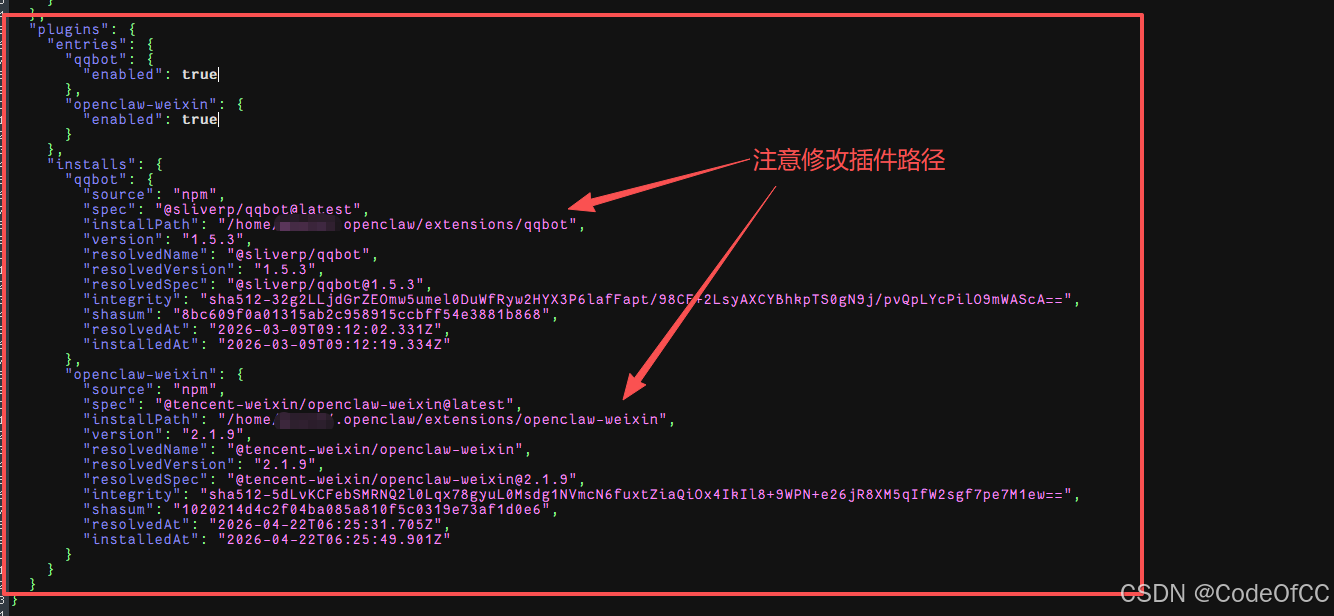
六、关联qq(可选)
需要先安装qq插件
1、进入qq开放平台
https://q.qq.com/qqbot/openclaw/login.html

2、创建机器人
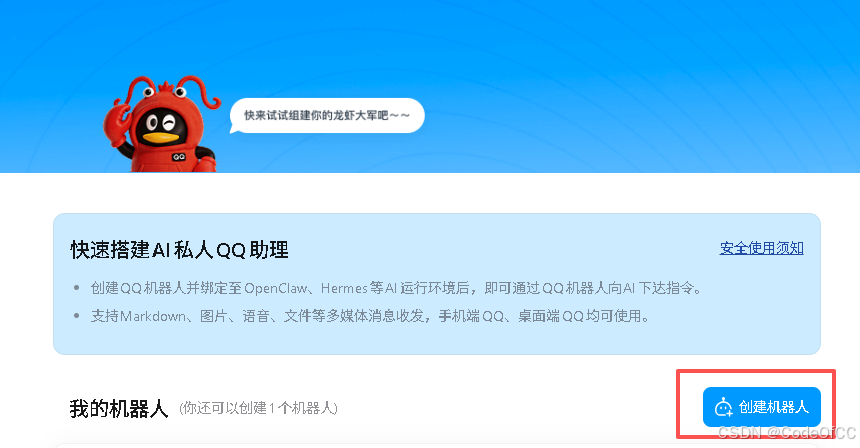
3、获取AppID和Secret
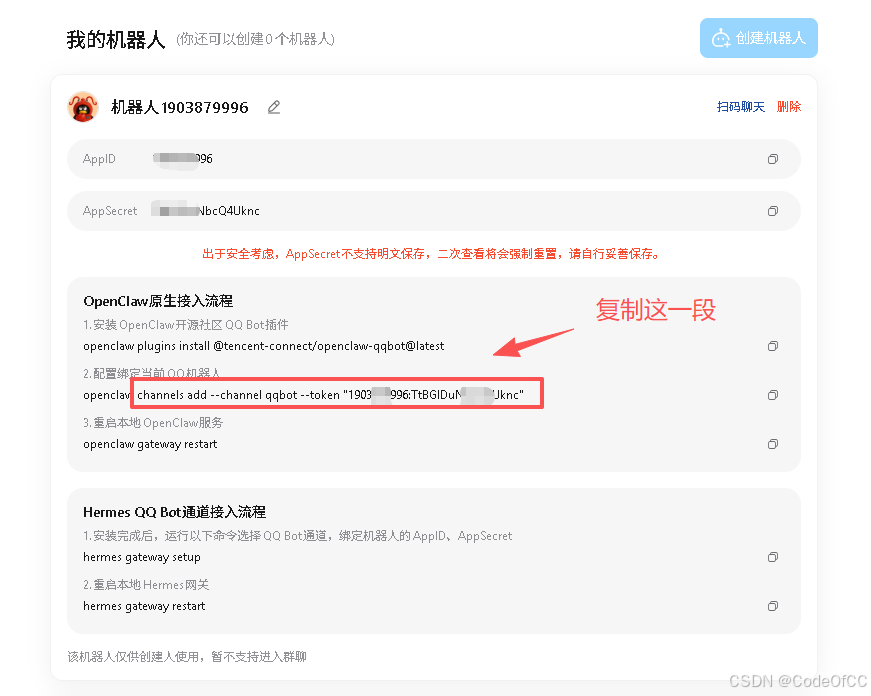
4、绑定openclaw
(1进入openclaw目录
bash
cd openclaw(2)绑定qq
node node_modules/openclaw/dist/index.js + 第3步复制的内容
示例如下
bash
node node_modules/openclaw/dist/index.js channels add --channel qqbot --token "8888888888:TtBGIADCdcQ4Uknc"(4)重启openclaw
bash
killall openclaw-gateway
node node_modules/openclaw/dist/index.js gateway
七、关联微信(可选)
需要先安装微信插件
1、打开微信机器人
下列链接参考方式一
https://openclawgithub.cc/guide/channels/wechat
2、绑定openclaw
(1)、进入openclaw目录
bash
cd openclaw(2)、显示二维码
bash
node node_modules/openclaw/dist/index.js channels login --channel openclaw-weixin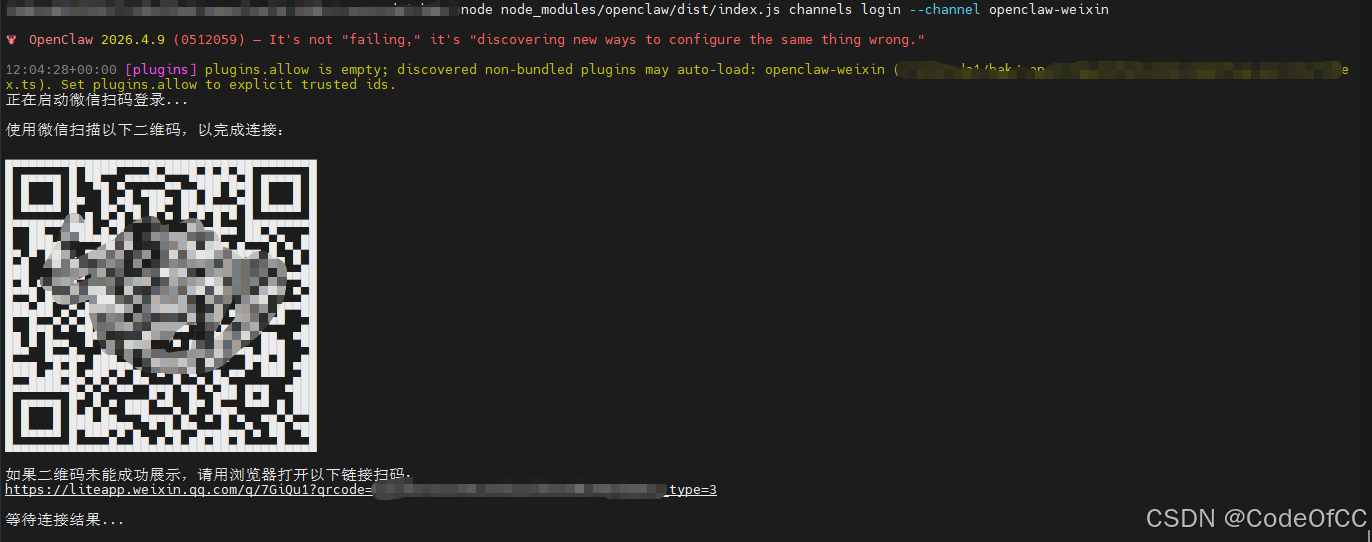
(3)、扫码
在手机微信机器人详情页面点击开始扫一扫即可。
(4)、重启openclaw
bash
killall openclaw-gateway
node node_modules/openclaw/dist/index.js gateway
总结
以上就是今天要讲的内容,对于Linux 嵌入式arm64安装openclaw整体还是比较容易的,没有复杂的编译过程,主要还是在于文件的拷贝的以及简单的配置,当然虽然能成功放到嵌入式设备运行,但是openclaw对性能要求还是比较高的,比较吃cpu和内存,比如A53cpu跑openclaw就很慢,几乎无法正常使用,每个对话都会在node处理中100%单核cpu延迟几十秒,建议rk3588那样的设备跑openclaw。