本文记录了为 JumpServer 开发 Oracle SQL Developer Applet 的完整过程,包括踩过的坑、调试方法和最终可用方案,供后续开发其他 Applet 参考。
背景
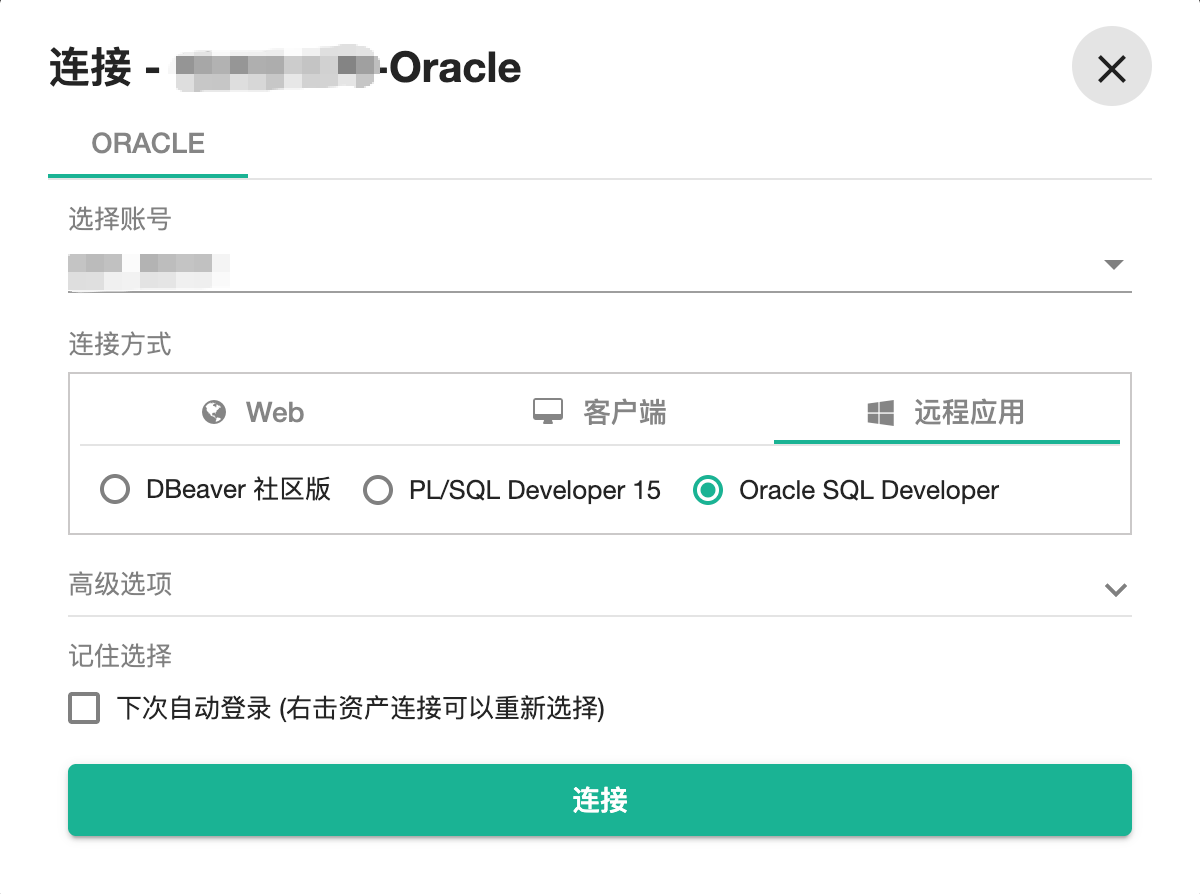
JumpServer 的 RemoteApp(Applet)功能允许在发布机(Windows)上运行桌面应用,用户通过 JumpServer 点击连接时,发布机自动启动目标程序并填入账号密码,用户看到的是一个已登录的界面。
本次目标:为 Oracle SQL Developer 24.3.1 开发 Applet,实现:
- 自动启动 SQL Developer
- 自动打开新建连接对话框
- 自动填入 Host / Port / Username / Password / SID
- 每次会话清除历史连接,防止数据泄露
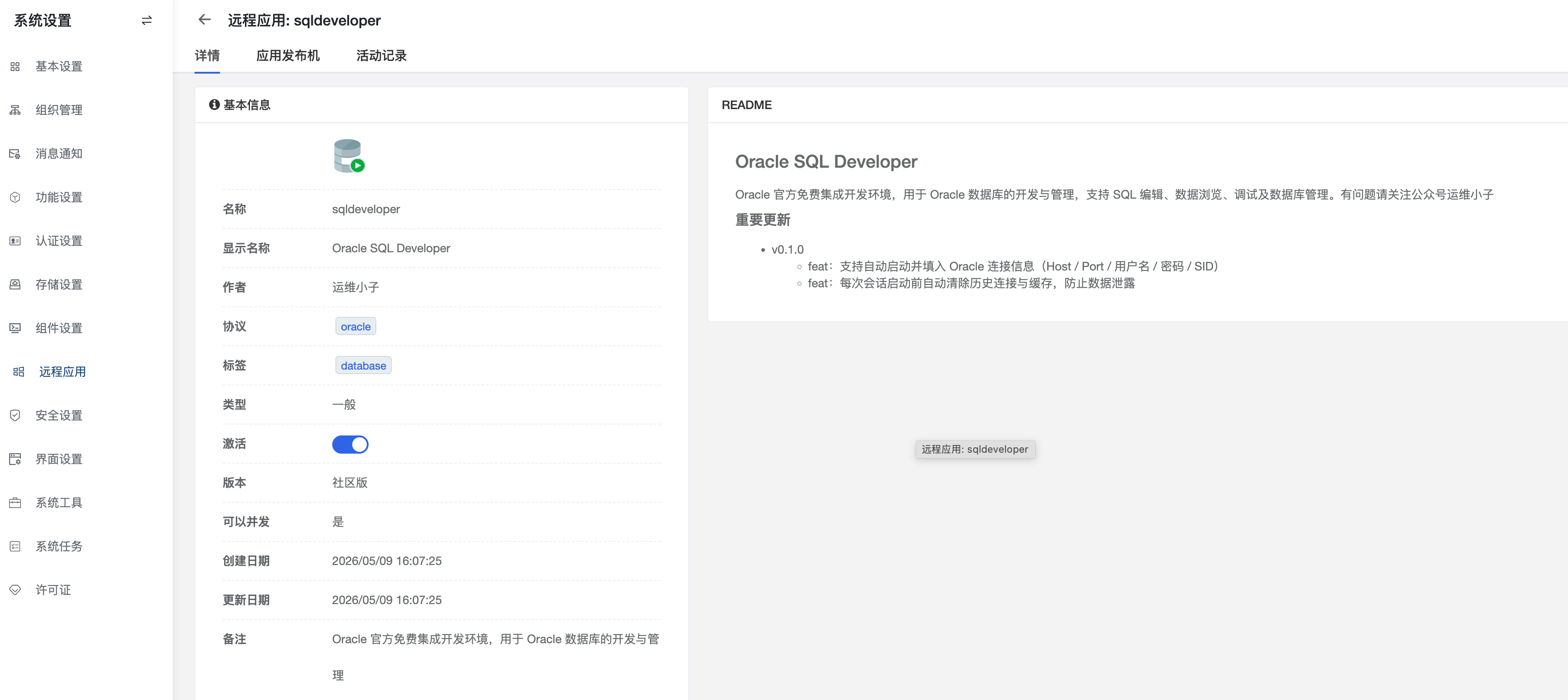
一、包结构
JumpServer Applet 包是一个 zip 文件,解压后必须包含以下文件:
sqldeveloper/
├── manifest.yml          # 应用元数据(必须)
├── setup.yml             # 安装配置(必须)
├── build.yml             # 下载源配置(可选)
├── app.py                # 主逻辑(exec_type=python 时必须)
├── main.py               # 入口(固定写法,不要改)
├── common.py             # JumpServer 提供的基础类(不要改)
└── icon.png              # 应用图标
坑 1 :zip 包内必须有一层与
manifest.yml中name字段同名的目录,即sqldeveloper/,不能直接把文件放在 zip 根目录。
二、配置文件详解
manifest.yml
yaml
name: sqldeveloper
display_name: "{{ 'Oracle SQL Developer' | trans }}"
comment: "{{ 'A free integrated development environment...' | trans }}"
version: 0.1
exec_type: python
author: Halo
type: general
update_policy: none
can_concurrent: true
tags:
  - database
protocols:
  - oracle

i18n:
  Oracle SQL Developer:
    en: Oracle SQL Developer
    zh: Oracle SQL Developer
    ja: Oracle SQL Developer
关键字段:
exec_type: python:JumpServer 用 Python 解释器运行 app.pyprotocols: [oracle]:与 JumpServer 资产的协议类型对应update_policy: none:安装包不自动更新,手动管理
setup.yml
yaml
type: zip
source: sqldeveloper-24.3.1.347.1826-x64.zip
arguments:
destination: C:\Program Files
program: C:\Program Files\sqldeveloper\sqldeveloper.exe
md5: 6d7517113dc10e6117821adccd9a4019
type: zip:安装方式为解压 zip 到destinationmd5:zip 包的 MD5,JumpServer 用于校验
build.yml(可选)
yaml
source_url: http://192.168.8.41:9873/portal/sqldeveloper-24.3.1.347.1826-x64.zip
md5: bb9b6abe39f5274b090ce2c7b884f6ff用于从内网源下载安装包,md5 是 source_url 指向文件的 MD5(与 setup.yml 中 zip 解压包的 md5 不同)。
三、核心逻辑:app.py
整体流程
启动前清理
  └─ 删除旧版 system 目录(防导入首选项弹窗)
  └─ 删除 connections.json / connections.xml(清历史连接)
      ↓
subprocess.Popen 启动 sqldeveloper.exe
      ↓
等待 SunAwtFrame 窗口出现(最多 90 秒)
      ↓
等待 10 秒渲染完成
      ↓
关闭启动弹窗(_dismiss_startup_dialogs)
      ↓
发送 Ctrl+N 打开新建库对话框
      ↓
点击"数据库层" → 点击"确认"
      ↓
等待"新建/选择数据库连接"对话框(最多 30 秒)
      ↓
坐标填写字段:Name / 用户名 / 密码 / 主机名 / 端口 / SID
      ↓
点击 Connect 按钮
为什么用坐标而不是控件
SQL Developer 是 Java Swing 应用,pywinauto 的 UIA 和 win32 后端都只能看到顶层窗口(SunAwtFrame / SunAwtDialog),无法枚举内部控件。Java Access Bridge(jabswitch)也无法暴露有效的控件树。
因此所有字段填写和按钮点击均使用坐标比例定位:
python
# 字段坐标为相对对话框的比例,从实际对话框 rect 计算绝对坐标
FIELDS = {
    'name':     (0.440, 0.103),
    'username': (0.453, 0.379),
    'password': (0.485, 0.427),
    'hostname': (0.522, 0.634),
    'port':     (0.452, 0.667),
    'sid':      (0.478, 0.717),
    'connect':  (0.784, 0.952),
}
比例值基于实测对话框尺寸(约 1560×1000px)标定,在不同分辨率下仍然有效。
四、踩过的坑
坑 2:工具栏按钮不能用比例坐标
最初打算点击主窗口工具栏上的"新建连接"按钮。测试环境(窗口 rect (110, 134, 2762, 1466))和 Applet 实际环境(窗口 rect (-8, -8, 1544, 906))的窗口大小相差很大,按比例算出的坐标完全偏移。
工具栏按钮是固定像素布局(Swing 不会随窗口缩放),固定偏移量在不同环境也不可靠。
解决方案 :改用键盘快捷键 Ctrl+N,完全绕过坐标问题。
坑 3:Ctrl+N 后出现"新建库"画廊对话框
SQL Developer 的 Ctrl+N 不直接打开连接对话框,而是先弹出一个"新建库"(gallery)让你选类型。需要:
- 找到
SunAwtDialog(title 含"新建库") - 点击"数据库层"选项(比例
0.099, 0.350) - 点击"确认"按钮(比例
0.768, 0.953)
然后才会出现"新建/选择数据库连接"对话框。
坑 4:历史连接文件是 .json 不是 .xml
SQL Developer 24.x 的连接存储在:
%APPDATA%\SQL Developer\system24.3.1.347.1826\o.jdeveloper.db.connection\connections.json旧版(18.x 及以前)用的是 connections.xml。代码中两个都删,兼容新旧版本。
坑 5:"导入首选项"弹窗
SQL Developer 检测到 %APPDATA%\SQL Developer\ 下存在其他版本的 system* 目录时,会在启动时弹出"确认导入首选项"。
解决方案 :启动前扫描并删除所有非当前版本的 system* 目录:
python
current = 'system24.3.1.347.1826'
for entry in os.listdir(sqld_root):
    if entry.startswith('system') and entry != current:
        shutil.rmtree(os.path.join(sqld_root, entry))
坑 6:启动弹窗关闭不完全
SQL Developer 启动时可能弹出多个提示(更新、提示、使用情况跟踪等),标题可能是中文也可能是英文(取决于系统语言)。
python
skip = ['Tip', 'Update', 'Import', 'Usage', 'Analytics',
        '提示', '更新', '导入', '分析', '报告', '使用情况', '跟踪']
循环 8 次、每次间隔 0.5 秒,发送 WM_CLOSE 消息关闭匹配的对话框。
坑 7:等待时间不够
主窗口出现(SunAwtFrame 可被 findwindows 检测到)并不代表 UI 已经完全渲染。实测在发布机上至少需要等待 10 秒后再进行操作,否则 Ctrl+N 或弹窗关闭会失败。
五、调试方法
日志文件
在 app.py 顶部加入日志函数,所有关键步骤写入文件:
python
LOG_PATH = r'C:\Users\Public\log\sqldeveloper.log'
os.makedirs(r'C:\Users\Public\log', exist_ok=True)

def _log(msg):
    with open(LOG_PATH, 'a', encoding='utf-8') as f:
        f.write(f"[{time.strftime('%H:%M:%S')}] {msg}\n")
日志内容示例:
[10:23:01] 启动 SQL Developer
[10:23:02] 等待主窗口 SunAwtFrame...
[10:23:15] 主窗口出现,等待 10 秒渲染...
[10:23:25] Ctrl+N 后的对话框: ['新建库']
[10:23:26] 找到新建库 rect=(0, 0, 1400, 1000)
[10:23:27] 点击数据库层 (138, 350)
[10:23:28] 点击确认 (1075, 953)
[10:23:29] 找到连接对话框 handle=394790
[10:23:29] 对话框 rect=(170, 192, 1730, 1192)
[10:23:30] 字段填写完成,点击 Connect...
[10:23:31] 完成
坐标标定脚本
在发布机上运行,获取对话框 rect 和各字段绝对坐标,用于校准比例:
python
# calibrate.py - 在发布机上手动打开对话框后运行
import win32gui
from pywinauto import findwindows
import time

time.sleep(5)  # 给时间手动打开对话框

found = findwindows.find_elements(class_name='SunAwtDialog')
for e in found:
    rect = win32gui.GetWindowRect(e.handle)
    left, top, right, bottom = rect
    w, h = right - left, bottom - top
    print(f"对话框: {e.name}")
    print(f"  rect = {rect}  size = {w}x{h}")
窗口枚举脚本
枚举当前所有 SunAwtDialog,用于确认弹窗标题:
python
# list_dialogs.py
from pywinauto import findwindows
for e in findwindows.find_elements(class_name='SunAwtDialog'):
    print(f"handle={e.handle}  name={e.name!r}")
六、完整 app.py
python
import subprocess
import time
import win32api
import win32con
import win32gui
from pywinauto import findwindows
from pywinauto.keyboard import send_keys

from common import BaseApplication, wait_pid, notify_err_message

PROGRAM = r"C:\Program Files\sqldeveloper\sqldeveloper.exe"
LAUNCH_TIMEOUT = 90
DIALOG_TIMEOUT = 30
LOG_PATH = r'C:\Users\Public\log\sqldeveloper.log'

import os
os.makedirs(r'C:\Users\Public\log', exist_ok=True)

def _log(msg):
    with open(LOG_PATH, 'a', encoding='utf-8') as f:
        f.write(f"[{time.strftime('%H:%M:%S')}] {msg}\n")

# 字段坐标比例,基于约 1560x1000px 对话框标定
FIELDS = {
    'name':     (0.440, 0.103),
    'username': (0.453, 0.379),
    'password': (0.485, 0.427),
    'hostname': (0.522, 0.634),
    'port':     (0.452, 0.667),
    'sid':      (0.478, 0.717),
    'connect':  (0.784, 0.952),
}

def _click(x, y):
    win32api.SetCursorPos((x, y))
    time.sleep(0.1)
    win32api.mouse_event(win32con.MOUSEEVENTF_LEFTDOWN, 0, 0, 0, 0)
    time.sleep(0.05)
    win32api.mouse_event(win32con.MOUSEEVENTF_LEFTUP, 0, 0, 0, 0)
    time.sleep(0.15)

def _fill(rect, ratio, value):
    left, top, right, bottom = rect
    x = int(left + (right - left) * ratio[0])
    y = int(top  + (bottom - top) * ratio[1])
    _click(x, y)
    send_keys('^a')
    send_keys(value, with_spaces=True)
    time.sleep(0.1)


class AppletApplication(BaseApplication):

    def __init__(self, *args, **kwargs):
        super().__init__(*args, **kwargs)
        self._proc = None

    def run(self):
        host      = self.asset.address
        port      = str(self.asset.get_protocol_port('oracle') or 1521)
        username  = self.account.username
        password  = self.account.secret
        db_name   = getattr(self.asset.spec_info, 'db_name', '') or 'orcl'
        conn_name = f'{self.asset.name}-{username}'

        _log(f"启动 SQL Developer: {PROGRAM}")
        self._clear_connections()
        self._clear_cache()
        self._proc = subprocess.Popen([PROGRAM])

        _log("等待主窗口 SunAwtFrame...")
        if not self._wait_class('SunAwtFrame', LAUNCH_TIMEOUT):
            notify_err_message('SQL Developer 启动超时')
            return

        _log("等待 10 秒渲染...")
        time.sleep(10)
        self._dismiss_startup_dialogs()
        self._open_new_connection()

        dlg = self._find_dialog('新建/选择数据库连接', DIALOG_TIMEOUT)
        if not dlg:
            notify_err_message('未找到新建连接对话框')
            return

        win32gui.SetForegroundWindow(dlg)
        time.sleep(0.5)
        rect = win32gui.GetWindowRect(dlg)

        _fill(rect, FIELDS['name'],     conn_name)
        _fill(rect, FIELDS['username'], username)
        _fill(rect, FIELDS['password'], password)
        _fill(rect, FIELDS['hostname'], host)
        _fill(rect, FIELDS['port'],     port)
        _fill(rect, FIELDS['sid'],      db_name)

        left, top, right, bottom = rect
        _click(
            int(left + (right - left) * FIELDS['connect'][0]),
            int(top  + (bottom - top) * FIELDS['connect'][1]),
        )
        _log("完成")

    def _clear_connections(self):
        import shutil
        appdata   = os.environ.get('APPDATA', '')
        sqld_root = os.path.join(appdata, 'SQL Developer')
        current   = 'system24.3.1.347.1826'

        # 删除旧版 system 目录,防止"导入首选项"弹窗
        if os.path.isdir(sqld_root):
            for entry in os.listdir(sqld_root):
                if entry.startswith('system') and entry != current:
                    try:
                        shutil.rmtree(os.path.join(sqld_root, entry))
                        _log(f"已清除旧 system 目录: {entry}")
                    except Exception as e:
                        _log(f"清除旧目录失败: {e}")

        # 清除历史连接(json/xml 各删一遍,兼容新旧版本)
        conn_dir = os.path.join(sqld_root, current, 'o.jdeveloper.db.connection')
        for fname in ('connections.json', 'connections.xml'):
            path = os.path.join(conn_dir, fname)
            if os.path.exists(path):
                try:
                    os.remove(path)
                    _log(f"已清除历史连接: {path}")
                except Exception as e:
                    _log(f"清除失败: {e}")

    def _wait_class(self, class_name, timeout):
        deadline = time.time() + timeout
        while time.time() < deadline:
            if findwindows.find_elements(class_name=class_name):
                return True
            time.sleep(1)
        return False

    def _find_dialog(self, title, timeout=15):
        deadline = time.time() + timeout
        while time.time() < deadline:
            for e in findwindows.find_elements(class_name='SunAwtDialog'):
                if title in (e.name or ''):
                    return e.handle
            time.sleep(0.5)
        return None

    def _dismiss_startup_dialogs(self):
        skip = ['Tip', 'Update', 'Import', 'Usage', 'Analytics',
                '提示', '更新', '导入', '分析', '报告', '使用情况', '跟踪']
        for _ in range(8):
            for e in findwindows.find_elements(class_name='SunAwtDialog'):
                if any(k in (e.name or '') for k in skip):
                    try:
                        win32gui.PostMessage(e.handle, win32con.WM_CLOSE, 0, 0)
                    except Exception:
                        pass
            time.sleep(0.5)

    def _open_new_connection(self):
        frames = findwindows.find_elements(class_name='SunAwtFrame')
        if not frames:
            _log("ERROR: 未找到 SunAwtFrame")
            return

        handle = frames[0].handle
        win32gui.ShowWindow(handle, win32con.SW_RESTORE)
        win32gui.SetForegroundWindow(handle)
        time.sleep(1.0)

        send_keys('^n')
        time.sleep(2.0)

        for e in findwindows.find_elements(class_name='SunAwtDialog'):
            if '新建库' in (e.name or ''):
                rect = win32gui.GetWindowRect(e.handle)
                left, top, right, bottom = rect
                w, h = right - left, bottom - top

                win32gui.SetForegroundWindow(e.handle)
                time.sleep(0.5)

                _click(int(left + w * 0.099), int(top + h * 0.350))  # 数据库层
                time.sleep(0.5)
                _click(int(left + w * 0.768), int(top + h * 0.953))  # 确认
                time.sleep(1.5)
                return

        _log("未出现新建库对话框")

    def wait(self):
        if self._proc:
            wait_pid(self._proc.pid)
七、缓存清理
SQL Developer 用户数据目录结构
%APPDATA%\SQL Developer\
└── system24.3.1.347.1826\              ← 当前版本主目录
    ├── o.jdeveloper.db.connection\
    │   ├── connections.json            ← 保存的数据库连接(每次会话必须删)
    │   └── connections.xml             ← 旧版同上(一并删除)
    ├── o.sqldeveloper.sqldeveloper\    ← SQL 历史 / 工作表状态 / 最近查询
    ├── o.ide.recent\                   ← 最近打开的文件列表
    ├── o.ide.log\                      ← SQL Developer 自身运行日志
    └── o.jdeveloper.db.report\         ← 报告缓存
发布机为多人共用环境,每次会话结束后残留的 SQL 历史、工作表内容对下一个用户是安全隐患,启动前应一并清空。
清理代码
python
def _clear_cache(self):
    import shutil
    appdata = os.environ.get('APPDATA', '')
    sys_dir = os.path.join(appdata, 'SQL Developer', 'system24.3.1.347.1826')

    # 目录本身保留,只清空内容(避免 SQL Developer 首次启动重建逻辑出错)
    cache_dirs = [
        os.path.join(sys_dir, 'o.sqldeveloper.sqldeveloper'),  # SQL 历史 / 工作表
        os.path.join(sys_dir, 'o.ide.recent'),                  # 最近文件
        os.path.join(sys_dir, 'o.ide.log'),                     # 应用日志
    ]
    for d in cache_dirs:
        if not os.path.isdir(d):
            _log(f"缓存目录不存在,跳过: {d}")
            continue
        for entry in os.listdir(d):
            p = os.path.join(d, entry)
            try:
                if os.path.isfile(p):
                    os.remove(p)
                elif os.path.isdir(p):
                    shutil.rmtree(p)
                _log(f"已清除缓存: {p}")
            except Exception as e:
                _log(f"清除缓存失败 {p}: {e}")
注意 :目录本身不删,只清空内容。直接
rmtree整个目录后 SQL Developer 有时会因为找不到目录而崩溃或重建时弹额外提示。
清理顺序
_clear_connections()   # 1. 删 connections.json / connections.xml + 旧 system 目录
_clear_cache()         # 2. 清空 SQL 历史、最近文件、应用日志
subprocess.Popen(...)  # 3. 启动
八、日志排查
Applet 自身日志
所有关键步骤写入:C:\Users\Public\log\sqldeveloper.log
[10:23:01] 启动 SQL Developer: C:\Program Files\sqldeveloper\sqldeveloper.exe
[10:23:02] 已清除历史连接: ...\connections.json
[10:23:02] 已清除缓存: ...\o.sqldeveloper.sqldeveloper\SqlHistory
[10:23:15] 主窗口出现,等待 10 秒渲染...
[10:23:25] 当前 SunAwtDialog: {'使用情况跟踪'}
[10:23:26] Ctrl+N 后的对话框: ['新建库']
[10:23:26] 找到新建库 rect=(0, 0, 1400, 1000)
[10:23:27] 点击数据库层 (138, 350)
[10:23:28] 点击确认 (1075, 953)
[10:23:29] 找到连接对话框 handle=394790
[10:23:29] 对话框 rect=(170, 192, 1730, 1192)
[10:23:30] 字段填写完成,点击 Connect...
[10:23:31] 完成
常见问题对照表
| 日志现象 | 原因 | 处理方式 |
|---|---|---|
ERROR: 主窗口超时 |
SQL Developer 启动超过 90 秒 | 检查发布机性能;增大 LAUNCH_TIMEOUT |
Ctrl+N 后的对话框: [] |
主窗口未获取焦点,快捷键没生效 | 增加 time.sleep 或检查是否有其他窗口抢焦点 |
未出现新建库对话框 |
同上,或 Ctrl+N 被拦截 | 检查是否有启动弹窗未关闭;加长等待时间 |
ERROR: 未找到连接对话框 |
新建库对话框中点击位置偏移,未进入连接对话框 | 重新标定 数据库层 和 确认 的比例坐标 |
| 字段填入后内容乱码 | send_keys 对中文/特殊字符的处理问题 |
密码含特殊字符时改用剪贴板方式写入(见下) |
清除失败: [PermissionError] |
SQL Developer 上次未正常退出,文件被占用 | 先 taskkill /f /im sqldeveloper.exe 再清理 |
| 连接对话框出现但字段未填 | 坐标偏移,点击落在字段外 | 用 calibrate.py 重新采集发布机上的对话框 rect |
特殊字符密码的剪贴板写法
send_keys 对 {}、+、^、% 等字符有转义问题,密码含这些字符时改用剪贴板:
python
import subprocess

def _fill_clipboard(value):
    # 通过 PowerShell 写入剪贴板,绕过 send_keys 转义问题
    subprocess.run(
        ['powershell', '-command', f'Set-Clipboard -Value "{value}"'],
        creationflags=subprocess.CREATE_NO_WINDOW
    )
    send_keys('^v')
    time.sleep(0.1)
调用时替换 send_keys(value, with_spaces=True) 为 _fill_clipboard(value)。
SQL Developer 自身日志
SQL Developer 的运行日志在:
%APPDATA%\SQL Developer\system24.3.1.347.1826\o.ide.log\messages.log当连接失败(ORA-xxxxx)或 SQL Developer 内部报错时,在这里查详细堆栈。我们的 _clear_cache 会在启动前清空此目录,如果需要保留上一次会话的日志用于排查,把 o.ide.log 从 cache_dirs 列表中去掉即可。
调试脚本汇总
枚举所有当前对话框标题(确认 skip 关键字是否覆盖):
python
# list_dialogs.py - 在发布机上运行
from pywinauto import findwindows
for e in findwindows.find_elements(class_name='SunAwtDialog'):
print(f"handle={e.handle} name={repr(e.name)}")采集字段坐标(手动打开对话框后运行,打印比例):
python
# calibrate.py - 手动打开"新建/选择数据库连接"后运行
import win32gui
from pywinauto import findwindows
import time

time.sleep(5)
for e in findwindows.find_elements(class_name='SunAwtDialog'):
    if '连接' in (e.name or ''):
        rect = win32gui.GetWindowRect(e.handle)
        left, top, right, bottom = rect
        w, h = right - left, bottom - top
        print(f"对话框 rect={rect}  size={w}x{h}")
        print("把鼠标移到各字段,运行下方脚本采集坐标:")
        print()

import win32api
while True:
    x, y = win32api.GetCursorPos()
    # 需要已知 rect,手动填入
    left, top = 170, 192
    right, bottom = 1730, 1192
    w, h = right - left, bottom - top
    rx = round((x - left) / w, 3)
    ry = round((y - top) / h, 3)
    print(f"绝对({x},{y})  比例({rx},{ry})", end='\r')
    time.sleep(0.2)
九、移植到其他应用的要点
开发新 Applet 时,流程基本相同,需要针对目标应用调整:
| 需要确认的内容 | 方法 |
|---|---|
| 应用窗口类名 | findwindows.find_elements() 枚举,或 Spy++ |
| 启动需要等待多久 | 在发布机上实测,通常 5--15 秒 |
| 字段坐标比例 | 用 calibrate.py 在发布机上实测 |
| 启动弹窗标题 | 用 list_dialogs.py 枚举 SunAwtDialog |
| 历史数据文件路径 | %APPDATA% 或 %LOCALAPPDATA% 下查找 |
| 连接/登录快捷键 | 查阅软件文档或实测 |
非 Java 应用(Win32 / Electron / Qt)
对于 Win32 原生控件,pywinauto 可以直接操作控件,不需要坐标方式:
python
from pywinauto import Application
app = Application(backend='uia').connect(title_re='.*登录.*')
dlg = app.top_window()
dlg['用户名'].set_edit_text(username)
dlg['密码'].set_edit_text(password)
dlg['确认'].click()
Java Swing / JavaFX 应用需要坐标方式(同本文)。Electron 应用可用 uia backend。
十、已知限制和安装包下载
- 坐标漂移:如果发布机分辨率或 DPI 与标定时不同,坐标可能偏移,需重新标定 FIELDS 比例值
- 多语言:startup dialog 的标题随系统语言变化,skip 列表需覆盖中英文
- 版本升级 :SQL Developer 升级后 system 目录版本号变化,需更新
current = 'system24.3.1.347.1826' - 并发限制 :
can_concurrent: true允许多用户同时连接,但多个 Applet 实例共享同一个%APPDATA%,清理逻辑可能冲突(当前未处理)
应用安装包下载
基于 Oracle SQL Developer 24.3.1 / JumpServer 3.x / Python 3.11 / Windows Server 2019 实测