目录
[1. 进程间的通信介绍](#1. 进程间的通信介绍)
[1.1 进程间通信目的](#1.1 进程间通信目的)
[1.2 进程间通信发展](#1.2 进程间通信发展)
[1.3 进程间通信分类](#1.3 进程间通信分类)
[2. 管道](#2. 管道)
[2.1 管道的概念:](#2.1 管道的概念:)
[2. 2 管道的底层原理 什么是管道??](#2. 2 管道的底层原理 什么是管道??)
[3. 匿名管道](#3. 匿名管道)
[3.1 管道的demo代码:](#3.1 管道的demo代码:)
[3.2 管道的4种情况和5大特性](#3.2 管道的4种情况和5大特性)
[3.2.1 匿名管道的5大特性](#3.2.1 匿名管道的5大特性)
[3.2.2 匿名管道的4种情况:](#3.2.2 匿名管道的4种情况:)
情况四:写端一直写,读端读上个一次,就行了【子进程写,父进程读】
[3.3 知识补充:](#3.3 知识补充:)
[3.4 编写对应进程池的代码:](#3.4 编写对应进程池的代码:)
知识点的补充:

环境的切换:
C++ vscode**(是一款文本编辑器 + 基于插件的)**+ssh+cgdb+makefile+gcc/g++ + Ubuntu20.04+
vscode的本地化配置(可选)
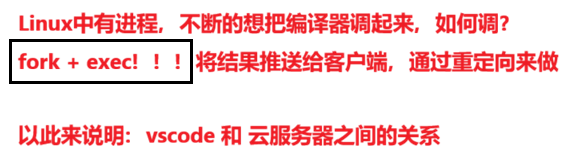
我们使用的话,后面用到的的vscode+云服务器联合开发
之前我们用的时centos,需要我们重装系统,重装系统之后的设置和从root账号切换到普通用户的账号,-->> 参考 文章1 和 文章2
用vscode远程连接的方式:
在vscode的左侧中的扩展中安装ssh插件:
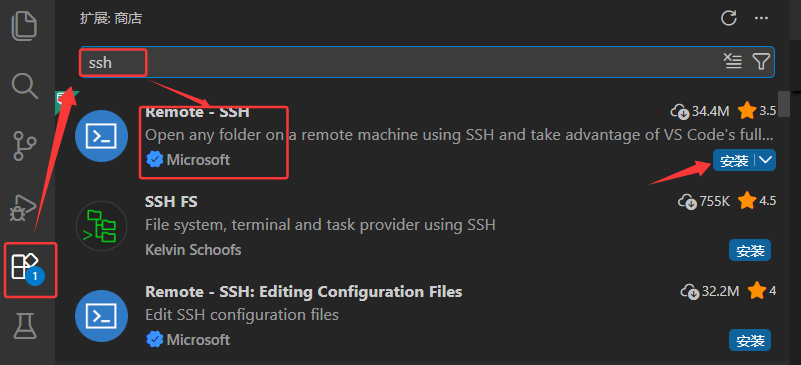
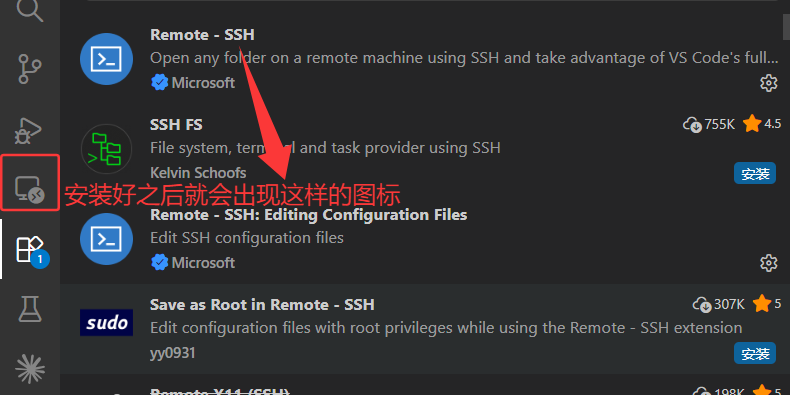
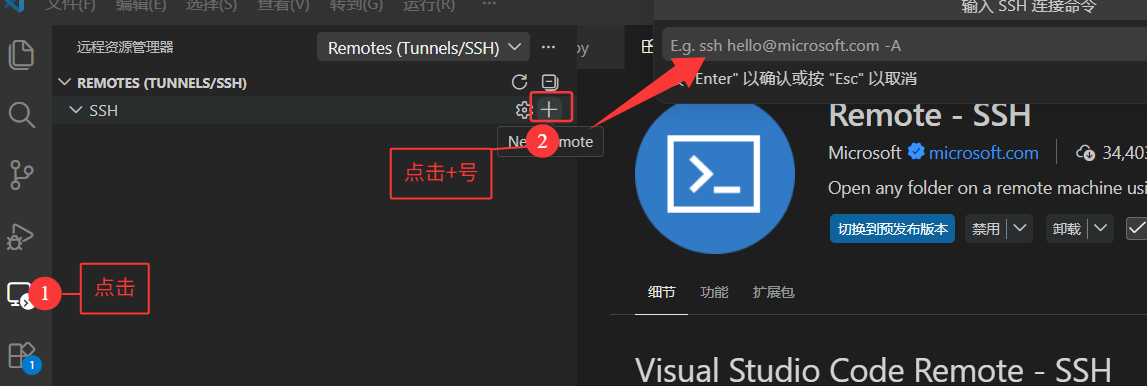

按回车之后选择第一个就行了:
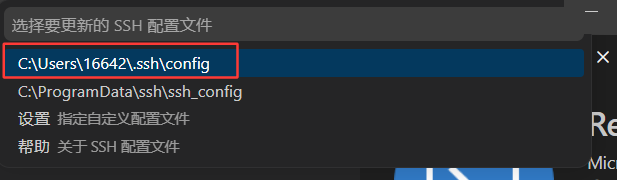
打开配置:
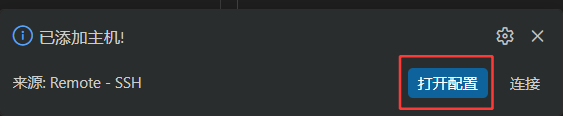
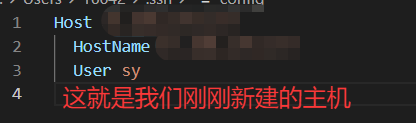
其实远端的域名被写入到C盘的用户的用户名里面有一个 .ssh
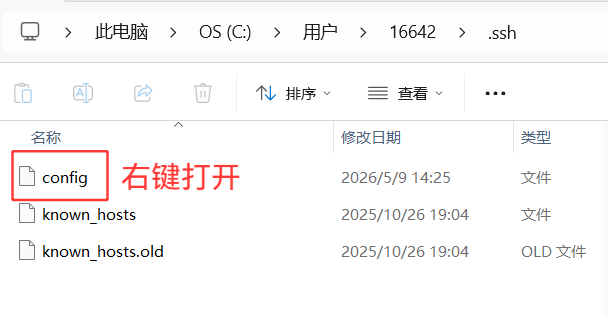
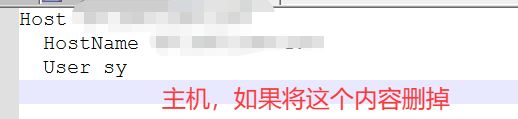
删掉的话,左侧就没有主机的连接了
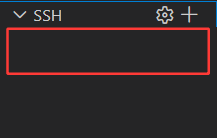
所以config文件中记录的是:目标主机的IP地址、用户名
选择任意一个都行
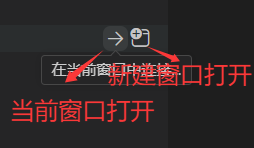
中途也是出现了很多的问题,直接用deepseek之类的工具就可以解决~~
输入密码成功连接:

新建一个终端,就可以了

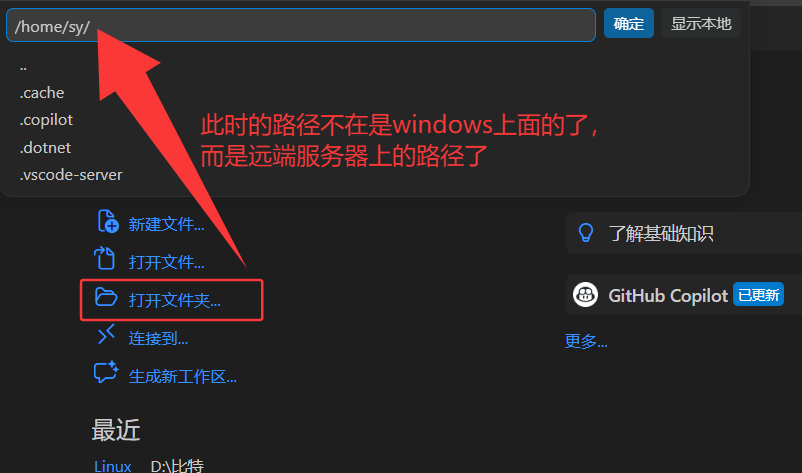
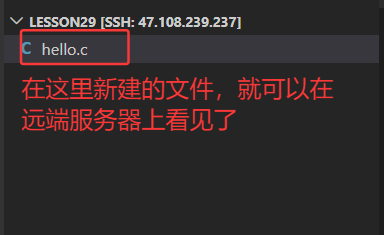
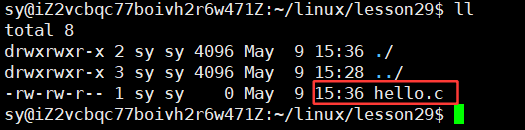
此时在vscode中写入代码,保存,就会在远端服务器上自动同步:
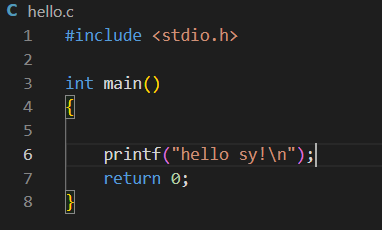
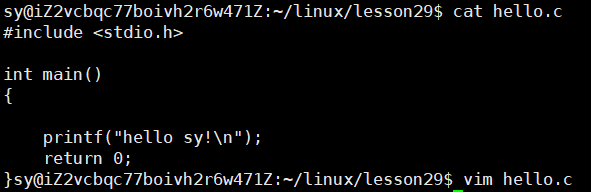
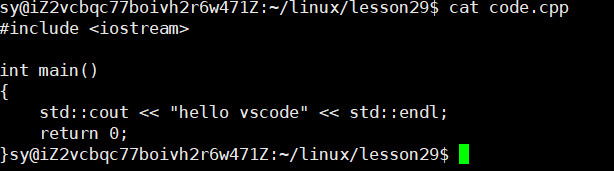
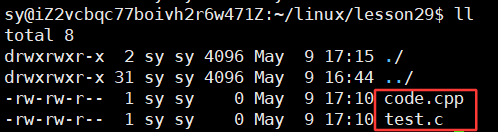
再写一个code.cpp文件:
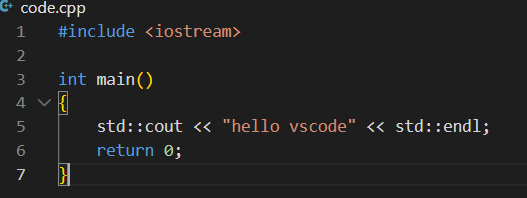
保存,同样也是会在远端的服务器上自动同步:
查看对应的版本是不是Ubuntu呢?
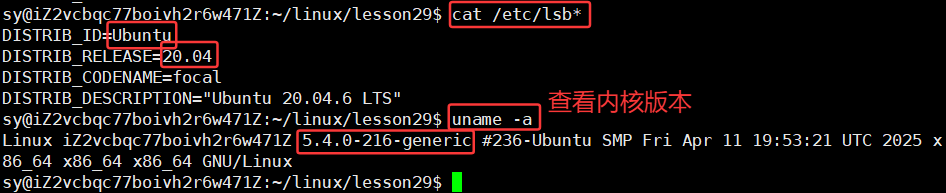
内核不是越新越好,因为内核最新的话,可能不稳定。一般而言,相对老一点的内核,稳定。
将之前在centos上面写的内容转移到当前Ubuntu系统上:

bash
git clone https://gitee.com/*********/linux.git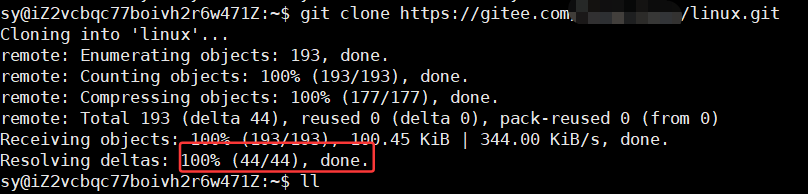
此时,进入linux文件夹可以看见之前自己写的内容了:
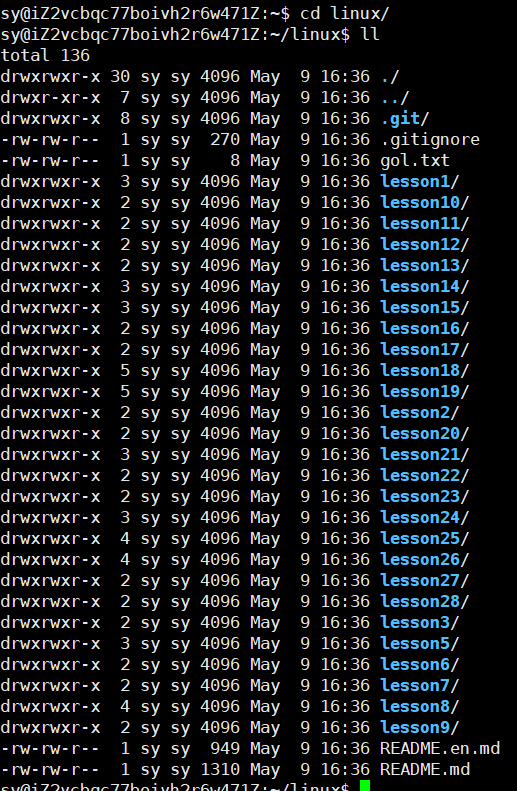
在云服务器端创建文件:lesson29,在vscode中打开此文件,输入密码就可以打开了。

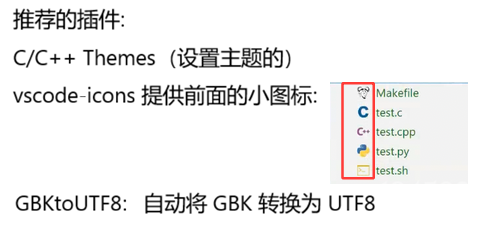
调试的话,要安装插件:GDB Debug

调试的体验很差,因为此时的云服务器的配置太低了,还有其他方面,所以这里就不推荐用vscode去调试代码了。
在vscode中对文件进行重命名工作的话,自动会同步到服务器上:
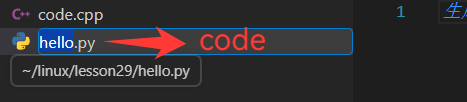
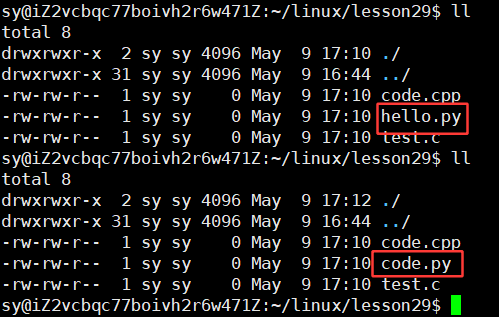
改回hello.py,并且此时不想要这个文件了:
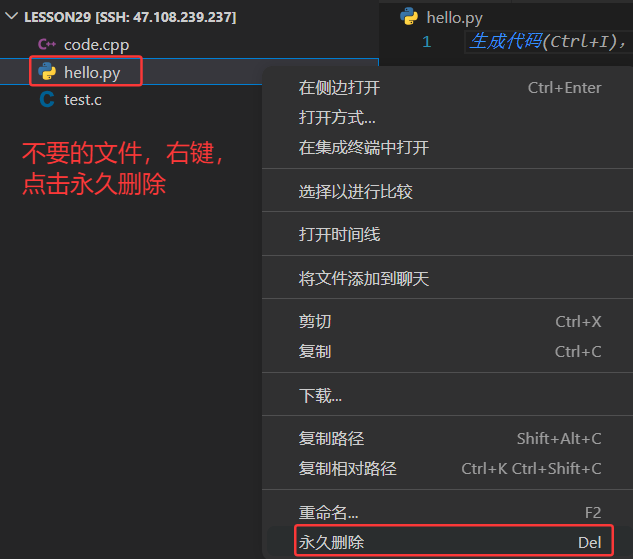
此时在云服务器上输入:ll指令,就已经不存在hello.py了
在vscode中写代码时,会自动有语法提示了:
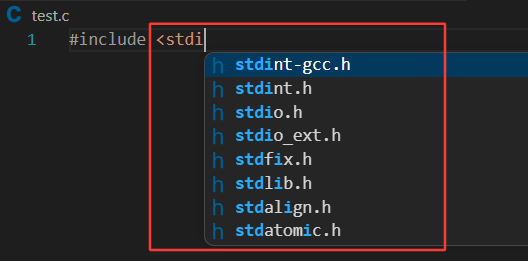
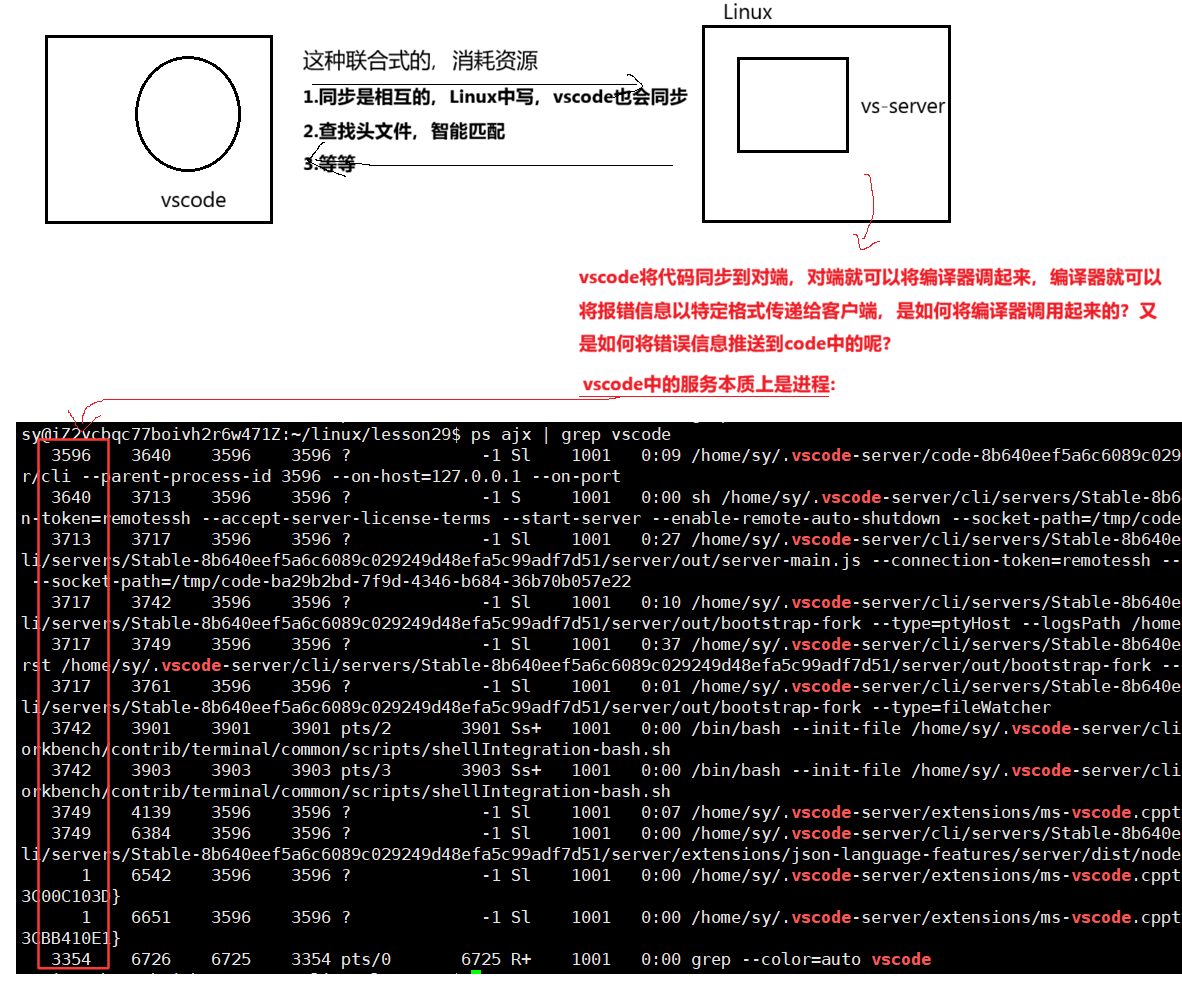
因为现在的vscode能够自动在ubuntu 系统的目录下做头文件搜索了。为什么vscode能够做语法提醒?本质上是你在写头文件时,vscode自动会将字符串前缀推送到云服务器上,你的Linux系统会有一个vscode对应的后端服务:
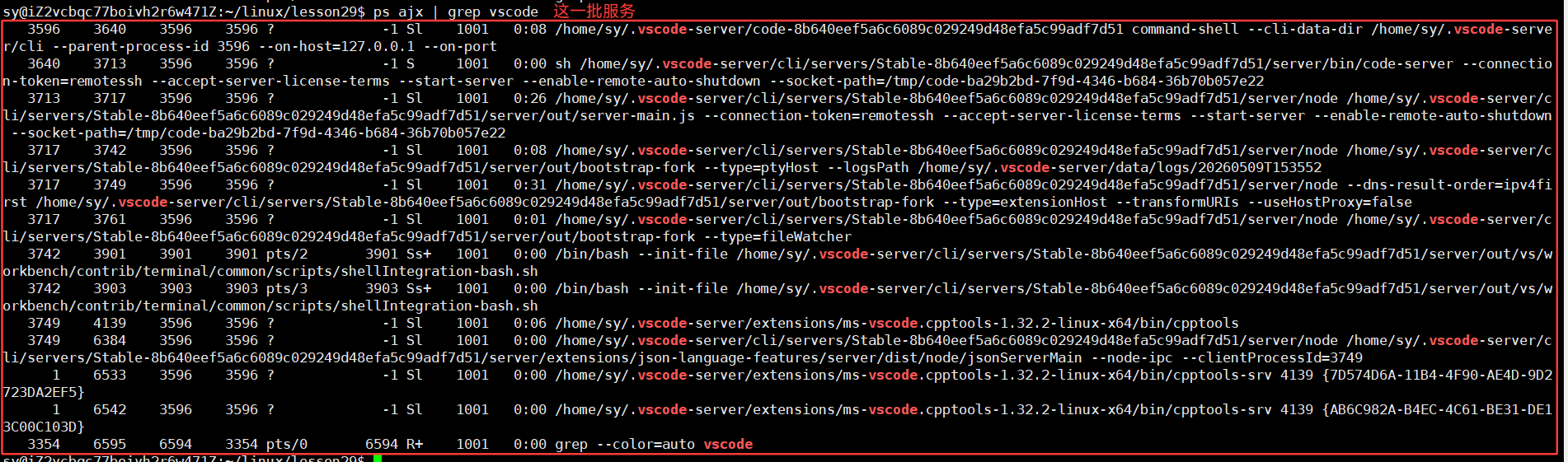
拿到对应的前缀,会自动在 /usr/include/的目录下去找凡是以stdi开头的头文件名,就会自动提醒出来,自动推回到windows端,此时就看到了头文件自动提醒,本质上vscode就是客户端,使用远程连接时使用linux在远程启动很多的服务。之前的vscode不知道在Linux下的哪一个路径中找,现在的vscode很智能,默认就在 /usr/include/ 这个路径下去找了。
头文件都找得到的话,动静态库也是可以被找到,头文件的本质是函数和变量的申明的文本集合
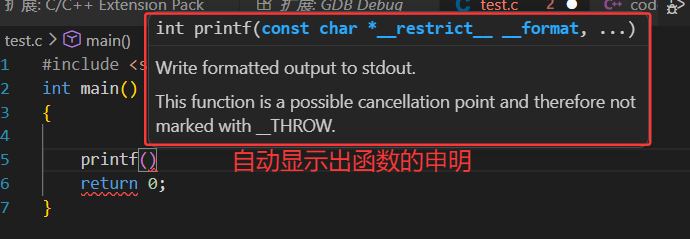
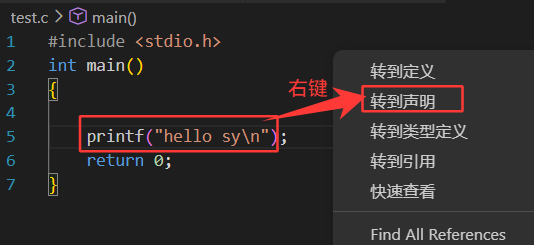
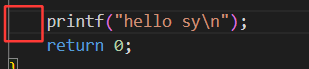
格式有错误:
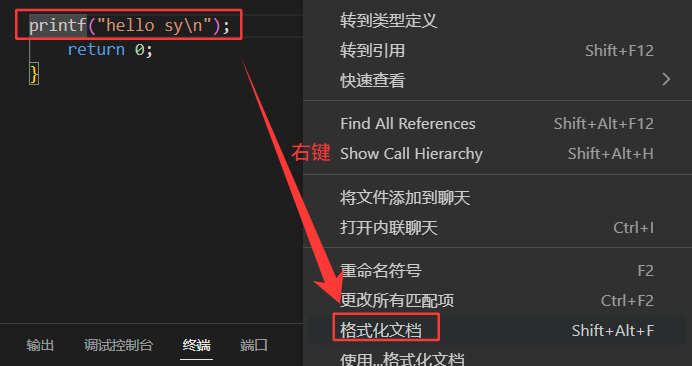
点击格式化文档的话,也是会调整格式的:
vscode,包括之前的vs是如何识别到语法报错的呢?
在vscode中有错误的话,会直接在对应的错误的下方有红色波浪号,鼠标放上去就会有对应的解释,为什么所有的编译器都有对应的语法检查,因为他在自动语法检查的本质是编译器在后端重复的不断的调用编译器。输入输出的信息不显示在显示器上,而是交给我们的文本编辑器,由它来做解释,所以你的代码就可以重复的进行检查了。
1. 进程间的通信介绍
1.1 进程间通信目的
- 数据传输:一个进程需要将他的数据发送给另一个进程
- 资源共享:多个进程之间共享同样的资源
- 通知事件:一个进程需要向另一个或一组进程发送消息,通知它(它们)发生了某种事件(如进程终止时要通知父进程)
- 进程控制:有些进程希望完全控制另一个进程的执行(如Debug进程),此时控制进程希望能够拦截另一个进程的所有陷入和异常,并能够及时知道它的状态改变。
1.2 进程间通信发展

system V 的发展历史:
System V的历史始于AT&T贝尔实验室对Unix的商业化尝试,其发展脉络清晰地体现了从学术工具向商业操作系统的转型。在Unix早期版本基础上,System V于1983年正式发布,旨在为不同的硬件平台提供一个统一且稳定的商业操作系统接口。随后,为了增强竞争力,它的后续版本(特别是System V Release 4)主动吸收了竞争对手BSD(伯克利软件发行版)中的诸多先进特性,如TCP/IP网络协议栈,从而集两家之长。这一融合使其在80年代末至90年代成为最成功的商业Unix版本,并深远地影响了现代操作系统,因为它定义了包括运行级别(runlevel)启动脚本和System V IPC(进程间通信)机制在内的众多行业标准,这些遗产直至今日在Linux和macOS等系统中仍随处可见。
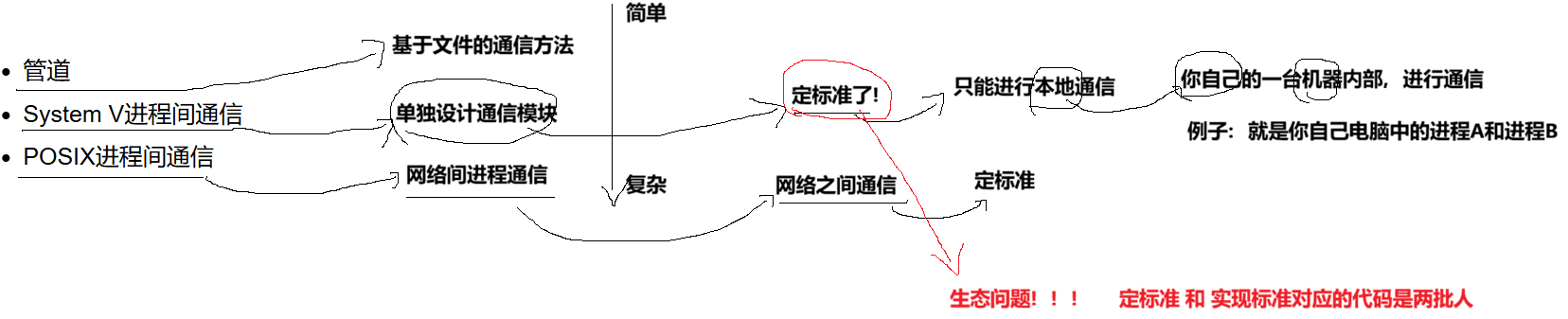

1.3 进程间通信分类
管道
- 匿名管道
- 命名管道
System V IPC
- System V 消息队列
- System V 共享内存
- System V 信号量
POSIX IPC
- 消息队列
- 共享内存
- 信号量
- 互斥量
- 条件变量
- 读写锁
2. 管道
2.1 管道的概念:
- 管道是Unix中最古老的进程间的通信的形式
- 我们吧从一个进程连接到另一个进程的一个数据流称为一个 "管道"
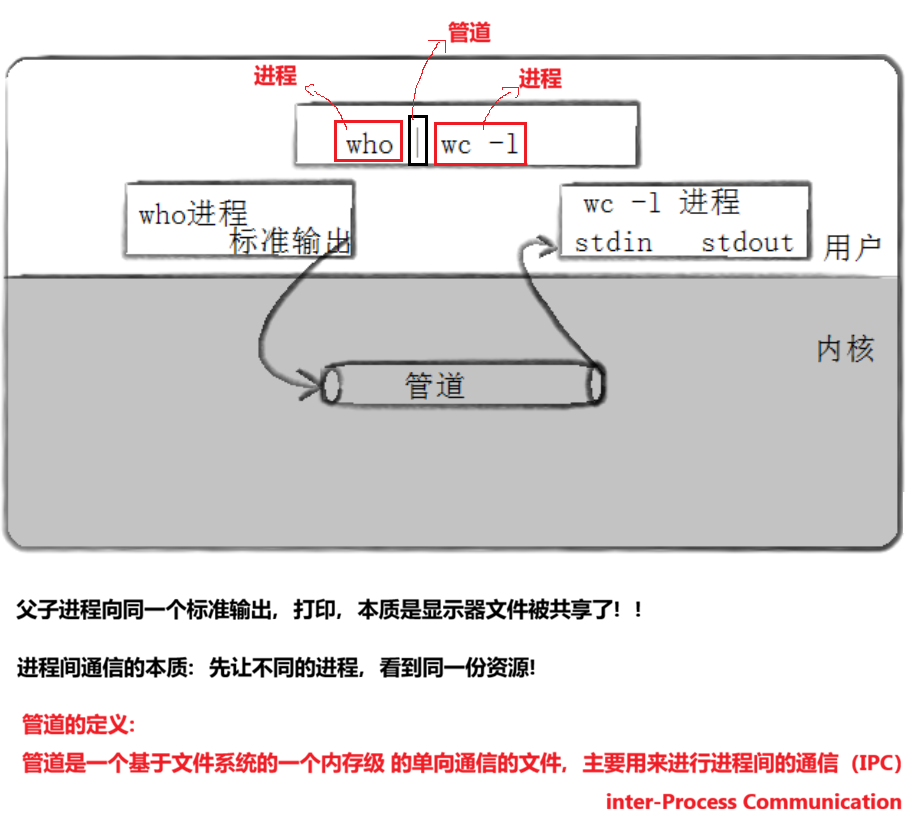


证明那三个命令确实是进程:


命令行中用管道连接这几个进程,它们的父进程相同,它们之间是兄弟进程。
所以就证实了 who 和 wc -l 确实是进程。
2. 2 管道的底层原理 什么是管道??
文件角度:
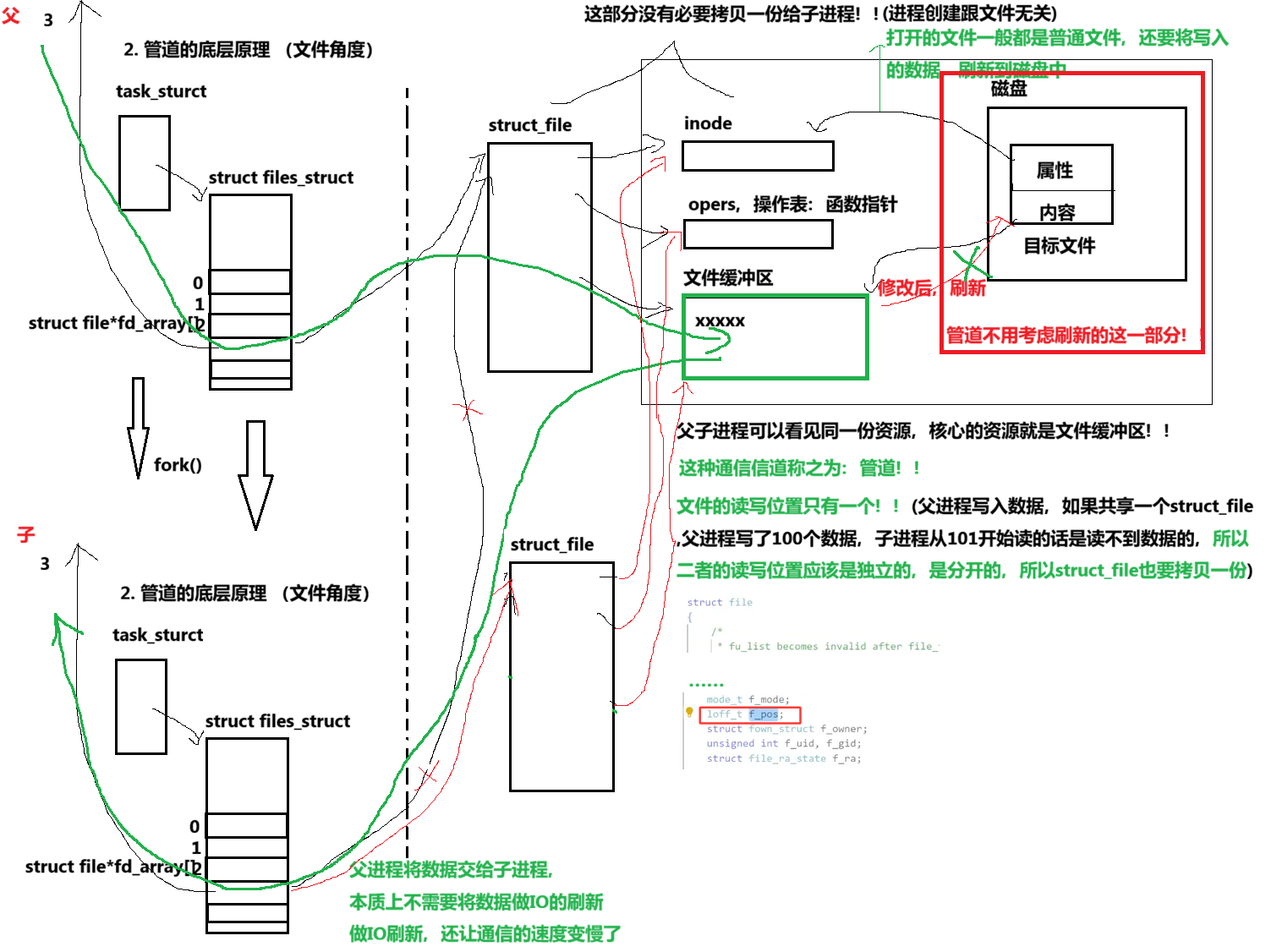
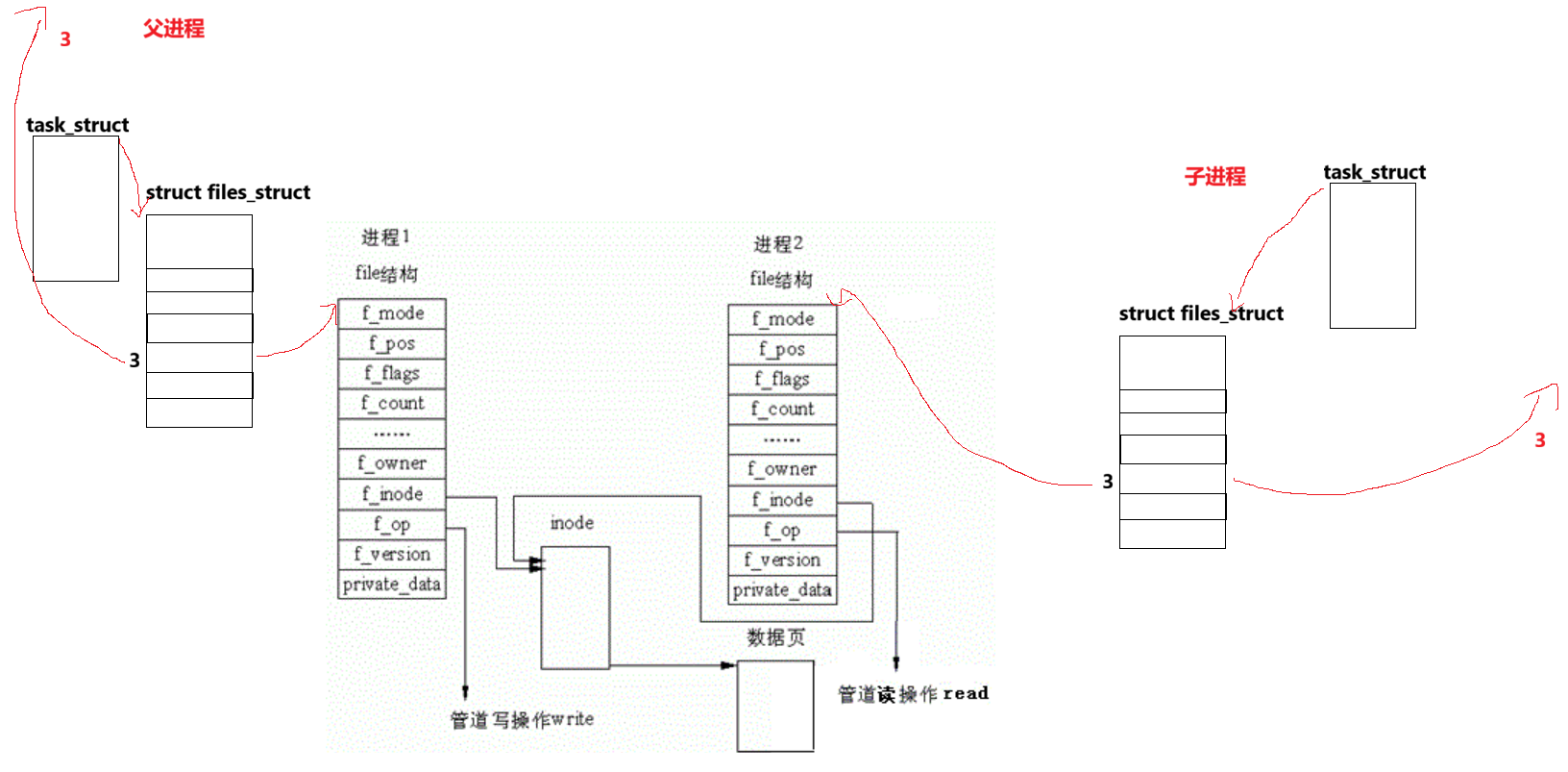
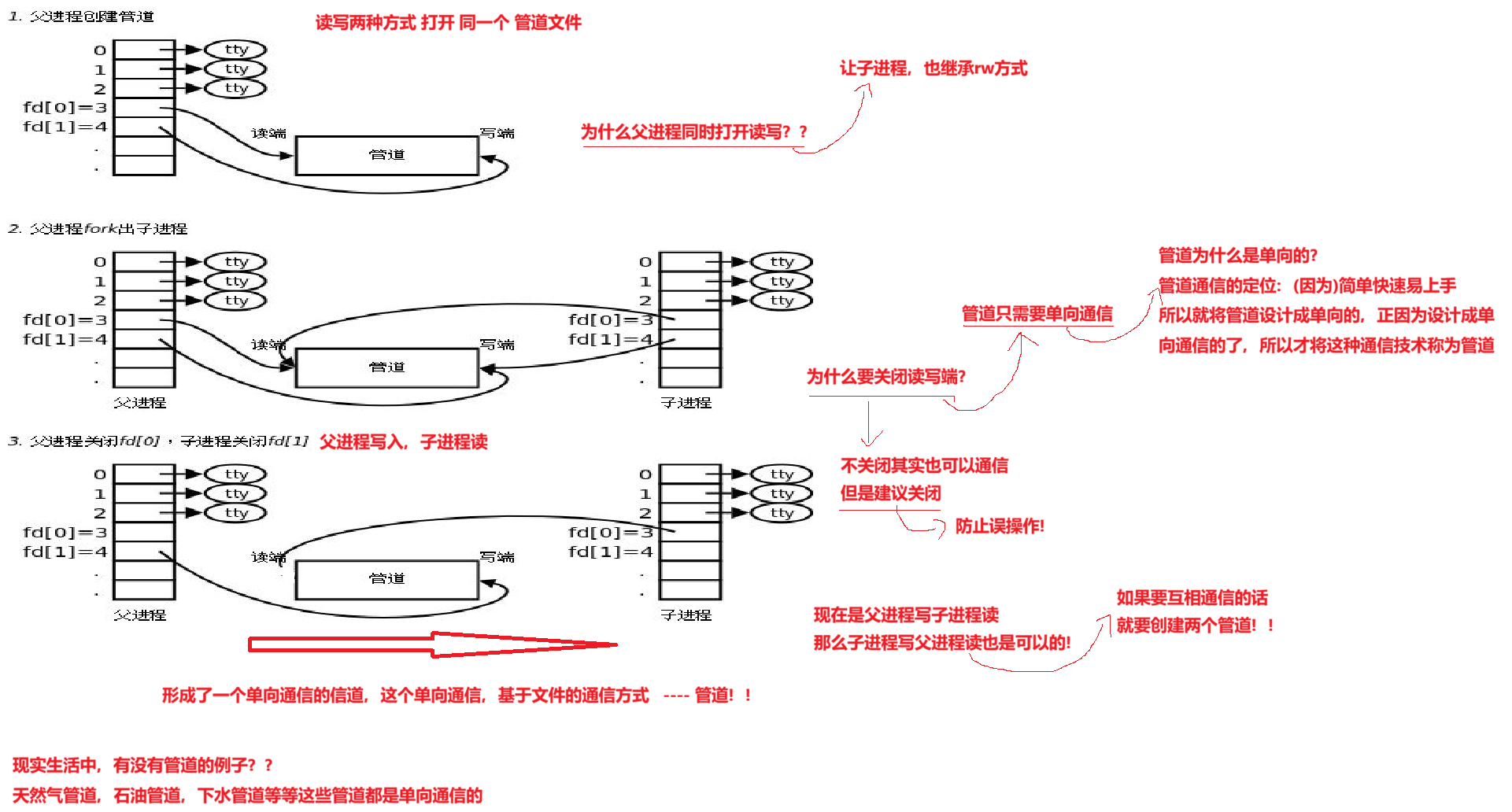
如何进行管道的通信?
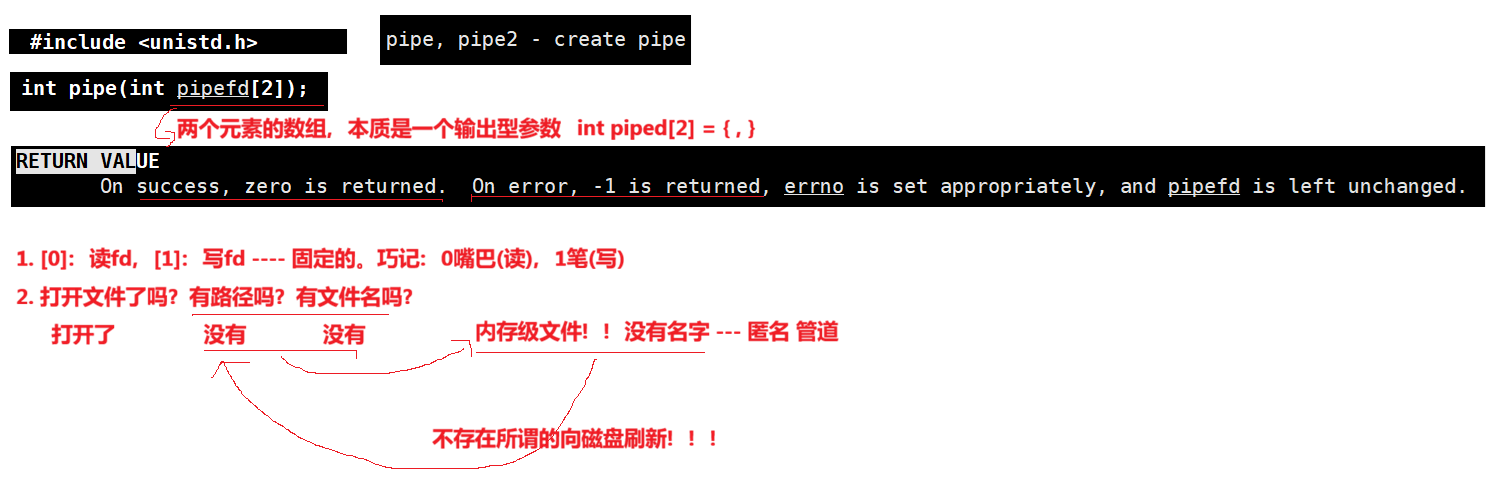
3. 匿名管道
cpp
#include <uistd.h>

功能:创建 ------ 无名管道

原型
int pipe(int fd[2]);

参数
fd:文件描述符数组,其中fd[0]表示读端,fd[1]表示写端

返回值:成功返回0,失败返回错误代码 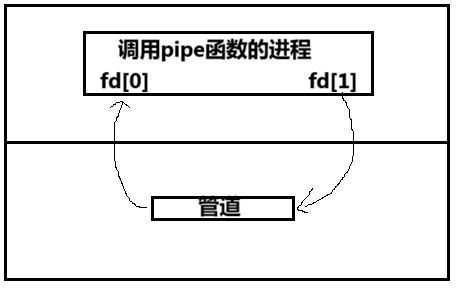
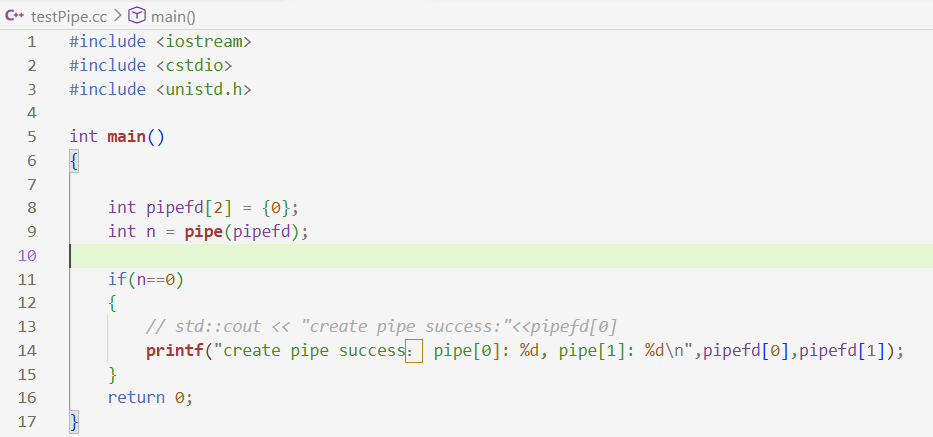
3.1 管道的demo代码:

3.2 管道的4种情况和5大特性
3.2.1 匿名管道的5大特性
cpp
#include <iostream>
#include <cstdio>
#include <cstdlib>
#include <unistd.h>
#include <sys/wait.h>

// 父子通信:子进程写,父进程读

int main()
{
//1.父进程创建管道,[0][1]
int pipefd[2] = {0};
int n = pipe(pipefd);
(void)n;  //不用n,防止编译器报警告

//2.fork创建子进程
pid_t id = fork();
if( id < 0)
{
    perror("fork");
    exit(1);
}

else if(id ==0)
{
    // 3.父子关闭不需要的fd
    //子进程,子进程写 -> close(pipefd[0])
    close(pipefd[0]);
}
else
{
    // 3.父子关闭不需要的fd
    //父进程,父进程读 -> close(pipefd[1])
    close(pipefd[1]);

    pid_t rid = waitpid(id,nullptr,0);
    (void)rid;
}

// 4.正常传递数据
    return 0;
}

// int main()
// {
//     int pipefd[2] = {0};
//     int n = pipe(pipefd);

//     if(n==0)
//     {
//         // std::cout << "create pipe success:"<<pipefd[0]
//         printf("create pipe success: pipe[0]: %d, pipe[1]: %d\n",pipefd[0],pipefd[1]);
//     }
//     return 0;
// }
到此,仅仅是建立好了通信的信道,并没有进行通信!!!这么多都是准备工作。因为进程是具有独立性的。
代码继续往后写:
cpp
#include <iostream>
#include <cstdio>
#include <string>
#include <cstdlib>
#include <unistd.h>
#include <sys/wait.h>
#include <sys/types.h>

// 父子通信:子进程写,父进程读

int main()
{
    // 1.父进程创建管道,[0][1]
    int pipefd[2] = {0};
    int n = pipe(pipefd);
    (void)n; // 不用n,防止编译器报警告

    // 2.fork创建子进程
    pid_t id = fork();
    if (id < 0)
    {
        perror("fork");
        exit(1);
    }

    else if (id == 0)
    {
        // 3.父子关闭不需要的fd
        // 子进程,子进程写 -> close(pipefd[0])
        close(pipefd[0]);
        std::string str = "hello father,我是子进程";
        std::string self = std::to_string (getpid());
        int cnt = 1;
        std::string message = str + "," + self +",";
        while (true)
        {
            message += std::to_string(cnt++);
            write(pipefd[1],message.c_str(),message.size());  //写入不用加 \0
            sleep(1);
        }
    }
    else
    {
        //子进程给父进程发送的是字符串
        // 3.父子关闭不需要的fd
        // 父进程,父进程读 -> close(pipefd[1])
        close(pipefd[1]);
        while(true)
        {
            char inbuffer[1024] = {0};
            ssize_t n = read(pipefd[0],inbuffer,sizeof(inbuffer)-1);
            if(n > 0)
            {
                inbuffer[n] = 0;
                std::cout << "client -> father#" << inbuffer <<std::endl;
            }
        }
        pid_t rid = waitpid(id, nullptr, 0);
        (void)rid;

    }

    // 4.正常传递数据
    return 0;
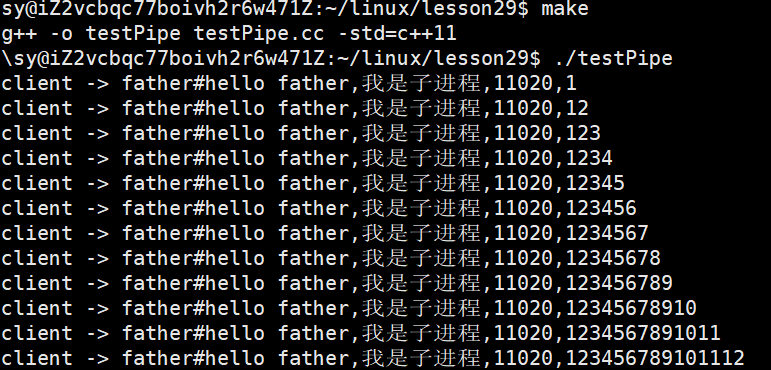
}

父进程定义的全局变量,本来就可以被子进程看到啊!!!
事实上,在父进程中写的话,通过继承的方式给子进程,这也算是通信的一种方式,没有用系统调用的方式,但是如果想让子进程的数据给父进程话,父进程是看不见的。如果父子进程之间想要通信父子变化的数据,根本就不是真的进行通信,而是一种假的通信方式。
不关管道的话,直接让父子进程都退,它们在内核中创建的管道应该怎么办?管道是会被OS自动回收。管道也是文件,所以管道的生命周期随进程。
让子进程每隔2秒写入,但是父进程是每隔6秒读取:
cpp
int main()
{
    // 1.父进程创建管道,[0][1]
    // 2.fork创建子进程
    pid_t id = fork();
    if (id < 0)
    {
        //......
    }
    else if (id == 0)
    {
        // 3.父子关闭不需要的fd
        // 子进程,子进程写 -> close(pipefd[0])
          //   ......
        while (true)
        {
            //......
            sleep(2);
        }
    }
    else
    {
        //子进程给父进程发送的是字符串
        // 3.父子关闭不需要的fd
        // 父进程,父进程读 -> close(pipefd[1])
        //......
        {
            sleep(6);
          //  ......
        }
        pid_t rid = waitpid(id, nullptr, 0);
        (void)rid;

    }

    // 4.正常传递数据
    return 0;
}
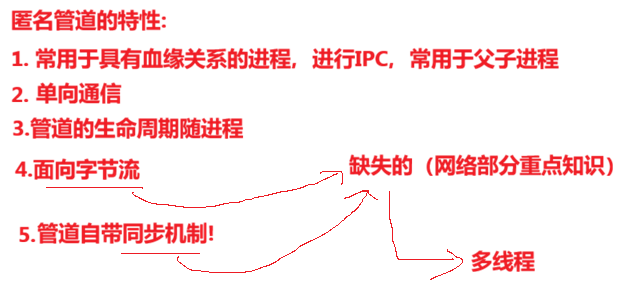
子进程有可能写数据写了三次,父进程不管你写了几次,一次就将数据全部读出来,通信双方是没有特定的读写格式的。这种特点是面向字节流。
再改一下代码:让子进程每隔2秒写入,而让父进程一直读取。
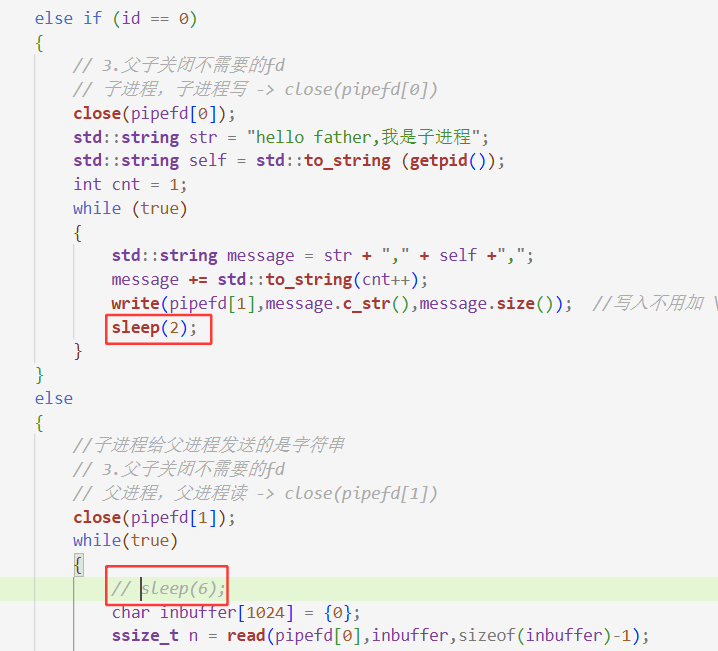
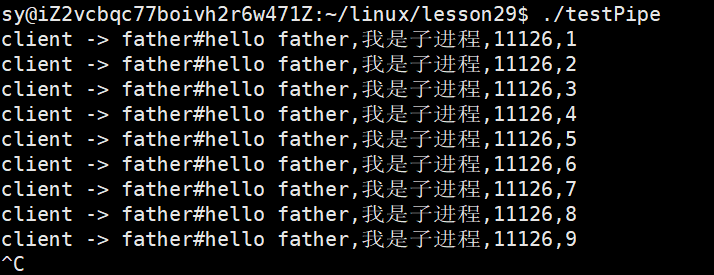
可以看见,父进程是等了2秒打印出结果的,子进程写一条,父进程读一条,子进程不写的话,父进程就读不到,这种特点被称为管道自带同步机制!!
什么叫做同步机制?
例子:
作为学生的小明生病请假了,如果老师要等到小明回来才开始上课,这种就是同步机制!如果老师不等小明回来就开始上课的话,就成为异步机制!!
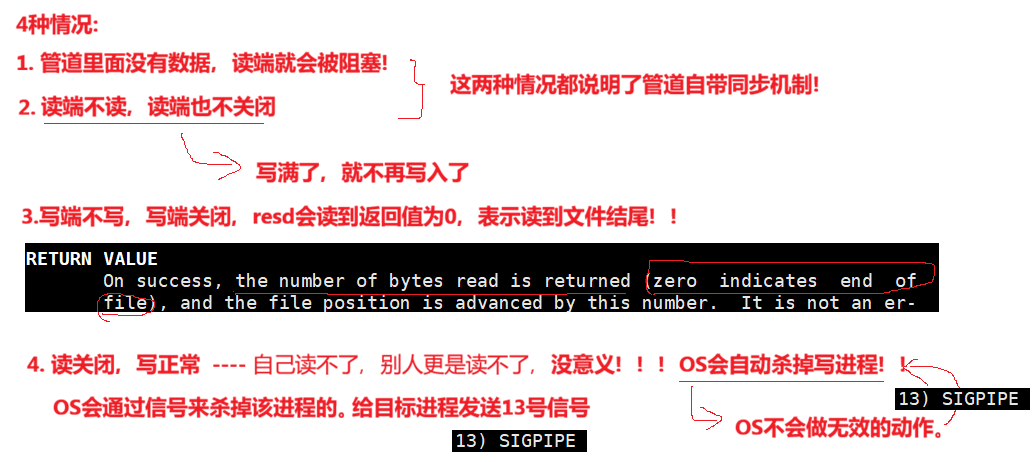
3.2.2 匿名管道的4种情况:
- 读正常 && 写满
- 写正常 && 读空
- 写关闭 && 读正常
- 读关闭 && 写正常
情况一:
当管道已被写满,且读端仍在正常读取(但读取速度慢于写入速度)时,写端的 write() 系统调用会阻塞,直到管道中有新的空间释放出来。
情况二:
让子进程每次只写一个字符,让父进程的读端不读,也不关闭
cpp
#include <iostream>
#include <cstdio>
#include <string>
#include <cstdlib>
#include <unistd.h>
#include <sys/wait.h>
#include <sys/types.h>

// 父子通信:子进程写,父进程读

int main()
{
    // 1.父进程创建管道,[0][1]
    int pipefd[2] = {0};
    int n = pipe(pipefd);
    (void)n; // 不用n,防止编译器报警告

    // 2.fork创建子进程
    pid_t id = fork();
    if (id < 0)
    {
        perror("fork");
        exit(1);
    }

    else if (id == 0)
    {
        // 3.父子关闭不需要的fd
        // 子进程,子进程写 -> close(pipefd[0])
        close(pipefd[0]);
        std::string str = "hello father,我是子进程";
        std::string self = std::to_string (getpid());
        int cnt = 0;
        while (true)
        {
            char c = 'A';
            write(pipefd[1],&c,1);
            std::cout << "count :" << cnt++ << std:: endl;
            // std::string message = str + "," + self +",";
            // message += std::to_string(cnt++);
            // write(pipefd[1],message.c_str(),message.size());  //写入不用加 \0
            // sleep(2);
        }
    }
    else
    {
        //子进程给父进程发送的是字符串
        // 3.父子关闭不需要的fd
        // 父进程,父进程读 -> close(pipefd[1])
        close(pipefd[1]);
        while(true)
        {
            sleep(1);
            // sleep(6);
            // char inbuffer[1024] = {0};
            // ssize_t n = read(pipefd[0],inbuffer,sizeof(inbuffer)-1);
            // if(n > 0)
            // {
            //     inbuffer[n] = 0;
            //     std::cout << "client -> father#" << inbuffer <<std::endl;
            // }
        }
        pid_t rid = waitpid(id, nullptr, 0);
        (void)rid;

    }

    // 4.正常传递数据
    return 0;
}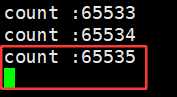
可以看见,管道的容量是有上限的:
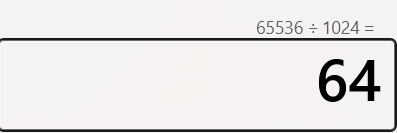
65536字节就是64KB。
情况三:
cpp
#include <iostream>
#include <cstdio>
#include <string>
#include <cstdlib>
#include <unistd.h>
#include <sys/wait.h>
#include <sys/types.h>

// 父子通信:子进程写,父进程读

int main()
{
    // 1.父进程创建管道,[0][1]
    int pipefd[2] = {0};
    int n = pipe(pipefd);
    (void)n; // 不用n,防止编译器报警告

    // 2.fork创建子进程
    pid_t id = fork();
    if (id < 0)
    {
        perror("fork");
        exit(1);
    }

    else if (id == 0)
    {
        // 3.父子关闭不需要的fd
        // 子进程,子进程写 -> close(pipefd[0])
        close(pipefd[0]);
        std::string str = "hello father,我是子进程";
        std::string self = std::to_string (getpid());
        int cnt = 0;
        while (cnt < 10)
        {
            sleep(1);
            char c = 'A' + cnt;
            write(pipefd[1],&c,1);
            cnt++;
            // std::cout << "count :" << cnt++ << std:: endl;
            // std::string message = str + "," + self +",";
            // message += std::to_string(cnt++);
            // write(pipefd[1],message.c_str(),message.size());  //写入不用加 \0
            // sleep(2);
        }
        close(pipefd[1]);
        std::cout << "写端关闭" << std::endl;
        sleep(5);
        exit(0);
    }
    else
    {
        //子进程给父进程发送的是字符串
        // 3.父子关闭不需要的fd
        // 父进程,父进程读 -> close(pipefd[1])
        close(pipefd[1]);
        while(true)
        {
            char c;
            ssize_t n = read(pipefd[0],&c,1);
            if( n > 0)
            {
                std::cout << "读到数据:" << c <<std::endl;
            }
            else if( n == 0)
            {
                std::cout << "return val:" << n << std::endl;
                sleep(1);
            }
            else
            {
                std::cout << "read eror" << std::endl;
                sleep(1);

            }
            // sleep(6);
            // char inbuffer[1024] = {0};
            // ssize_t n = read(pipefd[0],inbuffer,sizeof(inbuffer)-1);
            // if(n > 0)
            // {
            //     inbuffer[n] = 0;
            //     std::cout << "client -> father#" << inbuffer <<std::endl;
            // }
        }
        pid_t rid = waitpid(id, nullptr, 0);
        (void)rid;

    }

    // 4.正常传递数据
    return 0;
}
运行结果:
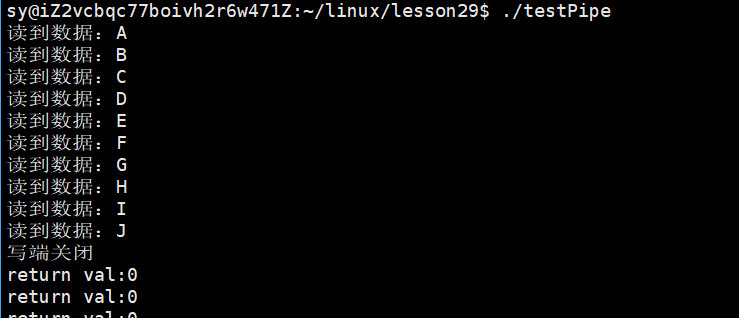
写端不写,写端关闭,read会得到返回值为0,表示读到文件结尾!!
情况四:写端一直写,读端读上个一次,就行了【子进程写,父进程读】
cpp
#include <iostream>
#include <cstdio>
#include <string>
#include <cstdlib>
#include <unistd.h>
#include <sys/wait.h>
#include <sys/types.h>

// 父子通信:子进程写,父进程读

int main()
{
    // 1.父进程创建管道,[0][1]
    int pipefd[2] = {0};
    int n = pipe(pipefd);
    (void)n; // 不用n,防止编译器报警告

    // 2.fork创建子进程
    pid_t id = fork();
    if (id < 0)
    {
        perror("fork");
        exit(1);
    }

    else if (id == 0)
    {
        // 3.父子关闭不需要的fd
        // 子进程,子进程写 -> close(pipefd[0])
        close(pipefd[0]);
        std::string str = "hello father,我是子进程";
        std::string self = std::to_string (getpid());
        int cnt = 0;
        while (true)
        {
            sleep(2);
            char c = 'A' + cnt;
            write(pipefd[1],&c,1);
            cnt++;
            // std::cout << "count :" << cnt++ << std:: endl;
            // std::string message = str + "," + self +",";
            // message += std::to_string(cnt++);
            // write(pipefd[1],message.c_str(),message.size());  //写入不用加 \0
            // sleep(2);
        }
        close(pipefd[1]);
        std::cout << "写端关闭" << std::endl;
        sleep(5);
        exit(0);
    }
    else
    {
        //子进程给父进程发送的是字符串
        // 3.父子关闭不需要的fd
        // 父进程,父进程读 -> close(pipefd[1])
        close(pipefd[1]);
        while(true)
        {
            char c;
            ssize_t n = read(pipefd[0],&c,1);
            if( n > 0)
            {
                std::cout << "读到数据:" << c <<std::endl;
            }
            else if( n == 0)
            {
                std::cout << "return val:" << n << std::endl;
                sleep(1);
            }
            else
            {
                std::cout << "read eror" << std::endl;
                sleep(1);

            }

            break;
            // sleep(6);
            // char inbuffer[1024] = {0};
            // ssize_t n = read(pipefd[0],inbuffer,sizeof(inbuffer)-1);
            // if(n > 0)
            // {
            //     inbuffer[n] = 0;
            //     std::cout << "client -> father#" << inbuffer <<std::endl;
            // }
        }
        close(pipefd[0]);
        std::cout << "读端关闭" << std::endl;

        pid_t rid = waitpid(id, nullptr, 0);
        (void)rid;

    }

    // 4.正常传递数据
    return 0;
}
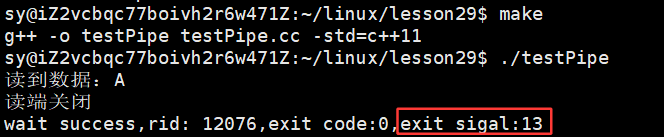
如何证明:子进程被杀掉了?------ status
cpp
#include <iostream>
#include <cstdio>
#include <string>
#include <cstdlib>
#include <unistd.h>
#include <sys/wait.h>
#include <sys/types.h>

// 父子通信:子进程写,父进程读

int main()
{
    // 1.父进程创建管道,[0][1]
       //......

    // 2.fork创建子进程
      //......
    else
    {
        //子进程给父进程发送的是字符串
        // 3.父子关闭不需要的fd
        // 父进程,父进程读 -> close(pipefd[1])
        // ......
        close(pipefd[0]);
        std::cout << "读端关闭" << std::endl;

        int status = 0;
        pid_t rid = waitpid(id, &status, 0);
        if(rid > 0)
        {
            int exitcode = (status >> 8) & 0xFF;
            int exitsigal = (status & 0x7F);
            std::cout << "wait success,rid: " << rid << ",exit code:" << exitcode << ",exit sigal:" << exitsigal << std::endl;

        }

    }

    // 4.正常传递数据
    return 0;
}
运行结果:
总结:
3.3 知识补充:
译文:
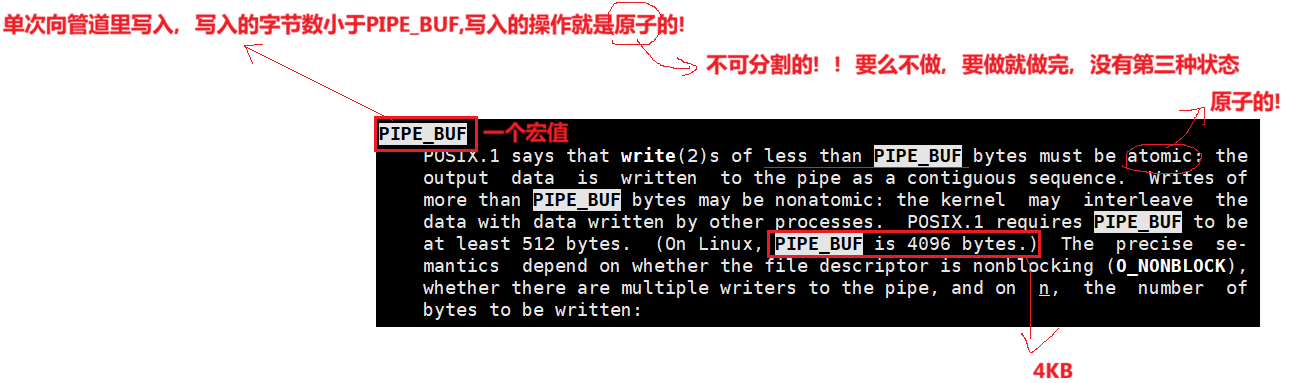
POSIX.1 标准规定,当写入管道的字节数小于 **PIPE_BUF** 时,该写入操作必须是原子的:输出数据会以连续序列的形式写入管道。而当写入字节数大于 **PIPE_BUF** 时,操作可能是非原子的:内核可能会将这些数据与其他进程写入的数据交错在一起。POSIX.1 要求 **PIPE_BUF** 至少为 512 字节(在 Linux 系统中,**PIPE_BUF** 为 4096 字节)。具体的行为语义取决于文件描述符是否处于非阻塞模式(`O_NONBLOCK`)、管道是否有多个写入者,以及写入的字节数 `n`。

3.4 编写对应进程池的代码:
c++文件的后缀可以是:.cc .cpp .cxx 中的任意一种
xxx.hpp:适用于开源库,头文件和源文件写在一起,可以有效的减少文件的数量
bash
# Makefile
process_pool:Main.cc   #只写Main.cc是因为头文件的展开直接在源文件中,预处理之后头文件不在需要
	g++ -o $@ $^ -std=c++11
.PHONY:clean
clean:
	rm -f process_pool
cpp
//ProcessPool.hpp

#ifndef __PROCESS_POOL_HPP_
#define __PROCESS_POOL_HPP_

#include <iostream>
#include <cstdlib>
#include <sys/types.h>
#include <unistd.h>
#include <string>
#include <vector>

const int gdefault_process_num =5;


#endif
cpp
//Main.cc
#include "ProcessPool.hpp"

//先描述
class Channel
{
public:
    Channel()
    {}
    Channel(int fd,std::string &name,pid_t id):_wfd(fd),_name(name),_sub_target(id)
    {}
    void DebugPrint()
    {
        printf("channel name: %s, wfd: %d, target pid: %d\n", _name.c_str(), _wfd, _sub_target);
    }
    ~Channel(){}

private:
    int _wfd;
    std::string _name;
    pid_t _sub_target; // 目标子进程是谁
};

int main()
{
    //在组织
    std::vector<Channel> channels;  //所有的信道

    for (int i = 0; i < gdefault_process_num; i++)
    {
        // 1. 创建管道
        int pipefd[2] = {0};
        int n = pipe(pipefd);
        (void)n;

        // 2.创建子进程
        pid_t id = fork();
        if (id == 0)
        {
            // child,read
            // 3. 关闭不需要的rw端,形成信道
            close(pipefd[1]);

            // 子进程在这里做事情
            sleep(10);

            exit(0);
        }

        // father,write
        close(pipefd[0]);
        std::string name = "channel-" + std::to_string(i);
        // Channel channel(pipefd[1],name,id);
        // channels.push_back(channel);
        // emplace_back 和 push_back 的核心区别在于:push_back 先构造对象再拷贝/移动,而 emplace_back 直接在容器内存中原地构造对象。
        channels.emplace_back(pipefd[1],name,id);
        sleep(1);
    }
    for(auto c : channels)
    {
        c.DebugPrint();
    }
    sleep(20);
    //父进程,父进程对子进程的控制,就会转换成为对channels的使用
    return 0;
}
运行结果:

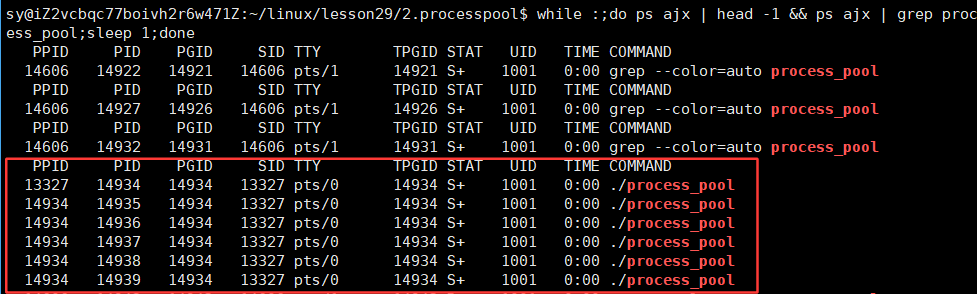
修改代码:
cpp
//Main.cc
#include "ProcessPool.hpp"

// 先描述
class Channel
{
public:
    Channel()
    {
    }
    Channel(int fd, std::string &name, pid_t id) : _wfd(fd), _name(name), _sub_target(id)
    {
    }
    void DebugPrint()
    {
        printf("channel name: %s, wfd: %d, target pid: %d\n", _name.c_str(), _wfd, _sub_target);
    }
    ~Channel() {}

private:
    int _wfd;
    std::string _name;
    pid_t _sub_target; // 目标子进程是谁
};

bool InitProcessPool(std::vector<Channel> &channels)
{
    for (int i = 0; i < gdefault_process_num; i++)
    {
        // 1. 创建管道
        int pipefd[2] = {0};
        int n = pipe(pipefd);
        if (n < 0) return false;

        // 2.创建子进程
        pid_t id = fork();
        if(id < 0) return false;
        if (id == 0)
        {
            // child,read
            // 3. 关闭不需要的rw端,形成信道
            close(pipefd[1]);

            // 子进程在这里做事情
            sleep(10);

            exit(0);
        }

        // father,write
        close(pipefd[0]);
        std::string name = "channel-" + std::to_string(i);
        // Channel channel(pipefd[1],name,id);
        // channels.push_back(channel);
        // emplace_back 和 push_back 的核心区别在于:push_back 先构造对象再拷贝/移动,而 emplace_back 直接在容器内存中原地构造对象。
        channels.emplace_back(pipefd[1], name, id);
    }
    return true;
}
int main()
{
    // 在组织
    std::vector<Channel> channels; // 所有的信道
    InitProcessPool(channels);
    for (auto c : channels)
    {
        c.DebugPrint();
    }
    sleep(20);
    // 父进程,父进程对子进程的控制,就会转换成为对channels的使用
    return 0;
}
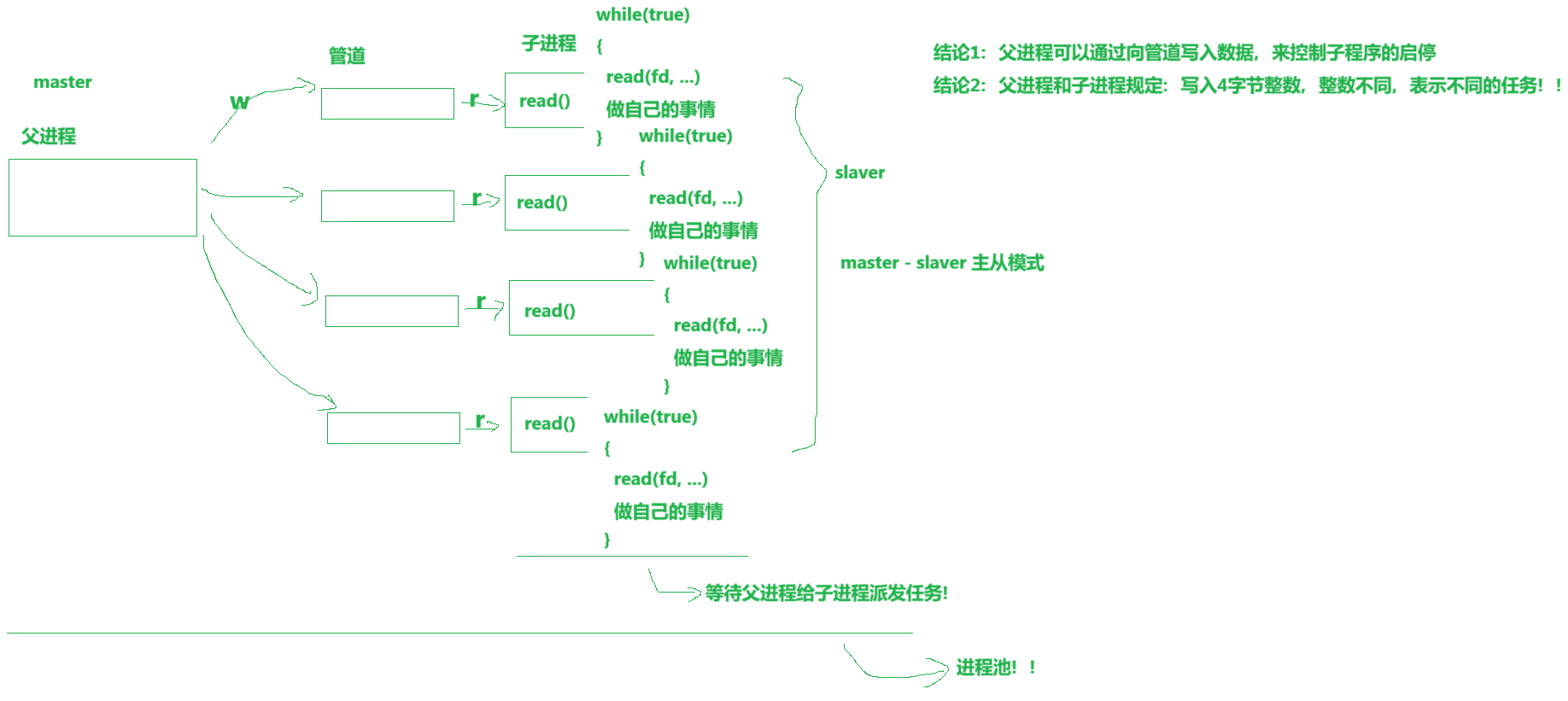
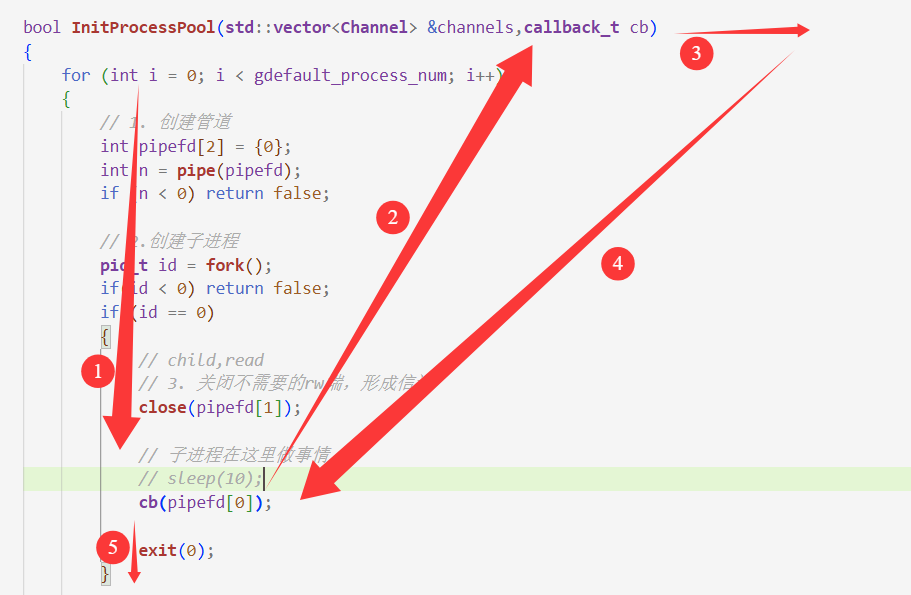
我们刚刚在代码中用sleep(10);来充当子进程要做的事,那么这块应该如何设计呢?
回调函数:
cpp
bool InitProcessPool(std::vector<Channel> &channels,callback_t cb)
{
    for (int i = 0; i < gdefault_process_num; i++)
    {
        // 1. 创建管道
        int pipefd[2] = {0};
        int n = pipe(pipefd);
        if (n < 0) return false;

        // 2.创建子进程
        pid_t id = fork();
        if(id < 0) return false;
        if (id == 0)
        {
            // child,read
            // 3. 关闭不需要的rw端,形成信道
            close(pipefd[1]);

            // 子进程在这里做事情
            // sleep(10);
            cb(pipefd[0]);

            exit(0);
        }

        // father,write
        close(pipefd[0]);
        std::string name = "channel-" + std::to_string(i);
        // Channel channel(pipefd[1],name,id);
        // channels.push_back(channel);
        // emplace_back 和 push_back 的核心区别在于:push_back 先构造对象再拷贝/移动,而 emplace_back 直接在容器内存中原地构造对象。
        channels.emplace_back(pipefd[1], name, id);
    }
    return true;
}
//父进程
int main()
{
    // 在组织
    std::vector<Channel> channels; // 所有的信道
    InitProcessPool(channels,[](int fd){
        //让子进程读4个字节
        while(true)
        {
            int code = 0;
            std::cout << "子进程阻塞:" << getpid() << std::endl;
            ssize_t n = read(fd,&code,sizeof(code));
            if(n > 0)
            {
                std::cout << "子进程被唤醒:" << getpid() << std::endl;
            }
        }
    });
    //父进程调用该函数调用完毕向后走,所有的子进程都会在这里等待,等待父进程给我们发送消息
    for (auto c : channels)
    {
        c.DebugPrint();
    }
    sleep(20);
    // 父进程,父进程对子进程的控制,就会转换成为对channels的使用
    return 0;
}
运行结果:
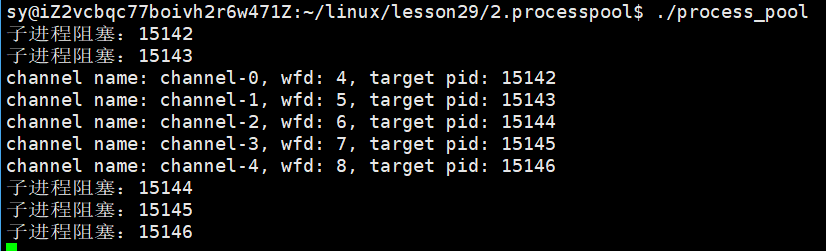
此时,子进程就在等父进程派发任务。
代码再次更改:
bash
#Makefile
process_pool:Main.cc   #只写Main.cc是因为头文件的展开直接在源文件中,预处理之后头文件不在需要
	g++ -o $@ $^ -std=c++11
.PHONY:clean
clean:
	rm -f process_pool
当我们不采用先将所有进程结束了再回收左右的进程的话,而是采用一边结束进程一边回收进程,会发生什么情况???
cpp
#ifndef __PROCESS_POOL_HPP_
#define __PROCESS_POOL_HPP_

#include <iostream>
#include <cstdlib>
#include <unistd.h>
#include <string>
#include <vector>
#include <functional>
#include <sys/types.h>
#include <sys/wait.h>
#include <ctime>
#include "Task.hpp"

const int gdefault_process_num = 5;

// typedef std::function<void(int fd)> callback_t;
using callback_t = std::function<void(int fd)>;

// 先描述
class Channel
{
public:
    Channel()
    {
    }
    Channel(int fd, std::string &name, pid_t id) : _wfd(fd), _name(name), _sub_target(id)
    {
    }
    void DebugPrint()
    {
        printf("channel name: %s, wfd: %d, target pid: %d\n", _name.c_str(), _wfd, _sub_target);
    }
    ~Channel() {}
    int Fd() { return _wfd; }
    std::string Name() { return _name; }
    pid_t Target() { return _sub_target; }
    void Close() { close(_wfd); }
    void Wait()
    {
        pid_t rid = waitpid(_sub_target, nullptr, 0);
        (void)rid;
    }

private:
    int _wfd;
    std::string _name;
    pid_t _sub_target; // 目标子进程是谁
};

class ProcessPool
{
private:
    void CtrlSubProcessHelper(int &index)
    {
        // 1.选择一个信道(进程)
        int who = index;
        index++;
        index %= _channels.size();

        // 2. 选择一个任务,随机
        int x = rand() % tasks.size(); //[0-3]

        // 3.任务推送给子进程
        std::cout << "选择信道:" << _channels[who].Name() << "subtarget:" << _channels[who].Target() << std::endl;
        write(_channels[who].Fd(), &x, sizeof(x));
        sleep(1);
    }

public:
    ProcessPool(int num = gdefault_process_num) : _processnum(num)
    {
        srand(time(nullptr) ^ getpid() ^ 0x777);
    }
    ~ProcessPool() {}
    bool InitProcessPool(callback_t cb)
    {
        for (int i = 0; i < gdefault_process_num; i++)
        {
            // 1. 创建管道
            int pipefd[2] = {0};
            int n = pipe(pipefd);
            if (n < 0)
                return false;

            // 2.创建子进程
            pid_t id = fork();
            if (id < 0)
                return false;
            if (id == 0)
            {
                // child,read
                // 3. 关闭不需要的rw端,形成信道
                close(pipefd[1]);

                // 子进程在这里做事情
                // sleep(10);
                cb(pipefd[0]); // 进行回调,执行传进来的函数

                exit(0);
            }

            // father,write
            close(pipefd[0]);
            std::string name = "channel-" + std::to_string(i);
            // Channel channel(pipefd[1],name,id);
            // channels.push_back(channel);
            // emplace_back 和 push_back 的核心区别在于:push_back 先构造对象再拷贝/移动,而 emplace_back 直接在容器内存中原地构造对象。
            _channels.emplace_back(pipefd[1], name, id);
        }
        return true;
    }
    // 2. 控制唤醒指定的一个子进程,让子进程完成指定的任务
    // 2.1 选择一个子进程(选择一个信道:轮询式、随机、load计数器的选择-----负载均衡!)
    // 避免让一个进程或者个别进程一直都很忙,其他进程一直都很闲
    // 轮询做法
    void PollingCtrlSubProcess()
    {

        int index = 0;
        while (true)
        {
            CtrlSubProcessHelper(index);
        }
    }

    void PollingCtrlSubProcess(int count)
    {
        if(count < 0)
        {
            return;
        }
        int index = 0;
        while(count)
        {
            CtrlSubProcessHelper(index);
            count--;
        }

    }

    //我们的代码,其实有一个bug的
    void WaitSubProcesses()
    {

        for (auto &c : _channels)
        {
            c.Close();
            c.Wait();
        }

        //我们为什么要先让所有的子进程结束了才开始回收,如果我们向上面写的那样,
        //一边关闭一边回收不行吗?


        // // 1. 先让所有子进程结束
        // for (auto &c : _channels)
        // {
        //     c.Close();
        // }
        // // 2. 你在回收所有的子进程僵尸状态
        // for (auto &c : _channels)
        // {
        //     c.Wait();
        //     std::cout << "回收子进程: " << c.Target() << std::endl;
        // }
    }


private:
    // 在组织
    std::vector<Channel>
        _channels;   // 所有信道
    int _processnum; // 有多少个子进程
};

#endif
cpp
//Task.hpp

#pragma once

#include <iostream>
#include <string>
#include <vector>
#include <functional>

//4中任务
//task_t[4]

using task_t = std::function<void()>;

void Download()
{
    std::cout<< "我是一个 下载 任务"<<std::endl;
}

void MySql()
{
    std::cout<< "我是一个 MySql 任务"<<std::endl;
}

void Sync()
{
    std::cout<< "我是一个数据刷新同步的任务"<<std::endl;
}

void Log()
{
    std::cout<< "我是一个日志保存的任务"<<std::endl;
}

std::vector<task_t> tasks;

class Init
{
public:
    Init()
    {
        tasks.push_back(Download);
        tasks.push_back(MySql);
        tasks.push_back(Sync);
        tasks.push_back(Log);

    }

};
Init ginit;
cpp
//Main.cc

#include "ProcessPool.hpp"

int main()
{
    // 1.创建进程池
    ProcessPool pp(5);

    // 2.初始化进程池
    pp.InitProcessPool([](int fd)
                       {
        while(true)
        {
            int code = 0;
            //std::cout << "子进程阻塞: " << getpid() << std::endl;
            ssize_t n = read(fd, &code, sizeof(code));
            if(n == sizeof(code)) // 任务码
            {
                std::cout << "子进程被唤醒: " << getpid() << std::endl;
                if(code >= 0 && code < tasks.size())
                {
                    tasks[code]();
                }
                else
                {
                    std::cerr << "父进程给我的任务码是不对的: " << code << std::endl;
                }
            }
            else if(n == 0)
            {
                std::cout << "子进程应该退出了: " << getpid() << std::endl;
                break;
            }
            else
            {
                std::cerr << "read fd: " << fd << ", error" << std::endl;
                break;
            }
        } });

    // 3.控制进程池
    pp.PollingCtrlSubProcess(10);

    // 4.结束进程池
    pp.WaitSubProcesses();
    std::cout << "父进程控制子进程完成,父进程结束" << std::endl;
    return 0;
}
运行结果:
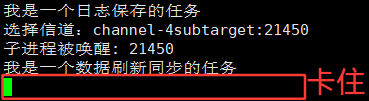
分析为什么会出现上面运行结果那样的结果:
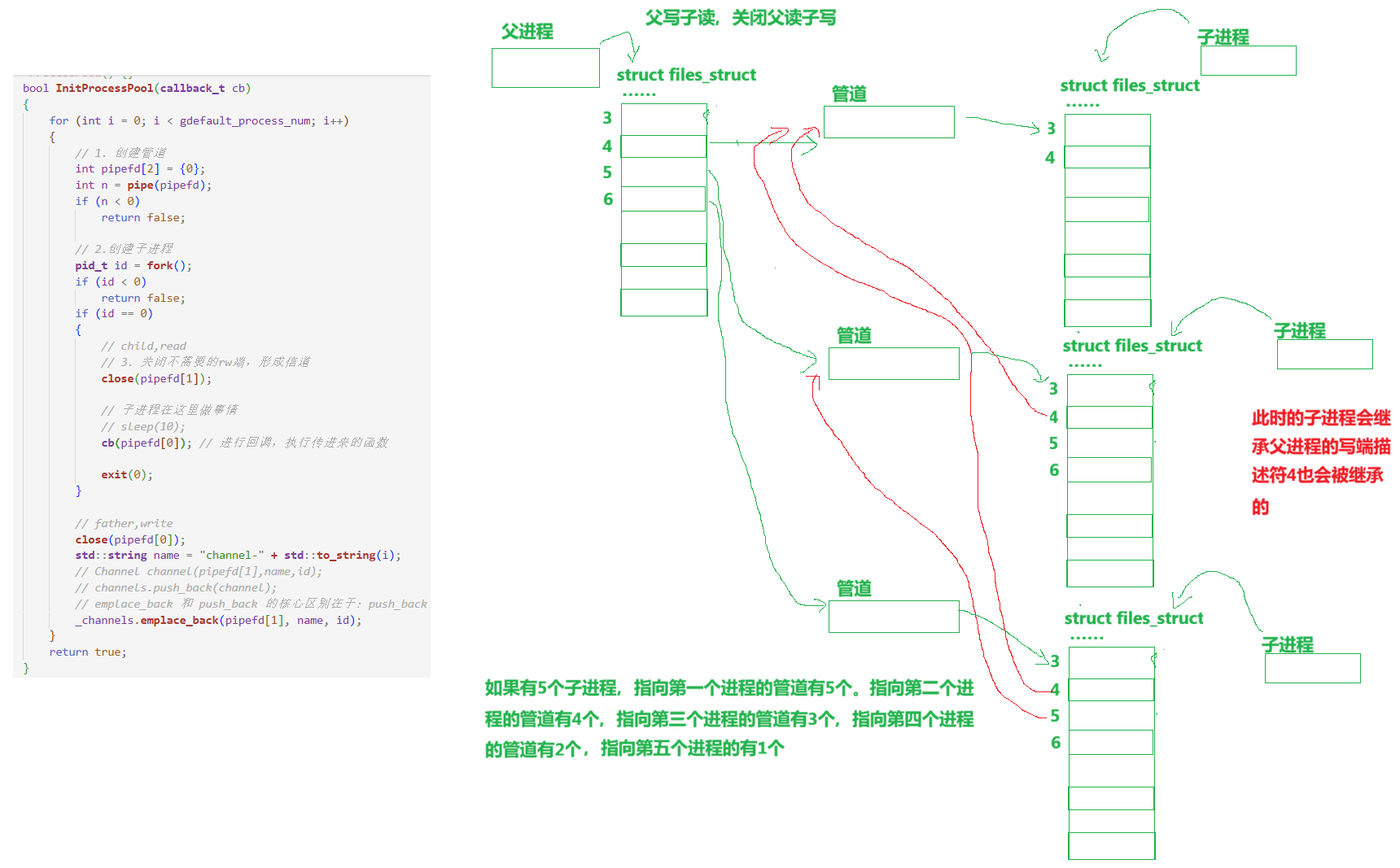
所以根据上面的分析,如果我们还是想要那样写代码(一边结束一边回收进程)的话,那么我们就换一种思路:将进程倒着关闭:
cpp
    void WaitSubProcesses()
    {
        for(int end = _channels.size()-1; end >= 0; end--)
        {
            _channels[end].Close();
            _channels[end].Wait();
        }

    }
运行结果:
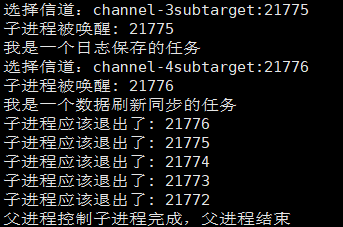
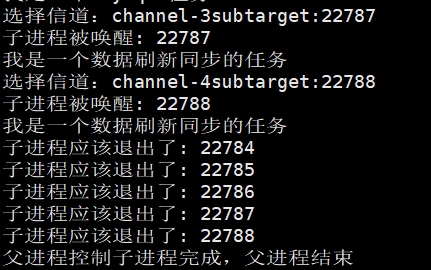
所以倒着关闭是可以的,但是这样也证实了我们的代码确实是有问题的,所以,对于子进程不仅仅关闭写端,还要关闭从父进程那里继承下来的被打开的文件描述符。
以下重点解释以下问题:
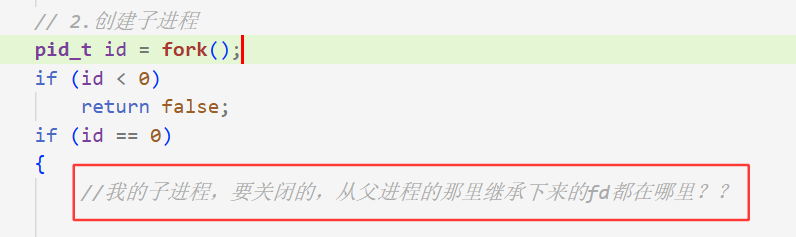
cpp
if (id == 0)
            {
                //子进程除了要关闭自己的w,同时也要关闭,自己从父进程那里继承下来的所有的之前进程的w端
                //我的子进程,要关闭的,从父进程的那里继承下来的wfd都在哪里??
                //_channels本身是被子进程继承下去的
                // 1. 子进程不要担心,父进程会影响自己的_channels,_channels是在类类的,同样的父子进程任一发生修改,修改的那方是会发生写时拷贝的
                // 2. fork之后,当前进程,只会看到所有的历史进程的wfd,并不会受后续父进程emplace_back的影响
                for(auto &c : _channels)
                {
                    c.Close();
                }

                // child,read
                // 3. 关闭不需要的rw端,形成信道
                close(pipefd[1]);

                // 子进程在这里做事情
                // sleep(10);
                cb(pipefd[0]); // 进行回调,执行传进来的函数

                exit(0);
            }
cpp
 void WaitSubProcesses()
    {
        // for(int end = _channels.size()-1; end >= 0; end--)
        // {
        //     _channels[end].Close();
        //     _channels[end].Wait();
        // }
        for (auto &c : _channels)
        {
            c.Close();
            c.Wait();
        }


    }
运行结果:
更详细的:
cpp
if (id == 0)
            {
                // 子进程除了要关闭自己的w,同时也要关闭,自己从父进程那里继承下来的所有的之前进程的w端
                // 我的子进程,要关闭的,从父进程的那里继承下来的wfd都在哪里??
                //_channels本身是被子进程继承下去的
                //  1. 子进程不要担心,父进程会影响自己的_channels,_channels是在类类的,同样的父子进程任一发生修改,修改的那方是会发生写时拷贝的
                //  2. fork之后,当前进程,只会看到所有的历史进程的wfd,并不会受后续父进程emplace_back的影响
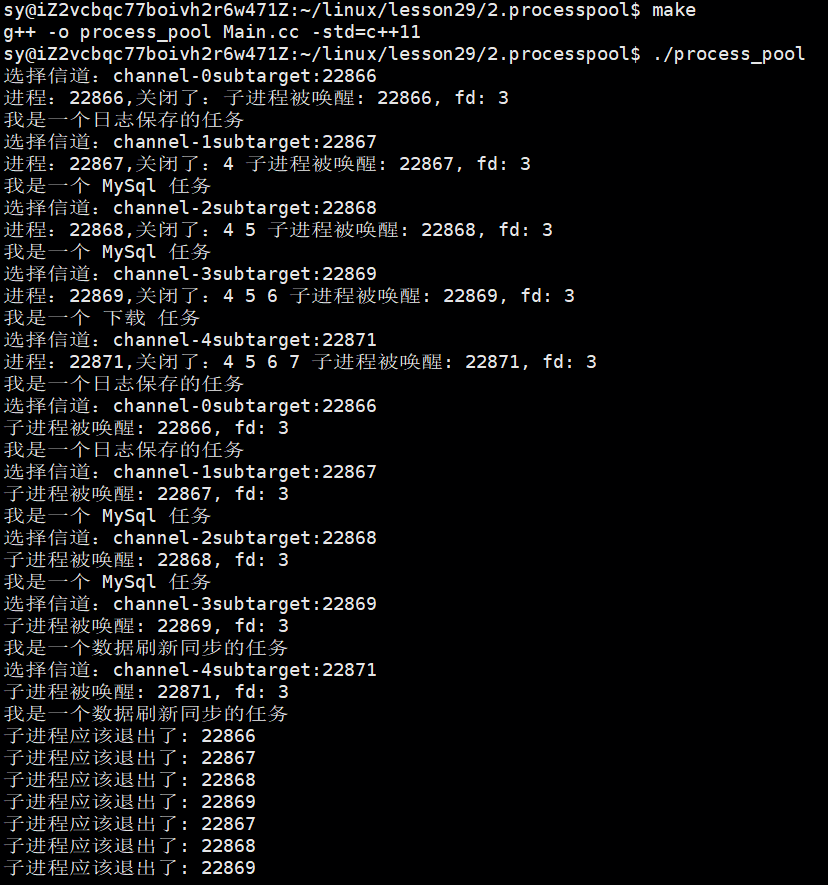
                std::cout << "进程:" << getpid() <<",关闭了:";
                for (auto &c : _channels)
                {
                    std::cout << c.Fd() << " ";
                    c.Close();
                }

                // child,read
                // 3. 关闭不需要的rw端,形成信道
                close(pipefd[1]);

                // 子进程在这里做事情
                // sleep(10);
                cb(pipefd[0]); // 进行回调,执行传进来的函数

                exit(0);
            }
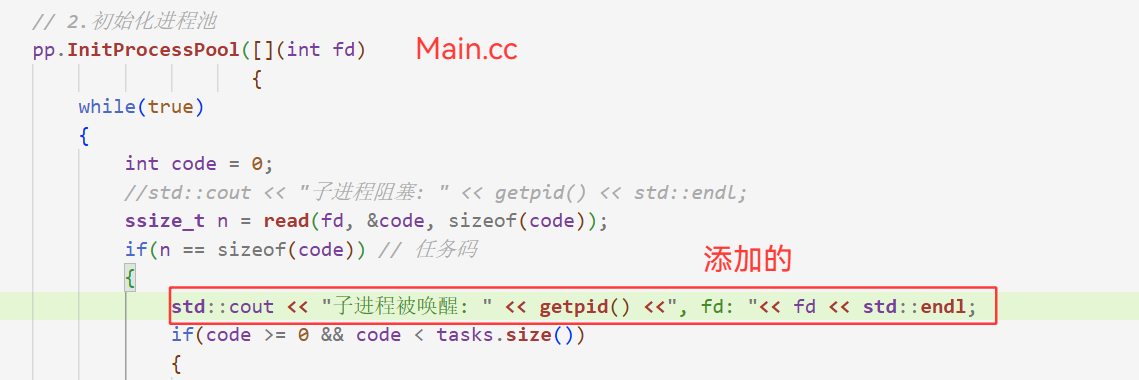
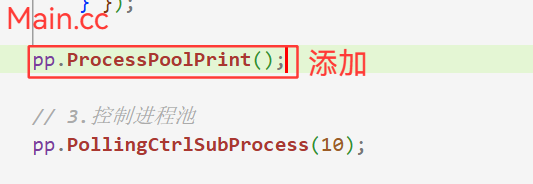
添加的一个函数:
cpp
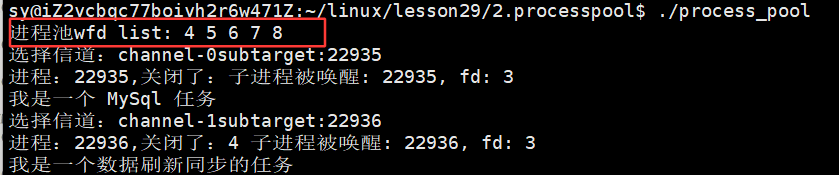
    void ProcessPoolPrint()
    {
        std::cout<<"进程池wfd list: ";
        for (auto &c : _channels)
            std::cout << c.Fd() << " ";
        std::cout << std::endl;
    }
运行效果:
验证初始化进程池结束后,把父进程得到的文件描述符也得打印一下:
3.5 最终的进程池代码:
cpp
//ProcessPool.hpp
#ifndef __PROCESS_POOL_HPP_
#define __PROCESS_POOL_HPP_

#include <iostream>
#include <cstdlib>
#include <unistd.h>
#include <string>
#include <vector>
#include <functional>
#include <sys/types.h>
#include <sys/wait.h>
#include <ctime>
#include "Task.hpp"

const int gdefault_process_num = 5;

// typedef std::function<void(int fd)> callback_t;
using callback_t = std::function<void(int fd)>;

// 先描述
class Channel
{
public:
    Channel()
    {
    }
    Channel(int fd, std::string &name, pid_t id) : _wfd(fd), _name(name), _sub_target(id)
    {
    }
    void DebugPrint()
    {
        printf("channel name: %s, wfd: %d, target pid: %d\n", _name.c_str(), _wfd, _sub_target);
    }
    ~Channel() {}
    int Fd() { return _wfd; }
    std::string Name() { return _name; }
    pid_t Target() { return _sub_target; }
    void Close() { close(_wfd); }
    void Wait()
    {
        pid_t rid = waitpid(_sub_target, nullptr, 0);
        (void)rid;
    }

private:
    int _wfd;
    std::string _name;
    pid_t _sub_target; // 目标子进程是谁
};

class ProcessPool
{
private:
    void CtrlSubProcessHelper(int &index)
    {
        // 1.选择一个信道(进程)
        int who = index;
        index++;
        index %= _channels.size();

        // 2. 选择一个任务,随机
        int x = rand() % tasks.size(); //[0-3]

        // 3.任务推送给子进程
        std::cout << "选择信道:" << _channels[who].Name() << "subtarget:" << _channels[who].Target() << std::endl;
        write(_channels[who].Fd(), &x, sizeof(x));
        sleep(1);
    }

public:
    ProcessPool(int num = gdefault_process_num) : _processnum(num)
    {
        srand(time(nullptr) ^ getpid() ^ 0x777);
    }
    ~ProcessPool() {}
    bool InitProcessPool(callback_t cb)
    {
        for (int i = 0; i < gdefault_process_num; i++)
        {
            sleep(1);
            // 1. 创建管道
            int pipefd[2] = {0};
            int n = pipe(pipefd);
            if (n < 0)
                return false;

            // 2.创建子进程
            pid_t id = fork();
            if (id < 0)
                return false;
            if (id == 0)
            {
                // 子进程除了要关闭自己的w,同时也要关闭,自己从父进程那里继承下来的所有的之前进程的w端
                // 我的子进程,要关闭的,从父进程的那里继承下来的wfd都在哪里??
                //_channels本身是被子进程继承下去的
                //  1. 子进程不要担心,父进程会影响自己的_channels,_channels是在类类的,同样的父子进程任一发生修改,修改的那方是会发生写时拷贝的
                //  2. fork之后,当前进程,只会看到所有的历史进程的wfd,并不会受后续父进程emplace_back的影响
                std::cout << "进程:" << getpid() <<",关闭了:";
                for (auto &c : _channels)
                {
                    std::cout << c.Fd() << " ";
                    c.Close();
                }

                // child,read
                // 3. 关闭不需要的rw端,形成信道
                close(pipefd[1]);

                // 子进程在这里做事情
                // sleep(10);
                cb(pipefd[0]); // 进行回调,执行传进来的函数

                exit(0);
            }

            // father,write
            close(pipefd[0]);
            std::string name = "channel-" + std::to_string(i);
            // Channel channel(pipefd[1],name,id);
            // channels.push_back(channel);
            // emplace_back 和 push_back 的核心区别在于:push_back 先构造对象再拷贝/移动,而 emplace_back 直接在容器内存中原地构造对象。
            _channels.emplace_back(pipefd[1], name, id);
        }
        return true;
    }
    // 2. 控制唤醒指定的一个子进程,让子进程完成指定的任务
    // 2.1 选择一个子进程(选择一个信道:轮询式、随机、load计数器的选择-----负载均衡!)
    // 避免让一个进程或者个别进程一直都很忙,其他进程一直都很闲
    // 轮询做法
    void PollingCtrlSubProcess()
    {

        int index = 0;
        while (true)
        {
            CtrlSubProcessHelper(index);
        }
    }

    void PollingCtrlSubProcess(int count)
    {
        if (count < 0)
        {
            return;
        }
        int index = 0;
        while (count)
        {
            CtrlSubProcessHelper(index);
            count--;
        }
    }

    void ProcessPoolPrint()
    {
        std::cout<<"进程池wfd list: ";
        for (auto &c : _channels)
            std::cout << c.Fd() << " ";
        std::cout << std::endl;
    }

    // 我们的代码,其实有一个bug的  --- 已修复 --- 本文件的:92行-100行
    void WaitSubProcesses()
    {
        // for(int end = _channels.size()-1; end >= 0; end--)
        // {
        //     _channels[end].Close();
        //     _channels[end].Wait();
        // }
        for (auto &c : _channels)
        {
            c.Close();
            c.Wait();
        }

        // 我们为什么要先让所有的子进程结束了才开始回收,如果我们向上面写的那样,
        // 一边关闭一边回收不行吗?

        // // 1. 先让所有子进程结束
        // for (auto &c : _channels)
        // {
        //     c.Close();
        // }
        // // 2. 你在回收所有的子进程僵尸状态
        // for (auto &c : _channels)
        // {
        //     c.Wait();
        //     std::cout << "回收子进程: " << c.Target() << std::endl;
        // }
    }

private:
    // 在组织
    std::vector<Channel>
        _channels;   // 所有信道
    int _processnum; // 有多少个子进程
};

#endif
cpp
//Task.hpp
#pragma once

#include <iostream>
#include <string>
#include <vector>
#include <functional>

//4中任务
//task_t[4]

using task_t = std::function<void()>;

void Download()
{
    std::cout<< "我是一个 下载 任务"<<std::endl;
}

void MySql()
{
    std::cout<< "我是一个 MySql 任务"<<std::endl;
}

void Sync()
{
    std::cout<< "我是一个数据刷新同步的任务"<<std::endl;
}

void Log()
{
    std::cout<< "我是一个日志保存的任务"<<std::endl;
}

std::vector<task_t> tasks;

class Init
{
public:
    Init()
    {
        tasks.push_back(Download);
        tasks.push_back(MySql);
        tasks.push_back(Sync);
        tasks.push_back(Log);

    }

};
Init ginit;
bash
#Makefile
process_pool:Main.cc   #只写Main.cc是因为头文件的展开直接在源文件中,预处理之后头文件不在需要
	g++ -o $@ $^ -std=c++11
.PHONY:clean
clean:
	rm -f process_pool
cpp
//Main.cc

#include "ProcessPool.hpp"

int main()
{
    // 1.创建进程池
    ProcessPool pp(5);

    // 2.初始化进程池
    pp.InitProcessPool([](int fd)
                       {
        while(true)
        {
            int code = 0;
            //std::cout << "子进程阻塞: " << getpid() << std::endl;
            ssize_t n = read(fd, &code, sizeof(code));
            if(n == sizeof(code)) // 任务码
            {
                std::cout << "子进程被唤醒: " << getpid() <<", fd: "<< fd << std::endl;
                if(code >= 0 && code < tasks.size())
                {
                    tasks[code]();
                }
                else
                {
                    std::cerr << "父进程给我的任务码是不对的: " << code << std::endl;
                }
            }
            else if(n == 0)
            {
                std::cout << "子进程应该退出了: " << getpid() << std::endl;
                break;
            }
            else
            {
                std::cerr << "read fd: " << fd << ", error" << std::endl;
                break;
            }
        } });

    pp.ProcessPoolPrint();

    // 3.控制进程池
    pp.PollingCtrlSubProcess(10);

    // 4.结束进程池
    pp.WaitSubProcesses();
    std::cout << "父进程控制子进程完成,父进程结束" << std::endl;
    return 0;
}