本文详细记录了在 MacOS 上使用 Metal GPU 加速编译 llama.cpp 的全过程,涵盖 cmake 安装、仓库克隆、编译配置、模型下载、GPU 验证、多模型运行测试以及性能监控工具的使用,适合需要在 Apple Silicon Mac 上本地运行大语言模型的开发者参考。
1.安装cmake
bash
brew install git cmake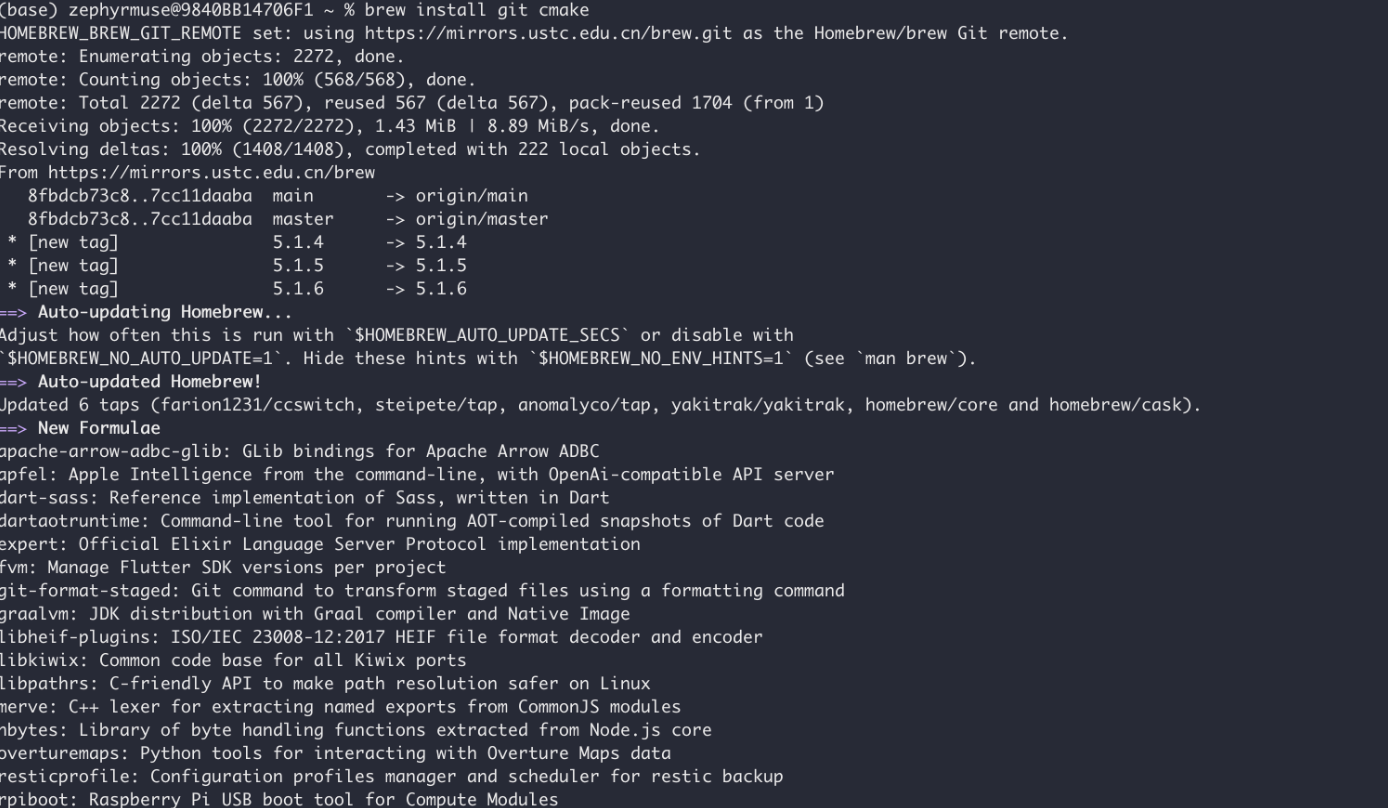
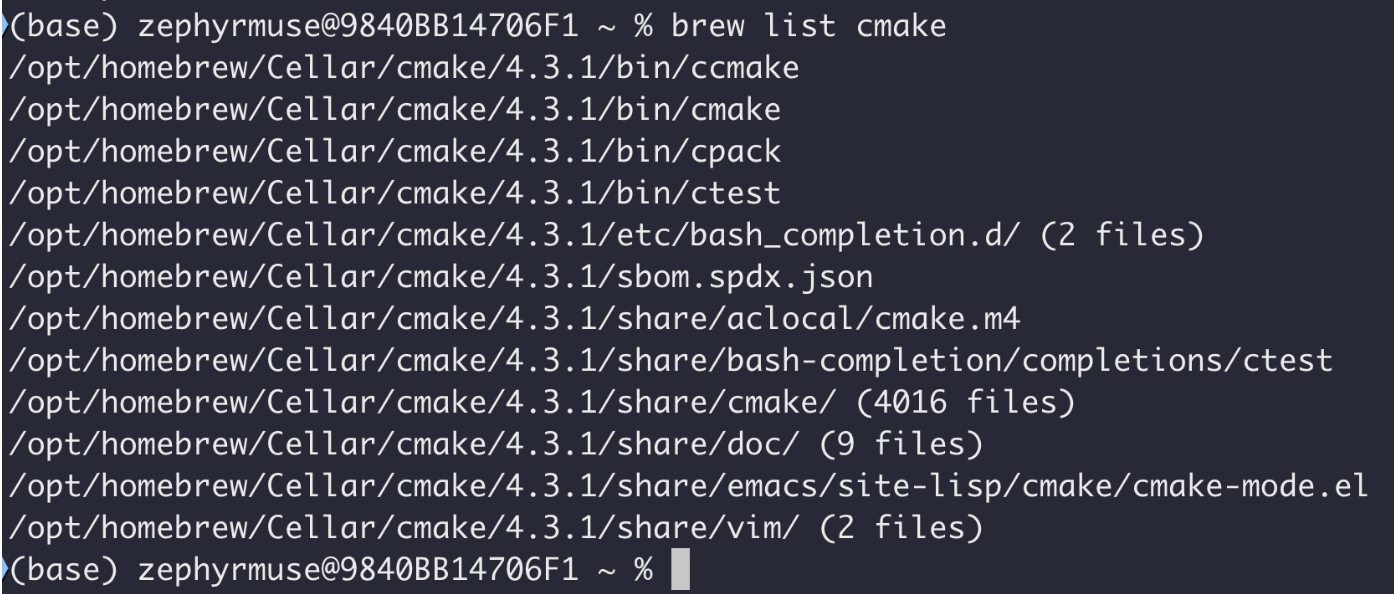
2.克隆仓库
bash
git clone https://github.com/ggml-org/llama.cpp.git

cd llama.cpp
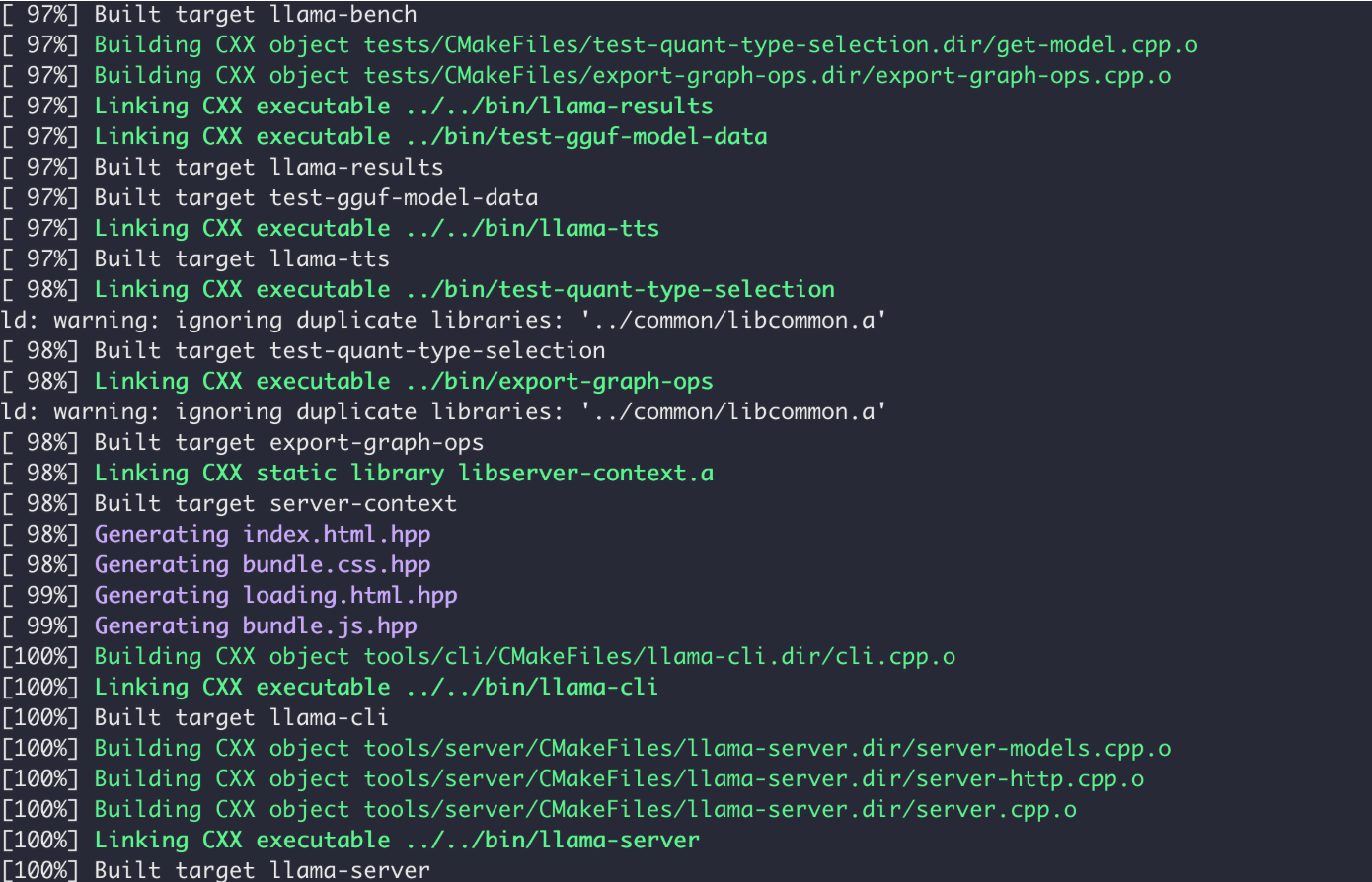
3. 编译(开启 Metal GPU 加速)
bash
cmake -B build -DGGML_METAL=ON -DGGML_METAL_EMBED_LIBRARY=ON
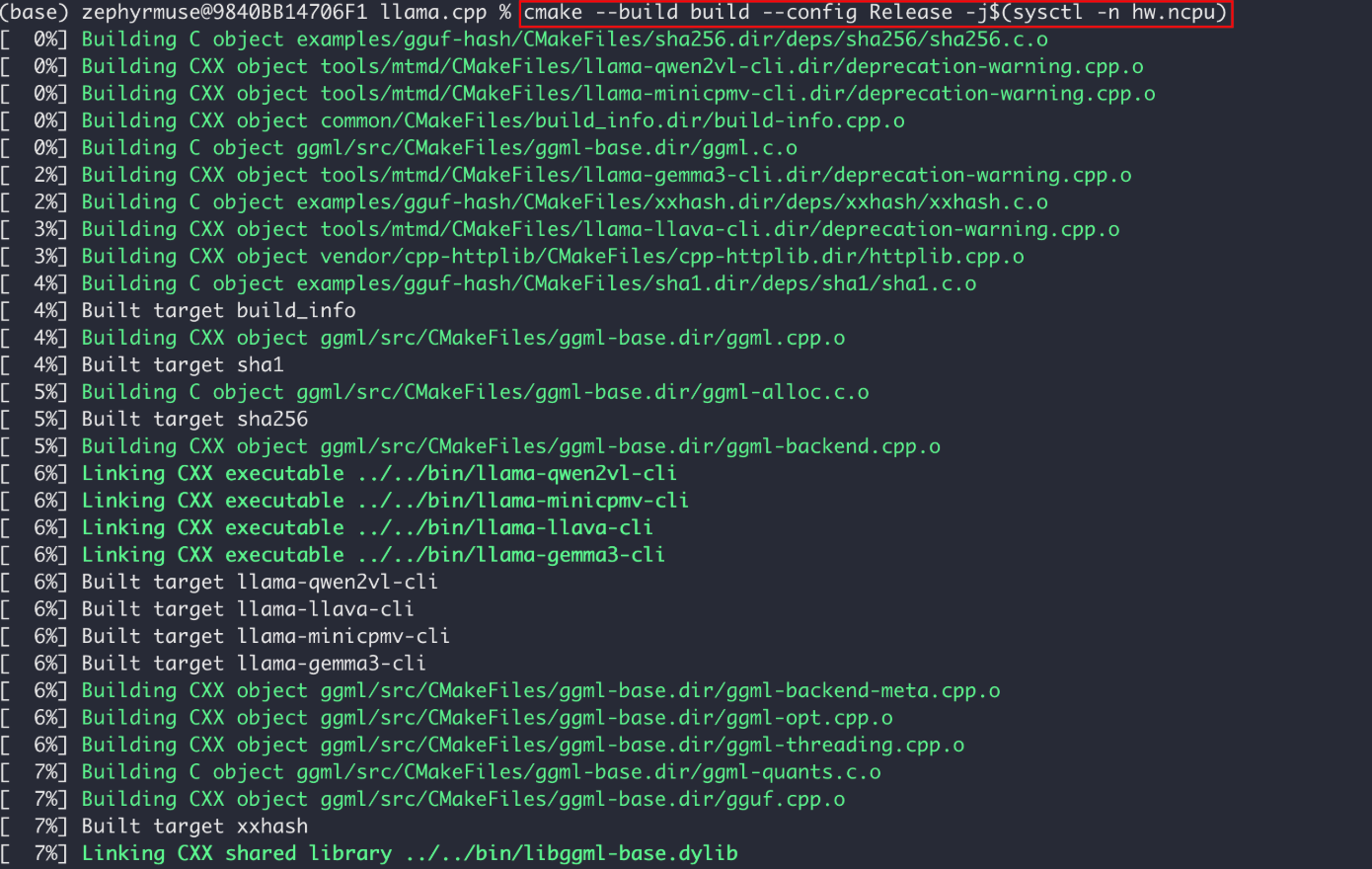
cmake --build build --config Release -j$(sysctl -n hw.ncpu)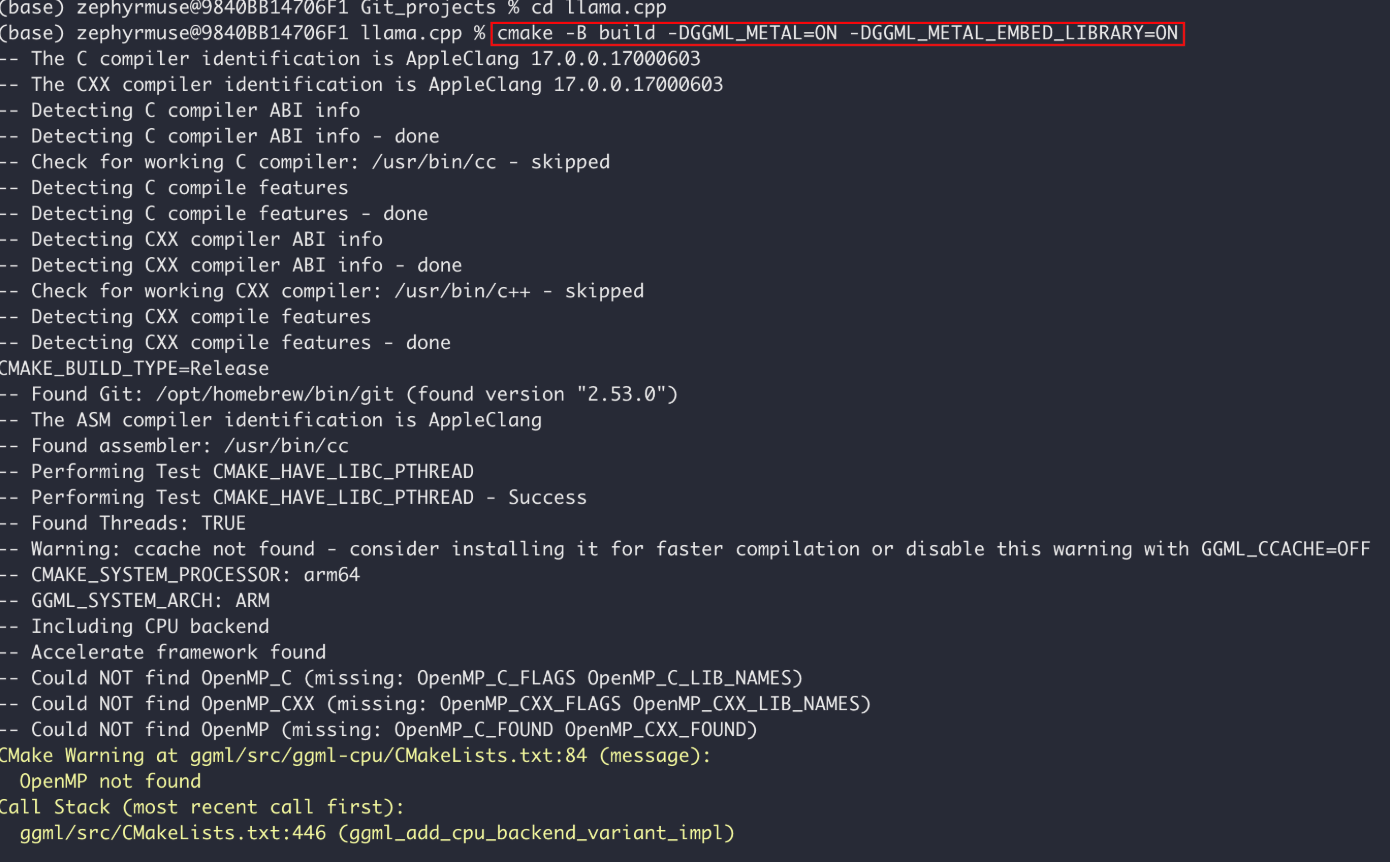
4.模型下载
bash
# 安装模型下载客户端
pip install modelscope

# 下载模型
modelscope download \
  --model Tencent-Hunyuan/HY-MT1.5-7B-GGUF HY-MT1.5-7B-Q4_K_M.gguf License.txt README.md configuration.json \
  --local_dir ./HY-MT1.5-7B-Q4_K_M-GGUF
5. 验证 GPU 是否启用
bash
./llama-cli --help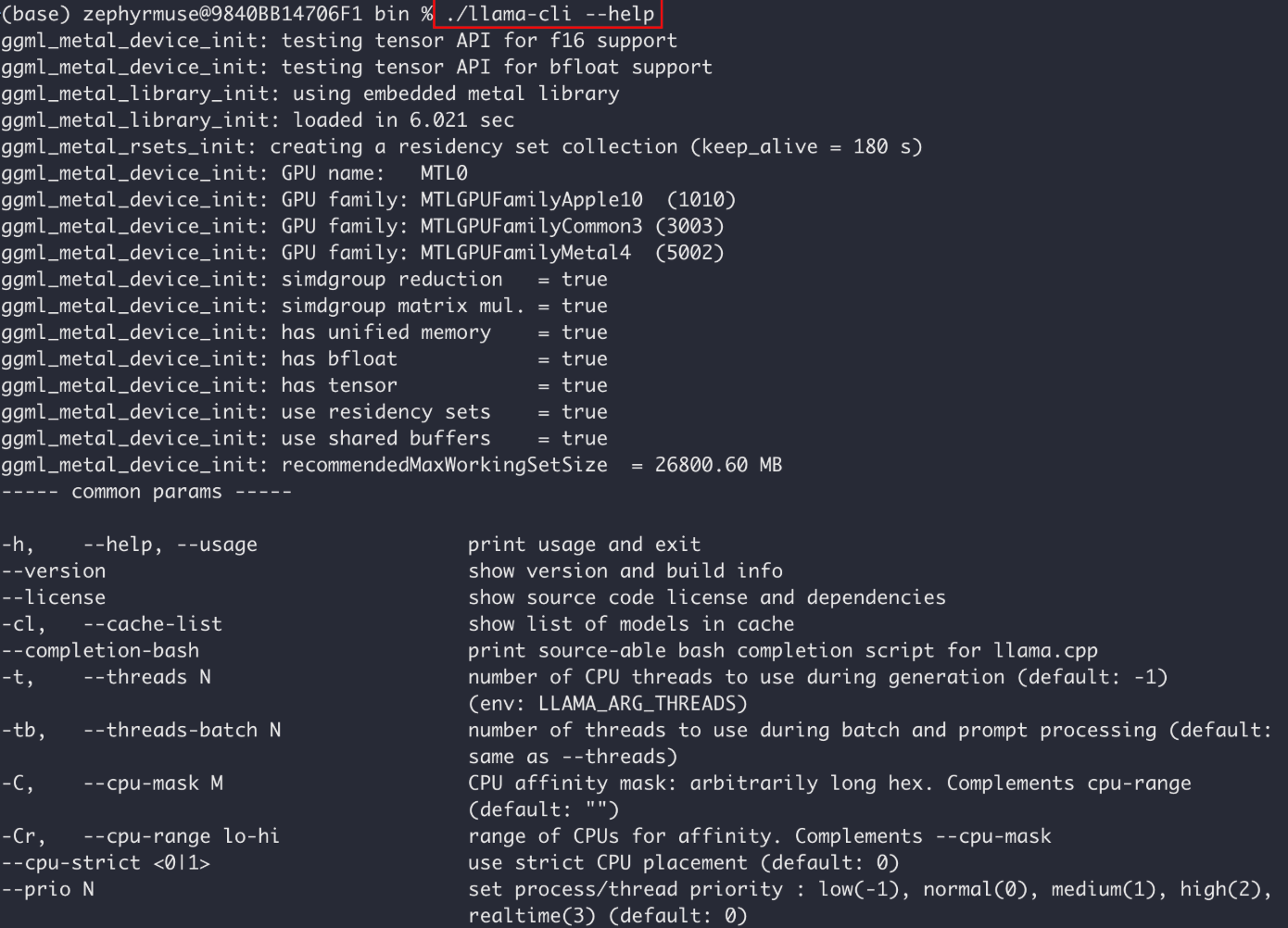
模型启动参数说明
bash
./llama-server \
  -m /Users/zephyrmuse/Projects/softwares/Qwen3.5-2B-GGUF/Qwen3.5-2B-Q4_K_M.gguf \
  -c 8192 \
  -ngl 99 \
  --host 0.0.0.0 \
  --port 8080 \
  --cache-type-k q8_0 \
  --cache-type-v q8_0 \
  --temp 0.7 \
  --jinja \
  --chat-template-file /Users/zephyrmuse/Projects/softwares/qwen3_nonthinking.jinja

-m 指定模型权重文件 model
-c 模型上下文 context length
-ngl 加载模型的多少层到GPU number of GPU layers
--host 指定访问的IP地址
--port 指定访问的端口号,访问的模型是通过端口号指定的,不需要传递模型名
--temp 温度,temperature
--jinja Qwen模型启动的时候,不添加 qwen3_nonthinking.jinja 这个文件,默认启动思考模式,添加这个文件可以关闭思考模型
bash
cd /Users/zephyrmuse/Git_projects/llama.cpp/build/bin

# Qwen3.5-2B-Q4_K_M (多模态)
./llama-cli \
  -m /Users/zephyrmuse/Projects/softwares/Qwen3.5-2B-GGUF/Qwen3.5-2B-Q4_K_M.gguf \
  -c 8192 \
  -n 512 \
  -p "你好,请用中文自我介绍" \
  --temp 0.7 \
  --jinja \
  --chat-template-file /Users/zephyrmuse/Projects/softwares/qwen3_nonthinking.jinja


./llama-server \
  -m /Users/zephyrmuse/Projects/softwares/Qwen3.5-2B-GGUF/Qwen3.5-2B-Q4_K_M.gguf \
  -c 8192 \
  -ngl 99 \
  --host 0.0.0.0 \
  --port 8080 \
  --cache-type-k q8_0 \
  --cache-type-v q8_0 \
  --temp 0.7 \
  --jinja \
  --chat-template-file /Users/zephyrmuse/Projects/softwares/qwen3_nonthinking.jinja


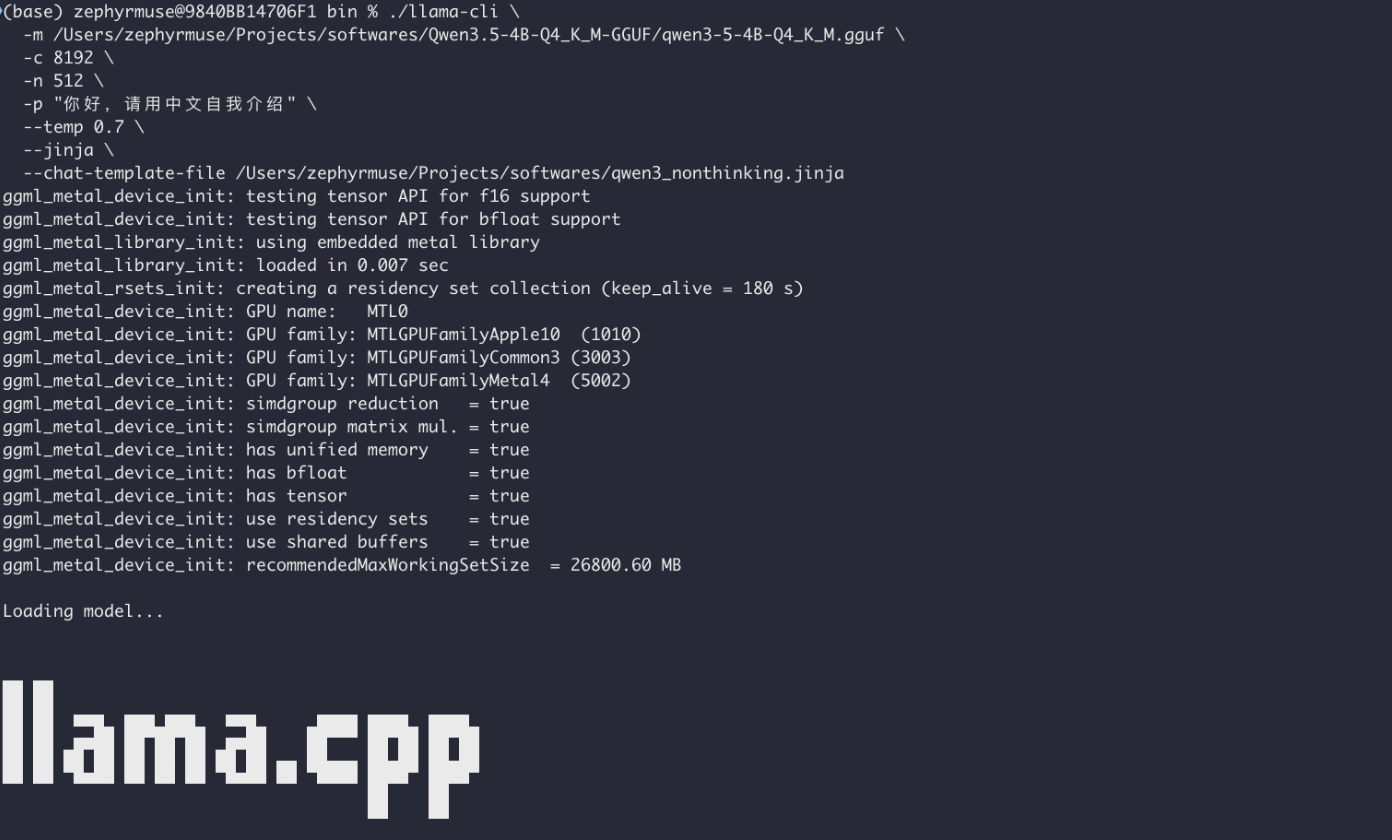
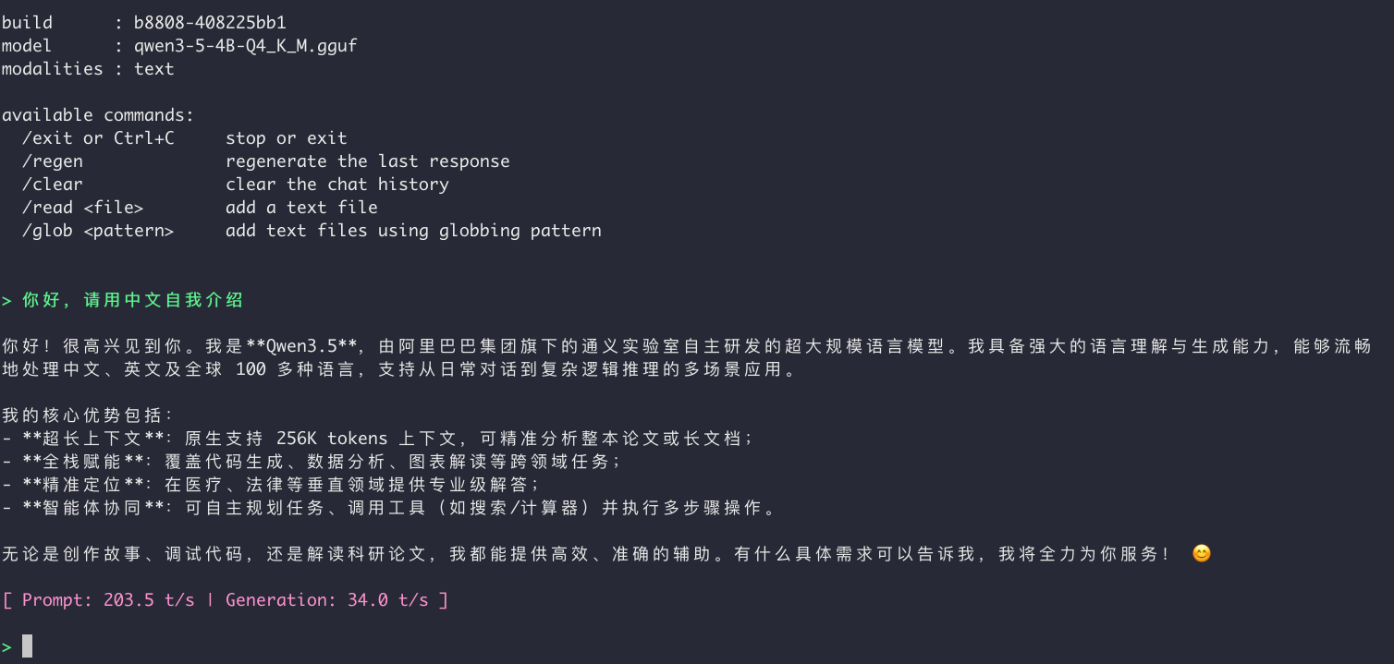
# Qwen3.5-4B-Q4_K_M (多模态)
./llama-cli \
  -m /Users/zephyrmuse/Projects/softwares/Qwen3.5-4B-Q4_K_M-GGUF/qwen3-5-4B-Q4_K_M.gguf \
  -c 8192 \
  -n 512 \
  -p "你好,请用中文自我介绍" \
  --temp 0.7 \
  --jinja \
  --chat-template-file /Users/zephyrmuse/Projects/softwares/qwen3_nonthinking.jinja


  # Qwen3.5-4B-Q4_K_M (多模态)
  ./llama-server \
  -m /Users/zephyrmuse/Projects/softwares/Qwen3.5-4B-Q4_K_M-GGUF/qwen3-5-4B-Q4_K_M.gguf \
  -c 8192 \
  -ngl 99 \
  --host 0.0.0.0 \
  --port 8080 \
  --cache-type-k q8_0 \
  --cache-type-v q8_0 \
  --temp 0.7 \
  --jinja \
  --chat-template-file /Users/zephyrmuse/Projects/softwares/qwen3_nonthinking.jinja


 # HY-MT1.5-7B-Q4_K_M-GGUF (翻译模型)
 ./llama-server \
  -m /Users/zephyrmuse/Projects/softwares/HY-MT1.5-7B-Q4_K_M-GGUF/HY-MT1.5-7B-Q4_K_M.gguf \
  -c 8192 \
  -ngl 99 \
  --host 0.0.0.0 \
  --port 8080 \
  --cache-type-k q8_0 \
  --cache-type-v q8_0 \
  --temp 0.7


# Qwen3.6-35B-A3B-UD-Q3_K_XL.gguf

./llama-server \
  -m /Users/zephyrmuse/Projects/softwares/Qwen3.6-35B-A3B-GGUF/Qwen3.6-35B-A3B-UD-Q3_K_XL.gguf \
  -c 8192 \
  -ngl 99 \
  --host 0.0.0.0 \
  --port 8080 \
  --cache-type-k q8_0 \
  --cache-type-v q8_0 \
  --temp 0.7 \
  --jinja \
  --chat-template-file /Users/zephyrmuse/Projects/softwares/qwen3_nonthinking.jinja


# Qwen3.6-35B-A3B-UD-Q5_K_S.gguf
./llama-server \
  -m /Users/zephyrmuse/Projects/softwares/Qwen3.6-35B-A3B-GGUF/Qwen3.6-35B-A3B-UD-Q5_K_S.gguf \
  -c 8192 \
  -ngl 99 \
  --host 0.0.0.0 \
  --port 8080 \
  --cache-type-k q8_0 \
  --cache-type-v q8_0 \
  --temp 0.7 \
  --jinja \
  --chat-template-file /Users/zephyrmuse/Projects/softwares/qwen3_nonthinking.jinja

# Qwen3.6-35B-A3B-UD-Q5_K_M.gguf
./llama-server \
  -m /Users/zephyrmuse/Projects/softwares/Qwen3.6-35B-A3B-GGUF/Qwen3.6-35B-A3B-UD-Q5_K_M.gguf \
  -c 2048 \
  -ngl 99 \
  --host 0.0.0.0 \
  --port 8080 \
  --cache-type-k q8_0 \
  --cache-type-v q8_0 \
  --temp 0.7 \
  --jinja \
  --chat-template-file /Users/zephyrmuse/Projects/softwares/qwen3_nonthinking.jinja

# Qwen3.6-35B-A3B-UD-Q4_K_S.gguf
./llama-server \
  -m /Users/zephyrmuse/Projects/softwares/Qwen3.6-35B-A3B-GGUF/Qwen3.6-35B-A3B-UD-Q4_K_S.gguf \
  -c 2048 \
  -ngl 99 \
  --host 0.0.0.0 \
  --port 8080 \
  --cache-type-k q8_0 \
  --cache-type-v q8_0 \
  --temp 0.7 \
  --jinja \
  --chat-template-file /Users/zephyrmuse/Projects/softwares/qwen3_nonthinking.jinja

# 支持多模态
./llama-server \
  -m /Users/zephyrmuse/Projects/softwares/Qwen3.6-35B-A3B-GGUF/Qwen3.6-35B-A3B-UD-Q4_K_S.gguf \
  --mmproj /Users/zephyrmuse/Projects/softwares/Qwen3.6-35B-A3B-GGUF/mmproj-BF16.gguf \
  -c 2048 \
  -ngl 99 \
  --host 0.0.0.0 \
  --port 8080 \
  --cache-type-k q8_0 \
  --cache-type-v q8_0 \
  --temp 0.7 \
  --jinja \
  --chat-template-file /Users/zephyrmuse/Projects/softwares/qwen3_nonthinking.jinja

# Qwen3.5-27B.Q6_K.gguf  3 tokens/s
./llama-server \
  -m  /Users/zephyrmuse/Projects/softwares/Qwen3.5-27B-Claude-4.6-Opus-Reasoning-Distilled-v2-GGUF/Qwen3.5-27B.Q6_K.gguf \
  -c 8192 \
  -ngl 99 \
  --host 0.0.0.0 \
  --port 8080 \
  --cache-type-k q8_0 \
  --cache-type-v q8_0 \
  --temp 0.7 \
  --jinja \
  --chat-template-file /Users/zephyrmuse/Projects/softwares/qwen3_nonthinking.jinja

6.测试脚步
python
import os
import time
from openai import OpenAI
from get_system_prompt import get_system_prompt

# 初始化 OpenAI 客户端,指向本地 llama-server
client = OpenAI(
    base_url="http://localhost:8080/v1",
    api_key="sk-no-key-required"  # 本地服务不需要真实 API Key
)

# 获取系统提示词
# system_prompt = get_system_prompt()
system_prompt = "你是一个乐于助人的智能助手"

# 创建对话历史存储
messages = [{"role": "system", "content": system_prompt}]

# Token 估算函数(简化版:中文约 1.5 字符/token,英文约 4 字符/token)
def estimate_tokens(text):
    if not text:
        return 0
    # 简单估算:假设平均每个 token 约 2 个字符(中英文混合)
    return int(len(text) / 2)

print("=" * 50)
print("🤖 AI 助手已启动(输入 '退出' 结束对话)")
print("=" * 50)

# 对话循环
turn_count = 0  # 对话轮数计数器

while True:
    # 获取用户输入
    user_input = input("\n👤 用户: ").strip()

    # 检查退出条件
    if user_input.lower() in ["退出", "exit", "quit", "q"]:
        print("\n👋 感谢使用,再见!")
        break

    if not user_input:
        continue

    # 增加轮数
    turn_count += 1

    # 添加用户消息到历史
    messages.append({"role": "user", "content": user_input})

    print("\n🤖 AI: ", end="", flush=True)

    try:
        # 记录请求开始时间
        start_time = time.perf_counter()
        first_token_time = None

        # 创建流式输出请求
        stream = client.chat.completions.create(
            model="qwen3-8b",
            messages=messages,
            stream=True,
            temperature=0.7
        )

        # 流式接收并打印响应
        full_response = ""
        for chunk in stream:
            if chunk.choices and chunk.choices[0].delta.content:
                content = chunk.choices[0].delta.content
                print(content, end="", flush=True)
                full_response += content

                # 记录首 token 时间
                if first_token_time is None:
                    first_token_time = time.perf_counter()

        # 记录结束时间
        end_time = time.perf_counter()

        print()  # 换行

        # 计算统计指标
        ttft = (first_token_time - start_time) * 1000 if first_token_time else 0
        total_time = (end_time - start_time) * 1000
        generation_time = (end_time - first_token_time) * 1000 if first_token_time else 0

        # 估算 token 数
        current_turn_tokens = estimate_tokens(full_response)
        system_prompt_tokens = estimate_tokens(system_prompt)
        total_context_tokens = estimate_tokens("\n".join([m["content"] for m in messages]))

        tokens_per_second = (current_turn_tokens / generation_time * 1000) if generation_time > 0 else 0

        # 打印统计信息
        print("\n" + "-" * 50)
        print(f"📊 性能统计 (第 {turn_count} 轮对话):")
        print(f"   ⏱️  TTFT (首字节延迟):     {ttft:.2f} ms")
        print(f"   ⏱️  总耗时:                {total_time:.2f} ms")
        print(f"   ⏱️  生成耗时:              {generation_time:.2f} ms")
        print(f"   🔢 本轮生成 Tokens:        {current_turn_tokens}")
        print(f"   🚀 生成速度:              {tokens_per_second:.2f} tokens/s")
        print(f"   📜 系统提示词 Tokens:      {system_prompt_tokens}")
        print(f"   📚 上下文总 Tokens:        {total_context_tokens}")
        print("-" * 50)

        # 添加 AI 回复到历史
        messages.append({"role": "assistant", "content": full_response})

        # 控制历史长度(保留 system + 最近 10 轮对话)
        if len(messages) > 21:
            messages = [messages[0]] + messages[-20:]
            turn_count = 10  # 重置轮数显示(因为只保留最近10轮)

    except Exception as e:
        print(f"\n❌ 发生错误: {e}")
        import traceback
        traceback.print_exc()
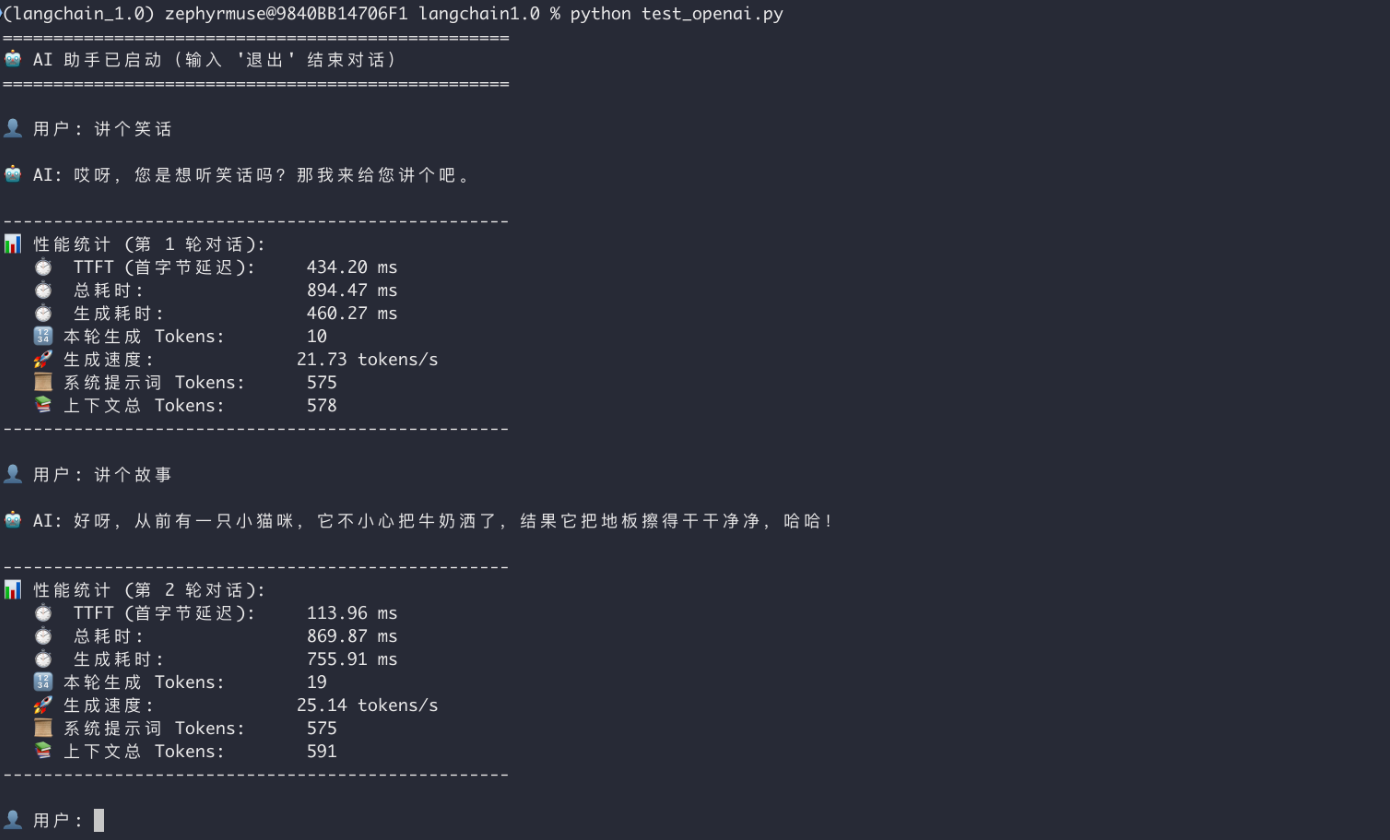
continue备注:llama.cpp 启动的模型,不需要指定模型名,模型的访问是通过端口绑定的
7.GPU/CPU 使用查看
bash
brew install mactop

sudo mactop

或

pip install asitop

sudo asitop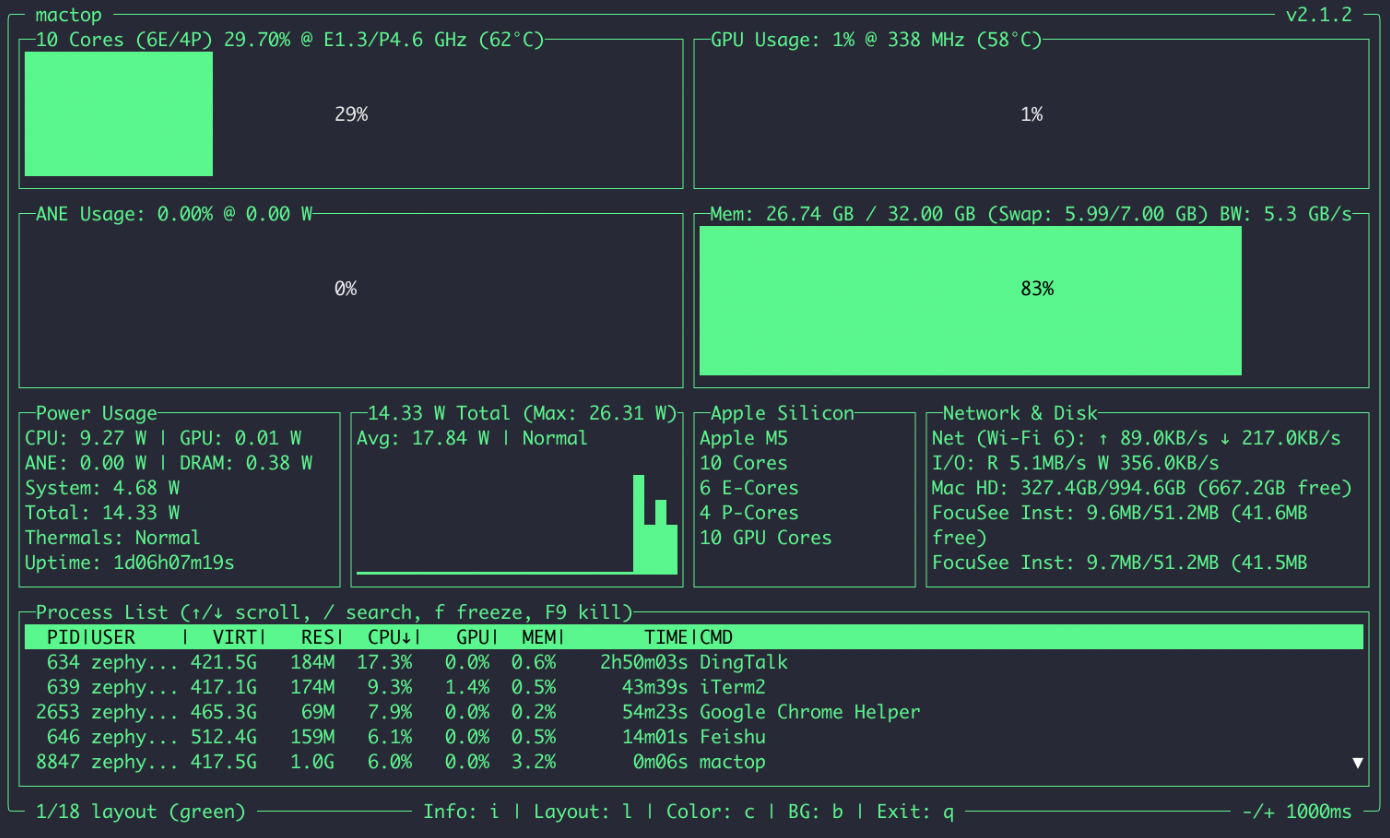
感谢阅读!如果你在 MacOS 上成功跑通了 llama.cpp,欢迎在评论区分享你的推理速度。有任何问题也可以留言交流~
标签 :llama.cpp MacOS MetalGPU
本文为原创内容,版权归作者所有,转载需注明出处。