Ollama类似于docker,Ollama = 本地跑大模型的「Docker」,让你在家电脑上一键跑 Qwen、Llama、DeepSeek 等开源大模型,不上云、隐私可控。
1. 安装Ollama
下载链接:Release v0.24.0 · ollama/ollama · GitHub
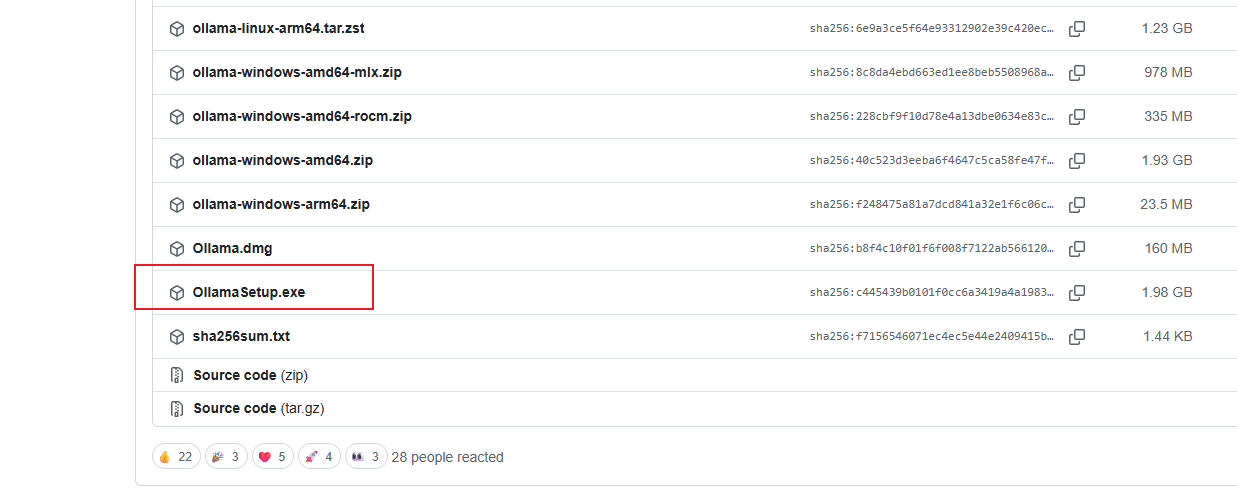
往下找到这个下载即可,把下载好的文件移动到你想安装到的目录里:
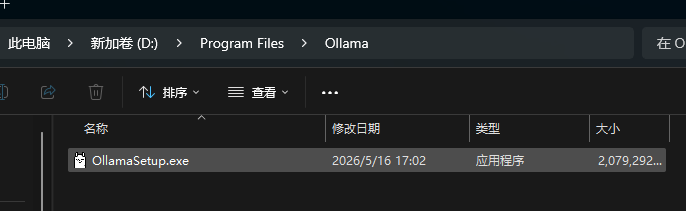
在此目录打开cdm窗口,输入命令:OllamaSetup.exe /DIR="你要安装的目录"

后续出现安装界面跟着提示点击即可。安装之后再设置一下大模型的安装路径:
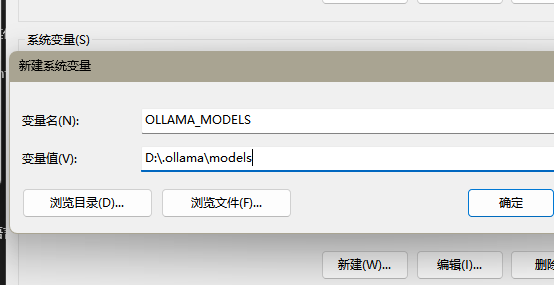
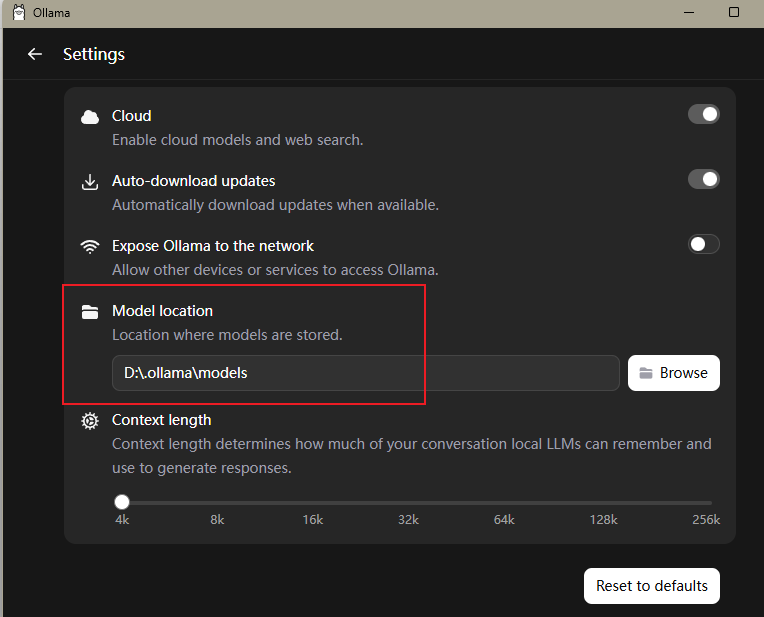
把这个目录下文件复制到新设置的目录:
C:\Users\你的用户名\.ollama
2. 调用Ollama中的大模型
导入依赖:
XML
        <dependency>
            <groupId>org.springframework.ai</groupId>
            <artifactId>spring-ai-starter-model-ollama</artifactId>
        </dependency>
修改配置:
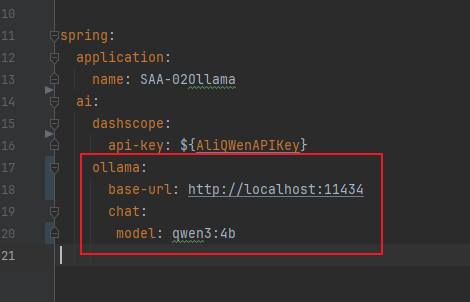
ollama默认端口是11434
使用方法和之前使用远程大模型一致:
java
@RestController
public class OllamaController {
    @Resource(name = "ollamaChatModel")
    ChatModel chatModel;
    @GetMapping("/hello/call")
    public String call(@RequestParam(name = "msg", defaultValue = "你是谁") String msg) {
        String result = chatModel.call(msg);
        return result;
    }

    @GetMapping("/hello/stream")
    public Flux<String> stream(@RequestParam(name = "msg", defaultValue = "你是谁") String msg) {
        return chatModel.stream(msg);
    }
}