目录
[1. 共识](#1. 共识)
[2. 部分Linux系统中的产生信号的方式](#2. 部分Linux系统中的产生信号的方式)
[2.1 前台进程 VS 后台进程](#2.1 前台进程 VS 后台进程)
[2.2 朴素的认识,信号的本质](#2.2 朴素的认识,信号的本质)
[3. 信号的产生](#3. 信号的产生)
[3.1 信号产生方式1:键盘产生](#3.1 信号产生方式1:键盘产生)
[3.2 信号产生方式2:kill 命令产生](#3.2 信号产生方式2:kill 命令产生)
[3.3 信号产生方式3:系统调用](#3.3 信号产生方式3:系统调用)
[3.3.1:系统调用 kill](#3.3.1:系统调用 kill)
[3.3.2 系统调用:raise](#3.3.2 系统调用:raise)
[3.3.3 系统调用:abort](#3.3.3 系统调用:abort)
[3.4 信号产生的方式4:软件条件](#3.4 信号产生的方式4:软件条件)
[3.4.1 闹钟取消](#3.4.1 闹钟取消)
[3.4.2 理解一下:](#3.4.2 理解一下:)
[3.4.3 验证IO问题](#3.4.3 验证IO问题)
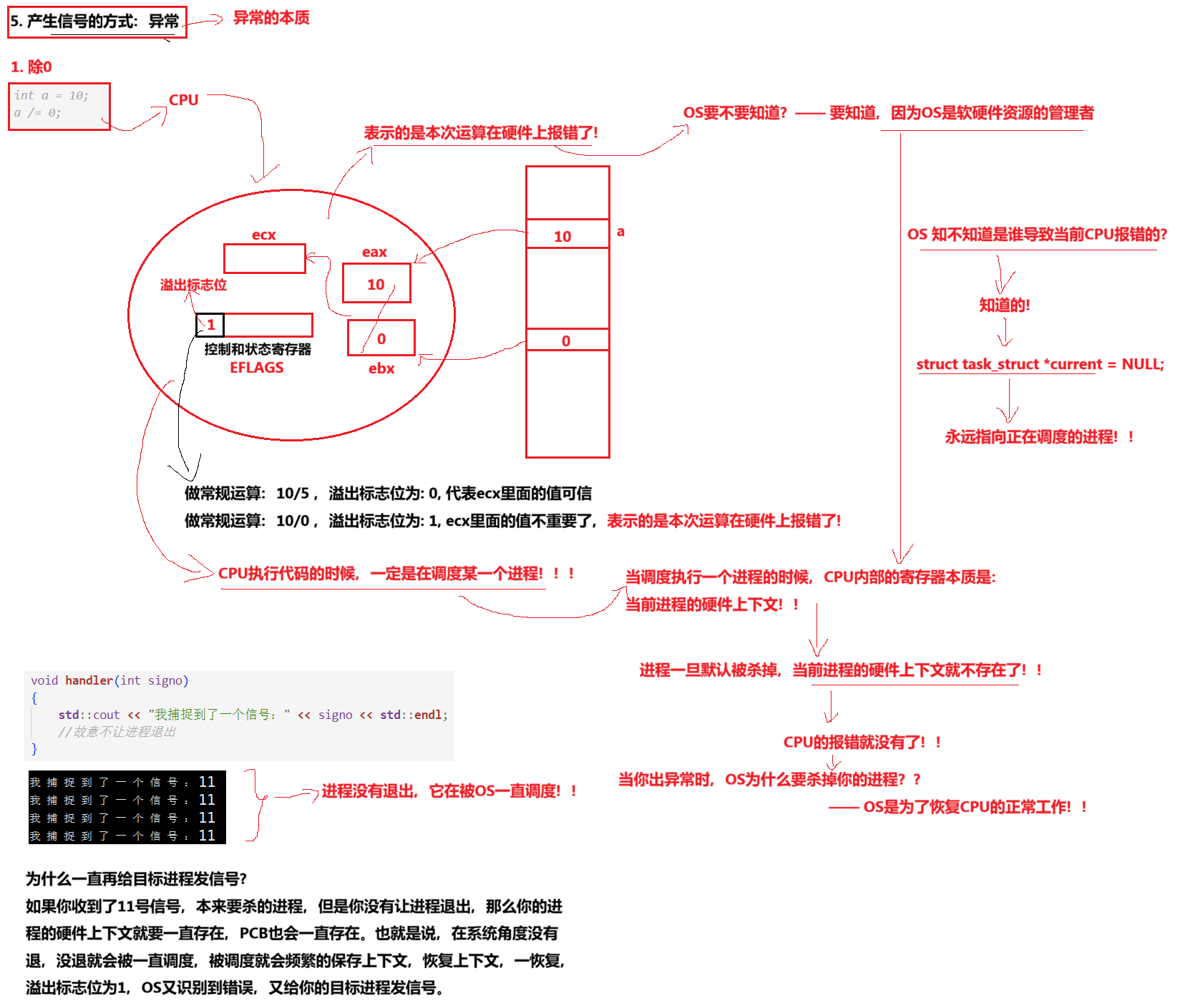
[3.5 产生信号的方式5:异常](#3.5 产生信号的方式5:异常)
[3.5.1 异常 ------ 除0 操作:](#3.5.1 异常 —— 除0 操作:)
[3.5.2 异常 ------ 野指针:](#3.5.2 异常 —— 野指针:)
[3.6 总结:](#3.6 总结:)
[3.7 异常的本质](#3.7 异常的本质)
[3.7.1 除0 的理解](#3.7.1 除0 的理解)
[3.7.2 野指针 的理解](#3.7.2 野指针 的理解)
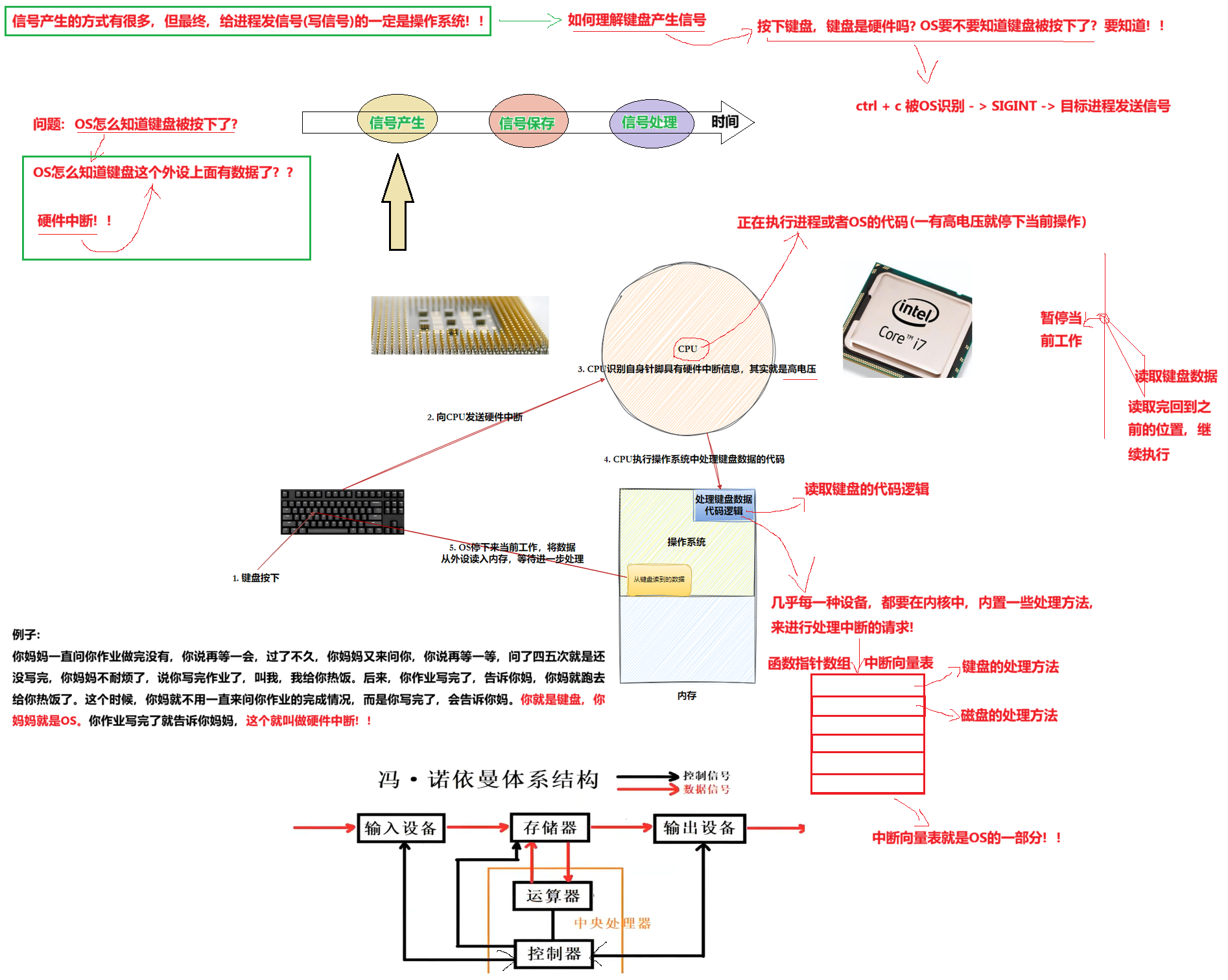
[3.8 键盘产生信号](#3.8 键盘产生信号)
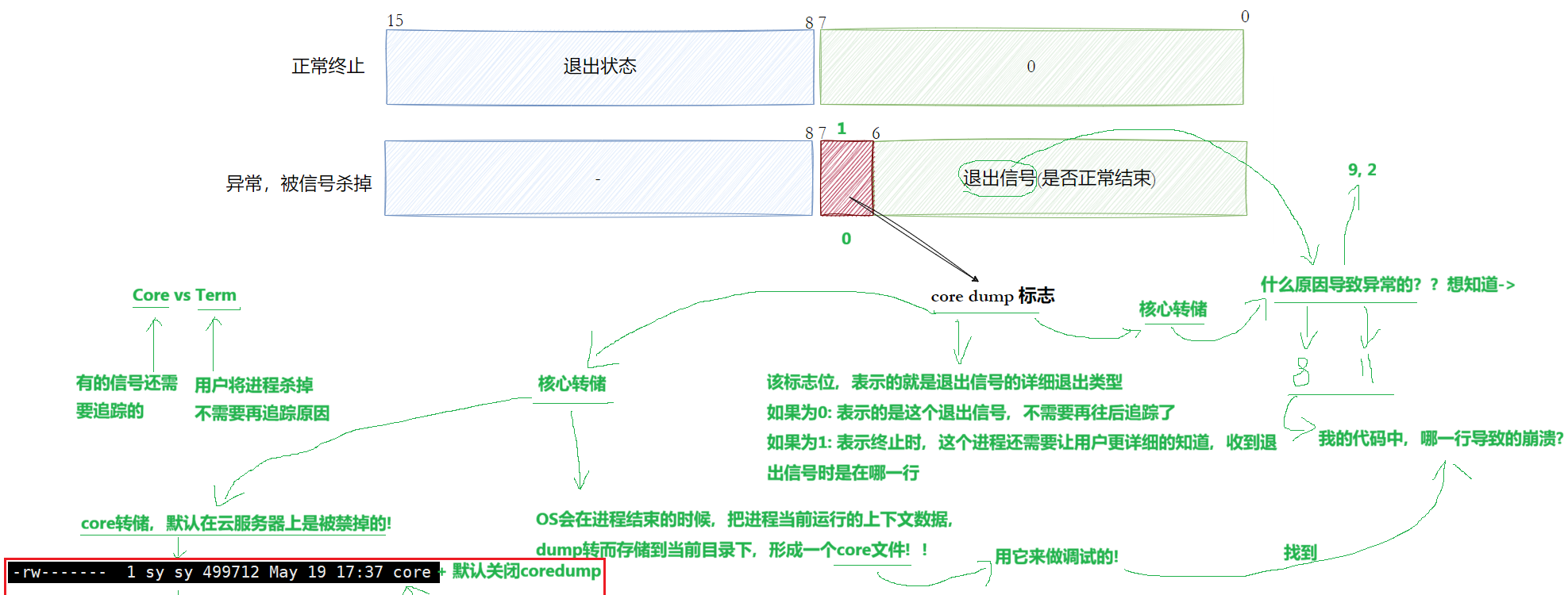
[4. Core vs Term](#4. Core vs Term)
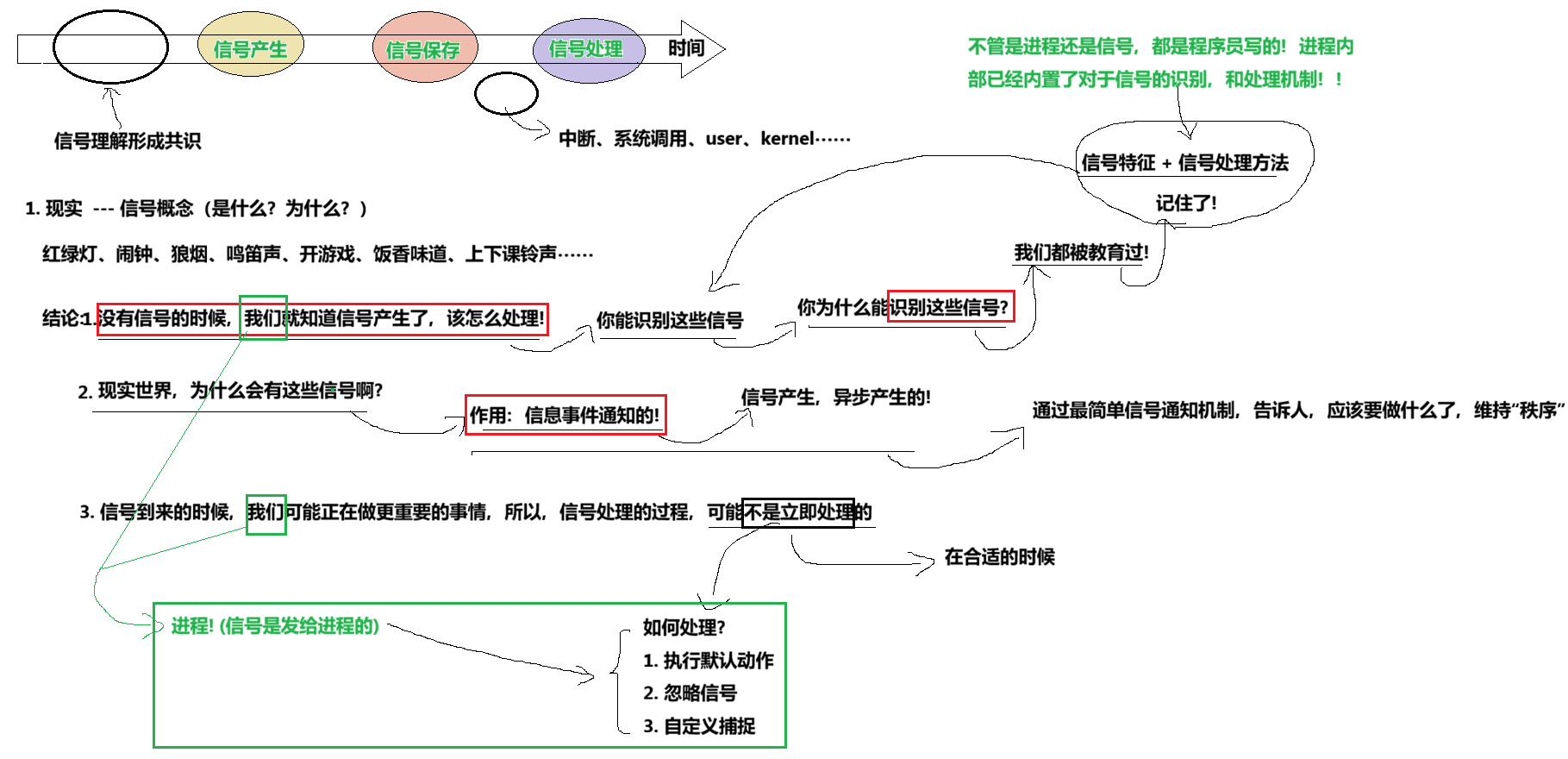
1. 共识
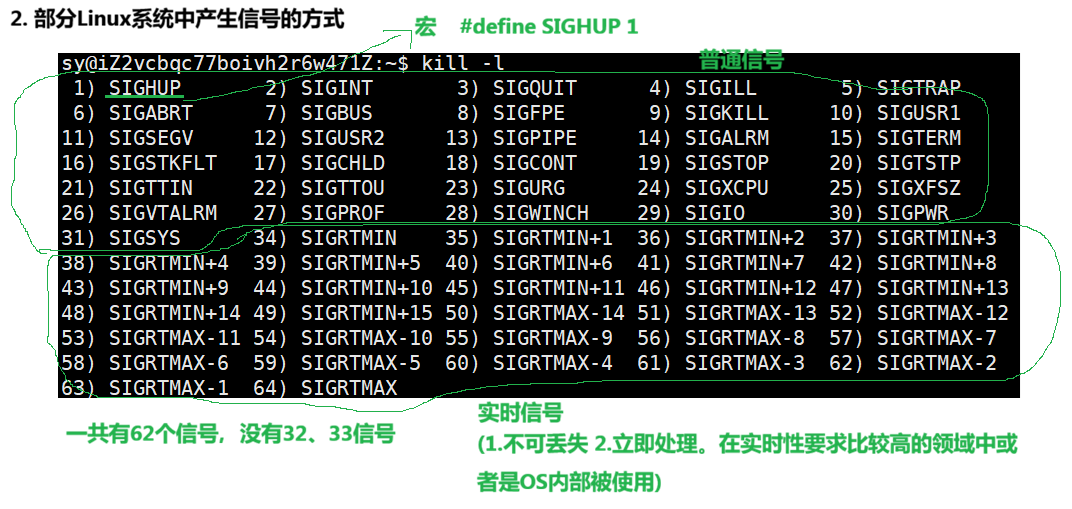
2. 部分Linux系统中的产生信号的方式
bash
# Makefile

testsig:testsig.cc
	g++ -o $@ $^ -std=c++11
.PHONY:clean
clean:
	rm -f testsig
cpp
//testsig.cc

#include <iostream>
#include <sys/types.h>
#include <unistd.h>

int main()
{
    while(true)
    {
        std::cout << "我是一个进程:" << getpid() << std::endl;
        sleep(1);
    }
}
运行:
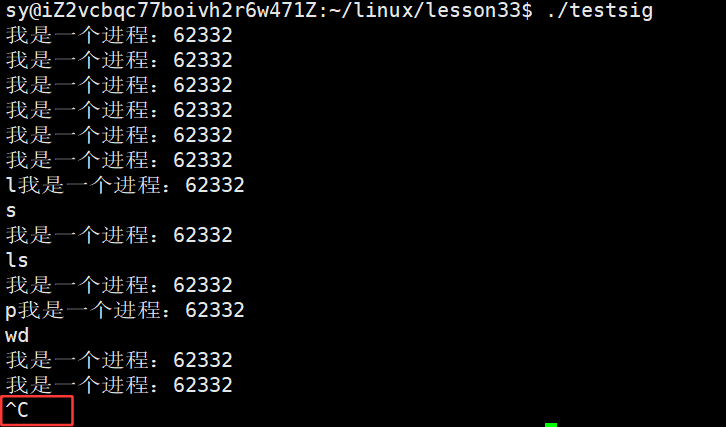
按ctrl + c 才能终止该死循环。
cpp
//testsig.cc

#include <iostream>
#include <sys/types.h>
#include <unistd.h>
#include <signal.h>

int main()
{
    //修改我自己的进程的信号处理动作
    signal(SIGINT/*2*/, SIG_IGN);  //SIG_IGN:忽略对2号信号的处理

    while(true)
    {
        std::cout << "我是一个进程:" << getpid() << std::endl;
        sleep(1);
    }
}
运行起来,此时再按 ctrl+c 就终止不了:
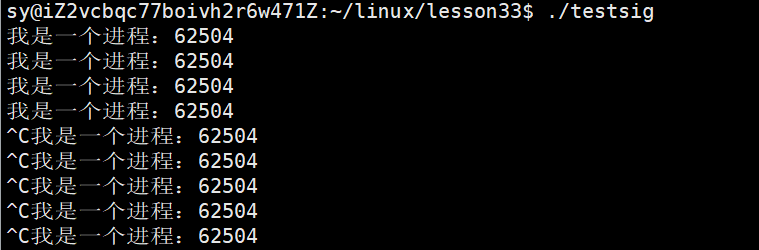
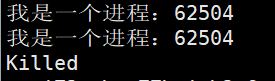
用 kill -9 pid 杀掉该进程:
cpp
    // signal(SIGINT/*2*/, SIG_IGN);  //SIG_IGN:忽略对2号信号的处理
    signal(SIGINT/*2*/, SIG_DFL);  //SIG_DFL:对2号信号执行默认动作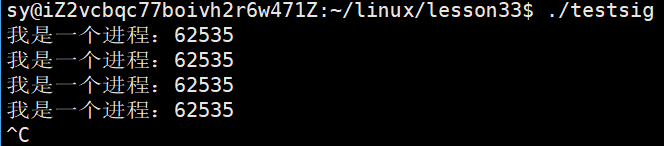
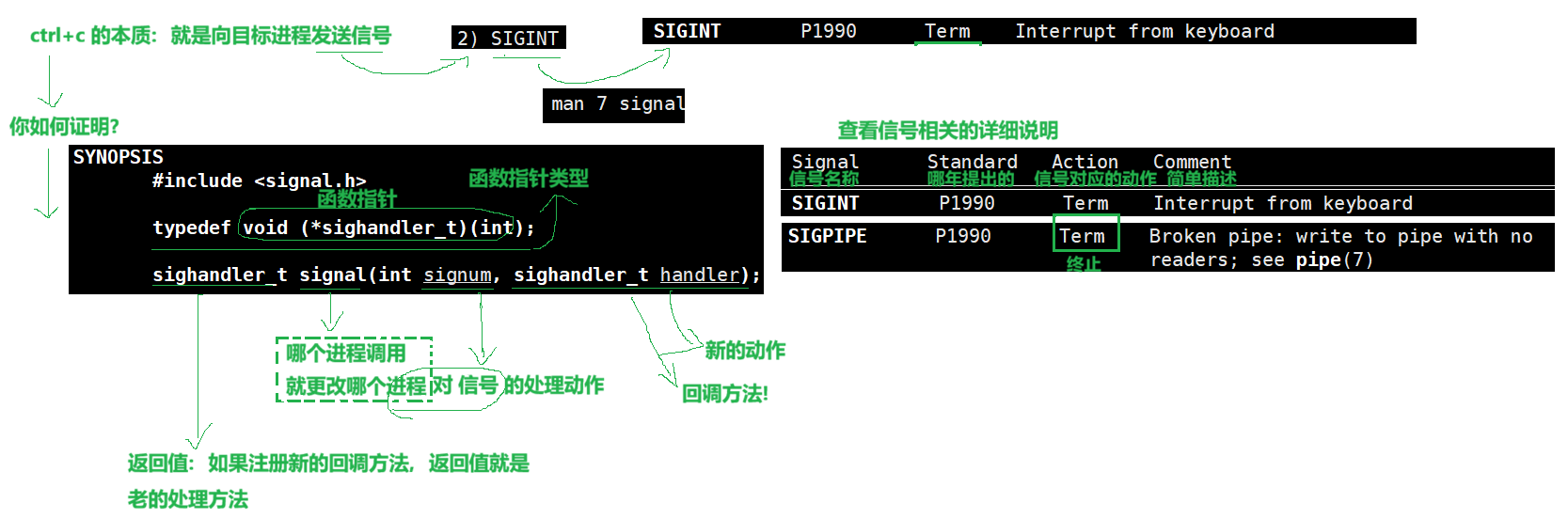
如何证明 ctrl+c 向进程发送的是2号信号
cpp
//testsig.cc

#include <iostream>
#include <sys/types.h>
#include <unistd.h>
#include <signal.h>

//但是格式必须是:返回值为void,参数必须是int
//参数问题:int signo:进程收到了哪一个信号的编号,会传递给handler方法
void handler(int signo)
{
    std::cout << "我这个进程:" << getpid() << ",抓到了一个信号:"<< signo << std::endl;
    //我没有在这个函数里面终止进程哦!
}

int main()
{
    //修改我自己的进程的信号处理动作
    // signal(SIGINT/*2*/, SIG_IGN);  //SIG_IGN:忽略对2号信号的处理
    // signal(SIGINT/*2*/, SIG_DFL);  //SIG_IGN:忽略对2号信号的处理

    //signal注册,只需要注册一次。未来如果收不到该信号,对应的动作,就不会执行
    signal(2, handler);  //自定义的,handler名字随便取
    //signal调用成功,确实收到2号方法,handler方法会自动由你的进程来执行,内部会做回调,将信号编号2传递给handler
    //signal{... handler(2) ...}

    while(true)
    {
        std::cout << "我是一个进程:" << getpid() << std::endl;
        sleep(1);
    }
}
运行:
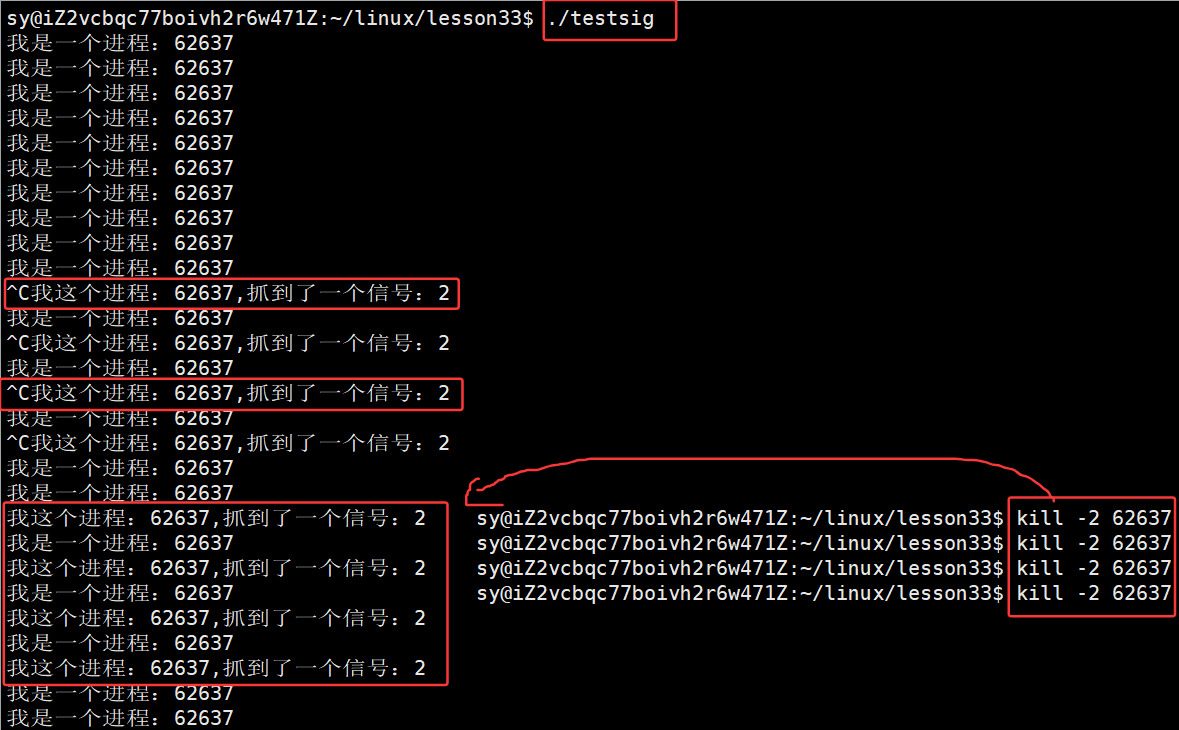
终止进程,同样用命令:kill -9 pid。
2.1 前台进程 VS 后台进程
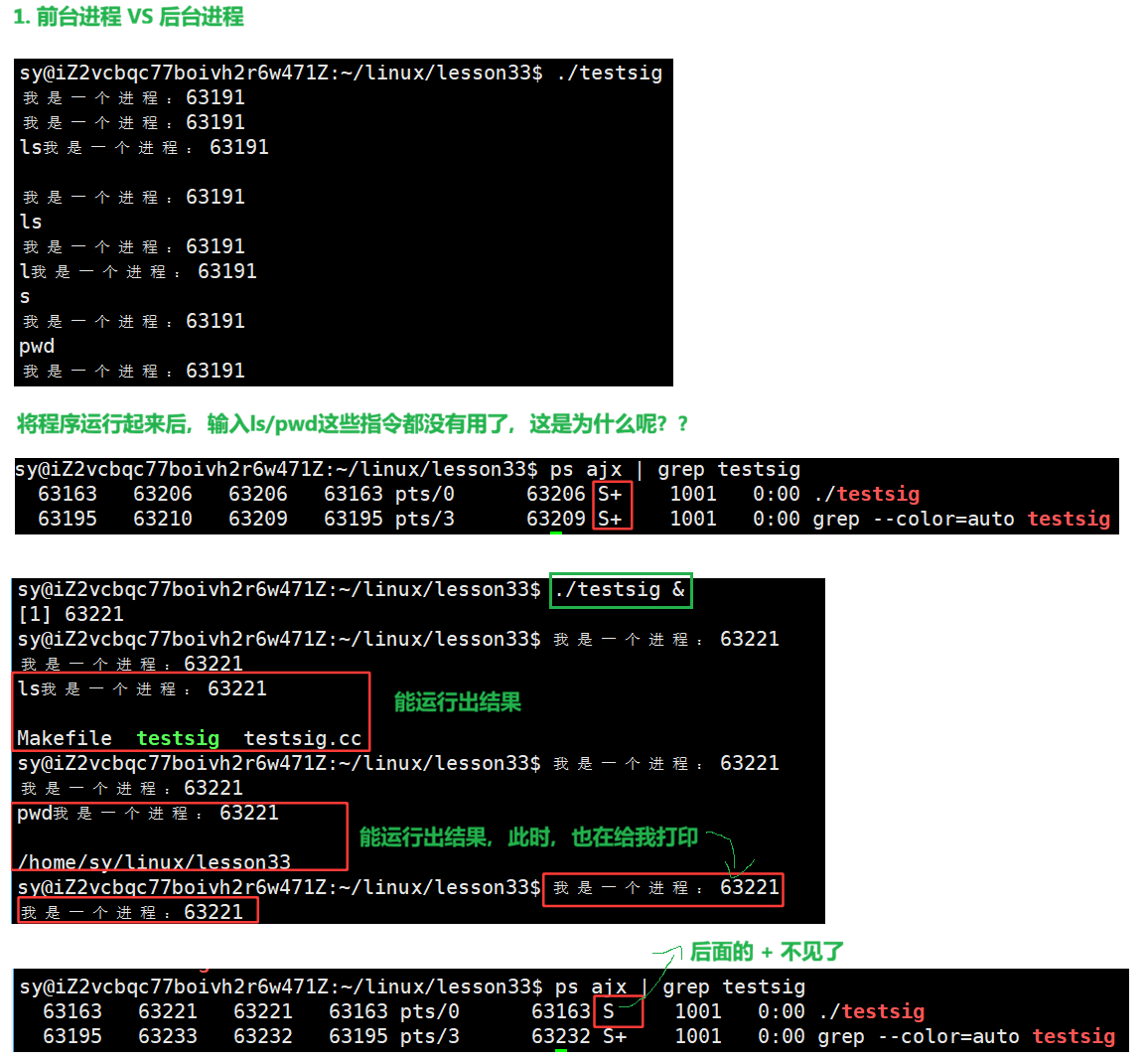
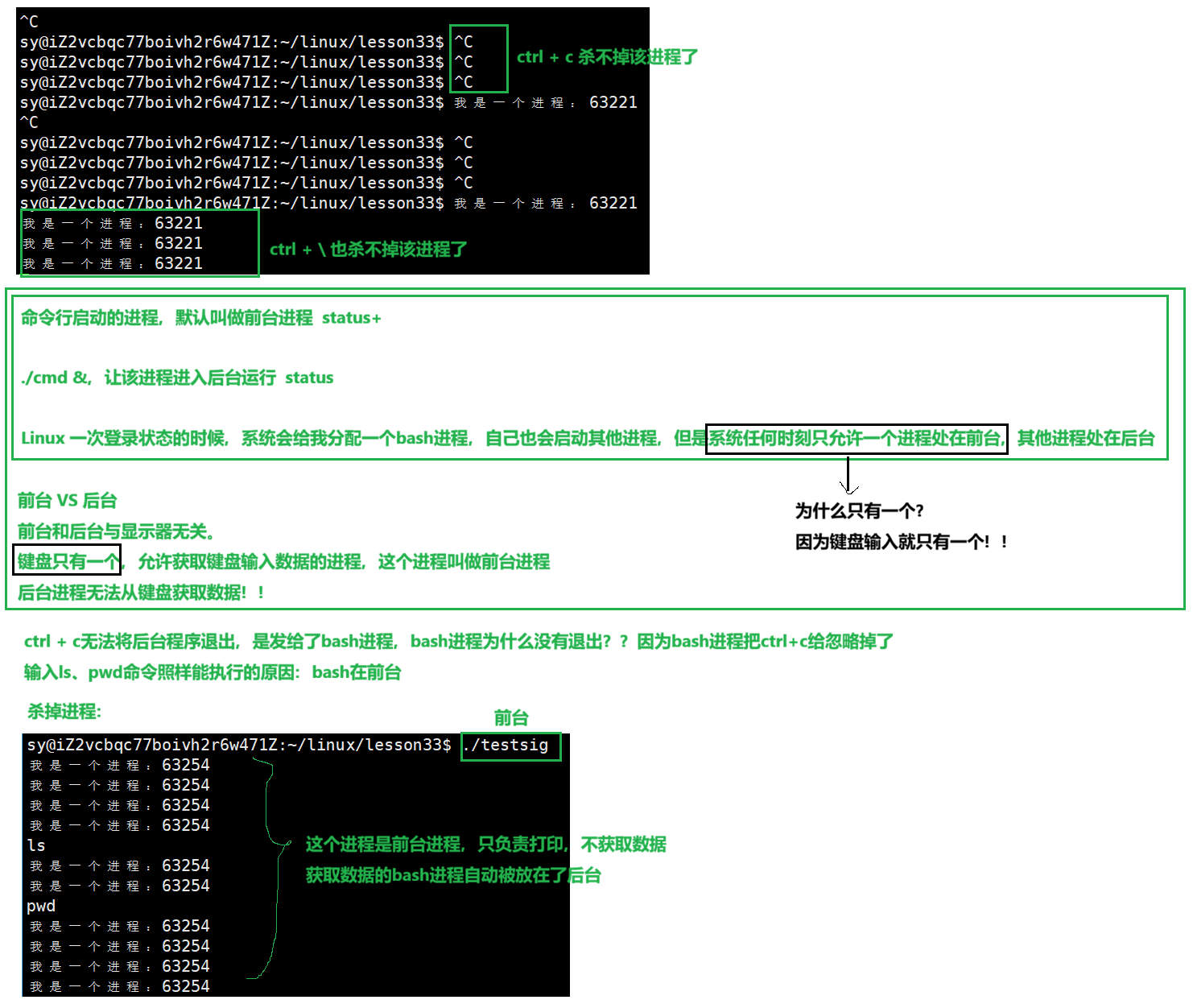
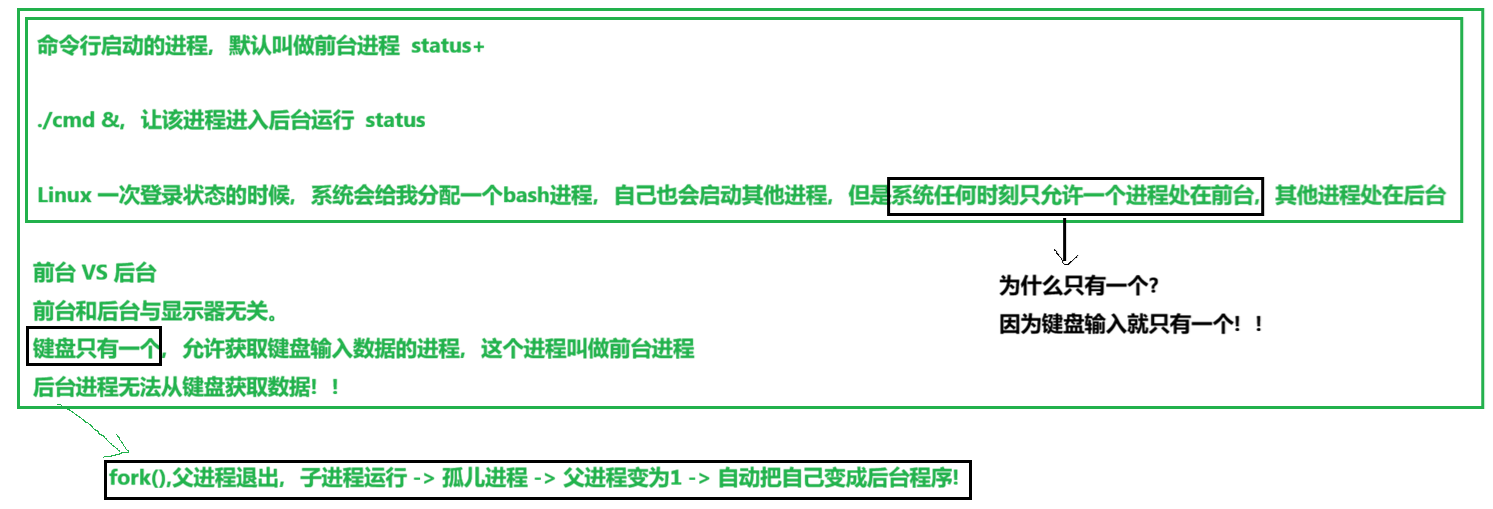
另一个结论:
验证例子:
cpp
#include <iostream>
#include <sys/types.h>
#include <unistd.h>
#include <signal.h>

void handler(int signo)
{
    std::cout << "我这个进程:" << getpid() << ",抓到了一个信号:"<< signo << std::endl;
    //我没有在这个函数里面终止进程哦!
}

int main()
{

    if(fork() > 0)  //父进程
        exit(0);

    //子进程
    while(true)
    {
        std::cout << "我是一个进程:" << getpid() << std::endl;
        sleep(1);
    }
}
运行结果:
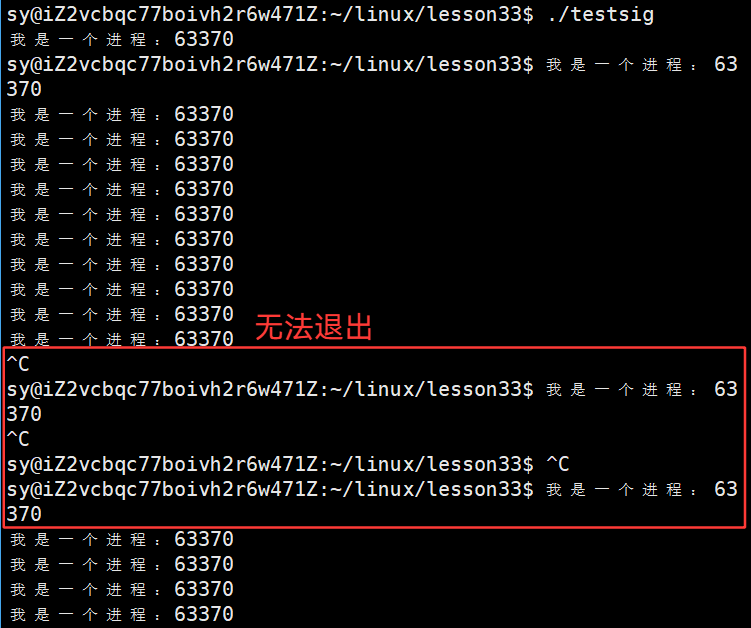
输入 ctrl+c 确实无法退出,子进程变为孤儿进程,被1号进程收养,将自己自动变为后台进程,所以输入 ctrl+c 或 ctrl + \ 无法退出:

所以子进程变为后台进程,只能采取手动的 kill -9 pid 命令 !!!

2.2 朴素的认识,信号的本质
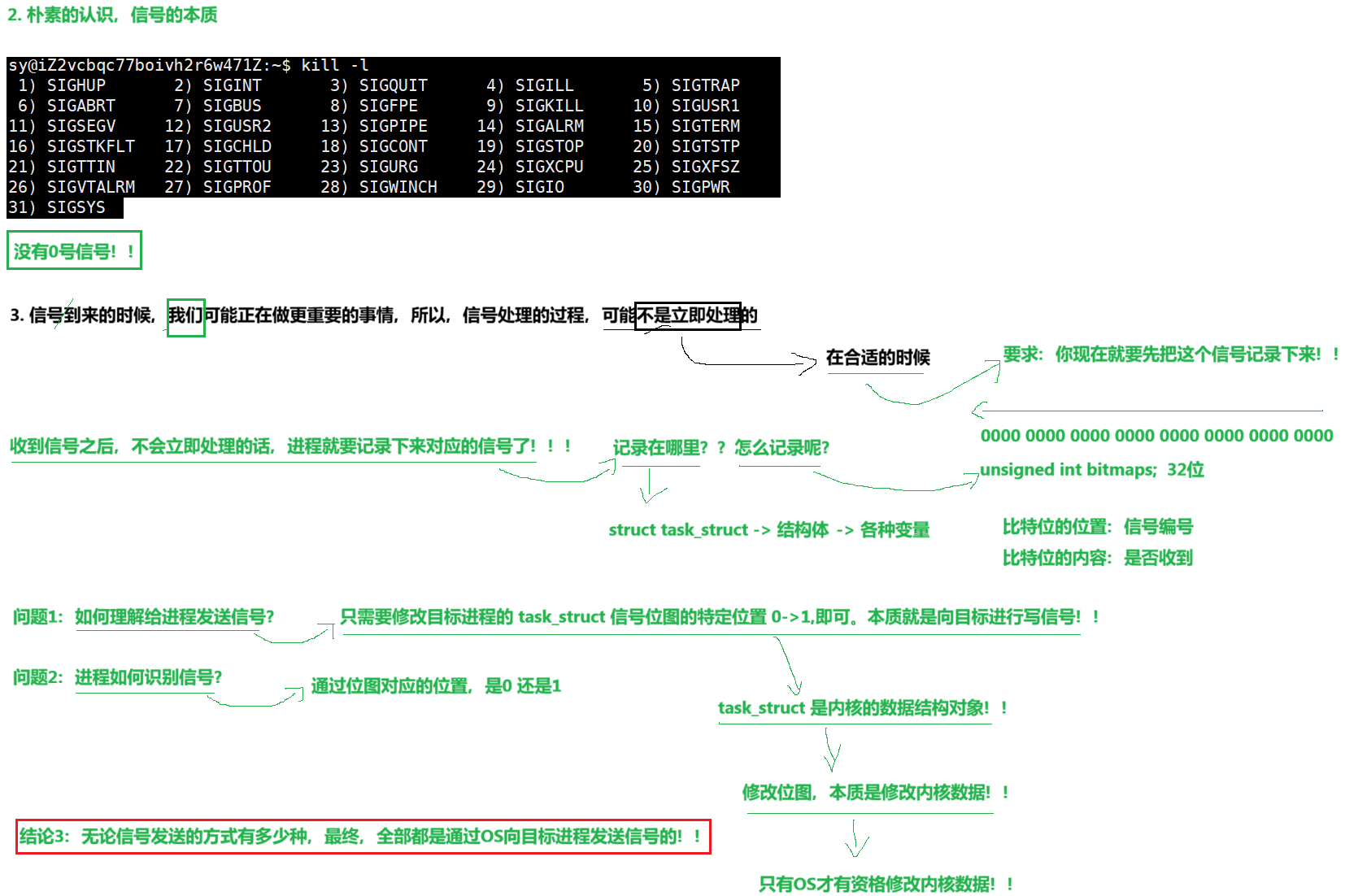
相关问题的解决:
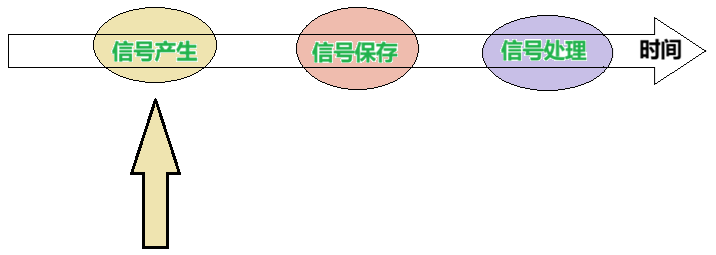

3. 信号的产生
3.1 信号产生方式1:键盘产生

cpp
#include <iostream>
#include <sys/types.h>
#include <unistd.h>
#include <signal.h>

void handler(int signo)
{
    std::cout << "我这个进程:" << getpid() << ",抓到了一个信号:"<< signo << std::endl;
    //我没有在这个函数里面终止进程哦!
}

int main()
{

    signal(2, handler);  // signal {... handler(2)...}
    signal(3, handler);  // signal {... handler(3)...}

    while(true)
    {
        std::cout << "我是一个进程:" << getpid() << std::endl;
        sleep(1);
    }
}
运行结果:
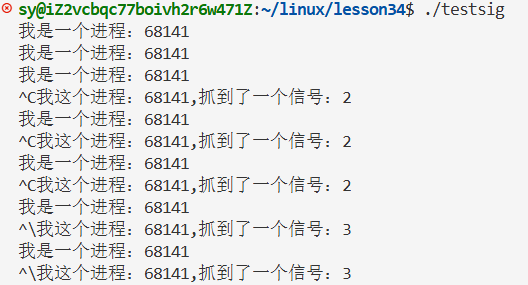
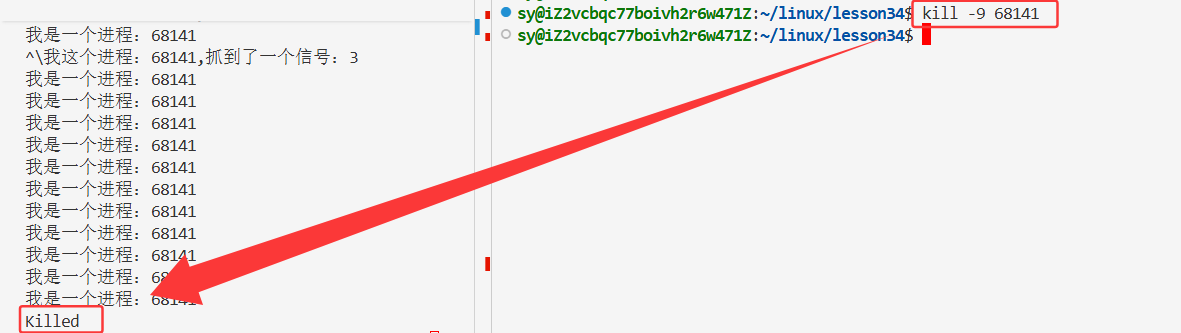
此时,只能使用 kill 命令来杀掉该进程:
如果我把所有的信号都自定义捕捉了,那么这个进程不就不会退出了?
cpp
#include <iostream>
#include <sys/types.h>
#include <unistd.h>
#include <signal.h>

void handler(int signo)
{
    std::cout << "我这个进程:" << getpid() << ",抓到了一个信号:"<< signo << std::endl;
    //我没有在这个函数里面终止进程哦!
}

int main()
{
    //如果我把所有的信号都自定义捕捉了,那么这个进程不就不会退出了?
    for(int signo = 1; signo <= 31; signo++)
        signal(signo,handler);

    while(true)
    {
        std::cout << "我是一个进程:" << getpid() << std::endl;
        sleep(1);
    }
}
其实实际情况不是这样的,将所有的信号都自定义了,但是仍然还是有几个命令是可以将该进程杀掉的:9 号信号和 19 号信号
- SIGKILL:杀掉该进程
SIGKILL P1990 Term Kill signal
- SIGSTOP:暂停该进程,后续也需要用9号杀掉该进程
SIGSTOP P1990 Stop Stop process
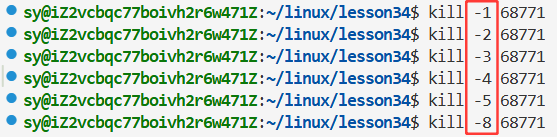
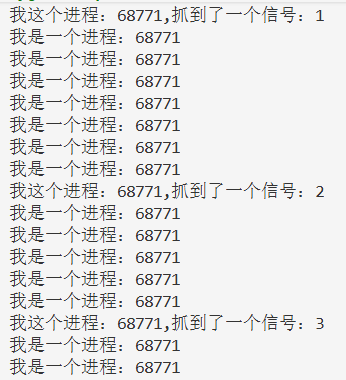
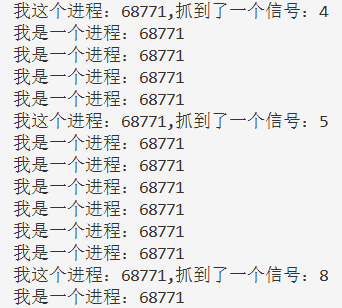

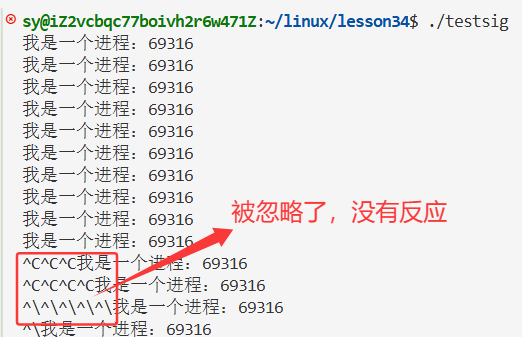
那将所有的信号都做忽略呢?会成功吗?------ 同样的,9 号信号和 19 号信号,也对忽略操作免疫了。
cpp
#include <iostream>
#include <sys/types.h>
#include <unistd.h>
#include <signal.h>

void handler(int signo)
{
    std::cout << "我这个进程:" << getpid() << ",抓到了一个信号:"<< signo << std::endl;
    //我没有在这个函数里面终止进程哦!
}

int main()
{

    //如果我把所有的信号都自定义捕捉了,那么这个进程不就不会退出了?
    for(int signo = 1; signo <= 31; signo++)
        signal(signo,SIG_IGN);

    while(true)
    {
        std::cout << "我是一个进程:" << getpid() << std::endl;
        sleep(1);
    }
}

3.2 信号产生方式2:kill 命令产生

3.3 信号产生方式3:系统调用
3.3.1:系统调用 kill
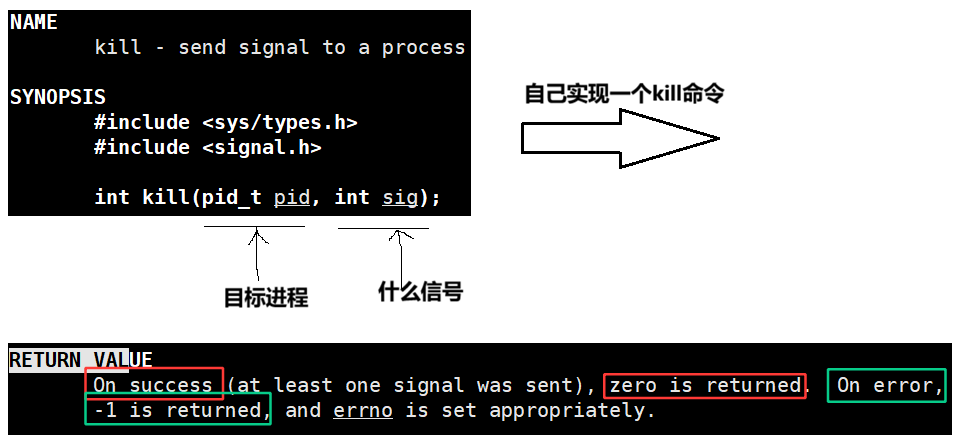
bash
# Makefile

.PHONY:all
all:mykill myprocess

myprocess:myprocess.cc
	g++ -o $@ $^ -std=c++11

mykill:mykill.cc
	g++ -o $@ $^ -std=c++11
.PHONY:clean
clean:
	rm -f mykill myprocess
cpp
//mykill.cc

#include <iostream>
#include <unistd.h>
#include <sys/types.h>
#include <signal.h>


// ./mykill 8 2255
int main(int argc ,char *argv[])
{
    if(argc != 3)
    {
        std::cerr << "Usage: " << argv[0] << "signalnum pid" << std::endl;
        return 1;
    }

    int signalnum = std::stoi(argv[1]);
    pid_t target = std::stoi(argv[2]);

    int n = kill(target,signalnum);
    if(n < 0)
    {
        perror("kill");
        return 2;
    }
    return 0;
}
cpp
//myprocess.cc

#include <iostream>
#include <unistd.h>

int main()
{
    while(true)
    {
        std::cout << "我是一个进程,pid:" << getpid() << std::endl;
        sleep(1);

    }
}
3.3.2 系统调用:raise
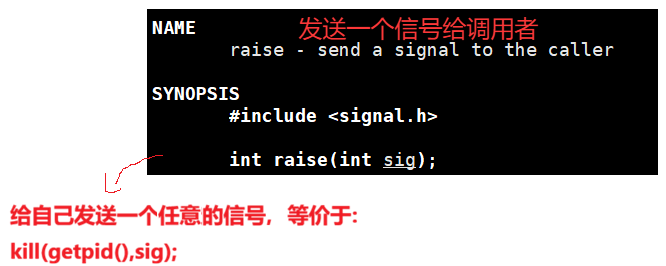
验证一下,自己给自己发送:
cpp
#include <iostream>
#include <unistd.h>
#include <sys/types.h>
#include <signal.h>


// ./mykill 8 2255
int main(int argc ,char *argv[])
{
    while(true)
    {
        sleep(1);
        raise(2);

    }
    return 0;
}
运行结果:

确实是有效果的,1秒之后自动退出。但是这样的效果不明显,重新修改一下代码:
cpp
#include <iostream>
#include <unistd.h>
#include <sys/types.h>
#include <signal.h>

void handler(int signo)
{
    std::cout << "我捕捉到了一个信号:" << signo << std::endl;
}


// ./mykill 8 2255
int main(int argc ,char *argv[])
{
    signal(2,handler);

    while(true)
    {
        sleep(1);
        raise(2);  //默认动作让进程终止,这里修改了,添加了自定义的方法

    }
    return 0;
}
运行结果:
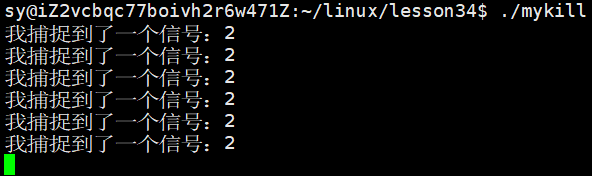
确实验证了raise系统调用,是给自己的进程发送消息的。
3.3.3 系统调用:abort
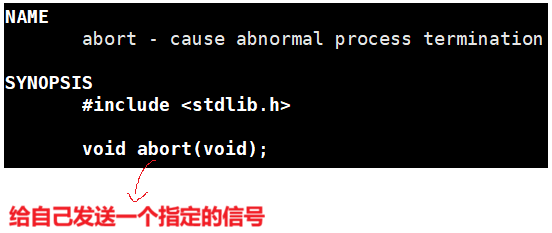
cpp
#include <iostream>
#include <unistd.h>
#include <sys/types.h>
#include <signal.h>

// ./mykill 8 2255
int main(int argc ,char *argv[])
{
    while(true)
    {
        sleep(1);
        abort();
    }
    return 0;
}
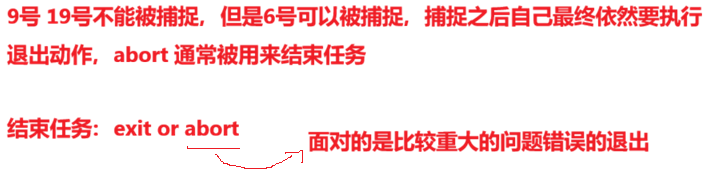
abort 发送的是6 号信号: 6) SIGABRT
SIGABRT P1990 Core Abort signal from abort(3)
验证:确实发送的是6号信号
cpp
#include <iostream>
#include <unistd.h>
#include <sys/types.h>
#include <signal.h>

void handler(int signo)
{
    std::cout << "我捕捉到了一个信号:" << signo << std::endl;
}


// ./mykill 8 2255
int main(int argc ,char *argv[])
{
    signal(6,handler);

    while(true)
    {
        sleep(1);
        // raise(2);  //默认动作让进程终止,这里添加了自定义的方法
        abort();
    }
    return 0;
}
运行结果:

打印出来了捕捉到的信号
将这个进程终止了
3.4 信号产生的方式4:软件条件
cpp
#include <iostream>
#include <unistd.h>
#include <sys/types.h>
#include <signal.h>

int main(int argc ,char *argv[])
{

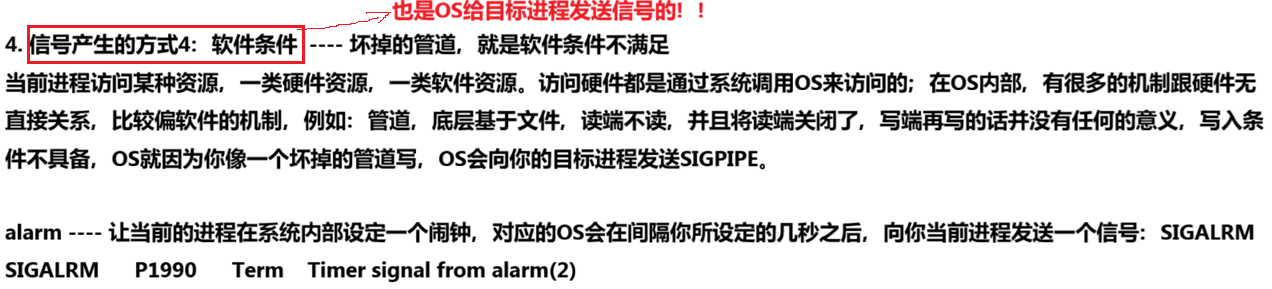
    alarm(3);
    //定一个3秒之后的闹钟,3秒以内,循环正常访问
    //3秒之后,alarm曾今调用过,OS会向当前进程发送一个SIGALRM信号
    //SIGALRM的默认动作,终止当前进程
    while(true)
    {
        std::cout << "I am a process" << std::endl;
        sleep(1);
    }
    return 0;
}
运行结果:

分析:
alarm(3);
//定一个3秒之后的闹钟,3秒以内,循环正常访问
//3秒之后,alarm曾今调用过,OS会向当前进程发送一个SIGALRM信号
//SIGALRM的默认动作,终止当前进程
如何证明3秒之后发送的就是14号信号呢?---- 对14号信号做一下捕捉
cpp
#include <iostream>
#include <unistd.h>
#include <sys/types.h>
#include <signal.h>

void handler(int signo)
{
    std::cout << "我捕捉到了一个信号:" << signo << std::endl;
}


// ./mykill 8 2255
int main(int argc ,char *argv[])
{

    signal(14,handler);

    alarm(3);
    //定一个3秒之后的闹钟,3秒以内,循环正常访问
    //3秒之后,alarm曾今调用过,OS会向当前进程发送一个SIGALRM信号
    //SIGALRM的默认动作,终止当前进程
    while(true)
    {
        std::cout << "I am a process" << std::endl;
        sleep(1);
    }
    return 0;
}
运行结果:
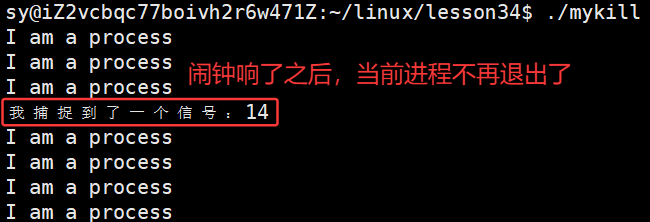
14号改为自定义方法,一旦捕捉到信号之后就不退了,信号捕捉完,就又回到循环中,继续循环。

cpp
#include <iostream>
#include <unistd.h>
#include <sys/types.h>
#include <signal.h>

void handler(int signo)
{
    std::cout << "我捕捉到了一个信号:" << signo << std::endl;
    alarm(3);
}


// ./mykill 8 2255
int main(int argc ,char *argv[])
{

    signal(14,handler);

    alarm(3);
    while(true)
    {
        std::cout << "I am a process" << std::endl;
        sleep(1);
    }
    return 0;
}
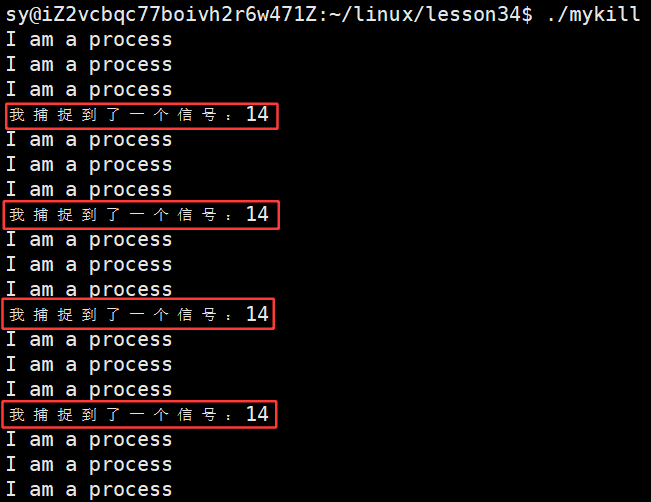
运行结果:
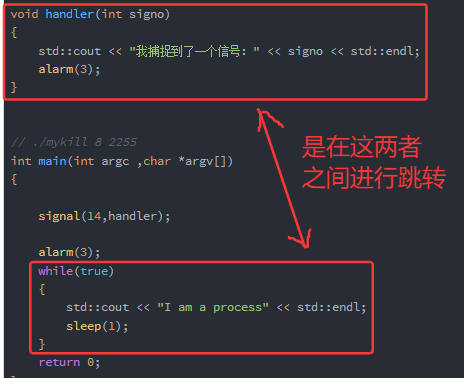
闹钟取消开始:
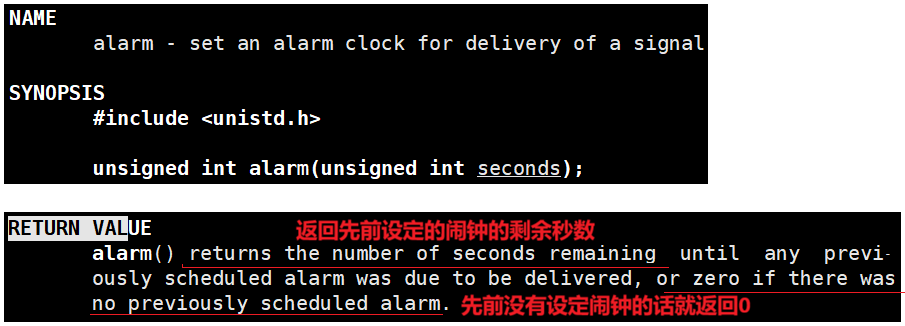
3.4.1 闹钟取消
cpp
#include <iostream>
#include <unistd.h>
#include <sys/types.h>
#include <signal.h>

int main(int argc ,char *argv[])
{

    alarm(3);
    sleep(1);
    int n = alarm(10);
    std::cout << "剩余的时间:" << n << std::endl;

    return 0;
}
运行结果:

cpp
#include <iostream>
#include <unistd.h>
#include <sys/types.h>
#include <signal.h>

void handler(int signo)
{
    std::cout << "我捕捉到了一个信号:" << signo << std::endl;
    // alarm(3);
}

// ./mykill 8 2255
int main(int argc ,char *argv[])
{

    signal(14,handler);

    alarm(3);
    sleep(1);
    int n = alarm(10);
    std::cout << "剩余的时间:" << n << std::endl;

    while(true)
    {
        std::cout << "I am a process" << std::endl;
        sleep(1);
    }
    return 0;
}
运行结果:
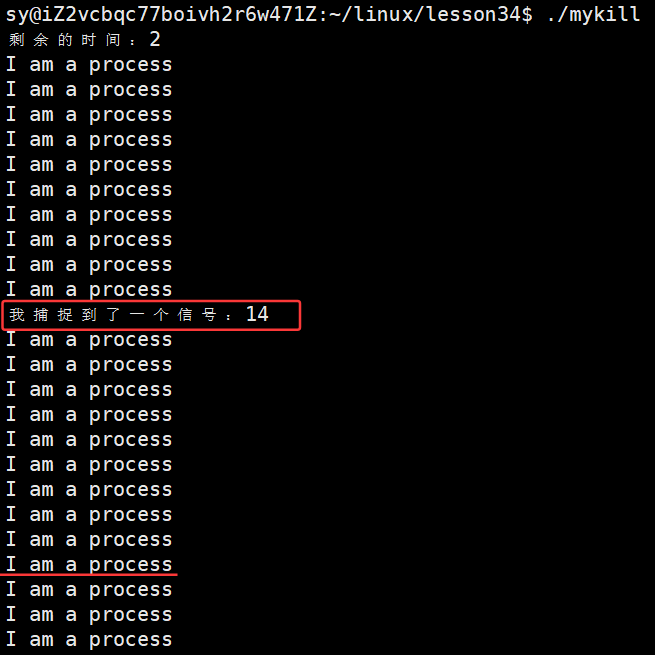
结论:

将闹钟的设定放在while循环中:并没有循环几次,就设定几个闹钟,而是不断对闹钟进行重置。
cpp
#include <iostream>
#include <unistd.h>
#include <sys/types.h>
#include <signal.h>

void handler(int signo)
{
    std::cout << "我捕捉到了一个信号:" << signo << std::endl;
    // alarm(3);
}


// ./mykill 8 2255
int main(int argc ,char *argv[])
{

    signal(14,handler);

    alarm(3);
    sleep(1);
    int n = alarm(0);  //取消闹钟
    std::cout << "剩余的时间:" << n << std::endl;

    while(true)
    {
        std::cout << "I am a process" << std::endl;
        sleep(1);
    }
    return 0;
}
运行结果:
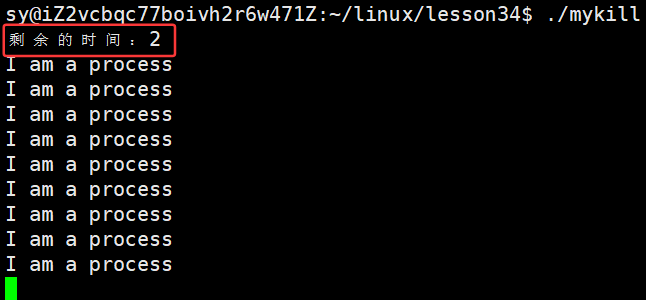
alarm调用了两次,第二次调用alarm的时候其实是上一个闹钟的剩余时间,如果将second设置为0,表示将之前的闹钟取消,返回值依旧是上一个闹钟的剩余时间。
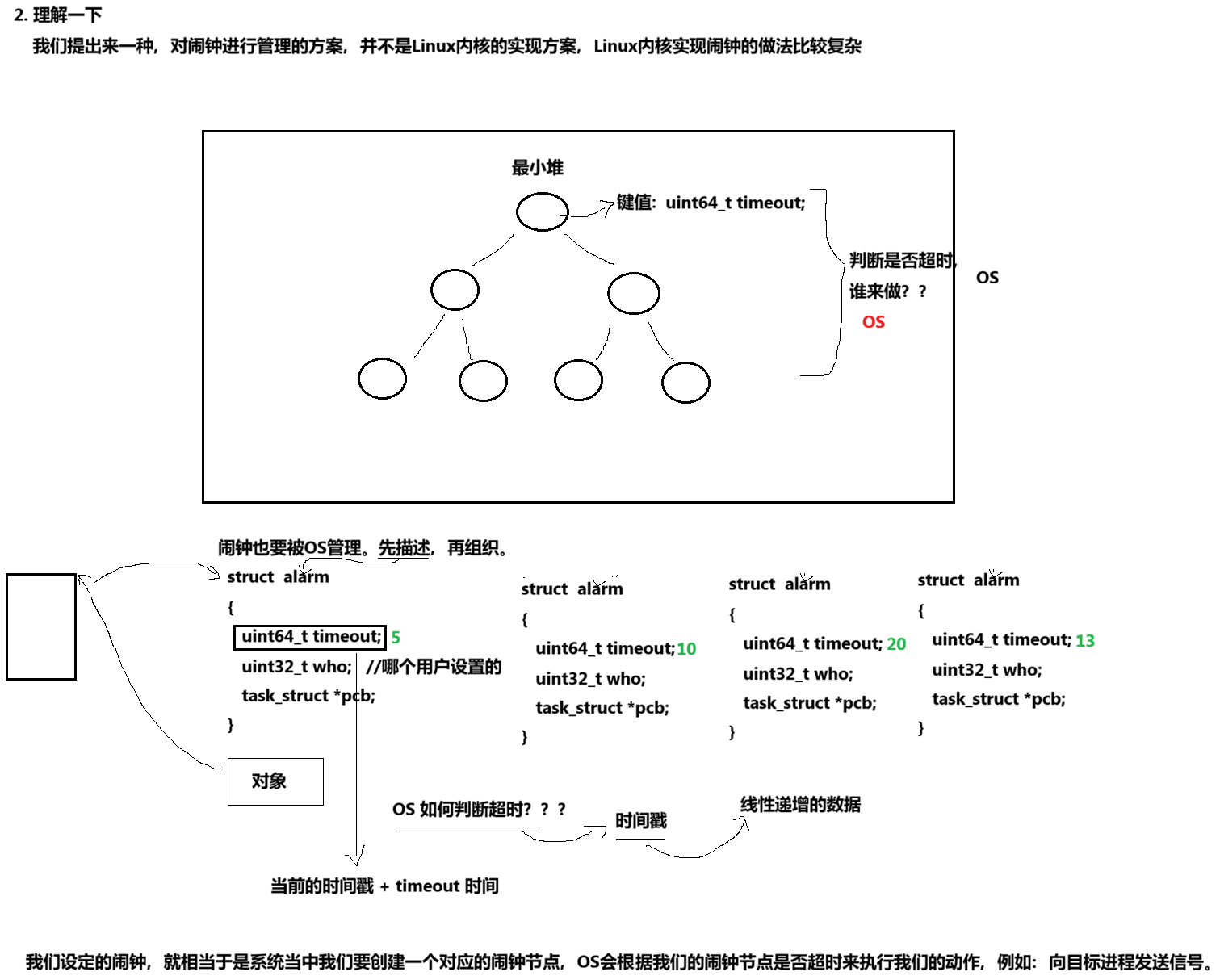
3.4.2 理解一下:
3.4.3 验证IO问题
cpp
#include <iostream>
#include <unistd.h>
#include <sys/types.h>
#include <signal.h>

int cnt = 0;

// ./mykill 8 2255
int main(int argc ,char *argv[])
{
    alarm(1);

    while(true)
    {
        printf("%d\n",cnt++);
    }
    return 0;
}
多次运行的结果:
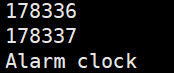
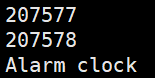
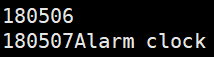
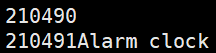
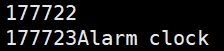
闹钟定好之后到闹钟响了之后,基本上是会打印18万次左右。
重新修改一下代码:
cpp
#include <iostream>
#include <unistd.h>
#include <sys/types.h>
#include <signal.h>

int cnt = 0;

void handler(int signo)
{
    std::cout << "我捕捉到了一个信号:" << signo <<"当前的计数器:" << cnt << std::endl;
    exit(0);
    // alarm(3);
}

int main(int argc ,char *argv[])
{
    signal(14,handler);
    alarm(1);

    while(true)
    {
        cnt++;
        // printf("%d\n",cnt++);
    }
    return 0;
}
运行结果:
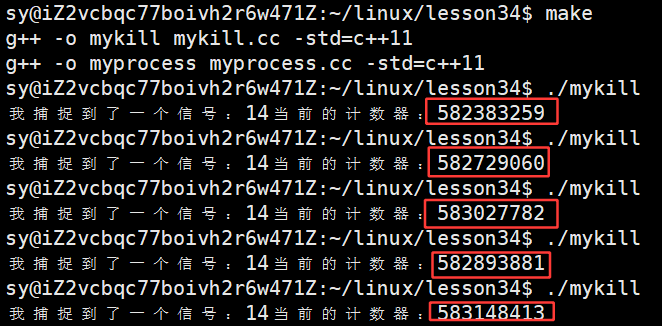
为什么两种方案打印出来的结果会差那么多?
printf("%d\n",cnt++); // 本质是IO
cnt++; // 是内存级操作,打印的时候只打印一次,IO只做一次
二者之间差别之大是因为:IO的效率太低了。也可以说系统调用有成本,因为IO本身就是系统调用的一种。所以:有IO的时候效率低。
写一段代码,理解OS:
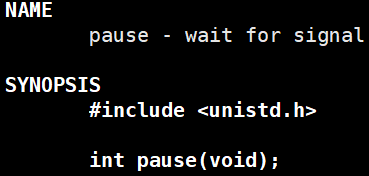
pause 函数有一个特点:调用pause,OS会让这个进程暂停,一旦暂停就要等待信号到来,信号到来,pause函数就会被返回。
cpp
#include <iostream>
#include <unistd.h>
#include <sys/types.h>
#include <signal.h>

void handler(int signo)
{
    (void)signo;
    std::cout << "我是一个信号捕捉函数,我被调用了" << std::endl;
    alarm(1);
    //第一:执行信号处理方法的依旧是自己
    //第二:再重复设定一个闹钟  alarm(1);
}

//写一段代码,理解OS
int main()
{
    signal(SIGALRM,handler);
    alarm(1);

    while(true)
    {
       pause(); //等待信号到来,否则暂停
    }
    return 0;
}
呈现出来的效果:
没有调用sleep,但是每个1秒会打印一下handler函数
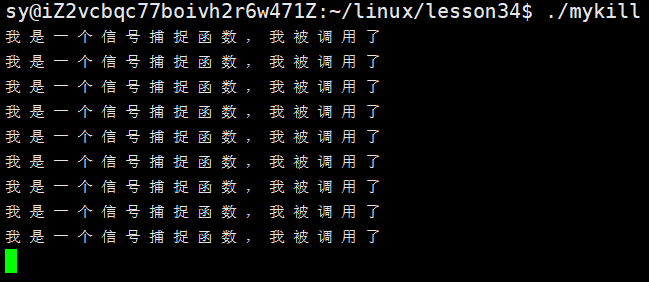
每隔1秒,发送一个信号,重复的去执行信号捕捉函数了。
写一段代码,理解OS:
cpp
#include <iostream>
#include <functional>
#include <vector>
#include <unistd.h>
#include <sys/types.h>
#include <signal.h>

using func_t = std::function<void()>;  //返回值为void,参数为空
std::vector<func_t> cb;

void FlushDisk()
{
    std::cout << "我是一个刷盘的操作" << std::endl;
}

void Schedule()
{
    std::cout << "我是一个进程调度" << std::endl;
}

void handler(int signo)
{
    for(auto &f: cb)
    {
        f();
    }
    (void)signo;
    std::cout << "我是一个信号捕捉函数,我被调用了" << std::endl;
    alarm(1);
    //第一:执行信号处理方法的依旧是自己
    //第二:再重复设定一个闹钟  alarm(1);
}

//写一段代码,理解OS
int main()
{
    cb.push_back(FlushDisk);
    cb.push_back(Schedule);

    signal(SIGALRM,handler);
    alarm(1);

    while(true)
    {
       pause();  //等待信号到来,否则暂停
    }
    return 0;
}
整个代码受信号驱动,代码什么都不做,只有给我发信号了,当前的代码才会被执行一次,执行信号捕捉方法handler。主函数自己什么都不干,就是一个死循环,执行上面的FlushDisk()、Schedule()、handler(int signo),都是由信号驱动的。
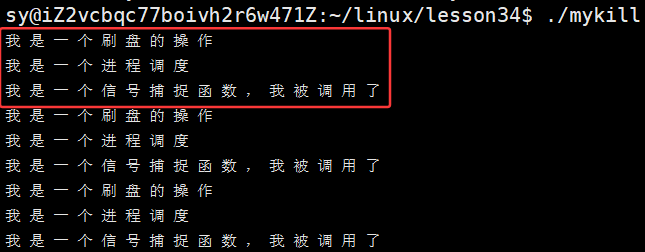
main函数的那部分相当于就是OS,main函数中的alarm(1);相当于是一种中断。OS可以调度进程,自动帮我检测闹钟是否超时,OS自动会将数据刷新到磁盘,OS自动检测时间片到了做切换,谁来督促OS运行呢?未来的原理类似于上面的代码片段。OS是一个调度进程、切换进程的代码,是由外部的硬件级别的中断来促使OS去调度、去运行。用软件来模拟实现,就有点像信号来催促进程去进行FlushDisk()、Schedule()。上面的代码可以理解为:一份基于信号驱动的代码。
回过头,闹钟的整个实现都是依赖于软件实现的,和硬件无关。
3.5 产生信号的方式5:异常

3.5.1 异常 ------ 除0 操作:
如何验证?
cpp
#include <iostream>
#include <functional>
#include <vector>
#include <unistd.h>
#include <sys/types.h>
#include <signal.h>

int main()
{
    int a = 10;
    a /= 0;

    printf("我的进程崩溃了!\n");
    return 0;
}
运行结果:
 说明整个进程的代码并没有跑完,程序就直接崩溃了。浮点数错误对应的错误是:
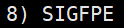 ,如何证明确实是8号信号导致崩溃的?自定义捕捉函数。
cpp
#include <iostream>
#include <functional>
#include <vector>
#include <unistd.h>
#include <sys/types.h>
#include <signal.h>

void handler(int signo)
{
    std::cout << "我捕捉到了一个信号:" << signo << std::endl;
    //故意不让进程退出
}

int main()
{
    signal(SIGFPE,handler);

    sleep(2);
    int a = 10;
    a /= 0;

    printf("我的进程崩溃了!\n");
    return 0;
}
运行结果:
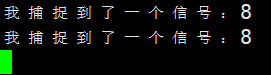
果然收到了8号信号,所以 /0 的时候,/0 错误,会向目标进程发送8号信号,进程对8号信号的默认处理动作是core,进而导致当前的进程崩溃了,但是一直在循环打印8号信号,明显这个进程还在,/0 错误不一定导致进程退出,为什么一直收到8号信号??稍后会提~~
3.5.2 异常 ------ 野指针:
cpp
#include <iostream>
#include <functional>
#include <vector>
#include <unistd.h>
#include <sys/types.h>
#include <signal.h>


int main()
{
    sleep(2);
    int *p = nullptr;
    *p = 11;

    printf("我的进程崩溃了!\n");
    return 0;
}
运行结果:

返回:段错误,收到了11号信号:
同样进行验证收到的是11号信号吗?
cpp
#include <iostream>
#include <functional>
#include <vector>
#include <unistd.h>
#include <sys/types.h>
#include <signal.h>

void handler(int signo)
{
    std::cout << "我捕捉到了一个信号:" << signo << std::endl;
    //故意不让进程退出
}

int main()
{
    // signal(SIGFPE,handler);
    signal(SIGSEGV,handler);

    sleep(2);
    int *p = nullptr;
    *p = 11;
    // int a = 10;
    // a /= 0;

    printf("我的进程崩溃了!\n");
    return 0;
}
运行结果:
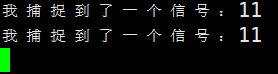
进程崩溃不一定会退出。
3.6 总结:
5种信号产生的方式:

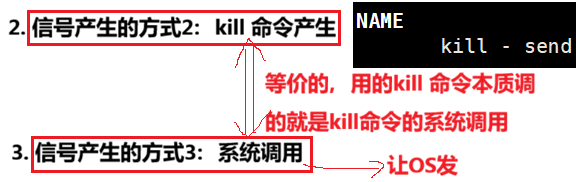

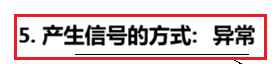
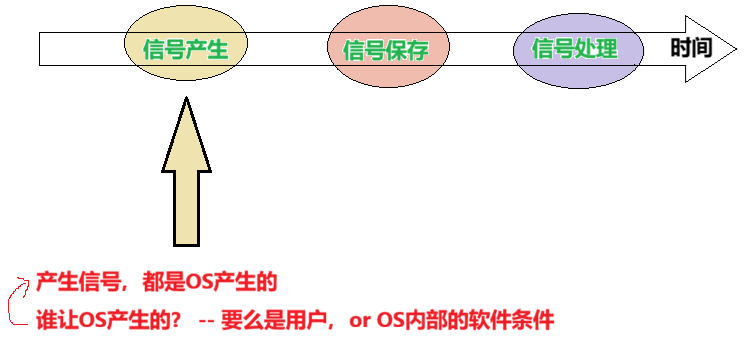
第二种 kill 命令产生本质是调用系统调用,调用系统调用就是让OS给目标进程发送,给目标进程发信号就是修改目标进程的信号位图,只有OS系统能修改,第二第三这两种方式都会转为让OS给目标进程发信号。第四种软件条件方式也是OS检测到管道坏掉了,读端没了,OS是知道的,闹钟超时了,OS内也知道闹钟超时了。也是OS给目标进程发送信号的。
3.7 异常的本质
3.7.1 除0 的理解
3.7.2 野指针 的理解
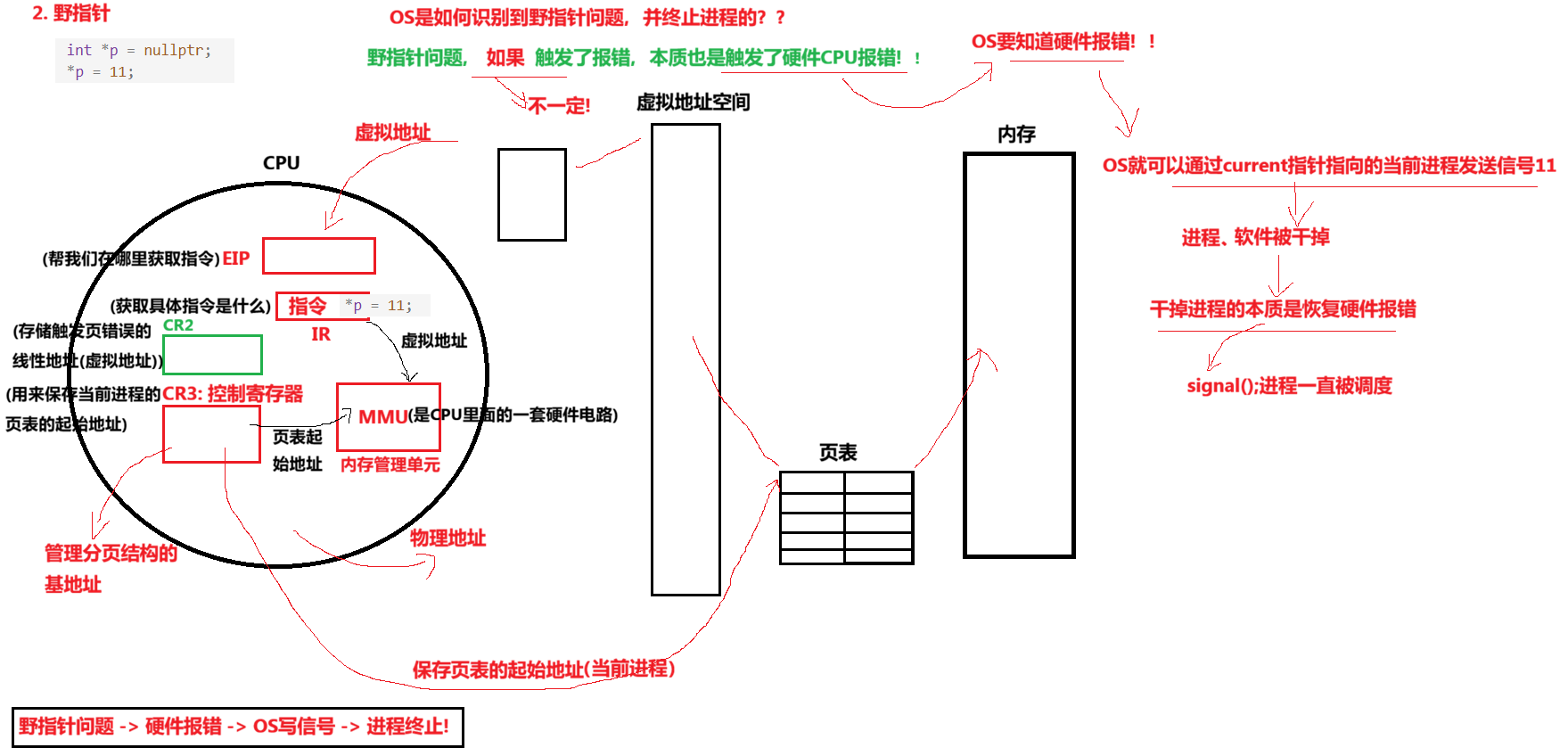
根据上面的除0 和 野指针的展开内容,得到的结论就是:

3.8 键盘产生信号
此时,回过头再谈,键盘产生信号:
4. Core vs Term
进程结束的情况:
- 代码跑完,结果对
- 代码跑完,结果不对
- 代码出异常
进程退出,要么是正常退出,要么是异常退出。异常退出都是因为进程收到信号了。
core转储,默认在云服务器上是被禁掉的!
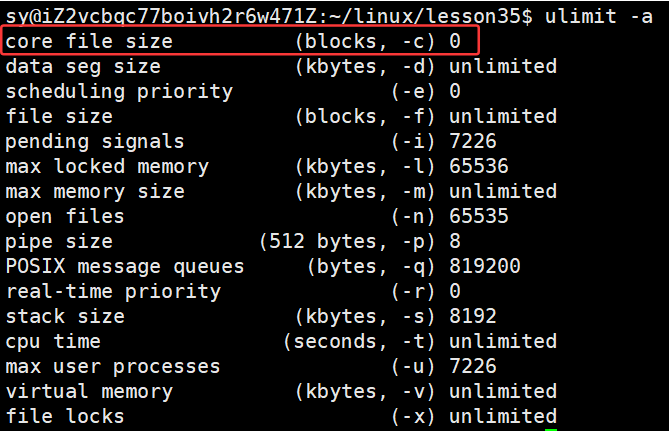
打开:

cpp
#include <iostream>
#include <functional>
#include <vector>
#include <unistd.h>
#include <sys/types.h>
#include <signal.h>

void handler(int signo)
{
    std::cout << "我捕捉到了一个信号:" << signo << std::endl;
    //故意不让进程退出
}

int main()
{
    // signal(SIGFPE,handler);
    // signal(SIGSEGV,handler);

    sleep(2);
    int *p = nullptr;
    *p = 11;
    // int a = 10;
    // a /= 0;

    printf("我的进程崩溃了!\n");
    return 0;
}
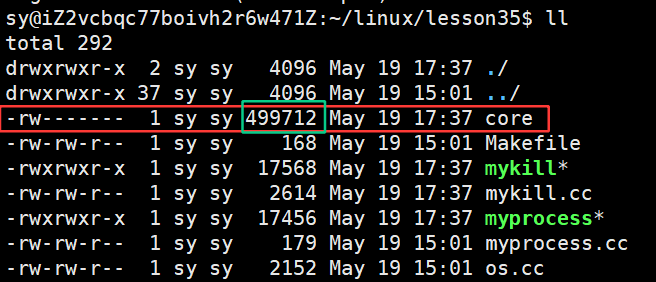
core文件打开是乱码,是从内存dump到磁盘上,一会支持代码做调试的
为什么在云服务器上core是被禁止掉的??
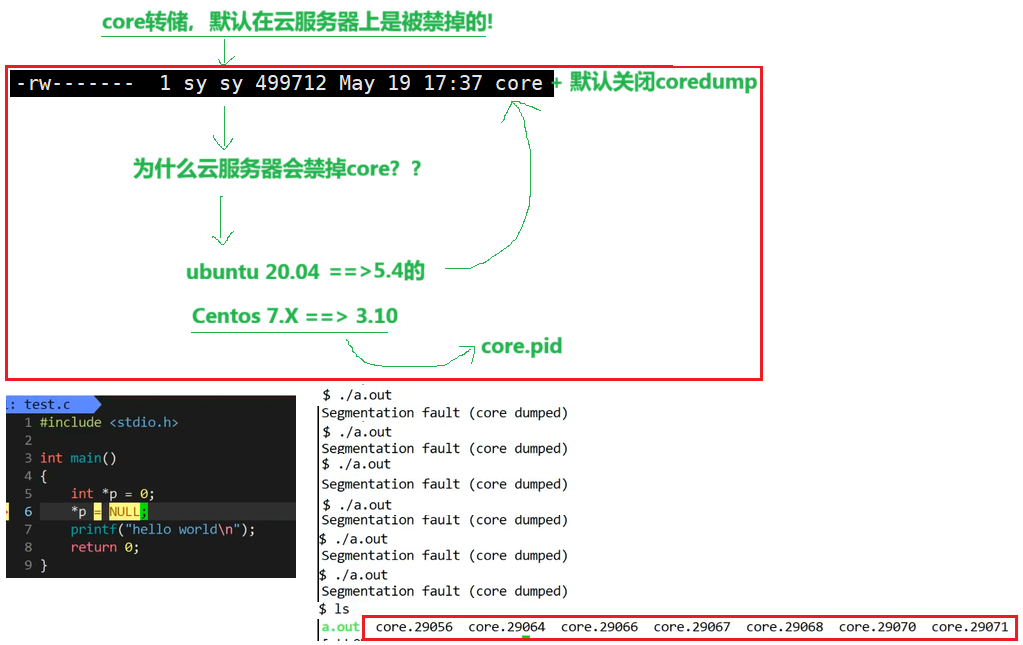
在内核为3.10的版本上,例如centos7如果这个异常进程一直循环的执行,形成的core.pid文件不会重复,并且形成的每一个文件都不小,这样容易将云服务器弄崩溃!!
如何看到core标志位0/1??
cpp
#include <iostream>
#include <functional>
#include <vector>
#include <unistd.h>
#include <sys/types.h>
#include <sys/wait.h>
#include <signal.h>

int main()
{
    pid_t id = fork();
    if( id == 0)
    {
        sleep(2);
        exit(1);
    }
    int status = 0;
    pid_t rid = waitpid(id, &status, 0);
    if(rid > 0)
    {
        printf("exit code: %d, exit signal: %d, core dump: %d\n",
            (status>>8)&0xFF, status & 0x7F,(status>>7)&0x1);
    }
}
运行结果:

故意除0操作:
cpp
#include <iostream>
#include <functional>
#include <vector>
#include <unistd.h>
#include <sys/types.h>
#include <sys/wait.h>
#include <signal.h>

int main()
{
    pid_t id = fork();
    if (id == 0)
    {
        sleep(2);
        int a = 10;
        a /= 0;
        exit(1);
    }
    int status = 0;
    pid_t rid = waitpid(id, &status, 0);
    if (rid > 0)
    {
        printf("exit code: %d, exit signal: %d, core dump: %d\n",
               (status >> 8) & 0xFF, status & 0x7F, (status >> 7) & 0x1);
    }
}
运行结果:


运行结果:



野指针的例子:
cpp
#include <iostream>
#include <functional>
#include <vector>
#include <unistd.h>
#include <sys/types.h>
#include <sys/wait.h>
#include <signal.h>

int main()
{
    pid_t id = fork();
    if (id == 0)
    {
        sleep(2);
        int *p =nullptr;
        *p = 11;
        exit(1);
    }
    int status = 0;
    pid_t rid = waitpid(id, &status, 0);
    if (rid > 0)
    {
        printf("exit code: %d, exit signal: %d, core dump: %d\n",
               (status >> 8) & 0xFF, status & 0x7F, (status >> 7) & 0x1);
    }
}
运行结果:


运行结果:


频繁设置core file size 大小的话(使用ulimit命令的话),会出现权限不允许的情况,重新登陆一下xshell就可以解决!!
不打算将子进程结束:
cpp
#include <iostream>
#include <functional>
#include <vector>
#include <unistd.h>
#include <sys/types.h>
#include <sys/wait.h>
#include <signal.h>

int main()
{
    pid_t id = fork();
    if (id == 0)
    {
        sleep(200);
        exit(1);
    }
    int status = 0;
    pid_t rid = waitpid(id, &status, 0);
    if (rid > 0)
    {
        printf("exit code: %d, exit signal: %d, core dump: %d\n",
               (status >> 8) & 0xFF, status & 0x7F, (status >> 7) & 0x1);
    }
}

core 和 term 之间有什么区别呢?
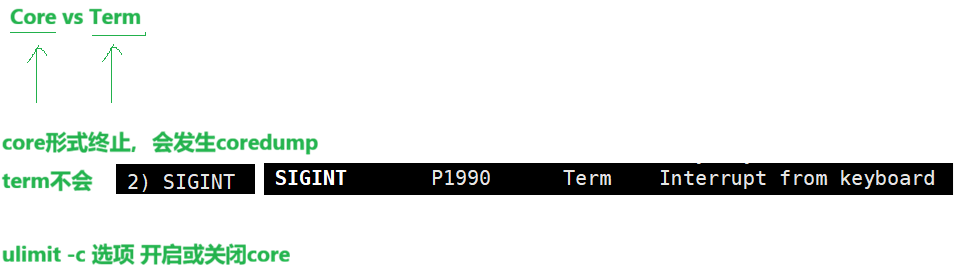
总结成表格的形式:
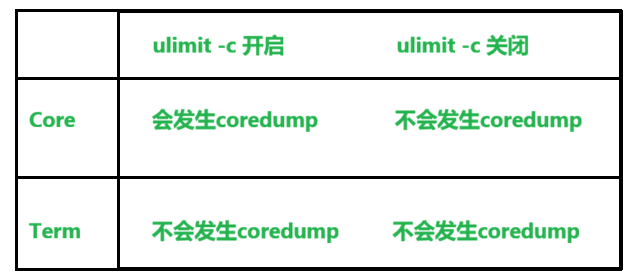
云服务器上默认是关闭 core 的,那么Core 和 Term 终止是没有任何区别的!!只有打开了它,二者才会有区别。
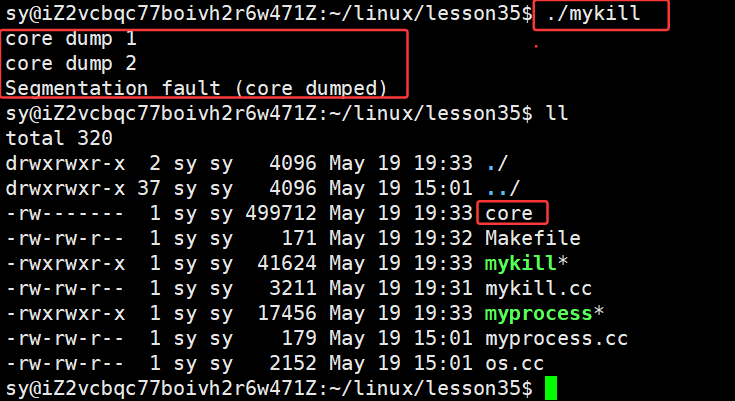
如何查看在哪一行发生的错误??
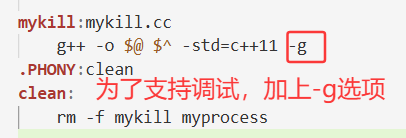
cpp
#include <iostream>
#include <functional>
#include <vector>
#include <unistd.h>
#include <sys/types.h>
#include <sys/wait.h>
#include <signal.h>

int main()
{
    printf("core dump 1\n");
    printf("core dump 2\n");

    int *p = nullptr;
    *p = 11; //故意的 野指针

    printf("core dump 3\n");
    printf("core dump 4\n");

}
gdb:
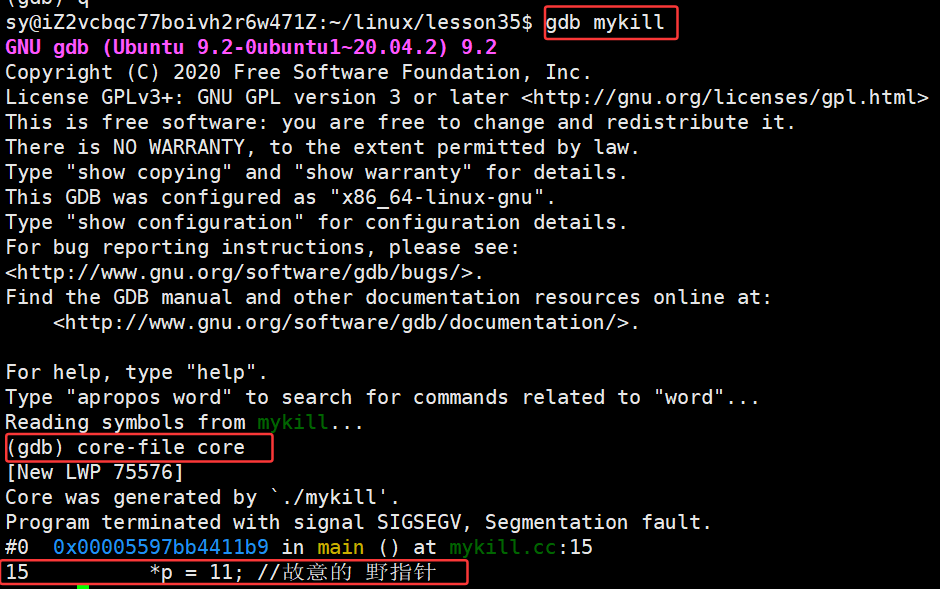
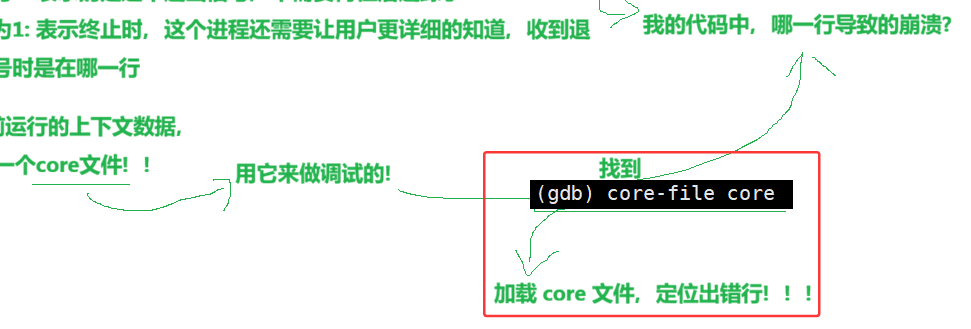
所以,在C/C++种逻辑的错误要自己gdb调试,计算的结果不对,排序的结果不对。C/C++程序崩溃,要么编译报错,要么运行报错(有逻辑错误,自己改),除0 or 野指针 直接将coredump打开,直接帮你定位,这种情况称为事后调试!!
信号产生的知识点就总结到这里。喜欢的话,别忘了点赞收藏哦 ❤️